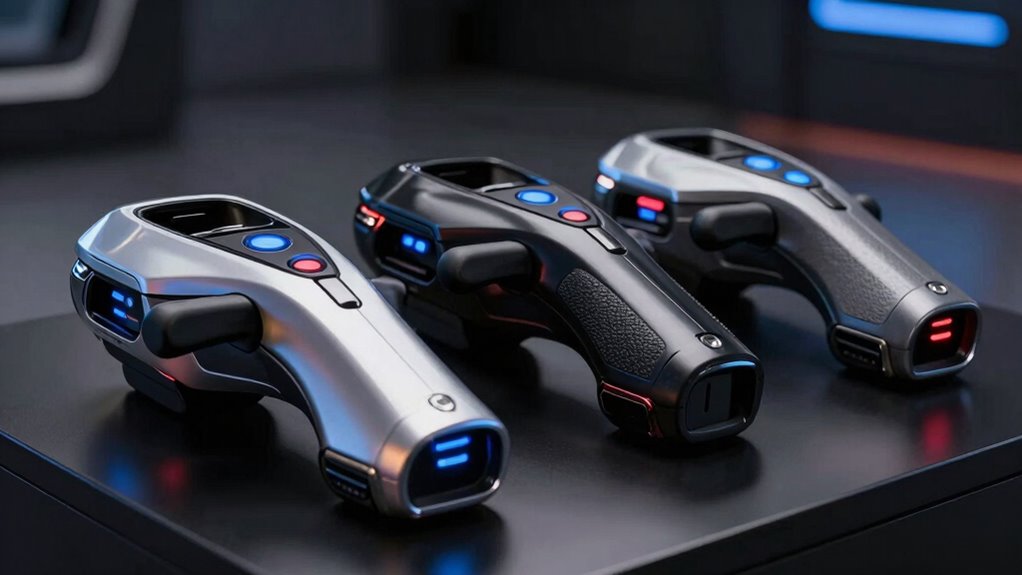

For serious VR flight simulation enthusiasts, choosing a premium flight stick means balancing realism, customization, and ease of use. The MOZA AB9 Base Bundle offers unmatched tactile feedback thanks to its dual servo motors, making it ideal for those seeking ultra-realistic control. Meanwhile, the Turtle Beach VelocityOne stands out with its comprehensive customization and user-friendly OLED display, suited for advanced but accessible control schemes. For VR users with Meta Quest headsets, the Tyco Tech HOTAS provides an authentic, adjustable experience, though it requires some assembly. Finally, the Thrustmaster T-Flight Hotas X and Logitech G X56 cater to users who want versatile, highly programmable controls with plug-and-play convenience or RGB customization. Each option has distinct tradeoffs in complexity, compatibility, and price, making the choice deeply personal based on your setup and priorities.

Play games on Amazon Luna for your next adventure, included with Prime
- A rotating selection of games, no download needed
- Play on TV, laptop or phone
- Fast, free delivery for your gear, too
Key Takeaways
- The MOZA AB9 excels in tactile feedback but may challenge beginners with its setup complexity.
- Turtle Beach VelocityOne offers high customization and an intuitive interface, suited for advanced users.
- Tyco Tech HOTAS provides authentic VR flight control but lacks included controllers and requires assembly.
- Thrustmaster T-Flight combines ease of use with programmable controls, ideal for PC flight sim fans.
- Logitech G X56 features extensive customization and RGB lighting, but demands multiple USB ports and a higher budget.
| MOZA AB9 Base Bundle with MH16 Flightstick |  | Best Overall for Realistic Feedback | Peak Torque: 12Nm | Material: Aviation-grade aluminum alloy | Design: Modular with pogo pin connections | VIEW ON AMAZON | See Our Full Breakdown |
| Turtle Beach VelocityOne Flightstick Universal Sim Controller for Xbox and PC |  | Best for Customization and User Experience | Compatibility: Xbox Series X|S, Xbox One, PC | Programmable Buttons: 27 | Features: OLED display, touchpad, RGB lighting, rapid-fire trigger | VIEW ON AMAZON | See Our Full Breakdown |
| Tyco Tech HOTAS Flight Stick System for Meta Quest VR Headsets |  | Best for VR-Specific Authenticity | Compatibility: Meta Quest 2, Quest 3/3s, Quest Pro | Control Type: HOTAS | Features: Spring-loaded, auto-centering, adjustable tension | VIEW ON AMAZON | See Our Full Breakdown |
| Thrustmaster T-Flight Hotas X USB Flight Sim Stick & Throttle – PC |  | Best for Ease of Use and Versatility | Action Buttons: 12 | Axes: 5 | Compatibility: PC | VIEW ON AMAZON | See Our Full Breakdown |
| Logitech G X56 H.O.T.A.S Throttle and Joystick Flight Simulator Controller |  | Best for Extensive Customization and Visuals | Controls: 189 programmable | Lighting: RGB | Dual Throttles: Yes | VIEW ON AMAZON | See Our Full Breakdown |
| premium flight stick for vr | Compatibility |
|---|---|
| MOZA AB9 Base Bundle with MH16 | — |
| Turtle Beach VelocityOne Fligh | Xbox Series X|S, Xbox One, PC |
| Tyco Tech HOTAS Flight Stick S | Meta Quest 2, Quest 3/3s, Quest Pro |
| Thrustmaster T-Flight Hotas X | PC |
| Logitech G X56 H.O.T.A.S Throt | Windows 7-11 |
More Details on Our Top Picks
MOZA AB9 Base Bundle with MH16 Flightstick
The MOZA AB9 Base Bundle features dual servo motors that deliver up to 12Nm of peak torque, providing some of the most precise and immersive flight feedback available for VR. Its aviation-grade aluminum construction ensures durability, while the modular design simplifies customization, making it ideal for dedicated flight simmers. Compared to the other options, it prioritizes tactile realism over plug-and-play convenience, which may be a hurdle for newcomers. Nonetheless, if your goal is the most authentic experience, this setup’s feedback and build quality justify its complexity and potentially higher cost.
Pros:- High torque for realistic flight sensations
- Durable aviation-grade aluminum build
- Modular design for customization
Cons:- No price info available, likely premium cost
- Setup can be complex for those unfamiliar with flight sim hardware
Best for: Serious flight simulation enthusiasts who prioritize tactile feedback and durability.
Not ideal for: Beginners or casual users who prefer simple, plug-and-play solutions.
- Peak Torque:12Nm
- Material:Aviation-grade aluminum alloy
- Design:Modular with pogo pin connections
Our verdict“This pick is best for dedicated VR flight fans who want ultimate tactile realism and are comfortable with complex setups.”
Turtle Beach VelocityOne Flightstick Universal Sim Controller for Xbox and PC
The Turtle Beach VelocityOne stands out for its extensive customization, with 27 programmable buttons and 8 axes. Its integrated throttle and flap levers add to the realism, while the OLED display offers quick flight management. It’s a great choice for those who want an immersive control experience without the steep learning curve of more complex hardware. However, its premium price and feature-rich design might be overwhelming for casual users or those new to flight sims. For users seeking a versatile, high-end controller that can adapt to various aircraft types, this model offers unmatched flexibility.
Pros:- Highly customizable with 27 programmable buttons
- Realistic throttle and flap levers
- Intuitive OLED display for management
Cons:- Steep learning curve for new users
- Premium price may be prohibitive for some
Best for: Advanced users who want a highly customizable, intuitive flight stick.
Not ideal for: Beginners or users on a tight budget who prefer simplicity.
- Compatibility:Xbox Series X|S, Xbox One, PC
- Programmable Buttons:27
- Features:OLED display, touchpad, RGB lighting, rapid-fire trigger
Our verdict“This controller excels for experienced flight simmers seeking detailed customization and ease of control management.”
Tyco Tech HOTAS Flight Stick System for Meta Quest VR Headsets
The Tyco Tech HOTAS caters specifically to Meta Quest VR headsets, offering a realistic flight control experience with adjustable tension and smooth operation. Its spring-loaded, auto-centering stick, combined with a customizable linear throttle, delivers authentic feel for VR pilots. Made from high-quality steel in the USA, it emphasizes durability and craftsmanship. However, it requires assembly, and since controllers are not included, it demands additional investment and setup time. It’s best suited for VR users who want a dedicated, realistic hotas system that enhances immersion, especially if they’re comfortable with some DIY adjustments.
Pros:- Authentic flight control with adjustable tension
- High-quality USA-made steel construction
- Customizable throttle for personalized control
Cons:- Requires assembly and adjustment
- Controllers not included, additional purchase needed
Best for: Meta Quest VR users seeking authenticity and customization.
Not ideal for: Non-VR users or those wanting an all-in-one solution with controllers included.
- Compatibility:Meta Quest 2, Quest 3/3s, Quest Pro
- Control Type:HOTAS
- Features:Spring-loaded, auto-centering, adjustable tension
Our verdict“Ideal for dedicated VR pilots who prioritize realism and are willing to handle some setup complexity.”
Thrustmaster T-Flight Hotas X USB Flight Sim Stick & Throttle – PC
The Thrustmaster T-Flight Hotas X offers a straightforward, ergonomic design with 12 fully programmable action buttons and 5 axes. Its detachable throttle and adjustable resistance make it a flexible choice for both casual and experienced flight enthusiasts. It’s a plug-and-play device that simplifies setup, making it accessible for PC users without sacrificing control precision. While it lacks the advanced customization of high-end models, it provides good value for those who want a reliable, easy-to-configure flight stick that works right out of the box.
Pros:- Ergonomic and comfortable for long sessions
- Fully programmable for customization
- Detachable throttle for flexible setup
Cons:- Limited to PC compatibility
- Requires manual configuration for advanced profiles
Best for: PC users who want a balance of ease, customization, and affordability.
Not ideal for: VR-only users or those seeking the most realistic tactile feedback.
- Action Buttons:12
- Axes:5
- Compatibility:PC
- Detachable Throttle:Yes
Our verdict“A practical, easy-to-use flight stick for users who value simplicity and versatility without high cost.”
Logitech G X56 H.O.T.A.S Throttle and Joystick Flight Simulator Controller
The Logitech G X56 offers a high level of control with 189 programmable controls, RGB lighting, and dual throttles, making it a top choice for immersive, visually integrated setups. Its hall-effect sensors ensure precise, consistent axes, and the four spring options allow tailoring stick resistance. However, its complex setup demands multiple USB ports and a relatively high budget, which can be barriers for some users. This model suits dedicated flight simmers who want absolute control and visual flair, but it may be overkill for casual VR users or those with limited system resources. Still, its extensive customization can be a game-changer for advanced pilots.
Pros:- 189 programmable controls for detailed customization
- RGB lighting for aesthetic appeal
- Hall-effect sensors for precise axes
Cons:- Requires multiple USB ports
- Complex setup process
- Higher price point
Best for: Enthusiasts seeking maximum control customization and aesthetic integration.
Not ideal for: Casual users or those with limited USB ports and system compatibility.
- Controls:189 programmable
- Lighting:RGB
- Dual Throttles:Yes
- Compatibility:Windows 7-11
Our verdict“This controller is best for experienced flight simmers who want complete control over every aspect of their setup and don’t mind the complexity.”

How We Picked
We prioritized products that deliver a premium VR flight experience, focusing on control realism, build quality, customization options, and compatibility with VR headsets. We selected models that stand out for their innovative features and user feedback, ensuring each caters to different levels of expertise and budget. Consideration was also given to ease of setup, durability, and whether the product complements a dedicated VR flight simulation environment.
| premium flight stick for vr | Compatibility |
|---|---|
| MOZA AB9 Base Bundle with MH16 | — |
| Turtle Beach VelocityOne Fligh | Xbox Series X|S, Xbox One, PC |
| Tyco Tech HOTAS Flight Stick S | Meta Quest 2, Quest 3/3s, Quest Pro |
| Thrustmaster T-Flight Hotas X | PC |
| Logitech G X56 H.O.T.A.S Throt | Windows 7-11 |
Factors to Consider When Choosing Premium Flight Stick For Vr
Choosing a premium flight stick for VR involves understanding how each model balances realism, customization, and ease of setup. Your ideal choice depends on whether you prioritize tactile feedback, detailed control, or straightforward operation. The following sections break down key considerations to help you match a product to your flying style and hardware environment.
Control Feedback and Realism
For the most immersive experience, tactile feedback is essential. The MOZA AB9, with its 12Nm torque, excels here, offering a force that mimics real aircraft controls. If you prefer a more nuanced feedback system, hall-effect sensors like those in the X56 provide precise, consistent axes, enhancing realism without the physical force. For VR users, a spring-loaded HOTAS like Tyco Tech offers authentic tension adjustments, creating a tactile sense of aircraft response without complex electronics.
Customization and Control Features
Advanced users should focus on programmable buttons and axes. The X56 and Turtle Beach VelocityOne stand out for their extensive customization, allowing tailored control schemes for different aircraft types and missions. The Thrustmaster T-Flight offers a balanced approach with fully programmable controls and a detachable throttle, suitable for those who want flexibility without overwhelming complexity. Sim pilots eager for maximum control can lean toward the X56, while casual VR pilots might prefer the plug-and-play simplicity of the Thrustmaster.
Compatibility and Ease of Use
PC compatibility is straightforward with the Thrustmaster T-Flight and Logitech X56, but VR-specific hardware like Tyco Tech HOTAS is designed solely for Meta Quest headsets, requiring assembly. The Turtle Beach VelocityOne works seamlessly with both Xbox and PC, blending ease of use with advanced features. Consider your hardware environment and comfort with setup complexity when choosing, as more feature-rich controllers often demand more configuration time.
Frequently Asked Questions
What should I consider when choosing a premium VR flight stick?
Focus on realism features like force feedback and tactile feedback, compatibility with your VR hardware and PC setup, and the level of customization you desire. Balance these with your experience level—more advanced controllers offer greater control but often require more setup and familiarity. Budget is also a factor, as higher-end models tend to come with premium prices for enhanced features.
Are high-end flight sticks worth the investment for VR users?
For dedicated VR flight enthusiasts, investing in a high-end flight stick can significantly enhance immersion and control. The tactile feedback and customization options translate directly into a more authentic flying experience. However, casual users or those new to flight sims might find the complexity and cost unnecessary, preferring more straightforward or budget-friendly options.
Can I use non-VR flight sticks with VR headsets?
Yes, many high-end flight sticks are compatible with VR setups via PC. However, controllers specifically designed for VR, like the Tyco Tech HOTAS, may offer better integration and realism tailored for VR environments. Always check compatibility with your VR hardware and software before purchasing, especially if you want seamless operation within VR applications.
Do I need special hardware to run these premium flight sticks?
Most premium controllers require a compatible PC or gaming console with sufficient USB ports. Models like the X56 and Thrustmaster T-Flight are plug-and-play on PC, but the X56 demands multiple USB connections. VR-specific systems like Tyco Tech need assembly and may require additional space and power. Ensure your hardware meets the controller’s requirements for smooth operation.
Are there any drawbacks to premium flight sticks?
Higher-end flight sticks often come with a learning curve, complex setup, and higher costs. They can be overkill for casual users, and some models may require ongoing calibration or adjustments. Additionally, their size and complexity might be cumbersome in limited space environments, so consider your setup carefully before investing in a premium model.
Conclusion
If you’re a dedicated VR pilot craving the most realistic feedback and control, the MOZA AB9 offers unmatched tactile immersion, though it demands a complex setup. For those seeking extensive customization with an intuitive interface, the Turtle Beach VelocityOne provides a balanced high-end experience suitable for advanced users. VR enthusiasts who prioritize authenticity and are comfortable with assembly should consider the Tyco Tech HOTAS, especially for Meta Quest headsets. Casual VR users or PC flight sim fans who want simplicity and versatility might find the Thrustmaster T-Flight a more practical choice, while the Logitech G X56 caters to those who want detailed control over their entire flight environment with visual flair. Your ideal pick depends on your experience level, hardware environment, and how much you value realism against ease of use.
Halloween Picks
halloween
As an affiliate, we earn on qualifying purchases.