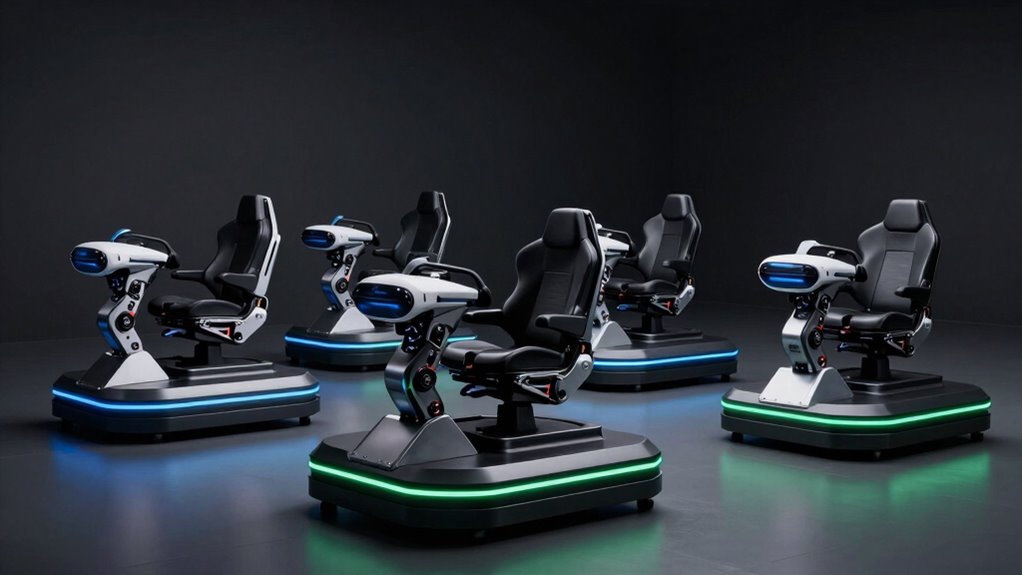

Choosing the right motion platform for VR flight simulation depends on your space, budget, and desired realism. The DOF Reality H3 stands out for its full 3-axis motion and complete cockpit setup, making it ideal for those seeking immersive experiences without a dedicated gaming room. The DOF Reality H2 offers a more compact, upgradeable alternative for budget-conscious users who want a solid 2-DOF platform. Meanwhile, the Next Level Racing Motion Plus provides a modular, highly customizable experience, perfect for users who want to tailor their setup over time. Each has distinct tradeoffs around price, complexity, and expandability, which I’ll explore in detail.

Get VR and gaming gear delivered free — and shop member deals
- Fast, free delivery on millions of items
- Access to Prime Big Deal Days deals on October 6–7
- Prime Video, Amazon Music and more included
Key Takeaways
- The DOF Reality H3 offers comprehensive 3-axis motion with a full cockpit, best for dedicated sim enthusiasts.
- The DOF Reality H2 is a more compact, upgradeable platform suited for space-limited users or beginners.
- Next Level Racing Motion Plus provides modular customization, ideal for those wanting a tailored setup.
- All options support VR and over 100 compatible games, but they vary in setup complexity and price.
- Choosing depends on your space, budget, and how deep into realism you want to go.
| DOF Reality Motion Simulator Platform H3 (3 Movements Axis) for Flight, Racing, and Plane Cockpit |  | Best Overall for Full-Immersion VR Flight Sim | Movements: 3-axis (Pitch, Roll, Yaw) | Platform: Full platform with steering wheel, joystick, pedals | Compatibility: PC, consoles, VR | VIEW ON AMAZON | See Our Full Breakdown |
| DOF Reality Full Motion Simulator Platform H2 (2 Movements Axis) for Flight, Racing, and Plane Cockpit |  | Best Compact and Upgradeable 2-DOF Platform | Movements: 2 DOF (Pitch + Roll), upgradeable to 3 DOF | Compatibility: PC and consoles | Features: Full platform with controls | VIEW ON AMAZON | See Our Full Breakdown |
| Next Level Racing Motion Plus Platform NLR-M007 | 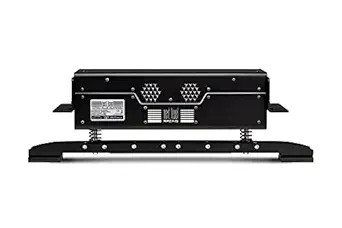 | Best Modular and Customizable Motion System | Power Supply: 321W | Working Range Temperature: 4°C to 45°C | Compatibility: Next Level Racing cockpits, PC | VIEW ON AMAZON | See Our Full Breakdown |
| motion platform for vr flight sim | Compatibility | Movements | Noise Level | Size |
|---|---|---|---|---|
| DOF Reality Motion Simulator P | PC, consoles, VR | 3-axis (Pitch, Roll, Yaw) | Quiet | Compact |
| DOF Reality Full Motion Simula | PC and consoles | 2 DOF (Pitch + Roll), upgradeable to 3 DOF | Very quiet | Compact |
| Next Level Racing Motion Plus | Next Level Racing cockpits, PC | — | — | — |
More Details on Our Top Picks
DOF Reality Motion Simulator Platform H3 (3 Movements Axis) for Flight, Racing, and Plane Cockpit
The DOF Reality H3 stands out for its full 3-axis motion—pitch, roll, yaw—delivering a highly immersive experience that mimics real airplane movements. Its included full cockpit with steering wheel, joystick, and pedals makes it a comprehensive setup for serious enthusiasts. Compared with the H2, the H3 offers more realistic motion but is slightly bulkier and may require more calibration. It’s compatible with over 100 games and VR, providing excellent versatility. Its quiet operation makes it suitable for home use, and the compact size helps it fit into most rooms. The main drawback is the lack of specific pricing info, and some may find setup a bit involved.
Pros:- Immersive 3-axis motion with drifting sensations
- Includes full cockpit with controls
- Compatible with PC, consoles, and VR
- Quiet and space-efficient design
Cons:- No clear price info
- Setup may require calibration
Best for: Serious VR flight sim enthusiasts seeking a complete, immersive cockpit experience.
Not ideal for: Casual users or those with very limited space looking for a simple, budget-friendly solution.
- Movements:3-axis (Pitch, Roll, Yaw)
- Platform:Full platform with steering wheel, joystick, pedals
- Compatibility:PC, consoles, VR
- Supported Games:100+
- Noise Level:Quiet
- Size:Compact
Our verdict“A powerhouse choice for immersive VR flight sims, balancing full motion with a complete cockpit setup.”
DOF Reality Full Motion Simulator Platform H2 (2 Movements Axis) for Flight, Racing, and Plane Cockpit
The DOF Reality H2 offers a smaller footprint with 2 degrees of freedom, focusing on pitch and roll, with an option to upgrade to 3 DOF later. Its full platform with steering wheel, joystick, and pedals makes it suitable for immersive flight and racing. Compared to the H3, it’s more space-efficient and quieter but initially limited in motion range. Its upgradeability means you can start small and expand later, but the setup process may require additional effort to ensure compatibility. The platform is compatible with over 100 games and VR, although specific pricing isn’t provided.
Pros:- Supports over 100 games and VR
- Full platform movement including controls
- Very quiet operation
- Upgradeable to 3 DOF
Cons:- Limited to 2 DOF initially
- May require additional setup for full compatibility
- Price details are missing
Best for: Users wanting a compact, upgradeable simulator for space-limited environments or budget-conscious newcomers.
Not ideal for: Those desiring the most realistic 3-axis motion from the start or with a larger dedicated space.
- Movements:2 DOF (Pitch + Roll), upgradeable to 3 DOF
- Compatibility:PC and consoles
- Features:Full platform with controls
- Noise Level:Very quiet
- Size:Compact
Our verdict“A practical choice for space-conscious users who plan to upgrade, offering solid motion with room to grow.”
Next Level Racing Motion Plus Platform NLR-M007
The Next Level Racing Motion Plus emphasizes modularity and customization. Its design allows adding modules for 2 or 3 DOF, giving users flexibility as their needs evolve. It features realistic bump, turn, acceleration, and vibration effects, creating a highly immersive experience. Easy to install, it’s compatible with Next Level Racing cockpits and most major PC racing and flight games. However, the system’s reliance on a compatible cockpit and its higher power consumption could be drawbacks for some. Its adaptable nature makes it well-suited for users who want to upgrade over time and customize their sim setup.
Pros:- Highly immersive motion with bump and vibration
- Modular design allows customization
- Easy installation and compatibility with multiple games
- Ultra-low latency with advanced VR support
Cons:- Requires compatible cockpit for full function
- Potentially high power consumption
- Limited price and availability info
Best for: Enthusiasts who want a modular, adaptable platform that can grow with their skills and preferences.
Not ideal for: Budget users or those seeking a plug-and-play, all-in-one solution without additional upgrades.
- Power Supply:321W
- Working Range Temperature:4°C to 45°C
- Compatibility:Next Level Racing cockpits, PC
- Modules:1 module for 2-DOF, 2 modules for 3-DOF
- Features:Modular, low latency, advanced VR software
- Performance:Realistic bump, turn, acceleration, vibration
Our verdict“A sophisticated, flexible platform best suited for dedicated sim racers eager to customize and expand their setup.”

How We Picked
My selection process focused on evaluating each platform’s motion range, compatibility with VR and games, ease of setup, and overall value. I compared the depth of motion, whether the platform includes a full cockpit or just the base, and how expandable each system is. Price was considered, but more weight was given to immersive features and real-world usability. I aimed to recommend options that suit different types of users—from newcomers to hardcore sim racers—based on these criteria.
| motion platform for vr flight sim | Compatibility | Noise Level | Features |
|---|---|---|---|
| DOF Reality Motion Simulator P | PC, consoles, VR | Quiet | — |
| DOF Reality Full Motion Simula | PC and consoles | Very quiet | Full platform with controls |
| Next Level Racing Motion Plus | Next Level Racing cockpits, PC | — | Modular, low latency, advanced VR software |
Factors to Consider When Choosing Motion Platform For Vr Flight Sim
Picking the right motion platform for VR flight simming involves balancing motion range, space, budget, and future upgrade plans. I’ll break down key factors such as degrees of freedom, platform size, compatibility, and how immersive each system can get. Whether you want a full cockpit experience or a modular system you can customize, understanding these aspects helps in making a confident choice.
Degrees of Freedom (DOF)
The number of axes a platform moves along directly influences realism. 2-DOF systems like the H2 support pitch and roll, enough for basic flight simulation. 3-DOF platforms, like the H3 and Next Level Racing, add yaw or other motions, creating a more convincing experience. Consider your budget and space—more DOF usually means higher cost and complexity.
Full Cockpit vs. Base Platform
Some platforms include a complete cockpit with controls, like the H3 and Next Level Racing, enhancing immersion. Others, like the H2, focus on just the motion base, which can be more budget-friendly and compact. Think about whether you want a ready-to-use cockpit or prefer adding your own controls over time.
Compatibility and Expandability
Check if the platform supports your preferred VR headset, PC, or console. Also, see if it’s upgradeable—like the H2—so you can start small and expand your setup as your skills grow. Modular options provide the most flexibility but may require more initial effort to configure correctly.
Space and Noise
Size matters—compact platforms like the H2 and Next Level Racing fit well into smaller rooms. The H3, while larger, is still designed for home use. Noise levels vary; quieter systems are preferable for shared spaces or late-night sessions, making the H3 and H2 more attractive for casual home users.
Frequently Asked Questions
What is the main difference between 2-DOF and 3-DOF motion platforms?
The primary difference lies in the axes of movement. 2-DOF systems like the H2 support pitch and roll, which simulate basic tilting and banking motions. 3-DOF platforms add yaw, which involves twisting or turning, offering a more realistic sensation of turning and directional changes. This extra axis enhances immersion but also increases system complexity and cost.
Can I upgrade my motion platform later?
Yes, some platforms like the DOF Reality H2 and Next Level Racing Motion Plus are designed with upgradeability in mind. Starting with a 2-DOF setup and adding modules later allows you to expand your system’s realism over time, though it may involve additional setup and calibration. This flexibility can save initial costs while providing growth potential.
How important is compatibility with VR?
Compatibility with VR is essential if you want an immersive experience, as motion platforms greatly enhance the sense of presence. All three options discussed support VR, but the systems with lower latency and better software integration—like Next Level Racing—offer smoother, more realistic feedback, which makes a noticeable difference during intense flight maneuvers.
Are these platforms suitable for space-limited rooms?
Both the H2 and Next Level Racing Motion Plus are highly suitable for smaller spaces thanks to their compact design. The H3, while larger, remains manageable for most home setups. Always check the dimensions before purchasing to ensure your space can comfortably accommodate the platform and cockpit.
What should I consider regarding the cost of these systems?
Price varies significantly based on features like degrees of freedom, included cockpit, and expandability. The H2 is typically more affordable and a good entry point, while the H3 and Next Level Racing offer more immersive features at a higher price. Remember to factor in additional costs for controls and accessories if they aren’t included.
Conclusion
For dedicated sim racers with ample space and a focus on maximum immersion, the DOF Reality H3 is the best choice, offering full 3-axis motion and a complete cockpit setup. Those with limited space or on a budget will find the DOF Reality H2 more suitable, especially with its upgrade path. Meanwhile, users who want a highly customizable, modular system should consider the Next Level Racing Motion Plus, particularly if they plan to expand their setup over time. Your choice should ultimately reflect your space, budget, and how immersive you want your VR flight experience to be.
Halloween Picks
halloween
As an affiliate, we earn on qualifying purchases.