
Choosing the best Wi-Fi 7 router for VR depends on several factors like speed, coverage, and device capacity. The Amazon eero 7 dual-band mesh Wi-Fi 7 router stands out for its reliable coverage and simplicity, making it ideal for most users. The NETGEAR Nighthawk RS700S offers ultra-high speeds and extensive coverage, perfect for demanding VR setups. However, these routers involve tradeoffs between cost, complexity, and network capacity. Continue reading for a detailed breakdown of each option and which one suits your specific VR needs.
Key Takeaways
- Most top routers support multi-gigabit speeds necessary for smooth VR streaming and gaming.
- Coverage varies significantly, with mesh options providing better whole-home coverage for VR setups in larger spaces.
- Device capacity is crucial—higher-end models support more simultaneous connections without lag.
- Additional features like VPN support, USB ports, and mesh compatibility add value for advanced users.
- Price and complexity tend to increase with performance, making it important to match the router to your actual VR setup needs.



More Details on Our Top Picks
Amazon eero 7 dual-band mesh Wi-Fi 7 router (newest model) – Supports internet plans up to 2.5 Gbps, Coverage up to 2,000 sq. ft., 1-pack
This eero 7 stands out for offering solid Wi-Fi 7 performance at an accessible price point, making it an excellent choice for those seeking reliable VR streaming without overspending. Its mesh capability and TrueMesh software ensure stable coverage and minimized dead zones, comparable to more expensive options like the TP-Link BE6500 but without some of the advanced features or higher throughput. The model supports internet plans up to 2.5 Gbps and can handle around 120 devices, making it suitable for busy households. However, its maximum coverage of 2,000 sq. ft. and wireless speeds up to 1.8 Gbps may limit performance for larger or very high-bandwidth VR setups. This pick makes the most sense for users needing a reliable, easy-to-expand mesh network without the highest speeds or extensive configuration options.
Pros:- Affordable entry point into Wi-Fi 7 mesh networking
- Supports internet plans up to 2.5 Gbps with dual auto-sensing ports
- Excellent coverage for small to medium-sized homes
Cons:- Limited to 2,000 sq. ft. coverage, less ideal for very large homes
- Wireless speeds capped at 1.8 Gbps, which might bottleneck high-end VR experiences
Best for: Small to medium homes seeking a budget-friendly, reliable mesh Wi-Fi 7 system for VR and daily use
Not ideal for: Large households or power users demanding ultra-high speeds or extensive custom network controls
- Wi-Fi Standard:Wi-Fi 7 (IEEE 802.11ax/be)
- Coverage:2000 sq. ft.
- Max Wireless Speed:1.8 Gbps
- Ethernet Ports:2x 2.5 GbE
- Device Capacity:120+
- Mesh Support:Yes
Bottom line: This router is best suited for budget-conscious users wanting dependable mesh coverage for VR in smaller to medium homes.
GL.iNet GL-BE6500 (Flint 3e) WiFi 7 Router, High-Speed WiFi Router for Wireless Internet w/VPN, 5 x 2.5G Ethernet Port for Fiber Optic Modem, Long Range Large Home, Business & Gaming Computer Routers
The GL.iNet Flint 3e is tailored for users who need ultra-fast, low-latency connections, especially important for VR gaming and streaming. Its support for Wi-Fi 7 features like MLO and 4K-QAM enhances throughput and reduces lag, outperforming basic routers like the eero 7 in high-demand environments. With five 2.5G Ethernet ports and broad coverage up to 2,500 sq. ft., it excels in larger homes or gaming setups requiring multiple wired and wireless devices. The VPN support via Wireguard and OpenVPN adds security, appealing to privacy-conscious users. However, its advanced features and high speeds come with a steeper learning curve and potentially higher price, which could deter less tech-savvy buyers. This model is ideal for gamers or power users who prioritize speed and connectivity stability for VR experiences.
Pros:- Supports Wi-Fi 7 with cutting-edge MLO and 4K-QAM technology
- Five 2.5G Ethernet ports for versatile wired connections
- Long-range coverage up to 2,500 sq. ft. suitable for large spaces
Cons:- Higher complexity in setup and management
- Premium price point for a niche market
Best for: High-end gamers and tech-savvy users needing ultra-fast, low-latency Wi-Fi 7 for VR and intensive online activities
Not ideal for: Casual users or those with small homes who don’t require extensive wired ports or advanced VPN features
- Wi-Fi Standard:Wi-Fi 7 (IEEE 802.11ax/be)
- Coverage:2500 sq. ft.
- Max Wireless Speed:6.5 Gbps
- Ethernet Ports:5x 2.5 GbE
- Processor:DDR4 1GB
- VPN Support:Wireguard, OpenVPN
Bottom line: This router is best for dedicated gamers or power users seeking the lowest latency and highest speeds for VR gaming and streaming.
TP-Link BE6500 Dual-Band WiFi 7 Router (BE400) – Dual 2.5Gbps Ports, USB 3.0, Covers up to 2,400 sq. ft., 90 Devices, Quad-Core CPU, HomeShield, Private IoT, Free Expert Support
The TP-Link BE6500 offers a balanced approach, combining Wi-Fi 7’s advanced features with strong security and management tools. Its dual 2.5Gbps ports support high-speed internet plans, making it suitable for VR streaming and gaming in a typical home setting. Its coverage of 2,400 sq. ft. and support for up to 90 devices make it comparable to the eero 7 but with added security through HomeShield and private IoT features, appealing to privacy-focused households. The quad-core processor ensures smooth performance, but the lack of tri-band support and slightly lower maximum wireless speeds may limit performance in very demanding VR environments or larger homes. This router fits best for users prioritizing security and reliable coverage over raw throughput.
Pros:- Supports Wi-Fi 7 with Multi-Link Operation (MLO) and 4K-QAM
- Includes robust security with HomeShield
- Supports up to 90 devices within 2,400 sq. ft.
Cons:- Limited to dual-band, which may reduce peak throughput
- Maximum speed of 2.882 Gbps might bottleneck very high-end VR applications
Best for: Home users needing strong security, device management, and reliable Wi-Fi 7 coverage without needing the highest speeds
Not ideal for: High-end gaming setups or large households requiring extensive bandwidth or tri-band performance
- Wi-Fi Standard:Wi-Fi 7 (IEEE 802.11ax/be)
- Coverage:2400 sq. ft.
- Max Wireless Speed:2.88 Gbps
- Ethernet Ports:2x 2.5 GbE
- Security Features:HomeShield, Private IoT
- Device Capacity:90
Bottom line: This router is ideal for security-conscious households that want reliable Wi-Fi 7 coverage for VR and daily tasks without the need for extreme speeds.
TP-Link Dual-Band BE3600 Wi-Fi 7 Router Archer BE230 | 4-Stream | 2×2.5G + 3×1G Ports, USB 3.0, 2.0 GHz Quad Core, 4 Antennas | VPN, EasyMesh, HomeShield, MLO, Private IOT | Free Expert Support
The TP-Link BE230 excels in environments that require flexible wired connections and simple expansion. Its dual-band Wi-Fi 7 supports speeds up to 2×2.5G on the WAN and LAN ports, providing a solid backbone for VR streaming and gaming. The inclusion of three 1G LAN ports and a USB 3.0 port enhances wired versatility, making it suitable for multi-device setups. Its EasyMesh compatibility allows seamless expansion with other routers or extenders, streamlining large home coverage. While it offers robust security with HomeShield and VPN support, its dual-band design limits peak wireless speeds compared to tri-band options like the NETGEAR BE9300. This makes it a practical choice for users who value wired connectivity and straightforward network management for VR and entertainment.
Pros:- Supports Wi-Fi 7 with MLO and 4K-QAM for high efficiency
- Multiple 2.5G ports and USB 3.0 for versatile wired connections
- EasyMesh compatibility for seamless expansion
Cons:- Dual-band limits maximum wireless throughput compared to tri-band models
- Coverage of 2,000 sq. ft. may not suffice for very large homes
Best for: Home users needing flexible wired connections and easy Mesh expansion for VR and multi-device setups
Not ideal for: Users seeking maximum wireless throughput or ultra-large coverage in a single device
- Wi-Fi Standard:Wi-Fi 7 (IEEE 802.11ax/be)
- Coverage:2000 sq. ft.
- Max Wireless Speed:2.4 Gbps
- Ethernet Ports:1x 2.5 GbE, 3x 1 GbE
- Additional Features:VPN, EasyMesh, HomeShield
- Device Capacity:90
Bottom line: This router is best suited for users who need flexible wired options and easy expansion for reliable VR streaming in medium-sized homes.
TP-Link Roam 7 BE3600 Wi-Fi 7 Portable Travel Router | Dual-Band, 2.5G Port, USB 3.0 | Multi-Modes in One | OpenVPN, WireGuard® | Public WiFi Sharing for Hotel/Cruise/RV/Plane | No 6 GHz | TL-WR3602BE
This portable TP-Link Roam 7 stands out for its versatility in supporting multiple modes, including router, hotspot, and range extender, making it ideal for travelers who need reliable, secure Wi-Fi on the go. Compared to the NETGEAR Nighthawk BE9300, it offers more modes and VPN options like WireGuard, but it lacks support for the 6 GHz band, which limits peak speeds slightly. Its ability to support up to 90 devices simultaneously is impressive, especially for group travel or RV use, yet it does not have the same extensive coverage or mesh capabilities of larger systems. The compact design and USB-C power options make it highly portable, but the absence of 6 GHz might be a drawback for those seeking ultra-high speeds in dense environments. Overall, this router makes the most sense for frequent travelers needing flexible, secure connections.
Specs: Dual-band Wi-Fi 7, 2.5 Gbps WAN port, 2× 1 Gbps LAN ports, USB 3.0 port, Supports OpenVPN/WireGuard, Supports up to 90 devices, Supports multiple modes, Compact travel design, No 6 GHz support.Pros:- Supports multiple modes including router, hotspot, and extender
- Supports VPN protocols like WireGuard for secure browsing
- Can connect up to 90 devices simultaneously
- Portable with USB-C power options
Cons:- No support for the 6 GHz band, limiting peak speeds
- Limited coverage area, not suitable for large homes
- Lacks mesh functionality for seamless multi-node coverage
Best for: Frequent travelers, RV owners, remote workers needing secure, multi-mode portable Wi-Fi.
Not ideal for: Home users with large homes or those seeking mesh coverage, as it’s limited in range and speeds compared to mesh systems.
- Wi-Fi Generation:Wi-Fi 7
- Max Data Transfer Rate:2882 Mbps
- Ports:2.5 Gbps WAN, 1 Gbps LAN, USB 3.0
- Support for VPN:OpenVPN, WireGuard
- Device Capacity:Up to 90 devices
- Support Modes:Router, Hotspot, Extender
- Coverage:Portable
- No 6 GHz support:Yes
Bottom line: Ideal for travelers and remote workers needing flexible, secure Wi-Fi on the move without extensive home coverage.
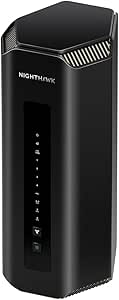
NETGEAR Nighthawk WiFi 7 Router (BE9300) – Router Only, 9.3Gbps Wireless Speed, 2.5 Gigabit Internet Port, Tri-Band for Gaming, Covers 2,500 sq. ft., 100 Devices, VPN – Free Expert Help
This NETGEAR Nighthawk BE9300 excels with its blazing 9.3 Gbps speeds and tri-band Wi-Fi 7, making it perfect for gamers and streamers who demand fast, stable connections. It surpasses the TP-Link Roam 7 in raw speed and includes a dedicated 6 GHz band for peak performance, but it’s less portable and more suited to larger, fixed home setups. Its coverage of up to 2,500 sq. ft. and support for 100 devices makes it a solid middle ground for medium homes, yet it lacks mesh capabilities, so multiple units are needed for larger spaces. The app interface is intuitive, but the router’s size and power needs make it less ideal for travel. Overall, this router is best for high-demand households that want top-tier performance without mesh.
Specs: Tri-band Wi-Fi 7, 9.3 Gbps max speed, 2.5 Gbps Ethernet port, supports 100 devices, coverage up to 2,500 sq. ft., VPN support, supports multiple bands, sleek design, no mesh capabilities.Pros:- High maximum speed of 9.3 Gbps
- Tri-band setup with dedicated 6 GHz for optimal performance
- Supports up to 100 devices
- Includes a 2.5 Gbps Ethernet port for fast wired connections
Cons:- Less portable, designed for fixed home setups
- No mesh functionality, requiring multiple units for large homes
- Size and power needs make it less travel-friendly
Best for: Gamers and streamers in medium-sized homes looking for speed and stability without mesh complexity.
Not ideal for: Travelers or those with homes over 2,500 sq. ft. needing seamless mesh coverage, as it’s less portable and lacks mesh support.
- Wi-Fi Generation:Wi-Fi 7
- Max Data Transfer Rate:9300 Mbps
- Ports:2.5 Gbps Ethernet, 4× 1 Gbps LAN
- Support for VPN:Yes
- Device Capacity:Up to 100 devices
- Coverage:2,500 sq. ft.
- Support Modes:Tri-band Router
- Mesh Support:No
Bottom line: Best suited for households that prioritize speed and gaming stability over portability or extensive coverage.
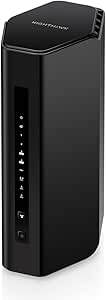
NETGEAR Nighthawk Tri-Band WiFi 7 Router (RS700S) – Router Only- BE19000 Wireless Speed (up to 19 Gbps) – 10 Gig Internet Port – Covers up to 3,500 sq. ft. – 1-Year Armor & Free Expert Help
The NETGEAR RS700S stands out for its extraordinary speed of up to 19 Gbps and expansive coverage of up to 3,500 sq. ft., making it ideal for large homes and future-proofing your network. It significantly outperforms the other options in speed, thanks to its 10 Gbps WAN port and advanced tri-band Wi-Fi 7, suitable for ultra-high-definition streaming, VR, and multiple gaming devices. However, it’s a router-only device, requiring a separate modem, and its large size makes it less portable. While the speed is unmatched, the cost and complexity might be overkill for smaller households. This router makes the most sense for large homes or those planning to upgrade their internet infrastructure soon.
Specs: Wi-Fi 7, up to 19 Gbps, 10 Gbps WAN port, coverage up to 3,500 sq. ft., supports 250+ devices, tri-band, supports VPN, router-only design, large footprint, future-proof speeds.Pros:- Unmatched speed of up to 19 Gbps
- Expansive coverage of 3,500 sq. ft.
- Supports over 250 devices
- Includes 10 Gbps WAN port for future internet upgrades
Cons:- Router-only, requiring separate modem
- Large size and power consumption
- Overkill for small or medium homes on a budget
Best for: Large households or tech enthusiasts seeking maximum speed and coverage with future-ready technology.
Not ideal for: Small homes or travelers needing portable, mesh, or all-in-one solutions, due to its size and setup requirements.
- Wi-Fi Generation:Wi-Fi 7
- Max Data Transfer Rate:19 Gbps
- Ports:10 Gbps WAN, 4× 1 Gbps LAN
- Support for VPN:Yes
- Device Capacity:250+
- Coverage:Up to 3,500 sq. ft.
- Support Modes:Tri-band Router
- Mesh Support:No
Bottom line: Best for large homes or high-end tech setups that demand maximum speed and coverage with future-proofing.
TP-Link Deco 7 BE23 Dual-Band BE3600 WiFi 7 Mesh Wi-Fi Router | 4-Stream 3.6 Gbps,160 Mhz | Covers up to 2,500 Sq.Ft | 2× 2.5G Ports Wired Backhaul | VPN, MLO, HomeShield, Free Expert Help, 1-Pack
The TP-Link Deco 7 BE23 is a superb mesh Wi-Fi 7 system that provides reliable coverage up to 2,500 sq. ft. with excellent speeds of 3.6 Gbps. It’s a solid choice for larger homes that need seamless, fast internet across multiple rooms or buildings, outperforming the TP-Link TL-WR3602BE portable due to its mesh capabilities. Its dual-band setup with 2× 2.5 Gbps ports supports wired backhaul for stability, and AI-Driven Roaming ensures devices stay connected at optimal speeds. However, it’s less portable and more expensive than the travel-oriented TP-Link Roam 7. This system is perfect for users prioritizing whole-home coverage and stability over ultra-high speeds or portability.
Specs: Wi-Fi 7, 3.6 Gbps, dual-band mesh, 2× 2.5 Gbps ports, supports MLO and VPN, covers 2,500 sq. ft., supports multiple devices, supports HomeShield security, AI Roaming for seamless connectivity.Pros:- Seamless mesh coverage up to 2,500 sq. ft.
- Supports high speeds of 3.6 Gbps
- AI Roaming for seamless device handoff
- Supports wired backhaul with 2× 2.5 Gbps ports
Cons:- Less portable, designed for fixed home installation
- Higher cost compared to single routers
- Limited to 2.4 GHz and 5 GHz bands, no dedicated 6 GHz for peak speeds
Best for: Homeowners seeking reliable, high-speed mesh coverage for large or multi-building homes.
Not ideal for: Travelers or small apartments needing portable or simple single-router setups, as it’s designed for whole-home mesh coverage.
- Wi-Fi Generation:Wi-Fi 7
- Max Data Transfer Rate:3.6 Gbps
- Ports:2× 2.5 Gbps Ethernet
- Support for VPN:Yes
- Coverage:Up to 2,500 sq. ft.
- Support Modes:Mesh, MLO
- Device Capacity:Large homes
- Mesh Support:Yes
Bottom line: Best for those who need dependable mesh coverage across large or multi-story homes with high-speed demands.
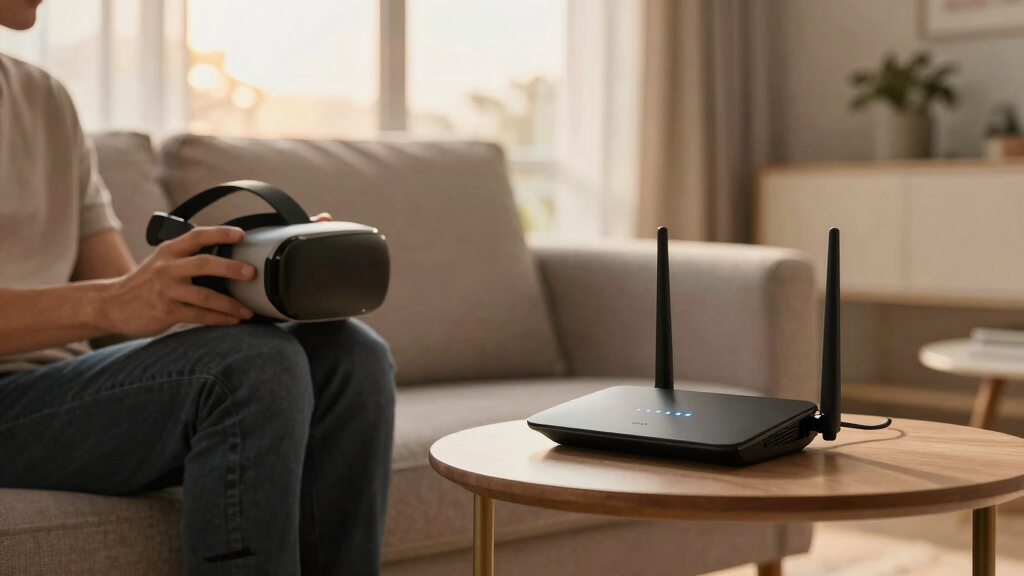
How We Picked
I evaluated these Wi-Fi 7 routers based on performance benchmarks such as maximum speed, latency, and stability, especially under typical VR data loads. Coverage area was a key factor, since VR experiences often involve large data streams that require broad, stable signals. Device capacity was also considered, ensuring each router could handle multiple VR devices and other home gadgets simultaneously without degradation. Ease of setup, build quality, and additional features like security and ports were included to reflect real user needs. The ranking highlights models that balance speed, coverage, and usability for VR environments, with top picks offering the best value and performance for their price.Factors to Consider When Choosing Best Wi-Fi 7 Routers For VR
When selecting a Wi-Fi 7 router for VR, you need to consider several critical factors to ensure a smooth, lag-free experience. VR demands low latency and high throughput, so understanding how different routers meet these needs helps avoid common pitfalls like insufficient coverage or device bottlenecks. The right router depends on your space, the number of devices, and your budget. Below are key considerations to help you make an informed choice beyond just raw specs.Speed and Throughput
VR streaming and gaming require high data rates to prevent lag and stuttering. Look for routers supporting multi-gigabit speeds, ideally with both 2.5Gbps and 10Gbps ports. Remember, real-world speeds depend on your internet plan and home wiring, so prioritize models that can handle your maximum plan and future upgrades. Cheaper routers might advertise high speeds but can struggle under load, especially with multiple VR devices or simultaneous streaming.
Coverage and Mesh Support
VR setups typically need stable signals across a dedicated space, which can be challenging in larger homes. Mesh routers or models with extensive coverage can prevent dead zones and reduce lag. Mesh systems are especially advantageous if your VR area spans multiple rooms or floors. Be cautious about relying solely on single-router solutions in bigger spaces, as weak signals can lead to frustrating latency issues.
Device Capacity and Scalability
VR is bandwidth-intensive, and supporting multiple devices without slowdown is essential. Higher-end routers support over 100 connected devices, with features like MU-MIMO and OFDMA to optimize traffic. If you have a smart home or plan to expand your VR setup, choosing a router with scalable capacity helps future-proof your network. Overspending on capacity can be unnecessary if you only plan to run a single VR headset, so match your choice to your actual device count.
Security and Extra Features
Strong security features like WPA3, VPN support, and automatic updates protect your VR data streams from interference or intrusion. Additional ports (USB or Ethernet) can help connect peripherals or extend your network. Consider whether you need advanced management options or parental controls, which become more relevant if multiple users or sensitive data are involved. These extras can add convenience and peace of mind, especially in shared environments.
Ease of Setup and Maintenance
A user-friendly setup process saves time and minimizes frustration, especially for those less tech-savvy. Look for routers with companion apps, clear instructions, and automatic firmware updates. Maintenance is easier with models offering remote management and diagnostic tools. Remember, a complex system may deliver better specs but can be a headache to manage day-to-day, so balance performance with usability based on your comfort level.
Frequently Asked Questions
Will a Wi-Fi 7 router improve my VR experience over Wi-Fi 6?
Yes, Wi-Fi 7 offers higher speeds, lower latency, and better device handling, all of which contribute to a smoother VR experience. It can handle more data simultaneously, reducing lag and buffering during intense VR sessions. However, to fully benefit, ensure your VR device and internet plan support Wi-Fi 7 features, and your home wiring is capable of supporting the higher speeds.
How important is mesh support for VR in a large home?
Mesh support becomes critical in larger spaces where a single router might struggle to deliver stable signals everywhere. Mesh systems improve coverage by distributing the load across multiple nodes, maintaining low latency essential for VR. If your VR setup spans multiple rooms or floors, investing in a mesh Wi-Fi 7 system can significantly improve performance and reduce frustrating disconnections.
Should I prioritize speed or coverage when choosing a Wi-Fi 7 router for VR?
Both are important, but coverage often takes precedence for VR since a weak signal can cause lag regardless of speed. It’s better to have a slightly slower but stable connection than a fast one that drops or jitters. Consider your space carefully and choose a router that meets your speed needs while providing broad, reliable coverage for your VR environment.
Are multi-gig ports necessary for VR, or can I get by with standard Gigabit Ethernet?
While Gigabit Ethernet ports are sufficient for many VR setups, multi-gig ports provide additional headroom for future upgrades and higher internet plans. They ensure your wired connections don’t bottleneck your high-speed Wi-Fi, especially if you stream large VR files or run multiple devices. For most current setups, a 2.5Gbps port is enough, but opting for 10Gbps supports more demanding future needs.
What’s the biggest mistake people make when choosing a Wi-Fi 7 router for VR?
Many buyers overlook the importance of coverage and device capacity, focusing solely on raw speed. This can lead to weak signals or network congestion, causing lag during VR sessions. Failing to match the router to the size of your home and the number of devices results in unreliable performance. Always consider your actual space and device count before making a purchase.
Conclusion
For most users seeking a seamless VR experience, the NETGEAR Nighthawk RS700S offers the best overall combination of speed, coverage, and future-proofing. If you want the best value without sacrificing performance, the TP-Link Deco 7 BE23 mesh system provides excellent coverage and features at a competitive price. For beginners or those with smaller spaces, the Amazon eero 7 dual-band mesh Wi-Fi 7 router simplifies setup while delivering reliable performance. Advanced users with demanding setups should consider the NETGEAR Nighthawk WiFi 7 Router (BE9300) or the RS700S for maximum speed and capacity. Tailor your choice based on your home size, device needs, and budget to ensure the best VR experience in 2026.