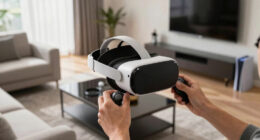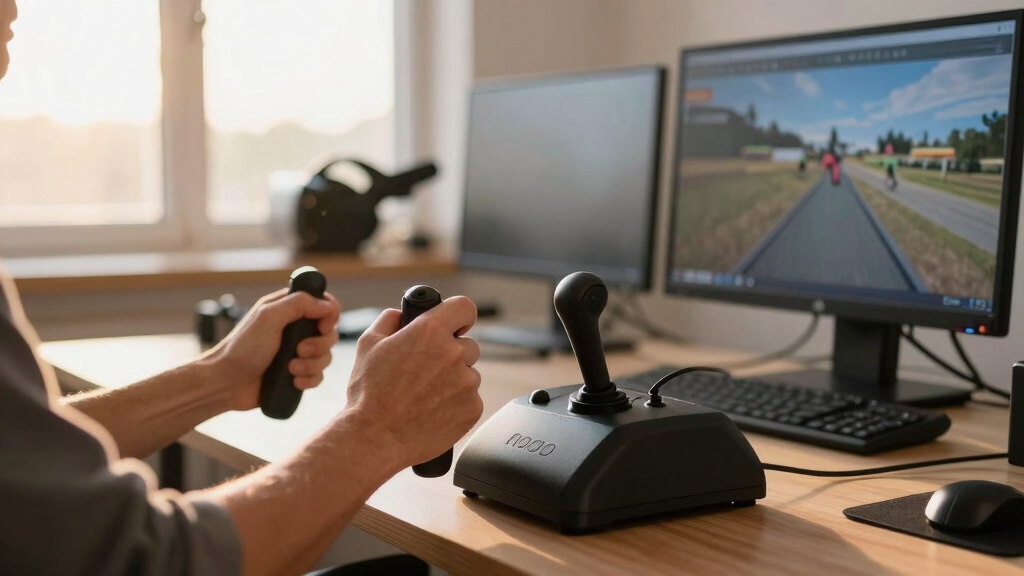

Choosing the best HOTAS systems for VR flight sim can be challenging, as the ideal setup balances realism, comfort, and responsiveness. The Logitech G X56 H.O.T.A.S stands out for its extensive programmable controls and RGB lighting, making it perfect for serious sim enthusiasts. For a more affordable yet capable option, the Thrustmaster T-Flight Hotas X offers solid performance with a detachable throttle, ideal for newcomers. The main tradeoffs revolve around complexity, price, and compatibility—more advanced systems often come with a steeper learning curve and higher cost. Keep reading for a detailed comparison to help you find the best fit for your VR flight adventures.
Key Takeaways
- The most feature-rich HOTAS, like the X56, offers extensive programmability but at a higher price point.
- Budget-friendly options, such as the T-Flight Hotas X, provide reliable performance without overwhelming complexity.
- Compatibility with VR headsets and ease of mounting are critical factors often overlooked in product specs.
- Build quality and tactile feedback significantly impact immersion, especially in VR environments.
- More controls and customization generally lead to better simulation realism but require a learning curve.





More Details on Our Top Picks
BUJ Metal Desk Mount Compatible with Thrustmaster SimTask Farmstick, T-Flight Hotas X, T16000M FCS & More
This desk mount stands out for its broad compatibility with a variety of flight sticks, including Thrustmaster, Logitech, and VelocityOne, making it a versatile choice for VR flight sim enthusiasts. Compared with the VelocityOne Flightdeck, it offers a much simpler setup without touch displays or extensive programmable controls, but it lacks the advanced customization features. Its durable metal construction and adjustable clamp provide rock-solid stability, especially important for VR where precision matters. However, the design prioritizes stability over ergonomic features or high-tech integrations, so it’s less suited for users seeking immersive digital displays or extensive programmable options. This pick makes the most sense for gamers who already own compatible sticks and want a reliable, stable mount without extra features.
Pros:- Compatible with a wide range of joysticks and HOTAS systems
- Robust, durable metal construction
- Adjustable clamp fits desks of all thicknesses
- Prevents desk damage with silicone padding
Cons:- Lacks digital controls or programmable features
- Design doesn’t include ergonomic or immersive elements
- No built-in electronics or display
Best for: VR flight sim players who own compatible joysticks and need a stable, adjustable mounting solution.
Not ideal for: Users seeking integrated displays or high levels of customization—this mount is primarily a stability accessory.
- Compatible Devices:Thrustmaster, Logitech, URSA, VelocityOne, PXN
- Mounting Type:Tabletop Clamp
- Material:Aluminum, Iron
- Adjustability:Vertical and desk thickness adjustment
- Water Resistance Level:Not Water Resistant
- Shape:Rectangular
Bottom line: Ideal for VR players who prioritize stability and compatibility over high-tech features.
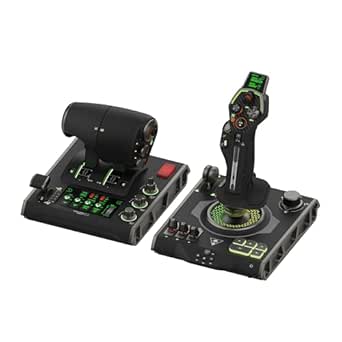
Turtle Beach VelocityOne Flightdeck Universal HOTAS System for Windows 10 & 11
This system makes a compelling case for VR flight enthusiasts who want the most immersive experience, thanks to its extensive controls, touch display, and programmable functions. Compared with the BUJ Desk Mount, it offers a full hardware suite with 139 programmable buttons, a flight touch display, and hall-effect sensors for high precision, elevating the VR experience into a near-real cockpit environment. Its features include a customizable OLED HUD, haptic throttle detents, and a modular stick with extensive controls, making it highly adaptable for different aircraft and space sims. The major tradeoff is its size, weight, and price, which may prove less suitable for those with limited space or budget constraints. This pick makes the most sense for dedicated VR flight sim fans who demand a high-fidelity, customizable control experience.
Pros:- 139 programmable controls for ultimate customization
- Integrated touch display and OLED HUD for real-time info
- Hall-effect sensors for high precision and durability
- Modular design with adjustable height and controls
Cons:- Expensive and large footprint
- Complex setup requiring software tuning
- Premium features may be unnecessary for casual players
Best for: VR flight sim enthusiasts seeking maximum immersion, detailed control, and extensive customization.
Not ideal for: Gamers who want a lightweight, simple setup or are on a tight budget—this system is complex and costly.
- Compatible Devices:PC Windows 10 & 11
- Control Axes:15
- Programmable Buttons:139
- Display:OLED Head Up Display
- Connectivity:USB
- Special Features:Touch display, hall-effect sensors, RGB lighting
Bottom line: Best for VR users who prioritize realism and extensive control customization over simplicity or cost.
Hikig 2 Set Desk Mount for Flight Stick, Throttle & HOTAS Systems
This desk mount excels in versatility, supporting nearly all major flight controllers, including Thrustmaster, Logitech, VKB, and VKB, making it a flexible option for VR flight enthusiasts with different hardware setups. Unlike the BUJ mount, it offers a super easy installation process with a powerful 91N.m force clamp, and adjustable height and position for optimal ergonomics. It is ideal for users who want a stable, multi-controller setup that can accommodate different devices without purchasing multiple mounts. The main tradeoff is that it lacks the high-tech controls and digital interfaces present in the VelocityOne, so it is more of a hardware support solution than a control hub. This pick makes sense for VR pilots who already have various controllers and need a sturdy, adaptable mount.
Pros:- Supports nearly all major flight controllers
- Easy installation with 91N.m force clamp
- Adjustable height and back-and-forth positioning
- Supports multiple controllers simultaneously
Cons:- No digital control or programmable features
- Primarily a mount, not a control system
- Limited ergonomic features
Best for: VR flight sim players with diverse hardware who need a flexible, sturdy desk mount.
Not ideal for: Those seeking integrated digital displays or extensive programmable controls—this is primarily a mounting solution.
- Compatible Devices:Logitech, Thrustmaster, VKB, VPC
- Mounting Type:Desk Clamp
- Adjustability:Height, Back & Forth
- Clamp Force:91N.m
- Material:Not specified
- Water Resistance Level:Not Water Resistant
Bottom line: Perfect for VR players with various controllers who want a flexible, stable mounting solution without high-tech features.
Logitech G Saitek X52 Pro Flight Control System with LCD & Illuminated Buttons
This flight control system is well-suited for VR flight sim enthusiasts who want a blend of visual feedback, programmable controls, and a realistic feel. Its LCD display, illuminated buttons, and progressive throttle with detents make it a strong choice for users who want detailed feedback and control customization. In comparison to the VelocityOne, it offers a more traditional setup with a split throttle and stick, but lacks the extensive digital controls and touch display of the VelocityOne. Its programmable software and LCD give it an edge for players who enjoy detailed setup, yet it doesn’t include hall-effect sensors or the advanced modular design found in higher-end systems. This pick is ideal for VR pilots who seek a balance between feedback, customization, and affordability.
Pros:- Illuminated buttons and LCD display for visual feedback
- Progressive throttle with detents for realistic control
- Highly programmable with advanced software
- Contoured grip for comfort
Cons:- Lacks hall-effect non-contact sensors
- Not as modular or advanced as VelocityOne
- Older design may feel less futuristic
Best for: VR flight sim players who want visual feedback and customizable controls without the complexity or cost of premium systems.
Not ideal for: Users wanting extensive digital interfaces or hall-effect sensors—this is more of a traditional control setup.
- Compatible Devices:PC Windows
- Buttons:16
- Display:LCD multi-function
- Control Type:Joystick & Throttle
- Connectivity:USB
- Features:Illuminated buttons, detents, programmable software
Bottom line: Best for VR users who want visual cues and customization in a traditional flight stick and throttle setup.
Thrustmaster T-Flight Full Kit for Xbox Series X|S & PC
This full kit offers a solid entry point for VR flight newcomers, combining the T-Flight HOTAS system with a full set of rudder pedals, making it a comprehensive package. While it doesn’t feature the extensive programmable controls or digital displays of higher-end systems like VelocityOne or X52 Pro, it provides excellent tactile feedback with large, ergonomic controls suitable for VR immersion. The inclusion of rudder pedals with Thrustmaster’s S.M.A.R.T slide rails enhances realism, especially for space or civil flight sims. Its main tradeoff is that it’s less customizable and lacks digital feedback, but for beginners or those on a budget, it offers a practical and immersive experience. This kit is ideal for VR players starting out or seeking a complete, affordable setup.
Pros:- Includes throttle, joystick, and rudder pedals
- Large, ergonomic controls suitable for VR
- Affordable full kit for beginners
- Rudder pedals with slide rails for smooth steering
Cons:- Limited programmability and digital controls
- No integrated display or advanced customization
- Build quality may be less premium than higher-end systems
Best for: Beginners or budget-conscious VR flight pilots seeking a full kit without complex digital features.
Not ideal for: Advanced VR pilots needing extensive customization or digital control interfaces—this system is more straightforward.
- Control Type:HOTAS, Pedals
- Axes:5
- Buttons:14
- Compatibility:Xbox Series X|S, PC
- Water Resistance Level:Not Water Resistant
- Additional Components:Rudder Pedals
Bottom line: Best for VR newcomers who want an immersive, full flight kit at an accessible price point.
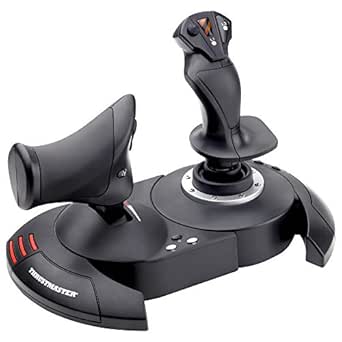
Thrustmaster T-Flight Hotas X – Flight Throttle and Joystick with 12 Programmable Buttons, Detachable Throttle, Adjustable Resistance for Flight Simulator – Compatible with PC
This entry-level HOTAS stands out for its ergonomic design and full programmability, making it an ideal choice for newcomers wanting a realistic yet accessible setup. Compared to the Logitech G PRO Flight Yoke System, this model offers a more compact footprint and easier customization, though it lacks the premium build quality and extensive controls of the Yoke. The detachable throttle adds versatility, allowing a tailored cockpit layout, but its plastic construction can feel less durable over time. The high-precision joystick with adjustable resistance ensures accurate control, essential for VR immersion, though some users may find the resistance adjustment limited for very fine tuning. Out of the box, it’s ready for immediate use, making it perfect for those new to VR flight sims who want a straightforward, reliable HOTAS without breaking the bank.
Pros:- Comfortable ergonomic design for long sessions
- Fully programmable controls with 12 buttons and 5 axes
- Detachable throttle for flexible cockpit arrangement
Cons:- Plastic build feels less durable over prolonged use
- Limited resistance adjustment may not satisfy all precision needs
- Fewer controls compared to higher-end models like the Thrustmaster X56
Best for: Beginners or casual flight sim enthusiasts seeking an affordable, ergonomic HOTAS with full programmability for VR.
Not ideal for: Advanced pilots or VR veterans who need a durable, feature-rich setup with extensive controls like the Thrustmaster X56 or Logitech Yoke.
- Compatible Devices:PC
- Controller Type:Flight Stick
- Connectivity Technology:USB
- Button Quantity:12
- Item Weight:2165 Grams
- Item Dimensions:10.39 x 9.53 x 10.43 inches
- Color:Black
- Warranty:One year
Bottom line: This pick is best suited for entry-level VR flight sim players who prioritize comfort and ease of use.
Logitech G PRO Flight Yoke System, Professional Simulation Yoke and Throttle Quadrant, 3 Modes, 75 Programmable Controls, Configurable Knobs, Steel Shaft, USB, PC – Black
This premium setup offers a highly realistic yoke experience with extensive programmable controls, making it ideal for VR pilots who want a cockpit that closely mimics real aircraft. Unlike the Thrustmaster T-Flight X, which is more basic, the Logitech G PRO Flight Yoke provides a sturdy steel shaft and a modular design that enhances durability and customization. Its 75 programmable controls and configurable knobs support complex flight profiles, particularly beneficial for advanced VR flight sims like MSFS or X-Plane. However, its size and cost make it less suitable for tight desktop spaces or casual users. The included throttle quadrant adds to the immersive experience, though the setup requires some software configuration, which might be daunting for absolute beginners. Overall, this system is perfect for dedicated VR pilots seeking authentic control and extensive customization.
Pros:- Sturdy steel shaft and durable construction
- 75 programmable controls for complex flight setups
- Configurable knobs for aircraft-specific adjustments
Cons:- Size and weight may dominate small desk spaces
- Higher price point limits accessibility for casual users
- Requires software setup for full functionality
Best for: Experienced VR flight sim players who want a highly realistic, customizable cockpit with extensive controls.
Not ideal for: Casual or beginner users with limited space or budget, as this system demands more setup and investment.
- Compatible Devices:Windows
- Controller Type:Yoke and Throttle
- Connectivity Technology:USB
- Programmable Controls:75
- Material:Steel shaft
- RGB Lighting:Yes
- System Requirements:Windows 7/8.1/10/11
- Weight:Approximately 6.17 pounds
Bottom line: This system is best for VR pilots who demand premium realism and extensive control options in a dedicated cockpit setup.
Logitech G X56 H.O.T.A.S Throttle and Joystick Flight Simulator Game Controller, 4 Spring Options, +189 Programmable Controls, RGB Lighting, 2x USB, PC – Black
The Logitech G X56 offers a highly customizable and precise HOTAS experience, designed for VR combat pilots who need detailed control over multi-role aircraft. Its 189 programmable controls and 4 spring options provide the flexibility to fine-tune feel and response, surpassing simpler models like the Thrustmaster T-Flight X or even the Logitech G PRO Yoke for combat scenarios. The RGB lighting enhances immersion, especially in VR, while dual USB ports support multiple accessories. Still, its complexity and size make it more suitable for dedicated flight cockpits rather than cramped desks, and the learning curve can be steep for casual simmers. This setup excels in VR environments that demand multi-functionality, such as space combat or multi-weapon aircraft, making it ideal for seasoned pilots seeking a professional-grade HOTAS.
Pros:- 189 programmable controls for detailed customization
- Four spring options for adjustable stick tension
- RGB lighting for enhanced VR immersion
Cons:- Large footprint may not suit smaller desks
- Steep learning curve for setup and configuration
- Premium price that may be prohibitive for casual users
Best for: Veteran VR combat pilots or multi-role aircraft enthusiasts seeking maximum control and customization.
Not ideal for: Casual players or those with limited desk space, due to its size and complexity.
- Compatible Devices:Windows
- Controller Type:Joystick and Throttle
- Connectivity Technology:USB
- Programmable Controls:+189
- Spring Options:4
- RGB Lighting:Yes
- System Requirements:Windows 7/8.1/10/11
- Cable Length:2 meters
Bottom line: This HOTAS is perfect for dedicated VR combat pilots who need maximum control, customization, and realism in their cockpit.
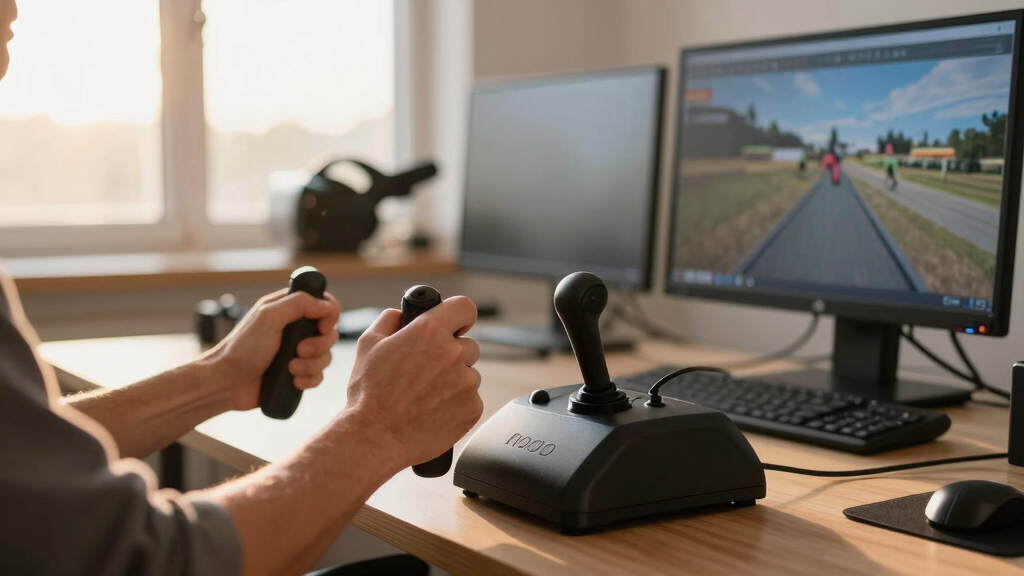
How We Picked
These products were selected based on their compatibility with VR flight sims, build quality, control complexity, and user feedback. We prioritized systems that offer a realistic and responsive experience, especially in VR environments, and evaluated their ease of setup and durability. The ranking reflects a balance between advanced features and accessibility, ensuring both dedicated sim pilots and newcomers can find suitable options. We also considered value for money, brand reputation, and user reviews to identify the most reliable and versatile HOTAS systems for 2026.Factors to Consider When Choosing Best HOTAS Systems For VR Flight Sim
When selecting a HOTAS system for VR flight sim, several factors influence how well it will perform and fit your needs. Understanding these considerations helps avoid common pitfalls, like overpaying for features you won’t use or choosing a setup incompatible with your VR gear. The right system should enhance immersion, be comfortable for extended use, and integrate smoothly with your existing hardware and software. Below are key aspects to evaluate before making your purchase.Compatibility and Connectivity
Ensure the HOTAS system is compatible with your PC, VR headset, and flight sim software. Many models connect via USB, but some may require specific drivers or software updates. Compatibility issues can lead to lag or unresponsive controls, diminishing the VR experience. Check if the system supports hot-swapping or has dedicated VR modes, which can significantly improve usability during immersive flights.
Control Range and Programmability
The number of buttons, switches, and programmable axes influences how realistic and customizable your setup can be. More controls allow for complex maneuvers and quick access to essential functions, especially valuable in VR where reaching for controls is less intuitive. However, excessive complexity might overwhelm beginners. Balance your needs with comfort—more controls are beneficial for experienced pilots seeking realism but may be unnecessary for casual users.
Build Quality and Ergonomics
In VR, tactile feedback and durable construction matter more than ever, as the immersion relies on precise, responsive controls. Look for systems with sturdy materials, smooth joystick movement, and well-placed buttons. Poor ergonomics can cause fatigue during long sessions or reduce control accuracy, breaking immersion. Some systems include adjustable grips or mounting options, which can significantly enhance comfort and stability.
Price and Value
High-end HOTAS setups come with advanced features and extensive controls but often at a premium price. Cheaper models might lack programmability or tactile richness, but they can still deliver good performance for casual VR pilots. Consider your budget alongside the features that matter most—investing more generally pays off if you prioritize realism and customization, especially for serious flight sim enthusiasts.
Ease of Setup and Use
A system that’s easy to calibrate and configure reduces frustration, especially when integrating with VR. Some models offer plug-and-play operation with minimal setup, while others require extensive software configuration. For VR pilots, a straightforward setup can save time and prevent accidental misconfigurations that might impair immersion. Look for reviews mentioning quick installation and intuitive controls.
Frequently Asked Questions
Can I use a HOTAS system with my VR headset without losing immersion?
Yes, many HOTAS systems are designed to integrate seamlessly with VR setups, especially those with adjustable mounts and VR-compatible software. The key is choosing a system that offers tactile feedback and programmable controls, which enhance immersion rather than detract from it. Proper mounting and calibration are essential to ensure controls feel natural and respond accurately within the VR environment. The right setup minimizes disjointed movements, allowing you to focus on flying rather than troubleshooting hardware issues.
Is a more expensive HOTAS worth it for VR flight sims?
Investing in a higher-priced HOTAS generally yields better build quality, more controls, and greater customization, which can significantly improve the VR experience. For serious flight sim enthusiasts, the added realism and tactile feedback justify the cost, as it reduces fatigue and increases control precision. However, if you’re a casual user or just starting out, a mid-range or budget model may provide sufficient features without the higher price tag. The key is balancing your budget with your expected level of immersion and control needs.
What features should I prioritize for VR compatibility?
Prioritize systems with adjustable mounting options, a comfortable grip, and programmable controls that can be customized for VR menus. Compatibility with VR software is essential, so check if the HOTAS supports direct integration or has dedicated VR modes. Additionally, tactile feedback and precision are critical for immersion—features that help you feel connected to your virtual aircraft. Avoid overly complex setups if you lack the space or technical expertise, as compatibility and ease of use are vital for a smooth VR experience.
Are throttle and joystick controls separate or combined important?
Having separate throttle and joystick controls allows for more precise, realistic flight maneuvers, which enhances immersion in VR. Many high-end systems offer this separation, mimicking real aircraft controls, but they tend to be more expensive and require more space. Combined controls can be more compact and easier to manage for beginners but may limit the depth of simulation. Your choice depends on your budget, space, and how deeply you want to emulate real flying gear.
How do I mount my HOTAS system in a VR setup?
Most HOTAS systems come with mounting options or compatible stands that can be secured to your desk or flight sim rig. For VR, stability is critical to maintain control accuracy, preventing unwanted movement during intense maneuvers. Adjustable clamps or dedicated mounting plates can help secure the controls at a comfortable height and angle. Always check the size and weight of the system to ensure your mounting solution can support it securely without shifting, which could break immersion or cause frustration.
Conclusion
For the dedicated VR flight sim enthusiast seeking the best overall experience, the Logitech G X56 H.O.T.A.S offers unmatched control complexity and customization. Beginners or casual players will find the Thrustmaster T-Flight Hotas X provides reliable performance at a friendly price point. Those looking for premium build quality and a highly realistic setup should consider the Logitech G PRO Flight Yoke System. Budget-conscious users should prioritize models with good compatibility and tactile feedback, while advanced pilots may prefer systems with extensive programmability and RGB lighting. Match your choice to your experience level and specific VR needs for the best flying experience in 2026.

![[Dev Update] I made "BodyWalk Lite" — an absolutely FREE app that lets you move in VR by physically leaning your body.](https://vrgearguide.com/wp-content/uploads/2026/06/dev-update-i-made-bodywalk-lite-an-absolutely-free-app-that-lets-you-move-in-vr-featured-260x140.jpg)