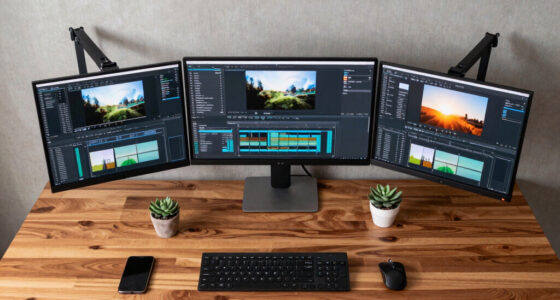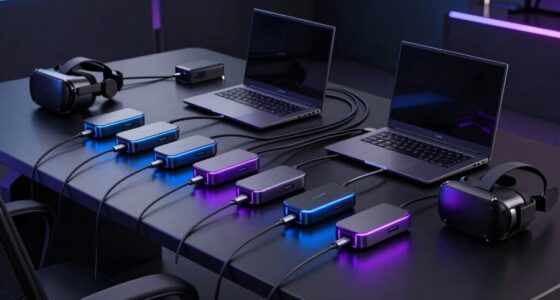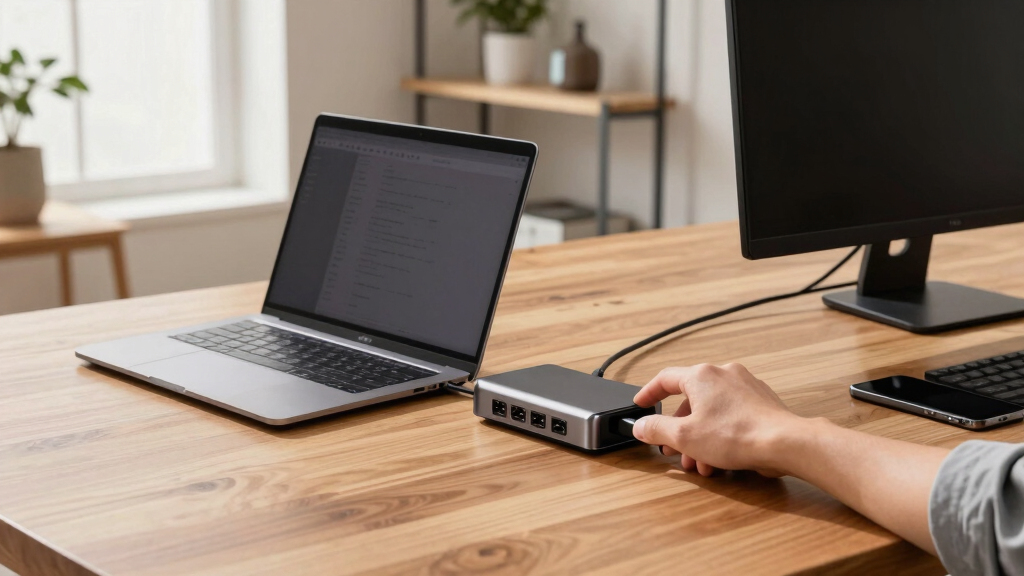

In the search for the best docking stations for creator laptops, the key considerations revolve around supporting multiple high-resolution displays, fast data transfer, and reliable power delivery. The 13-in-1 USB C Docking Station by LIONWEI stands out as the overall top pick thanks to its extensive port selection and dual monitor support. The Anker Prime Docking Station offers a sleek design and high-powered performance for creative professionals who need robust multi-display capabilities. Meanwhile, the Acer Premium Docking Station delivers a strong balance of versatility and value, especially for those working across different brands. The main tradeoffs in this category include balancing port variety, power output, size, and price. Keep reading to see how these options compare and which one fits your creative workflow best.
Key Takeaways
- Top docking stations for creators prioritize multiple display support with 4K or higher resolution compatibility.
- Power delivery (PD) capacity is critical for charging high-performance laptops without extra chargers.
- Port variety, including HDMI, DisplayPort, Ethernet, and USB-A/C, enhances versatility for creative workflows.
- Size and portability vary widely; compact options trade some ports for easier transport.
- Higher-priced models tend to offer better build quality, cooling, and more advanced display options, justifying their premium cost.


More Details on Our Top Picks
13 in 1 USB C Docking Station – Dual Monitor, Triple Display, 8 USB C/A Ports, Ethernet, Audio – LIONWEI USB C Hub for MacBook,Dell,HP,Lenovo,Surface
This 13-in-1 docking station stands out for its comprehensive port selection, supporting dual 4K HDMI and DisplayPort outputs, making it ideal for creators who need multiple displays. Compared with the Anker Prime Docking Station, it offers triple display capability but involves more complex setup and slightly bulkier design. The inclusion of 8 USB ports, Ethernet, and audio ensures all peripherals are covered, though it requires a Windows system for full MST and SST support—Mac users will face limitations in extending multiple monitors. The 100W Power Delivery supports fast charging, but the dock consumes 13W, leaving roughly 87W for the laptop. Its plug-and-play ease makes it suitable for both professional and casual creators, but the plastic enclosure might be less durable than metal options. Overall, this dock makes the most sense for users prioritizing maximum ports and multi-display flexibility at a competitive price.
Pros:- Supports triple 4K@60Hz display via HDMI and DisplayPort
- Includes 8 USB ports for peripherals and fast data transfer
- Supports 100W Power Delivery for fast laptop charging
Cons:- Bulkier and heavier compared to simpler hubs
- Limited triple display support on macOS (only mirror mode)
Best for: Content creators and professionals needing triple monitor setups with high-speed data transfer and extensive port options.
Not ideal for: Mac users or those with minimal desk space who prefer a more compact, simple dock without extensive video output support.
- Display Outputs:2x HDMI, 1x DisplayPort
- USB Ports:8 USB (C/A)
- Ethernet:Gigabit
- Power Delivery:100W
- Data Transfer Rate:10Gbps
- Supported Systems:Windows, Mac (limited on Mac)
Bottom line: Ideal for creators needing maximum connectivity and multiple high-resolution displays with Windows compatibility.
Anker Nano 13-in-1 Laptop Docking Station with Detachable 6-in-1 Hub, USB-C 3 Display Docking (2 HDMI+1 DP), 10 Gbps USB-C, 3 USB-A, Audio, SD/TF, Ethernet, 100W Max PD for Dell/Lenovo/HP Home Office
This Anker Nano docking station offers a detachable 6-in-1 hub, providing flexibility for mobile users who switch between desk and on-the-go setups. It supports dual HDMI and DisplayPort outputs for 4K displays, similar to the Umaniy Docking Station, but with the advantage of portability and a modular design. The dock’s 100W Power Delivery efficiently charges laptops, while its 10Gbps USB-C and multiple USB-A ports cater to fast data transfer and peripherals. However, macOS users should note that all external displays will mirror each other due to SST limitations, unlike some larger docks that support extended multi-monitor setups. The compact form factor and included 3 ft cable make it travel-friendly, though the design may lack some advanced features of premium models like DisplayLink support for triple 4K at 60Hz. Overall, this dock is perfect for users seeking a balanced mix of performance, portability, and value.
Pros:- Detachable 6-in-1 hub for portable versatility
- Supports dual HDMI and DisplayPort at 4K@60Hz (with limitations on Mac)
- Provides 100W charging and 10Gbps data transfer
Cons:- Limited to mirror mode on macOS
- Lacks support for triple 4K@60Hz in extended mode
Best for: Home office users and traveling professionals needing versatile display options and fast data transfer in a compact package.
Not ideal for: Mac users requiring extended multi-monitor support or creators needing triple 4K displays at 60Hz.
- Display Outputs:2x HDMI, 1x DisplayPort
- USB Ports:3 USB-A, 1 USB-C
- Power Delivery:100W
- Data Transfer Rate:10Gbps
- Portability:Detachable hub
- Supported Systems:Windows, macOS (mirror only)
Bottom line: Great for mobile professionals who value a flexible, portable dock with high-speed connectivity and dual monitor support.
Laptop Docking Station Stand, 8 in 1 USB C Hub HDMI Portable Laptop Stand with USB Ports, USB C Multiport Adapter USBC Dock Station Computer Holder for MacBook Pro/Air, Dell, HP, Lenovo, ASUS
This 8-in-1 portable stand combines a sleek ergonomic design with essential ports, making it ideal for creators who need a space-efficient, all-in-one solution. It supports 4K HDMI at 30Hz, which is sufficient for most creative tasks, and includes USB-A and USB-C ports for data and peripherals. Compared with larger docks like the Anker Prime, it sacrifices some video output options for portability, but it compensates with its foldable stand that elevates the laptop for better airflow. The 85W Power Delivery ensures quick charging, while its lightweight, foldable design makes it perfect for travel. The main tradeoff is the lower refresh rate on HDMI (30Hz), which might not satisfy users with high-frame-rate editing or gaming needs. This dock makes the most sense for on-the-go content creators balancing performance with portability.
Pros:- Compact foldable design with ergonomic stand
- Supports 4K HDMI at 30Hz, sufficient for editing and streaming
- Provides 85W Power Delivery for fast charging
Cons:- Limited to 30Hz refresh rate on HDMI
- Fewer video outputs compared to larger docks
Best for: Traveling content creators and professionals who need a portable, all-in-one dock with decent display support.
Not ideal for: Users requiring triple 4K monitors at 60Hz or high refresh rate gaming in portable setups.
- Display Output:1x HDMI (4K@30Hz)
- USB Ports:4 USB (A/C)
- Power Delivery:85W
- Device Compatibility:MacBook, Dell, HP, Lenovo
- Design:Portable foldable stand
- Supported Systems:Windows, macOS
Bottom line: Best suited for mobile creators who need a lightweight, space-saving dock with reliable port options.
Anker Laptop Docking Station, 13-in-1 USB-C Docking Station, Triple Display with 2xHDMI and 1xDP, 10 Gbps USB-C and 5 Gbps USB-A Data, Ethernet, Audio, SD, 85W Charging for Dell, HP, Lenovo and More
This Anker 13-in-1 dock is a sturdy, feature-rich solution offering triple display support with 2 HDMI and 1 DisplayPort, making it suitable for high-productivity workflows. Its 85W Power Delivery and multiple USB-A ports mimic the capabilities of the Umaniy Docking Station but with a more conventional, robust build. The dock’s support for 1080p@60Hz on all three monitors is suitable for most creative tasks, though it lacks the 4K@60Hz support found in some high-end docks like the Prime Docking Station. Its quiet operation and integrated Ethernet make it a dependable choice for demanding creators. The main tradeoff is the absence of 4K@60Hz multi-monitor support, which could be a limitation for those working with ultra-HD content. Overall, this dock offers a reliable, all-around performance for multi-monitor creators who prioritize stability and connectivity.
Pros:- Supports triple 1080p@60Hz displays (4K in SST mode)
- Includes 85W Power Delivery and multiple USB ports
- Reliable Ethernet and quiet operation
Cons:- No support for triple 4K@60Hz extended mode
- Limited to 60Hz refresh rate on multiple monitors
Best for: Professionals and creators working with multiple monitors at 1080p or 4K, requiring stable, multi-USB port connectivity.
Not ideal for: Users needing triple 4K@60Hz extended displays or ultra-high refresh rates for gaming or high-end video editing.
- Display Outputs:2x HDMI, 1x DisplayPort
- USB Ports:4 USB-A, 1 USB-C
- Power Delivery:85W
- Display Resolution:1080p@60Hz (4K SST)
- Ethernet:Yes
- Supported Systems:Windows, macOS
Bottom line: A sturdy choice for creators who need dependable multi-monitor support at 1080p or 4K in a stable setup.
Anker Prime Docking Station (DL7400), 14-Port Triple Display with DisplayLink, 140W Max, Smart Display, Triple 4K 60Hz, Cooling Fan, for macOS and Windows (The Latest DisplayLink Driver Required)
This Anker Prime DL7400 offers exceptional triple 4K@60Hz support thanks to DisplayLink technology, making it perfect for demanding creators and professionals who require high-resolution multitasking. With 14 ports, including multiple USB-C and USB-A, Ethernet, SD, and audio, it rivals the capabilities of the more expensive docks like the Lionwei but with the added benefit of a cooling fan to maintain optimal performance during extended use. The 140W Power Delivery supports fast charging for most laptops, and the 8K output adds future-proofing for ultrahigh-definition workflows. Users should be aware that DisplayLink may introduce compatibility limitations, such as DRM content blackouts, and requires the latest drivers for stability. Compared to the Umaniy dock, it offers superior video support but depends on software drivers, which might require some setup time. This dock is best suited for creators needing reliable triple 4K at 60Hz across multiple monitors with high bandwidth demands.
Pros:- Supports triple 4K@60Hz displays via DisplayLink
- Includes 14 ports with high-speed data and charging
- Built-in cooling fan for extended high-performance use
Cons:- Requires latest DisplayLink drivers and setup
- Potential DRM restrictions on streaming services
Best for: Professional creators and power users requiring triple 4K@60Hz displays and comprehensive port support with robust cooling.
Not ideal for: Casual users or those working on DRM-protected streaming content, due to potential compatibility issues with DisplayLink.
- Display Outputs:3x 4K@60Hz via DisplayLink
- USB Ports:14 ports including USB-C and USB-A
- Power Delivery:140W
- Additional Features:Cooling fan, 8K output
- Supported Systems:Windows 10/11, macOS (latest drivers required)
Bottom line: Best for creators who need ultrahigh-definition multitasking with triple 4K displays and extensive port options.
USB C Docking Station Dual Monitor Adapter for Dell HP, Laptop Docking Station 3 Monitors Quad Display USB C Hub Dongle to 4K HDMI+DP+VGA,3 USB2.0,100W PD,8 in 1 Thunderbolt Dock for Lenovo,Surface
This docking station stands out for its impressive support for up to four monitors across dual HDMI, DisplayPort, and VGA, making it ideal for creators who need a multi-screen setup. Compared to the Acer Premium 13-in-1 Docking Station, which supports triple monitors but emphasizes high power delivery and broader connectivity, this model excels specifically in multi-monitor configurations but falls short on additional ports like SD card readers or Ethernet. Its 100W charging ensures your laptop stays powered during intensive work, though the VGA port caps maximum resolution at 1080P, which may be limiting for high-resolution workflows. The inclusion of three USB 2.0 ports adds convenient peripheral connectivity, but the lack of Thunderbolt 3 support means slightly slower data transfer compared to premium options. Overall, this dock is a solid choice for users prioritizing multiple monitor outputs at an affordable price, provided they don’t need advanced media or Ethernet features.
Pros:- Supports up to four external displays with multiple port options (HDMI, DP, VGA)
- Power delivery up to 100W ensures laptop charging during use
- Includes three USB 2.0 ports for peripherals
Cons:- VGA port limits resolution to 1080P, not suitable for high-res displays
- No Thunderbolt 3 support means slower data transfer compared to premium docks
Best for: Creators who need to run four monitors simultaneously for detailed workflows or video editing.
Not ideal for: Users seeking a docking station with extensive USB-C or Ethernet ports, or high-resolution VGA output for large displays.
- Video Outputs:2 HDMI, 1 DisplayPort, 1 VGA
- Maximum Monitors:4
- Resolution Cap:1080P on VGA, 4K on HDMI/DP
- Power Delivery:100W
- USB Ports:3 USB 2.0
- Compatibility:USB-C, Thunderbolt 3/4, USB 3.x
Bottom line: This dock makes the most sense for creators prioritizing extensive multi-monitor setups on a budget, with some compromises on resolution and data speeds.
This docking station is designed for users who need a robust, all-in-one solution with triple monitor support and high power output. Compared with the USB C Docking Station Dual Monitor Adapter, which excels at multi-monitor support but offers fewer ports and less power, this model provides a 110W power adapter capable of reliably charging demanding laptops during multi-screen use. The support for dual 4K HDMI and DisplayPort, with MST technology, makes it ideal for professional creators working with high-resolution content, though the requirement for DSC support on the host laptop can limit compatibility. Its gigabit Ethernet, SD/TF card reader, and multiple USB ports add versatility, but the rear USB-C port only supports data transfer, not video, which might be confusing for some users. This dock suits creators who want a powerful, secure, and comprehensive workspace extension, especially on Windows systems.
Pros:- Supports triple display output with dual HDMI and one DisplayPort, up to 4K@30Hz with DSC
- 110W power delivery for reliable charging of high-performance laptops
- Includes gigabit Ethernet, SD/TF slots, and multiple USB ports
Cons:- Requires host GPU and system support for DSC and MST for triple 4K output
- Rear USB-C port only supports data, not video, which can cause confusion
Best for: Professionals who need to run three 4K monitors and maintain high power delivery for demanding laptops.
Not ideal for: Mac users or those with less GPU support for triple 4K output, due to macOS limitations and performance variability.
- Video Outputs:2 HDMI, 1 DisplayPort
- Maximum Monitors:3
- Resolution Cap:Dual 4K @30Hz, Triple 4K @30Hz with DSC
- Power Delivery:110W
- USB Ports:3 USB-A, 1 USB-C
- Additional Features:Gigabit Ethernet, SD/TF card reader
Bottom line: This dock is ideal for creators needing triple 4K support with high power delivery on Windows, accepting some system compatibility considerations.