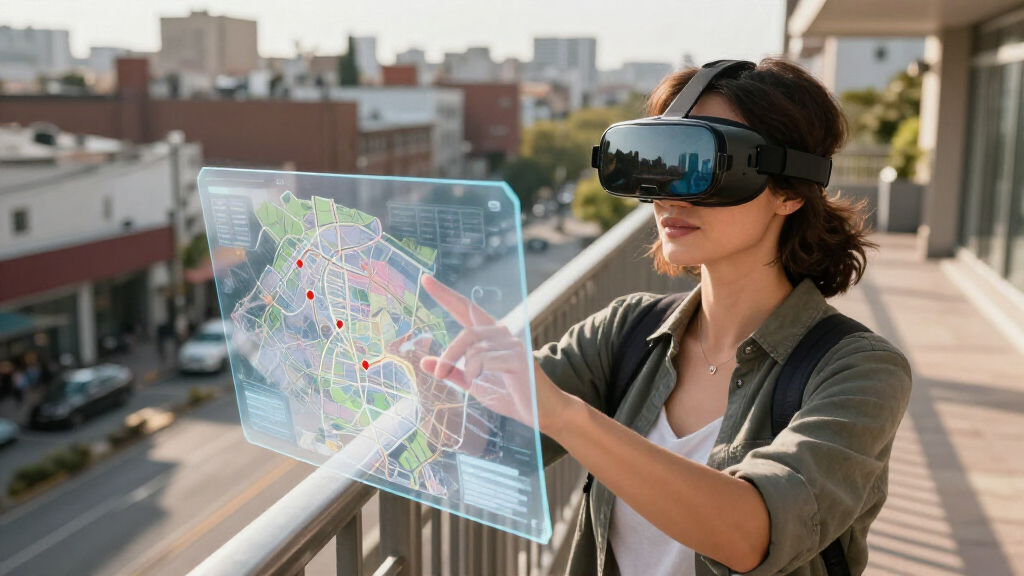

Mixed reality smart glasses range from compact personal screens to headsets built for spatial apps, so the right pick depends on how much immersion and device independence you need. I rank the Galaxy XR Virtual Reality Headset as the best overall for buyers who want a fuller mixed-reality experience, while the XREAL 1S stands out for a large virtual screen and the VITURE Beast for its wider field of view. The main tradeoff is between lightweight glasses that rely on a connected device and more immersive headsets that take up more space and suit different kinds of use. Display clarity, tracking, comfort, and compatibility matter as much as headline screen size. Read on for the full comparison and advice on matching each option to your setup.

Play games on Amazon Luna for your next adventure, included with Prime
- A rotating selection of games, no download needed
- Play on TV, laptop or phone
- Fast, free delivery for your gear, too
Key Takeaways
- Galaxy XR is the strongest all-around mixed-reality choice in this lineup for buyers who want a headset-style experience rather than only a display worn on the face.
- XREAL 1S puts virtual-screen size at the center; its 500-inch claim may appeal to media viewers, but a large virtual image does not by itself mean more room-scale interaction.
- VITURE Beast and RayNeo GT Max emphasize wider views, with 58° and 59° field-of-view claims respectively; those figures are more relevant to immersion than screen size alone.
- RayNeo Air 4 Pro focuses on HDR10 viewing, making display format a key point for buyers choosing glasses mainly for video rather than spatial computing.
- MAMEG is the least clearly differentiated pick from the available product details; shoppers should verify compatibility, tracking, and support before choosing it over better-specified options.
| MAMEG Mixed Reality VR Glasses |  | Best for Interactive VR Play | Audio: 3D positional audio | Tracking: Hand tracking | Feedback: Haptic feedback | VIEW LATEST PRICE | See Our Full Breakdown |
| XREAL 1S AR Glasses with 500-Inch Virtual Screen and X1 Chip |  | Best for a Large Portable Virtual Screen | Display: OLED, 1920 x 1200 | Field of view: 52 degrees | Refresh rate: Up to 120Hz in 3DoF mode | VIEW LATEST PRICE | See Our Full Breakdown |
| Galaxy XR Virtual Reality Headset |  | Best for Standalone Spatial Computing | Platform: Android XR | Resolution: 3840 x 2160 | Field of view: 109 degrees | VIEW LATEST PRICE | See Our Full Breakdown |
| RayNeo Air 4 Pro AR/XR Glasses with HDR10 Display |  | Best for Plug-and-Play HDR Viewing | Virtual display: 201 inches | Display: HDR10 | Refresh rate: 120Hz | VIEW LATEST PRICE | See Our Full Breakdown |
| VITURE Beast XR/AR Glasses, 1200p, 58° FOV |  | Best for Adjustable Wear and Screen Control | Display: Sony Micro-OLED, 1200p per eye | Field of view: 58 degrees | Refresh rate: 120Hz | VIEW LATEST PRICE | See Our Full Breakdown |
| RayNeo GT Max AR/XR Glasses – 267″ 59° FOV, Native 3DoF, Audio by Bang & Olufsen |  | Best for Built-In Spatial Viewing | Field of view: 59° | Virtual screen size: 267 inches; adjustable from 227 to 307 inches | Refresh rate: 120Hz | VIEW LATEST PRICE | See Our Full Breakdown |
| mixed reality smart glasse | Field of view | Refresh rate | Audio | Tracking |
|---|---|---|---|---|
| MAMEG Mixed Reality VR Glasses | — | — | 3D positional audio | Hand tracking |
| XREAL 1S AR Glasses with 500-I | 52 degrees | Up to 120Hz in 3DoF mode | Bose-tuned open-ear audio | — |
| Galaxy XR Virtual Reality Head | 109 degrees | — | — | Head and hand tracking |
| RayNeo Air 4 Pro AR/XR Glasses | — | 120Hz | Four Bang & Olufsen-tuned speakers | — |
| VITURE Beast XR/AR Glasses | 58 degrees | 120Hz | — | Built-in 3DoF |
| RayNeo GT Max AR/XR Glasses | 59° | 120Hz | — | — |
More Details on Our Top Picks
MAMEG Mixed Reality VR Glasses
The MAMEG stands apart from the display-focused XREAL 1S and RayNeo Air 4 Pro by emphasizing hands-on VR interaction. Hand tracking lets players interact without relying only on a controller, while 3D positional audio and haptic feedback add cues that can make gameplay feel more responsive. A Guardian boundary alert is useful for people playing in a defined room, since it warns when they move outside their play area. The replaceable magnetic battery is also intended to extend sessions without waiting for a full recharge. The tradeoff is that the product data gives no battery capacity or runtime, and it does not specify display resolution, field of view, or compatibility. Compared with the XREAL 1S, this is the more interaction-oriented pick, but the XREAL offers clearer display and connection details for portable-screen use.
Pros:- Hand tracking supports interaction beyond standard controller input
- 3D positional audio and haptic feedback add sound and touch cues
- Guardian boundary alerts help define a safer play area
- Replaceable magnetic battery is designed to extend play sessions
Cons:- Battery capacity and expected runtime are not provided
- Display resolution, field of view, and device compatibility are unspecified
Best for: VR gamers who prioritize hand interaction, positional audio, and play-area alerts over clearly documented display specifications
Not ideal for: Buyers seeking confirmed resolution, device compatibility, or battery runtime before choosing a headset
- Audio:3D positional audio
- Tracking:Hand tracking
- Feedback:Haptic feedback
- Battery:Replaceable magnetic battery
- Play-area feature:Guardian boundary alerts
- Optics:High-precision reflective optical module
Our verdict“Choose the MAMEG if interactive VR features matter more to you than detailed display and compatibility information.”
XREAL 1S AR Glasses with 500-Inch Virtual Screen and X1 Chip
The XREAL 1S is the clearest fit for buyers who want glasses to act as a large personal screen for a phone, computer, or game console. Its OLED display, 1920 x 1200 resolution, and virtual screen up to 500 inches make movies and games feel more expansive than on the RayNeo Air 4 Pro’s listed 201-inch display. Native 3DoF viewing and a 120Hz refresh rate in that mode support a smoother, spatially positioned viewing experience; optional 6DoF anchoring requires the separate XREAL Eye accessory. USB-C DisplayPort connection keeps setup straightforward, but only with a compatible device. Unlike the standalone-style Galaxy XR headset, the XREAL depends on a connected source and offers a narrower 52-degree field of view. It suits screen viewing better than untethered, room-scale interaction.
Pros:- Virtual screen reaches up to 500 inches
- OLED display with 1920 x 1200 resolution
- 120Hz refresh rate in 3DoF mode
- Bose-tuned open-ear audio and USB-C DisplayPort connectivity
Cons:- Requires a compatible USB-C DisplayPort device
- 6DoF anchoring requires the separately mentioned XREAL Eye
- 52-degree field of view is narrower than the Galaxy XR headset’s listed 109 degrees
Best for: Phone, laptop, and handheld-console owners with USB-C DisplayPort who want a spacious private screen for video or gaming
Not ideal for: Buyers who want a self-contained headset, need broad room-scale 6DoF anchoring without an add-on, or lack USB-C DisplayPort
- Display:OLED, 1920 x 1200
- Field of view:52 degrees
- Refresh rate:Up to 120Hz in 3DoF mode
- Virtual screen:Up to 500 inches
- Spatial viewing:Native 3DoF; optional 6DoF anchoring with XREAL Eye
- Connectivity:USB-C DisplayPort
- Audio:Bose-tuned open-ear audio
- Compatible devices:Smartphones, game consoles, and personal computers
Our verdict“Pick the XREAL 1S if you want a high-refresh virtual screen from compatible devices and can accept its wired source-device requirement.”
Galaxy XR Virtual Reality Headset
The Galaxy XR is the lineup’s most headset-like option, aimed at buyers who want spatial computing with head and hand tracking rather than glasses that mainly mirror a connected device. Its Android XR platform, 3840 x 2160 resolution, and 109-degree field of view provide a more immersive viewing setup than the slimmer XREAL 1S, whose 52-degree view is geared toward a floating personal screen. The Galaxy’s spatial audio and adjustable strap also suit gaming, entertainment, and virtual collaboration. That broader experience comes with practical costs: the listed battery life is about two hours, and the supplied weight figure is eight pounds, a substantial burden for extended sessions. Compared with the MAMEG, its platform and resolution are more clearly specified, but neither option is as simple and lightweight as display glasses.
Pros:- 3840 x 2160 resolution and a 109-degree field of view
- Head and hand tracking support spatial interaction
- Android XR platform and 256 GB storage
- Spatial audio and an adjustable strap
Cons:- Listed battery life is about two hours
- Listed item weight is eight pounds, which may make long sessions uncomfortable
Best for: Buyers seeking an Android XR headset for tracked gaming, virtual collaboration, and immersive media in shorter sessions
Not ideal for: People who need long untethered sessions or a lightweight pair of glasses for commuting and extended wear
- Platform:Android XR
- Resolution:3840 x 2160
- Field of view:109 degrees
- Tracking:Head and hand tracking
- Storage:256 GB
- Battery life:About 2 hours
- Connector:USB Type-C
- Item weight:8 pounds
Our verdict“Choose the Galaxy XR for a tracked Android XR headset experience, but skip it if session length or low weight is a priority.”
RayNeo Air 4 Pro AR/XR Glasses with HDR10 Display
The RayNeo Air 4 Pro is a straightforward pick for buyers who want HDR viewing and high refresh in lightweight glasses, without adding a separate headset platform to their setup. Its 201-inch virtual display, HDR10, and 120Hz refresh rate make it well suited to connected-device video and gaming; native 3D and AI-assisted 2D-to-3D conversion add viewing options. The four Bang & Olufsen-tuned speakers provide open-ear sound, and the 2.72-ounce frame is much lighter than the listed Galaxy XR headset. Unlike the XREAL 1S, however, its product details do not specify resolution, field of view, or native 3DoF viewing. There is no internal battery, so a compatible phone, computer, or gaming device must provide the source connection. I’d favor it over the XREAL for stated HDR and weight, but not for detailed spatial-viewing specs.
Pros:- HDR10 display with 120Hz refresh rate
- Native 3D and AI-assisted 2D-to-3D conversion
- Light 2.72-ounce design with four tuned speakers
- USB-C connection supports a range of phones, computers, and gaming devices
Cons:- No internal battery; viewing depends on a connected device
- Resolution and field of view are not specified in the provided product data
- Optional Sound Tube is sold separately
Best for: Travelers and handheld-console players with compatible USB-C devices who want lightweight HDR glasses for connected viewing
Not ideal for: Buyers seeking a self-contained headset, built-in battery, or clearly specified resolution, field of view, and spatial tracking
- Virtual display:201 inches
- Display:HDR10
- Refresh rate:120Hz
- Processor:Vision 4000
- Audio:Four Bang & Olufsen-tuned speakers
- Connectivity:USB Type-C
- Weight:2.72 ounces
- Battery:No internal battery
Our verdict“Choose the RayNeo Air 4 Pro for lightweight, connected HDR viewing, not for a standalone or fully specified spatial-computing experience.”
VITURE Beast XR/AR Glasses, 1200p, 58° FOV
The VITURE Beast earns its place for buyers who want more control over how a virtual screen looks and sits than the simpler plug-and-play RayNeo Air 4 Pro details suggest. Sony Micro-OLED panels deliver 1200p per eye at 120Hz, while built-in 3DoF tracking and adjustable screen modes let the display stay positioned for viewing. Electrochromic dimming helps adapt the lenses to changing surroundings, and Auto Transparency offers another way to balance the virtual image with the real world. At 88 g, its adjustable aluminum-magnesium frame, interchangeable nose pads, and prescription-ready design focus on fit. The XREAL 1S offers a much larger stated virtual screen, up to 500 inches versus VITURE’s 174 inches; VITURE counters with a wider 58-degree field of view and more fit and dimming details. Some multi-screen and 2D-to-3D functions depend on software.
Pros:- 1200p-per-eye Sony Micro-OLED display with 120Hz refresh
- Built-in 3DoF tracking and adjustable screen modes
- Electrochromic dimming with 9+ levels and Auto Transparency
- Adjustable arms, interchangeable nose pads, and prescription-ready design
Cons:- 174-inch virtual screen is smaller than the XREAL 1S’s stated maximum
- Multi-screen viewing and 2D-to-3D conversion rely on software
- 88 g weight is heavier than the listed RayNeo Air 4 Pro
Best for: Frequent XR-glasses viewers who want adjustable fit, prescription-ready support, lens dimming, and a 120Hz virtual display
Not ideal for: Buyers who want the largest stated virtual screen or expect every multi-screen and 3D feature to work without companion software
- Display:Sony Micro-OLED, 1200p per eye
- Field of view:58 degrees
- Refresh rate:120Hz
- Virtual screen:174 inches
- Tracking:Built-in 3DoF
- Peak brightness:1250 nits
- Dimming:9+ electrochromic levels
- Weight and frame:88 g; aluminum-magnesium alloy
- Compatibility:SpaceWalker for iOS, Android, macOS, and Windows
Our verdict“Pick the VITURE Beast if fit adjustments and viewing controls matter more than the biggest virtual screen or software-independent features.”
RayNeo GT Max AR/XR Glasses – 267″ 59° FOV, Native 3DoF, Audio by Bang & Olufsen
The RayNeo GT Max is the strongest fit here for buyers who want a large, cinema-like virtual display without adding a separate tracking box. Its native 3DoF tracking keeps the view anchored as you move your head, while the 59° field of view gives the screen more room than a narrower glasses view. Dolby Vision, SDR-to-HDR conversion, and Bang & Olufsen-tuned quad speakers make it more focused on immersive viewing than a basic portable display. Compared with the RayNeo Air 4 Pro, this model’s standout case is its wider stated field of view and built-in 3DoF; the XREAL 1S is an alternative for buyers drawn to its own large-screen approach. The tradeoff is device compatibility: the GT Max requires USB-C DisplayPort output, so some phones, computers, or other sources may need an adapter or may not work.
Pros:- Native 3DoF tracking works without a separate external box.
- 59° field of view supports a more expansive virtual-screen view.
- Dolby Vision and AI-assisted SDR-to-HDR conversion add HDR viewing options.
- Bang & Olufsen-tuned quad speakers provide spatial audio without separate headphones.
Cons:- Requires a source with USB-C DisplayPort output; adapters may be needed for other devices.
- The stated 267-inch screen size is adjustable from 227 to 307 inches, so the largest figure is not a fixed viewing size.
- At 2.72 ounces, it is not the lightest option for extended wear.
Best for: Viewers who want a wide, head-tracked virtual screen for movies or compatible-device entertainment, with spatial audio built into the glasses.
Not ideal for: Buyers who need broad device compatibility or plan to connect sources without USB-C DisplayPort output and do not want to use adapters.
- Field of view:59°
- Virtual screen size:267 inches; adjustable from 227 to 307 inches
- Refresh rate:120Hz
- Peak brightness:Up to 1200 nits
- Color gamut:145% sRGB; 98% DCI-P3
- Contrast ratio:200,000:1
- Pixels per degree:38 PPD
- Weight:2.72 ounces
- Connectivity requirement:USB-C DisplayPort output
Our verdict“Choose the RayNeo GT Max if you prioritize built-in 3DoF tracking, a wide virtual display, and integrated spatial audio over plug-and-play compatibility.”

How We Picked
I compared these six products through the needs implied by mixed-reality use: what kind of visual experience each appears designed to provide, how much emphasis it places on tracking or field of view, and whether its stated features point toward media viewing, connected-device use, or a more headset-like setup. I also weighed practical buying questions such as comfort for longer sessions, device compatibility, portability, and how clearly the product information describes its capabilities. A large virtual-screen claim and a wide field of view answer different questions, so I did not treat them as interchangeable measures of quality.
The ranking favors products with a more distinct use case and clearer buyer-facing differentiators. Galaxy XR ranks first for its broader headset-style mixed-reality proposition; XREAL 1S and VITURE Beast follow as clearer choices for large-screen viewing and a wider view, respectively. RayNeo Air 4 Pro and RayNeo GT Max serve more specialized display priorities, while MAMEG ranks lower because the supplied product details give less basis for comparing its tracking, compatibility, and use case. Buyers should confirm current specifications and supported devices before purchase, especially where the product name alone does not establish those details.
| mixed reality smart glasse | Tracking | Display |
|---|---|---|
| MAMEG Mixed Reality VR Glasses | Hand tracking | — |
| XREAL 1S AR Glasses with 500-I | — | OLED, 1920 x 1200 |
| Galaxy XR Virtual Reality Head | Head and hand tracking | — |
| RayNeo Air 4 Pro AR/XR Glasses | — | HDR10 |
| VITURE Beast XR/AR Glasses | Built-in 3DoF | Sony Micro-OLED, 1200p per eye |
| RayNeo GT Max AR/XR Glasses | — | — |
Factors to Consider When Choosing Mixed Reality Smart Glasses
Before choosing, decide what you expect “mixed reality” to mean in daily use. A personal screen, spatial tracking, and a standalone headset are different experiences, even when product listings use overlapping AR, XR, and VR language. These checks can prevent a mismatch between the feature that catches your eye and the way you plan to use the glasses.
Decide Whether You Want a Screen or Spatial Interaction
Start by separating watching a large virtual screen from interacting with digital objects anchored in your surroundings. A screen-focused pair can be a good fit for films, games streamed from another device, or private viewing, but a virtual display alone does not promise room-aware apps or reliable spatial placement. Look for explicit descriptions of tracking and supported interaction rather than inferring those abilities from “XR” or “mixed reality” in the name. Buyers who want to move around a persistent virtual workspace should give those details more weight than a large screen-size claim. If your main goal is video, paying extra for interaction features you will rarely use may not improve the experience you care about.
Check the Source Device Before You Buy
Many smart glasses depend on a phone, computer, console, or separate adapter for content and power, while a headset may offer a different level of independence. Confirm that your exact device supports the needed video output, connector, operating system, and any required app; a matching port does not always mean full feature support. Also check whether you need a separate accessory for your preferred use, since that can change portability and setup time. A common mistake is choosing by display specifications first and discovering later that the glasses do not work well with the devices already on hand. If you switch between several sources, favor clearly documented compatibility over an impressive but isolated headline feature.
Read Field of View and Screen Claims in Context
Field of view describes how much of your visual area the image occupies, while a virtual-screen size often describes an apparent image at a stated viewing distance. Neither figure alone tells you whether text will look sharp, whether the image stays stable, or whether the display suits your face and vision. Compare measurements only when manufacturers use comparable methods, and look for detail about resolution, refresh behavior, and adjustment options. Wider views can make content feel more enveloping, but may come with different fit or clarity tradeoffs. For work or reading, text legibility and a stable image can matter more than the biggest advertised screen.
Treat Fit and Comfort as Performance Features
Smart glasses sit close to the eyes, so weight distribution, nose support, temple pressure, and adjustability can shape whether you use them for a full movie or only short sessions. A light design is not automatically comfortable if it presses at the wrong points, and a more immersive headset may suit seated use better than commuting or travel. Check whether the product accommodates your prescription needs and whether adjustment accessories are available for your intended fit. If possible, review return terms and fit guidance before committing, since comfort is personal and product dimensions do not settle it. Buyers who plan long sessions should prioritize stable fit over a small spec advantage.
Match Tracking to the Apps You Plan to Use
Tracking labels can refer to different functions, from basic head movement to spatial positioning and hand or controller input. Ask which tracking mode is supported, whether it requires a host device, and whether the apps you want can use it. Native 3DoF, for example, describes rotational orientation rather than full movement through a room, so it should not be read as room-scale tracking. Choosing the wrong tracking assumption can leave you with a capable display but limited interaction. If your use is mostly seated viewing, simpler tracking may be enough; interactive spatial apps call for clearer confirmation of the full tracking chain.
Pay More Only for Features You Will Use Often
A premium model makes sense when its added comfort, tracking, display capability, or standalone functions solve a regular problem for you. It is harder to justify extra spend for a feature that sounds advanced but depends on apps or devices you do not own. Set your use case first, then compare what each product adds to that routine rather than ranking them by the number of specifications. Buyers seeking an easy entry point may be better served by familiar device compatibility and straightforward setup than by broader spatial features. For specialized needs—such as HDR video, a wider field of view, or headset-style interaction—pay for the distinction that directly improves your sessions.
Frequently Asked Questions
Do mixed reality smart glasses work without a phone or computer?
Some products depend on a connected source for apps, video, or power, while headset-style devices may support more functions on their own. Do not assume that “wireless” means standalone; it can refer only to the connection between devices. Check which functions work without a host, whether a separate adapter is required, and which apps are available in that mode. If you want to travel light, the full accessory list matters as much as the glasses themselves. Confirm compatibility with your specific phone or computer before ordering.
Is a 500-inch virtual screen better than a wider field of view?
Those specifications describe different aspects of the viewing experience, so one is not automatically better. A virtual-screen claim communicates apparent screen scale under a stated viewing setup, while field of view describes how much of your vision the image occupies. A large image can still feel less immersive if it fills a smaller portion of your view, and a wider view does not guarantee sharper text. For films, screen scale may be appealing; for a more enveloping image, field of view can matter more. Compare measurement methods and prioritize the use you care about.
Can I use these glasses for work and reading, not just video?
Potentially, but suitability depends on text clarity, image stability, comfort, and how well the glasses work with your computer or phone. A large virtual display may help with a personal workspace, yet long reading sessions can expose fit pressure or eye strain that is less noticeable during a short video. Confirm support for your operating system and the apps or display modes you plan to use. If you need several windows or spatially placed screens, verify those functions directly rather than assuming they follow from an XR label. For occasional work, a simple connected display may be sufficient; frequent work calls for closer attention to comfort and usability.
What does native 3DoF mean, and is it enough for mixed reality?
Native 3DoF generally refers to tracking rotation around three axes, such as looking up, down, or side to side. It does not by itself mean the glasses track your position as you move through a room. That distinction matters if you expect virtual objects to stay fixed in space while you walk around them. For seated viewing or head-directed content, rotational tracking may meet your needs. For room-scale interaction, look for explicit confirmation of positional tracking and support in the apps you intend to use.
Which specifications should I verify before buying glasses with prescription lenses?
Check whether the manufacturer supports prescription inserts, what lens range is accepted, and whether the inserts are sold separately or require a particular frame. Also confirm whether your prescription includes details that affect fit, such as astigmatism correction or a large difference between eyes. Do not assume the glasses can be worn comfortably over everyday eyewear; the frame may press against the temples or shift the display position. Fit and eye-to-display alignment can affect clarity, so return policies are useful if you cannot try the product in person. Ask the seller or manufacturer about your exact prescription before placing an order.
Conclusion
For the best overall mixed-reality experience, I recommend Galaxy XR to buyers who want a more headset-like option and value broader immersion over the compactness of display glasses. XREAL 1S is my best value-style pick for people who mainly want a large virtual screen from a compatible device, while Galaxy XR is also the premium choice for shoppers prioritizing a fuller headset proposition. For beginners, I would start with the model whose compatibility and setup are clearest for the devices already in your home; among these options, XREAL 1S is the most straightforward fit for a screen-first buyer, provided your source device is supported. Choose VITURE Beast for its stated 58° field of view, RayNeo Air 4 Pro for HDR10-focused viewing, or RayNeo GT Max for its stated 59° field of view and native 3DoF when those specific traits match your needs. I would only choose MAMEG after confirming its tracking, device support, and fit details, since the information here gives less basis for comparing it with the other five.
Evergreen bestsellers Picks

Ninja Foodi DualZone 10-Qt Air Fryer, 6-in-1, Black (DZ302)

Ninja DualZone 6-in-1 Air Fryer, 8-Qt, Grey, DZ801

Apple AirPods Pro 3 Wireless Earbuds with Active Noise Cancellation
As an affiliate, we earn on qualifying purchases.