VR streaming demands quick, reliable control panels that can handle complex commands and integrate seamlessly with your setup. The Elgato Stream Deck + remains a favorite for its extensive customization and multi-action capabilities, while the VSDINSIDE Macro Keypad offers a budget-friendly alternative with a flexible visual AI pad. For those seeking a compact yet powerful solution, the Elgato Stream Deck Mini provides essential features in a smaller package. Here, I’ll break down how these options differ and which one suits your streaming style best, considering tradeoffs like size, software compatibility, and price.
Key Takeaways
- The Elgato Stream Deck + excels in versatility with LCD keys, dials, and extensive plugin support, ideal for professional VR streamers.
- The VSDINSIDE Macro Keypad offers a highly customizable visual interface perfect for users who want a personalized workflow at a lower cost.
- The Elgato Stream Deck Mini is a compact, easy-to-set-up control panel suited for streamers with limited space or those starting out.
- Tradeoffs include size and compatibility: larger decks like the Elgato Stream Deck + have more features but require space, while smaller units like the Mini may lack advanced controls.
- All options support Windows and Mac, but the software ecosystem and customization levels vary significantly, influencing ease of use for different skill levels.


More Details on Our Top Picks
Elgato Stream Deck +, Audio Mixer, Production Console and Studio Controller for Content Creators, Streaming, Gaming, with customizable touch strip dials and LCD keys, works with Mac and PC
The Elgato Stream Deck + stands out for its extensive customization options, featuring 8 LCD keys, four multifunction dials, and a touch strip. Compared with smaller decks, it offers a richer control experience—perfect for VR streamers who want to manage multiple scenes, audio levels, and lighting settings simultaneously. Its plugin ecosystem is vast, supporting tools like OBS, Streamlabs, and even smart home devices, making it highly adaptable. However, its size may be a drawback for tight setups, and the price is higher than simpler models. Still, for those needing a comprehensive control hub, this deck delivers professional-grade flexibility.
Pros:- Rich customization with LCD keys, dials, and touch strip
- Supports a wide range of plugins and software integrations
- Excellent build quality and durability
- Multi-action capabilities for complex workflows
Cons:- Relatively large footprint
- Higher cost compared to simpler decks
- Learning curve for advanced features
Best for: Professional VR streamers and content creators needing complex scene and audio controls.
Not ideal for: Streamers with limited desk space or beginners seeking a simple, budget-friendly option.
- Keys:8 LCD customizable keys
- Dials:4 multifunctional encoders
- Touch Panel:Yes
- Connectivity:USB-C
- Compatibility:Windows and Mac
- Size:5.5 x 5.4 x 4.3 inches
Bottom line: Best for experienced streamers seeking maximum control and flexibility in VR streaming environments.
VSDINSIDE Macro Keypad, Stream Controller Deck Gaming Streaming Shortcut Keyboard, 18 Programmable Keys Customizable Visual AI Pad USB Soundboard for OBS, YouTube, Desk Office Setup, Laptop, PC, Mac
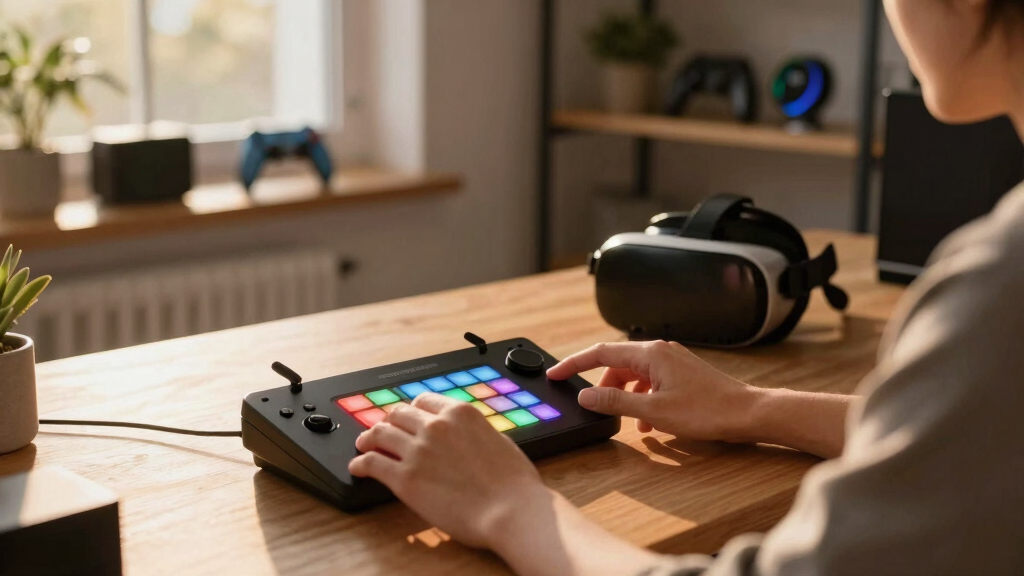
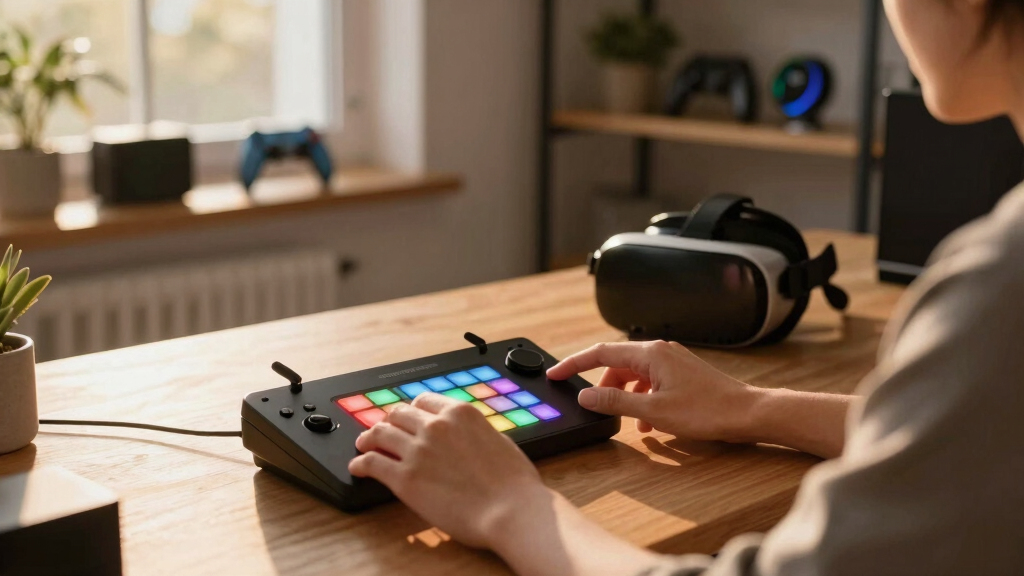
The VSDINSIDE Macro Keypad offers 18 programmable keys, including 15 LCD visual keys and 3 buttons, allowing extensive customization. Its standout feature is the ability to personalize each LCD key with images, animations, or GIFs, making it ideal for streamers who want quick visual cues. Compared with premium decks, it provides solid functionality at a more affordable price point, though it lacks some advanced controls like dials or multi-action sequences. Its compatibility with Windows and macOS broadens usability, but the user interface for setup is less intuitive than more established brands. Nonetheless, this keypad is a versatile choice for VR streamers looking for high customization without breaking the bank.
Pros:- Highly customizable LCD keys with animations
- Affordable price point
- Compatible with Windows and Mac
- Supports complex macros and sequences
Cons:- No dials or additional physical controls
- Less polished software interface
- Size may be less compact for small desks
Best for: Budget-conscious streamers who want visual customization and macro flexibility.
Not ideal for: Streamers needing advanced controls like dials or multi-action sequences for complex scenes.
- Keys:18 programmable keys
- Display:15 LCD visual keys
- Connectivity:USB
- Compatibility:Windows and macOS
- Size:Compact ergonomic design
- Software:Customizable via dedicated app
Bottom line: Great for budget-conscious users who prioritize visual cues and macro flexibility in VR streaming.
Macro Keypad, Stream Controller Deck Gaming Streaming Shortcut Keyboard, 18 Programmable Keys Customizable Visual AI Pad USB Soundboard for OBS, YouTube, Desk Office Setup, Laptop, PC, Mac
This Macro Keypad features 18 programmable keys similar to the VSDINSIDE model but emphasizes professional workflow integration. Personalization of keys with images and animations enhances quick recognition, and the “Operation Follow” feature allows executing multiple macros in sequence, aiding complex VR scene management. Compared with premium decks like the Elgato Stream Deck +, it offers fewer physical controls but provides a good balance of customization and affordability. Its compatibility across platforms makes it suitable for professional VR streamers who use various editing and streaming software. However, its build quality and software ecosystem are slightly less refined, and it may lack some advanced features like dials or touch strips.
Pros:- Customizable with images and animations
- Supports macro sequences with ‘Operation Follow’
- Cross-platform compatibility
- Affordable compared to high-end decks
Cons:- Fewer physical controls than premium decks
- Less polished software interface
- No dials or touch strip
Best for: Professional streamers and editors needing reliable macros and seamless workflow support.
Not ideal for: Casual or beginner streamers who do not require complex macro sequences.
- Keys:18 programmable keys
- Display:Visual LCD keys
- Compatibility:Windows, Mac
- Size:Standard ergonomic size
- Connectivity:USB
- Features:Macro sequences, customizable images
Bottom line: Ideal for professionals seeking macro automation and visual cues without premium price tags.
Elgato Stream Deck + White – Studio Controller with LCD Keys, Dials, and Touch Strip for Post Production in Adobe Premiere Pro, Photoshop, DaVinci Resolve, Final Cut Pro – Workflow Automation
The Elgato Stream Deck + in white offers a refined control experience tailored for post-production, with 8 LCD keys, 4 dials, and a touch strip. While primarily designed for editing and color grading, its seamless integration with Adobe Premiere, Photoshop, and DaVinci Resolve makes it highly valuable for VR content creators who also work on post-production. Compared to the gaming-focused decks, this device emphasizes smooth navigation and precise control over editing tools. The dials enable fine adjustments, which are crucial during complex editing tasks, but the deck’s size and focus might make it less appealing for real-time VR scene control. Still, for multi-purpose workflows, it’s an excellent addition.
Pros:- Supports major editing software
- Includes physical dials for fine control
- Customizable LCD keys
- High build quality
Cons:- Less suited for live VR scene control
- Size may be less portable
- More expensive than basic decks
Best for: Professional VR content creators who need a dedicated editing and post-production control panel.
Not ideal for: Streamers primarily focused on live scene switching or gaming controls.
- Keys:8 LCD keys
- Dials:4 multifunction dials
- Touch Panel:Yes
- Compatibility:Windows and Mac
- Size:5.5 x 5.4 x 4.3 inches
- Connectivity:USB-C
Bottom line: Best suited for VR content creators working heavily in post-production workflows.
Elgato Stream Deck Mini – Control Zoom, Teams, PowerPoint, MS Office and Boost Productivity with Seamless Integration for Daily Apps, Set Up Shortcuts Easily, USB, Compatible with Mac and PC
The Elgato Stream Deck Mini offers a simplified setup with 6 LCD keys, making it ideal for streamers who need quick access to essential functions like scene switching, chat commands, or basic media controls. Its compact size allows it to fit into tight spaces, and its drag-and-drop software makes setup straightforward. Compared with larger decks, it lacks advanced controls like dials or touch strips, making it less suitable for complex scene or audio management. Still, it provides reliable control for VR streamers who prefer minimalism and simplicity, especially in smaller setups or as a secondary device.
Pros:- Compact size fits small desks
- Easy to set up and customize
- Supports multiple apps and shortcuts
- Affordable price
Cons:- Limited controls (no dials or touch strip)
- Less suitable for complex workflows
- Smaller screen may be less intuitive
Best for: Beginners or streamers with limited space seeking essential control features.
Not ideal for: Advanced VR streamers needing multi-action or detailed scene controls.
- Keys:6 LCD customizable keys
- Size:Small, portable
- Connectivity:USB
- Compatibility:Windows and Mac
- Software:Drag-and-drop setup
- Size:Approx. 3 x 3 inches
Bottom line: Great for newcomers or those who want a simple, reliable control panel for VR streaming basics.
How We Picked
Our selection process focused on compatibility with VR streaming software, customization options, build quality, and overall value. We examined user reviews from verified buyers, feature lists, and platform support to ensure each deck could handle dynamic VR control needs. Price was also a key factor, especially for streamers just starting or with budget constraints. We aimed to highlight decks that balance functionality with ease of use, giving a clear picture of who benefits most from each option.
Factors to Consider When Choosing Best Stream Decks For VR Streaming
Choosing the best stream deck for VR streaming hinges on understanding your specific needs—whether that’s extensive scene control, macro automation, or a compact setup. Compatibility with your software, ease of customization, and physical size all influence the right choice. Here, I’ll outline key factors to consider before making your purchase, ensuring your VR streams run smoothly and efficiently.
Size and Space Requirements
Consider your desk space and whether you need a compact device like the Elgato Stream Deck Mini or a larger, more feature-rich deck like the Elgato Stream Deck +. Larger units provide more controls but require more room, while smaller decks are ideal for tight setups or secondary controls.
Control Features and Customization
Look at what controls are essential for your workflow. Do you need dials for fine adjustments, touch strips for quick navigation, or multiple macro keys for complex scene management? The Elgato Stream Deck + offers extensive physical controls, whereas the VSDINSIDE keypad emphasizes visual macros and customization.
Software Compatibility and Ecosystem
Ensure your chosen deck supports the software you use, such as OBS, Streamlabs, or VR-specific tools. The Elgato decks have a broader plugin ecosystem and better integration, but budget options like the VSDINSIDE may suffice if you’re comfortable with manual setup.
Price and Value
Decide how much you’re willing to invest. High-end decks like the Elgato Stream Deck + provide professional features at a premium, while the budget-friendly VSDINSIDE offers impressive customization without a hefty price tag. Balance your needs against your budget for the best fit.
Frequently Asked Questions
Is a larger stream deck better for VR streaming?
Not necessarily. While larger decks like the Elgato Stream Deck + offer more physical controls and customization options, the best choice depends on your workflow and space constraints. If you need many controls and macros, a larger deck makes sense; otherwise, a compact option may be more practical.
Can I use these stream decks with VR-specific streaming software?
Most modern stream decks support popular streaming software like OBS, Streamlabs, and VR tools via plugins or custom setups. The Elgato decks have a well-developed ecosystem, while others may require manual configuration but are still compatible with standard streaming tools.
Are these decks suitable for beginners?
Absolutely. The Elgato Stream Deck Mini is particularly beginner-friendly thanks to its simple setup and intuitive software. The VSDINSIDE keypad also offers high customization with less complexity, making it suitable for newcomers to VR streaming control setups.
Do I need special software to customize these decks?
Yes, each deck typically comes with dedicated software for customization. Elgato decks use the Stream Deck software, which is user-friendly and supports a wide range of plugins. Budget options like the VSDINSIDE often have their own setup applications, which might be less polished but still effective.
Can I switch between different profiles or scenes easily?
Yes, most decks support multiple profiles or scenes, allowing you to switch setups quickly during a stream. The Elgato Stream Deck + excels here, with seamless profile switching and multi-action sequences, ideal for dynamic VR streams.
Conclusion
If you’re a professional VR streamer seeking maximum control and customization, the Elgato Stream Deck + is the best choice despite its size and price. For those on a budget who want visual cues and macro flexibility, the VSDINSIDE Macro Keypad stands out as a versatile option. Beginners or streamers with limited space should consider the Elgato Stream Deck Mini for its simplicity and ease of use. Ultimately, your decision should align with your workflow complexity, space, and budget.