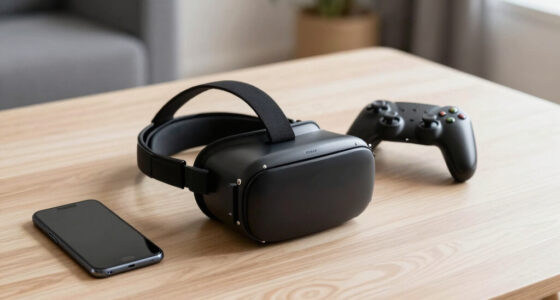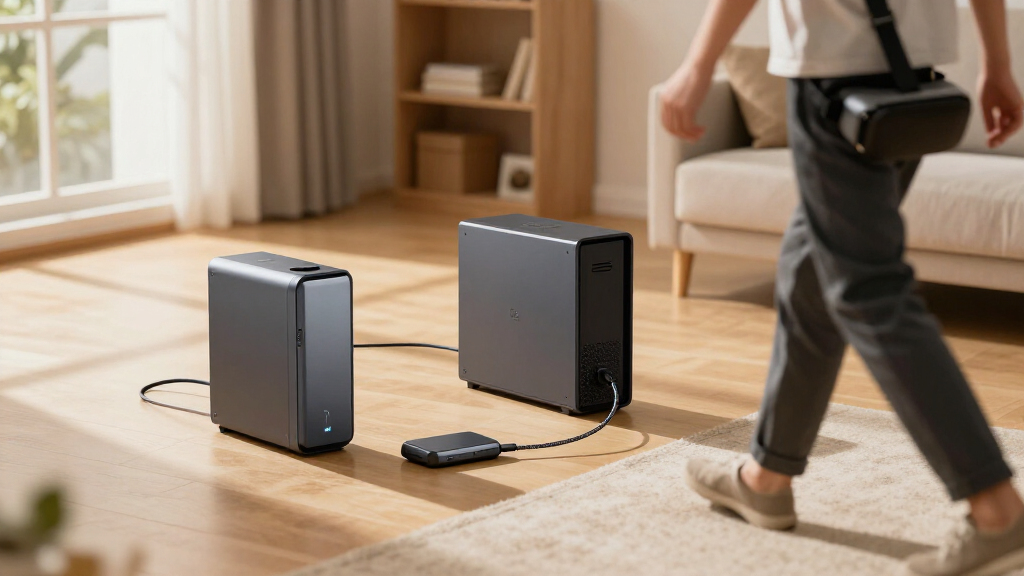

The best wireless eGPUs are external graphics solutions that connect without a conventional internal GPU installation, though every option here still needs a cable to the computer. I’d put the Sonnet Breakaway Box 850 T5 first for its Thunderbolt 5 connection and enclosure flexibility, while the ASUS ROG XG Mobile (2025) stands out for buyers seeking a high-end integrated graphics unit and the MINISFORUM DEG2 for its OCuLink and USB4 V2 connection choices. The main tradeoff is between easier, more self-contained hardware and open docks that offer more choice but ask you to source a GPU, power supply, and compatible host. Connection type, laptop support, desk space, and setup effort matter as much as graphics hardware. Read on for how these 15 options differ and which type of setup fits your needs.

Play games on Amazon Luna for your next adventure, included with Prime
- A rotating selection of games, no download needed
- Play on TV, laptop or phone
- Fast, free delivery for your gear, too
Key Takeaways
- Connection choice defines the shortlist: Thunderbolt 5 on the Sonnet, USB4 V2 and OCuLink on the MINISFORUM DEG2, and OCuLink-only docks each require different host ports and setup decisions.
- Integrated graphics simplify the purchase: the ASUS ROG XG Mobile, OneXGPU 2, NIMO, and BOSGAME combine an enclosure with a named GPU, while most docks leave GPU and power selection to the buyer.
- Open docks reward existing hardware: OCuLink and PCIe docks can make sense if you already have a compatible GPU and power supply, but they demand more assembly and compatibility checks.
- Similar names hide different connections: the MINISFORUM DEG2 listings include versions with an M.2 slot and versions without one, so buyers should confirm the exact configuration.
- “Wireless” does not mean cable-free: these eGPUs connect to the computer through Thunderbolt, USB4, OCuLink, or another physical link; the host’s supported port can rule out a product before its GPU specs matter.
| Sonnet Breakaway Box 850 T5 Thunderbolt 5 eGPU Enclosure |  | Best for Desktop-Class GPU Flexibility | Host compatibility: Thunderbolt 5, Thunderbolt 4, and most USB4 Windows 11 computers | GPU support: Triple-wide NVIDIA GeForce RTX 50, 40, and 30 Series; AMD Radeon RX 9000, 7000, and 6000 Series | Power supply: 850 watts | VIEW LATEST PRICE | See Our Full Breakdown |
| ONE XPLAYER OneXGPU 2 External GPU with AMD Radeon RX 7800M 12GB GDDR6 |  | Best for Handheld PC Owners | GPU: AMD Radeon RX 7800M, RDNA 3 | Graphics memory: 12GB GDDR6 | GPU TDP: 130W, switchable to 180W | VIEW LATEST PRICE | See Our Full Breakdown |
| ASUS ROG XG Mobile (2025) External Graphics Card with NVIDIA GeForce RTX 5090 |  | Best Premium Portable Graphics | GPU: NVIDIA GeForce RTX 5090 Laptop GPU | Video memory: 24GB GDDR7 | Connection: Thunderbolt 5 | VIEW LATEST PRICE | See Our Full Breakdown |
| NIMO External GPU Enclosure with AMD Radeon RX 7600M XT 8GB |  | Best Beginner-Friendly All-in-One | Graphics: AMD Radeon RX 7600M XT | Graphics memory: 8GB GDDR6 | Connectivity: USB4 and OCuLink | VIEW LATEST PRICE | See Our Full Breakdown |
| OwlTree PCIe 4.0 x4 OCuLink eGPU Dock with 50 cm Cable |  | Best Modular OCuLink Dock | Interface: OCuLink SFF-8612 to PCIe x16 | Transfer speed: PCIe 4.0 x4, up to 64 Gbps | Included cable: SFF-8611 male-to-male, 50 cm (19.7 inches) | VIEW LATEST PRICE | See Our Full Breakdown |
| MINISFORUM DEG2 eGPU Docking Station with OCuLink and USB4 V2 |  | Best for Flexible Connections | Connection options: OCuLink, Thunderbolt 5, USB4 V2 | Hardware interface: PCI Express 4.0 | Power supply compatibility: ATX and SFX | VIEW LATEST PRICE | See Our Full Breakdown |
| RGEEK PCIe 5.0 x4 OCuLink eGPU Dock for External Graphics Cards |  | Best for OCuLink Bandwidth | Interface: OCuLink SFF-8611 to PCIe x16 | PCIe bandwidth: PCIe 5.0 x4, up to 128 Gbps | Backward compatibility: PCIe 4.0 and 3.0 | VIEW LATEST PRICE | See Our Full Breakdown |
| Razer Core X V2 External Graphics Enclosure |  | Best for Thunderbolt 5 Laptop Setups | Connection: Thunderbolt 5, Thunderbolt 4 or USB 4 | Thunderbolt 5 bandwidth: Up to 80 Gbps | Power delivery: Up to 140 W via USB-C to compatible laptops | VIEW LATEST PRICE | See Our Full Breakdown |
| OCuLink External GPU Dock, PCIe 4.0 x4, 64 Gbps |  | Best for a Simple PCIe 4.0 OCuLink Build | Connection: OCuLink SFF-8612 to PCIe x16 | Bandwidth: PCIe 4.0 x4, 64 Gbps | Included cable: SFF-8611 male-to-male, 50 cm (19.7 in) | VIEW LATEST PRICE | See Our Full Breakdown |
| OwlTree PCIe 5.0 x4 eGPU Dock with 50 cm M.2 NVMe to PCIe x16 Cable |  | Best for M.2 NVMe Hosts | Interface: NVMe M.2 to PCIe x16 | Maximum transfer speed: 128 Gbps (PCIe 5.0 x4) | Cable length: 50 cm (19.7 in) | VIEW LATEST PRICE | See Our Full Breakdown |
| OCuLink eGPU Dock, PCIe 4.0 x4 64 Gbps, ATX External GPU Enclosure |  | Best for GPU Flexibility | Interface: OCuLink SFF-8612 to PCIe x16 | Bandwidth: PCIe 4.0 x4, 64 Gbps | Cable: 50 cm shielded SFF-8611 OCuLink cable | VIEW LATEST PRICE | See Our Full Breakdown |
| MINISFORUM DEG2 USB4 V2 and OCuLink eGPU Dock with M.2 NVMe Slot |  | Best for Flexible Connections | Interfaces: USB4 V2 (Thunderbolt 5 compatible) and OCuLink | Maximum transfer speed: Up to 80 Gbps USB4 V2/TB5; 64 Gbps OCuLink | GPU interface: PCIe x16 | VIEW LATEST PRICE | See Our Full Breakdown |
| BOSGAME GVP 7600M eGPU Dock with Radeon RX 7600M XT |  | Best Ready-to-Use Graphics | GPU: AMD Radeon RX 7600M XT, RDNA 3 | GPU memory: 8GB GDDR6 | Connectivity: Thunderbolt 3/4, USB 4, and OCuLink | VIEW LATEST PRICE | See Our Full Breakdown |
| PCIe 4.0 x4 OCuLink eGPU Dock with SFF-8611 Cable |  | Best for a Detachable Setup | Interface: OCuLink SFF-8612 to PCIe x16 | Transfer speed: PCIe 4.0 x4, up to 64 Gbps | Cable: 50 cm SFF-8611 male-to-male | VIEW LATEST PRICE | See Our Full Breakdown |
| PCIe 3.0 x16 eGPU Dock with Thunderbolt 4 Cable |  | Best for Multiple Power Options | Interface: PCIe 3.0 x16 | Transfer speed: Around 22 Gbps | Controller: JHL6340 | VIEW LATEST PRICE | See Our Full Breakdown |
More Details on Our Top Picks
Sonnet Breakaway Box 850 T5 Thunderbolt 5 eGPU Enclosure
The Sonnet Breakaway Box 850 T5 suits buyers who want to choose their own full-size graphics card and keep it in a stationary setup. Its 850W power supply and support for triple-wide NVIDIA and AMD cards offer more upgrade flexibility than the self-contained ONE XPLAYER OneXGPU 2, which comes with a mobile Radeon GPU already installed. The tradeoff is that Sonnet is an enclosure, not a complete graphics solution: you need to supply a compatible card and a Thunderbolt 5, Thunderbolt 4, or supported USB4 Windows 11 computer. Built-in 5Gb Ethernet and USB-A can also help consolidate desk connections. At 14.1 pounds, it makes more sense as a home workstation hub than as a portable companion.
Pros:- Supports a broad range of triple-wide NVIDIA and AMD graphics cards
- 850W power supply accommodates power-hungry GPU configurations
- Thunderbolt 5 peripheral port, three USB-A ports, and 5Gb Ethernet add desk connectivity
- Temperature-controlled fan adjusts cooling to system needs
Cons:- Graphics card is not included, adding a separate component to source
- Requires a compatible Windows 11 computer
- Its 14.1-pound weight and desktop enclosure design limit portability
Best for: Windows laptop owners who want to select, replace, or upgrade a triple-wide desktop graphics card in a desk setup
Not ideal for: Buyers seeking an all-in-one portable eGPU, or MacBook users who need a compatible Windows 11 host
- Host compatibility:Thunderbolt 5, Thunderbolt 4, and most USB4 Windows 11 computers
- GPU support:Triple-wide NVIDIA GeForce RTX 50, 40, and 30 Series; AMD Radeon RX 9000, 7000, and 6000 Series
- Power supply:850 watts
- Ports:1 Thunderbolt 5 peripheral port, 3 USB-A 10 Gbps ports, 1 5Gb Ethernet port
- Cooling:Temperature-controlled variable-speed fan
- Dimensions:15.75 × 8.25 × 9.75 inches (D × W × H)
- Weight:14.1 pounds
- Material:Alloy steel
Our verdict“Choose the Sonnet if you want a flexible, high-power desktop GPU enclosure and already have a compatible Windows host and graphics card.”
ONE XPLAYER OneXGPU 2 External GPU with AMD Radeon RX 7800M 12GB GDDR6
The ONE XPLAYER OneXGPU 2 is the most versatile self-contained pick here for handheld PC owners: it pairs an RX 7800M with 12GB of GDDR6 memory with Thunderbolt, USB4, and OCuLink options. That flexibility contrasts with the NIMO External GPU Enclosure, which has a less powerful RX 7600M XT and supports only USB4 or OCuLink on Windows devices. The OneXGPU 2 also combines display outputs, Ethernet, USB-A, and an M.2 slot for up to 8TB of storage, making it useful as a compact gaming and expansion hub. Its switchable 130W or 180W TDP gives buyers a performance choice, but OCuLink requires a separate cable, and MacBook users are excluded.
Pros:- Integrated Radeon RX 7800M graphics with 12GB GDDR6
- Supports Thunderbolt 3/4, USB4, and OCuLink hosts
- M.2 2280 slot supports up to 8TB of PCIe 3.0 storage
- Includes a 300W GaN charger and 65W USB-C laptop charging
Cons:- Not compatible with MacBook
- OCuLink cable is sold separately
- Requires a compatible connection on the laptop or handheld
Best for: Handheld gaming PC owners and laptop users who want an included GPU, multiple connection choices, and expandable storage
Not ideal for: MacBook owners, or buyers who want OCuLink performance without sourcing a separate cable
- GPU:AMD Radeon RX 7800M, RDNA 3
- Graphics memory:12GB GDDR6
- GPU TDP:130W, switchable to 180W
- Compatible devices:Handheld PCs and laptops with Thunderbolt 3/4, USB4, or OCuLink; not compatible with MacBook
- SSD expansion:Up to 8TB, M.2 2280 PCIe 3.0
- Video outputs:HDMI 2.1 and 2 × DisplayPort 2.0
- Other ports:TF card slot, RJ45 Ethernet, 2 × USB-A 3.2
- Weight and dimensions:1.59 kg; 9 × 6.9 inches
- Included accessories:300W GaN charger, 3.3 ft USB-C 4.0 cable, manual; OCuLink cable sold separately
Our verdict“Pick the OneXGPU 2 if you want an all-in-one graphics and storage hub for a compatible handheld PC or Windows laptop.”
ASUS ROG XG Mobile (2025) External Graphics Card with NVIDIA GeForce RTX 5090
The ASUS ROG XG Mobile (2025) is the performance-focused choice in this group, built around an RTX 5090 Laptop GPU and 24GB of GDDR7. Its Thunderbolt 5 connection supports up to three 4K displays at 144Hz or 8K video, a more ambitious display setup than the two-display NIMO enclosure. At 2.09 pounds, it is also easier to carry than the 14.1-pound Sonnet, though it is still a powered accessory rather than a pocket-sized dock. ASUS pairs the GPU with a 330W power profile and a redesigned vapor chamber, but buyers need a compatible Thunderbolt 5 host and an adequate power source. That host requirement narrows its appeal, while its premium graphics focus leaves less room for the flexible desktop-card upgrades offered by Sonnet.
Pros:- RTX 5090 Laptop GPU with 24GB GDDR7
- Supports up to three 4K displays at 144Hz or 8K video
- Portable 2.09-pound design
- Redesigned vapor chamber and customizable Aura Sync RGB lighting
Cons:- Requires a compatible Thunderbolt 5 connection
- 330W power profile calls for a substantial power supply
- Integrated GPU design does not offer the user-selected card upgrades available with the Sonnet enclosure
Best for: Owners of compatible Thunderbolt 5 systems who want a portable high-end graphics companion for demanding games or multi-display work
Not ideal for: People with Thunderbolt 4 or USB4-only hosts, or buyers who prefer to install and upgrade a standard desktop graphics card
- GPU:NVIDIA GeForce RTX 5090 Laptop GPU
- Video memory:24GB GDDR7
- Connection:Thunderbolt 5
- Throughput:120Gbps
- Display support:Up to three 4K displays at 144Hz or 8K video
- Power profile:330W
- Cooling:Redesigned vapor chamber with 150% more cooling surface area than a standard heatpipe design
- Weight:2.09 pounds
- Model:GC34X-053
Our verdict“Choose the ROG XG Mobile if your system supports Thunderbolt 5 and you want high-end graphics in a portable, self-contained unit.”
NIMO External GPU Enclosure with AMD Radeon RX 7600M XT 8GB
The NIMO External GPU Enclosure lowers the setup burden by including an RX 7600M XT and 240W power supply. That makes it more approachable than the OwlTree PCIe 4.0 x4 OCuLink eGPU Dock, which needs both a separate graphics card and ATX power supply before it can run. NIMO connects over USB4 or OCuLink, can deliver 65W to a laptop over USB-C, and provides HDMI 2.1 and DisplayPort 2.0 for two displays. Its compact listed dimensions make it easier to place on a desk than the Sonnet, though the 3.9-pound weight is still noticeable if you plan to carry it often. Compatibility is narrower than the OneXGPU 2: NIMO is specified for Windows devices with USB4 or OCuLink.
Pros:- Pre-installed RX 7600M XT and built-in 240W power supply simplify setup
- USB4 and OCuLink connectivity
- 65W USB-C power delivery can charge a compatible laptop
- HDMI 2.1 and DisplayPort 2.0 support two displays
Cons:- Compatibility is specified for Windows devices with USB4 or OCuLink
- At 3.9 pounds, it is less convenient for frequent travel than its compact footprint suggests
- RX 7600M XT with 8GB memory offers less graphics headroom than the OneXGPU 2’s RX 7800M with 12GB
Best for: Windows laptop owners who want a ready-to-connect eGPU with an included graphics card, power supply, and laptop charging
Not ideal for: MacBook users, Thunderbolt-only setups without USB4 or OCuLink support, and frequent travelers prioritizing low carry weight
- Graphics:AMD Radeon RX 7600M XT
- Graphics memory:8GB GDDR6
- Connectivity:USB4 and OCuLink
- Power supply:240W built-in
- USB-C power delivery:65W
- Video outputs:HDMI 2.1 and DisplayPort 2.0
- Display support:Up to two displays at 8K@60Hz or 4K@120Hz
- Dimensions and weight:4.54 × 2.49 × 4.75 inches; 3.9 pounds
- Compatibility:Windows devices with USB4 or OCuLink
Our verdict“Choose NIMO if you want a compact, ready-to-use eGPU for a compatible Windows device and can accept its more limited host support.”
OwlTree PCIe 4.0 x4 OCuLink eGPU Dock with 50 cm Cable
The OwlTree PCIe 4.0 x4 OCuLink eGPU Dock is for buyers who already own, or want to choose, a separate graphics card and ATX power supply. Its 64 Gbps PCIe 4.0 x4 link and included 50 cm shielded cable suit a compact connection between a laptop or mini PC and a desktop GPU. Compared with the NIMO External GPU Enclosure, OwlTree gives you more freedom to select the card, but it takes more setup and leaves the power supply and GPU out of the box. The detachable dock is easier to store than a complete enclosure; however, OCuLink requires a compatible host and cannot be hot-plugged. You need to shut down the computer before disconnecting it, so this is a fit for deliberate desk use rather than quick peripheral swaps.
Pros:- PCIe 4.0 x4 OCuLink link supports transfer speeds up to 64 Gbps
- Includes a 50 cm shielded cable
- Detachable dock is easier to store than a full enclosure
- Supports various card sizes, including NVIDIA RTX 40 Series and AMD RX 7900 XTX
Cons:- Graphics card and ATX power supply are not included
- Requires a host with an OCuLink SFF-8612 interface
- Hot plugging is not supported; the computer must be off before disconnecting
Best for: Mini PC and laptop owners with OCuLink who want to build a custom eGPU setup around their own graphics card and ATX power supply
Not ideal for: Buyers looking for an all-in-one enclosure, tool-free setup, or the ability to connect and disconnect the GPU while the computer is running
- Interface:OCuLink SFF-8612 to PCIe x16
- Transfer speed:PCIe 4.0 x4, up to 64 Gbps
- Included cable:SFF-8611 male-to-male, 50 cm (19.7 inches)
- Compatible power supply:Standard ATX; not included
- GPU compatibility:Various graphics card sizes, including NVIDIA RTX 40 Series and AMD RX 7900 XTX
- Contacts:10 μ gold-plated
- Design:Detachable dock with status LEDs
- Hot plugging:Not supported; turn off the computer before unplugging
- Package excludes:Graphics card and power supply
Our verdict“Choose OwlTree if you want a modular OCuLink dock and are prepared to supply the graphics card, power supply, and compatible host.”
MINISFORUM DEG2 eGPU Docking Station with OCuLink and USB4 V2
The DEG2 suits mini PC owners who want a choice of connection paths: a physical toggle switches between OCuLink and Thunderbolt 5, so the dock can match a compatible host without swapping enclosures. Compared with the Razer Core X V2, it adds OCuLink, an M.2 slot and 2.5G Ethernet, making it a more expandable desk hub. That flexibility comes with setup work: you supply both the desktop GPU and an ATX or SFX power supply, and the listed compatibility excludes the MINISFORUM MS-02 Workstation. Its host-synchronized power can make startup more convenient, while the extra storage and network ports help consolidate a mini PC setup. I’d choose it when connection choice and expansion matter more than an all-in-one enclosure.
Pros:- Physical toggle selects OCuLink or Thunderbolt 5
- Supports ATX and SFX power supplies
- M.2 2280 slot and 2.5G Ethernet add useful desk expansion
- Host-synchronized power supports automatic startup
Cons:- Graphics card and power supply must be supplied separately
- Does not work with the MINISFORUM MS-02 Workstation
Best for: Mini PC owners with a compatible OCuLink or Thunderbolt 5 host who want storage and wired network expansion alongside a desktop GPU.
Not ideal for: MINISFORUM MS-02 Workstation owners, or buyers seeking a complete enclosure with the GPU and power supply included.
- Connection options:OCuLink, Thunderbolt 5, USB4 V2
- Hardware interface:PCI Express 4.0
- Power supply compatibility:ATX and SFX
- Ports:Thunderbolt 5 140W, Thunderbolt 5 30W, OCuLink, 2.5G LAN, USB 3.2 Gen 2, USB 3.2 Gen 1
- Expansion:M.2 2280 slot and PCIe x16
- Compatible devices:Mini PC
- Not included:Graphics card and ATX or SFX power supply
- Compatibility note:Does not work with MINISFORUM MS-02 Workstation
Our verdict“Choose the DEG2 if your compatible mini PC setup benefits from both connection options and built-in storage and network expansion.”
RGEEK PCIe 5.0 x4 OCuLink eGPU Dock for External Graphics Cards
The RGEEK dock is for buyers who already have a compatible OCuLink setup and want a path rated for PCIe 5.0 x4 up to 128 Gbps. It works with PCIe 4.0 and 3.0 too, while its included 50 cm cable and support for ATX, SFX and SFX-L supplies leave room to adapt the desktop build. Compared with the OCuLink External GPU Dock, PCIe 4.0 x4, RGEEK advertises the newer PCIe generation and broader power supply formats. That bandwidth depends on the host connection: the product data says a separate adapter or compatible M.2 slot may be needed for full PCIe 5.0 speed. The open dock also lacks hot plugging, so connecting or disconnecting means powering down. It’s a focused option for users comfortable assembling and managing an exposed GPU setup.
Pros:- PCIe 5.0 x4 support is rated up to 128 Gbps
- Backward compatible with PCIe 4.0 and 3.0
- Supports ATX, SFX and SFX-L power supplies
- Includes a 50 cm SFF-8611 to PCIe x16 cable
Cons:- GPU and power supply are sold separately
- Hot plugging is not supported
- Full PCIe 5.0 speed may require a separate adapter or compatible M.2 slot
Best for: Technically confident laptop or mini PC owners with OCuLink who want a dock rated for PCIe 5.0 x4 and already have a compatible host path.
Not ideal for: Buyers who need hot plugging, a closed enclosure, or a ready-to-use package with the GPU and power supply included.
- Interface:OCuLink SFF-8611 to PCIe x16
- PCIe bandwidth:PCIe 5.0 x4, up to 128 Gbps
- Backward compatibility:PCIe 4.0 and 3.0
- Cable length:50 cm (19.7 in)
- Material:Aluminum
- Supported power supplies:ATX, SFX, SFX-L
- Hot plugging:Not supported
- Not included:Graphics card, power supply, PCIe 5.0 to OCuLink adapter
Our verdict“Pick RGEEK if you have a compatible OCuLink host and want newer bandwidth support with flexible power supply options.”
Razer Core X V2 External Graphics Enclosure
For a compatible Windows laptop or gaming handheld, the Core X V2 offers a more enclosed, straightforward route to desktop graphics than the open OCuLink docks in this lineup. Its Thunderbolt 5 connection and included cable suit hosts that support it, while compatibility with Thunderbolt 4 and USB 4 gives it a wider range of connection options. It accepts NVIDIA or AMD desktop GPUs up to four slots wide and delivers up to 140 W to compatible laptops, which can reduce cable clutter at a desk. The MINISFORUM DEG2 adds OCuLink and M.2 expansion, so it may suit a mini PC hub better; the Core X V2 instead brings active cooling and tool-free installation. You still supply the GPU and standard ATX power supply, and Macs with M1 or later chips cannot use eGPUs.
Pros:- Works with Thunderbolt 5, Thunderbolt 4 or USB 4 hosts
- Supports NVIDIA and AMD desktop GPUs up to four slots wide
- Provides up to 140 W power delivery to compatible laptops
- Includes Thunderbolt 5 cable, thumbscrews and adjustable 120 mm fan
Cons:- Graphics card and standard ATX power supply are sold separately
- Does not support eGPUs on Macs with M1 or later chipsets
Best for: Windows laptop or gaming handheld owners with Thunderbolt 5, Thunderbolt 4 or USB 4 who want an enclosed desktop GPU setup.
Not ideal for: Mac users with M1 or later chips, or buyers who want a GPU and power supply included.
- Connection:Thunderbolt 5, Thunderbolt 4 or USB 4
- Thunderbolt 5 bandwidth:Up to 80 Gbps
- Power delivery:Up to 140 W via USB-C to compatible laptops
- GPU compatibility:NVIDIA or AMD PCIe desktop GPUs up to four slots wide
- Power supply compatibility:Standard ATX power supply
- Cooling:120 mm fan with automatic speed adjustment and Razer Synapse fan profiles
- Included cable:Thunderbolt 5 cable
- Mac compatibility:Does not support eGPUs on Mac devices with M1 or later chipsets
Our verdict“Choose the Core X V2 for an enclosed, actively cooled desktop GPU setup around a compatible Windows laptop or handheld.”
OCuLink External GPU Dock, PCIe 4.0 x4, 64 Gbps
This open-frame dock keeps the feature set focused: it provides a PCIe 4.0 x4 OCuLink connection rated at 64 Gbps, a PCIe x16 slot and a 50 cm cable. LED indicators and auto-start or forced-start modes offer basic feedback and startup choices without adding a larger enclosure. Compared with the RGEEK PCIe 5.0 x4 dock, this model has a lower stated bandwidth ceiling and supports only an ATX power supply, but its simpler PCIe 4.0 setup may be enough for buyers whose host already has OCuLink. You must power down before connecting, and the graphics card and power supply are not included. That makes it a hands-on choice for a stationary setup, not a convenient plug-and-play accessory for frequently swapped devices.
Pros:- PCIe 4.0 x4 OCuLink connection rated at 64 Gbps
- Open frame accommodates different GPU sizes
- Includes a 50 cm SFF-8611 cable
- LED indicators and auto-start or forced-start modes
Cons:- Graphics card and ATX power supply are sold separately
- Connections must be made with power off; hot plugging is unsupported
- Requires a compatible OCuLink host and dedicated GPU drivers
Best for: Desktop-oriented mini PC or laptop owners with OCuLink who want a basic open dock for a compatible desktop GPU.
Not ideal for: People who need hot swapping, a self-contained enclosure, or PCIe 5.0 bandwidth support.
- Connection:OCuLink SFF-8612 to PCIe x16
- Bandwidth:PCIe 4.0 x4, 64 Gbps
- Included cable:SFF-8611 male-to-male, 50 cm (19.7 in)
- Power supply support:ATX power supply; not included
- GPU:Not included
- Dimensions:7.8 × 5 in
- Features:LED indicators, auto-start and forced-start modes
Our verdict“Choose this dock for a stationary OCuLink build that needs a straightforward PCIe 4.0 connection and basic startup controls.”
OwlTree PCIe 5.0 x4 eGPU Dock with 50 cm M.2 NVMe to PCIe x16 Cable
The OwlTree dock connects through a host’s NVMe M.2 slot, which can open an eGPU route for laptops, NUCs or small form factor systems that lack OCuLink or Thunderbolt. Its PCIe 5.0 x4 link is rated up to 128 Gbps, and the 50 cm shielded cable allows the GPU to sit outside a compact host. Compared with the RGEEK OCuLink dock, OwlTree targets M.2 directly, so host access and compatibility matter more than the connector on the dock. This approach is less convenient: the M.2 slot must be free and suitable, and it cannot also serve M.2 SATA, Wi-Fi, WWAN or USB interfaces. You also need an ATX power supply rated at 500 W or higher, plus a separate graphics card. I’d favor it when internal M.2 access is the practical path and the setup can stay stationary.
Pros:- PCIe 5.0 x4 support is rated up to 128 Gbps
- 50 cm shielded cable separates the GPU from a compact host
- Detachable design supports storage and transport
- Status LEDs provide connection feedback
Cons:- Requires an available compatible NVMe M.2 slot
- Does not support M.2 SATA, Wi-Fi, WWAN or USB interfaces
- Requires an ATX power supply rated at 500 W or higher; GPU and supply are not included
Best for: Laptop, NUC and ITX or STX motherboard owners with an accessible NVMe M.2 slot who are comfortable building an external GPU setup.
Not ideal for: Buyers who need to keep every M.2 slot occupied, want hot-plug convenience, or prefer an enclosure with power supply and GPU included.
- Interface:NVMe M.2 to PCIe x16
- Maximum transfer speed:128 Gbps (PCIe 5.0 x4)
- Cable length:50 cm (19.7 in)
- Cable thickness:0.8 mm
- Compatible graphics cards:NVIDIA RTX 50 Series, AMD RX 90xx Series and backward-compatible PCIe graphics cards
- Power supply requirement:Standard ATX, 500 W or higher
- Compatibility:Laptops, ITX/STX motherboards and NUCs with NVMe M.2
- Contacts:10 μm gold-plated
- Included:M.2 female to PCIe x16 dock and cable
Our verdict“Choose OwlTree when a compatible NVMe M.2 slot is your best route to an external GPU and you can accommodate a separate ATX supply.”
OCuLink eGPU Dock, PCIe 4.0 x4 64 Gbps, ATX External GPU Enclosure
I rank this open-frame dock as the most flexible pick for buyers who already have a graphics card in mind. Its OCuLink SFF-8612 connection feeds a standard PCIe x16 slot at PCIe 4.0 x4, and the listed GPU compatibility spans NVIDIA, AMD, and Intel. Compared with the BOSGAME GVP 7600M, it lets me choose and replace the graphics card, while the BOSGAME arrives with its GPU built in and adds ports and storage. That freedom comes with more setup: I need to supply both a desktop GPU and an ATX power supply, and the open frame offers less enclosure protection. The included shielded 50 cm cable is useful, but OCuLink cannot be connected or disconnected while the host is on, and the GPU drivers must be installed before use. It also needs a wired OCuLink connection, so it does not fulfill a literal wireless setup.
Pros:- Supports NVIDIA, AMD, and Intel graphics cards
- Includes a shielded 50 cm OCuLink cable
- Open-frame layout has no stated GPU length limit
Cons:- GPU and ATX power supply must be purchased separately
- OCuLink requires powering down before connecting or disconnecting
- Drivers must be installed before first use
Best for: Mini PC and laptop owners with an OCuLink port who already own, or want to select, a desktop GPU and ATX power supply
Not ideal for: Buyers seeking a ready-to-use enclosure, a protected portable setup, or an eGPU that connects wirelessly
- Interface:OCuLink SFF-8612 to PCIe x16
- Bandwidth:PCIe 4.0 x4, 64 Gbps
- Cable:50 cm shielded SFF-8611 OCuLink cable
- Design:Open-frame enclosure
- GPU compatibility:NVIDIA, AMD, and Intel
- Power supply:Standard ATX power supply required; not included
- Hot-plugging:Not supported
- Package includes:Enclosure, OCuLink cable, and manual
Our verdict“Choose this dock if GPU choice matters more to you than an enclosed, ready-to-run setup.”
MINISFORUM DEG2 USB4 V2 and OCuLink eGPU Dock with M.2 NVMe Slot
I give the DEG2 the connection-flexibility role because it supports both USB4 V2 and OCuLink. That gives a buyer with compatible hardware a choice between a single-cable USB4 V2 setup and OCuLink’s listed 64 Gbps link. The M.2 2280 NVMe slot also makes the dock useful as a storage expansion point, a feature the simpler OCuLink-only dock from this batch lacks. Its hardware switch offers docking and GPU-performance modes, and compatibility with ATX and SFX power supplies makes component choice less restrictive. Compared with the BOSGAME GVP 7600M, however, the DEG2 leaves the GPU to the buyer; the BOSGAME includes its Radeon graphics and built-in ports. The DEG2 still needs a separate desktop GPU and power supply, and headline transfer speeds depend on the host and connection. Both interfaces are wired, so neither makes this a wireless eGPU.
Pros:- Supports both USB4 V2 and OCuLink
- Includes an M.2 2280 NVMe slot
- Accepts ATX and SFX power supplies
- Single-cable USB4 V2 workflow supports data, display, and charging
Cons:- Requires a separate compatible desktop graphics card and power supply
- Maximum transfer rates depend on the host device and selected interface
Best for: Owners of compatible USB4 V2 or OCuLink systems who want one dock for external graphics and NVMe storage
Not ideal for: Buyers who need an included GPU, a fully self-contained graphics unit, or a wireless connection
- Interfaces:USB4 V2 (Thunderbolt 5 compatible) and OCuLink
- Maximum transfer speed:Up to 80 Gbps USB4 V2/TB5; 64 Gbps OCuLink
- GPU interface:PCIe x16
- Storage expansion:M.2 2280 NVMe slot
- Power supply compatibility:ATX and SFX
- Features:Hardware mode switch and signal booster
- Single-cable functions:Data, display, and charging
- Color:Black
Our verdict“Pick the DEG2 if your compatible host may use either USB4 V2 or OCuLink and you value built-in storage expansion.”
BOSGAME GVP 7600M eGPU Dock with Radeon RX 7600M XT
The BOSGAME stands apart from the bare docks in this batch because it includes a Radeon RX 7600M XT with 8GB GDDR6. I give it the ready-to-use graphics role: buyers avoid sourcing a separate desktop GPU and ATX power supply, the main extra hurdle with the MINISFORUM DEG2. Thunderbolt 3/4, USB 4, and OCuLink support give it several wired connection paths, while built-in Ethernet, two USB-A ports, and M.2 storage help it serve as a compact desk hub. The Turbo button raises GPU TDP from 100W to 120W, offering a performance mode when the setup calls for it. Compared with modular docks, that simplicity trades away GPU choice and upgrades. The 1.92 lb unit is portable, but it still needs a compatible host port; its claimed comparison to an RTX 4050 laptop is not substantiated in the supplied data. None of its connections are wireless.
Pros:- Includes Radeon RX 7600M XT graphics with 8GB GDDR6
- Offers Thunderbolt 3/4, USB 4, and OCuLink connections
- Adds Ethernet, two USB-A ports, and M.2 SSD expansion
- Turbo mode raises GPU TDP to 120W
Cons:- Built-in GPU limits graphics-card choice and upgrade flexibility
- Requires a compatible wired host connection
- Supplied performance comparison to an RTX 4050 laptop is not independently substantiated
Best for: Laptop, mini PC, or handheld owners with a compatible Thunderbolt, USB 4, or OCuLink port who want an eGPU with graphics already included
Not ideal for: Buyers who want to choose or upgrade a desktop graphics card, or who require a wireless link
- GPU:AMD Radeon RX 7600M XT, RDNA 3
- GPU memory:8GB GDDR6
- Connectivity:Thunderbolt 3/4, USB 4, and OCuLink
- GPU TDP:100W default; 120W with Turbo
- SSD expansion:M.2 2280 PCIe 3.0, up to 4TB
- Video outputs:2 × HDMI 2.1 and 2 × DisplayPort 2.0
- Display support:Up to four displays
- Additional ports:RJ45 Ethernet and 2 × USB-A 3.2
- Weight:1.92 lb
Our verdict“Choose the BOSGAME if you want an eGPU with its graphics hardware and useful desk ports included.”
PCIe 4.0 x4 OCuLink eGPU Dock with SFF-8611 Cable
I assign this dock the detachable-setup role for buyers who want a straightforward OCuLink connection they can pack away. It lists a 50 cm SFF-8611 cable, gold-plated contacts, and status LEDs, with support for standard ATX power and graphics cards of various sizes. Its PCIe 4.0 x4 link reaches a listed 64 Gbps, matching the bandwidth figure on the other open-frame OCuLink dock in this batch. The detachable design is the practical distinction: it can be stored separately when the external GPU is not in use. Compared with the MINISFORUM DEG2, though, this model has no USB4 V2 option or M.2 NVMe slot. I also need to supply both the GPU and ATX power supply. OCuLink requires the computer to be off when connecting or disconnecting, and this is a wired setup rather than a wireless one.
Pros:- PCIe 4.0 x4 OCuLink connection rated up to 64 Gbps
- Detachable design supports storage and portability
- Includes a 50 cm SFF-8611 cable
- Status LEDs and gold-plated contacts are included
Cons:- GPU and standard ATX power supply are not included
- OCuLink cannot be disconnected while the computer is on
- No USB4 interface or M.2 storage slot is listed
Best for: Laptop or mini PC owners with OCuLink who want a simple dock they can detach and store between graphics sessions
Not ideal for: Buyers who need USB4 connectivity, built-in storage expansion, or a complete GPU and power supply package
- Interface:OCuLink SFF-8612 to PCIe x16
- Transfer speed:PCIe 4.0 x4, up to 64 Gbps
- Cable:50 cm SFF-8611 male-to-male
- Compatible devices:Laptop and mini PC
- Power supply compatibility:Standard ATX power supply
- Input voltage:100–240 V AC
- System bus connector:24-pin
- Cooling:Air
- Weight:0.47 kg
Our verdict“Choose this dock if you want a detachable OCuLink link and already have the GPU and ATX power supply.”
PCIe 3.0 x16 eGPU Dock with Thunderbolt 4 Cable
This dock earns the power-flexibility role through its four listed input options: 4+4-pin CPU, Molex, PD 3.0, or DC5521. That can suit a buyer who wants to use an existing compatible power source instead of relying on the ATX supply needed by the OCuLink docks. It also includes a 23.6-inch Thunderbolt 4 cable and a 24-pin power jumper, which reduces accessory hunting. Its JHL6340 controller supports Thunderbolt 3, Thunderbolt 4, and USB4, with listed transfer speeds around 22 Gbps. Compared with the PCIe 4.0 x4 OCuLink dock in this batch, it offers broader power inputs but a lower stated transfer speed and depends on Thunderbolt or USB4. It has no included GPU, Intel graphics cards are not recommended, and some USB4 consoles may need a BIOS update. Every listed connection is wired.
Pros:- Accepts four listed power input types
- Includes a Thunderbolt 4 cable and 24-pin power jumper
- Supports Thunderbolt 3, Thunderbolt 4, and USB4
- Compatible with NVIDIA and AMD graphics cards
Cons:- Listed transfer speed is around 22 Gbps
- Requires a compatible Thunderbolt or USB4 port
- Intel graphics cards are not recommended, and some USB4 consoles may need a BIOS update
Best for: Windows or Linux users with a compatible Thunderbolt or USB4 port who need flexible power input options for a separate graphics card
Not ideal for: Buyers seeking OCuLink or PCIe 4.0 x4 bandwidth, an included GPU, or recommended Intel GPU support
- Interface:PCIe 3.0 x16
- Transfer speed:Around 22 Gbps
- Controller:JHL6340
- Host compatibility:Thunderbolt 3, Thunderbolt 4, and USB4
- Operating systems:Windows 10/11 and Linux
- Power inputs:4+4-pin CPU, Molex, PD 3.0, or DC5521
- PD 3.0 input:12 V, maximum 60 W
- DC5521 input:12 V, maximum 120 W
- Included cables:23.6-inch Thunderbolt 4 cable and 24-pin power jumper cable
Our verdict“Pick this dock if multiple power-input choices matter more to you than the higher listed bandwidth of an OCuLink option.”

How We Picked
I ranked these products around the choices that most affect an eGPU purchase: the host connection, the amount of setup required, whether graphics hardware is included, and how clearly the product suits a particular buyer. A complete external graphics unit can be simpler to choose than an open dock, while a dock can give an owner of a compatible desktop GPU more control over component selection. I treated Thunderbolt, USB4, OCuLink, and PCIe as distinct connection paths, since they are not interchangeable and depend on the computer’s hardware.
The first positions go to products with a clear use case and a relatively straightforward buying decision, led by the Sonnet enclosure, the integrated ASUS unit, and the dual-connection MINISFORUM DEG2. The remaining order reflects narrower audiences, such as buyers who already own a GPU or want a compact all-in-one unit. Product names alone do not establish host compatibility, included cables, power requirements, or real-world performance, so I’d verify those details with the manufacturer before purchase. The ranking is based on the supplied product specifications and formats, not hands-on testing.
Factors to Consider When Choosing Best Wireless EGPUs
Choosing an eGPU starts with the computer you plan to connect, then moves to the graphics hardware and the amount of assembly you want to take on. These factors help narrow the category before comparing individual models.
Match the connection to your computer
Start by checking the exact port and eGPU support on your laptop or mini PC; a USB-C-shaped connector alone does not prove that it supports Thunderbolt or USB4 eGPU use. OCuLink requires a compatible OCuLink port or a supported internal connection, and a PCIe dock may depend on an M.2 slot or another host interface. Thunderbolt 5, Thunderbolt 4, and USB4 V2 are different specifications, so confirm support at both ends rather than relying on the cable shape. Check the computer maker’s documentation for eGPU support, port bandwidth, and any firmware restrictions. A fast graphics card cannot compensate for a host connection the computer cannot use. Make a shortlist only after this check, since it can eliminate several dock types immediately.
Choose between an included GPU and an open dock
An all-in-one unit bundles a named mobile GPU with the enclosure, which reduces component matching and can make the purchase easier to plan. An open dock leaves the GPU choice to you, but it may also require a separate power supply, compatible graphics card, and careful cable routing. Before choosing an open frame, check GPU length, thickness, power connectors, and the dock’s supported card interface. Some product titles describe the connection or slot but do not spell out what accessories are included. Compare the complete bill of materials and setup steps, rather than assuming that “dock” means a ready-to-use eGPU. If this is your first external GPU, fewer separate components can matter more than flexibility.
Treat bandwidth claims as one part of performance
Connection bandwidth affects how an external GPU communicates with the computer, but a larger number on a listing does not predict game or application performance by itself. The host processor, graphics card, software support, display connection, and workload all influence the result. If you plan to use an external monitor, check whether connecting it directly to the graphics card is supported and how the product routes video. For a laptop screen, graphics data may need to travel back over the same link, which can change performance. Be wary of comparing a PCIe lane figure with a Thunderbolt data-rate claim as though they measured identical conditions. Look for independent testing of the exact host and GPU combination if performance is central to your decision.
Plan for power, cooling, and desk space
Before buying, determine whether the eGPU has its own power supply or needs one you provide. Open docks can expose the card and power supply, which may increase cable clutter and make placement more demanding than a finished enclosure. Check airflow around the graphics card, fan noise reports for the exact model, and the clearance needed for its connectors. An integrated unit can take up less space than a full desktop card setup, but it still needs ventilation and a stable place near the computer. If you move between rooms, consider the weight of the unit and how many cables must be disconnected each time. These practical constraints shape whether the setup feels convenient after installation.
Verify the exact model and included accessories
Several products in this lineup have closely related names or multiple connection configurations, so verify the precise model number before ordering. Check whether the listing includes the host cable, power adapter or supply, GPU, stand, and any mounting hardware you need. A stated M.2 slot may be useful for storage expansion, but confirm its supported drive size and whether installing a drive affects another port or connection. Cable length matters when the computer and dock sit apart, especially for OCuLink and M.2-to-PCIe setups. Read the manufacturer’s compatibility notes for your operating system and host device. A few minutes spent matching the complete package to your setup can prevent a dock arriving without a required component.
Decide what kind of support you need
A boxed enclosure from an established PC hardware maker may be easier to research for documentation, warranty terms, and supported configurations, while a simple dock can leave more troubleshooting to the buyer. Before choosing, find the warranty length, return terms, driver guidance, and a support contact for the exact product. Check whether the vendor documents firmware updates and which host devices have been tested. Owners comfortable assembling a PC may be happy to troubleshoot an open OCuLink dock; a first-time buyer may prefer a more complete package with clearer setup instructions. If the eGPU is for work, consider how quickly you could replace a cable or restore the computer to its built-in graphics. Support and recovery options are part of the practical value of the setup.
Frequently Asked Questions
Can I use any of these eGPUs with any laptop that has USB-C?
No. USB-C describes the connector shape, not a guarantee of Thunderbolt, USB4, OCuLink, or eGPU support. Check the laptop’s full specifications and manufacturer documentation for the exact port capability and eGPU compatibility. Also confirm operating-system and driver support for the GPU included or installed in the enclosure. If the laptop lacks the required host connection, a cable adapter usually cannot add the missing capability.
Is an OCuLink dock a better choice than Thunderbolt?
It depends on the host computer and how much setup you are willing to do. OCuLink docks can suit a compatible mini PC or laptop when the host provides the required connection, but they are less broadly convenient than a plug-in enclosure for many buyers. Thunderbolt options can be simpler for supported computers, though the precise version and device compatibility still matter. Compare your host’s available ports, the full dock requirements, and independent results for your workload before choosing by connection label alone.
Should I buy an integrated eGPU or a dock and separate graphics card?
An integrated unit such as the OneXGPU 2 or ASUS ROG XG Mobile combines the graphics hardware and enclosure, so you have fewer components to match. A separate-card dock is more flexible if you already own a compatible GPU or want to select one yourself. That flexibility brings extra decisions about power, card size, cooling, and cables. Compare the total parts and setup demands against the benefit of choosing your own desktop graphics card.
Will an external GPU work well with my laptop’s built-in screen?
It may work, but performance can differ from using an external display connected directly to the eGPU. With the laptop’s built-in screen, rendered frames may need to travel back through the host connection, adding work to that link. The effect depends on the computer, connection, GPU, drivers, and application. Check results for your specific laptop and intended games or creative software, and confirm which display outputs the enclosure supports.
What should I verify before buying an OCuLink or PCIe dock?
Confirm that your computer has the correct host connection and that the dock includes the cable and adapters required for your setup. For a separate graphics card, check physical clearance, power supply requirements, card power connectors, and supported PCIe interface. If the dock connects through an M.2 slot, verify that the slot is available and that using it will not disable a feature you rely on. Ask the seller or manufacturer about operating-system support, warranty coverage, and what happens if the dock or cable fails.
Conclusion
For the best overall balance of enclosure flexibility and a current Thunderbolt connection, I’d start with the Sonnet Breakaway Box 850 T5, after confirming host support and whether its enclosure-only format fits your build. The best premium direction is the ASUS ROG XG Mobile (2025) for buyers who want an integrated high-end GPU unit and whose computer supports its connection. For beginners, an all-in-one option such as the OneXGPU 2 is simpler to assess than a bare dock with separate power and graphics parts. The best value depends on what you already own: a compatible GPU owner may get more use from an OCuLink dock, while someone starting from scratch should compare complete-system requirements before deciding. For specific connection needs, consider the MINISFORUM DEG2 if you need both OCuLink and USB4 V2, and choose an M.2-slot version only if that feature matters to your setup. In every case, verify the exact model, host compatibility, and included accessories before choosing.