
The best augmented reality glasses for most buyers are the XREAL One Pro, which pairs a built-in X1 chip with native 3DoF, while the VITURE Luma Ultra stands out for shoppers seeking higher-resolution, spatial-display features. For a wider field of view and native 3DoF, the RayNeo GT Max is another strong option. The main tradeoffs are display size and clarity versus comfort, device compatibility, and whether you need spatial tracking or simply a private screen. Specialized choices add functions such as sports data, translation, or teleprompting, but may be less suited to everyday viewing. Read on for how these 15 glasses differ and which type of buyer each suits best.

Play games on Amazon Luna for your next adventure, included with Prime
- A rotating selection of games, no download needed
- Play on TV, laptop or phone
- Fast, free delivery for your gear, too
Key Takeaways
- Built-in spatial features separate the leading entertainment picks: the XREAL One Pro includes an X1 chip and native 3DoF, while some glasses focus more on display fundamentals.
- The VITURE Luma Ultra models target a more spatial experience: listed 6DoF support and 1200p Micro-OLED specifications make them distinct from simpler virtual-screen options.
- Field of view is a real point of differentiation: the RayNeo GT Max lists 59° and the VITURE Beast models list 58°, which may matter more to buyers seeking an expansive view than to those prioritizing portability.
- Several listings have overlapping names and specifications: the two VITURE Beast and two Luma Ultra entries should be checked carefully for exact model identity before purchase.
- Special-purpose glasses are not direct substitutes for screen-focused models: Maverick Sport and the AI Smart Glasses target sports or productivity tasks, rather than serving as straightforward personal cinema displays.
| RayNeo GT Max AR Glasses – 267-inch Display, 59° FOV, Native 3DoF, IPD 64-67 mm |  | Best for an Immersive Personal Cinema | Virtual screen size: 227–307 inches | Field of view: 59° | Tracking: Native 3DoF | VIEW LATEST PRICE | See Our Full Breakdown |
| XREAL One Pro AR Glasses with X1 Chip, 171-Inch 120Hz FHD Display and Native 3DoF | 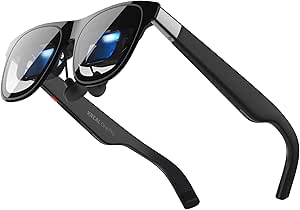 | Best for Low-Latency Native Tracking | Display: Sony 0.55-inch Micro-OLED | Virtual screen size: 171 inches | Field of view: 57° | VIEW LATEST PRICE | See Our Full Breakdown |
| VITURE Beast AR Glasses, 174-Inch Virtual Display, 1200p, 58° FOV, 3DoF |  | Best for Lightweight, Adjustable Viewing | Virtual screen size: 174 inches | Resolution: 1920 × 1200 | Field of view: 58° | VIEW LATEST PRICE | See Our Full Breakdown |
| VITURE Beast XR/AR Glasses, 1200p per Eye, 58° FOV |  | Best for High-Resolution Personal Viewing | Virtual screen size: 174 inches | Resolution: 1200p per eye | Display: Sony Micro-OLED | VIEW LATEST PRICE | See Our Full Breakdown |
| Maverick Sport Augmented Reality Glasses for Golf, Cycling, Running, and Driving |  | Best for Sports Data and Navigation | Display: Sony OLED | Water and dust resistance: IP55 | Battery life: Up to 10 hours continuous | VIEW LATEST PRICE | See Our Full Breakdown |
| DOMARS AR/XR Smart Glasses with 3-Screen Display and Spatial Computer |  | Best for Multi-Screen Work | Display technology: Micro-OLED | Resolution: 1920 × 1200 | Refresh rate: 120Hz in description; 160Hz in specifications | VIEW LATEST PRICE | See Our Full Breakdown |
| VITURE Luma Ultra AR Glasses |  | Best for Gesture-Controlled 6DoF | Display resolution: 1200p | Brightness: 1500 nits | Field of view: 52° | VIEW LATEST PRICE | See Our Full Breakdown |
| XREAL 1S AR Glasses with X1 Chip and Native 3DoF |  | Best for Plug-In Spatial Viewing | Resolution: 1920 × 1200 | Refresh rate: Up to 120Hz | Field of view: 52° | VIEW LATEST PRICE | See Our Full Breakdown |
| VITURE Luma Ultra XR Glasses, 1200p Micro-OLED Display, 1500 Nits, 6DoF Support |  | Best for Bright, Adjustable Viewing | Display type: Sony Micro-OLED | Display resolution: 1200p | Brightness: Up to 1500 nits | VIEW LATEST PRICE | See Our Full Breakdown |
| AI Smart Glasses with AR Display, Real-Time Translation, and Teleprompter |  | Best for Hands-Free Prompts | Display: 1.5-inch AMOLED | Weight: 40 g | Battery capacity: 183 mAh | VIEW LATEST PRICE | See Our Full Breakdown |
| VITURE Luma Ultra XR Glasses – 152″ 1500‑nit 6DoF AR |  | Best for Advanced Spatial Interaction | Virtual display size: 152 inches | Resolution: 1200p | Brightness: 1500 nits | VIEW LATEST PRICE | See Our Full Breakdown |
| VITURE Pro 2 XR Glasses with Adjustable Myopia Focus |  | Best for Prescription Flexibility | Virtual display size: 146 inches | Resolution: 1080p | Display panels: Sony Micro-OLED | VIEW LATEST PRICE | See Our Full Breakdown |
| RayNeo Air 4 Pro AR/XR Glasses with HDR10 Display and B&O Audio |  | Best for Movies and HDR Video | Virtual display size: 201 inches | Display features: HDR10, 3D, and AI SDR-to-HDR upscaling | Refresh rate: 120Hz | VIEW LATEST PRICE | See Our Full Breakdown |
| Rokid Max 2 AR Glasses with Micro-OLED Display |  | Best for Built-In Myopia Adjustment | Display type: Micro-OLED | Virtual screen size: 215 inches at 6 meters | Field of view: 50° | VIEW LATEST PRICE | See Our Full Breakdown |
| XREAL 1 Pro+ AR Glasses with 171-Inch Spatial Display |  | Best for Native 3DoF Tracking | Display: OLED | Resolution: 1920 × 1080 | Virtual display size: 171 inches | VIEW LATEST PRICE | See Our Full Breakdown |
| augmented reality glasse | Refresh rate | Field of view |
|---|---|---|
| RayNeo GT Max AR Glasses | 120 Hz | 59° |
| XREAL One Pro AR Glasses with | 120 Hz | 57° |
| VITURE Beast AR Glasses | 120 Hz | 58° |
| VITURE Beast XR/AR Glasses | 120 Hz | 58° |
| Maverick Sport Augmented Reali | — | — |
| DOMARS AR/XR Smart Glasses wit | 120Hz in description; 160Hz in specifications | 50° in description; 600° in specifications |
| VITURE Luma Ultra AR Glasses | 120Hz | 52° |
| XREAL 1S AR Glasses with X1 Ch | Up to 120Hz | 52° |
| VITURE Luma Ultra XR Glasses | Up to 120Hz | 52° |
| AI Smart Glasses with AR Displ | — | — |
| VITURE Luma Ultra XR Glasses | 120Hz | 52° |
| VITURE Pro 2 XR Glasses with A | 120Hz | 50° |
| RayNeo Air 4 Pro AR/XR Glasses | 120Hz | — |
| Rokid Max 2 AR Glasses with Mi | 120Hz | 50° |
| XREAL 1 Pro+ AR Glasses with 1 | Up to 120Hz | 57° |
More Details on Our Top Picks
RayNeo GT Max AR Glasses – 267-inch Display, 59° FOV, Native 3DoF, IPD 64-67 mm
The RayNeo GT Max is the strongest fit here for buyers who want a large, bright virtual screen without adding an external tracking box. Its 59° field of view and stated screen range of up to 307 inches give it a more expansive cinema focus than the XREAL One Pro, whose virtual screen is listed at 171 inches. Native 3DoF tracking helps keep the view responsive as you move your head, while 120 Hz refresh and B&O-tuned spatial audio round out a setup aimed at films and games. The tradeoff is device and fit flexibility: it needs USB-C DisplayPort video output, and its IPD fit comes in three preset ranges rather than continuous adjustment. I’d choose it for immersive viewing, not as a substitute for glasses designed around sports information or daily outdoor use.
Pros:- Large stated virtual-screen range, up to 307 inches
- Native 3DoF tracking without a separate tracking accessory
- 120 Hz refresh rate and up to 1200 nits perceived brightness
- B&O-tuned quad-speaker spatial audio
Cons:- Requires USB-C DisplayPort video output; some devices may need an adapter
- Three preset IPD ranges may not provide a suitable fit for every wearer
Best for: Movie and handheld-game viewers who want a large, tracked virtual screen and already own a USB-C DisplayPort device.
Not ideal for: Buyers whose phones or laptops lack USB-C DisplayPort output, or anyone whose IPD does not fit the three preset ranges.
- Virtual screen size:227–307 inches
- Field of view:59°
- Tracking:Native 3DoF
- Refresh rate:120 Hz
- Perceived brightness:Up to 1200 nits
- Color gamut:145% sRGB; 98% DCI-P3
- Audio:B&O-tuned racetrack quad-speaker spatial audio
- Connectivity:USB-C DisplayPort
Our verdict“Choose the RayNeo GT Max if a wide, bright personal cinema matters more than universal device compatibility or finely adjustable IPD.”
XREAL One Pro AR Glasses with X1 Chip, 171-Inch 120Hz FHD Display and Native 3DoF
The XREAL One Pro makes the most sense for buyers who value responsive head tracking and a well-defined virtual screen over the biggest screen claim in this group. Its X1 chip handles native 3DoF, with a stated 3 ms motion-to-photon latency, so basic spatial viewing does not depend on an added accessory. The 120 Hz micro-OLED display, 57° field of view, Bose-tuned audio, and electrochromic tint make it a more complete personal-viewing package than the activity-focused Maverick Sport. The screen is listed at 171 inches, though, below the RayNeo GT Max’s stated maximum, and 6DoF anchoring requires the optional XREAL Eye. Compatibility also depends on USB-C video output; HDMI setups may need extra hardware. I’d rank it for tracking responsiveness, not for fully untethered spatial computing.
Pros:- Native 3DoF tracking with a stated 3 ms motion-to-photon latency
- 120 Hz Sony micro-OLED display with a 57° field of view
- Electrochromic lens tint adjustment
- Two IPD size options and Bose-tuned audio
Cons:- 6DoF spatial anchoring requires the optional XREAL Eye
- USB-C video output is required, and HDMI connections may need additional hardware
Best for: Frequent handheld-gaming and video users who want built-in 3DoF tracking, low stated latency, and adjustable lens tint.
Not ideal for: Buyers seeking 6DoF anchoring out of the box, or those connecting devices without USB-C video output.
- Display:Sony 0.55-inch Micro-OLED
- Virtual screen size:171 inches
- Field of view:57°
- Refresh rate:120 Hz
- Tracking:Native 3DoF; optional 6DoF with XREAL Eye
- Motion-to-photon latency:3 ms
- Brightness:Up to 700 nits
- Dimming:Electrochromic lens tint adjustment
Our verdict“Pick the XREAL One Pro for responsive native 3DoF and adjustable tint, but budget for an accessory if 6DoF anchoring is part of your plan.”
VITURE Beast AR Glasses, 174-Inch Virtual Display, 1200p, 58° FOV, 3DoF
For buyers who want tracked viewing in a relatively light frame, the VITURE Beast combines built-in 3DoF with an 88 g metal design and adjustable fit. Its 174-inch virtual screen is close to the VITURE Beast XR listed elsewhere in this lineup, so the choice between them is less about screen scale and more about the specific connection and feature details each listing provides. This model adds 9+ dimming levels, Auto Transparency, and 2D-to-3D conversion, giving viewers more ways to manage immersion and ambient awareness. A 120 Hz Micro-OLED display and 1250-nit peak brightness support sharp, bright viewing, but compatible USB-C video output remains necessary and some devices require a VITURE dock. Its feature set is attractive for flexible personal viewing, though accessory dependence can complicate an otherwise portable setup.
Pros:- Built-in VisionPair 3DoF supports repositioning and resizing the virtual screen
- 120 Hz Micro-OLED display with up to 1250 nits peak brightness
- 88 g frame with two fit sizes and adjustable arms
- Auto Transparency and 9+ electrochromic dimming levels
Cons:- Some device connections require a VITURE dock or another accessory
- USB-C connection compatibility depends on DisplayPort video support
Best for: Portable-media and gaming users who want native 3DoF, adjustable dimming, and a lightweight frame with multiple fit options.
Not ideal for: Buyers who need a glasses-based display to work directly with devices lacking USB-C DisplayPort output, or who want to avoid docks and other accessories.
- Virtual screen size:174 inches
- Resolution:1920 × 1200
- Field of view:58°
- Display:Micro-OLED
- Refresh rate:120 Hz
- Peak brightness:1250 nits
- Tracking:Built-in VisionPair 3DoF
- Weight:88 g
Our verdict“Choose this VITURE Beast for lightweight tracked viewing and flexible dimming if your devices can connect without an inconvenient accessory chain.”
VITURE Beast XR/AR Glasses, 1200p per Eye, 58° FOV
This VITURE Beast XR is the clearer pick for buyers who want resolution specified per eye alongside native tracking and screen adjustments. Its 1200p-per-eye Sony Micro-OLED display, 120 Hz refresh rate, and 174-inch virtual screen put it in the same broad viewing class as the other VITURE Beast, rather than offering a markedly larger canvas. What distinguishes this listing is its stated compatibility with SpaceWalker across iOS, Android, macOS, and Windows, plus screen modes, electrochromic dimming, and Auto Transparency. The 88 g metal frame and interchangeable nose pads support fit customization, but the listed IPD ranges top out at 74. Some spatial features, including multi-screen viewing and 2D-to-3D conversion, rely on software, so I wouldn’t choose it on the assumption that every feature works independently of an app.
Pros:- 1200p resolution per eye on Sony Micro-OLED displays
- Native 3DoF and multiple screen modes
- Electrochromic dimming with Auto Transparency
- Lightweight 88 g metal frame with adjustable arms and interchangeable nose pads
Cons:- Listed fit sizes cover IPD only up to 74
- Some spatial functions depend on software rather than working as standalone hardware features
Best for: Viewers who prioritize per-eye display resolution, native 3DoF, and software-based screen options across supported phones and computers.
Not ideal for: Buyers with an IPD above the listed 74 limit, or anyone expecting multi-screen and 2D-to-3D features to work without software support.
- Virtual screen size:174 inches
- Resolution:1200p per eye
- Display:Sony Micro-OLED
- Field of view:58°
- Refresh rate:120 Hz
- Peak brightness:1250 nits
- Tracking:Built-in 3DoF
- Weight:88 g
Our verdict“Pick this version if per-eye resolution and SpaceWalker compatibility are your priorities, and its software-dependent features suit your setup.”
Maverick Sport Augmented Reality Glasses for Golf, Cycling, Running, and Driving
Unlike the RayNeo GT Max and XREAL One Pro, which center on a tracked virtual screen for video and games, the Maverick Sport is built to put activity information in the wearer’s line of sight. Its focused apps cover sports, driving, walking, and translation, with Strava sync and Garmin radar integration adding practical context for supported workouts and rear-traffic alerts. The Sony OLED display, IP55-rated rain and dust resistance, and up to 10 hours of stated continuous battery life make it more suited to outdoor routines than a cinema-first headset. That specialization is also its main limitation: the app lineup is narrower than a broad third-party platform, and the supplied data does not list field of view, resolution, or native 3DoF. Buyers seeking a large anchored movie screen should choose another option in this roundup.
Pros:- Displays sports data and navigation in the line of sight
- Strava sync and Garmin radar integration
- IP55-rated for rain and dust
- Up to 10 hours of stated continuous battery life
Cons:- Focused app lineup rather than a broad third-party app store
- Up to 10 hours of continuous battery life may not suit longer outings
- Provided product data does not specify field of view, resolution, or native 3DoF tracking
Best for: Cyclists, runners, golfers, and drivers who want activity information or navigation in view and can use the included app integrations.
Not ideal for: Buyers looking for a large virtual screen for films, broad third-party app support, or detailed spatial-tracking specifications.
- Display:Sony OLED
- Water and dust resistance:IP55
- Battery life:Up to 10 hours continuous
- Included apps:E-Sport, E-Drive, E-Walk, E-Translate, and one other purpose-built app
- Integrations:Strava sync and Garmin radar integration
- Intended uses:Golf, cycling, running, and driving
Our verdict“Choose the Maverick Sport for activity-focused information and supported sports integrations, not for an immersive virtual cinema.”
DOMARS AR/XR Smart Glasses with 3-Screen Display and Spatial Computer
The DOMARS stands out for buyers who want a portable three-screen workspace rather than only a large virtual monitor. Paired with its spatial station, it supports side-by-side work and wireless screen mirroring; its 75 g frame and built-in myopia adjustment can also make longer sessions more manageable for some nearsighted users. Compared with the XREAL 1S, which offers several viewing modes through a direct USB-C DisplayPort connection, DOMARS puts more emphasis on multitasking but makes the spatial station part of the setup. It also advertises 120Hz in its description and 160Hz in its specifications, while the listed field of view conflicts between 50° and 600°. Those mismatches make the display details harder to verify, so I’d choose it for the workspace concept, not the disputed numbers.
Pros:- Three-screen workspace supports side-by-side multitasking with the spatial station
- Built-in 0 to -6.00D myopia adjustment may suit some nearsighted users
- 75 g frame with flexible temples and air-cushioned nose pads
- Wireless screen mirroring and broad device compatibility
Cons:- Three-screen mode depends on the spatial station
- Refresh-rate and field-of-view figures conflict across the product data
Best for: Mobile professionals who want a multi-screen workspace and are comfortable carrying and using the included spatial station
Not ideal for: Buyers seeking a simple glasses-only setup, verified display specifications, or dependable 6DoF room anchoring
- Display technology:Micro-OLED
- Resolution:1920 × 1200
- Refresh rate:120Hz in description; 160Hz in specifications
- Field of view:50° in description; 600° in specifications
- Weight:75 g
- Myopia adjustment:0 to -6.00D
- Spatial tracking:3DoF
- Spatial station battery:5000mAh
Our verdict“Choose DOMARS if a station-powered multi-screen workspace matters more to you than a simpler, more clearly specified display-glasses setup.”
VITURE Luma Ultra AR Glasses
The Luma Ultra is the more ambitious spatial option here: 6DoF tracking and hand gestures bring it closer to interactive AR than the screen-focused XREAL 1S, which offers native 3DoF viewing. Its 1200p image, 1500-nit brightness and 120Hz refresh rate are aimed at clear, fluid viewing, while electrochromic film lets users switch toward a more immersive view. HARMAN-tuned audio and myopia adjustment up to -4.0D add useful comfort features. The catch is that gesture control requires the VITURE Pro Neckband, so the headline interaction is not available from the glasses alone. Its IPD range is also limited to 58–70 mm, and the listed adapter currently supports charging only. I’d pick it for spatial interaction, not for the least complicated plug-in viewing setup.
Pros:- 6DoF tracking with hand gesture support when paired with the required neckband
- 1200p display, 1500-nit brightness and 120Hz refresh rate
- Electrochromic film supports quick changes to viewing immersion
- HARMAN-tuned audio and myopia adjustment up to -4.0D
Cons:- Hand gesture support requires the VITURE Pro Neckband
- IPD range is limited to 58–70 mm
- XR USB-C Adapter Pro currently supports charging only
Best for: XR enthusiasts who want 6DoF and gesture interaction and are willing to add the required VITURE Pro Neckband
Not ideal for: Buyers who want gesture controls without extra hardware or whose IPD falls outside 58–70 mm
- Display resolution:1200p
- Brightness:1500 nits
- Field of view:52°
- Refresh rate:120Hz
- Tracking:6DoF with hand gestures
- IPD range:58–70 mm
- Myopia adjustment:Up to -4.0D
- Audio:HARMAN-tuned
Our verdict“Pick the Luma Ultra if you want more spatial interaction than the XREAL 1S provides and accept the accessory requirement for gestures.”
XREAL 1S AR Glasses with X1 Chip and Native 3DoF
The XREAL 1S is a strong fit for people who want spatial viewing without building around a separate computer. A USB-C DisplayPort connection feeds its 1920 × 1200 display, while native 3DoF lets a virtual screen stay anchored as the wearer moves their head. Its ultrawide, side-view and Real 3D modes give it more flexibility than the more workstation-focused DOMARS, and Bose-tuned open-ear audio keeps the setup self-contained. The tradeoff is that the connected device must support USB-C DisplayPort; a USB-C port alone may not be enough. Buyers seeking true 6DoF anchoring also need the separately mentioned XREAL Eye accessory. With a 52° field of view and 59.5–70.5 mm IPD range, fit and peripheral coverage are more limited than a conventional monitor setup.
Pros:- Native 3DoF and multiple spatial modes, including ultrawide and Real 3D
- 1920 × 1200 resolution with refresh rates up to 120Hz
- USB-C DisplayPort provides a direct connection to compatible devices
- Bose-tuned open-ear audio and TÜV Rheinland-certified eye-comfort features
Cons:- Requires a USB-C DisplayPort-enabled device
- 6DoF spatial anchoring requires the separately mentioned XREAL Eye accessory
Best for: Phone, handheld-console and laptop users with USB-C DisplayPort who want an easy way to use anchored and ultrawide virtual screens
Not ideal for: Buyers whose devices lack USB-C DisplayPort or who expect full 6DoF anchoring without an additional accessory
- Resolution:1920 × 1200
- Refresh rate:Up to 120Hz
- Field of view:52°
- Virtual screen size:Up to 500 inches
- Connectivity:USB-C DisplayPort
- Spatial modes:0DoF follow, 3DoF anchor, ultrawide, Real 3D and side-view
- IPD range:59.5–70.5 mm
- Audio:Bose-tuned open-ear audio
Our verdict“Choose the XREAL 1S for direct-connected spatial screens and varied viewing modes, provided your device supports DisplayPort over USB-C.”
VITURE Luma Ultra XR Glasses, 1200p Micro-OLED Display, 1500 Nits, 6DoF Support
This Luma Ultra listing pairs a Sony Micro-OLED display with up to 1500 nits of brightness, 1200p resolution and refresh rates up to 120Hz. Electrochromic dimming gives users a quick way to change how much of the outside view remains visible, while open-ear audio avoids sealing off surrounding sounds. Compared with the XREAL 1S, this model emphasizes brightness, dimming and myopia adjustment rather than a broad set of named spatial modes. It supports 3DoF tracking, with full 6DoF dependent on a compatible Pro Neckband; multi-screen workspaces also rely on compatible software, devices and accessories. That conditional support makes it less straightforward than its spatial feature list may suggest, and open-ear audio can be less private in shared spaces. I’d favor it for adaptable viewing, not accessory-free 6DoF.
Pros:- Sony Micro-OLED display with 1200p resolution and brightness up to 1500 nits
- Refresh rate up to 120Hz and 52° field of view
- Electrochromic dimming and myopia adjustment up to -4.0D
- HARMAN-tuned open-ear audio keeps surrounding sounds audible
Cons:- Full 6DoF requires a compatible Pro Neckband
- Multi-screen features depend on compatible software, devices and accessories
- Open-ear audio may be less private in public spaces
Best for: Viewers who want a bright Micro-OLED virtual screen, adjustable lens dimming and built-in myopia correction
Not ideal for: Buyers who want full 6DoF and multi-screen features to work without compatible accessories, apps or devices
- Display type:Sony Micro-OLED
- Display resolution:1200p
- Brightness:Up to 1500 nits
- Refresh rate:Up to 120Hz
- Field of view:52°
- Spatial tracking:3DoF; full 6DoF with compatible Pro Neckband
- Myopia adjustment:Up to -4.0D
- Lens feature:Electrochromic dimming
Our verdict“Choose this Luma Ultra listing for bright, adjustable viewing and myopia correction, but not if you need 6DoF to work without add-ons.”
AI Smart Glasses with AR Display, Real-Time Translation, and Teleprompter
Unlike the XREAL 1S and VITURE Luma Ultra, which focus on virtual screens and spatial viewing, these glasses are built around short, practical prompts in the wearer’s view: translations, teleprompter scripts, notifications and navigation cues. Their 40 g frame is lighter than the DOMARS glasses, and Bluetooth pairing with iOS and Android makes phone-assisted use accessible to a wider set of users. Offline support may help when connectivity is weak, though the product details do not specify which features remain available offline. The main compromise is runtime: the listed average battery life is 2.5 hours, which limits all-day use. The 1.5-inch AMOLED display is suited to brief information rather than the large, anchored workspace offered by XREAL. Water resistance is described only as water repellent, so I would not treat it as weatherproof.
Pros:- Displays translations, teleprompter scripts, notifications and navigation prompts hands-free
- Supports online, weak-signal and offline use
- Pairs with iOS and Android devices
- 40 g frame with open-ear audio
Cons:- Average battery life is listed as 2.5 hours
- Water resistance is described only as water repellent
- Small 1.5-inch display is aimed at prompts rather than immersive virtual screens
Best for: Presenters, travelers and mobile workers who want brief scripts, translation or navigation prompts without holding a phone
Not ideal for: Buyers seeking a large immersive screen, long sessions between charges or clearly rated water protection
- Display:1.5-inch AMOLED
- Weight:40 g
- Battery capacity:183 mAh
- Average battery life:2.5 hours
- Connectivity:Bluetooth
- Input:Gesture and microphone
- Navigation:Built-in GPS
- Operating system compatibility:Android Wear 8.1; iOS 10 and above
Our verdict“Choose these glasses for brief hands-free prompts and translation, not as a substitute for the larger spatial displays in the XREAL 1S or VITURE Luma Ultra.”
VITURE Luma Ultra XR Glasses – 152″ 1500‑nit 6DoF AR
The VITURE Luma Ultra is the strongest fit here for buyers who want more than a floating video screen. Its 1200p image, 1500-nit brightness, and 120Hz refresh rate give it a sharper, brighter, smoother presentation than the Rokid Max 2, whose listed brightness tops out at 600 nits. The 52° field of view is also paired with optional 6DoF tracking and hand gestures through the Pro Neckband, adding room-aware interaction that the XREAL 1 Pro+ does not provide on its own. That capability comes with a catch: the neckband is an extra purchase, and mobile SpaceWalker use does not support full 6DoF. I’d choose this for feature-rich XR, not for the simplest plug-in display setup.
Pros:- Bright 1200p virtual display with a 120Hz refresh rate
- Optional Pro Neckband adds 6DoF tracking and hand-gesture control
- 52° field of view supports an expansive viewing experience
- Open-ear, HARMAN-tuned audio leaves users aware of their surroundings
Cons:- 6DoF and gesture features require the separately available Pro Neckband
- Full 6DoF is not supported on iOS or Android through SpaceWalker
- Some devices require an adapter or VITURE dock
Best for: XR enthusiasts who want a bright, high-refresh virtual screen and are willing to add the Pro Neckband for spatial tracking and gesture control.
Not ideal for: Buyers seeking out-of-the-box 6DoF on iOS or Android, or a simple setup without extra accessories.
- Virtual display size:152 inches
- Resolution:1200p
- Brightness:1500 nits
- Refresh rate:120Hz
- Field of view:52°
- Tracking:Full 6DoF with optional Pro Neckband; hand gestures when paired
- Audio:HARMAN-tuned open-ear audio
- Compatibility:USB-C devices, including supported iPhone 15/16/17 models, handheld consoles, PS5, Xbox, Windows, and macOS
Our verdict“Choose the Luma Ultra if advanced XR interaction matters more than a minimal setup or built-in, platform-wide 6DoF.”
VITURE Pro 2 XR Glasses with Adjustable Myopia Focus
The VITURE Pro 2 earns its place by addressing a daily comfort issue that many screen-focused glasses leave to prescription inserts: independent myopia adjustment for each eye, from 0 to -5.00D. That makes it a more convenient pick than the RayNeo Air 4 Pro for users whose vision falls within that range. Its 146-inch virtual display, Sony Micro-OLED panels, and 120Hz refresh rate still suit gaming and video, though the RayNeo advertises a larger 201-inch image and HDR10. The Pro 2’s lighter 63g frame and seven nose-pad sizes help with fit, but it remains a USB-C display rather than a standalone AR computer. Some consoles and older devices also need separately sold adapters, and the glasses may feel warm during use.
Pros:- Independent myopia adjustment from 0 to -5.00D for each eye
- Sony Micro-OLED display with 1080p resolution and 120Hz refresh
- 63g frame includes seven nose-pad sizes and a removable lens shade
- Compatible software supports real-time 2D-to-3D conversion
Cons:- Some consoles, HDMI devices, and older phones need separate accessories
- May feel warm during extended use
- Not compatible with iPhone Air or iPhone e-series
Best for: USB-C display users with mild-to-moderate myopia who want per-eye focus adjustment and a lightweight fit without prescription lens inserts.
Not ideal for: People whose prescription exceeds -5.00D, users who need astigmatism correction, or buyers whose devices lack compatible USB-C video output.
- Virtual display size:146 inches
- Resolution:1080p
- Display panels:Sony Micro-OLED
- Refresh rate:120Hz
- Peak brightness:1600 nits
- Field of view:50°
- Myopia adjustment:0 to -5.00D, independently adjustable for each eye
- Weight:63g
- Included fit accessories:Seven nose-pad sizes and removable lens shade
Our verdict“Pick the Pro 2 if built-in, per-eye myopia adjustment and fit options matter more than a larger advertised screen or HDR10.”
RayNeo Air 4 Pro AR/XR Glasses with HDR10 Display and B&O Audio
The RayNeo Air 4 Pro is the movie-first choice in this group: its 201-inch virtual display and HDR10 support put screen scale and video presentation ahead of spatial tracking. It advertises a larger image than the VITURE Pro 2’s 146-inch display, while its four Bang & Olufsen-tuned speakers offer open-ear sound without isolating the wearer. The 120Hz refresh rate also keeps it suitable for gaming, but this is not a self-contained headset: it has no internal battery and depends on a connected device for both content and power. Unlike the VITURE Luma Ultra, the listed features do not include 6DoF tracking. I’d shortlist it for personal viewing, while checking USB-C compatibility before buying.
Pros:- 201-inch virtual display with HDR10 support
- 120Hz refresh rate suits video and gaming
- Four Bang & Olufsen-tuned speakers in an open-ear design
- USB-C connection supports a range of compatible phones, tablets, computers, and gaming devices
Cons:- No internal battery; requires a connected device for power
- Compatibility depends on USB-C video output from the source device
- Optional Sound Tube is needed for enhanced volume
Best for: Film and gaming viewers who want a large HDR-capable private display with built-in open-ear speakers and a compatible USB-C source.
Not ideal for: Travelers who need glasses to run independently, or XR users prioritizing spatial tracking and interaction over media viewing.
- Virtual display size:201 inches
- Display features:HDR10, 3D, and AI SDR-to-HDR upscaling
- Refresh rate:120Hz
- Processor:Vision 4000
- Audio:Four Bang & Olufsen-tuned speakers
- Connectivity:USB Type-C
- Weight:2.72 ounces
- Power:No internal battery; powered through a connected device
Our verdict“Choose the Air 4 Pro for a large HDR personal screen and open-ear audio, not for standalone use or 6DoF experiences.”
Rokid Max 2 AR Glasses with Micro-OLED Display
The Rokid Max 2 keeps the experience focused on a large virtual screen and straightforward USB-C connection, with a useful distinction for glasses wearers: a built-in myopia adjustment dial for up to 600 degrees. That makes it a direct alternative to the VITURE Pro 2, which offers per-eye adjustment to -5.00D and a lighter 63g frame; Rokid lists a 75g weight but advertises a larger 215-inch screen. Its 50° field of view and 120Hz refresh rate suit gaming and video, while the brightness ceiling of 600 nits is lower than the brighter VITURE models in this group. The correction does not cover astigmatism or presbyopia, and the glasses draw power from the connected device, so they are best treated as a personal display rather than an independent AR system.
Pros:- Built-in myopia adjustment dial up to 600 degrees
- 215-inch virtual screen at a stated 6-meter viewing distance
- Micro-OLED display with a 120Hz refresh rate
- Adjustable nose pads and cushioned fit
Cons:- Myopia adjustment does not support astigmatism or presbyopia
- Users beyond the correction range need separate prescription lenses
- Requires a compatible USB-C device for power
Best for: USB-C phone, tablet, or laptop users with myopia up to 600 degrees who want a large virtual display without separate prescription inserts.
Not ideal for: People with astigmatism or presbyopia, users with stronger myopia, or buyers who need glasses with their own battery.
- Display type:Micro-OLED
- Virtual screen size:215 inches at 6 meters
- Field of view:50°
- Refresh rate:120Hz
- Maximum brightness:600 nits
- Myopia adjustment:Up to 600 degrees
- Weight:75g
- Connectivity and power:USB-C; powered by a connected device
Our verdict“Choose the Max 2 if its broad myopia dial and large virtual screen fit your needs, but skip it if you require other vision correction or standalone power.”
XREAL 1 Pro+ AR Glasses with 171-Inch Spatial Display
The XREAL 1 Pro+ stands out for buyers who want spatial positioning without adding an external tracking accessory. Its X1 chip delivers native 3DoF tracking, while the 57° field of view is wider than the 52° listed for the VITURE Luma Ultra. The 171-inch, 1080p OLED display reaches up to 120Hz, and on-device 3D conversion plus three-level electrochromic dimming give users more ways to tailor viewing than the more media-focused RayNeo Air 4 Pro. The limit is in the tracking depth: 6DoF spatial anchoring requires the optional XREAL Eye, so it does not match the Luma Ultra’s optional 6DoF setup without an add-on. Device compatibility also depends on the source and connection, making a compatibility check part of the purchase decision.
Pros:- X1 chip provides native 3DoF tracking
- 171-inch OLED virtual display with up to 120Hz refresh
- On-device 3D conversion supports multiple kinds of content
- Three-level electrochromic dimming adjusts lens tint
Cons:- 6DoF spatial anchoring requires the optional XREAL Eye
- Compatible devices may need a connection or accessory check
- Listed weight of 0.47 kg is higher than several display-glasses alternatives
Best for: XR users who want built-in 3DoF screen positioning, adjustable lens tint, and on-device 3D conversion for compatible devices.
Not ideal for: Buyers who need 6DoF spatial anchoring without extra hardware, or who want a lightweight frame—the listed weight is 0.47 kg.
- Display:OLED
- Resolution:1920 × 1080
- Virtual display size:171 inches
- Refresh rate:Up to 120Hz
- Field of view:57°
- Brightness:Up to 1200 nits
- Tracking:Native 3DoF; 6DoF spatial anchoring with optional XREAL Eye
- Connectivity:USB Type-C
- IPD range:57–66 mm
Our verdict“Pick the XREAL 1 Pro+ for native 3DoF and flexible viewing controls, but choose another model if you need 6DoF without an add-on.”

How We Picked
I compared these glasses around the decisions that shape day-to-day use: display resolution and refresh rate, field of view, tracking capabilities, stated brightness, comfort-related adjustments, and the kind of task each model appears designed to handle. I also weighed practical fit, including device compatibility and whether a product is positioned as a personal display, a spatial-computing accessory, or a specialized tool. Since the supplied product information varies in detail, I avoid treating missing specifications as proof of better or worse performance.
The ranking favors models with a clearer combination of useful display features and spatial capability for broad AR-glasses use. Models with a focused role rank for that audience rather than being treated as all-purpose winners. Near-duplicate listings are grouped by their stated differences, and buyers should verify exact model details before ordering. No single specification determines the order: comfort, compatibility, and intended use can matter more than a headline screen size.
Factors to Consider When Choosing Best Augmented Reality Glasses
Before choosing, decide whether you want a wearable screen, a spatial display, or glasses built for a particular task. Those categories can look similar in a product title but serve different needs. I would start with the practical details that are easiest to overlook and can shape whether the glasses fit into your routine.
Decide Whether You Need a Screen or Spatial Tracking
A large virtual screen is not automatically a spatial computing setup. Glasses with 3DoF can keep a virtual view anchored as you turn your head, while 6DoF adds position-aware movement that can support more spatial interaction. If your main goal is watching videos or mirroring a device, paying extra for tracking you will rarely use may not make sense. For workspaces or apps that rely on a stable environment, tracking support may matter more than a larger advertised screen. Check which apps and connected devices support the feature, since a specification alone does not guarantee a useful experience. Choose based on what you will do with the display, not the biggest virtual-screen figure.
Check Compatibility Before Comparing Display Specs
AR glasses often rely on a connected phone, computer, console, or adapter, so compatibility can decide whether a promising model works with your setup. Check the specific device and connection requirements, not just broad claims about phone or computer support. A USB-C connector does not by itself confirm that a device can output video over that port. Also check how the glasses behave with your preferred operating system and whether spatial features require a separate accessory or app. Common mistake: choosing by screen resolution first, then discovering the intended source device cannot feed the glasses. Confirm the full signal path before placing display features at the top of your list.
Balance Field of View Against Comfort
A wider field of view can make virtual content feel more expansive, but it does not guarantee a better fit for every face. Fit, nose support, light leakage, weight distribution, and the ability to adjust the image can matter more during long sessions. If you wear prescription lenses, check what vision correction options the model supports and whether those options suit your prescription. Adjustable focus can be useful for some buyers, but it is not a substitute for verifying your own vision needs. Look for return terms and fit details when the manufacturer’s sizing information is limited. A comfortable, well-aligned image is more useful than a wider view that is difficult to wear.
Read Brightness and Resolution in Context
Resolution describes image detail, while brightness affects how visible the display may feel against surrounding light; neither spec tells the whole story. A higher stated brightness can help when the viewing environment is not fully dark, but it does not turn see-through display glasses into opaque virtual-reality headsets. A sharper panel may benefit text and fine interface elements, yet poor alignment or an unsuitable fit can reduce perceived clarity. Refresh rate matters most for motion and supported content, so buyers who mainly read or watch static material may give it less weight. Compare these figures within the same type of display rather than assuming a larger number always means a better experience. Think about where and what you will view before paying for a specification you may not notice.
Choose General-Purpose or Task-Specific Glasses
Screen-focused glasses and task-specific smart glasses solve different problems. Sports-oriented models may suit people who want information during an activity, while translation and teleprompter functions point toward communication or presentation tasks. Those features can be valuable if they match a regular use case, but they should not be mistaken for a stronger movie or gaming display. Consider whether the specialized function works hands-free, whether it depends on a phone or network connection, and whether it is usable in your setting. Buyers who want one pair for varied everyday use should prioritize broad device support and comfortable wear. If you need one specific function, focus on how reliably it fits that task instead of judging it against entertainment glasses.
Resolve Similar Model Names Before Buying
This roundup includes several product names that are easy to confuse, including two VITURE Beast entries and multiple Luma Ultra listings. Similar branding does not prove that two listings share the same panel, tracking, included accessories, or fit adjustments. Compare the exact model designation and the seller’s specification sheet before choosing between them. Watch for differences in whether a feature is built into the glasses or requires another device. Save the listing details you rely on so you can check the delivered model against them. This extra verification is especially useful when product titles repeat the same headline specifications.
Frequently Asked Questions
Do I need 3DoF or 6DoF for watching movies and gaming?
For watching video on a virtual screen, you may not need either feature if you are happy with a display that follows your view. 3DoF can keep a screen anchored as you turn your head, which some viewers prefer for longer viewing. 6DoF adds position-aware movement and is more relevant when apps use spatial interaction. Before paying for advanced tracking, check that your device and the apps you plan to use support it. If your main activity is media playback, display fit and source compatibility may deserve more attention.
Will these glasses work with my phone or laptop?
Compatibility depends on the exact device, port capabilities, operating system, and any required adapters or companion software. Do not assume that every USB-C phone or laptop can send a video signal to glasses. Check the manufacturer’s supported-device list and connection instructions for your specific model before buying. Also confirm whether spatial features work with your device or only with selected hardware. This check can prevent a situation where the glasses power on but cannot show the content you want.
Can I wear AR glasses if I need prescription lenses?
Some models offer vision adjustments or support prescription inserts, while others may require separate lens accessories. Check whether the available correction method matches your prescription and whether it accommodates astigmatism or other needs. Adjustable focus, such as the feature listed for the VITURE Pro 2, may help certain users but should not be assumed to replace prescription lenses. Frame fit and the distance between your eyes and the display also affect comfort and clarity. If product details do not answer your prescription questions, confirm them with the manufacturer before ordering.
Are sports or translation glasses a good substitute for a personal display?
Usually, not if your main goal is watching films, playing games, or using a large virtual monitor. The Maverick Sport listing is aimed at activities such as golf, cycling, running, and driving, while the AI Smart Glasses listing highlights translation and teleprompter functions. Those roles can be more useful than a cinematic display when they match your routine. Check how each function works, what devices it needs, and whether it is appropriate for your activity. Treat specialized models as task tools rather than assuming they offer the same viewing experience as screen-focused glasses.
How should I choose between the similar VITURE Beast and Luma Ultra listings?
Start by matching the exact model name to the features you need, then compare the full product listing rather than relying on the shared branding. The Beast entries list a 1200p display and 58° field of view, while Luma Ultra listings include claims such as 6DoF support and, in one case, 1500 nits. Those figures point to different priorities, but the supplied names also overlap and may not capture every listing difference. Verify resolution, tracking, included accessories, connection needs, and return terms for the exact item. If a seller’s details are unclear, choose a listing with specifications you can confirm.
Conclusion
For the broadest mix of built-in processing and head-tracked viewing, I would start with the XREAL One Pro as the best overall. Buyers seeking a premium spatial feature set should compare the VITURE Luma Ultra listings closely and verify the exact model and 6DoF details. The XREAL 1S is a sensible option for buyers who want native 3DoF without stepping up to the One Pro’s specific package, while the RayNeo GT Max deserves a look if its wider listed field of view is a priority. For beginners, I would favor a model whose connection requirements and intended use are easy to confirm, rather than choosing by headline display size alone. For sports and communication tasks, choose the Maverick Sport or AI Smart Glasses only if those specialized functions match your routine; otherwise, a screen-focused pair is the more direct fit.