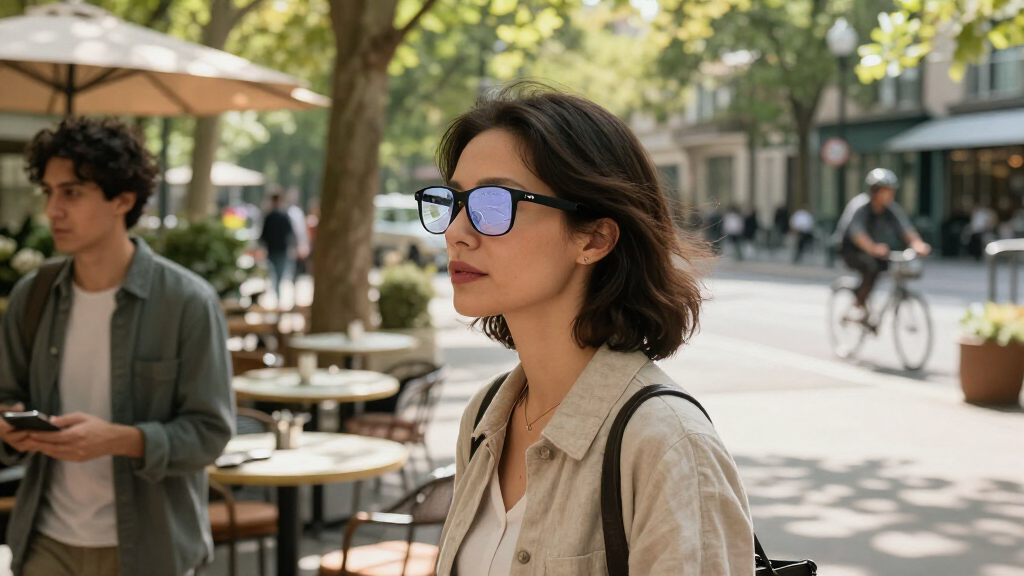

Searching for the best AR glasses in 2027 means weighing a handful of genuinely different approaches to putting a screen in front of your eyes. After comparing 15 leading models, the XREAL One Pro stands out as the best overall thanks to its native 3DoF tracking, sharp 57° field of view, and broad device compatibility. For shoppers who want most of that experience without the premium price, the RayNeo Air 3s offers a massive 201-inch virtual display at a friendlier cost. And if you demand the brightest, most feature-packed optics, the VITURE Luma Ultra delivers 1500 nits, 6DoF tracking, and even hand gesture support. The real tradeoff in this category comes down to how much you value tracking sophistication versus raw brightness, and whether you need outdoor durability or indoor comfort. Read on for the full breakdown of every model and which one fits your life.

Play games on Amazon Luna for your next adventure, included with Prime
- A rotating selection of games, no download needed
- Play on TV, laptop or phone
- Fast, free delivery for your gear, too
Key Takeaways
- The XREAL One Pro’s X1 chip provides native 3DoF tracking without needing a separate puck or phone, a feature that most competitors still require external hardware to match.
- VITURE‘s Luma Ultra lineup dominates brightness and tracking: 1500 nits and 6DoF are rare in this price tier, but the extra heft and cost may not suit casual users.
- RayNeo consistently delivers the best value, with the Air 3s offering a 201-inch virtual display and 120Hz refresh for a fraction of the premium models’ price.
- IPD (interpupillary distance) adjustment is a hidden differentiator—models like the VITURE Pro 2 and XREAL One Pro accommodate a wider range, while budget options force you into a fixed lens spacing that can cause eye strain.
- For sports and outdoor use, the Maverick Sport’s IP55 waterproofing and rugged build are unmatched, but you sacrifice resolution and field of view compared to indoor-focused glasses.
| Maverick Sport Augmented Reality AR Glasses – Golf, Cycling, Running, Driving, Sony OLED, IP55 Waterproof |  | Best for Outdoor Sports | Display: Sony OLED | Battery life: Up to 10 hours continuous | App suite: E-Sport, E-Drive, E-Walk, E-Translate | VIEW LATEST PRICE | See Our Full Breakdown |
| XREAL xbx a01+ AR Glasses with 147-Inch Virtual Display |  | Best for Simple Big-Screen Viewing | Virtual display size: 147 inches | Display: Dual Micro-OLED | Resolution: 1920 × 1080 per eye | VIEW LATEST PRICE | See Our Full Breakdown |
| XREAL One Pro AR Glasses with X1 Chip, Native 3DoF, Real 3D, 57° FOV, 171″ 120Hz FHD Display, X‑Prism Optics – Compatible with iPhone 17/16, Steam Deck, ROG, Mac, PC, Android & iOS (IPD 57‑66 mm) |  | Best for Responsive Spatial Viewing | Processor: X1 Spatial Computing Chip | Tracking: Native 3DoF; optional 6DoF with XREAL Eye | Motion-to-photon latency: 3 ms | VIEW LATEST PRICE | See Our Full Breakdown |
| VITURE Luma Ultra XR Glasses, 1200p, 1500 Nits, 6DoF |  | Best for Multi-Screen Workspaces | Display: Sony Micro-OLED | Resolution: 1200p | Brightness: 1500 nits | VIEW LATEST PRICE | See Our Full Breakdown |
| XREAL One Pro AR Glasses with X1 Chip, 171-Inch 120Hz FHD Display and Native 3DoF | 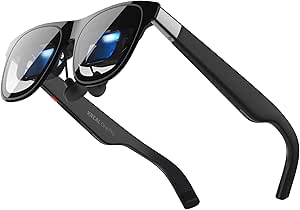 | Best for Adjustable Viewing Comfort | Chip: XREAL X1 | Tracking: Native 3DoF; optional 6DoF with XREAL Eye | Motion-to-photon latency: 3 ms | VIEW LATEST PRICE | See Our Full Breakdown |
| Rokid AR Spatial Video Glasses with Max2 and Station2 Spatial Computer |  | Best for Multitasking Power Users | Display Technology: Micro-OLED | Resolution: 1920 × 1200 | Refresh Rate: 120 Hz | VIEW LATEST PRICE | See Our Full Breakdown |
| VITURE Pro 2 XR Glasses |  | Best for Glasses Wearers | Display Panels: Sony Micro-OLED | Resolution: 1080p | Refresh Rate: 120Hz | VIEW LATEST PRICE | See Our Full Breakdown |
| RayNeo Air 3s AR/XR Glasses |  | Best for Color Accuracy | Color Gamut: 98% DCI-P3 | Color Accuracy: ΔE <2 | Refresh Rate: 120 Hz | VIEW LATEST PRICE | See Our Full Breakdown |
| RayNeo Air 4 Pro AR/XR Glasses |  | Best for HDR Entertainment | Display Technology: HDR10 | Processor: Vision 4000 | Audio System: 4x Bang & Olufsen-tuned speakers | VIEW LATEST PRICE | See Our Full Breakdown |
| XREAL 1S AR Glasses |  | Best for Native Spatial Tracking | Spatial Tracking: Native 3DoF | Processor: XREAL X1 Chip | Resolution: 1920 × 1200 | VIEW LATEST PRICE | See Our Full Breakdown |
| VITURE Luma Ultra AR Glasses |  | Best for Immersive Spatial Computing | Display Resolution: 1200p Micro-OLED | Field of View: 52° | Peak Brightness: 1500 nits | VIEW LATEST PRICE | See Our Full Breakdown |
| VITURE Beast XR/AR Glasses |  | Best Premium Build Quality | Display: Sony Micro-OLED (1200p per eye) | Field of View: 58° | Refresh Rate: 120 Hz | VIEW LATEST PRICE | See Our Full Breakdown |
| RayNeo GT Max AR Glasses | 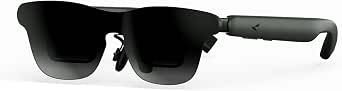 | Best for Cinematic Entertainment | Field of View: 59° | Refresh Rate: 120Hz | Virtual Screen Size: 267 inches | VIEW LATEST PRICE | See Our Full Breakdown |
| XREAL 1 Pro+ AR Glasses |  | Best All-Rounder with AI Features | Display Resolution: 1920 × 1080 (1080p) | Field of View: 57 degrees | Refresh Rate: 120 Hz | VIEW LATEST PRICE | See Our Full Breakdown |
| Rokid Max 2 AR Glasses |  | Best Lightweight & Simple Option | Display Type: Micro-OLED | Field of View: 50° | Brightness: 600 nits | VIEW LATEST PRICE | See Our Full Breakdown |
| AR glasse | Refresh rate | Field of view |
|---|---|---|
| Maverick Sport Augmented Reali | — | — |
| XREAL xbx a01+ AR Glasses with | — | — |
| XREAL One Pro AR Glasses with | 120 Hz | 57° |
| VITURE Luma Ultra XR Glasses | Up to 120 Hz | 52° |
| XREAL One Pro AR Glasses with | 120 Hz | 57° |
| Rokid AR Spatial Video Glasses | 120 Hz | — |
| VITURE Pro 2 XR Glasses | 120Hz | 50 degrees |
| RayNeo Air 3s AR/XR Glasses | 120 Hz | — |
| RayNeo Air 4 Pro AR/XR Glasses | 120 Hz | — |
| XREAL 1S AR Glasses | — | 52 degrees |
| VITURE Luma Ultra AR Glasses | 120Hz | 52° |
| VITURE Beast XR/AR Glasses | 120 Hz | 58° |
| RayNeo GT Max AR Glasses | 120Hz | 59° |
| XREAL 1 Pro+ AR Glasses | 120 Hz | 57 degrees |
| Rokid Max 2 AR Glasses | — | 50° |
More Details on Our Top Picks
Maverick Sport Augmented Reality AR Glasses – Golf, Cycling, Running, Driving, Sony OLED, IP55 Waterproof
The Maverick Sport takes a different route from screen-first glasses such as the XREAL One Pro: it puts activity data, directions, and alerts in view rather than centering a large virtual display. That makes its purpose-built tools a better fit for a ride, run, or round of golf where checking a phone interrupts the activity. Strava sync and Garmin radar integration add useful context for cyclists, while IP55 protection and up to 10 hours of battery life suit longer outings in changeable weather. The tradeoff is a narrow app selection: its four listed apps support specific tasks rather than a broad entertainment or productivity ecosystem. I’d choose it for outdoor utility, not immersive gaming or a general-purpose wearable display.
Pros:- Presents performance and navigation information in the wearer’s line of sight.
- Strava sync and Garmin radar integration support activity tracking and cycling alerts.
- Up to 10 hours of continuous battery life suits extended outings.
- IP55 protection helps with rain and dust during outdoor use.
Cons:- The app suite is limited to four purpose-built apps.
- Its sports-focused data display is less suited to media and productivity than the XREAL One Pro’s virtual-screen approach.
Best for: Cyclists, runners, golfers, and drivers who want activity metrics, navigation, or compatible rear-traffic alerts in their line of sight.
Not ideal for: Buyers seeking a large virtual screen for movies, gaming, or multi-window work, or anyone who needs a broad third-party app ecosystem.
- Display:Sony OLED
- Battery life:Up to 10 hours continuous
- App suite:E-Sport, E-Drive, E-Walk, E-Translate
- Activity integration:Strava sync
- Cycling alerts:Garmin radar integration
- Ingress protection:IP55
Our verdict“Choose the Maverick Sport if outdoor activity data and weather protection matter more to you than a large virtual display or flexible app selection.”
XREAL xbx a01+ AR Glasses with 147-Inch Virtual Display
The XREAL xbx a01+ is the more straightforward big-screen choice beside the tracking-focused XREAL One Pro. Its dual 1080p Micro-OLED displays create a simulated 147-inch screen, with HDR10 and up to 1600 nits listed for bright, vivid viewing. At 62 g, it is also light enough to make extended handheld gaming or video sessions more comfortable than carrying a separate monitor. USB-C DisplayPort connection keeps setup direct with compatible phones, tablets, computers, and handhelds. The main limitation is that this is a personal display, not a self-contained AR computer: device compatibility matters, some products need an adapter, and there is no stated native spatial tracking. It also lacks water resistance, and prescription lenses are an extra purchase.
Pros:- Dual 1080p Micro-OLED displays provide a sharp virtual viewing surface.
- HDR10 and up to 1600 nits support vivid images.
- The 62 g frame and adjustable nose pads support a lighter, more adaptable fit.
- Built-in directional speakers offer audio without a separate headset.
Cons:- Some devices, including Nintendo Switch models and older Lightning iPhones, require an adapter.
- No water resistance limits use around rain or spills.
- Prescription lenses are sold separately, and no native spatial tracking is listed.
Best for: Handheld gaming and video viewers who want a lightweight personal screen and already own a device with USB-C DisplayPort video output.
Not ideal for: Buyers who need spatial tracking, water protection, or out-of-the-box connection to devices that require an adapter.
- Virtual display size:147 inches
- Display:Dual Micro-OLED
- Resolution:1920 × 1080 per eye
- Maximum brightness:1600 nits
- HDR:HDR10
- Weight:62 g
- Connectivity:USB-C DisplayPort
- Water resistance:Not water resistant
Our verdict“Pick the xbx a01+ for lightweight, direct big-screen viewing from a compatible USB-C device, not for tracked spatial features or wet-weather use.”
XREAL One Pro AR Glasses with X1 Chip, Native 3DoF, Real 3D, 57° FOV, 171″ 120Hz FHD Display, X‑Prism Optics – Compatible with iPhone 17/16, Steam Deck, ROG, Mac, PC, Android & iOS (IPD 57‑66 mm)
The XREAL One Pro earns this spot for buyers who want more than a fixed virtual screen. Its X1 chip provides native 3DoF tracking, so the display can stay positioned as the wearer moves their head without requiring the optional XREAL Eye for that basic function. The listed 3 ms motion-to-photon latency, 120 Hz refresh rate, and 57° field of view make it a stronger spatial and fast-motion choice than the simpler XREAL xbx a01+, which is centered on screen viewing. Its 171-inch simulated screen and 1080p Micro-OLED image also suit gaming and media. The tradeoffs are USB-C video-output dependence and no water resistance; full 6DoF anchoring adds an accessory rather than coming built in.
Pros:- Native 3DoF tracking works without an additional tracking accessory.
- The 120 Hz Micro-OLED display and stated 3 ms latency suit responsive viewing.
- A 57° field of view supports an expansive simulated screen.
- Adjustable IPD and multiple nose-pad sizes provide fit options.
Cons:- Full 6DoF anchoring requires the optional XREAL Eye.
- Only devices with USB-C video output connect directly; some HDMI setups need an adapter.
- The glasses are not water resistant.
Best for: USB-C video-device owners who want a large, high-refresh virtual screen with native 3DoF tracking for gaming, media, or spatial viewing.
Not ideal for: People whose devices lack USB-C video output, who need water resistance, or who expect full 6DoF tracking without an accessory.
- Processor:X1 Spatial Computing Chip
- Tracking:Native 3DoF; optional 6DoF with XREAL Eye
- Motion-to-photon latency:3 ms
- Display:Sony 0.55-inch Micro-OLED
- Resolution:1920 × 1080
- Refresh rate:120 Hz
- Field of view:57°
- Connectivity:USB-C video output
Our verdict“Choose this One Pro if native 3DoF and responsive 120 Hz viewing matter more than water resistance or full 6DoF without an add-on.”
VITURE Luma Ultra XR Glasses, 1200p, 1500 Nits, 6DoF
The VITURE Luma Ultra stands out for buyers who want spatial features tied to a multi-screen workflow, rather than only a single floating screen. On supported SpaceWalker platforms, it offers multi-screen workspaces and 3DoF tracking; the XREAL One Pro, by comparison, has native 3DoF and a higher listed 120 Hz refresh rate, while this model’s appeal is its workspace tools and open-ear sound. Its Sony Micro-OLED display is listed at 1200p, up to 120 Hz, and 1500 nits, with a 152-inch virtual screen. HARMAN-tuned open-ear audio leaves more awareness of nearby sounds than sealed headphones. The headline limitation is that full 6DoF and hand gestures require the VITURE Pro Neckband, and feature support varies by device and platform.
Pros:- Supports multi-screen workspaces on compatible SpaceWalker platforms.
- Sony Micro-OLED display offers 1200p resolution and up to 120 Hz refresh.
- The 152-inch virtual screen gives work and media a large viewing area.
- Open-ear, HARMAN-tuned audio helps preserve awareness of surroundings.
Cons:- Full 6DoF tracking and hand gesture control require the VITURE Pro Neckband.
- Features depend on compatible devices, operating systems, apps, and platforms.
- Some consoles and HDMI devices require a compatible dock.
Best for: Mobile professionals and multitaskers using supported devices who want a virtual multi-screen workspace and open-ear audio.
Not ideal for: Buyers who expect built-in full 6DoF or hand gestures without the Neckband, or who need identical features across all devices and platforms.
- Display:Sony Micro-OLED
- Resolution:1200p
- Brightness:1500 nits
- Refresh rate:Up to 120 Hz
- Field of view:52°
- Virtual screen size:152 inches
- Tracking:3DoF on supported SpaceWalker platforms; full 6DoF requires VITURE Pro Neckband
- Audio:HARMAN-tuned open-ear audio
Our verdict“Choose the Luma Ultra for supported multi-screen workflows and open-ear listening, provided you accept that its advanced tracking needs an additional Neckband.”
XREAL One Pro AR Glasses with X1 Chip, 171-Inch 120Hz FHD Display and Native 3DoF
This XREAL One Pro version brings the same core attraction as its similarly named counterpart: native 3DoF, a 57° field of view, and a 120 Hz Micro-OLED display. Its distinguishing listed details are electrochromic dimming, Bose-tuned audio, and two IPD fit options, making it a useful pick for viewers who want to adjust lens tint and tailor the fit. Compared with the VITURE Luma Ultra, it offers native 3DoF without relying on a separate neckband, while VITURE emphasizes multi-screen workspace features and open-ear audio. This model still depends on a compatible USB-C video-output device, and its 6DoF anchoring requires the optional XREAL Eye. HDMI connections may also need an added Beam or adapter, so its flexibility depends on the source device.
Pros:- Native 3DoF tracking is built in, with optional 6DoF via XREAL Eye.
- A 120 Hz Sony Micro-OLED display and 57° field of view support fluid, expansive viewing.
- Electrochromic dimming lets users adjust lens tint.
- Bose-tuned audio and two IPD size options add practical fit and listening flexibility.
Cons:- 6DoF spatial anchoring requires the optional XREAL Eye.
- Compatible USB-C video output is required for direct connection.
- HDMI devices may need an additional Beam or adapter.
Best for: Frequent handheld and laptop viewers who want native 3DoF, adjustable lens tint, and a choice of IPD fit size.
Not ideal for: Buyers who need built-in 6DoF, direct HDMI support, or compatibility with devices that lack USB-C video output.
- Chip:XREAL X1
- Tracking:Native 3DoF; optional 6DoF with XREAL Eye
- Motion-to-photon latency:3 ms
- Display:Sony 0.55-inch Micro-OLED
- Refresh rate:120 Hz
- Field of view:57°
- Brightness:Up to 700 nits
- Dimming:Adjustable electrochromic lens tint
- Connectivity:USB-C devices with video output
Our verdict“Pick this One Pro if adjustable tint and fit options are priorities, while recognizing that full 6DoF and some video connections need extra hardware.”
Rokid AR Spatial Video Glasses with Max2 and Station2 Spatial Computer
This system stands out by decoupling processing power from the glasses themselves. Unlike the VITURE Pro 2 or RayNeo Air 3s, which rely on the connected device for all computing, the Rokid Max2 pairs with the dedicated Station2 spatial computer. This allows for up to three simultaneous screens in a multi-window environment, a feature that transforms these glasses from a simple viewer into a genuine mobile workstation. The 120 Hz Micro-OLED display is sharp, and the ability to correct myopia up to 600 degrees directly in the lens is a significant convenience for many users.
However, the tradeoff is portability and battery life. The Station2 adds bulk and weight to your setup, and its 3.5-hour battery life may require charging during long sessions. If you value a standalone, lightweight experience like the XREAL 1S, this tethered ecosystem might feel cumbersome. But for those who need true multi-tasking on the go, the Rokid system offers a productivity edge that simple video-output glasses cannot match.
Pros:- Dedicated Station2 computer enables true multi-window multitasking with up to three screens.
- High-quality 1920 × 1200 Micro-OLED display with 120 Hz refresh rate.
- Built-in myopia correction up to 600 degrees eliminates the need for prescription inserts for many users.
- Dual USB-C ports on the Station2 allow for charging while in use.
Cons:- Station2 battery life is limited to approximately 3.5 hours, restricting long-term untethered use.
- Astigmatism correction is not supported, requiring external solutions for some users.
- Multi-screen Android mode has limited casting support compared to simpler single-screen modes.
Best for: Professionals and students who need a multi-screen mobile workspace and have a dedicated budget for a separate computing unit.
Not ideal for: Minimalists or travelers who prioritize a lightweight, single-device setup without the bulk of a separate spatial computer.
- Display Technology:Micro-OLED
- Resolution:1920 × 1200
- Refresh Rate:120 Hz
- Glasses Weight:75 g
- Station2 Battery Life:~3.5 hours
- Myopia Correction:Up to 600 degrees
- Spatial Tracking:3DoF (Giant Screen/Multi-Screen modes)
Our verdict“The Rokid Max2/Station2 bundle is the ideal choice for power users who need a genuine multi-screen mobile office, provided they accept the bulk and battery limitations of the separate computer.”
VITURE Pro 2 XR Glasses
If you wear prescription glasses, the VITURE Pro 2 offers a distinct advantage over competitors like the XREAL 1S or RayNeo Air 3s, which often require custom inserts or offer less flexible correction. With independent myopia dials for each eye adjusting from 0 to -5.00D, this model allows you to dial in your vision directly without extra hardware. The Sony Micro-OLED panels deliver a crisp 1080p image with a generous 50-degree field of view, making it excellent for private media consumption.
The design is notably lightweight at 63 grams, and the inclusion of seven nose-pad sizes ensures a comfortable fit for various face shapes. However, connectivity is strictly USB-C video output, meaning older HDMI devices or non-USB-C phones require separate adapters. While the RayNeo Air 4 Pro offers HDR10, the VITURE’s strength lies in its ergonomic fit and integrated vision correction, making it the most accessible option for users who don’t want to fuss with prescriptions or dongles for basic viewing.
Pros:- Independent per-eye myopia adjustment (0 to -5.00D) removes the need for prescription inserts for many users.
- Extremely lightweight at 63 g with a comprehensive set of seven nose pads for customized fit.
- High-quality Sony Micro-OLED panels provide sharp 1080p visuals with 120Hz refresh rate.
- Includes a lens shade to block ambient light for better outdoor or bright-room viewing.
Cons:- Requires compatible USB-C video output devices; older HDMI or non-USB-C setups need extra accessories.
- Not compatible with iPhone Air or iPhone e-series models.
- Users report the glasses may feel warm during extended use.
Best for: Users with mild to moderate myopia who want a lightweight, plug-and-play viewer without needing custom prescription lenses.
Not ideal for: Users with astigmatism or high hyperopia, as the correction range is limited to -5.00D and does not address cylindrical errors.
- Display Panels:Sony Micro-OLED
- Resolution:1080p
- Refresh Rate:120Hz
- Weight:63 g
- Myopia Adjustment:0 to -5.00D (per eye)
- Field of View:50 degrees
- Eye Care Certification:SGS A+
Our verdict“The VITURE Pro 2 is the best AR glasses option for myopic users seeking a comfortable, lightweight viewing experience without the hassle of prescription inserts.”
RayNeo Air 3s AR/XR Glasses
For content creators and movie enthusiasts, color fidelity is paramount. The RayNeo Air 3s distinguishes itself with a 98% DCI-P3 color gamut and a stated color accuracy of ΔE <2, surpassing the color performance of the VITURE Pro 2 and the XREAL 1S. This makes it an exceptional choice for editing photos or watching high-definition films where hue precision matters. The 201-inch virtual display is immersive, and the built-in speakers use a dual opposing acoustic chamber to provide decent open-ear audio without needing headphones.
While it lacks the native 3DoF spatial tracking of the XREAL 1S, meaning the screen stays fixed relative to your head movement, the Air 3s compensates with superior visual clarity and brightness control. The stepless brightness adjustment allows for fine-tuning in various lighting conditions. However, the recommendation for a 10-minute break every 30 minutes suggests potential eye strain issues for some users, a consideration the RayNeo Air 4 Pro addresses with different eye-care tech. If your priority is visual accuracy over spatial features, this is a strong contender.
Pros:- Exceptional color accuracy with ΔE <2 and 98% DCI-P3 gamut for precise media playback.
- Stepless brightness control allows for fine-tuned visibility in varying light conditions.
- Built-in dual opposing acoustic chamber speakers provide balanced open-ear audio.
- Wide compatibility with PCs, Macs, iPhones, Androids, and major gaming consoles.
Cons:- Manufacturer recommends frequent breaks (10 mins every 30 mins) to reduce eye strain.
- Lacks native spatial tracking (3DoF), limiting immersive head-locked positioning compared to XREAL models.
- Not water resistant.
Best for: Photographers, video editors, and film buffs who prioritize color accuracy and gamut coverage for professional or high-quality media consumption.
Not ideal for: Gamers or users who require spatial 3DoF tracking for immersive, head-locked screen positioning.
- Color Gamut:98% DCI-P3
- Color Accuracy:ΔE <2
- Refresh Rate:120 Hz
- Contrast Ratio:200,000:1
- Display Size:201-inch virtual screen
- Weight:2.88 ounces (~81 g)
- Audio Technology:Dual opposing acoustic chamber
Our verdict“The RayNeo Air 3s is the top pick for users who demand professional-grade color accuracy in their AR glasses for media and creative work.”
RayNeo Air 4 Pro AR/XR Glasses
The RayNeo Air 4 Pro elevates the viewing experience with HDR10 support and AI-assisted SDR-to-HDR upscaling, a significant upgrade over the standard SDR displays found in the RayNeo Air 3s and VITURE Pro 2. This technology enhances contrast and dynamic range, making dark scenes in movies and games pop with greater depth. The four Bang & Olufsen-tuned speakers also offer a more robust spatial audio experience than the dual-speaker setups in competitors, providing a richer soundscape without headphones.
Like its predecessor, it relies on USB-C connectivity and lacks an internal battery, keeping the glasses lightweight at 2.72 ounces. However, the absence of native 3DoF tracking means the virtual screen remains fixed in your field of view, unlike the XREAL 1S which allows for spatial positioning. If you primarily consume high-quality HDR content and value superior audio integration over spatial interactivity, the Air 4 Pro delivers a premium cinematic package that justifies its position above the Air 3s in terms of media fidelity.
Pros:- HDR10 display with AI SDR-to-HDR upscaling enhances contrast and dynamic range for media.
- Four Bang & Olufsen-tuned speakers provide superior open-ear spatial audio quality.
- Lightweight design at 2.72 ounces with no internal battery for reduced heat and weight.
- Supports native 3D viewing and AI-assisted 2D-to-3D conversion for compatible content.
Cons:- Requires a compatible USB-C device with DisplayPort support for video output.
- No internal battery means the glasses are tethered to the power source of the connected device.
- Optional Sound Tube for enhanced audio is sold separately.
Best for: Movie lovers and gamers who prioritize HDR visual quality and high-quality integrated audio for an immersive cinematic experience.
Not ideal for: Users needing spatial 3DoF tracking for productivity or multi-window workflows, as the screen does not anchor in space.
- Display Technology:HDR10
- Processor:Vision 4000
- Audio System:4x Bang & Olufsen-tuned speakers
- Weight:2.72 ounces (~77 g)
- Connectivity:USB Type-C
- Virtual Display:201 inches
- Refresh Rate:120 Hz
Our verdict“The RayNeo Air 4 Pro is the best choice for users seeking the highest quality HDR visuals and integrated premium audio in a lightweight AR form factor.”
XREAL 1S AR Glasses
The XREAL 1S bridges the gap between simple video viewers and fully spatial AR devices by offering native 3DoF (Degrees of Freedom) tracking. Unlike the RayNeo Air 4 Pro or VITURE Pro 2, which keep the screen locked to your gaze, the XREAL 1S anchors the virtual screen in space. This allows you to look around your environment while the screen stays put, or enable ultrawide modes that wrap around you. The X1 chip handles this processing on-device, ensuring low latency and a smooth experience without relying on a separate computer like the Rokid Station2.
While the 1920 × 1200 resolution and 120 Hz refresh rate are competitive, the real differentiator is the spatial utility. It supports multiple viewing modes, including a giant screen mode that can extend up to 500 inches. The tradeoff is the IPD range (59.5–70.5 mm), which is narrower than some competitors, potentially excluding users with wider or narrower eye spacing. For those who want spatial interaction without the bulk of a tethered computer, the XREAL 1S offers the best balance of freedom and form factor.
Pros:- Native 3DoF spatial tracking allows the screen to anchor in space or follow head movement.
- On-device X1 chip enables multiple spatial modes and low-latency 2D-to-3D conversion.
- Bose-tuned open-ear audio provides high-quality sound without external headphones.
- High resolution (1920 × 1200) and 120 Hz refresh rate ensure sharp, fluid visuals.
Cons:- Narrow IPD range (59.5–70.5 mm) may not fit all facial structures comfortably.
- Requires a USB-C device with DisplayPort support, limiting compatibility with older hardware.
- No internal battery, relying entirely on the connected device for power.
Best for: Tech enthusiasts and gamers who want spatial 3DoF anchoring and multi-screen flexibility without a separate computing unit.
Not ideal for: Users with IPD outside the 59.5–70.5 mm range, as the fixed optical centering may cause discomfort or blurriness.
- Spatial Tracking:Native 3DoF
- Processor:XREAL X1 Chip
- Resolution:1920 × 1200
- Field of View:52 degrees
- Audio:Bose-tuned open-ear
- IPD Range:59.5–70.5 mm
- Maximum Virtual Screen:500 inches
Our verdict“The XREAL 1S is the ideal AR glasses option for users who want native spatial tracking and versatile viewing modes in a self-contained, lightweight package.”
VITURE Luma Ultra AR Glasses
This model stands out for its 6DoF spatial tracking, a significant leap over the 3DoF systems found in the XREAL 1 Pro+ and VITURE Beast. This capability allows for true spatial anchoring, making it ideal for users who want to interact with virtual screens in physical space rather than just looking at a fixed plane. The 1500-nit peak brightness is the highest in this lineup, ensuring visibility even in well-lit environments where competitors might struggle. However, the requirement for the VITURE Pro Neckband for hand gestures adds complexity and cost, limiting its accessibility for casual users. Compared to the lighter Rokid Max 2, the Luma Ultra is heavier and more complex, but it offers a far more advanced interactive experience. It is the choice for those prioritizing interaction over simplicity.
Pros:- Highest peak brightness (1500 nits) in the lineup for outdoor or bright indoor use
- True 6DoF spatial tracking enables interactive mixed-reality experiences
- Built-in myopia adjustment up to -4.0D simplifies fit for glasses wearers
Cons:- Hand gesture controls require a separate VITURE Pro Neckband accessory
- Complex setup compared to simpler USB-C glasses like the Rokid Max 2
Best for: Tech enthusiasts and developers who need 6DoF spatial tracking and high-brightness displays for mixed-reality applications.
Not ideal for: Casual viewers who want a plug-and-play experience without purchasing additional accessories like neckbands or adapters.
- Display Resolution:1200p Micro-OLED
- Field of View:52°
- Peak Brightness:1500 nits
- Refresh Rate:120Hz
- Tracking:6DoF
- Myopia Adjustment:Up to -4.0D
- Virtual Screen Size:Up to 152 inches
Our verdict“Choose this if you prioritize spatial interaction and high brightness over lightweight simplicity.”
VITURE Beast XR/AR Glasses
The VITURE Beast distinguishes itself with an aluminum-magnesium alloy frame, offering a premium feel that plastic-heavy competitors lack. While it shares the same 1200p Micro-OLED resolution as the VITURE Luma Ultra, it trades 6DoF tracking for a more streamlined 3DoF system, making it lighter and more comfortable for extended viewing sessions. The 58° field of view is slightly wider than the Luma Ultra’s 52°, providing a more immersive peripheral experience. However, the fit options are limited to just two sizes, which may exclude users with very narrow or wide IPDs. Compared to the RayNeo GT Max, the Beast offers better build quality and adjustable arms, but lacks the Dolby Vision support. It is a solid choice for those who value durability and comfort in a metal chassis.
Pros:- Lightweight aluminum-magnesium alloy frame for enhanced durability and comfort
- Wider 58° field of view compared to many competitors in this price tier
- Adjustable arms and interchangeable nose pads allow for a customized fit
Cons:- Limited to two size options, potentially excluding extreme IPD measurements
- Lacks 6DoF tracking, limiting spatial interaction capabilities
Best for: Professionals and frequent users who prioritize durable, lightweight metal construction and comfort during long work sessions.
Not ideal for: Users seeking the widest possible field of view or advanced 6DoF spatial interaction features.
- Display:Sony Micro-OLED (1200p per eye)
- Field of View:58°
- Refresh Rate:120 Hz
- Weight:88 g
- Frame Material:Aluminum-magnesium alloy
- Tracking:Built-in 3DoF
- Virtual Screen Size:174 inches
Our verdict“Ideal for users who want a robust, comfortable metal-frame alternative to bulkier plastic models.”
RayNeo GT Max AR Glasses
This model is engineered for movie buffs, offering a massive 267-inch virtual screen equivalent and support for Dolby Vision when paired with the Pocket TV Pro. This color and contrast enhancement sets it apart from the XREAL 1 Pro+, which relies on AI HDR processing rather than native Dolby Vision certification. The 59° field of view is among the widest in this roundup, surpassing the VITURE Beast and Rokid Max 2 for a more enveloping visual experience. However, the dependency on the Pocket TV Pro for full functionality is a significant drawback, adding bulk and cost to the setup. Without this accessory, you lose the premium video features. It is the best pick for dedicated media consumption, provided you are willing to carry the extra hardware.
Pros:- Supports Dolby Vision for superior color depth and contrast
- Widest field of view (59°) in this batch for maximum immersion
- Massive 267-inch virtual screen equivalent for cinematic viewing
Cons:- Requires the Pocket TV Pro accessory for Dolby Vision support
- 3DoF tracking is less advanced than 6DoF systems found in higher-end models
Best for: Avid movie watchers who demand Dolby Vision color accuracy and the largest possible virtual screen size.
Not ideal for: Travelers or minimalists who dislike carrying additional hubs like the Pocket TV Pro for full functionality.
- Field of View:59°
- Refresh Rate:120Hz
- Virtual Screen Size:267 inches
- Tracking:Native 3DoF
- Video Support:Dolby Vision, AI SDR-to-HDR
- Required Accessory:Pocket TV Pro (for full features)
Our verdict“The top choice for serious film enthusiasts who prioritize video quality over portability.”
XREAL 1 Pro+ AR Glasses
The XREAL 1 Pro+ balances performance and versatility with its X1 chip, which powers native 3DoF tracking and real-time 3D conversion. This makes it more capable than the Rokid Max 2, which lacks internal processing for such features. The 57° field of view is competitive, sitting comfortably between the narrower VITURE Luma Ultra and the wider RayNeo GT Max. While it offers excellent USB-C compatibility with Steam Deck and modern phones, the need for the optional XREAL Eye for 6DoF spatial anchoring limits its out-of-the-box spatial capabilities. Compared to the VITURE Beast, the XREAL offers better software integration for 3D content, but the VITURE provides a more premium physical build. It is a strong choice for gamers and media consumers who want smart features without a massive accessory ecosystem.
Pros:- X1 chip enables native 3DoF and real-time 3D conversion for various content types
- Strong compatibility with Steam Deck, Mac, PC, and modern smartphones
- Adjustable electrochromic dimming allows for fine-tuned brightness control
Cons:- 6DoF spatial anchoring requires the optional XREAL Eye add-on
- Heavier at 0.47 kg compared to lighter options like the Rokid Max 2
Best for: Gamers and media consumers who want built-in AI 3D conversion and broad USB-C compatibility with handheld consoles.
Not ideal for: Users who require true 6DoF spatial anchoring without purchasing the separate XREAL Eye accessory.
- Display Resolution:1920 × 1080 (1080p)
- Field of View:57 degrees
- Refresh Rate:120 Hz
- Tracking:Native 3DoF via X1 Chip
- Virtual Screen Size:171 inches
- Weight:0.47 kg
- Connectivity:USB Type-C
Our verdict“A versatile pick for users who value AI-enhanced media and broad device compatibility.”
Rokid Max 2 AR Glasses
At just 75 grams, the Rokid Max 2 is the lightest option in this lineup, making it significantly more comfortable for extended wear than the XREAL 1 Pro+ or VITURE Beast. It relies on a direct USB-C connection with no internal battery, simplifying the user experience by removing charging concerns entirely. While the 600-nit brightness is lower than the VITURE Luma Ultra’s 1500 nits, it remains sufficient for indoor use. The tradeoff for this simplicity is the lack of advanced tracking; unlike the XREAL 1 Pro+, it offers no 3DoF or 6DoF capabilities. It is the perfect entry point for users who want a simple, lightweight display extension for their phone or laptop without dealing with complex spatial software or heavy frames.
Pros:- Extremely lightweight at 75 grams for superior comfort during long sessions
- No internal battery required, eliminating charging needs during use
- Built-in myopia adjustment up to 600 diopters accommodates many prescriptions
Cons:- Lacks 3DoF or 6DoF tracking found in XREAL and VITURE models
- Lower brightness (600 nits) compared to premium competitors like VITURE
Best for: Minimalists and travelers who prioritize extreme lightweight comfort and simple USB-C plug-and-play functionality.
Not ideal for: Users needing spatial tracking, 3D content conversion, or high-brightness performance for outdoor use.
- Display Type:Micro-OLED
- Field of View:50°
- Brightness:600 nits
- Weight:75 grams
- Connectivity:USB-C
- Myopia Adjustment:Up to 600 diopters
- Virtual Screen Size:215 inches
Our verdict“The go-to choice for those who want a simple, ultra-light display without advanced spatial features.”

How We Picked
I evaluated each pair of AR glasses on six criteria: display quality (resolution, brightness, refresh rate), field of view, tracking capability (3DoF vs 6DoF and whether it’s native or requires a separate device), comfort and fit (weight, IPD adjustment, nose pad design), device compatibility (iPhone, Android, Steam Deck, PC, console), and durability (water resistance, build materials). I also considered the software ecosystem—whether the glasses work with a standalone station or rely on your phone—since that affects daily usability.
The ranking prioritizes models that offer the most complete, hassle-free experience. Native 3DoF tracking and wide IPD ranges earned higher placements because they solve real comfort and usability problems. Brightness above 1000 nits mattered for anyone who wants to use glasses outdoors or in bright rooms. Finally, I favored models with broad compatibility across multiple devices, since AR glasses are often shared between a phone, laptop, and gaming handheld.
Factors to Consider When Choosing Best AR Glasses
Choosing the right AR glasses isn’t just about picking the most expensive or the highest-resolution model. The best pair for you depends on where you’ll use them, what devices you own, and how much you value tracking versus raw display quality. Here are the factors that separate a great pair of glasses from a frustrating one.
Display Quality: Brightness, Resolution, and Field of View
Brightness is the single biggest differentiator between indoor and outdoor use. Most AR glasses hover around 500–700 nits, which works fine in a dim room but washes out in daylight. If you plan to use your glasses on a commute, at a coffee shop, or outdoors, look for at least 1000 nits—the VITURE Luma Ultra’s 1500 nits is a standout. Resolution matters too: 1080p per eye is standard, but 1200p (as on the VITURE models) adds noticeable sharpness for text and small UI elements. Field of view (FOV) determines how large the virtual screen appears. A 52° FOV is roughly equivalent to a 147-inch screen at 4 meters; 57° gets you to 171 inches. Bigger isn’t always better—wider FOV can cause more eye strain if the display isn’t perfectly aligned with your pupils.
Tracking: 3DoF vs 6DoF and Why It Matters
3DoF (degrees of freedom) tracks head rotation—pitch, yaw, and roll—so the virtual screen stays fixed as you turn your head. That’s enough for watching movies or working on a virtual monitor. 6DoF adds positional tracking (moving forward/backward, left/right, up/down), which lets you walk around virtual objects and interact with them. Native 3DoF, as found on the XREAL One Pro and XREAL 1S, means the glasses have their own sensors and don’t need a phone or external puck. Many cheaper glasses rely on your phone’s sensors, which introduces latency and drains battery. If you want a stable, lag-free experience, look for glasses with built-in tracking. 6DoF is still rare and often requires a separate station or a high-end phone, so decide if you’ll actually use the extra freedom before paying for it.
Comfort and Fit: IPD, Weight, and Nose Pads
Comfort is the most underrated spec in AR glasses. A pair that’s 20 grams heavier can feel like a brick after an hour. Look for models under 80 grams—most of the XREAL and RayNeo glasses fit this range. IPD (interpupillary distance) adjustment is critical for clear, strain-free viewing. The average IPD is about 63mm, but it varies widely. Fixed-lens glasses (like many budget models) force you to rely on the manufacturer’s default, which may not match your eyes. The VITURE Pro 2 and XREAL One Pro offer adjustable IPD or a range of 57–66mm, accommodating more people. Also check the nose pad design: adjustable nose pads let you fine-tune the vertical alignment of the lenses, which reduces blurriness at the edges.
Device Compatibility: What You Can Plug In
Before buying, list every device you want to connect. Most AR glasses use USB-C DisplayPort Alt Mode, which works with newer phones, laptops, and handhelds like the Steam Deck. But iPhones (except the 15 Pro and later) don’t support direct USB-C video output—you’ll need an adapter like the XREAL Beam or VITURE’s HDMI-to-USB-C cable. The XREAL One Pro and XREAL 1 Pro+ explicitly list iPhone 16/17 compatibility via the X1 chip, which handles the conversion internally. If you’re a Nintendo Switch or PS5 user, check for official adapters—some brands offer them, others don’t. Android compatibility varies by brand; Samsung, ASUS, and Motorola phones generally work best, while some budget Android phones lack the necessary video output.
Audio and Privacy: Built-In Speakers vs. Headphones
Most AR glasses include built-in speakers, but they’re usually small and leak sound. If you plan to use your glasses on a plane or in a quiet office, consider whether you’ll need to plug in wired earbuds or use Bluetooth. Some glasses (like the VITURE Luma Ultra) have decent directional speakers that reduce leakage, but none will match even a cheap pair of earbuds. Privacy is another angle: the micro-OLED screens are visible only to you, but the light leakage from the sides can be a giveaway that you’re wearing a display. If discretion matters, look for glasses with darker lenses or a flip-up design—the RayNeo Air 4 Pro has a built-in dimmer.
Durability and Outdoor Use
If you want to wear AR glasses while cycling, golfing, or running, durability is non-negotiable. The Maverick Sport is the only model in this roundup with an IP55 rating, meaning it resists dust and low-pressure water jets. It also has a rugged frame and a strap to keep it secure. Other glasses are designed for indoor use and will not survive a rain shower or a drop on concrete. Also consider lens coatings—anti-glare and anti-scratch coatings are common, but not universal. For outdoor use, you’ll want a high brightness rating (over 1000 nits) to overcome sunlight, and a secure fit that won’t slide down your nose when you’re moving.
Frequently Asked Questions
Do I need 6DoF tracking in AR glasses, or is 3DoF enough?
For most people, 3DoF is enough. It keeps the virtual screen pinned to your head movements, which is all you need for watching movies, working on a virtual monitor, or playing games with a controller. 6DoF adds the ability to physically move around virtual objects, which is useful for spatial computing apps and some AR games, but it requires more processing power and often a separate station or a compatible phone. If you’re a developer or a tech enthusiast who wants to explore interactive AR, 6DoF is worth the extra cost. For everyone else, 3DoF with native tracking (like the XREAL One Pro) gives a stable, frustration-free experience without the complexity.
Can I use these AR glasses with my iPhone?
It depends on the iPhone model and the glasses. iPhones with a USB-C port (iPhone 15 Pro and later) can connect directly to most AR glasses that support DisplayPort Alt Mode, but you may need an adapter for power. The XREAL One Pro and XREAL 1 Pro+ have a built-in X1 chip that handles the connection with iPhones, including the 16 and 17 series, without an external puck. For older iPhones with Lightning, you’ll need a Lightning-to-HDMI adapter plus an HDMI-to-USB-C cable, which adds bulk and cost. VITURE and RayNeo also offer iPhone adapters, but they’re sold separately. If you’re an iPhone user, check the compatibility list before buying—some budget glasses won’t work at all with iOS.
How does IPD adjustment affect my viewing experience?
IPD (interpupillary distance) is the distance between your pupils. If the glasses’ lenses are spaced for a different IPD, you’ll see blur, double images, or eye strain. Fixed-IPD glasses are typically set to 63mm, which fits about 60% of adults. The VITURE Pro 2 offers a built-in adjustment from 0 to -5.00D for myopia and also has a mechanical IPD slider that covers 56–72mm. The XREAL One Pro supports an IPD range of 57–66mm, which covers most users. If your IPD falls outside the supported range, you’ll need to return the glasses or use a third-party IPD adjustment tool, which is rarely effective. Always check the IPD range before purchasing, especially if you’ve had issues with VR headsets or binoculars in the past.
Are AR glasses good for watching movies, or should I get a dedicated VR headset?
AR glasses are excellent for watching movies in a dark room because they create a large, sharp virtual screen without blocking out your surroundings. You can still see your popcorn or check your phone. However, they have a fixed focus distance—usually around 3–5 meters—so they’re not ideal for reading small text up close. VR headsets like the Meta Quest offer a wider FOV and true immersion, but they’re heavier, require a separate battery, and block out the real world completely. For a movie marathon, AR glasses are more comfortable and portable. For a cinematic, fully immersive experience, a VR headset is better. If you primarily want a private theater experience, the VITURE Luma Ultra or XREAL One Pro are top choices.
Can I wear these glasses with my prescription lenses?
Yes, most AR glasses have a solution for prescription users. The VITURE Pro 2 has a built-in diopter adjustment from 0 to -5.00D, which is the most convenient—no extra lenses needed. The XREAL One Pro and RayNeo Air 3s offer optional magnetic prescription lenses that snap onto the nose bridge. These are sold separately and typically cost extra, but they’re custom-made for your prescription. Some glasses, like the Rokid Max 2, include a diopter wheel on each lens, but the range is limited (usually -2.00D to -6.00D). If your prescription is outside the adjustable range, you’ll need the clip-on lenses. Check the manufacturer’s website for lens options before buying—some brands only offer them in certain regions.
Conclusion
After reviewing all 15 models, the XREAL One Pro is my pick for best overall because it combines native 3DoF tracking, a wide IPD range, and broad compatibility with iPhones, Android, and gaming handhelds—all in a comfortable, lightweight frame. For the best value, the RayNeo Air 3s gives you a 201-inch display and 120Hz refresh at a price that undercuts most competitors, making it the smart choice for budget-conscious buyers. If money is no object and you want the absolute best display, the VITURE Luma Ultra with 1500 nits and 6DoF tracking is the premium pick. Beginners who want a simple, no-fuss introduction should start with the XREAL 1S, which offers native 3DoF without the complexity of 6DoF. And for athletes or outdoor enthusiasts, the Maverick Sport is the only rugged, waterproof option that can handle a run in the rain. Whatever your use case, the right pair of AR glasses is out there—just prioritize the features that match how you’ll actually use them.