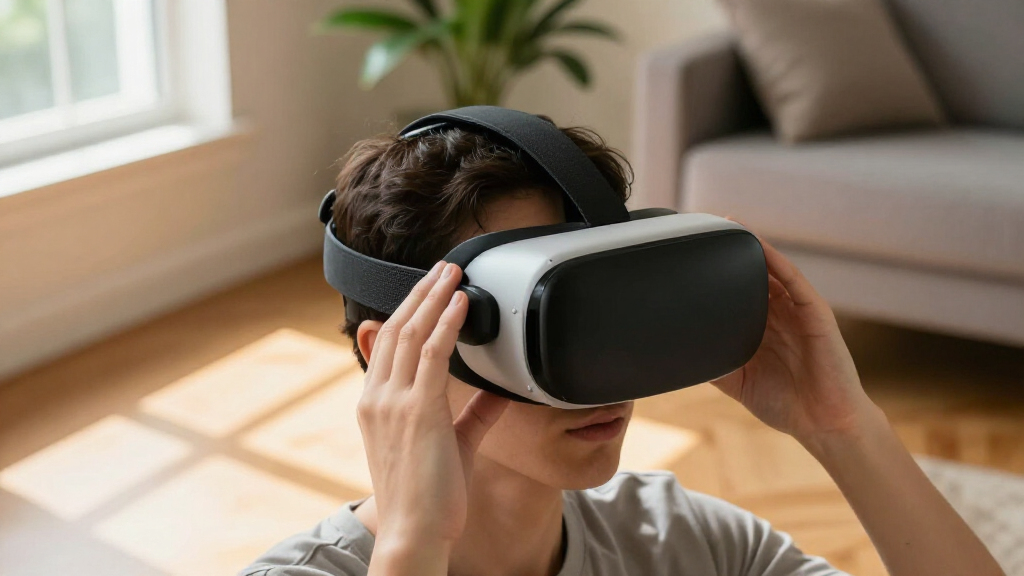

VR headset facial interfaces can change how a headset fits, handles sweat and stays clean, but the right choice depends on your headset model and how you use it. My best overall pick is the Globular Cluster F3 V3 for Meta Quest 3, thanks to its magnetic interface design; it does not fit Quest 3S. The AMVR FC3 is another standout for Quest 3 owners seeking adjustability, while the KIWI design V4 gives Quest 3S users an option with two face pads. The main tradeoffs are compatibility, cushion material, ventilation and how easily the interface can be cleaned or shared. Read on for the full comparison and guidance on choosing the right fit.

Play games on Amazon Luna for your next adventure, included with Prime
- A rotating selection of games, no download needed
- Play on TV, laptop or phone
- Fast, free delivery for your gear, too
Complete the kit

Key Takeaways
Headset compatibility narrows the field first: Quest 3, Quest 3S, Quest 2 and PSVR2 interfaces are not interchangeable, and the Globular Cluster F3 V3 is explicitly not for Quest 3S.
Adjustability separates the leading Quest 3 options: the Globular Cluster F3 V3 and AMVR FC3 are aimed at fit customization, while simpler face pads focus more on replacing or refreshing the contact surface.
Quest 3S has several cushion-focused choices: Hanpusen, KIWI design V4, VZNEK and another sweatproof PU leather pad give owners different ways to prioritize cooling, included pads or wipe-clean surfaces.
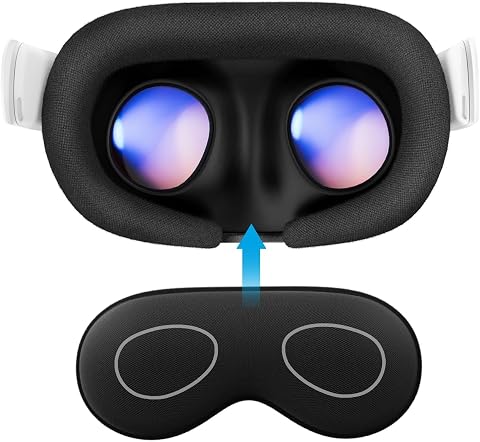
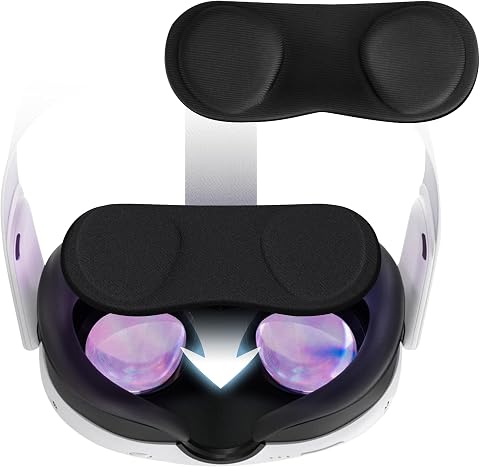
Disposable covers solve a different problem: the 50-pack is geared toward shared use and quick hygiene, not replacing a fitted interface or improving headset fit.
Comfort features bring tradeoffs: fans, wider interfaces, glasses spacers and alternative cushion materials may suit specific users, but can add bulk, complicate fit or address only one source of discomfort.
| Globular Cluster F3 V3 Magnetic Facial Interface for Meta Quest 3 (Not compatible with Quest 3S) |  | Best for Customizable Fit | Compatible device: Meta Quest 3 | Pad materials: PU, fabric, and mesh | Adjustment: Adjustable depth profiles | VIEW LATEST PRICE | See Our Full Breakdown |
| Hanpusen Cooling Face Pad and Widened Facial Interface for Meta Quest 3S |  | Best for Cooling and Forehead Contact | Compatible device: Meta Quest 3S | Materials: Ice silk cotton and rayon sponge | Frame design: Widened facial interface with ventilation | VIEW LATEST PRICE | See Our Full Breakdown |
| KIWI design V4 Facial Interface with 2 Face Pads for Meta Quest 3S |  | Best for Replaceable Pads | Compatibility: Meta Quest 3S only | Included face pads: 2 | Face pad material: PU leather and 12 mm memory foam | VIEW LATEST PRICE | See Our Full Breakdown |
| VZNEK Sweatproof PU Leather Face Cushion for Meta Quest 3S |  | Best for Simple Wipe-Clean Upkeep | Specified compatibility: Meta Quest 3S | Material: PU leather with soft foam filling | Ventilation: V-shaped vents | VIEW LATEST PRICE | See Our Full Breakdown |
| SUPERUS Facial Interface and Face Cover Pad for Oculus Quest 2 |  | Best for Quest 2 Owners | Brand: SUPERUS | Model: SQ0-009 | Compatibility: Oculus Quest 2 | VIEW LATEST PRICE | See Our Full Breakdown |
| AMZDM PU Leather Face Pad for Meta Quest 2 |  | Best Simple Ventilated Replacement for Quest 2 | Brand: AMZDM | Compatibility: Meta Quest 2 | Material: PU leather and foam | VIEW LATEST PRICE | See Our Full Breakdown |
| Disposable VR Face Cover Mask Pads (Set of 50, White) – Compatible with Meta Quest 3/3S/2 and Apple Vision Pro |  | Best for Shared Headsets | Brand: FUYAHA | Quantity: 50 disposable covers | Material: Breathable nonwoven material | VIEW LATEST PRICE | See Our Full Breakdown |
| AMVR FC3 Adjustable Facial Interface for Meta Quest 3 |  | Best for Fit Adjustment | Brand: AMVR | Compatibility: Meta Quest 3; not for Quest 3S | Adjustment: Knob-adjustable height with three recommended markings | VIEW LATEST PRICE | See Our Full Breakdown |
| Facial Interface and Face Pad for Meta Quest 3 |  | Best for Glasses and Easy Cleanup | Compatibility: Meta Quest 3 (Oculus Quest 3) | Material: PU leather with sponge foam | Cover: Anti-sweat silicone cover | VIEW LATEST PRICE | See Our Full Breakdown |
| KKCOBVR K3 Facial Interface Fan Compatible with Quest 3 |  | Best for Active Defogging | Compatibility: Meta Quest 3 | Battery capacity: 300 mAh | Fan speeds: Two | VIEW LATEST PRICE | See Our Full Breakdown |
| Face Cover Pad for Meta/Oculus Quest 3S, Sweatproof PU Leather Facial Interface, Soft Face Cushion Pad |  | Best for Quest 3S Glasses Wearers | Compatibility: Meta Quest 3S | Material: PU leather with foam padding | Ventilation: V-shaped vents | VIEW LATEST PRICE | See Our Full Breakdown |
| VR Facial Interface and Face Pad for Oculus Quest 2 |  | Best for Quest 2 Light Blocking | Brand: AODELAN | Compatible device: Oculus Quest 2 | Material: PU leather | VIEW LATEST PRICE | See Our Full Breakdown |
| PSVR2 Replacement Face Pad with Glasses Spacer |  | Best PSVR2 Glasses Spacer Bundle | Brand: Hanpusen | Compatibility: PlayStation VR2 | Material: PU leather and foam | VIEW LATEST PRICE | See Our Full Breakdown |
| KIWI design V3 Facial Interface for Meta Quest 3 with Two Skin-Friendly Face Pads |  | Best Quest 3 Ventilated Interface | Compatibility: Meta Quest 3; not compatible with Meta Quest 3S | Model: V3 Face Cover | Face pad material: PU leather | VIEW LATEST PRICE | See Our Full Breakdown |
| VR headset facial interface | Compatibility | Material |
|---|---|---|
| Globular Cluster F3 V3 Magneti | — | — |
| Hanpusen Cooling Face Pad and | — | — |
| KIWI design V4 Facial Interfac | Meta Quest 3S only | — |
| VZNEK Sweatproof PU Leather Fa | — | PU leather with soft foam filling |
| SUPERUS Facial Interface and F | Oculus Quest 2 | — |
| AMZDM PU Leather Face Pad for | Meta Quest 2 | PU leather and foam |
| Disposable VR Face Cover Mask | Meta Quest 3, Meta Quest 3S, Meta Quest 2, and Apple Vision Pro | Breathable nonwoven material |
| AMVR FC3 Adjustable Facial Int | Meta Quest 3; not for Quest 3S | — |
| Facial Interface and Face Pad | Meta Quest 3 (Oculus Quest 3) | PU leather with sponge foam |
| KKCOBVR K3 Facial Interface Fa | Meta Quest 3 | — |
| Face Cover Pad for Meta/Oculus | Meta Quest 3S | PU leather with foam padding |
| VR Facial Interface and Face P | — | PU leather |
| PSVR2 Replacement Face Pad wit | PlayStation VR2 | PU leather and foam |
| KIWI design V3 Facial Interfac | Meta Quest 3; not compatible with Meta Quest 3S | — |
More Details on Our Top Picks
Globular Cluster F3 V3 Magnetic Facial Interface for Meta Quest 3 (Not compatible with Quest 3S)
The Globular Cluster F3 V3 is the most adaptable choice here for Quest 3 owners who want to tune both contact and light blocking. Its magnetic design lets you swap among PU, fabric, and mesh pads, while adjustable depth profiles can change how closely the interface sits against your face. That gives it more fit options than the single removable cushion on the Hanpusen Quest 3S interface. Removable blockers also let you choose between a more enclosed fit and open-face modes, though removing the nose guard can allow light in around the nose. The tradeoff is strict compatibility: it is for Meta Quest 3 only, not Quest 3S, and it does not work with the official charging dock. I’d choose it for fit customization, not if dock compatibility is a priority.
Pros:- Magnetic, modular parts make pad and accessory changes straightforward.
- Three pad materials offer different feel and contact options.
- Adjustable depth profiles can help accommodate different face shapes.
- Removable light blockers support full and half open-face configurations.
Cons:- Not compatible with Meta Quest 3S.
- Does not support the official charging dock.
- Removing the nose guard can cause light leakage around the nose.
Best for: Meta Quest 3 owners who want several pad materials, adjustable interface depth, and a choice of open or more light-blocking fit.
Not ideal for: Quest 3S owners and Quest 3 users who rely on the official charging dock or need complete nose-area light blocking without the nose guard.
- Compatible device:Meta Quest 3
- Pad materials:PU, fabric, and mesh
- Adjustment:Adjustable depth profiles
- Light-blocking options:Full and half open-face modes with removable light blockers
- Nose guard:Magnetic and removable
- Field of view listed:110 degrees
- Item weight:0.36 kg
Our verdict“Choose the F3 V3 if you own a Quest 3 and want more control over pad material, depth, and light blocking than the simpler Quest 3S options provide.”
Hanpusen Cooling Face Pad and Widened Facial Interface for Meta Quest 3S
The Hanpusen interface suits Quest 3S players who want a cooling, breathable cushion and a wider contact area near the forehead. Its ventilated frame is intended to help limit heat buildup and lens fogging, while the removable cushion can be wiped down or cleaned directly. Compared with the KIWI design V4, Hanpusen emphasizes widened forehead contact and cooling material rather than a specified memory-foam thickness and silicone nose guard. That makes it a plausible pick for people who dislike concentrated pressure, but the listing gives less detail about its fit and construction. Compatibility is limited to Meta Quest 3S, and the “2PCS” color entry is unclear, so I would verify what is included before buying if package contents matter.
Pros:- Breathable ice silk cotton and rayon sponge cushion is designed for cooling comfort.
- Widened forehead contact may spread pressure across a larger area.
- Ventilation is intended to reduce heat and lens fogging.
- Removable cushion supports easier cleaning.
Cons:- Compatible with Meta Quest 3S only.
- The “2PCS” color entry does not clearly explain the package contents.
- The listing provides limited detail about the cushion’s dimensions and fit adjustment.
Best for: Quest 3S users who prefer a cooling-feel cushion, wider forehead contact, and a removable pad they can clean.
Not ideal for: Quest 3 and Quest 2 owners, or buyers who want clearly documented pad dimensions and unambiguous package details.
- Compatible device:Meta Quest 3S
- Materials:Ice silk cotton and rayon sponge
- Frame design:Widened facial interface with ventilation
- Installation:Snap-in frame with hook-and-loop cushion
- Cleaning:Wipe with a damp towel or clean directly
- Package contents:Face pad, facial interface frame, and manual
- Item weight:0.13 kg
- Warranty:1 year
Our verdict“Pick Hanpusen for a Quest 3S if cooling material and wider forehead contact matter more to you than detailed fit specifications.”
KIWI design V4 Facial Interface with 2 Face Pads for Meta Quest 3S
The KIWI design V4 is a considered Quest 3S option for buyers who want a pair of replaceable cushions rather than a single attached pad. Its 12 mm memory foam and PU leather are aimed at soft, sweat-resistant contact, while the contoured frame is designed to spread pressure. Ventilation holes and a silicone nose guard add airflow and light blocking in the same interface. Compared with Hanpusen’s wider-contact, cooling-material approach, KIWI gives more specific information about pad construction and includes two face pads; that makes replacement and upkeep more straightforward. The tradeoff is that its design is less adjustable than the magnetic, depth-changing Globular Cluster F3 V3, which is also for a different headset. Quest 3S-only compatibility rules out other headsets in this roundup.
Pros:- Includes two face pads made with 12 mm memory foam and PU leather.
- Contoured frame is designed to distribute facial pressure.
- Ventilation holes support airflow during longer sessions.
- Silicone nose guard helps block light around the nose.
Cons:- Compatible only with Meta Quest 3S.
- Offers fewer fit and material adjustments than the Globular Cluster F3 V3.
- The product information does not specify a range of depth settings.
Best for: Quest 3S owners who want two replaceable, wipeable-feel pads and a silicone nose guard for reducing stray light.
Not ideal for: Quest 3 or Quest 2 owners, and users seeking adjustable interface depth or multiple pad materials.
- Compatibility:Meta Quest 3S only
- Included face pads:2
- Face pad material:PU leather and 12 mm memory foam
- Nose guard:Silicone
- Features:Washable and ventilated
- Field of view listed:110 degrees
- Item weight:240 g
- Dimensions:7.48 x 5.12 x 4.72 in (D x W x H)
Our verdict“Choose the KIWI design V4 if you have a Quest 3S and value two replaceable, ventilated pads over extensive interface adjustments.”
VZNEK Sweatproof PU Leather Face Cushion for Meta Quest 3S
VZNEK takes a simpler approach: a PU leather cushion with soft foam, V-shaped vents, and a removable nose guard. The wipe-clean surface is a practical fit for players who want to clear sweat from the contact area without changing pads or managing several modular parts. Compared with the KIWI design V4, which includes two specified memory-foam pads, VZNEK focuses on a removable cushion and basic ventilation rather than giving a foam thickness or multiple pads. Its nose guard can be removed, but the product details do not explain how that affects light leakage. Compatibility also needs attention: the supplied information specifies Quest 3S despite a Quest 3 mention in the title. I’d confirm headset fit before ordering, especially if you own a Quest 3.
Pros:- PU leather and soft foam provide padded facial contact.
- V-shaped vents are designed to promote airflow and reduce fogging.
- Removable cushion can be cleaned by wiping.
- Includes a removable nose guard.
Cons:- Supplied compatibility information specifies Quest 3S despite a Quest 3 mention in the title.
- Needs wiping and air drying after use.
- The listing does not specify foam thickness or include extra face pads.
Best for: Quest 3S players who want a removable PU leather cushion that can be wiped clean after sweaty sessions.
Not ideal for: Quest 3 owners who need confirmed compatibility, or buyers looking for multiple replacement pads and detailed cushioning specifications.
- Specified compatibility:Meta Quest 3S
- Material:PU leather with soft foam filling
- Ventilation:V-shaped vents
- Attachment:Removable Velcro strap
- Included components:Facial interface and removable nose guard
- Cleaning:Wipe clean and air dry
Our verdict“Choose VZNEK for a Quest 3S if a wipe-clean cushion matters more than replaceable pads or detailed fit options, and verify compatibility first.”
SUPERUS Facial Interface and Face Cover Pad for Oculus Quest 2
The SUPERUS facial interface fills the Quest 2 slot in this roundup with a straightforward snap-in frame, PU leather cover, and sponge foam cushion. Passive vents are intended to improve airflow and reduce fogging, while the wipe-clean surface suits users who want simpler upkeep than a fabric-covered pad may allow. Compared with the VZNEK Quest 3S cushion, SUPERUS is built around a Quest 2 replacement interface and specifies compatibility with the original spacer; the newer-headset options here will not serve that role. It is less feature-rich than the Globular Cluster F3 V3, which offers multiple pad materials and depth adjustment, but that Quest 3 model is not a substitute for a Quest 2 fit. The listing does not explain how to clean the foam, so I would avoid soaking it.
Pros:- Designed for the Oculus Quest 2 and its original spacer.
- Snap-in installation keeps replacement straightforward.
- PU leather cover supports wipe-clean upkeep.
- Vented frame is intended to improve airflow and reduce fogging.
Cons:- Compatible only with Oculus Quest 2.
- The foam cleaning method is not specified.
- Offers no listed pad alternatives or depth adjustment.
Best for: Oculus Quest 2 owners who want a snap-in replacement with a wipe-clean PU leather contact surface and passive vents.
Not ideal for: Quest 3 or Quest 3S owners, and buyers who want explicit foam-cleaning instructions or adjustable interface depth.
- Brand:SUPERUS
- Model:SQ0-009
- Compatibility:Oculus Quest 2
- Materials:PU leather and sponge foam
- Features:Sweatproof face pad and passive air vents
- Installation:Snap-in; compatible with the original spacer
- Weight:0.1 kg
Our verdict“Choose SUPERUS if you need a simple, vented replacement interface for the Oculus Quest 2 rather than a newer headset.”
AMZDM PU Leather Face Pad for Meta Quest 2
For Quest 2 owners who want a straightforward replacement cushion, the AMZDM PU Leather Face Pad focuses on the basics: a sweat-resistant surface, airflow openings, and a nosepiece intended to limit light leaks. Its Velcro attachment makes removal and cleaning simpler than replacing a full interface assembly, though buyers should check that their existing frame suits this pad. Compared with the Facial Interface and Face Pad for Meta Quest 3, this is a simpler cushion-only option rather than a glasses-friendly, feature-rich setup. The L-shaped vents and exhaust holes may help with heat during play, but they do not provide active fog control like the fan-equipped KKCOBVR K3. Its main limitation is strict Quest 2 compatibility, so it is a poor choice for anyone upgrading to Quest 3 or 3S.
Pros:- Sweat-resistant PU leather and foam provide a wipeable face-contact surface.
- Vents and exhaust holes support passive airflow.
- Nosepiece helps reduce light entering around the nose.
- Velcro attachment makes the pad easy to remove for cleaning.
Cons:- Compatible with Meta Quest 2 only.
- A single replacement pad is included, with no alternate cushion material.
- Passive vents cannot match the active lens-clearing approach of the KKCOBVR K3.
Best for: Meta Quest 2 owners replacing a worn cushion who want a washable-feeling PU leather surface and simple attachment.
Not ideal for: People with Quest 3, Quest 3S, or other headsets, since this pad is listed for Meta Quest 2 only.
- Brand:AMZDM
- Compatibility:Meta Quest 2
- Material:PU leather and foam
- Ventilation:L-shaped vents with ventilation and exhaust holes
- Attachment:Velcro
- Included:1 face pad
- Model:FPL2-B
- Warranty:6 months
Our verdict“Choose this pad for a simple, ventilated Quest 2 cushion, but skip it if you need headset flexibility or active defogging.”
Disposable VR Face Cover Mask Pads (Set of 50, White) – Compatible with Meta Quest 3/3S/2 and Apple Vision Pro
The FUYAHA disposable face covers solve a different problem from replacement interfaces: they add a fresh barrier between skin and headset, which is useful when several people share one device. The 50-piece set and stated compatibility with Meta Quest 3, Quest 3S, Quest 2, and Apple Vision Pro give it broader device coverage than the Quest-specific cushions in this roundup, including the AMZDM PU Leather Face Pad. The nonwoven material is described as soft and breathable, but it is not a substitute for a shaped cushion: it does not offer adjustable depth, a nose guard, or the structured glasses clearance of the AMVR FC3. Each cover is single-use, so regular sessions create recurring waste and require keeping spares nearby. It makes most sense as a hygiene layer, not as a comfort upgrade for one person’s headset.
Pros:- Disposable covers provide a fresh barrier for each user.
- Set includes 50 covers for repeated sharing sessions.
- Listed for Meta Quest 3, Quest 3S, Quest 2, and Apple Vision Pro.
- Soft, breathable nonwoven material is designed for face contact.
Cons:- Single-use construction creates ongoing waste and requires replacements.
- Does not provide the cushioning or fit adjustment of a replacement facial interface.
- Compatibility may not extend to less common VR headsets.
Best for: Families, clubs, or demo operators who pass a compatible headset among multiple users and want a disposable skin-contact barrier.
Not ideal for: Single-user buyers seeking a reusable cushion, adjustable fit, or glasses accommodation from the facial interface itself.
- Brand:FUYAHA
- Quantity:50 disposable covers
- Material:Breathable nonwoven material
- Color:White
- Compatibility:Meta Quest 3, Meta Quest 3S, Meta Quest 2, and Apple Vision Pro
- Item weight:3.2 ounces
- Warranty type:Limited
- Model name:Oculus Face Mask
Our verdict“Pick these for hygiene between users on supported headsets, not for a reusable comfort or fit solution.”
AMVR FC3 Adjustable Facial Interface for Meta Quest 3
The AMVR FC3 is the most fit-focused choice here for Quest 3 owners: its knob offers three height markings, letting buyers adjust facial distance for field of view and glasses clearance rather than settling for one fixed position. That makes it more adaptable than the standard-depth Facial Interface and Face Pad for Meta Quest 3, especially for people who need room for eyewear. Two removable pad materials, PU leather and ice silk, also let users choose between a wipeable surface and a different breathable feel. The Y-shaped vents are intended to reduce lens fogging, while the included nose guard helps block light. This adjustability comes with a firm compatibility limit: it is for Quest 3, not Quest 3S. Buyers who only need a simple cushion may find the added adjustment less useful than the basic AMZDM pad is for Quest 2 owners.
Pros:- Three-marking knob adjustment gives users control over interface height and glasses clearance.
- Includes removable PU leather and ice silk face pads.
- Y-shaped vents are designed to reduce lens fogging.
- Removable nose guard helps block light around the nose.
Cons:- Not compatible with Meta Quest 3S.
- Adjustment benefits may be unnecessary for users satisfied with a fixed-depth fit.
- The product information does not specify the quantity of each pad material.
Best for: Quest 3 users who wear glasses or want to tune facial distance and field of view instead of relying on a fixed-depth interface.
Not ideal for: Quest 3S owners or buyers who want a simple replacement pad without fit adjustments.
- Brand:AMVR
- Compatibility:Meta Quest 3; not for Quest 3S
- Adjustment:Knob-adjustable height with three recommended markings
- Face pad materials:PU leather and ice silk
- Ventilation:Y-shaped air vents
- Field of view:110 degrees
- Included accessory:Light-blocking nose guard
- Warranty:12 months
Our verdict“Choose the FC3 if Quest 3 fit, glasses clearance, and interchangeable pad feel matter more than a simple fixed cushion.”
Facial Interface and Face Pad for Meta Quest 3
This Quest 3 replacement pairs PU leather and sponge foam with a silicone cover, aiming to make the face-contact area both cushioned and easier to clean. The detachable nose pad and thickened cushion are its most relevant fit details for glasses wearers and people bothered by light leaks. Compared with the AMVR FC3 Adjustable Facial Interface, this model does not list a height-adjustment mechanism or alternate pad materials; its appeal is a more direct, glasses-friendly replacement with a sweat-resistant cover. Ventilation channels are intended to limit fogging, but there is no powered airflow like the KKCOBVR K3. The tradeoff is a narrower fit solution: buyers cannot tune depth using the listed features, and Quest 3S owners are excluded. It suits users who want padding and cleanup features without the FC3’s adjustment controls.
Pros:- PU leather and sponge foam provide cushioning intended to reduce facial pressure.
- Anti-sweat silicone cover supports easier cleaning.
- Ventilation channels are designed to reduce lens fogging.
- Detachable nose pad and thickened cushion support glasses use and light blocking.
Cons:- Not compatible with the Quest 3S variant.
- No adjustable depth or interchangeable pad materials are listed.
- Passive ventilation does not offer the active defogging of the KKCOBVR K3.
Best for: Quest 3 glasses wearers who want a thickened cushion, removable nose pad, and wipeable sweat-resistant cover.
Not ideal for: Quest 3S owners or Quest 3 users who need adjustable interface depth or active fan-based defogging.
- Compatibility:Meta Quest 3 (Oculus Quest 3)
- Material:PU leather with sponge foam
- Cover:Anti-sweat silicone cover
- Ventilation:Ventilation channels
- Nose pad:Detachable
- Glasses accommodation:Thickened cushion described as glasses-friendly
- Light control:Designed to help prevent light leaks
Our verdict“This is a practical Quest 3 pick for glasses wearers who prioritize cushioned contact and simple cleanup over adjustable depth.”
KKCOBVR K3 Facial Interface Fan Compatible with Quest 3
For Quest 3 users whose lenses fog during active play, the KKCOBVR K3 takes a more direct approach than passive vented cushions: a built-in fan draws air through four inlets and offers two speed settings. Three depth positions add some fit control, while the removable PU leather pad can be taken off for cleaning. Compared with the AMVR FC3, the K3 trades interchangeable face-pad materials and a nose guard for powered airflow; compared with the Facial Interface and Face Pad for Meta Quest 3, it adds a mechanical defogging feature but also adds weight and charging needs. Its 300 mAh battery is listed for roughly 1.5 to 4 hours depending on fan speed, so long sessions may require recharging. It is a focused solution for fog, not the simplest or lightest Quest 3 interface.
Pros:- Built-in fan provides active airflow to help clear fogged lenses.
- Two fan speeds let users choose between airflow levels.
- Three depth-adjustment positions allow some fit tuning.
- Removable PU leather pad supports cleaning.
Cons:- Battery life is limited to about 1.5–4 hours depending on fan speed.
- Fan and battery add weight compared with passive options such as the AMVR FC3.
- Compatible with Meta Quest 3 only.
Best for: Quest 3 players who regularly experience lens fog and are willing to charge a fan-equipped interface for active airflow.
Not ideal for: People who prioritize a lightweight, maintenance-free interface, or anyone using Quest 3S or another headset.
- Compatibility:Meta Quest 3
- Battery capacity:300 mAh
- Fan speeds:Two
- Depth adjustment:Three positions
- Face pad material:PU leather
- Connection:USB Type-C
- Battery life:Approximately 1.5–4 hours depending on fan speed
- Warranty:1 year
Our verdict“Choose the K3 if lens fog is your main interface problem and its added weight and charging routine are acceptable.”
Face Cover Pad for Meta/Oculus Quest 3S, Sweatproof PU Leather Facial Interface, Soft Face Cushion Pad
For Quest 3S owners who wear glasses, this VZNEK pad pairs a soft foam cushion with a glasses-friendly fit, so it addresses pressure and comfort without changing headsets. Its V-shaped vents are intended to move air and reduce lens fogging during active play; that gives it a clearer airflow focus than the AODELAN Quest 2 pad, which uses ventilation holes but is made for a different headset. The PU leather surface can be detached using the Velcro strap for cleaning, a practical choice for shared or sweaty sessions. The tradeoff is modest but relevant: at 0.14 kg, it adds weight to the headset, and its fit is limited to Quest 3S. Choose it for a washable-feeling, glasses-aware cushion rather than a broader Quest compatibility option.
Pros:- V-shaped ventilation is designed to reduce lens fogging
- Soft PU leather and foam provide a cushioned, sweat-resistant contact surface
- Velcro attachment makes the pad quick to install and detach for cleaning
- Glasses-friendly fit suits users who need extra room around frames
Cons:- Adds 0.14 kg to the headset
- Compatibility is limited to Meta Quest 3S
- PU leather may feel warmer than a fabric-contact cushion during long sessions
Best for: Quest 3S players who wear glasses and want a detachable, wipe-clean cushion for regular or sweaty sessions
Not ideal for: Quest 3 owners or anyone seeking one facial pad to fit multiple headset models; this is specified for Quest 3S only
- Compatibility:Meta Quest 3S
- Material:PU leather with foam padding
- Ventilation:V-shaped vents
- Color:Black
- Item weight:0.14 kg
- Attachment:Velcro strap
- Glasses fit:Designed to accommodate glasses
Our verdict“Choose this Quest 3S-specific pad if glasses fit and easy removal for cleaning matter more to you than minimizing headset weight.”
VR Facial Interface and Face Pad for Oculus Quest 2
This AODELAN interface makes the most sense for Oculus Quest 2 owners who want a soft replacement pad with attention to nose-area light leakage. Its nose pads are intended to close gaps around the bridge, while the ventilation holes support airflow to help limit fogging. That combination gives it a different emphasis from the PSVR2 Hanpusen pad, which includes a glasses spacer but serves a separate headset. The PU leather cushion is designed to ease facial pressure and can be wiped or washed with water, making routine cleanup straightforward. The main limitation is its Quest 2-only fit; it cannot serve as a cross-model spare. The product information also gives little detail about durability, so I would favor it for its fit and care features, not for a stated long-term wear guarantee.
Pros:- Nose pads are designed to reduce light leakage
- Ventilation holes help airflow and may reduce fogging
- Soft PU leather cushion is designed to reduce facial pressure
- Can be wiped with a wet cloth or washed with water
Cons:- Compatible only with Oculus Quest 2
- Durability information is not detailed in the product description
- The description does not specify the attachment method or replacement-pad availability
Best for: Oculus Quest 2 users bothered by nose-area light leakage who want a washable PU leather face pad
Not ideal for: Quest 3 or Quest 3S owners, and buyers who want published durability details before choosing a replacement cushion
- Brand:AODELAN
- Compatible device:Oculus Quest 2
- Material:PU leather
- Color:Black
- Included items:One face cover
- Care:Wipe with a wet cloth or wash with water
- Fit features:Nose pads and glasses-friendly fit
Our verdict“Pick this for a Quest 2 if nose-gap light control and simple washing are higher priorities than cross-headset compatibility.”
PSVR2 Replacement Face Pad with Glasses Spacer
For PlayStation VR2 players who need room for eyeglasses, this Hanpusen set stands out by including a glasses spacer with the replacement face pad. The spacer gives buyers an adjustment option that the Quest-focused VZNEK Quest 3S pad does not list, though the two products cannot be used on the same headset. The PU leather and foam cushion is designed for extended comfort, while breathable holes and nose pads target sweat, fogging, and light gaps. Those are useful comfort and fit aims, but the listing does not provide detailed dimensions or a way to adjust the cushion itself. Compatibility is the largest constraint: this is for PSVR2 only, so it is a targeted replacement rather than a flexible accessory for a multi-headset household.
Pros:- Includes a glasses spacer for users who need extra clearance
- Soft PU leather and foam cushion is designed for extended play
- Breathable holes aim to reduce sweat buildup
- Nose pads are designed to limit light leakage and fogging
Cons:- Compatible only with PlayStation VR2
- No detailed pad dimensions or adjustment range are provided
- The stated anti-fog and light-blocking benefits depend on fit and face shape
Best for: Adult PSVR2 players who wear glasses and want a spacer included with a cushioned replacement face pad
Not ideal for: Quest headset owners or PSVR2 buyers who need detailed fit measurements before ordering
- Brand:Hanpusen
- Compatibility:PlayStation VR2
- Material:PU leather and foam
- Included:Face pad and glasses spacer
- Features:Breathable, sweatproof, anti-fogging, light-leak reduction
- Age range:Adult
- Model number:6927474616251
Our verdict“Choose this PSVR2-specific set if you wear glasses and want a spacer included, but skip it if you need a broadly compatible or highly adjustable interface.”
KIWI design V3 Facial Interface for Meta Quest 3 with Two Skin-Friendly Face Pads
This KIWI design V3 is the Quest 3 pick for buyers who want a ventilated bracket paired with two face pads. Its L-shaped structure has 16 vent holes and is designed to improve airflow while limiting light leakage, making it a more complete interface replacement than the cushion-only VZNEK Quest 3S pad. The wide PU leather pads are wipe-clean, and tabs are meant to make installation quick and secure. That convenience comes with a major compatibility boundary: it fits Meta Quest 3, not Quest 3S. At 250 g, the listed weight is also worth checking against your preference for a lighter headset, and the product data’s USB connectivity specification is unclear for a facial interface. I would choose it for the Quest 3 bracket-and-pad package, not if you need 3S compatibility or clear connectivity details.
Pros:- L-shaped ventilated bracket has 16 vent holes
- Design aims to improve airflow while limiting light leakage
- Includes two soft PU leather face pads that can be wiped clean
- Tabbed design supports quick, secure installation
Cons:- Not compatible with Meta Quest 3S
- Listed weight is 250 g, which may be substantial for a face interface
- The included USB connectivity specification is unclear for this product type
Best for: Meta Quest 3 owners who want a full ventilated interface, wipe-clean pads, and quick tabbed installation
Not ideal for: Quest 3S owners, or buyers who prioritize low added weight and want unambiguous connectivity specifications
- Compatibility:Meta Quest 3; not compatible with Meta Quest 3S
- Model:V3 Face Cover
- Face pad material:PU leather
- Ventilation:16 vent holes
- Bracket design:L-shaped
- Color:Black
- Weight:250 g
- Warranty:2 years
Our verdict“Choose this for a Meta Quest 3 if you want the bracket and two wipe-clean pads together, but not for a Quest 3S or a weight-conscious setup.”
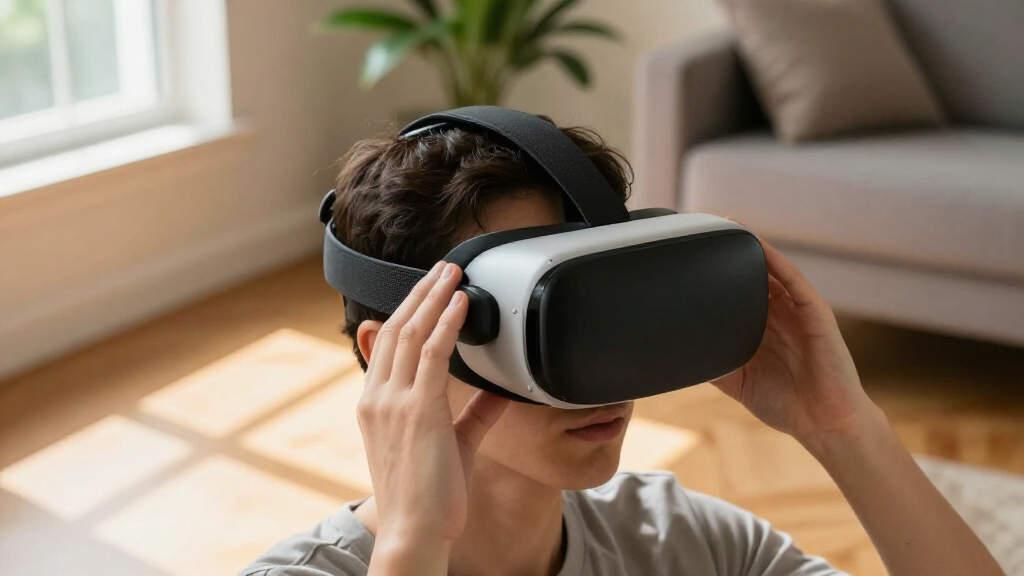
How We Picked
I ranked these options around the decisions that matter most for a face-contact accessory: exact headset compatibility, fit flexibility, cushion feel, sweat handling, cleaning effort and the usefulness of included components. I gave more weight to options that offer a clear solution beyond simply covering the stock interface, while treating disposable covers and replacement pads as useful for narrower hygiene or refresh needs.
The ranking reflects each product’s stated design and intended use, not claims of hands-on testing. A feature earns a higher place only when it addresses a meaningful buyer need without making fit or upkeep unnecessarily complicated. I also kept the headset families distinct: a Quest 3 interface cannot be treated as a Quest 3S or Quest 2 option, and the PSVR2 replacement pad belongs in its own compatibility group.
| VR headset facial interface | Material |
|---|---|
| Globular Cluster F3 V3 Magneti | — |
| Hanpusen Cooling Face Pad and | — |
| KIWI design V4 Facial Interfac | — |
| VZNEK Sweatproof PU Leather Fa | PU leather with soft foam filling |
| SUPERUS Facial Interface and F | — |
| AMZDM PU Leather Face Pad for | PU leather and foam |
| Disposable VR Face Cover Mask | Breathable nonwoven material |
| AMVR FC3 Adjustable Facial Int | — |
| Facial Interface and Face Pad | PU leather with sponge foam |
| KKCOBVR K3 Facial Interface Fa | — |
| Face Cover Pad for Meta/Oculus | PU leather with foam padding |
| VR Facial Interface and Face P | PU leather |
| PSVR2 Replacement Face Pad wit | PU leather and foam |
| KIWI design V3 Facial Interfac | — |
Factors to Consider When Choosing VR Headset Facial Interfaces
Before choosing a facial interface, I would start with the headset model, then match the accessory to the problem you want to solve. These broader checks can prevent a poor fit, unnecessary replacement or accessory mismatch.
Match the Interface to the Exact Headset
Start with the headset’s full model name, not just its brand or product family. Quest 3, Quest 3S and Quest 2 interfaces use different designs, and PSVR2 parts are a separate fit category. A listing that mentions several headsets may refer to disposable covers rather than a rigid replacement frame. Check the product’s compatibility wording and any exclusions before buying. If the fit information is vague, treat that as a reason to verify dimensions or ask the seller rather than assuming the parts are interchangeable.
Choose a Cushion for Your Skin and Cleaning Routine
Cushion material affects both how the interface feels and how much work it takes to maintain. PU leather surfaces are generally intended to be wiped down, which can suit frequent workouts or shared use, while fabric-like or skin-friendly pads may appeal to people who prefer a softer contact surface. A wipe-clean cover does not remove the need to clean the headset itself, and harsh cleaners may damage materials. Think about whether you prefer a quick surface wipe or a removable pad that can be handled separately. For multiple users, prioritize a practical cleaning routine over a material name alone.
Treat Cooling and Ventilation as One Part of Fit
Cooling-focused designs and built-in fans target heat and moisture, but they cannot fix every cause of discomfort. Pressure from an uneven fit, trapped hair or a poorly positioned headset can still make a session unpleasant. Added airflow hardware may also bring extra bulk, noise or another component to maintain. If heat is your main complaint, compare ventilation features with simpler sweat-managing pads before choosing a more involved design. If the headset feels pinched or sits at the wrong angle, prioritize fit adjustment instead.
Check Glasses Clearance and Facial Shape
Glasses users should check whether an interface or spacer leaves room for their frames without pressing them against the lenses. A glasses spacer can help with clearance, but it may change how close the headset sits to the face and affect perceived field of view. Facial shape matters too: a wider opening or adjustable position can help some users, but no interface fits every face equally. Avoid assuming that thicker padding automatically means more comfort, since it can alter headset positioning. If possible, review the return policy before committing to a design when fit is uncertain.
Decide Whether You Need a Full Interface or a Cover
A replacement interface changes the frame or cushion arrangement, while a disposable cover is mainly a hygiene layer. Covers can make sense for events, demonstrations or households with frequent headset sharing, but they are not a substitute for a properly fitting face pad. Extra layers may affect contact and headset positioning, so check that a cover is meant for the model and use case. For a single owner seeking a different fit, spend attention on the interface itself rather than buying a large supply of covers. For shared use, plan how covers will be replaced and disposed of between users.
Pay for a Feature You Will Actually Use
More parts do not automatically mean a better choice. Magnetic components, adjustment mechanisms, multiple pads or a fan are useful only if they address a recurring issue for you. A straightforward replacement pad may be easier to install and maintain if your stock interface already fits well. Conversely, frequent discomfort can make adjustment options more valuable than a minimal refresh. Before buying, name the problem you want solved and check that the product’s main feature addresses it without creating a new fit or upkeep burden.
Frequently Asked Questions
Can I use a Quest 3 facial interface on a Quest 3S?
Do not assume they are compatible just because both headsets are in the Quest 3 family. Facial interfaces attach to model-specific headset shapes, so a mismatch can prevent secure seating or leave gaps. The Globular Cluster F3 V3 is explicitly not compatible with Quest 3S, and the products listed for Quest 3S should not be treated as Quest 3 replacements. Check the exact model named on the product listing before ordering. If the listing does not clearly name your headset, verify with the seller.
Should I choose a replacement interface or disposable face covers for a shared headset?
Disposable covers are designed to provide a fresh contact layer between users, while a replacement interface changes the headset’s fit or cushion setup. For demonstrations or frequent guest use, covers can simplify hygiene between sessions, though they still need to be replaced and may affect how the headset sits. A wipe-clean PU leather pad may be more suitable for regular use by a small, consistent group. Neither option replaces cleaning the headset according to its care guidance. Choose based on how often users change and whether fit or hygiene is the primary concern.
Will a glasses spacer make my headset more comfortable?
A spacer can create more room for glasses frames and reduce the chance of them pressing against the headset lenses. It may also move the headset farther from your eyes, which can change the view and how securely the facial interface sits. Frame size and facial shape affect whether the extra clearance helps. Check the spacer’s compatibility and whether it comes with the interface or requires a separate part. If discomfort comes from nose pressure or an uneven fit rather than frame contact, a spacer may not solve it.
Are PU leather face pads a good choice for exercise or sweaty sessions?
PU leather pads are often selected because their surfaces can be wiped clean, making them practical for sweat-prone use. They do not prevent heat or moisture from building up, so cooling and fit still matter. A damp or dirty pad should be cleaned using care instructions suited to its materials, rather than aggressive products that could damage the surface. For workouts, consider whether you need a replaceable cushion, a ventilation feature or simply a quicker cleaning routine. The right choice depends on which of those needs is most important to you.
Is a fan-equipped facial interface worth choosing over an adjustable one?
A fan-equipped interface is aimed at airflow and heat management, while an adjustable design focuses on changing fit or position. If your main issue is a hot, sweaty face, airflow may address it more directly, though it adds hardware and upkeep. If the headset presses unevenly or sits poorly, adjustability is usually the more relevant feature. Fans cannot correct facial pressure, and adjustment cannot necessarily reduce heat. Identify the problem that interrupts your sessions most often before choosing between these approaches.
Conclusion
My best overall pick is the Globular Cluster F3 V3 for Quest 3 owners who want a magnetic interface and are comfortable checking a more involved fit setup; Quest 3S users must skip it. For best value, I would look first at the KIWI design V4 for Quest 3S, which includes two face pads, or a straightforward replacement pad if you only need a fresh contact surface. The best premium-style choice is the AMVR FC3 for Quest 3 buyers prioritizing adjustability, while the best beginner option is a model-specific replacement pad with a simple installation and clear compatibility. For shared-use hygiene, choose the disposable covers; for Quest 2, select a Quest 2-specific pad, and PSVR2 owners should stick to the listed PSVR2 replacement. Match the accessory to your headset and your main discomfort, rather than paying for features you will not use.