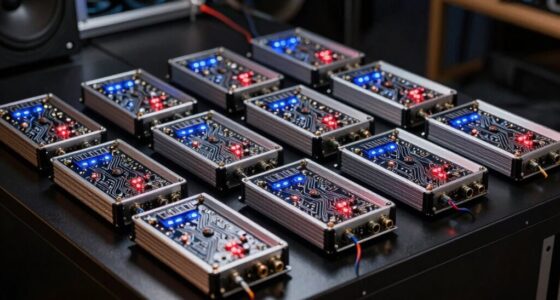
Finding the best Ethernet switch for a VR room involves balancing speed, reliability, and ease of setup. The NETGEAR GS305 stands out as the overall best, offering reliable gigabit performance with simple plug-and-play operation. For higher bandwidth needs, the TP-Link TL-SG105S-M2 provides multi-gigabit speeds ideal for demanding VR setups. Meanwhile, the UGREEN 10-Port PoE Switch is perfect for integrating security cameras or power-dependent devices seamlessly. The main tradeoffs often involve choosing between cost, port count, and advanced management features. Keep reading to see how these options compare and which one fits your VR room best.
Key Takeaways
- Top picks vary based on port count, speed, and management features, with no one-size-fits-all solution.
- Multi-gigabit switches like the TP-Link model support future-proof VR setups with higher data rates.
- Unmanaged switches are more affordable and easier for beginners, but lack advanced controls.
- PoE switches like UGREEN are ideal if you plan to connect security cameras or powered devices alongside VR gear.
- Quiet, plug-and-play designs dominate the list, emphasizing ease of use in immersive environments.




More Details on Our Top Picks
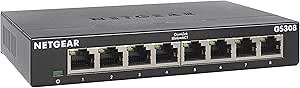
NETGEAR 5-Port Gigabit Ethernet Unmanaged Essentials Switch (GS305) – Home Network Hub, Office Ethernet Splitter, Plug-and-Play, Silent Operation, Desktop or Wall Mount
This NETGEAR GS305 stands out by offering a straightforward, plug-and-play experience with a sturdy metal case, making it an excellent choice for those seeking reliable network expansion without complexity. Compared with the GS305E, the GS305 lacks managed features like VLANs, but it compensates with silent, energy-efficient operation and a compact design that fits seamlessly into home or small office setups. Its non-blocking switching architecture ensures smooth performance across all ports, ideal for VR rooms where latency matters. The 3-year warranty adds peace of mind, though it may lack the advanced control features some power users want. This pick makes the most sense for users prioritizing ease of use and durability over sophisticated network management.
Pros:- Easy plug-and-play setup with no configuration needed
- Silent, fanless operation ideal for noise-sensitive environments
- Durable metal construction with a 3-year warranty
Cons:- Lacks managed features such as VLANs or QoS
- Limited to 5 ports, which may be insufficient for larger setups
Best for: Home users or small offices needing a reliable, simple switch for VR and streaming setups.
Not ideal for: Advanced network administrators requiring VLAN, QoS, or traffic segmentation features.
- Number of Ports:5
- Data Transfer Rate:1000 Megabits Per Second
- Switch Type:Unmanaged
- Compatible Devices:Desktop
- Case Material:Metal
- Warranty:3 Years
Bottom line: Best suited for users who want a dependable, straightforward switch for small-scale VR or media rooms.
UGREEN 2.5Gb Switch, 5-Port Ethernet Switch, 5 x 2.5Gb Uplink, Plug & Play, Unmanaged Ethernet Splitter, Desktop/Wall Mount Network Hub, with LED, Fanless Quiet, for NAS, PC, Game Console
This UGREEN 2.5Gb switch offers a significant speed upgrade over standard gigabit switches, providing up to 25Gbps non-blocking performance across five ports. Unlike the NETGEAR GS305, it supports 2.5G speeds on all ports, ideal for demanding VR rooms with multiple high-bandwidth devices like NAS, gaming consoles, and 4K streaming. Its fanless design ensures silent operation, and the easy plug-and-play setup makes it accessible even for less tech-savvy users. However, its unmanaged nature means limited network control, and with only five ports, larger setups might need more expansion. This option makes the most sense for budget-conscious users seeking fast, quiet connections without extra management features.
Pros:- Supports 2.5Gbps speed on all ports for faster data transfer
- Fanless, silent operation perfect for quiet environments
- Plug-and-play setup with versatile desktop or wall mounting
Cons:- Limited to unmanaged, basic functionality
- Only 5 ports may limit scalability for larger setups
Best for: Home users or small gaming/VR rooms needing fast, quiet, and affordable network expansion.
Not ideal for: Network professionals requiring VLANs, QoS, or remote management capabilities.
- Number of Ports:5
- Data Transfer Rate:Up to 25 Gbps
- Speed Support:2.5Gbps
- Switch Type:Unmanaged
- Form Factor:Desktop/Wall Mount
- Cooling System:Fanless
Bottom line: Ideal for users wanting a high-speed, silent switch that’s easy to install in compact VR or gaming rooms.
NETGEAR 5-Port Gigabit Ethernet Easy Smart Managed Essentials Switch GS305E – Desktop or Wall Mount, Home Network Hub, Office Ethernet Splitter
This NETGEAR GS305E combines unmanaged simplicity with basic management features like VLANs and QoS, making it a flexible option for small VR rooms that may need some traffic control. Compared to the GS305, the GS305E offers easy-to-use management via an intuitive GUI, allowing users to prioritize VR device traffic or isolate segments without complex setup. Its sturdy metal case and energy-efficient design are additional benefits. The tradeoff is that its management features are basic, and it’s still limited to 5 ports, which may not suffice for larger or more complex environments. It’s a strong choice for those wanting some control but without the cost of high-end managed switches.
Pros:- Supports VLANs, QoS, and traffic monitoring with easy GUI
- Simple setup with plug-and-play initial configuration
- Sturdy metal casing with a 5-year warranty
Cons:- Limited to basic managed features, not full enterprise capabilities
- Only 5 ports, restricting expansion
Best for: Small home or office VR rooms that want basic network control without complexity.
Not ideal for: Large-scale VR setups or enterprise environments needing advanced features like extensive traffic segmentation.
- Number of Ports:5
- Data Transfer Rate:1000 Mbps
- Switch Type:Managed (Easy Smart)
- Management Features:VLAN, QoS
- Warranty:5 Years
- Form Factor:Desktop/Wall Mount
Bottom line: Best suited for users who want simple managed features in a compact, affordable switch for small VR setups.
MSNSwitch2 Internet Enabled IP Remote Power Switch with Reboot – Control via Smartphone App, Cloud Service, Web Browser or API – 2 Independent AC Power Outlets (Model UIS-722b)
This IP remote power switch is designed to control power outlets remotely, making it ideal for managing multiple devices in a VR room from anywhere. Unlike data-focused switches such as the NETGEAR GS305 or UGREEN 2.5Gb, the MSNSwitch2 provides power cycling and reboot capabilities, which are perfect for remotely resetting routers, modems, or VR hardware that may occasionally freeze. Its simple push-button operation and compatibility with smartphone apps or web control make it accessible for users without networking experience. The main limitation is its lack of data transfer capabilities—it’s purely a power switch—so it won’t support network traffic or VR data connections directly. This product makes the most sense for users needing remote power management and automated reboot functions.
Pros:- Remote power control via smartphone app, web, or API
- Two independent outlets for flexible device management
- Simple, plug-in operation with automatic reboot on connection loss
Cons:- No data switching or network management features
- Limited to power control, not suitable for data traffic
Best for: VR room owners or small labs needing remote power control and device reboot capabilities.
Not ideal for: Users seeking network switching or high-speed data transfer; this is purely power control.
- Operation Mode:ON-OFF-ON
- Current Rating:10 Amps
- Operating Voltage:120V
- Number of Outlets:2
- Control Method:Smartphone App, Web
- Connectivity:Wi-Fi
Bottom line: Best for remote device management and rebooting, not for network expansion or VR data transfer.
TP-Link TL-SG105S-M2 | 5-Port Multi-Gigabit 2.5G Ethernet Switch | Unmanaged Network Switch | Ethernet Splitter | Plug & Play | Desktop/Wall Mount | Silent Operation
This TP-Link TL-SG105S-M2 excels with multi-Gigabit ports supporting 2.5G speeds, making it a top choice for high-performance VR rooms needing fast transfers between multiple devices. Compared to the UGREEN 2.5Gb switch, the TL-SG105S-M2 offers a more robust build with a sturdy metal case and a reputation for reliability. Its unmanaged, plug-and-play design simplifies setup, while its 5 ports accommodate most small to medium setups. The main tradeoff is that it lacks managed features like VLANs or QoS, limiting traffic control options. Its 25Gbps switching capacity ensures minimal bottlenecks, making it ideal for demanding VR streaming or data transfer environments that require high bandwidth and silent operation.
Pros:- Supports 2.5Gbps speeds on all ports for fast data transfer
- Sturdy metal case with silent, fanless operation
- Plug-and-play setup with wall or desk mounting options
Cons:- No managed features like VLANs or traffic prioritization
- Limited to 5 ports, not scalable for larger setups
Best for: Power users seeking a durable, high-speed switch for VR rooms with multiple high-bandwidth devices.
Not ideal for: Large enterprise networks needing advanced management or extensive traffic segmentation.
- Number of Ports:5
- Data Transfer Rate:Up to 25 Gbps
- Speed Support:2.5G
- Switch Type:Unmanaged
- Form Factor:Desktop/Wall Mount
- Cooling System:Fanless
Bottom line: Best for users who demand high-speed, reliable, unmanaged switches with a sleek design for small VR environments.
NETGEAR 24-Port Gigabit Ethernet Unmanaged Essentials Switch (GS324) – Desktop, Wall, or Rackmount, Silent Operation
This NETGEAR GS324 stands out for its extensive 24 ports, making it ideal for complex VR rooms with multiple devices. Its plug-and-play design simplifies setup compared to smaller switches like the GS308, which may require more careful device management in larger networks. The silent operation and energy-efficient IEEE802.3az support make it suitable for noise-sensitive spaces, surpassing the basic noise levels of some unmanaged switches. However, the larger size and higher price point might be overkill for smaller VR rooms or single-device setups. Unlike compact switches, this model provides the capacity to expand or support many VR peripherals simultaneously without sacrificing performance. Best for large-scale VR rooms needing seamless, noise-free connectivity.
Pros:- Extensive 24 ports for multiple devices
- Silent operation ideal for noise-sensitive environments
- Energy-efficient and supports IEEE802.3az
Cons:- Larger footprint may be inconvenient in limited spaces
- Higher cost compared to smaller unmanaged switches
Best for: Large VR rooms with many connected devices requiring silent, reliable operation
Not ideal for: Small or casual VR setups where a smaller or more affordable switch suffices
- Number of Ports:24
- Switch Type:Unmanaged, Gigabit
- Placement Options:Desktop, Wall, Rackmount
- Warranty:3-year limited
- Operation Mode:Silent
- Energy Efficiency:IEEE802.3az compliant
Bottom line: This switch is perfect for large VR setups where silence, reliability, and expandability are priorities.
UGREEN Ethernet Switch, 10-Port PoE Switch, 8 PoE+@60W + 2 Gigabit Uplink, Plug & Play, Standard/Port Isolation(VLAN)/Extend Mode, PoE Auto Recovery, Metal Unmanaged Network Hub for Security Camera
The UGREEN 10-port PoE switch excels in environments where powering devices like cameras or access points without extra power supplies is essential, making it a strong alternative to non-PoE options like the GS305. Its support for 8 PoE+ ports with up to 60W total power budget enables long-distance deployments and simplifies wiring, especially for security cameras or wireless access points in VR rooms. The switch’s VLAN and Extend modes provide added network flexibility, surpassing basic unmanaged switches by offering better security and control. Still, its unmanaged nature means less configurability for advanced network segmentation, which might be a drawback compared to managed switches like the GS305E for larger, security-heavy VR environments. Ideal for VR rooms with multiple PoE devices needing efficient power and network management.
Pros:- Supports 8 PoE+ ports with 60W total power
- Supports VLAN and Extend modes for network flexibility
- Plug-and-play with auto PoE recovery
Cons:- Limited configurability due to unmanaged design
- Higher price point for a non-managed switch
Best for: VR rooms with multiple PoE devices such as cameras and access points
Not ideal for: Small VR setups with minimal or no PoE device requirements
- Ports:10 (8 PoE+ + 2 Gigabit uplink)
- PoE Power Budget:60W
- Switch Type:Unmanaged, Gigabit
- Features:VLAN, Extend Mode, PoE Auto Recovery
- Placement Options:Desktop, Wall Mount
- Supported Devices:Security cameras, access points
Bottom line: This switch is well-suited for VR rooms that rely on PoE devices, offering power and network versatility without complex setup.
NETGEAR 8-Port Gigabit Ethernet Unmanaged Essentials Switch (GS308) – Home Network Hub, Office Ethernet Splitter, Plug-and-Play, Silent Operation, Desktop or Wall Mount
The NETGEAR GS308 offers a reliable 8-port solution with a sturdy metal build, making it ideal for small VR rooms or home setups where space and noise are concerns. Its plug-and-play nature simplifies installation, and its silent operation is a significant advantage over fans or noise-generating devices, especially in noise-sensitive environments. Compared to larger switches like the GS324, it provides enough capacity for small VR environments but lacks the expansion potential of higher port counts. Its non-blocking architecture and auto-negotiation ensure smooth performance for standard VR peripherals, though it may fall short in larger, more complex setups. Best suited to small, quiet VR rooms with moderate device needs.
Pros:- Compact and sturdy metal case
- Silent operation for noise-sensitive spaces
- Supports desktop and wall mounting
Cons:- Limited to 8 ports, less scalable for big setups
- Lacks advanced management features
Best for: Small VR rooms, home entertainment setups, or personal VR stations
Not ideal for: Large VR environments with many devices or future expansion plans
- Number of Ports:8
- Switch Type:Unmanaged, Gigabit
- Operation Mode:Plug-and-Play
- Placement Options:Desktop, Wall Mount
- Warranty:3-year limited
- Noise Level:Silent
Bottom line: This switch is ideal for small VR rooms that prioritize silence and ease of use without the need for extensive expansion.
UGREEN Ethernet Switch, 5 Port Gigabit Ethernet Splitter, Plug & Play, Wall Mount & Desktop Network Switch Hub, Unmanaged, Compact, with LED, Fanless Quiet, for Internet Cable, Laptop, Router, NAS
The UGREEN 5-port Gigabit switch provides a straightforward, budget-conscious option for small VR rooms that need reliable wired connections without extra features. Its compact size and fanless design make it virtually silent, suitable for quiet environments. While it lacks PoE support and advanced management features, it covers the basics well—perfect for connecting a few VR peripherals or a single PC setup. Compared with larger switches like the GS305, this model offers fewer ports but remains effective for minimal setups. Its plug-and-play approach makes it accessible for beginners or temporary VR configurations, though it might be limiting as your network grows. Best for small, simple VR setups on a budget.
Pros:- Compact and lightweight design
- Fanless and silent operation
- Plug-and-play simplicity
Cons:- Limited to 5 ports, not scalable for larger setups
- No PoE or advanced management features
Best for: Small VR rooms or casual setups with minimal device connections
Not ideal for: VR environments with many devices or requiring PoE functionality
- Ports:5
- Switch Type:Unmanaged, Gigabit
- Operation Mode:Plug-and-Play
- Design:Fanless
- Placement:Desktop, Wall Mount
- Warranty:18 months
Bottom line: This switch is suitable for basic VR rooms that need reliable wired connections without fuss or advanced features.
TP-Link 8 Port Gigabit Ethernet Network Switch – Ethernet Splitter | Plug & Play | Fanless | Sturdy Metal w/ Shielded Ports | Traffic Optimization | Unmanaged | Lifetime Protection (TL-SG108)
This TP-Link TL-SG108 stands out for its durable metal casing, offering excellent heat dissipation and EMI protection, which is vital for VR rooms where consistent performance is key. Compared with the NETGEAR GS316, it provides a slightly more compact design but maintains similar gigabit speeds and unmanaged ease of use. Its fanless operation ensures silent performance—crucial in immersive VR environments—while the traffic prioritization features like QoS help optimize bandwidth for VR streams. However, being unmanaged, it lacks advanced network control, which might matter for more complex setups. The loop prevention button adds reliability, but the absence of PoE limits future expandability for powered devices. This switch makes the most sense for users seeking plug-and-play operation with robust durability without the need for network management features.
Pros:- Sturdy metal casing for durability and heat management
- Fanless design for silent operation
- Traffic optimization features like QoS and IGMP Snooping
- Loop prevention button increases reliability
Cons:- Limited to unmanaged networking, lacks VLAN or advanced controls
- No Power over Ethernet (PoE) support for powering devices
Best for: VR enthusiasts or small-scale setups needing a reliable, silent, and durable switch with simple plug-and-play setup.
Not ideal for: Larger VR rooms or professional environments requiring managed switches with VLANs, PoE, or advanced traffic control.
- Number of Ports:8
- Port Speed:Gigabit (10/100/1000 Mbps)
- Casing Material:Metal
- Operation Mode:Unmanaged
- Energy Efficiency:Supports latest energy-saving tech
- Fanless Design:Yes
- Size:6.2 x 4.0 x 1.0 inches
- Warranty:3 years
Bottom line: This switch is perfect for users who want a reliable, silent, and easy-to-use device for small VR setups without complex network management needs.
NETGEAR 16-Port Gigabit Ethernet Unmanaged Switch (GS316) – Desktop or Wall Mount, Limited Lifetime Protection
The NETGEAR GS316 offers 16 gigabit ports, making it ideal for larger VR rooms or environments where multiple devices—from headsets to sensors—need reliable connections. Its simple plug-and-play design is comparable to the TP-Link TL-SG108 but provides more capacity for expansion, which is a key advantage in growing VR setups. The fanless operation keeps noise levels low, preserving immersion, while the sturdy plastic case ensures lightweight portability. The main tradeoff is its unmanaged nature, which limits network control and segmentation options, and it doesn’t support PoE, restricting powered device compatibility. With a 3-year limited warranty, it offers peace of mind for long-term use. Overall, this switch is best suited for those needing more ports without the complexity of managed switches.
Pros:- High port count (16 ports) for extensive device connections
- Silent operation ideal for immersive VR environments
- Sturdy, lightweight design for easy placement
- Limited lifetime warranty offers long-term protection
Cons:- Unmanaged—lacks VLANs, QoS, or traffic control features
- No Power over Ethernet (PoE) support
- Plastic casing may feel less durable than metal options
Best for: VR room builders or labs needing high port density and straightforward setup for large device networks.
Not ideal for: Advanced users requiring VLANs, PoE, or network management features for specialized VR environments.
- Number of Ports:16
- Port Speed:Gigabit (10/100/1000 Mbps)
- Casing Material:Plastic
- Operation Mode:Unmanaged
- Size:11.3 x 4 x 1.3 inches
- Warranty:Limited lifetime
- Power Supply:120V
- Noise Level:Fanless
Bottom line: This switch is well-suited for larger VR setups that prioritize connection quantity and ease of use over network complexity.
How We Picked
These switches were evaluated based on performance, build quality, ease of setup, and value for VR-specific needs. Since VR rooms demand stable, high-speed connections with minimal latency, switches with gigabit or multi-gigabit speeds ranked higher. Reliability and durability matter for continuous use, while management features were considered for more complex setups. Cost was balanced against these factors to recommend options suitable for both casual and professional VR environments. The ranking reflects how well each switch meets the unique demands of VR rooms, including future scalability and ease of integration.Factors to Consider When Choosing Best Ethernet Switches For VR Rooms
Choosing the best Ethernet switch for a VR room involves understanding several key factors that influence performance, usability, and future-proofing. VR setups require high bandwidth, low latency, and reliable connections to deliver immersive experiences without lag or disconnections. Additional considerations such as port quantity, management features, and power options can greatly impact your overall setup. Making informed choices helps avoid bottlenecks and ensures your VR environment remains seamless and scalable.Port Count and Speed
Determine how many devices you need to connect and whether your setup might benefit from multi-gigabit speeds. A switch with more ports allows expansion, especially if you plan to add multiple VR headsets, sensors, or cameras. For most VR rooms, gigabit ports are standard, but if you want to future-proof or handle large data streams, consider a switch with 2.5Gb or 10Gb support. Avoid underestimating future needs, which can lead to costly upgrades later.
Unmanaged vs. Managed Switches
Unmanaged switches are simple plug-and-play options suitable for straightforward VR setups, offering reliability without complexity. Managed switches add control features like VLAN segmentation and traffic prioritization, which can help optimize performance in larger or more professional environments. However, they come at a higher cost and require more technical knowledge. For most home or small VR rooms, unmanaged models provide excellent value, while managed switches are better suited to enterprise or advanced users.
Power over Ethernet (PoE)
If you plan to connect security cameras, sensors, or powered devices alongside VR gear, a PoE switch simplifies wiring by delivering power through Ethernet cables. PoE reduces clutter and installation costs, especially in larger rooms. However, PoE switches tend to be pricier and may offer fewer ports at the same price point. Consider whether your setup benefits from PoE, and if so, ensure the switch supplies enough power for all connected devices.
Build Quality and Noise
VR rooms often demand quiet operation to maintain immersion. Fanless switches are ideal, as they run silently and are less prone to dust accumulation. Additionally, sturdy build quality ensures longevity in a busy environment. Cheaper plastic models may save money initially but can be less durable over time. Prioritize models with solid construction and silent operation to keep your VR space comfortable and reliable.
Cost and Future-Proofing
While budget options can handle basic needs, investing in higher-speed, multi-gigabit, or managed switches can extend the lifespan of your setup. Consider your current needs versus potential expansion; a slightly more expensive switch now might save money and hassle later. Balance the initial investment against the expected growth of your VR environment to avoid frequent upgrades. Quality switches with good warranties also add peace of mind for long-term use.
Frequently Asked Questions
Can I use a regular home Ethernet switch for my VR room?
Yes, a basic unmanaged gigabit switch can work for most home VR setups, especially if you have a few devices and moderate data transfer needs. However, for larger or more demanding setups, a switch with higher speeds or managed features can reduce latency and improve performance. Always check that the switch supports gigabit or multi-gigabit speeds to handle the data streams VR requires without lag or interruptions.
Is PoE necessary for a VR room?
PoE is not essential for VR devices themselves but is very useful if you plan to connect security cameras, sensors, or other powered accessories. It simplifies wiring by providing power directly through Ethernet cables, reducing clutter and installation time. If your setup includes such devices, a PoE switch can streamline your configuration, but for purely VR-focused setups, non-PoE switches may be more cost-effective.
How many ports do I need for a typical VR room?
The ideal port count depends on your setup size, but generally, 5 to 8 ports are sufficient for most home VR rooms. If you have multiple VR headsets, sensors, and other peripherals, opting for a switch with more ports or higher capacity can provide room for future expansion. Remember that more ports can sometimes mean higher cost, so choose a model that balances current needs with potential growth.
Should I prioritize managed or unmanaged switches?
For most home VR rooms, unmanaged switches offer straightforward plug-and-play operation, making them ideal for simplicity and reliability. Managed switches are better suited to professional or larger setups where traffic control, segmentation, or prioritization can improve performance. Consider your technical comfort level and future plans; if you anticipate expanding or customizing your network, investing in a managed switch might be worthwhile.
What is the benefit of multi-gigabit switches for VR?
Multi-gigabit switches support speeds beyond standard gigabit Ethernet, such as 2.5Gb or 10Gb. This increased bandwidth helps ensure smooth, lag-free VR experiences, especially when transferring large data files or streaming high-resolution content. While they tend to be more expensive, investing in multi-gig switches can future-proof your setup, allowing for higher-quality VR content and more connected devices without congestion.
Conclusion
The best choice for a VR room depends on your specific needs and budget. For maximum simplicity and reliability, the NETGEAR GS305 provides excellent value with gigabit speeds and quiet operation, making it ideal for most home users. Those seeking higher speeds and scalability should consider the TP-Link TL-SG105S-M2, which supports multi-gigabit connections. If you need to power multiple devices like cameras or sensors, the UGREEN PoE Switch offers seamless integration. Beginners will appreciate the plug-and-play models, while professionals may opt for managed switches with advanced features to optimize performance and security. Clarify your current setup and future plans to select the switch that matches your VR environment perfectly.