
TL;DR

Play games on Amazon Luna for your next adventure, included with Prime
- A rotating selection of games, no download needed
- Play on TV, laptop or phone
- Fast, free delivery for your gear, too
An XDA Developers article published Oct. 23 describes changing a Wi-Fi 6 router’s 5GHz channel width as one possible way to reduce stutters during local VR and high-bitrate media streaming. The article says 160MHz can raise theoretical link rates on compatible hardware, but a clean 80MHz channel may work better where nearby networks create interference. No controlled test results or independently verified performance measurements are provided.
An XDA Developers report published Oct. 23 says changing a Wi-Fi 6 router’s 5GHz channel width may reduce micro-stutters and dropped frames during local VR and high-bitrate media streaming. The article recommends checking nearby network congestion and client support before switching to 160MHz; it does not provide controlled test results showing that one setting fixes streaming problems across routers or homes.
The report focuses on the wireless connection between a router and a local streaming device, rather than internet speed. A stream from a gaming PC, media server or local library still depends on the home network. According to the article, interference or a constrained wireless configuration can contribute to packet loss and retransmissions, which may appear to users as stutter, frame drops or audio-sync problems.
Channel width describes how much radio spectrum a Wi-Fi connection uses. XDA gives a theoretical example: on a 2×2 Wi-Fi 6 client, moving from 80MHz to 160MHz can raise the physical-layer link rate from about 1,200Mbps to 2,400Mbps. Those figures describe link rates, not guaranteed application throughput or a measured improvement in VR performance.
The article advises users to inspect 5GHz network activity with a Wi-Fi analyzer, then review the router’s advanced wireless settings. Where supported and where the spectrum is clear, users could test 160MHz. In a crowded environment, it says a less-congested 80MHz channel may be a better choice. It also recommends checking performance with the same local stream after making a change.
Local streaming · Wi-Fi 6 · Troubleshooting brief
How One Wi-Fi 6 Setting May Smooth Local VR Streaming
An XDA Developers report says adjusting a router’s 5GHz channel width may help reduce stutters during local VR and high-bitrate media streaming. The right choice depends on device support and nearby network congestion.
01 / Why it matters
Local network quality shapes the stream
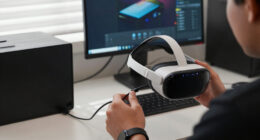
A PC or media server sends data across your home network to the headset or playback device. Internet speed alone does not determine how smoothly that local stream runs.
The symptom
Brief interruptions stand out
Micro-stutters, dropped frames, or audio-sync issues can make wireless VR feel rough, even when ordinary browsing seems fine.
The mechanism
Interference can disrupt delivery
Congestion or a constrained wireless setup may contribute to packet loss and retransmissions that interrupt a high-bitrate stream.
The limit
Width is one factor
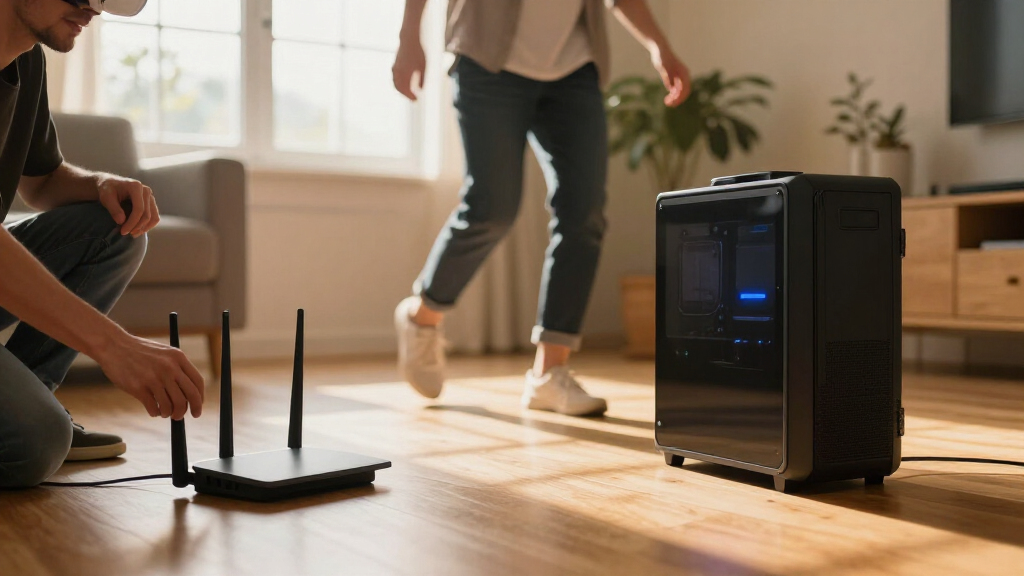
Signal strength, distance, obstacles, router placement, other traffic, and client limits can also affect performance.
02 / Choose by conditions
Wider is not always better
Channel width describes how much radio spectrum a connection uses. A wider channel can carry more data under suitable conditions, while also occupying more spectrum.
Test 160 MHz
A wider channel may increase the physical-layer link rate when the router, client, and radio conditions support it.
Try a clean 80 MHz channel
A narrower, less-congested block may deliver a steadier connection than a wider channel competing with nearby networks.
Rate is not real-world throughput. XDA’s 2×2 Wi-Fi 6 example moves from about 1,200 Mbps at 80 MHz to 2,400 Mbps at 160 MHz. Those are theoretical physical-layer link rates, not measured VR gains or guaranteed application speeds.
03 / A practical check
Change one thing, then compare
Use the same local stream as your reference. Check frame pacing and reliability after each setting change.
Inspect the airwaves
Use a Wi-Fi analyzer to review nearby 5GHz activity where you use the headset.
Check compatibility
Confirm both router and streaming client support the channel width you plan to test.
Test the same workload
Try 160 MHz if supported and suitable; compare the same local stream and conditions.
Keep the steadier setup
If the stream worsens, test a cleaner 80 MHz channel and compare again.
04 / Read the evidence
What the report does—and does not—show
The article offers a troubleshooting idea, not a controlled performance study. Results will depend on the equipment and conditions in each home.
| Topic | What is reported | How to interpret it |
|---|---|---|
| Channel width | 80 MHz and 160 MHz can behave differently as congestion changes. | A setting worth testing |
| Link-rate example | About 1,200 to 2,400 Mbps for a theoretical 2×2 Wi-Fi 6 client. | Not measured throughput |
| Test details | No specific router, headset, firmware, or before-and-after measurements are given. | No proof of a universal fix |
| Other causes | Signal, distance, obstacles, traffic, and interference can also matter. | Diagnose the whole setup |
05 / Quick answers
Questions to keep in mind
Treat channel width as one possible cause among several, and use your own network conditions to guide the test.
Will changing width fix every VR stream?
No. The result depends on interference, device support, signal conditions, and the actual source of the stutter.
Should I choose 160 MHz?
Only when both devices support it and your 5GHz environment can accommodate it. A clean 80 MHz channel may work better in a crowded area.
What does 1,200 → 2,400 Mbps mean?
It is a theoretical physical-layer rate example for a 2×2 Wi-Fi 6 client, not a promise of throughput or smoother VR.
How can I check congestion?
Use a Wi-Fi analyzer to inspect nearby 5GHz networks from different parts of the home. Available tools vary by device.
A Router Setting Can Affect Local VR
For people streaming PC games to a wireless headset, brief interruptions can be more noticeable than they are during ordinary browsing. A change to channel width is a relatively accessible troubleshooting step because it can be made in a router’s settings without replacing the headset or streaming PC. The report’s key point is that local network quality is not determined by internet speed alone.
That does not make 160MHz a universal solution. A wider channel can carry more data under suitable conditions, but it also occupies more spectrum and may overlap with nearby networks. In a dense apartment building, a wider channel with substantial interference could perform worse than a narrower, cleaner one. The practical takeaway is to diagnose the environment and test rather than assume that the largest available width is best.
Wi-Fi 6 router 5GHz 160MHz channel width
As an affiliate, we earn on qualifying purchases.
As an affiliate, we earn on qualifying purchases.
Why Channel Width Affects Streaming
Wi-Fi routers divide radio spectrum into channels, and channel width determines how much spectrum a connection uses. The XDA article compares this to road capacity: wider channels can carry more data, but they can also expose the connection to more interference. The result depends on both the router’s configuration and the radio conditions where it operates.
The report also points to device compatibility. A router setting can help only if the streaming client supports the chosen channel width and can maintain a suitable connection. Router models, firmware, home layouts and neighboring wireless networks vary, so the article’s figures and recommendations should be read as general guidance rather than a guarantee of results for every setup.
“A 160MHz channel, or even a well-managed 80MHz block, acts like a wide-open superhighway.”
— Jasmine, XDA Developers
Wi-Fi analyzer app for 5GHz network congestion
As an affiliate, we earn on qualifying purchases.
As an affiliate, we earn on qualifying purchases.
Results Depend on the Home Network
The source does not identify a specific router, headset, firmware version or test setup, and it gives no before-and-after measurements for latency, packet loss, frame pacing or streaming reliability. Its proposed link-rate figures are theoretical examples, not evidence that changing channel width will eliminate stutter in a particular home.
It is also unclear whether a given user’s interruptions come from channel width at all. Signal strength, distance, obstacles, router placement, other traffic, client limitations and interference can also affect wireless streaming. The report recommends checking the radio environment and testing after a change, but does not establish a single diagnosis for all reported VR problems.
Wi-Fi 6E router for wireless PC VR streaming
As an affiliate, we earn on qualifying purchases.
As an affiliate, we earn on qualifying purchases.
Check Compatibility and Test Changes
Users considering the adjustment should first check whether both the router and streaming client support 160MHz, then inspect nearby 5GHz activity from the rooms where they use the headset or media device. They can test a supported setting and compare the same local workload, watching for frame pacing and throughput changes. If performance worsens, returning to a cleaner 80MHz channel is a reasonable next test.
The XDA report does not announce a product update or a broader industry change. Any benefit remains specific to the equipment and conditions in an individual home; further measurements would be needed to quantify how often channel-width changes improve local VR streaming.
Wi-Fi 6 USB wireless adapter 160MHz 2×2
As an affiliate, we earn on qualifying purchases.
As an affiliate, we earn on qualifying purchases.
Key Questions
Does changing Wi-Fi channel width improve every VR stream?
No. The report presents channel width as one possible troubleshooting factor. Results depend on interference, router and headset support, signal conditions and the source of the stutter.
Should I set my router to 160MHz?
Only if your router and streaming client support it and your 5GHz environment can accommodate it. In a crowded area, a clean 80MHz channel may work better than a wider, overlapping one.
What does the 1,200Mbps-to-2,400Mbps example mean?
XDA describes a theoretical physical-layer link rate for a 2×2 Wi-Fi 6 client moving from 80MHz to 160MHz. It is not a promise of real-world throughput or proof of a particular VR performance gain.
How can I tell whether my channel is congested?
The article recommends using a Wi-Fi analyzer to inspect nearby 5GHz networks, including from different parts of the home. Router settings and available analyzer features vary by device.
Source: XDA Developers
Fall Picks
fall essentials
As an affiliate, we earn on qualifying purchases.