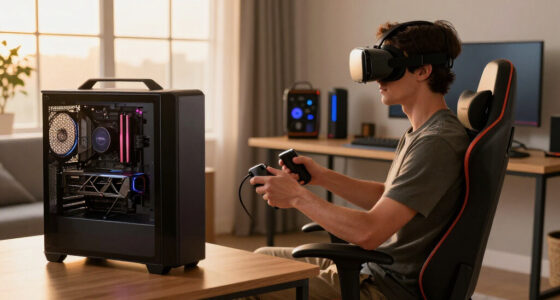
When your controller battery dies mid-session, quickly switch to a charged spare if you have one nearby. If not, connect the controller to a USB cable or charging dock for an immediate power boost. Keep batteries and chargers accessible to prevent delays, and consider investing in high-quality rechargeable batteries or charging stations for future convenience. Staying prepared helps avoid interruptions, and you’ll find more tips on maintaining seamless gameplay further along.

Play games on Amazon Luna for your next adventure, included with Prime
- A rotating selection of games, no download needed
- Play on TV, laptop or phone
- Fast, free delivery for your gear, too
Key Takeaways
- Keep spare batteries or a backup controller nearby to quickly swap and resume gameplay.
- Use a USB cable to connect and charge the controller while playing or pause gameplay temporarily.
- Connect the controller to a power outlet or console’s USB port for immediate charging.
- Invest in a charging dock to quickly recharge multiple controllers during breaks.
- Avoid letting the battery fully drain and maintain good charging habits to prevent mid-session power loss.
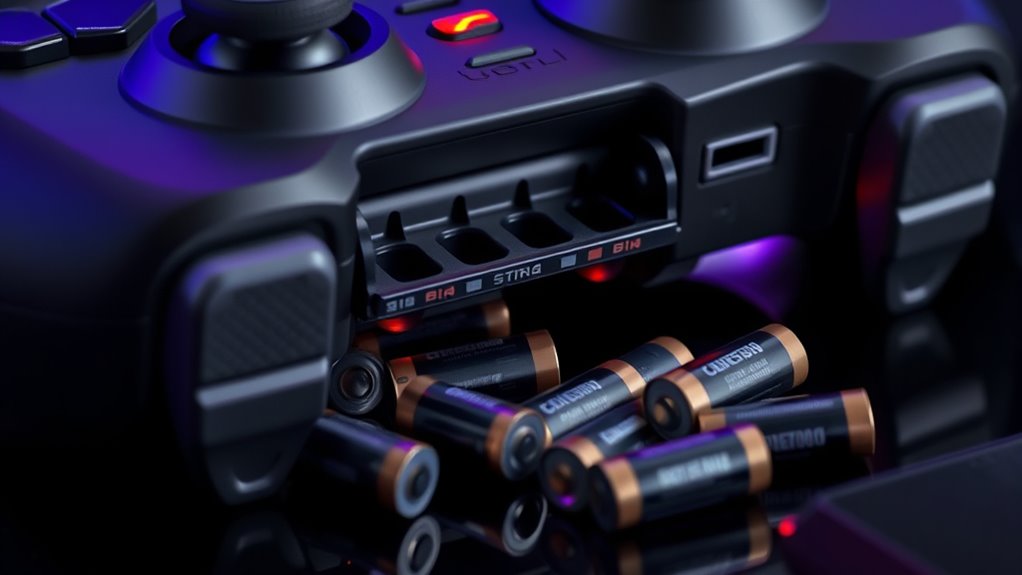
Nothing disrupts a gaming session more than your controller dying unexpectedly. It’s frustrating to be in the middle of an intense match or a vital quest, only to have your controller power down without warning. When this happens, your first instinct might be to scramble for batteries or to disconnect and reconnect wires, but it’s better to be prepared. Knowing your charging options and understanding battery health can save you from these interruptions and keep your gaming smooth.
A dead controller can ruin your gaming—be prepared with proper charging and battery care.
The simplest solution is to keep a set of spare batteries nearby if you’re using devices with replaceable batteries. This way, you can swap them out quickly and get back into the game without delay. For controllers with built-in rechargeable batteries, you’ll want to consider your charging options. Many controllers support USB charging, allowing you to connect a cable directly to your console or a power outlet. Some models even support fast charging, so you can get a quick boost if you’re pressed for time. Investing in a dedicated charging dock is another smart move; it keeps your controller charged and ready while you’re not gaming. Some docks even charge multiple controllers simultaneously, which is perfect for multiplayer setups.
Understanding battery health is also vital. Over time, rechargeable batteries lose capacity, meaning they won’t hold a charge as long as when they were new. If your controller’s battery isn’t lasting as long, it might be time to replace the battery or consider upgrading to a newer model. Proper care can also extend battery life. Avoid letting batteries completely drain frequently, and don’t leave your controller plugged in constantly after it’s fully charged. Overcharging can degrade the battery over time, reducing its overall lifespan.
To maximize your controller’s battery health, try to charge it before it drops to very low levels. Keeping the battery between 20% and 80% can help maintain its longevity. Additionally, choosing high-quality batteries and chargers can prevent issues related to poor power management. Also, avoid exposing your controller to extreme temperatures, as heat and cold can damage the battery chemistry. Regularly updating your controller’s firmware, if applicable, can also optimize battery performance by fixing bugs or improving power management features.
Being proactive about your charging options and attentive to your controller’s battery health ensures fewer interruptions during your gaming sessions. It’s worth investing in quality charging accessories and maintaining good habits to extend battery life. When your controller is properly cared for, you won’t have to worry about unexpected shutdowns, so you can keep your focus on winning and enjoying your favorite games.
Xbox controller rechargeable battery pack
As an affiliate, we earn on qualifying purchases.
As an affiliate, we earn on qualifying purchases.
Frequently Asked Questions
Can I Replace My Controller Battery During a Session?
Yes, you can replace your controller battery during a session. Just pause your game if possible, and perform a quick controller battery replacement. Some controllers support an in-session recharge or quick swap, allowing you to switch batteries without losing progress. Make sure to have spare batteries handy or consider a rechargeable battery pack for seamless controller battery replacement during gameplay. This keeps you playing without significant interruption.
How Long Does a Controller Battery Typically Last?
On average, a controller battery lasts about 20 to 40 hours, depending on your usage and the battery type. You can extend its lifespan by practicing good power management, like turning off the controller when not in use. Keep in mind, rechargeable batteries tend to last longer overall. To avoid surprises, regularly monitor your battery level and recharge or replace it before it dies mid-session.
Are There Universal Batteries Compatible With All Controllers?
Universal batteries are generally not compatible with all controllers because battery compatibility varies depending on the device model. To guarantee proper fit and function, you should check your controller’s specifications and look for batteries designed specifically for it. While some third-party universal batteries claim broad compatibility, it’s safer to use manufacturer-recommended batteries to avoid potential damage or performance issues. Always verify compatibility before purchasing.
What Are the Signs Indicating My Controller Battery Is Dying?
A stitch in time saves nine, so watch for signs your controller battery is dying. You’ll notice shorter gameplay sessions, delayed responses, and dim or flickering power indicators. These are clues that your battery’s lifespan is reaching its end. Keep an eye on the power indicators, as they provide quick insight into your controller’s battery health. Addressing these signs early can prevent unexpected power loss during vital moments.
Is It Safe to Use Third-Party Batteries in My Controller?
Using third-party batteries in your controller is generally safe, but it can affect the battery lifespan and performance. Make sure to choose reputable third-party options to avoid compatibility issues or damage. Check reviews and product details to guarantee quality. While they can be cost-effective, always prioritize safety and compatibility to extend your controller’s life and prevent potential malfunctions.
As an affiliate, we earn on qualifying purchases.
Conclusion
Just when you think you’re safe, your controller suddenly dies. Will you know what to do next? The answer could change your entire gaming session—or leave you stranded at a critical moment. Keep those backup plans ready, and stay alert. Because when your controller’s battery hits zero, it’s not just a small hiccup—it’s a test of your quick thinking. Are you prepared to face what’s next? The game’s not over yet.
gaming controller spare batteries
As an affiliate, we earn on qualifying purchases.
As an affiliate, we earn on qualifying purchases.
USB charging cable for gaming controllers
As an affiliate, we earn on qualifying purchases.
As an affiliate, we earn on qualifying purchases.
Fall Picks
fall essentials
As an affiliate, we earn on qualifying purchases.