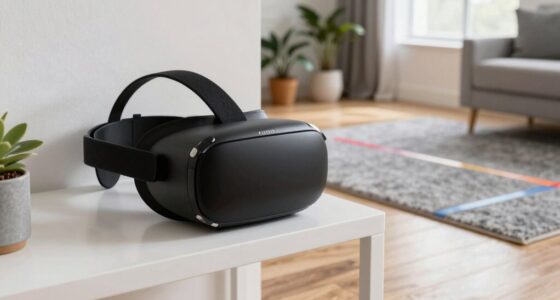
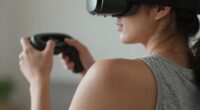
If your VR hands feel off, it’s likely due to controller offset and grip angles not being properly calibrated. Your controllers are designed with specific grip positions, and if they’re tilted or shifted, your virtual hands won’t match your real movements, causing disconnect and unresponsiveness. Small miscalculations can lead to jittery fingers or virtual hands floating away. Understanding how to adjust these settings can help you regain natural, responsive hand interactions, and there’s more to discover if you keep exploring.

Play games on Amazon Luna for your next adventure, included with Prime
- A rotating selection of games, no download needed
- Play on TV, laptop or phone
- Fast, free delivery for your gear, too
Key Takeaways
- Incorrect controller calibration causes mismatched virtual hand positions, making hands feel misaligned or floating.
- Improper grip angles lead to unnatural hand orientations and reduce the realism of virtual interactions.
- Controller tilt or shift distorts tracking data, resulting in virtual hands lagging or drifting behind real movements.
- Lack of effective haptic feedback diminishes tactile immersion, increasing the sense of disconnection from virtual hands.
- Advanced hand tracking technology and proper calibration can improve alignment and make virtual hands feel more natural.

Many VR users have recently noticed that their virtual hands feel awkward or disconnected from their actual movements, disrupting the immersive experience. This feeling often stems from issues like controller offset and grip angles that don’t align perfectly with your real-world hand positions. When your VR system doesn’t accurately track your hands or provide convincing haptic feedback, it’s easy to feel like your virtual hands are out of sync, making interactions less natural and more frustrating.
One common culprit is how your VR setup handles hand tracking. Hand tracking uses cameras and sensors to interpret your hand movements without controllers, but it can sometimes misinterpret your gestures or lose track of your hands entirely. This misinterpretation results in a virtual hand that lags behind your real hand or moves in a slightly different direction. You might notice your virtual fingers twitch or your hand floating slightly away from where you expect it to be. These small discrepancies can break immersion and make it feel like your virtual hands are disconnected from your actual ones.
Hand tracking can misinterpret gestures or lose track, causing virtual hands to lag or drift from real ones.
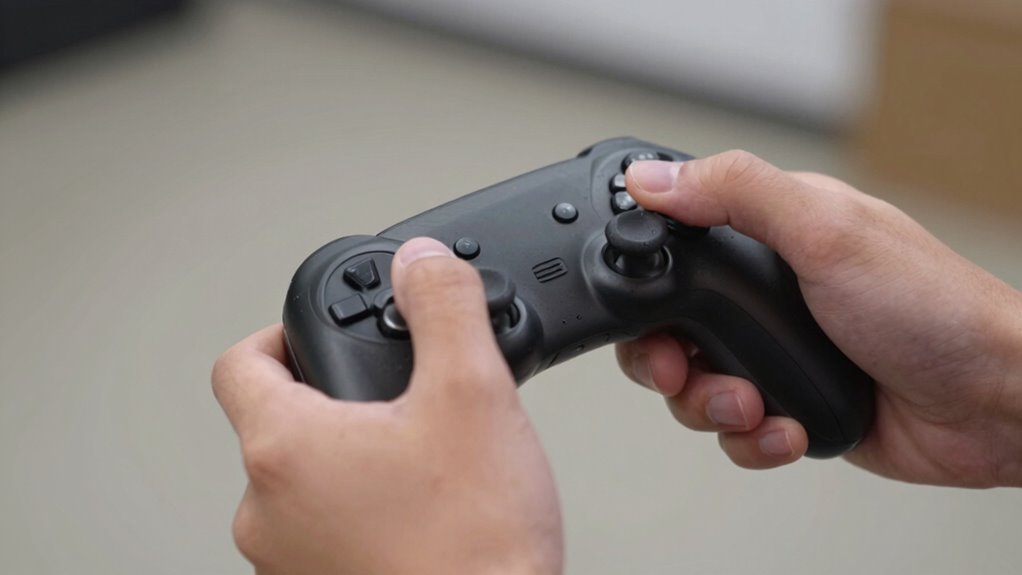
Controller offset plays a significant role in this disconnect. Most VR controllers are designed with a certain grip and orientation in mind; however, if the controller’s position or angle isn’t calibrated correctly, your virtual hands won’t match your real ones. For example, if your controller is slightly tilted or shifted in your hand, the system will interpret your movements differently, causing a mismatch between what you do and what you see. This often leads to frustrating experiences where you’re reaching out to grab something, but your virtual hand isn’t aligned correctly, making tasks more difficult and less intuitive.
Haptic feedback also influences how natural your virtual hand feels. When your VR controllers vibrate or pulse in response to interactions, they provide tactile cues that reinforce the illusion of touching or feeling objects. If haptic feedback is weak or inconsistent, you might feel like your interactions lack substance, further disconnecting your virtual hands from your real experience. Strong, precise haptic feedback helps you feel more grounded and aware of your virtual environment, reducing the sensation of disconnection.
Additionally, understanding Free Floating technology can help you optimize your setup, as it focuses on improving hand tracking accuracy without relying solely on traditional sensors. When all these elements work together, your virtual hands will feel more natural, aligned, and responsive, making your VR experience more immersive and enjoyable.
As an affiliate, we earn on qualifying purchases.
Frequently Asked Questions
Can Hardware Upgrades Fix My VR Hand Tracking Issues?
Hardware upgrades can improve your VR hand tracking if they address hardware compatibility issues or enhance sensor quality. However, they might not fix problems caused by software calibration errors. Make sure your controllers are properly calibrated in the software settings, and check for updates. Sometimes, simply recalibrating or updating your current hardware can resolve tracking issues without needing an upgrade.
How Does Room Lighting Affect VR Hand Perception?
Lighting effects in your room can substantially influence your VR hand perception. Poor or uneven lighting causes perception shifts, making it harder for sensors to accurately track your movements. Bright, consistent illumination ensures better tracking, so your hand movements feel more natural and precise. Avoid shadows and glare, as they can interfere with sensor accuracy, leading to a disconnect between your real hands and their virtual counterparts.
Are There Software Settings to Customize Hand Alignment?
Perfectly position your palms with precise controller calibration and customizable settings in your hand tracking software. Many VR systems let you tweak grip angles and offset adjustments to align virtual hands with your real ones. Explore your device’s settings menu, adjust the calibration sliders, and fine-tune the hand alignment. By personalizing these parameters, you’ll improve immersion and eliminate that unsettling sense of disconnection in your virtual experience.
Will Replacing Controllers Improve Grip Accuracy?
Replacing controllers can improve grip accuracy, especially if your current ones have outdated controller calibration or poor grip ergonomics. New controllers often come with better sensors and improved design, helping your hands feel more natural and precise. Upgrading guarantees your controllers align better with your movements, reducing discomfort and mismatch issues. Just make sure to check if the new controllers support proper calibration and ergonomic features to maximize your VR experience.
Do Different VR Headsets Experience Hand Offset Differently?
Just like a tailor adjusts a suit, your VR headset’s hand calibration varies with different device designs. Each headset’s controller design influences how your hands offset in virtual space, causing differences in experience. Some headsets offer more precise tracking, while others need fine-tuning. So, expect hand offset to differ across devices, and always customize your controller settings for the most natural feel, enhancing your immersion and accuracy.
VR hand tracking calibration kit
As an affiliate, we earn on qualifying purchases.
As an affiliate, we earn on qualifying purchases.
Conclusion
So, next time your VR hands feel a little off, remember it’s often just a simple adjustment away. Have you tried tweaking your controller settings or recalibrating your grip angles? Don’t settle for awkward or frustrating experiences—small fixes can make a huge difference. After all, shouldn’t your virtual hands feel just as natural as your real ones? Jump into those settings and get back to immersive, seamless VR adventures.
As an affiliate, we earn on qualifying purchases.
VR controller grip angle adjustment
As an affiliate, we earn on qualifying purchases.
As an affiliate, we earn on qualifying purchases.
Fall Picks
fall essentials
As an affiliate, we earn on qualifying purchases.