
To create a fair VR turn schedule for your family, start by discussing its purpose and involving everyone in designing the plan. Consider each person’s age, interests, and responsibilities to assign appropriate time slots, including breaks for safety. Use simple charts or digital calendars for clarity, and keep open communication to make adjustments as needed. A well-planned schedule promotes balanced use and respect—keep exploring for more tips on making it work smoothly.
Key Takeaways
- Involve all family members in designing the schedule to ensure fairness and buy-in.
- Create a clear, flexible timetable that accounts for individual needs and special occasions.
- Assign appropriate session lengths based on age and responsibilities, with supervision for younger kids.
- Use visual charts or digital calendars to display the schedule clearly and keep everyone informed.
- Regularly review and adjust the schedule to accommodate changing routines and ensure equitable access.
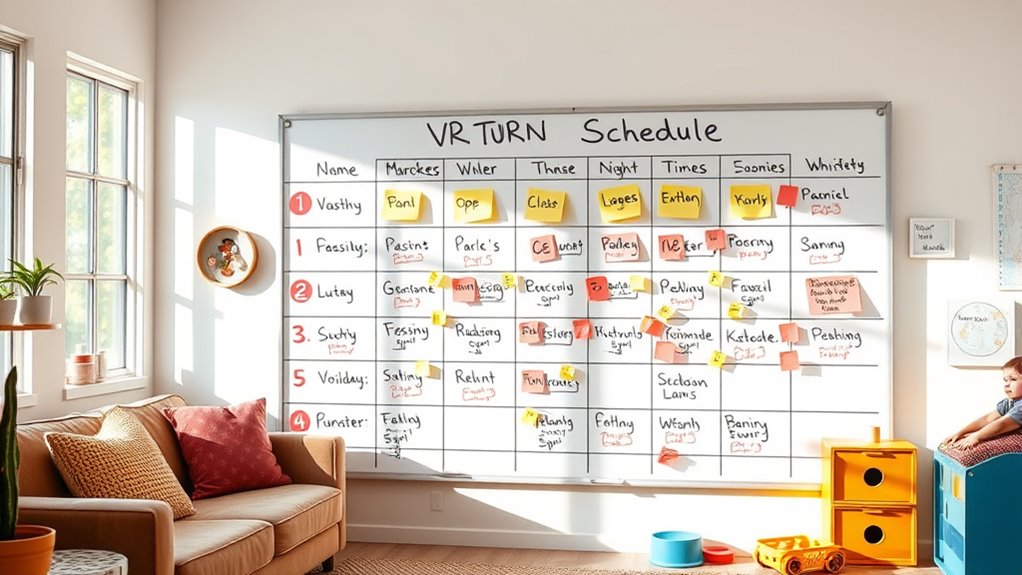
Balancing family members’ access to virtual reality can be challenging, but creating a turn schedule makes it manageable. When everyone has a fair shot at VR, it helps prevent conflicts and ensures that each person’s interests are respected. To do this effectively, you need to prioritize VR safety and maintain open family communication. Setting clear rules and expectations around VR use helps keep everyone safe and informed, reducing potential miscommunications or accidents.
Start by sitting down with your family to discuss the importance of sharing VR equipment fairly. Explain that a turn schedule isn’t about limiting fun, but about making sure everyone gets time to enjoy the experience without feeling left out. Make it a collaborative effort, so everyone’s voice is heard. This way, your family feels involved in the process, which encourages cooperation and understanding. You can draft a simple timetable that assigns specific time slots for each person, whether daily or weekly. Be flexible, especially for special occasions or urgent needs, so the schedule doesn’t feel too rigid or unfair.
When creating your VR turn schedule, consider each family member’s age, responsibilities, and interests. Younger kids might need shorter, supervised sessions, while teens or adults could have longer or more frequent turns. Incorporate breaks into the schedule to prevent eye strain and physical discomfort, and remind everyone about VR safety measures like taking regular pauses, adjusting fit properly, and avoiding prolonged use. This will help prevent discomfort or health issues and foster a culture of safety within your family. Additionally, understanding projector contrast ratio and its impact on visual clarity can be useful if you are integrating VR with other media setups at home.
Communication is key. Keep the lines open so family members can express concerns or request additional time when needed. If someone feels they aren’t getting enough turns, discuss adjustments together. This ongoing family communication ensures everyone understands the schedule’s purpose and feels heard. Use a visible chart or digital calendar so everyone can see their assigned times, reducing misunderstandings and disputes. Regularly review and update the schedule as needed, especially if new devices or family members join or interests change.
Ultimately, a well-structured VR turn schedule supports a balanced approach to technology use. It encourages responsible VR safety practices and promotes respectful family communication. When everyone knows what to expect and feels involved in the process, sharing VR becomes a positive experience rather than a source of conflict. By establishing clear rules and maintaining open dialogue, you ensure that VR remains a fun, safe, and fair activity for the entire family.
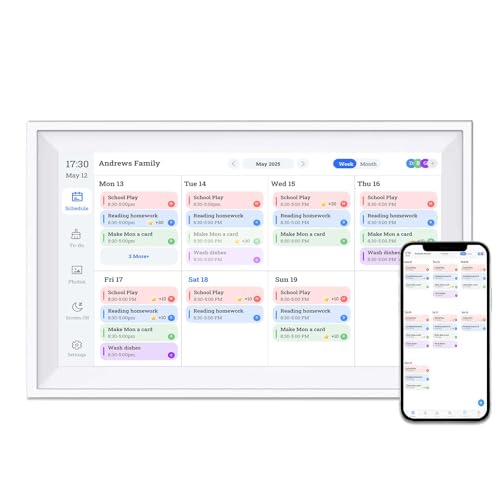
10.1 Inch Smart Digital Calendar Chore Chart with Touchscreen – Interactive Display for Family Schedules, Great for Organizing Your Calendar to-Do List & Meal Planner, Digital Picture Frame
All-ln-One Smart Family Calendar: TROCOTN 10.1” touchscreen family planner – a digital calendar and chore chart built for…
As an affiliate, we earn on qualifying purchases.
As an affiliate, we earn on qualifying purchases.
Frequently Asked Questions
How Do I Handle Last-Minute Schedule Changes?
When last-minute schedule changes happen, stay flexible and communicate clearly. Let families know as soon as possible, explaining the reasons for the change. Use open communication strategies like phone calls, texts, or emails to keep everyone informed. Be understanding and offer alternative times if needed. This approach helps maintain fairness and minimizes frustration, ensuring your VR turn schedule stays smooth despite unexpected adjustments.
What if Someone Refuses to Follow the Schedule?
Sometimes, you might encounter someone hesitant to follow the schedule. Instead of confrontation, focus on consensus building by listening to their concerns. Use flexibility strategies to adjust the schedule gently, showing you’re open to compromise. This approach encourages cooperation and helps everyone feel heard. Remain patient and understanding, emphasizing fairness and shared enjoyment, which often leads to better adherence without conflict.
How Can I Include Younger Children in the Schedule?
You can include younger children by tailoring the schedule for their age-appropriate activities and encouraging their participation. Assign shorter VR sessions suited to their attention spans and let them choose fun, simple experiences. Make sure to clarify the rules clearly and involve them in planning so they feel engaged. This approach fosters child participation and ensures everyone enjoys the VR experience fairly.
What Tools Are Best for Scheduling and Tracking?
Think of scheduling tools as your family’s traffic cop. Digital calendars like Google Calendar are great for real-time updates, setting reminders, and syncing everyone’s devices. Shared spreadsheets, like Excel or Google Sheets, give you a customizable, transparent view of each person’s turn. Both tools keep the schedule clear and accessible, helping everyone stay on track and ensuring fair VR turn rotations without chaos.
How Do I Resolve Conflicts Over VR Time?
When conflicts over virtual reality time happen, communicate openly and calmly about family boundaries. You should listen to everyone’s concerns and set clear limits on VR usage, ensuring fair access. Reinforce the importance of respecting each other’s turns and boundaries. Use your schedule as a reference, and be flexible when needed. Consistent enforcement helps prevent conflicts and keeps family VR time enjoyable for everyone.

WOUNMTT Head Strap for Oculus Meta Quest 3/3S/Quest 2 – One-Click Release VR Headset Strap with Adjustable Dial, Universal Quick-Conversion Design for Quest 2, Comfort Fit VR Accessories
PATENTED ONE-CLICK RELEASE FOR FAST ADJUSTMENT: Designed with a patented one-button release system, simply press the marked circular…
As an affiliate, we earn on qualifying purchases.
As an affiliate, we earn on qualifying purchases.
Conclusion
By setting up a fair VR turn schedule, you guarantee everyone in your family gets equal screen time and enjoyment. Remember, a recent study shows that families who share tech experiences together report 30% higher satisfaction and stronger bonds. So, take charge, create that schedule, and watch your family grow closer through balanced VR adventures. With a little planning, everyone gets their turn to explore and have fun—making your virtual family time truly memorable.

Dragon Touch 15.6" Digital Calendar Chore Chart – 1080P Full HD Interactive Touchscreen, Smart Family Planner, Hearth Display Digital Calendar Wall & Desk Mountable for Seamless Scheduling
【All-In-One Smart Family Calendar】: Dragon Touch digital frame effortlessly organizes and tracks every family schedule with the crystal-clear…
As an affiliate, we earn on qualifying purchases.
As an affiliate, we earn on qualifying purchases.

3D VR Headset, Virtual Reality 3D VR Glasses, Anti-Blue Light Adjustable 3D Headset Helmets for iPhone or Android Compatible with 4.5” to 6.7” inch with Controller(Black)
👀 [Remote Controller] Our virtual reality headset provide a control that connected to the phone, then you can…
As an affiliate, we earn on qualifying purchases.
As an affiliate, we earn on qualifying purchases.