Higher VR bitrate seems better because it can improve visual and audio quality. However, increasing data transfer puts more strain on your headset’s hardware, which can lead to overheating, noise, lag, and even system crashes. These issues reduce comfort and immersion instead of enhancing it. Finding the right balance for your device’s capabilities is key. To discover how to optimize your VR experience without overloading your system, keep exploring these essential details.

Get VR and gaming gear delivered free — and shop member deals
- Fast, free delivery on millions of items
- Access to Prime Big Deal Days deals on October 6–7
- Prime Video, Amazon Music and more included
Key Takeaways
- Higher VR bitrates increase processing demands, potentially leading to overheating, louder fans, and hardware lag.
- Excessive data transfer can cause visual stuttering and frame drops, reducing immersion more than improving clarity.
- Elevated bitrates improve audio quality but may overload system resources, causing audio lag or dropouts.
- Optimal VR experience depends on balancing bitrate with hardware capabilities to prevent discomfort and performance issues.
- Overestimating benefits of higher bitrates can degrade overall quality, highlighting the need for tailored, hardware-compatible settings.
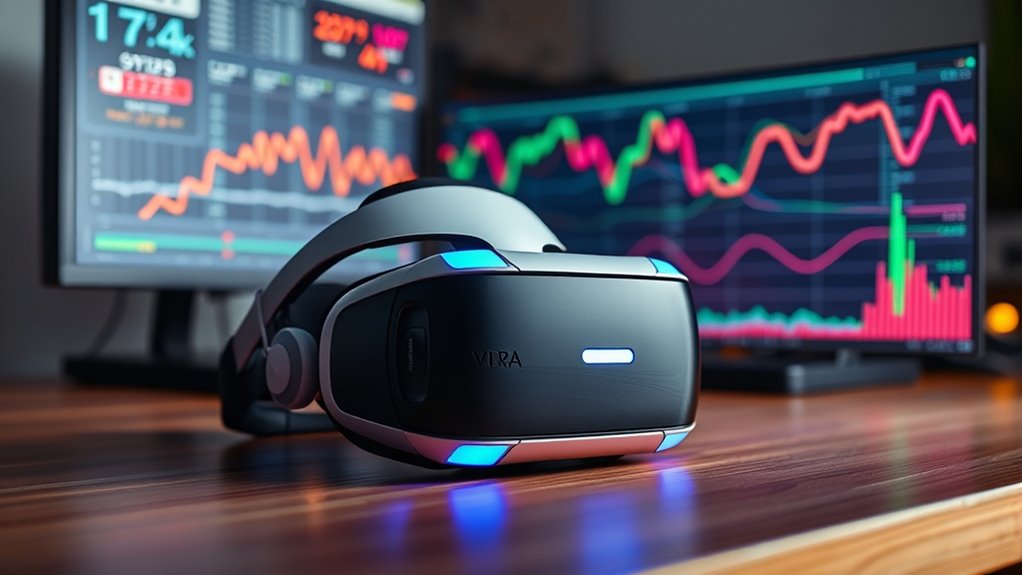
Have you ever wondered how the quality of your virtual reality experience is affected by data transfer? When you put on your VR headset, you might think that higher bitrates automatically mean better visuals and sound. But that’s not always the case. In fact, setting your VR bitrate too high can create issues that diminish your overall experience. To truly understand this, you need to consider how data transfer influences not just the clarity of images and audio but also your comfort and immersion.
One essential aspect often overlooked is VR headset comfort. When your device is streaming data at excessively high bitrates, it can lead to increased processing demands on your hardware. This extra strain may cause your headset to heat up more quickly or run louder fans, which can become uncomfortable over time. Additionally, high data rates can introduce lag or latency, making movements feel less natural and more jarring. This discomfort can pull you out of the immersive experience, reducing the sense of presence that VR aims to deliver. It’s important to strike a balance where your headset runs smoothly without overheating or causing physical discomfort.
Immersive audio experiences also play a key role in your overall VR encounter. Higher bitrates can improve sound quality, making voices clearer and environmental sounds richer. However, if your system struggles to process these higher data rates efficiently, you might experience audio lag or dropouts. This disconnect can break the feeling of immersion, especially when audio cues are crucial for gameplay or exploration. The key is to find a bitrate that maintains high-quality audio without overloading your system, ensuring that your immersive audio experiences remain seamless and natural.
Moreover, increasing the bitrate doesn’t always lead to a noticeably better visual or auditory experience, especially if your hardware isn’t capable of handling the data smoothly. Excessively high bitrates can cause stuttering or frame drops, which are detrimental to immersion. These issues often outweigh the benefits of slightly sharper images or crisper sound. Instead of simply pushing for higher bitrates, focus on optimizing your system settings to match your hardware’s capabilities. This way, you can enjoy a comfortable, immersive experience without sacrificing performance.
Furthermore, understanding the balance between data transfer and hardware limitations is crucial for optimizing VR performance and comfort.
As an affiliate, we earn on qualifying purchases.
Frequently Asked Questions
How Does VR Bitrate Impact User Comfort During Extended Sessions?
Your VR bitrate directly affects your comfort during extended sessions. Higher bitrates can improve visual clarity but may cause increased visual fatigue if your hardware struggles to process the data smoothly. This fatigue can shorten your session duration as your eyes and brain tire faster. Conversely, a balanced bitrate guarantees smoother visuals, reducing fatigue and allowing you to enjoy longer, more comfortable VR experiences without sacrificing quality.
What Factors Influence Optimal VR Bitrate Settings for Different Headsets?
You should consider hardware compatibility and network stability when setting your VR bitrate. Different headsets have varying processing power and display capabilities, so ideal settings depend on your device’s specs. Additionally, a stable network ensures smooth data transfer, preventing lag or artifacts. Balancing these factors helps you achieve the best visual quality without sacrificing performance or comfort during extended VR sessions.
Can Adjusting VR Bitrate Improve Visual Clarity Without Increasing Bandwidth?
Adjusting your VR bitrate can improve visual clarity without necessarily increasing bandwidth, but it’s a delicate balance. When you lower the bitrate, you risk introducing compression artifacts that degrade image quality. Conversely, increasing it too much can affect streaming stability. Fine-tuning your settings helps you find a sweet spot where visuals are clearer, and streaming remains smooth, minimizing compression artifacts and ensuring a better VR experience.
How Does Bitrate Variation Affect Latency and Motion Sickness?
Bitrate variation impacts latency and motion sickness like a ripple effect; lower bitrates may cause compression artifacts, leading to visual inconsistencies, while higher bitrates can cause network congestion, increasing latency. This lag disrupts your sense of presence, triggering motion sickness. You feel the disconnect as images lag behind your movements, making the experience uncomfortable. Balancing bitrate guarantees smooth, immersive visuals, minimizing artifacts and congestion, and keeping motion sickness at bay.
Are There Industry Standards for VR Bitrate Across Different Platforms?
You’ll find that industry benchmarks for VR bitrate vary across different platforms, reflecting platform differences in hardware and content quality. While some standards exist, such as Oculus and Vive recommending specific bitrate ranges, these aren’t strict rules. Instead, manufacturers optimize their recommendations to balance quality and performance. So, it’s essential to evaluate platform-specific guidelines and user experience goals when appraising VR bitrate standards.
As an affiliate, we earn on qualifying purchases.
Conclusion
So, remember, in the world of VR, higher isn’t always better—think of bitrate as a delicate dance, where too much can cause the rhythm to stumble. Finding the sweet spot keeps your experience smooth and immersive, like a well-tuned instrument. Balance is key; too little and it’s blurry, too much and it’s chaos. Embrace the harmony, and your virtual journey will flow seamlessly, like a gentle river winding through a vivid landscape.
As an affiliate, we earn on qualifying purchases.
VR performance optimization tools
As an affiliate, we earn on qualifying purchases.
As an affiliate, we earn on qualifying purchases.
Halloween Picks
halloween
As an affiliate, we earn on qualifying purchases.