Thin gaming laptops often struggle during long VR sessions because their small size limits battery capacity, causing quick power drain. Their slim designs also make effective cooling difficult, which can lead to overheating and thermal throttling. As a result, performance drops, lag increases, and immersion is interrupted. If you want to understand how these issues affect your gaming experience and what solutions exist, keep exploring the details behind these challenges.
Key Takeaways
- Limited battery capacity in slim laptops leads to rapid power drain during intensive VR use.
- High power consumption from VR applications causes quick battery depletion, reducing unplugged gaming time.
- Compact designs hinder effective heat dissipation, risking overheating and thermal throttling during long sessions.
- Overheating from high-performance components can cause system slowdown and instability in thin laptops.
- Cooling solutions in slim devices are less effective, impacting sustained performance and user comfort during extended VR play.
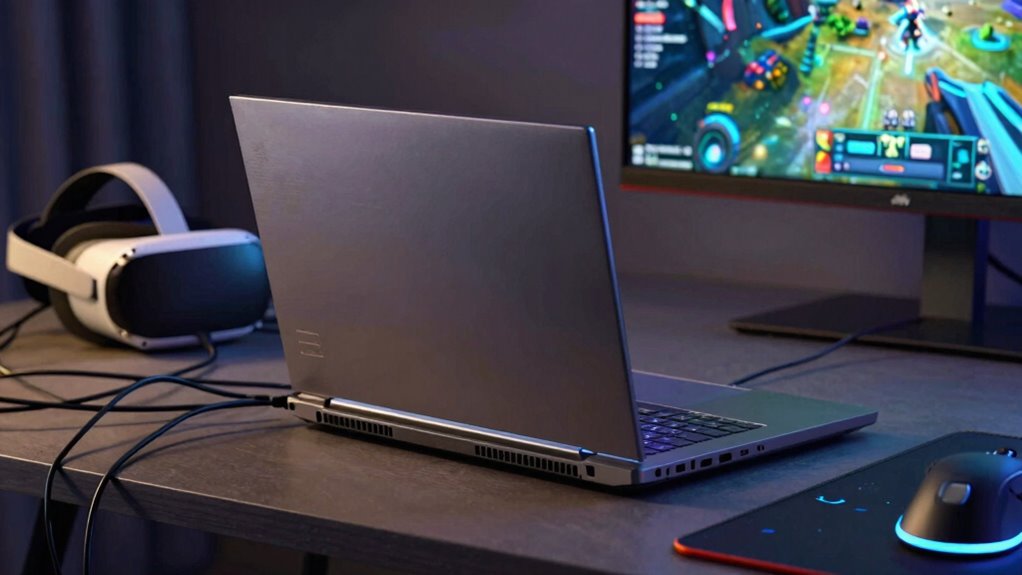
As gaming technology advances, thin gaming laptops have become increasingly popular for long VR sessions, offering a portable yet powerful experience. However, despite their sleek design and impressive specs, these laptops often face challenges when used for extended virtual reality gameplay. Two major issues you might encounter are battery life and heat management, which can significantly impact your immersive experience.
Battery life is a primary concern because VR gaming demands a lot of power. Thin laptops typically have smaller batteries to maintain their slim profile, which means they drain quickly when running demanding applications like VR. As you dive into longer sessions, you might find yourself constantly tethered to a power outlet or having to pause frequently to recharge. This limitation can interrupt immersion and reduce the overall enjoyment of your VR experience. While some models claim to offer decent battery life, real-world usage often falls short, especially during intensive tasks. This can be frustrating if you prefer to game unplugged or want to move freely without worrying about running out of juice. Additionally, battery capacity in thin laptops is often limited due to design constraints, further reducing their endurance during demanding gaming sessions. The power consumption of high-end VR applications can further exacerbate this issue, making it even harder to enjoy extended sessions unplugged.
Thin gaming laptops often struggle with battery life during intense VR sessions, limiting mobility and immersion.
Heat management is another critical factor that affects performance during extended VR use. Thin laptops pack high-performance components into tight spaces, which makes heat dissipation a real challenge. When you engage in VR, your laptop’s GPU and CPU work at full capacity, generating substantial heat. Without effective cooling, these components can overheat, leading to thermal throttling where the system reduces performance to prevent damage. This slowdown can cause lag, stuttering, or even crashes, ruining your immersive experience. Additionally, excessive heat can make the laptop uncomfortable to hold or use on your lap, further limiting your ability to enjoy long gaming sessions comfortably. Furthermore, heat dissipation is often less effective in ultra-slim devices, exacerbating these issues. Some manufacturers have implemented advanced cooling systems, but they often add weight or complexity to the device, which can counteract the benefits of a slim design. Over time, persistent heat issues may also impact the overall lifespan of the device’s internal components.

18.5" 100Hz Wireless Portable Monitor with Rechargeable 10000mAh Battery
- Wireless Screen Casting: Supports AirPlay and Miracast for instant display sharing
- Universal Compatibility: Works with iPhone, iPad, Android, MacBook, Windows
- Long-lasting Battery: 10000mAh battery offers 3-4 hours of wireless use
As an affiliate, we earn on qualifying purchases.
As an affiliate, we earn on qualifying purchases.
Frequently Asked Questions
Can Software Optimizations Improve VR Performance on Thin Gaming Laptops?
Yes, software optimization can improve VR performance on thin gaming laptops by streamlining processes and reducing unnecessary workload, allowing your system to run smoother. However, hardware upgrades like better GPUs or more RAM will have a more significant impact. Combining software optimization with hardware upgrades helps maximize your VR experience, ensuring less lag, higher frame rates, and more comfort during long sessions.
How Does VR Headset Weight Affect Long Gaming Sessions?
The weight of your VR headset considerably impacts your comfort during long gaming sessions. If the headset’s weight distribution isn’t well-balanced, you’ll likely experience fatigue and discomfort sooner. Good VR headset ergonomics ensure the weight is evenly spread across your head, reducing strain on your neck and face. Choosing a headset with ideal weight and balanced design helps you stay comfortable longer, so you can enjoy extended VR gaming without unnecessary discomfort.
Are External Cooling Solutions Effective for Long VR Use?
External cooling solutions like external fans and cooling pads can be quite effective during long VR sessions. They help dissipate heat away from your laptop, preventing overheating and maintaining ideal performance. By improving airflow, these cooling aids reduce thermal throttling, ensuring smoother gameplay. Just make sure to position the external fans properly and choose a cooling pad with good ventilation to maximize their benefits and keep your gaming experience uninterrupted.
What Are the Safety Concerns With Prolonged VR Sessions?
You should watch out for safety concerns during long VR sessions, as they can lead to VR motion sickness and eye strain. Sitting too long or moving aggressively can make you dizzy or disoriented, like losing your footing. To stay safe, take regular breaks, adjust the headset properly, and stay aware of your body’s signals. Remember, even the best can stumble if they push too hard without caution.
How Does Battery Life Impact VR Gaming on Thin Laptops?
Battery life considerably impacts your VR gaming experience on thin laptops. Limited battery capacity means you’ll often need to stay plugged in, which can restrict movement and immersion. Effective power management becomes essential to maximize gameplay time, but thin laptops usually have less room for large batteries, leading to quicker drain during intensive VR sessions. As a result, you might face interruptions or reduced performance, hindering your overall VR experience.

havit HV-F2056 15.6"-17" Laptop Cooler Cooling Pad – Slim Portable USB Powered (3 Fans), Black/Blue
- Ultra-Portable Design: Slim, lightweight, easy to carry
- Ergonomic Stand: Adjustable height for comfort
- Stable Metal Mesh: Provides a secure laptop surface
As an affiliate, we earn on qualifying purchases.
As an affiliate, we earn on qualifying purchases.
Conclusion
Thin gaming laptops might seem sleek and tempting, but they’re like a delicate flower trying to survive a storm—elegant yet vulnerable. During long VR sessions, their limited cooling and power can cause overheating and performance dips, making your immersive experience less than perfect. If you want to enjoy VR adventures without hitting a wall, consider sturdier options. After all, in the world of gaming, a little extra heft can mean a lot more endurance.

Kootek Laptop Cooling Pad Cooler Stand with 5 Quiet Fans for 12"-17" Laptop
- Quiet Operation: Whisper-quiet fans for noise-free use
- Enhanced Cooling: 5 fans with adjustable control and LED lights
- Dual USB Hub: Connects additional USB devices
As an affiliate, we earn on qualifying purchases.
As an affiliate, we earn on qualifying purchases.
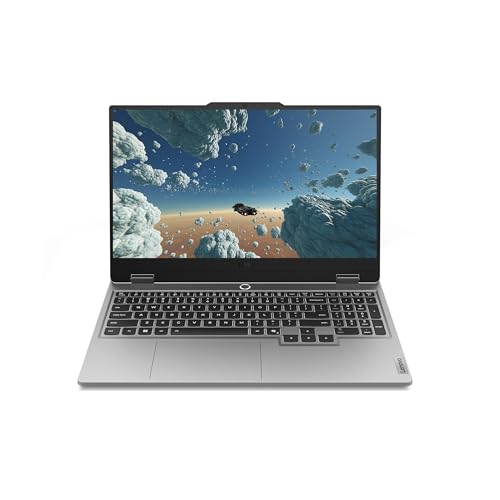
Lenovo Legion LOQ AI-Powered Gaming Laptop – Intel Core i7-13650HX, 15.6" FHD IPS 144Hz Display, GeForce RTX 5050, 16GB Memory, 1TB Storage, G-Sync, Luna Grey
- Gaming Performance: AI-powered, high frame rate gaming
- Processor: Intel Core i7-13650HX
- Display: 15.6-inch FHD IPS, 144Hz
As an affiliate, we earn on qualifying purchases.
As an affiliate, we earn on qualifying purchases.