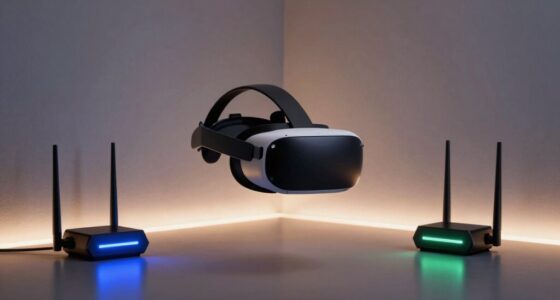

In VR builds, airflow matters more because your components generate intense heat during extended use, risking overheating and performance drops. Proper airflow keeps your CPU and GPU cool, prevents thermal throttling, and maintains smooth, immersive experiences. Poor airflow causes noisy fans and hot spots, increasing wear on parts over time. To keep your system reliable and long-lasting, optimizing airflow is essential. Keep going to discover how to set up your VR build for peak cooling and performance.
Listen free for 30 days with Audible
Thousands of audiobooks and originals — cancel anytime.
As an affiliate, we earn on qualifying purchases.
Key Takeaways
- VR components generate more heat during extended use, requiring superior airflow to prevent overheating.
- Precise airflow management ensures consistent performance crucial for immersive VR experiences.
- Overheating in VR rigs can cause thermal throttling, impacting visual quality and responsiveness.
- VR setups often have tighter internal spaces, making proper airflow vital to avoid hotspots.
- Longer VR sessions amplify the need for efficient cooling to protect hardware longevity and stability.

Proper airflow is essential for maintaining ideal temperatures and guaranteeing your VR build runs smoothly during extended gaming or development sessions. Unlike standard gaming rigs, VR systems generate more heat due to the intense processing loads and the need for high-performance components working simultaneously. When airflow isn’t optimized, your system can overheat, causing thermal throttling that reduces performance and leads to lag or crashes. Good airflow improves cooling efficiency, helping your components stay within safe temperature ranges, which is critical for VR because overheating can cause sudden shutdowns or damage over time.
Proper airflow keeps VR systems cool, stable, and ready for extended immersive gaming or development sessions.
In VR builds, noise reduction becomes a key factor. High-quality cooling solutions often involve multiple fans, which can become noisy if not properly managed. Poor airflow design might force fans to work harder, increasing noise levels and creating an unpleasant gaming or development environment. When you prioritize proper airflow, you can choose quieter fans and optimize their placement, reducing overall noise while maintaining effective cooling. This balance ensures you won’t be distracted by fan noise during immersive VR experiences or long sessions of development work.
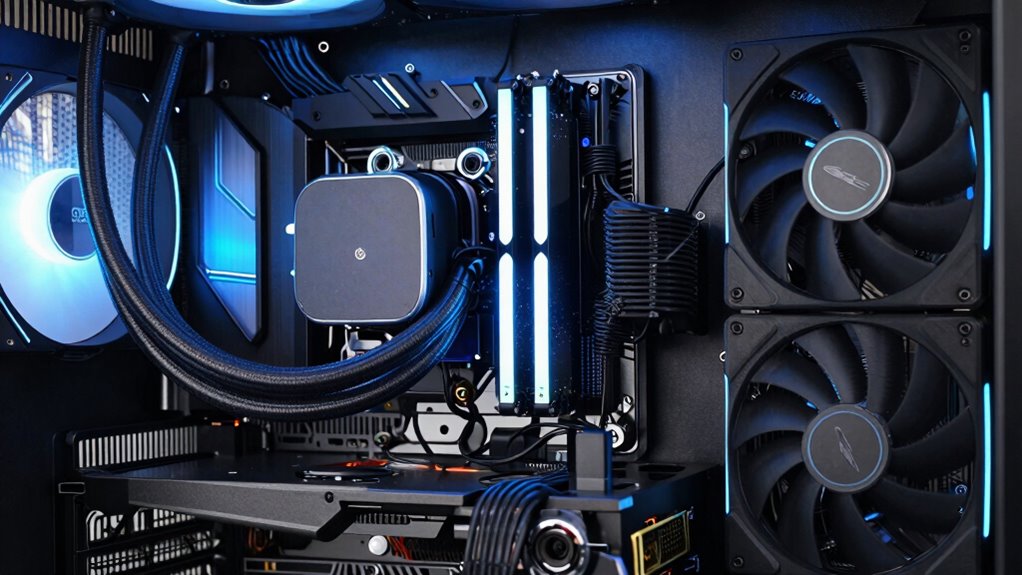
You also need to think about how airflow affects the placement of components inside your case. Properly directed airflow—intake at the front and bottom, exhaust at the rear and top—creates a steady, unidirectional flow that keeps hot air moving out efficiently. This setup minimizes hot spots around your GPU and CPU, which are the primary heat producers in a VR build. Good airflow prevents heat buildup that can compromise cooling efficiency and cause thermal stress on your components. When airflow is well-planned, your VR system maintains consistent performance, and you avoid the risk of thermal throttling, which can be particularly disruptive during demanding VR sessions. Additionally, ventilation design plays a crucial role in maintaining these optimal conditions, ensuring your VR setup remains reliable for extended use. Proper airflow management can also extend the lifespan of your components by reducing overall heat exposure.
Furthermore, airflow management extends beyond just adding more fans. It’s about strategic placement and ensuring unobstructed pathways for air to flow freely. Cable management, case size, and fan filters all influence cooling efficiency and noise reduction. A clean, organized interior allows air to circulate more smoothly, preventing hotspots and reducing the workload on your fans. When your airflow is optimized, your VR build remains cool without excessive noise, delivering a more comfortable, immersive experience. Proper airflow isn’t just about keeping your components cool—it’s about enhancing overall system stability, longevity, and your enjoyment of VR gaming or development. Additionally, system sustainability can be improved through efficient airflow, reducing energy consumption and prolonging component lifespan.
As an affiliate, we earn on qualifying purchases.
Frequently Asked Questions
How Often Should I Clean My VR Build’s Airflow Components?
You should clean your VR build’s airflow components every 1-2 months to prevent dust accumulation, which can cause overheating and reduce performance. Regular cleaning also helps minimize fan noise caused by dust buildup on the fans and filters. Use compressed air or a soft brush to gently remove dust from vents, fans, and filters. Consistent maintenance guarantees ideal airflow, keeps your system cool, and guarantees a smooth VR experience.
Can Poor Airflow Cause VR Headset Overheating?
Poor airflow can definitely cause your VR headset to overheat. When headset airflow is restricted, VR cooling becomes less effective, leading to increased temperatures inside the device. This overheating can result in discomfort, performance issues, or even hardware damage. To prevent this, make sure your VR build has proper airflow management, keep vents unobstructed, and regularly clean your cooling components. Better airflow keeps your VR headset cool and guarantees ideal VR performance.
What Are the Signs of Inadequate Airflow in a VR Setup?
Like a ship battling stormy seas, you’ll notice signs of inadequate airflow in your VR setup through overheating, sluggish performance, or unexpected shutdowns. You might feel warmth radiating from your headset or see your system throttling. These signs signal poor VR cooling and airflow optimization issues. Address them promptly to prevent damage, ensuring smooth, immersive experiences and extending your hardware’s lifespan. Proper airflow keeps your virtual adventures sailing smoothly.
Does Airflow Impact VR Headset Latency or Performance?
Yes, airflow impacts VR headset latency and performance. Proper VR cooling and airflow optimization help keep your headset cool, preventing overheating that can cause lag or input delays. When airflow is inadequate, components heat up faster, leading to degraded performance and increased latency. By ensuring good airflow, you maintain smooth VR experiences, reduce potential lag, and protect your hardware, making your VR sessions more enjoyable and reliable.
Are Specific Fans Better Suited for VR Build Airflow?
Yes, specific fans can improve your VR build’s airflow. Look for fans with high static pressure for better fan placement and airflow optimization in tight spaces. Position intake fans at the front and exhaust fans at the rear or top to create a balanced airflow pattern. This setup helps keep your components cool, reduces heat buildup, and maintains smooth VR performance, ensuring a more immersive experience without lag or overheating.
high airflow case fans for gaming PC
As an affiliate, we earn on qualifying purchases.
As an affiliate, we earn on qualifying purchases.
Conclusion
So, next time you’re building a VR rig, remember: airflow isn’t just about keeping your components alive; it’s about preserving your sanity while you dodge virtual bullets. Without proper cooling, your high-tech headset might turn into a personal sauna—because nothing says “immersive experience” like sweating through a virtual battlefield. Prioritize airflow, or prepare for a hot mess of overheating and regret. After all, a cool rig keeps your virtual adventures chill—and your brain intact.
As an affiliate, we earn on qualifying purchases.
As an affiliate, we earn on qualifying purchases.
Flea & tick season Picks
flea and tick prevention
As an affiliate, we earn on qualifying purchases.