
TL;DR

Play games on Amazon Luna for your next adventure, included with Prime
- A rotating selection of games, no download needed
- Play on TV, laptop or phone
- Fast, free delivery for your gear, too
Google has started rolling out “Notify when left behind” for Bluetooth trackers connected to Android’s Find Hub. When enabled, the feature is designed to alert users after they move away from a tracked item; current reporting says support appears limited to Bluetooth trackers.
Google is rolling out “Notify when left behind”, a new setting for Bluetooth trackers connected to Android’s Find Hub that can alert users when they move away from a tracked item. The feature is intended to help people catch situations such as leaving a wallet, keys or bag behind, though its availability may vary during the rollout.
As reported by Android Central, the setting has begun appearing for Find Hub Bluetooth trackers. Users can open the Find Hub app, select a tracker and look for “Notify when left behind” in that tracker’s settings. Once switched on, the app is intended to send a notification when the user moves away from the item carrying that tracker.
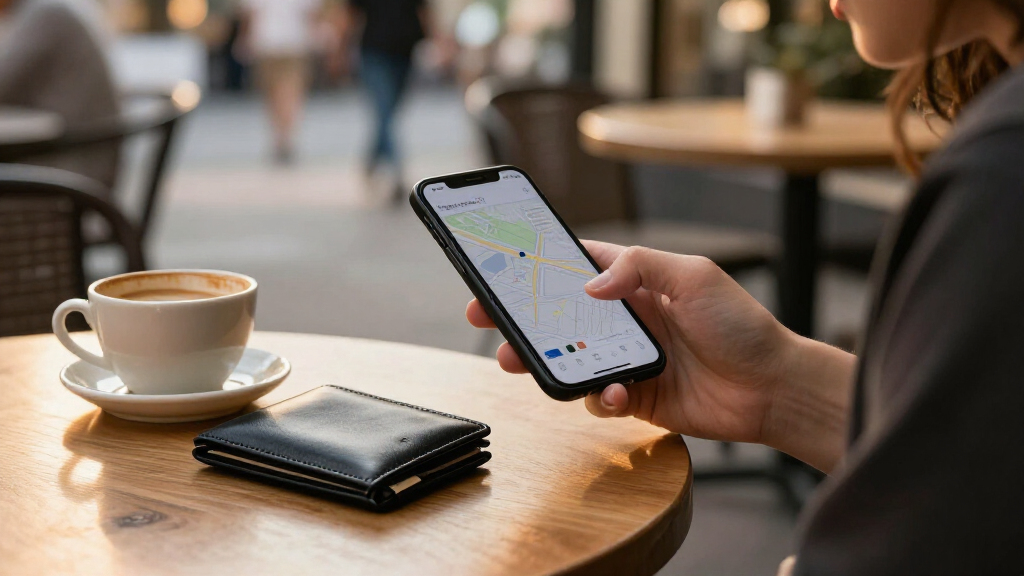
The practical example is a Bluetooth card tracker in a wallet: if someone leaves the wallet at a location and walks away, the alert could give them a chance to notice before getting far away. The same idea applies to a tracker attached to keys or a bag. The feature is an alert tied to an individual tracker, rather than a general reminder that checks every item a user owns.
Android Central’s report says the option currently appears to apply to Bluetooth trackers, not other tracked device categories such as headphones. Google has not been reported as announcing broader compatibility. The feature’s rollout timing, geographic reach and supported tracker models have not been specified in the available details.
A new safety net for wallets and keys
“Notify when left behind” is rolling out for Bluetooth trackers in Android’s Find Hub. It can alert you when you move away from a tracked item.
How the alert works
The setting is tied to an individual tracker, helping you notice a separation before an item gets far away.
Open Find Hub and choose a Bluetooth tracker.
Look for “Notify when left behind.”
If available and switched on, it is designed to notify you when you move away from the tracked item.
Where it may help
A tracker in an everyday item can give you a chance to turn back sooner.
Catch a forgotten wallet
An alert could prompt you after you leave a wallet behind.
Notice missing keys
The same idea applies to keys carrying a connected tracker.
Keep tabs on a bag
A tracked bag may trigger an alert when you move away.
What support is confirmed
Current reporting describes a rollout with limited details on availability and compatibility.
- Support appears limited to Bluetooth trackers.
- Moto Tag and Chipolo trackers are among products in Find Hub’s tracker ecosystem.
- Headphone support and broader device compatibility.
- Availability by country, Android version or tracker model.
- Alert distance, excluded locations and handling of temporary separations.
A preventive layer for Find Hub
The feature could help users notice a tracked item is being left behind instead of relying only on searching after it goes missing.
| For readers | For businesses |
|---|---|
| Check each tracker’s settings; the option may not have arrived yet. | Tracker support and rollout details remain open, so availability should not be assumed. |
| An alert may help you turn back, but it does not guarantee recovery or a timely notification. | Broader compatibility has not been announced in the reported details. |
A New Safety Net for Tracked Items
Left-behind alerts address a gap between locating an item after it goes missing and noticing that it is being left behind. A tracker can help users search for belongings, but an alert may prompt them to turn around sooner, before the item is far away or difficult to recover. That makes the addition particularly relevant for everyday belongings such as wallets and keys, which can be easy to set down and forget.
The benefit depends on the item having a compatible Bluetooth tracker, and on the feature being available and enabled. It is not a guarantee that a lost wallet will be recovered or that every separation will trigger a timely alert. Still, the setting adds a preventive layer to Find Hub: rather than relying only on users opening the app to search, it can notify them when they appear to have left a tracked item behind.
For Android users who already own a supported tracker, the setting could add value without changing how they attach or carry it. But because the rollout and device support are not fully detailed, users should check the tracker’s settings instead of assuming the option is available for every product.
Products Worth Considering

Bose SoundLink Flex Bluetooth Speaker (2nd Gen), Black

Bose SoundLink Plus Portable Bluetooth Speaker, Black

Anker SOLIX S2000 Portable Power Station, 2,010Wh, 1,500W
As an affiliate, we earn on qualifying purchases.
Find Hub’s Expanding Tracker Role
Google revamped Android’s Find Hub last year, bringing device, Bluetooth tracker and people-location functions together in one interface, according to Android Central. The service has since been joined by new tracker products, including Moto Tag and Chipolo trackers, as the Android tracker market has developed.
The new alert brings a function Android Central describes as similar to one Apple has offered through its Find My network for years. That comparison is limited to the general left-behind alert concept; the report does not establish that the two services behave identically or support the same devices. For Android users, the change is the arrival of a preventive alert within Find Hub’s tracker settings.
““Notify when left behind””
— Android Central
Rollout and Device Support Remain Open
The report does not specify which countries, Android versions or tracker models have access to the setting, or how quickly the rollout will reach users. It also does not detail how far a user must move from a tracker before an alert is sent, whether users can set excluded locations, or how the feature handles temporary separations.
Support for headphones and other device categories is not confirmed. Android Central says the feature appears limited to Bluetooth trackers for now and notes that Google could expand it in the future, but no such expansion has been announced in the reported details. Users may need to check the settings for each tracker to see whether the option has arrived.
Check for the Setting in Find Hub
Android users can open Find Hub, select a Bluetooth tracker and check its settings for “Notify when left behind.” If the option is present, they can enable it for that tracker. If it is absent, the feature may not yet have reached their account or device; the report gives no firm schedule for wider availability.
Any expansion to more device types, additional tracker compatibility details or a fuller rollout announcement would clarify how broadly the alerts can be used. Until Google provides those details, the confirmed development is the start of a rollout for Bluetooth trackers, not a guarantee that every Find Hub user can use the feature now.
Source: Android Central
Key Questions
What does Find Hub’s “Notify when left behind” feature do?
It is designed to send an alert when you move away from an item carrying a Bluetooth tracker connected to Find Hub, such as a wallet, keys or bag.
How do I turn on left-behind alerts?
Open the Find Hub app, select the Bluetooth tracker and look for “Notify when left behind” in that tracker’s settings. The option may not have reached every user yet.
Does the feature work with headphones?
Current reporting says the setting appears limited to Bluetooth trackers; support for headphones has not been confirmed.
Is the feature available to all Android users?
Google has started a rollout, but the reported details do not specify availability by region, Android version or tracker model. Check the settings for your tracker to see whether it is available.
Source: Android Central