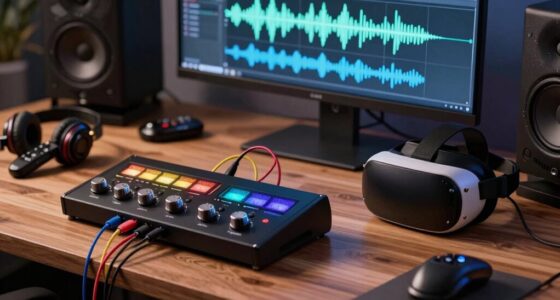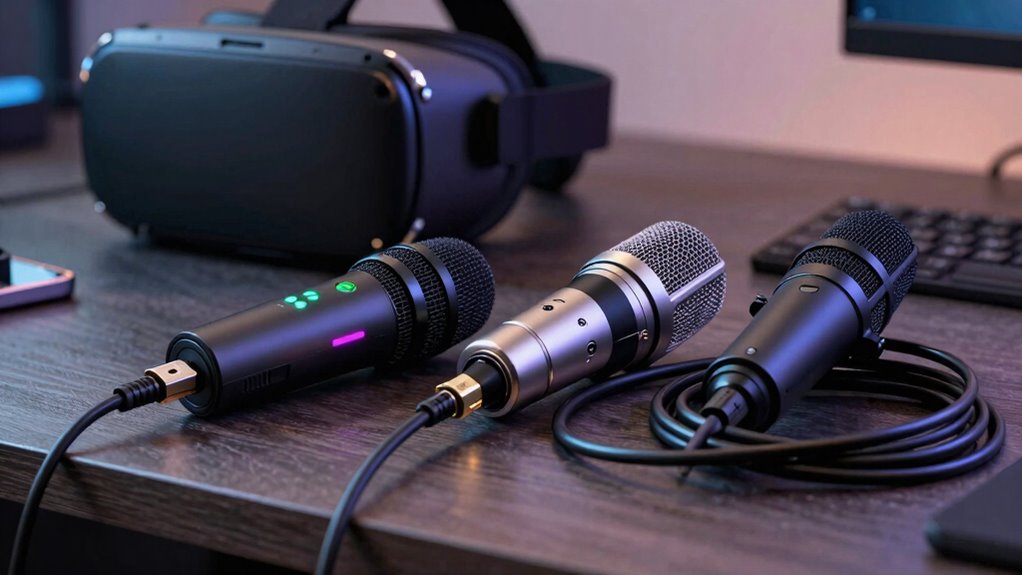

If you’re starting out or want an easy setup, a USB microphone is a great choice because it’s simple, affordable, and works instantly with minimal fuss. For professional-quality sound or future expansion, an XLR mic paired with external gear offers better audio fidelity and long-term reliability. Consider your experience level, budget, and goals, as these factors influence the best option. To make a confident decision, explore more detailed insights tailored for VR streaming.

Play games on Amazon Luna for your next adventure, included with Prime
- A rotating selection of games, no download needed
- Play on TV, laptop or phone
- Fast, free delivery for your gear, too
Key Takeaways
- Consider your budget: USB microphones are more affordable, while XLR setups require additional investment but offer better quality.
- Assess your sound quality needs: For professional-grade audio, XLR provides higher fidelity and noise reduction.
- Evaluate your technical skill and setup complexity: USB is plug-and-play, ideal for beginners; XLR needs extra hardware and knowledge.
- Plan for future upgrades: XLR systems are more scalable and better suited for long-term, high-quality streaming setups.
- Determine your immediacy and convenience priorities: USB offers quick, straightforward setup for immediate streaming needs.

When setting up your VR streaming setup, choosing the right microphone connection can considerably impact your audio quality and ease of use. Deciding between USB and XLR isn’t just about plug types; it’s about how each option influences your overall streaming experience, especially regarding audio clarity and hardware compatibility. If you prioritize simplicity and straightforward setup, a USB microphone might be your best choice. USB mics are designed to connect directly to your computer via a single port, making them incredibly user-friendly. They’re often plug-and-play, so you can start streaming with minimal fuss. This ease of use is a big advantage if you’re new to VR streaming or want to avoid complicated audio setups. Plus, USB microphones tend to be more affordable and portable, fitting easily into most streaming rigs.
However, when it comes to audio quality, USB microphones can sometimes fall short of professional standards. While high-quality USB mics exist, they generally have limitations in terms of sound fidelity and noise reduction compared to XLR setups. If you’re aiming for crystal-clear sound with nuanced audio, especially in a professional or semi-professional environment, XLR might make more sense. XLR microphones usually offer superior audio quality because they’re built to handle higher-end components and deliver cleaner, richer sound. They also provide greater flexibility in terms of sound customization through external audio interfaces, allowing you to fine-tune your audio to match your streaming environment. This hardware compatibility with mixers, preamps, and audio interfaces means you can expand or upgrade your setup over time, ensuring your audio stays exceptional as your needs evolve. Understanding audio quality is crucial when choosing the right setup for your streaming needs. Additionally, sound fidelity plays a key role in creating an immersive and professional VR experience, making the investment in XLR equipment worthwhile for many streamers. Furthermore, hardware durability is often better with XLR microphones, which are built for long-term use and consistent performance. Moreover, considering long-term scalability can help you decide whether to start with a simpler USB setup or invest in more advanced XLR gear from the outset.
To maximize your setup’s potential, it’s important to consider hardware compatibility and how it can support your current and future streaming ambitions. That said, XLR setups come with a steeper learning curve and require additional hardware — namely, an audio interface or mixer. This adds complexity and cost but pays off in the form of enhanced sound quality. If you’re serious about professional-grade audio, investing in XLR equipment is worth considering. Think about your current needs and future goals. For casual streaming or if you’re just starting out, USB provides a straightforward and reliable solution. But if your priority is superior audio and you’re comfortable with a more involved setup, XLR is the way to go. Ultimately, your choice hinges on balancing your desired audio quality with your hardware compatibility and the level of setup complexity you’re ready to handle.
As an affiliate, we earn on qualifying purchases.
Frequently Asked Questions
Can I Use Both USB and XLR Simultaneously for VR Streaming?
Yes, you can use both USB and XLR simultaneously for VR streaming. Doing so can enhance audio signal integrity and equipment flexibility, allowing you to connect different audio sources or mixers. Just make certain your audio interface supports multiple inputs and that your setup manages the signal properly. This approach offers versatility, letting you customize your audio setup for peak sound quality and seamless integration into your VR streaming environment.
How Does Cable Length Affect Audio Quality for USB and XLR?
Longer USB or XLR cables can drastically degrade audio quality, causing massive signal interference and distorted sound. With insufficient cable shielding, interference from nearby electronics can turn your crystal-clear VR experience into a muddy mess. XLR cables are better for longer runs because they’re designed to resist interference, but keep it short and well-shielded regardless. For best audio, limit cable length and choose well-shielded cables to preserve clarity.
Are There Compatibility Issues With Different VR Headsets?
You might face compatibility issues with different VR headsets, especially if your audio setup isn’t compatible with the headset’s VR headset compatibility requirements. Always check if your headset supports the audio interface you plan to use, and verify firmware updates are current, as they often fix bugs and improve compatibility. Keeping your VR system and audio equipment updated helps prevent issues and guarantees smooth, high-quality audio during your VR streaming experiences.
What Are the Cost Differences Between USB and XLR Setups?
You’ll find that USB setups are generally more affordable, with audio interfaces costing between $50 and $200, making them ideal for budget-conscious streamers. In contrast, XLR setups often require higher-end audio interfaces costing $150 to $500, plus professional microphones, which can increase costs greatly. The key factor is microphone compatibility; USB microphones are plug-and-play, while XLR microphones need an audio interface, impacting your overall expenses.
How Do I Troubleshoot Audio Latency Problems With Each Connection Type?
To troubleshoot audio latency with your USB or XLR connection, start by checking your audio interface settings for buffer size and sample rate, adjusting them for lower latency. Make certain your cables are secure and free from signal interference, which can cause delays. For XLR setups, verify proper grounding. Use latency monitoring tools to identify delay sources, and update your drivers or firmware regularly to improve overall performance.
XLR microphone for professional streaming
As an affiliate, we earn on qualifying purchases.
As an affiliate, we earn on qualifying purchases.
Conclusion
So, when deciding between USB and XLR for VR streaming, remember—this choice isn’t just about cables; it’s about forging the very voice of your virtual world. Pick the wrong one, and your stream could crumble like a house of cards in a hurricane. But choose wisely, and you’ll release a sound so clear and powerful, it’ll shake the digital universe to its core. Your voice isn’t just heard—it’s felt. Make it legendary.
USB vs XLR microphone for streaming
As an affiliate, we earn on qualifying purchases.
As an affiliate, we earn on qualifying purchases.
best microphone setup for VR streaming
As an affiliate, we earn on qualifying purchases.
As an affiliate, we earn on qualifying purchases.
Fall Picks
fall essentials
As an affiliate, we earn on qualifying purchases.