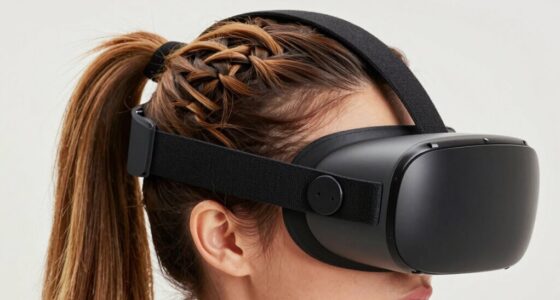

To reduce heat buildup around your eyes during VR, use cooling gels or chilled cloths to soothe your eyes and keep your headset fit comfortably without being too tight. Make certain there is good ventilation in your room by using fans or air conditioning, and take frequent breaks to give your eyes a breather and promote airflow. Staying hydrated also helps your body regulate temperature. Keep exploring for more tips to stay cool and comfortable during extended VR sessions.

Play games on Amazon Luna for your next adventure, included with Prime
- A rotating selection of games, no download needed
- Play on TV, laptop or phone
- Fast, free delivery for your gear, too
Key Takeaways
- Use chilled, damp cloths or cooling gels on the eyes during breaks for immediate relief.
- Ensure VR headset fits comfortably with proper ventilation to prevent heat accumulation.
- Maintain a cool, well-ventilated environment with fans or air conditioning during VR sessions.
- Take frequent breaks to remove the headset and allow airflow around your eyes.
- Stay hydrated to help regulate body temperature and reduce eye heat buildup.

If you’ve noticed heat buildup around your eyes while using a VR headset, you’re not alone. Many users experience discomfort from heat, especially during long sessions. The good news is that you can take simple steps to reduce this heat and make your VR experience more comfortable. One effective approach is focusing on eye cooling and ventilation techniques. These strategies help dissipate heat and keep your eyes cool, preventing fatigue and irritation.
Eye cooling is a straightforward method to alleviate the warmth around your eyes. You can use cooling gels or cold packs, but just a few minutes of applying a cold, damp cloth or an eye mask chilled in the refrigerator can do wonders. These methods provide immediate relief by lowering the temperature of the skin around your eyes. Using cooling eye masks during breaks helps prevent heat from building up, especially if you notice your eyes feeling warm or tired. Keep in mind, however, that direct contact with ice or very cold objects should be avoided to prevent skin irritation. Instead, aim for a comfortably cool sensation that soothes and refreshes.
Use chilled eye masks or damp cloths for quick, soothing relief around tired, warm eyes during VR sessions.
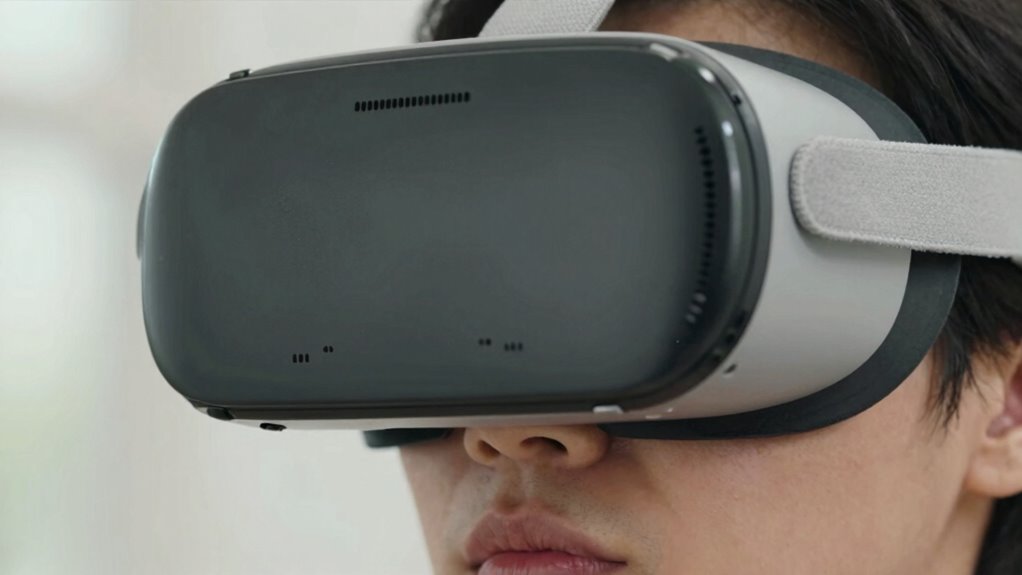
Ventilation techniques are equally essential in managing heat. Proper airflow around your face and headset can markedly cut down heat buildup. Make sure your VR headset fits well but isn’t overly tight, as a snug fit can trap heat. Consider adjusting or loosening straps slightly to allow more air circulation. You might also look into headsets with built-in ventilation or cooling fans—these are designed to promote airflow and reduce heat accumulation. Additionally, taking regular breaks during extended VR sessions is important. During these pauses, remove the headset and allow fresh air to reach your face and eyes. This not only helps cool the area but also reduces eye strain caused by prolonged exposure to heat and light. Incorporating additional cooling methods can further improve overall comfort during use. Maintaining proper ventilation and ensuring your environment stays cool can significantly enhance comfort and prevent overheating during your VR sessions. Incorporating a personal cooling device can also provide targeted relief when needed. Ensuring good air circulation in your room can help maintain a consistent temperature and prevent heat from accumulating around your face and eyes.
Another practical tip is to ensure your environment is well-ventilated. Using a fan or sitting in a cool room can help keep the air moving and lower ambient temperature. If your VR setup is in a warm space, cooling it down with a fan or air conditioning can make a noticeable difference in how much heat your eyes generate and retain. Staying hydrated is also important; drinking water helps regulate your body temperature, which indirectly contributes to reducing heat around your eyes.
As an affiliate, we earn on qualifying purchases.
Frequently Asked Questions
Can Prolonged VR Use Cause Permanent Eye Damage?
Prolonged VR use can cause eye strain and vision fatigue, but it’s unlikely to cause permanent eye damage if you take regular breaks. Your eyes are designed to adapt, but extended use without rest may lead to discomfort or temporary vision issues. To protect your eyes, follow the 20-20-20 rule and limit continuous sessions. If you experience persistent problems, consult an eye care professional for personalized advice.
Are There Specific VR Headsets Better for Heat Dissipation?
Yes, some VR headsets are better for heat dissipation. Look for those with advanced ventilation design, which promotes airflow and reduces heat buildup around your eyes. Additionally, consider headsets made from materials with good thermal conductivity, like lightweight plastics or metals, that help disperse heat more effectively. These features guarantee a cooler, more comfortable experience, preventing discomfort and potential overheating during extended use.
How Does Ambient Room Temperature Affect VR Heat Buildup?
Did you know that a 10°F increase in room temperature can double VR headset heat buildup? Ambient room temperature plays a key role in VR heat accumulation. Higher temperatures hinder ambient cooling, making it harder for your headset to dissipate heat. Room insulation can trap heat, worsening the problem. To stay cool, keep your room well-ventilated, use air conditioning, and avoid overly warm environments during extended VR sessions.
Is It Safe to Wear Cooling Gels or Pads Inside the Headset?
Using cooling gels or pads inside your VR headset isn’t recommended without checking safety considerations first. These products may cause discomfort or interfere with the device’s sensors and fit. Some cooling gels contain ingredients that could irritate your skin or damage the headset’s materials. Always consult the manufacturer’s guidelines and verify that any cooling solution is specifically designed for wearable tech to avoid potential risks.
What Are Early Signs of Heat-Related Eye Discomfort in VR?
Did you know that over 30% of VR users experience eye discomfort from heat buildup? Early signs include eye redness, dryness, or a gritty feeling. If you notice these, try eye cooling techniques like splash of cold water or a cooling cloth, and make certain your headset is well-ventilated. Keeping your eyes comfortable helps prevent more serious issues and makes your VR experience safer and more enjoyable.
As an affiliate, we earn on qualifying purchases.
Conclusion
Just like a car needs regular maintenance to prevent overheating, your VR headset requires care to stay cool. I once wore my headset for hours and noticed my eyes felt like they’d been sunbaked—uncomfortable and red. By following these tips, you’ll keep that heat at bay, ensuring your VR experience stays smooth and enjoyable. Think of it as giving your eyes a cooling breeze, so you can immerse yourself into virtual worlds without sweating the small stuff.
As an affiliate, we earn on qualifying purchases.
VR headset ventilation accessories
As an affiliate, we earn on qualifying purchases.
As an affiliate, we earn on qualifying purchases.
Fall Picks
fall essentials
As an affiliate, we earn on qualifying purchases.