To guarantee a comfortable and safe VR experience, start by adjusting the headset with padded straps and lightweight materials for a snug fit. Clear the area of obstacles and secure cords to prevent trips. Use soft mats or padding around the space to cushion falls. Seek out tutorials or tech support if needed. Creating a safe, well-fitted, and supportive environment helps you enjoy VR smoothly—continue exploring for more helpful tips.
Key Takeaways
- Use adjustable straps, padded cushions, and lightweight materials to ensure a comfortable and secure fit for seniors.
- Clear the area of obstacles and secure cords to prevent tripping and ensure safety during VR use.
- Provide easy-to-follow setup guides and offer tech support to assist with troubleshooting and adjustments.
- Encourage regular breaks and adjust equipment for maximum comfort to reduce eye strain and dizziness.
- Create a safe, well-lit environment with soft mats to minimize injury risk and promote confidence during VR sessions.
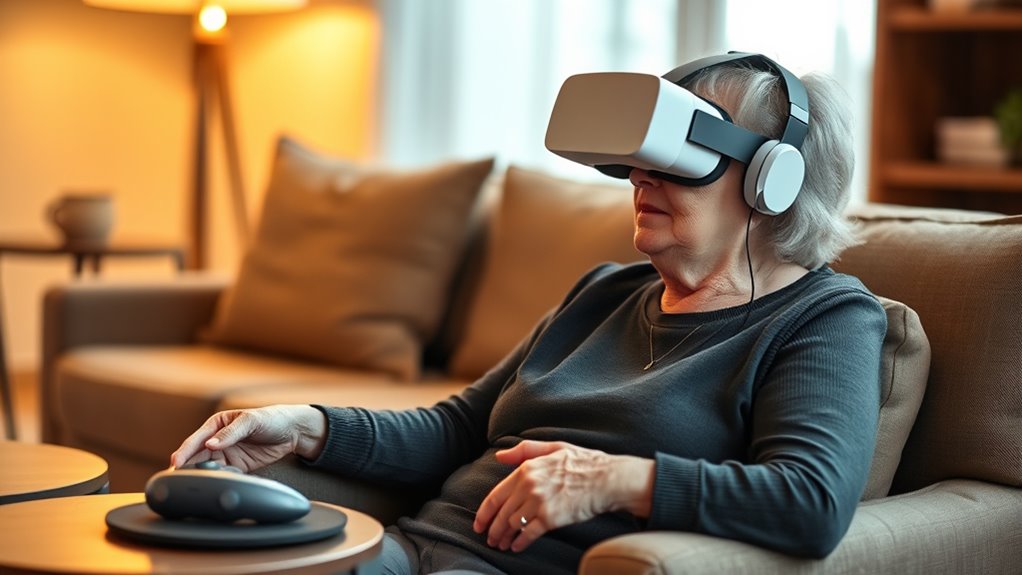
Virtual reality can offer seniors new opportunities for connection, entertainment, and mental engagement, but setting it up properly is essential for a positive experience. When you’re introducing VR to a senior, comfort and safety should be your top priorities. One of the most important factors to think about is ergonomic design. The VR headset and controllers should fit comfortably without causing strain or discomfort during extended use. Look for headsets with adjustable straps, padded cushions, and lightweight materials to reduce pressure on the face and neck. Proper fit not only enhances comfort but also minimizes the risk of headaches or dizziness. Additionally, ergonomic design extends to the placement and ease of use of controllers, ensuring seniors can hold and maneuver them with minimal effort, which is especially important for those with limited hand strength or dexterity. Ensuring the device is properly safe and secure can prevent accidents during use. Getting tech support in place early can make the entire VR setup process smoother and more reassuring. Many VR systems come with customer support options, tutorials, or troubleshooting guides—use these resources to familiarize yourself with the device’s features. If you’re unsure about any step, don’t hesitate to reach out to tech support. They can help you troubleshoot issues, recommend accessories, or suggest adjustments tailored to the senior’s needs. Having reliable tech support available means you can address problems quickly, preventing frustration and ensuring a seamless experience. It’s also a good idea to set up a simple, step-by-step guide for the senior, so they feel confident when using the device independently. Another critical aspect is ensuring the VR environment is safe. Clear the surrounding area of obstacles, secure loose cords, and consider adding padding or soft mats to prevent injuries in case of falls. Make sure the space is well-lit, and the senior has easy access to a sturdy chair or support if needed. You should also encourage regular breaks to prevent eye strain or dizziness, especially during initial sessions. As you set up, communicate clearly and patiently, explaining each step and adjusting the equipment for comfort. Remember, the goal is to make the experience enjoyable and safe, so taking the time to optimize ergonomic design and securing reliable tech support will pay off in creating a positive VR experience for the senior.
Frequently Asked Questions
How Can I Prevent Motion Sickness During VR Use?
To prevent motion sickness during VR use, start by understanding that causes often include rapid movements and mismatched visual cues. You can reduce discomfort by taking breaks, staying in a well-ventilated area, and avoiding intense scenes. Calming techniques like deep breathing and focusing on a fixed point help ease symptoms. Adjust the VR headset for comfort, ensuring a proper fit, which also minimizes motion sickness risks.
Are There Specific VR Headsets Recommended for Seniors?
Did you know that ergonomic design greatly reduces discomfort in 80% of VR users? For seniors, look for headsets with ergonomic design and excellent visual clarity, like Oculus Quest 2 or HTC Vive Focus. These models are lightweight, adjustable, and offer clear visuals, making them more comfortable and safer. Choosing a headset with these features helps guarantee a better experience, minimizing strain and promoting longer, enjoyable VR sessions.
What Safety Accessories Are Essential for Senior VR Users?
You should add safety accessories like handrail support to help you maintain balance, especially during more active VR experiences. Anti-slip mats are also essential—they prevent slips and falls on smooth surfaces. These accessories provide stability and confidence, making your VR sessions safer and more comfortable. Always make certain your play area is clear of obstacles, and consider using a sturdy chair or support for added security during longer or more vigorous activities.
How Do I Adjust VR Settings for Better Comfort?
Think of your VR experience as a delicate dance—you need perfect timing and balance. To improve comfort, focus on ergonomics optimization and visual enhancement. Adjust the headset’s straps to fit snugly but comfortably, ensuring no pressure points. Tweak the interpupillary distance (IPD) for clearer visuals, and increase brightness or contrast if needed. These small steps help you stay immersed without discomfort, making your VR journey smooth and enjoyable.
Can VR Be Used While Sitting or Lying Down?
Yes, you can use VR while sitting or lying down. Seated VR setups work well for those who prefer to stay in a chair, providing stability and comfort. Lying down VR is also possible, especially with adjustable headsets designed for relaxed positions. Just guarantee the headset fits snugly and the sensors track movements accurately. Always take breaks and listen to your body to stay safe and comfortable during your VR experience.
Conclusion
With a few simple safety and comfort tweaks, your VR experience becomes secure, soothing, and incredibly enjoyable. By balancing bold boundaries with basic adjustments, you’ll boost confidence, curb concerns, and create a cozy, engaging virtual space. Embrace these easy enhancements to guarantee every session is safe, smooth, and satisfying. Remember, a little preparation and patience pave the path to perfect virtual adventures—so step in, stay steady, and savor the sensational sights ahead!