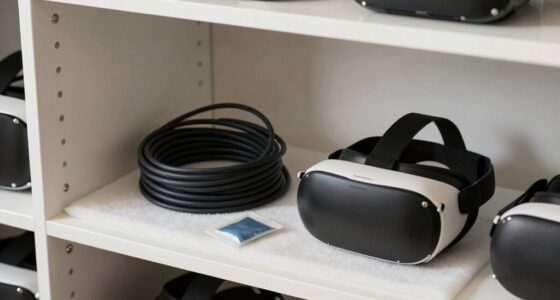
After a holiday party, start by removing detachable parts like facial foam and head straps. Clean these separately with gentle disinfectants, making sure they dry completely. Wipe the exterior surface with a microfiber cloth dampened with water or a safe cleaner, avoiding harsh chemicals. Use disinfectant wipes on face-contact areas, then let everything air dry before reassembling. For more detailed steps and tips on maintaining your headset’s hygiene, continue exploring the full method.

Play games on Amazon Luna for your next adventure, included with Prime
- A rotating selection of games, no download needed
- Play on TV, laptop or phone
- Fast, free delivery for your gear, too
Key Takeaways
- Remove facial foam and straps, then clean separately with gentle soap or disinfectant.
- Wipe the exterior surfaces with a microfiber cloth dampened with water or a safe cleaner.
- Disinfect facial contact areas using alcohol wipes or disinfectant sprays, avoiding vents and electronic parts.
- Allow all components to air dry completely before reassembling to prevent mold or damage.
- Incorporate regular cleaning after social events to maintain hygiene and extend device lifespan.
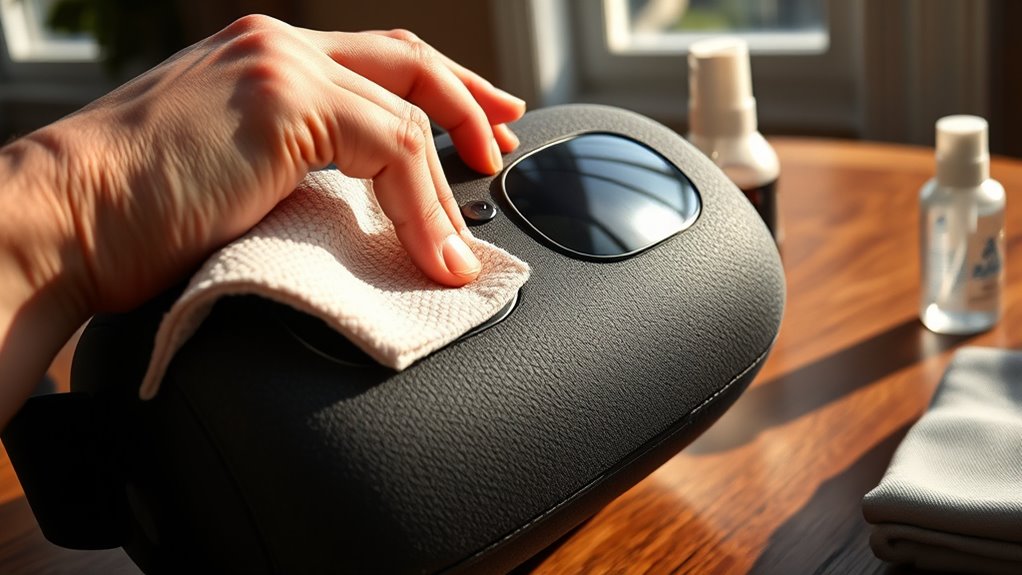
Ever wonder how to keep your VR headset clean and hygienic? After a lively holiday party, your headset likely needs some extra attention to ensure it stays fresh and safe for future use. The first step is understanding proper hygiene practices. Your headset is in direct contact with your face and hair, making it a prime spot for bacteria and sweat buildup. To prevent skin irritations or infections, it’s essential to clean it regularly, especially after social gatherings. Using the right cleaning supplies is key, as some materials and chemicals can damage delicate components if not chosen carefully.
Keeping your VR headset clean after social events helps prevent bacteria buildup and skin irritations.
Start by removing any detachable parts, such as facial foam or head straps. These can often be cleaned separately, allowing for a more thorough sanitation process. Before you begin cleaning, make sure your hands are clean to avoid transferring dirt or oils onto the device. Use a microfiber cloth to gently wipe down the exterior surfaces, removing dust, fingerprints, and sweat. It’s best to avoid harsh chemicals or abrasive materials that could scratch or harm the headset’s surface.
For the facial interface and foam padding, check your manufacturer’s recommendations, but generally, a slightly damp cloth with water or a gentle disinfectant can do the trick. Some cleaning supplies, like alcohol-based wipes or specialized electronics cleaners, are safe if used sparingly and carefully. Lightly dampen a soft cloth or microfiber towel with your cleaning supplies, and gently wipe down these areas. Never soak or excessively wet any part of your headset, as moisture can damage internal electronics.
Next, consider disinfecting the parts that come into direct contact with your face, especially if multiple people have used the headset. An alcohol-based wipe or a cloth lightly sprayed with a disinfectant solution can reduce germs effectively. Be cautious to avoid getting disinfectant into any vents, ports, or electronic components. Allow all cleaned parts to air dry completely before reassembling and wearing the headset again. This helps prevent mold growth and prolongs the lifespan of your device. Additionally, regularly checking for affiliate links or recommended cleaning products can ensure you’re using safe and effective supplies.
Regular maintenance is the best way to keep your VR headset hygienic and functioning at its highest level. Incorporate these hygiene practices into your routine, especially after social events, to ensure your headset remains a safe and comfortable device to use. Investing in quality cleaning supplies designed for electronics will save you time and reduce the risk of damage. With a little effort and the right approach, your VR headset will stay clean, hygienic, and ready for your next virtual adventure.
As an affiliate, we earn on qualifying purchases.
Frequently Asked Questions
Can I Use Alcohol-Based Wipes on My VR Headset?
Yes, you can use alcohol wipes on your VR headset, but do so carefully. Use them sparingly on the outer surfaces and avoid getting alcohol on the lenses or internal parts. Incorporate alcohol wipes into your cleaning schedule to keep your device sanitized after each use. Always guarantee the wipes are not overly saturated, and let everything dry completely before using your headset again.
How Often Should I Clean My VR Headset?
You should clean your VR headset regularly, ideally after every few uses or weekly, to maintain proper headset maintenance. This cleaning frequency helps prevent dirt, sweat, and oils from building up, ensuring comfort and hygiene. Make sure to wipe down the face padding and lenses gently, avoiding harsh chemicals. Consistent cleaning not only prolongs your headset’s lifespan but also provides a better, safer VR experience.
Are There Any Cleaning Products to Avoid?
You should avoid cleaning products with harsh chemicals and abrasive scrubbers, as they can damage your VR headset’s delicate lenses and surfaces. Imagine a gentle breeze instead of rough abrasiveness — that’s what your device needs. Stick to mild, alcohol-free wipes or microfiber cloths. Harsh chemicals can cause discoloration or clouding, ruining your immersive experience. Protect your investment by choosing safe, gentle cleaning solutions, ensuring your headset stays pristine and ready for your next adventure.
Can I Submerge My VR Headset in Water?
You shouldn’t submerge your VR headset in water, as water damage can ruin its electronics. Cleaning with water isn’t safe for most VR headsets; instead, use a damp, lint-free cloth to gently wipe the surfaces. Avoid direct water contact or immersion to prevent damage. If you need to disinfect, use appropriate wipes recommended for electronics, ensuring you keep water away from ports and vents to maintain your headset’s functionality.
What’s the Best Way to Disinfect the Straps?
Think of your VR straps as the sails of a ship, catching all the germs from your adventures. To maintain strap hygiene, gently wipe them with a disinfectant option like alcohol wipes or a diluted disinfectant solution. make sure you avoid soaking or using harsh chemicals. This way, you keep the straps sanitized, safe, and ready for your next voyage, preventing germs from anchoring onto your device.
disinfectant wipes for electronics
As an affiliate, we earn on qualifying purchases.
As an affiliate, we earn on qualifying purchases.
Conclusion
Think of your VR headset as a treasured keepsake from your adventures; with gentle cleaning, it stays pristine and ready for new journeys. When you care for it properly, you’re tending to a loyal companion that amplifies your experiences. So, take a moment to clean it safely—your headset will thank you with clear visuals and comfort. Keep it shining bright, and your next virtual adventure will feel just as magical as the first.
microfiber cloth for electronics
As an affiliate, we earn on qualifying purchases.
As an affiliate, we earn on qualifying purchases.
VR headset facial foam replacement
As an affiliate, we earn on qualifying purchases.
As an affiliate, we earn on qualifying purchases.
Fall Picks
fall essentials
As an affiliate, we earn on qualifying purchases.