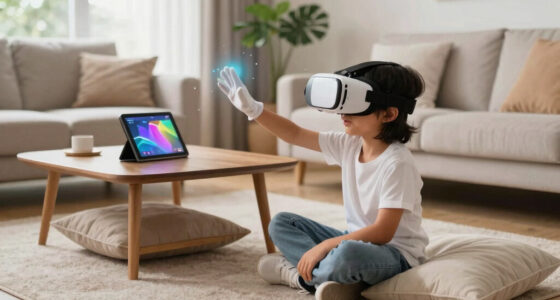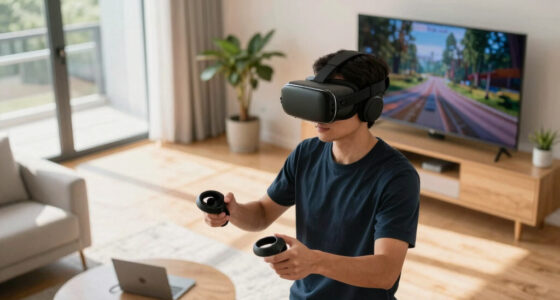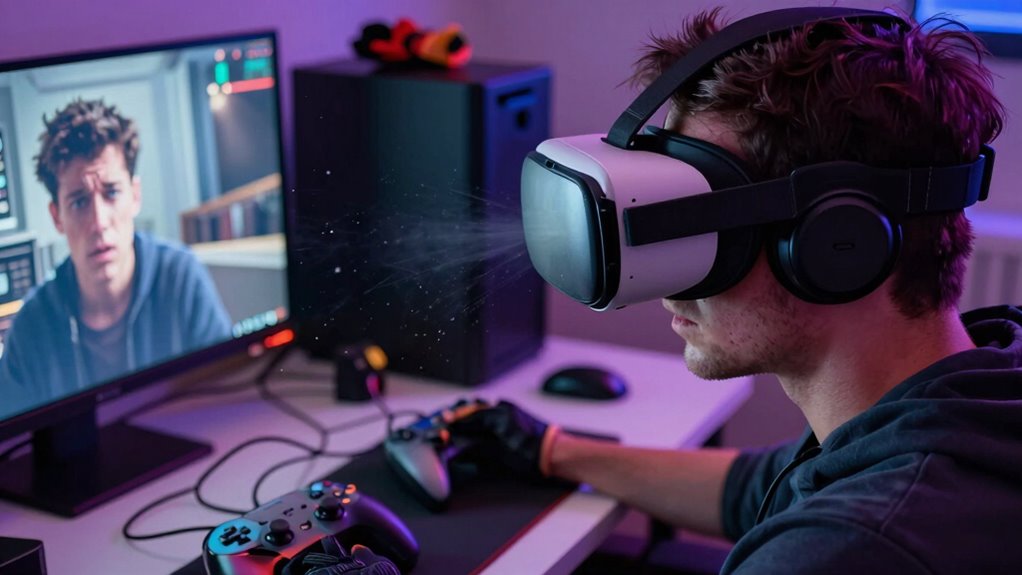

In VR, tiny issues can totally break your sense of presence. Poor lighting or clutter distracts you from the scene, while low-quality audio or lag makes sounds feel off or disconnected. Unnatural interactions, uncomfortable hardware, or tracking inaccuracies pull you out of immersion fast. Glitches or bugs also remind you it’s a simulation. If you want to avoid these immersion killers, keep going — you’ll discover how small details can make or break your VR experience.
Key Takeaways
- Poor lighting and visual clutter obscure details, breaking the illusion of a realistic environment.
- Audio lag and mismatched spatial sounds disrupt natural immersion and presence.
- Inaccurate tracking causes mismatched movements, reducing the sense of seamless presence.
- Visual glitches, bugs, or inconsistencies remind users of the simulation’s artificiality.
- Discomfort from headset fit or weight distracts and pulls focus away from the virtual world.

TECKNET VR Headset for Phone, Virtual Reality Headsets with HD 110°FOV Anti-Blue Light Lenses & Adjustable Gears, 3D VR Headset for Kids Compatible iPhone Samsung Android 4.7-7.2"
- Immersive 3D Experience: Wide 90°-110° FOV for full immersion
- Comfortable Ergonomic Design: Adjustable headband and soft nose rest
- Lightweight and Breathable: Only 268g with breathable foam mask
As an affiliate, we earn on qualifying purchases.
As an affiliate, we earn on qualifying purchases.
Poor Lighting and Visual Clutter

Poor lighting and visual clutter can considerably disrupt your immersion in a game. If the environment is too dark or poorly lit, it becomes hard to see details, making it easier to lose your sense of presence. Bright, inconsistent lighting can also break the illusion, reminding you that you’re in a constructed world. Visual clutter, like excessive objects, confusing layouts, or random debris, diverts your focus and overwhelms your senses. When your eyes struggle to distinguish important elements from the background, you feel disconnected from the scene. Clear, balanced lighting helps guide your attention naturally, while minimal clutter keeps the environment believable. Incorporating connected equipment with adaptive lighting can further enhance immersion by creating a more realistic visual experience. Paying attention to these visual factors guarantees you stay engaged and fully immersed in the game’s world. Moreover, understanding how visual perception impacts immersion can help developers optimize environments to prevent these immersion killers. Additionally, utilizing water-resistant VR gear can ensure a more comfortable experience in diverse settings, maintaining immersion even in less controlled environments. Recognizing the importance of contrast ratio can also improve scene depth and realism, further reinforcing immersion. Ensuring proper lighting consistency across scenes can prevent disorienting visual shifts that break immersion.
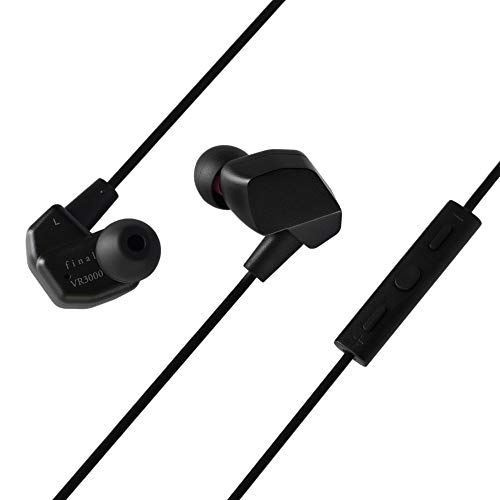
Final VR3000 Gaming Earphones for Immersive Spacious Experience – Open World Adventure, Virtual Reality & Spatial Environments – in-Line Microphone and Controls – Black
- Immersive Spatial Sound: Open world and VR environments
- High Precision Drivers: 6mm dynamic drivers for clear sound
- In-Line Microphone & Controls: Calls, volume, and media control
As an affiliate, we earn on qualifying purchases.
As an affiliate, we earn on qualifying purchases.
Inconsistent or Low-Quality Audio

When audio quality falters, your immersion instantly suffers. Audio lag, unclear spatial sound, and uneven volume levels pull you out of the experience. These issues make it hard to stay fully engaged and lose the sense of presence. Incorporating Free Floating audio techniques can help create a more seamless and natural sound environment, enhancing overall immersion. Paying attention to audio consistency across the experience ensures players remain fully immersed in the virtual world. Additionally, utilizing fabric decorating markers for personalized gear or accessories can add a tactile element that enhances user engagement in VR environments.
Audio Lag Disrupts Immersion
Audio lag can quickly shatter your immersion by creating a confusing disconnect between what you see and hear. When sounds don’t sync with visuals, your brain struggles to process the environment naturally, pulling you out of the experience. You might hear footsteps after you see the figure turn, or gunfire echo delayed behind the action. This delay breaks the sense of presence, making the world feel disconnected and artificial. High latency in audio processing can be caused by hardware limitations, poor software optimization, or network issues. To maintain immersion, it’s essential that audio responds instantly to your movements and the environment. Even small delays can cause frustration and diminish your sense of being inside the virtual world. Ensuring synchronized, low-latency audio is indispensable for a seamless VR experience. Proper audio synchronization is crucial for maintaining a fully immersive environment. Additionally, optimizing hardware and software can significantly reduce audio lag, ensuring a more consistent experience. Improving audio processing capabilities can further enhance the overall responsiveness of the system, making the virtual environment feel more real. Incorporating low-latency audio technologies can also help bridge the gap between visual and auditory cues, creating a more cohesive experience.
Poor Spatial Sound Clarity
Inconsistent or low-quality spatial sound can substantially break your immersion by making the virtual environment feel flat or disconnected. When audio cues lack clarity or precise positioning, you struggle to determine where sounds originate, disrupting the sense of presence. For example, footsteps or nearby conversations may sound muffled or misplaced, pulling you out of the experience. Poor spatial sound hampers your ability to react naturally to events around you, creating a sense of detachment from the environment. High-quality, well-rendered spatial audio is essential for anchoring your perception, ensuring sounds match their sources accurately. Without clear spatial cues, the virtual world feels less real, reducing engagement and making the experience less convincing overall. Good audio clarity is a small detail that can make or break your immersive experience. Prioritizing high-fidelity audio ensures that your virtual environments feel authentic and fully immersive. Additionally, investing in proper audio calibration can significantly enhance spatial accuracy, making the virtual space feel more lifelike. Consistent audio quality across different sessions further maintains your sense of presence and reduces fatigue during extended VR use. Ensuring consistent audio settings helps prevent disorientation, which can occur when sound quality varies unexpectedly.
Inconsistent Volume Levels
Uneven volume levels can quickly ruin your immersion by making it difficult to follow important sounds. When some noises are too quiet while others are overwhelming, you struggle to focus on what matters. This inconsistency pulls you out of the experience, breaking the sense of presence. You might miss vital cues, like footsteps or conversations, because the audio isn’t balanced properly. Low-quality audio or poorly calibrated volume settings amplify this problem, leaving you frustrated. To maintain immersion, guarantee your volume levels are consistent across different sounds and sources. Use settings that balance game audio with voice chat and environmental sounds. Clear, well-balanced audio keeps you engaged and helps you stay fully immersed in the virtual world. Additionally, choosing high-quality audio equipment can significantly improve your overall VR experience by providing more accurate and consistent sound. Ensuring your audio setup includes proper calibration is essential for a seamless virtual experience. Paying attention to audio consistency can further prevent disruptions to your immersion. Regularly updating your audio drivers and settings can also help maintain this audio quality, minimizing fluctuations that break immersion.

Arccos Smart Sensors: Automatic Golf Game Tracking System, A.I. Powered Caddie, A.I. GPS Rangefinder & Smart Club Distances
- Number of Sensors: 16 weather-resistant sensors included
- Sensor Types: 15 regular sensors and 1 putter sensor
- Battery Life: Long-lasting batteries for sensors
As an affiliate, we earn on qualifying purchases.
As an affiliate, we earn on qualifying purchases.
Unrealistic or Distracting Interactions

Unrealistic or distracting interactions can quickly break your immersion by pulling you out of the experience. When actions don’t match real-world physics or logic, your brain notices the inconsistency and loses focus. For example, if you try to grab an object and it floats or snaps unrealistically into your hand, it feels off. Similarly, if your movements don’t respond naturally—like arm rotations that feel stiff or unnatural—you’ll sense the disconnect. Distracting interactions also include interfaces that require confusing gestures or button presses that don’t align with real-world behavior. These glitches demand your attention, making you hyper-aware of the simulation’s flaws instead of losing yourself in the virtual world. To preserve immersion, interactions must feel smooth, natural, and consistent with real-life expectations. Incorporating precise power tool physics and behaviors can help create more realistic and convincing interactions. Additionally, paying attention to haptic feedback can enhance tactile realism and reduce the sense of disconnection. Ensuring realistic motion responses can further improve the feeling of presence and help keep users engaged without distraction.

Meta Quest 3S 128GB | VR Headset — Thirty-Three Percent More Memory — Virtual Reality Without Wires — Access to 40+ Games with a 3-Month Trial of Meta Horizon+ Included (Renewed Premium)
- Wireless Freedom: Untethered VR experience
- Enhanced Graphics Power: Twice the processing speed
- Immersive Virtual Reality: Blend virtual and physical worlds
As an affiliate, we earn on qualifying purchases.
As an affiliate, we earn on qualifying purchases.
Uncomfortable Hardware Fit and Comfort

Comfortable hardware fit is essential for maintaining immersion, but uncomfortable or ill-fitting equipment quickly distracts you from the experience. When your headset feels too tight, too loose, or unevenly balanced, it pulls your focus away from the virtual world. Imagine:
- A strap digging into your forehead after minutes of use.
- The weight of the headset causing your neck to strain.
- Pressure points forming around your temples or nose bridge.
- Constant readjustments breaking your concentration.
These discomforts make you aware of the hardware instead of the environment. Ill-fitting controllers can also cause fatigue, hampering your ability to interact naturally. Ensuring proper fit, lightweight design, and adjustable straps keeps you immersed longer without physical distractions pulling you out of the experience.
Latency and Input Lag

When your responses are delayed, it feels like the game is fighting against you. This latency disrupts the sense of realism, making actions seem unnatural or disconnected. You’ll notice that even small input lags can break immersion and cause frustration.
Delayed Response Times
Have you ever noticed how a slight delay between your command and the game’s response can ruin the experience? That’s delayed response time, and it’s a silent immersion killer. When your hand moves, but the action lags behind, it feels like the virtual world is out of sync. Imagine:
- Your avatar reaching for an object, but the hand jitters or lags behind.
- You pressing a button, only to see the action appear a fraction later.
- Moving your head, and the visuals take a beat to catch up.
- Trying to dodge an attack, but the response is sluggish or delayed.
These tiny delays break the seamless flow, pulling you out of the moment and reminding you that you’re in a machine rather than a living world.
Impact on Realism
Latency and input lag directly undermine the realism of immersive experiences by making actions feel disconnected from your intentions. When you move your head or grab an object, delays between your action and the system’s response disrupt the sense of natural interaction. This mismatch causes your brain to question the authenticity of the environment, pulling you out of the experience. High latency makes virtual motions feel sluggish or stuttered, breaking the illusion of presence. Even slight delays create a sense of disconnection, reducing the believability of the scene. To maintain realism, VR systems need to minimize these delays, ensuring your movements translate instantly and accurately. When latency is kept low, actions feel seamless, preserving the integrity of the immersive world.
Unrealized or Broken Environmental Details

Unrealized or broken environmental details can shatter immersion by breaking the illusion of a seamless world. When small elements don’t match or function properly, it pulls you out of the experience. For example, you might notice:
- Flickering lights that don’t cast consistent shadows
- Static objects that shouldn’t move but do
- Textures that abruptly change or don’t align
- Environmental sounds that don’t match the setting or cut out unexpectedly
These tiny inconsistencies create a disconnect, reminding you that you’re in a simulation. They undermine the sense of presence, making it harder to forget your real surroundings. Paying attention to these details and fixing even minor flaws helps maintain a believable, immersive environment.
Inaccurate Head and Hand Tracking

Inaccurate head and hand tracking can quickly pull you out of a game’s immersive world, making actions feel disconnected from your intentions. When your headset or controllers don’t precisely follow your movements, it creates a frustrating mismatch between what you see and what you do. This can cause your virtual hands to jitter or lag behind your real ones, breaking the illusion of presence. You might find yourself adjusting your position constantly or feeling like your movements aren’t being recognized correctly. Even minor tracking errors can lead to misaligned interactions, making tasks like grabbing objects or steering through environments feel unnatural. Reliable tracking is essential for maintaining immersion, as it guarantees your actions translate smoothly and accurately into the virtual space.
Unnatural Avatar Movements

When avatar movements feel stiff or exaggerated, it pulls you out of the experience because your virtual presence no longer matches your real actions. This disconnect makes the world feel less believable. Unnatural movements include:
- Jerky or robotic limb motions that seem disconnected from your actual intentions.
- Floating or sliding movements that lack realistic physics.
- Sudden, exaggerated gestures that don’t match your natural reactions.
- Delays between your physical motion and the avatar’s response, creating a robotic feel.
These issues disrupt immersion by making the avatar seem less like an extension of yourself and more like a puppet. When movements aren’t smooth or lifelike, your brain quickly recognizes the artificiality, pulling you out of the virtual world.
Disruptive Technical Glitches and Bugs

Even if avatar movements are smooth, technical glitches and bugs can quickly shatter immersion. When your VR experience freezes, menus glitch, or objects suddenly disappear, it pulls you out of the moment. These interruptions break the flow, making it hard to stay engaged. Sometimes, tracking errors cause your view to jitter or drift unexpectedly, forcing you to recalibrate or restart. Other times, software crashes or lag spikes result in long loading screens or sudden disconnections. These issues are frustrating because they remind you that you’re using technology, not truly inhabiting a different world. They undermine the illusion of presence, making you acutely aware of the system’s limitations rather than allowing you to lose yourself in the experience.
Frequently Asked Questions
How Do Ambient Sounds Affect VR Immersion?
Ambient sounds play a vital role in your VR immersion, making the experience feel more real and engaging. When you hear natural noises like wind, footsteps, or distant conversations, it enhances your sense of presence within the virtual environment. If these sounds are out of sync or poorly quality, they can break your immersion and remind you you’re in a simulation. Proper ambient audio keeps you grounded and fully engaged.
Can Controller Design Impact the Sense of Presence?
Yes, controller design impacts your sense of presence in VR. If your controller feels natural and fits well in your hand, you’ll forget you’re wearing a headset. Precise tracking and responsive feedback make interactions feel real, pulling you deeper into the experience. Poorly designed controllers, on the other hand, can break immersion by feeling awkward or unresponsive, reminding you that you’re using a device instead of fully engaging in the virtual environment.
What Role Does User Fatigue Play in Immersion Loss?
Did you know that user fatigue can cut immersion by up to 40%? When you get tired, your focus drops, making it easier to notice glitches or disconnect from the virtual world. Fatigue affects your reaction times and reduces your ability to stay engaged, breaking the sense of presence. To keep immersed, take regular breaks, stay hydrated, and guarantee your VR setup is comfortable.
How Do Environmental Reflections Influence Realism?
Environmental reflections profoundly influence realism by creating a believable and immersive atmosphere. When reflections accurately mimic real-world surfaces, you feel more connected to the virtual environment. Conversely, unrealistic or poorly rendered reflections break immersion, reminding you that you’re in a virtual space. To enhance realism, developers should focus on dynamic reflections that respond to your movements and changes in the environment, making the experience feel more authentic and engaging.
Are There Psychological Effects of Prolonged VR Exposure?
Prolonged VR exposure can lead to fatigue, eye strain, and disorientation. You might experience headaches or motion sickness if you stay in VR too long. It can also affect your sense of reality, making it harder to distinguish between virtual and real environments temporarily. To avoid these effects, take regular breaks, stay hydrated, and listen to your body’s signals. Proper usage helps maintain a positive experience.
Conclusion
To preserve your immersion, you must heed these tiny killers lurking in every VR experience. Like cracks in a mirror reflecting reality, even the smallest flaw can shatter your sense of presence. By addressing these details—lighting, audio, hardware—you guarantee your journey remains seamless and enthralling. After all, in virtual worlds, it’s the tiniest imperfections that threaten to turn wonder into wonderland lost. Stay vigilant, and let nothing break your immersive spell.