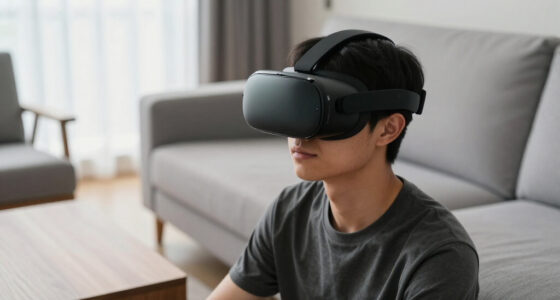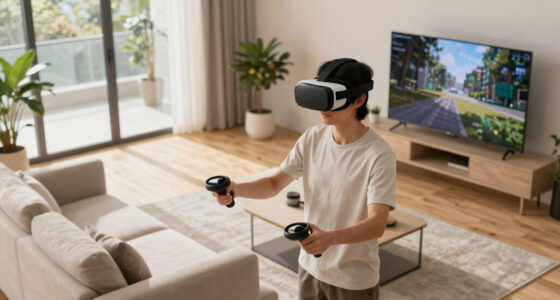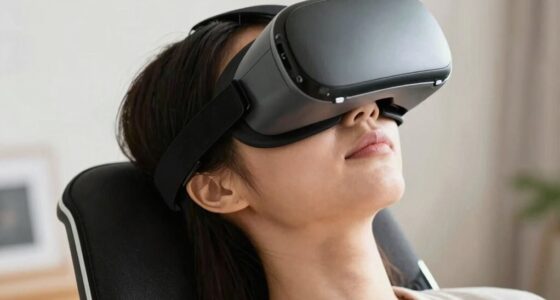
To adjust your VR for different face shapes, start by loosening the straps before wearing it. Gradually tighten them to find a secure but comfortable fit that evenly distributes pressure. Use adjustable padding or swap it out to better contour your face and reduce light leaks. Fine-tune the lens position and interpupillary distance for clearer visuals and less eye strain. Keep making small adjustments during use to maximize comfort and performance—more tips are just ahead.

Play games on Amazon Luna for your next adventure, included with Prime
- A rotating selection of games, no download needed
- Play on TV, laptop or phone
- Fast, free delivery for your gear, too
Key Takeaways
- Use adjustable straps and padding to customize the fit for various face shapes and sizes.
- Swap or add padding to improve facial contour and reduce light leaks.
- Adjust lens positioning and IPD settings to ensure clear visuals for different eye distances.
- Periodically readjust the headset during use to maintain comfort as face shifts.
- Experiment with strap tension and padding to achieve even pressure and optimal comfort.
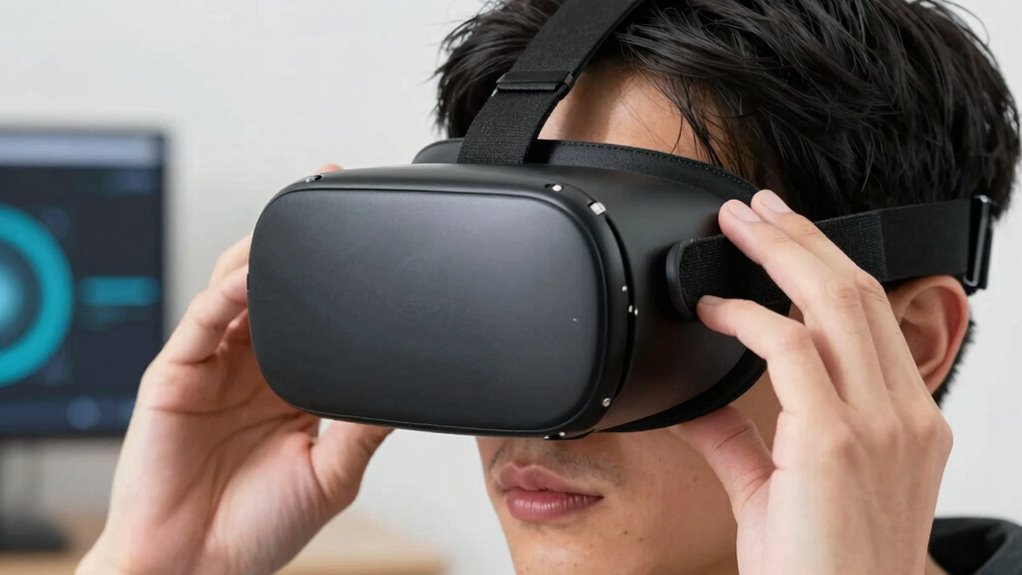
Have you ever struggled to find a comfortable VR fit? If so, you’re not alone. Many people find that their VR headset doesn’t feel quite right, which can ruin the experience. The key to sinking into immersive virtual worlds is ensuring your VR headset comfort, and that starts with understanding facial fit adjustments. No two faces are alike, so your headset needs to be customized to match your unique shape. When you take the time to adjust the straps, padding, and positioning, you’ll notice a significant difference in comfort and clarity.
Start by loosening the straps when you put on the headset. This might sound simple, but it’s often overlooked. Once it’s on your head, gradually tighten the straps until the headset sits snugly without pressing too hard. You want a secure fit that won’t slip during use but also shouldn’t be so tight that it causes discomfort or headaches. The goal is to distribute pressure evenly across your face and head, which directly influences VR headset comfort. If the straps are adjustable, experiment with different tension levels until you find the sweet spot.
Loosen straps first, then gradually tighten for a snug, comfortable fit that prevents slipping and minimizes discomfort.
Facial fit adjustments are just as important as strap tension. Many VR headsets come with removable or adjustable padding. If you have facial contours that don’t align well with the default padding, consider swapping out or adding extra padding. This can help close gaps between the headset and your face, reducing light leaks and improving image clarity. A tight seal not only enhances visual quality but also minimizes discomfort caused by uneven pressure. Additionally, understanding your face shape can help you select the most suitable headset model for optimal comfort. Recognizing the importance of personalized fit can make a big difference in your VR experience. Moreover, some headsets offer customizable adjustments to better accommodate various face shapes, making the experience more tailored. Being aware of your face features can also help you choose accessories or modifications that enhance comfort during extended use. Being mindful of proper positioning can further improve both comfort and visual clarity during use.
Pay attention to the placement of the lenses as well. Some headsets allow you to adjust the interpupillary distance (IPD). Correctly aligning the lenses with your eyes ensures sharper visuals and less eye strain, crucial for longer sessions. If your headset doesn’t have an IPD adjustment, try positioning it slightly higher or lower on your face to see if it improves your view and comfort.
Lastly, don’t forget to take breaks and readjust as needed. Your face may shift slightly during extended use, so periodically checking and readjusting ensures you maintain maximum comfort. By fine-tuning strap tension, padding, lens placement, and fit, you’ll unlock a more immersive experience free from discomfort. Remember, customizing your VR setup isn’t a one-time task; it’s an ongoing process of making small adjustments to keep your virtual adventures enjoyable and pain-free.
As an affiliate, we earn on qualifying purchases.
Frequently Asked Questions
Can Face Shape Affect VR Headset Comfort Over Long Sessions?
Yes, face shape can affect VR headset comfort during long sessions. If your facial symmetry isn’t balanced or your head circumference isn’t taken into account, you might experience discomfort or pressure points. Ensuring the headset fits snugly without being too tight, and adjusting straps accordingly, helps. Taking these factors into account makes your experience more comfortable, especially over extended use, preventing fatigue and discomfort.
Are There Specific VR Accessories for Different Face Shapes?
Yes, there are specific VR accessories designed for different face shapes. You can enhance comfort by using custom padding, which molds better to your face contours. Look for headsets with ergonomic design features that accommodate diverse face shapes. These accessories help distribute pressure evenly, reduce discomfort, and improve the overall VR experience, especially during long sessions. Custom padding and ergonomic accessories ensure your headset fits securely and comfortably, regardless of your face shape.
How Do I Identify My Face Shape for Better VR Fit?
Imagine tracing gentle lines along your facial features and head contour with your fingers. To identify your face shape, look in a mirror and note the width of your forehead, cheekbones, and jawline. Are they rounded, angular, or oval? By observing these details—such as a wider forehead or a tapered chin—you can better determine your face shape, ensuring your VR headset fits snugly and comfortably.
Do Different Face Shapes Impact VR Visual Clarity?
Yes, different face shapes can impact VR visual clarity, especially if facial symmetry and eye positioning aren’t aligned with the headset. If your face shape causes misalignment, you might experience blurred visuals or eye strain. To guarantee clear visuals, adjust the straps and lenses to match your facial features, focusing on proper eye positioning. Doing this helps improve clarity, comfort, and overall VR experience regardless of face shape.
Can Adjusting Straps Improve Fit for Irregular Face Shapes?
Yes, adjusting straps can improve fit for irregular face shapes. You should focus on strap customization to guarantee a snug, comfortable fit. Tighten or loosen straps as needed, but avoid over-tightening, which can cause discomfort. Additionally, adding or adjusting facial padding helps create a better seal and supports irregular contours. Proper strap adjustment and padding make your VR experience more immersive, clear, and comfortable, regardless of your face shape.
As an affiliate, we earn on qualifying purchases.
Conclusion
Just like Da Vinci tailored his masterpieces to fit each canvas, adjusting your VR headset guarantees a perfect fit for your face shape. When you customize the fit, you open a more immersive, comfortable experience—no more distractions or discomfort. Think of it as finding your own personal Excalibur, a tool that transforms your virtual adventures into legendary journeys. So, take the time to fine-tune your headset—your own quest for the perfect fit starts now.
interpupillary distance (IPD) adjustment tool for VR
As an affiliate, we earn on qualifying purchases.
As an affiliate, we earn on qualifying purchases.
As an affiliate, we earn on qualifying purchases.
Fall Picks
fall essentials
As an affiliate, we earn on qualifying purchases.