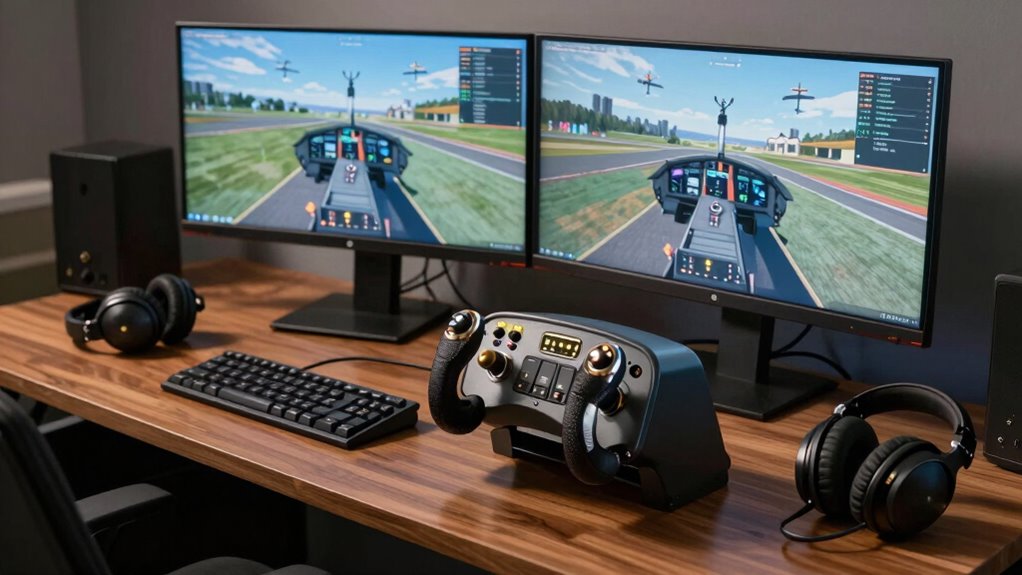

If you’re just starting out in flight simulation, I recommend exploring options like the Logitech G PRO Flight Yoke System and Thrustmaster’s beginner-friendly controllers such as the Hotas One. These setups offer realistic controls, durability, and customization, perfect for mastering basic skills. Pedals and additional accessories can enhance immersion, making your experience even better. Stick with me as I guide you through the best options to set up your ideal flight simulation environment.
Key Takeaways
- The article highlights beginner-friendly flight controls like Logitech G PRO Yoke, Thrustmaster T-Flight Hotas, and Honeycomb Alpha Yoke.
- It emphasizes controls with realistic feedback, durability, and software customization for an immersive experience.
- Compatibility with major flight sim software and expandability options are key factors for beginners.
- Rudder pedals and ground controls are included to enhance realistic maneuvering during taxi and flight.
- The guide covers space considerations, setup tips, and selecting controls that promote skill mastery for new pilots.
| Logitech G PRO Flight Yoke System with Controls | 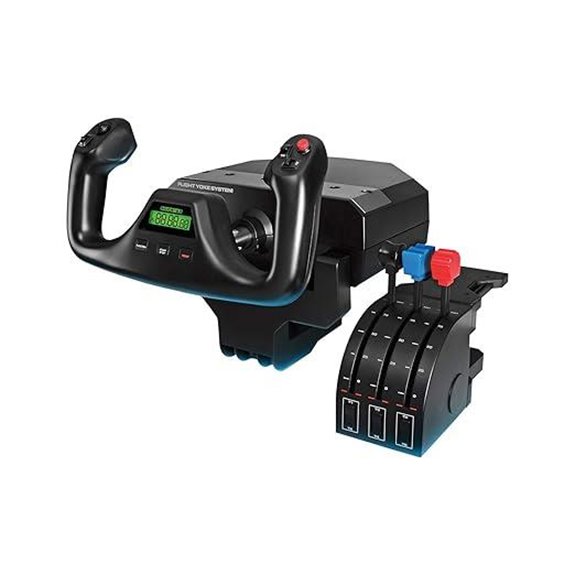 | Realistic Flight Experience | Compatibility: Windows 7/8.1/10/11, PC | Control Type: Yoke + Throttle | Number of Controls: 54+ programmable controls | VIEW LATEST PRICE | See Our Full Breakdown |
| Thrustmaster T-Flight Hotas One Flight Sim Controller | 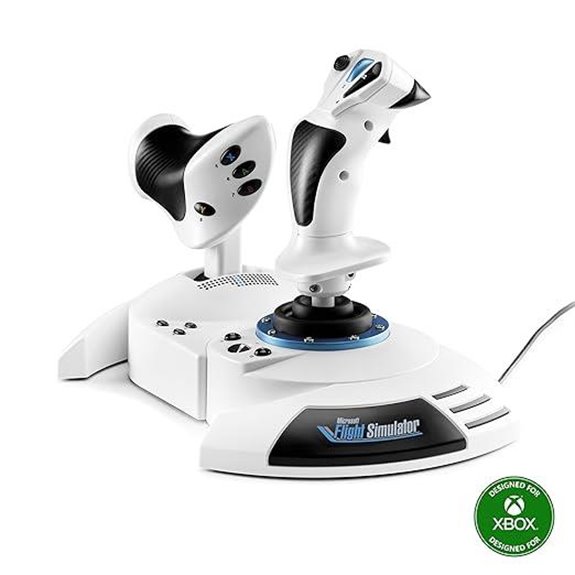 | Beginner Friendly | Compatibility: Xbox Series X|S, PC | Control Type: HOTAS (Joystick + Throttle) | Number of Controls: 14 buttons, 5 axes | VIEW LATEST PRICE | See Our Full Breakdown |
| Thrustmaster TCA Yoke PACK Boeing Edition | 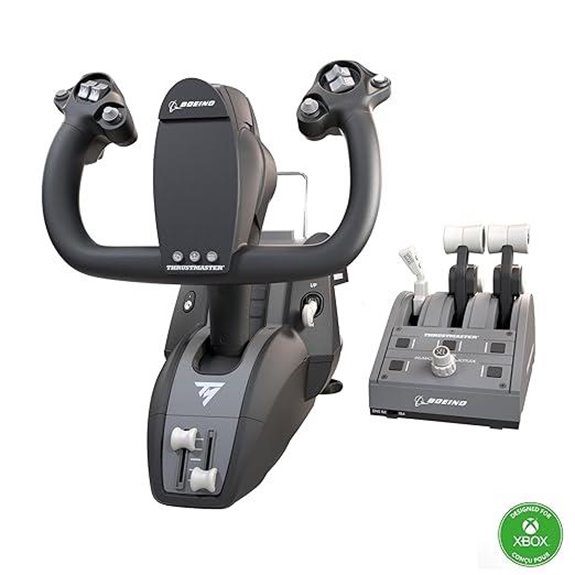 | Authentic Boeing Feel | Compatibility: Xbox Series X/S, PC | Control Type: Yoke + Throttle | Number of Controls: 35 buttons, 4 levers | VIEW LATEST PRICE | See Our Full Breakdown |
| Honeycomb Alpha Flight Yoke & Switch Panel | 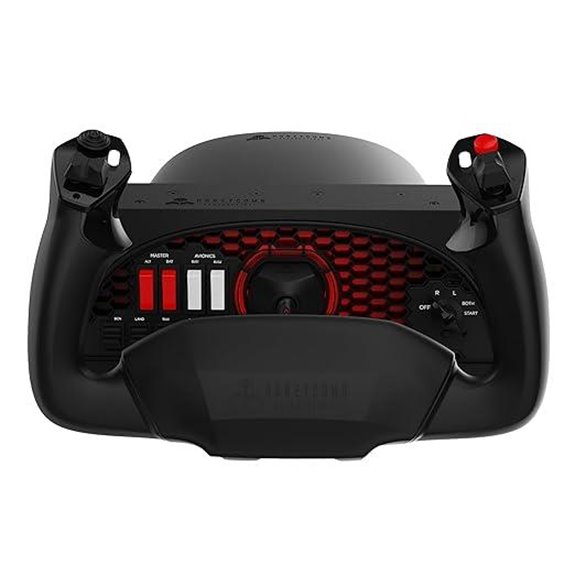 | Entry-Level Precision | Compatibility: PC, Mac, Flight Simulator | Control Type: Yoke + Switch Panel | Number of Controls: Multiple switches, 8 controls | VIEW LATEST PRICE | See Our Full Breakdown |
| Logitech G Pro Flight Yoke System + Pro Flight Rudder Pedals Bundle |  | Complete Setup | Compatibility: Windows, PC | Control Type: Yoke + Rudder Pedals | Number of Controls: 14 buttons + rudder pedals | VIEW LATEST PRICE | See Our Full Breakdown |
| Logitech G Pro Flight Rudder Pedals |  | Budget Choice | Compatibility: Windows 7/8/8.1/10 | Control Type: Rudder Pedals | Number of Controls: Rudder + Toe brakes | VIEW LATEST PRICE | See Our Full Breakdown |
| Thrustmaster T-Flight Hotas X (Compatible with PC) | 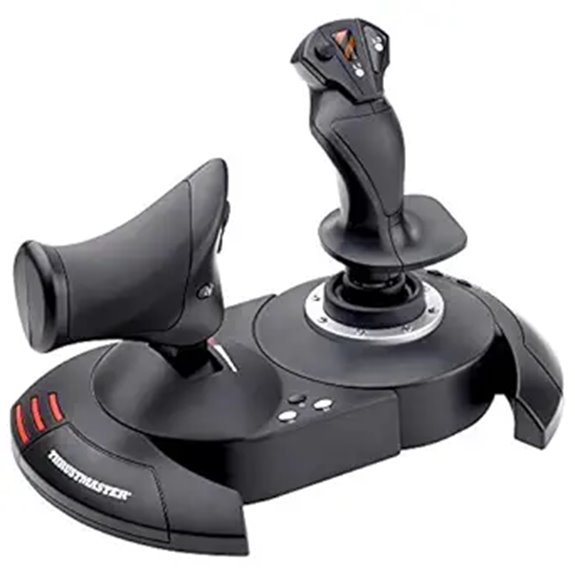 | High-Performance Control | Compatibility: PC | Control Type: Joystick + Throttle | Number of Controls: 12 buttons + 5 axes | VIEW LATEST PRICE | See Our Full Breakdown |
| Thrustmaster T16000M FCS (Compatible with PC) | 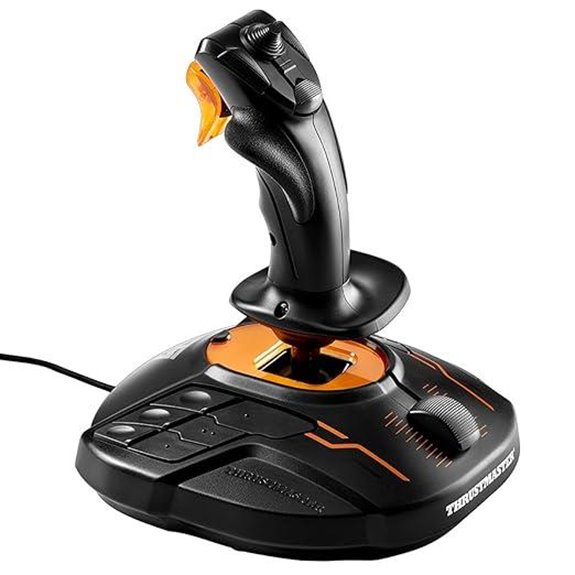 | Ambidextrous Design | Compatibility: Windows 7/8.1/10 | Control Type: Joystick + Throttle | Number of Controls: 16 buttons + 4 axes | VIEW LATEST PRICE | See Our Full Breakdown |
| Logitech Saitek X52 Pro Flight Controller and Joystick | 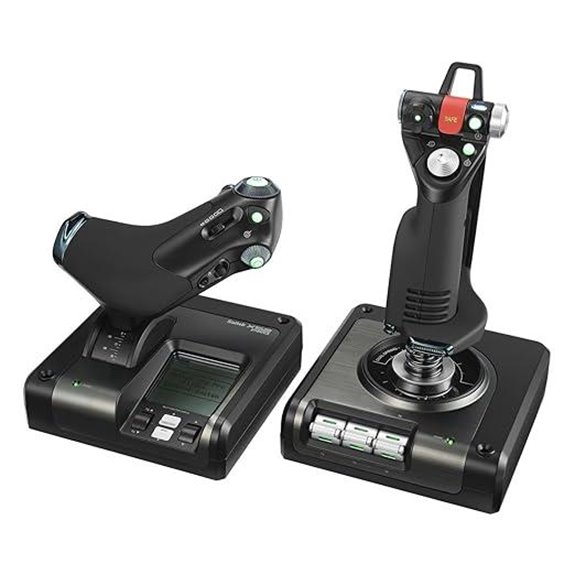 | Advanced Features | Compatibility: Windows 10/8.1/7 | Control Type: Joystick + Throttle | Number of Controls: 189 controls (hotas) | VIEW LATEST PRICE | See Our Full Breakdown |
| Thrustmaster TFRP Flight Rudder Pedals for Simulators | 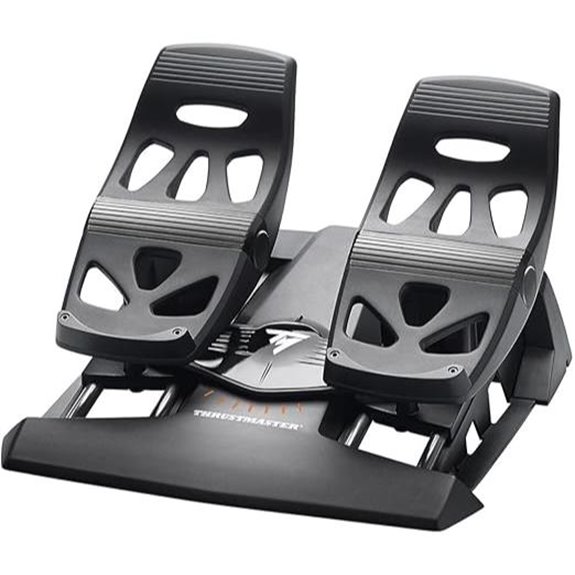 | Professional-Grade Pedals | Compatibility: Xbox Series X|S, Xbox One, Windows 10/11 | Control Type: Yoke + Rudder + Throttle | Number of Controls: 12 axes + 10 buttons | VIEW LATEST PRICE | See Our Full Breakdown |
| Logitech G X56 Flight Simulator Controller with RGB | 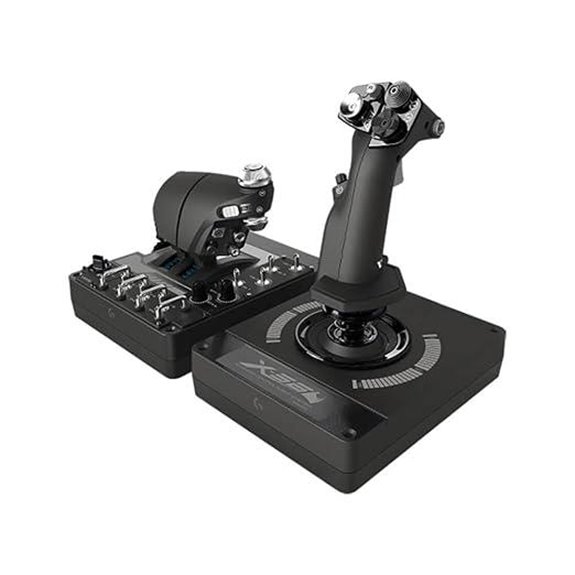 | Space-Saving Design | Compatibility: Windows 7/8.1/10/11 | Control Type: HOTAS (Joystick + Throttle) | Number of Controls: 16 controls + 4 axes | VIEW LATEST PRICE | See Our Full Breakdown |
| Honeycomb Alpha LITE Flight Yoke for Sim Beginners | 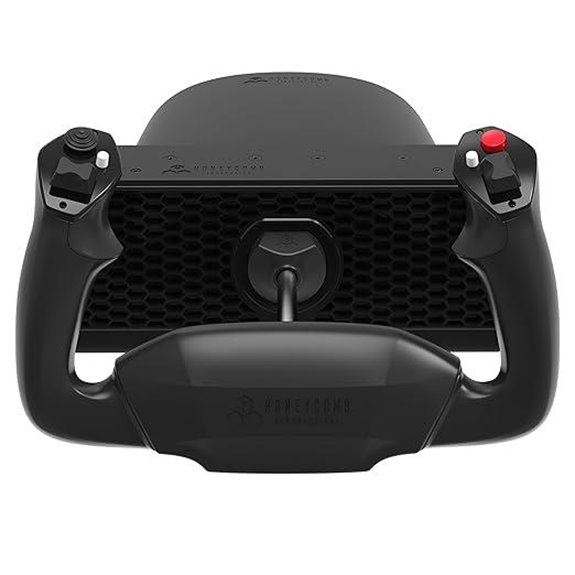 | Beginner’s Friendly | Compatibility: PC | Control Type: Yoke | Number of Controls: Programmable buttons + switches | VIEW LATEST PRICE | See Our Full Breakdown |
| Logitech G X52 Flight Control System – Standard Packaging | 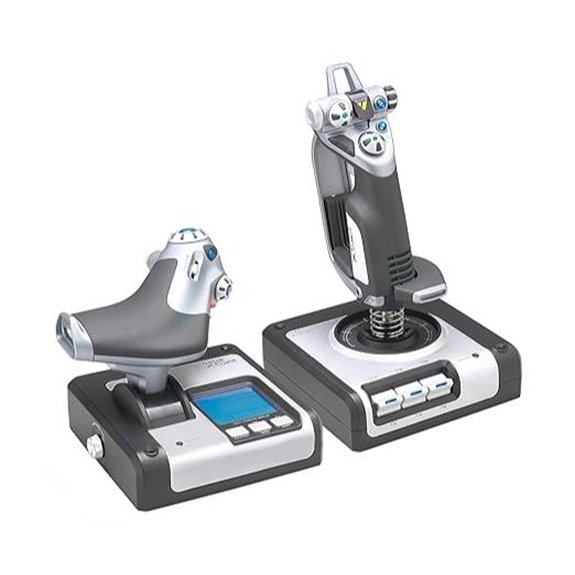 | Immersive Flight Control | Compatibility: Windows XP/7/8.1/10, PC | Control Type: Joystick + Throttle | Number of Controls: 4 controls + 2 rotary dials | VIEW LATEST PRICE | See Our Full Breakdown |
| Turtle Beach VelocityOne Flight Control System |  | All-in-One System | Compatibility: Xbox Series X|S, Xbox One, Windows 10/11 | Control Type: Yoke + Rudder + Throttle | Number of Controls: Multiple axes/buttons including rudder, brakes | VIEW LATEST PRICE | See Our Full Breakdown |

More Details on Our Top Picks
-

Thrustmaster T-Flight Hotas One Microsoft Flight Simulator 2024 Collector’s Edition – Flight Stick & Throttle Controller for Xbox Series X|S & PC, Official Flight Simulator Controller
OFFICIAL MICROSOFT FLIGHT SIMULATOR CONTROLS - Officially licensed flight joystick for Microsoft Flight Simulator 2024, fully compatible with...
As an affiliate, we earn on qualifying purchases.
Logitech G PRO Flight Yoke System with Controls
If you’re just starting out with flight simulation and want a realistic, reliable control system, the Logitech G PRO Flight Yoke System is an excellent choice. Its stainless steel yoke shaft delivers smooth, precise handling, helping you build muscle memory. The system features a flight yoke with a POV hat, 14 buttons, and a three-position mode switch, offering over 54 programmable controls. The included throttle quadrant has four adjustable levers for all-encompassing aircraft management. With secure desk clamps, it stays stable during intense maneuvers. Compatible with Windows and popular flight sim software, this setup provides a solid, immersive foundation for beginners aiming to enhance their flying skills.
- Compatibility:Windows 7/8.1/10/11, PC
- Control Type:Yoke + Throttle
- Number of Controls:54+ programmable controls
- Build Material:Steel, plastic
- Mounting Options:Desk clamps
- Additional Features:Software required
- Additional Feature:Supports three control modes
- Additional Feature:Comes with two desk clamps
- Additional Feature:Configurable knobs for customization
-

Thrustmaster TCA Yoke & Quadrant Boeing Edition Flight Pack - XBOX & PC
FLY LIKE A REAL PILOT – Bring the thrill of a real airplane simulator into your home. This...
As an affiliate, we earn on qualifying purchases.
Thrustmaster T-Flight Hotas One Flight Sim Controller
The Thrustmaster T-Flight Hotas One Flight Sim Controller stands out as an ideal choice for beginners seeking a versatile and reliable setup, thanks to its official license for Xbox Series X|S and PC compatibility. It offers a complete flight experience with 14 buttons, 5 axes, and a rapid trigger, all ergonomically arranged for comfort and precision. The detachable throttle adds flexibility, allowing use on a lap or desk, and the dual rudder system provides nuanced aircraft control. Designed for all aircraft types, its adjustable resistance and ecosystem integration with Thrustmaster accessories make it an excellent, user-friendly entry point into flight simulation.
- Compatibility:Xbox Series X|S, PC
- Control Type:HOTAS (Joystick + Throttle)
- Number of Controls:14 buttons, 5 axes
- Build Material:Plastic, rubber
- Mounting Options:Adjustable stand
- Additional Features:Ecosystem compatibility
- Additional Feature:Compatible with Xbox Series X|S
- Additional Feature:Detachable throttle for flexibility
- Additional Feature:Adjustable joystick resistance
-

Honeycomb Alpha Flight Controls Yoke & Switch Panel — Flight Simulator Yoke w/ 180° Rotation, Steel Shaft, Ignition Switch, Fully-Equipped Handles, Dual Mounting — Compatible w/PC & Mac
True-to-Life Flight Control: Experience immersive flight simulation with the Honeycomb Alpha Flight Controller Yoke and Switch Panel. Featuring...
As an affiliate, we earn on qualifying purchases.
Thrustmaster TCA Yoke PACK Boeing Edition
For beginners seeking a highly realistic and durable flight control setup, the Thrustmaster TCA Yoke PACK Boeing Edition stands out as an excellent choice. It’s compatible with Xbox Series X/S and PC, featuring an officially licensed Boeing 787-inspired yoke and throttle quadrant. The 100% metal internal structure guarantees sturdiness, while the suspended PENDUL_R mechanism mimics the Dreamliner’s pendular sensation, delivering authentic feedback. With four interchangeable throttle levers and advanced magnetic technology, control precision is enhanced. The setup includes 35 action buttons and seamless integration with Microsoft Flight Simulator, making it perfect for beginners eager to plunge into immersive, realistic flying experiences.
- Compatibility:Xbox Series X/S, PC
- Control Type:Yoke + Throttle
- Number of Controls:35 buttons, 4 levers
- Build Material:Metal, plastic
- Mounting Options:Attachment systems
- Additional Features:Realistic Boeing design
- Additional Feature:Inspired by Boeing 787
- Additional Feature:Magnetic technology controls
- Additional Feature:Adjustable yoke springs
Honeycomb Alpha Flight Yoke & Switch Panel
Aspiring flight sim enthusiasts seeking realistic cockpit experiences will appreciate the Honeycomb Alpha Flight Yoke & Switch Panel. The yoke features 180° rotation, a solid steel shaft, and smooth linear ball bearings for precise control. Its dampened, self-centering mechanism has no center detent, making maneuvers effortless. The integrated switch panel offers essential cockpit functions, including main, avionics, light switches, and a 5-position ignition switch with red LED backlighting for night flights. Multi-function controls like rocker switches and buttons enhance realism. With dual mounting options and compatibility across PC, Mac, and leading flight sim software, this setup delivers durability and authentic flight simulation.
- Compatibility:PC, Mac, Flight Simulator
- Control Type:Yoke + Switch Panel
- Number of Controls:Multiple switches, 8 controls
- Build Material:Durable plastics, steel
- Mounting Options:Clamps or suction pad
- Additional Features:Switch panel + lighting
- Additional Feature:180° rotation with self-centering
- Additional Feature:Includes multiple cockpit switches
- Additional Feature:Heavy-duty mounting options
Logitech G Pro Flight Yoke System + Pro Flight Rudder Pedals Bundle
If you’re just starting out with flight simulation and want a setup that feels both realistic and versatile, the Logitech G Pro Flight Yoke System paired with the Pro Flight Rudder Pedals is an excellent choice. The yoke offers realistic controls with 14 buttons, a POV Hat, and a 3-position mode switch, allowing for extensive customization. The rudder pedals feature smooth, self-centering movement, differential toe brakes, and adjustable, non-slip footrests, adding real-world control during ground operations. Together, they create an immersive experience, making it easier for beginners to develop muscle memory and confidence while flying. This bundle is a solid foundation for anyone enthusiastic to master flight simulation.
- Compatibility:Windows, PC
- Control Type:Yoke + Rudder Pedals
- Number of Controls:14 buttons + rudder pedals
- Build Material:Plastic, metal
- Mounting Options:Clamp or secure base
- Additional Features:Rudder pedals + buttons
- Additional Feature:Includes programmable controls
- Additional Feature:Rudder pedals with toe brakes
- Additional Feature:Comprehensive flight setup
Logitech G Pro Flight Rudder Pedals
The Logitech G Pro Flight Rudder Pedals stand out as an excellent choice for beginners seeking realistic and precise control in flight simulators. They offer smooth, self-centering movement that mimics real rudder action, with adjustable tension to suit personal preferences—from light aircraft to heavy jets. The differential toe brakes give you full control over taxiing and stopping, enhancing immersion. High-resolution 9-bit and 7-bit axes ensure accurate responses. Compatible with Windows systems and connected via reliable USB 2.0, these pedals are sturdy, compact, and easy to integrate into your setup, making them a great starting point for mastering flight controls.
- Compatibility:Windows 7/8/8.1/10
- Control Type:Rudder Pedals
- Number of Controls:Rudder + Toe brakes
- Build Material:Plastic
- Mounting Options:Flat surface
- Additional Features:Self-centering rudder
- Additional Feature:Differential toe brakes
- Additional Feature:High-resolution rudder axis
- Additional Feature:Adjustable tension feature
Thrustmaster T-Flight Hotas X (Compatible with PC)
For beginners seeking a reliable and customizable flight control, the Thrustmaster T-Flight Hotas X stands out as an excellent choice. It’s compatible with PC and features a comfortable wide hand-rest, a detachable ergonomic throttle, and a high-precision joystick with adjustable resistance. The weighted base ensures stability during intense gameplay, while a trigger handles brakes or rapid fire, and a multi-directional hat provides panoramic view control. With 12 programmable buttons and five axes, you can tailor the device to your preferences. All functions are plug-and-play, making setup fast and straightforward. Its internal memory retains your settings, delivering a seamless and realistic flying experience.
- Compatibility:PC
- Control Type:Joystick + Throttle
- Number of Controls:12 buttons + 5 axes
- Build Material:Plastic, metal
- Mounting Options:Weighted base, clamps
- Additional Features:Programmable, internal memory
- Additional Feature:Pre-configured for immediate use
- Additional Feature:Programmable buttons and axes
- Additional Feature:Supports civil and military sims
Thrustmaster T16000M FCS (Compatible with PC)
The Thrustmaster T16000M FCS stands out as an excellent choice for PC flight sim beginners thanks to its high precision and adaptable design. It connects easily via USB on Windows, offering reliable compatibility. Its H.E.A.R.T technology guarantees sustained accuracy over time, giving you precise control. The fully ambidextrous shape includes three removable parts, allowing customization for left or right-handed users. With 16 action buttons, an 8-way POV hat, and four independent axes—including twist rudder—it provides extensive control options. Plus, the T.A.R.G.E.T software lets you create custom profiles, making it a versatile tool to master flight simulation.
- Compatibility:Windows 7/8.1/10
- Control Type:Joystick + Throttle
- Number of Controls:16 buttons + 4 axes
- Build Material:Plastic
- Mounting Options:Clamp or suction
- Additional Features:Braille-style buttons
- Additional Feature:Ambidextrous design
- Additional Feature:Braille-style button labels
- Additional Feature:Supports custom map profiles
Logitech Saitek X52 Pro Flight Controller and Joystick
If you’re new to flight simulation and want a controller that combines precision with customization, the Logitech Saitek X52 Pro Flight Controller and Joystick is an excellent choice. Its five-position handle adjustment guarantees a comfortable fit, while the soft-touch grip reduces fatigue during long sessions. The progressive throttle with resistance adjustment and detents adds realism, and the precision centering mechanism provides accurate control. The intuitive LCD display shows real-time info, and illuminated buttons boost visibility. Plus, the programmable software allows you to tailor controls for each game, making this setup versatile and user-friendly for beginners looking to master their flights.
- Compatibility:Windows 10/8.1/7
- Control Type:Joystick + Throttle
- Number of Controls:189 controls (hotas)
- Build Material:Plastic, metal
- Mounting Options:Clamp or screw mounts
- Additional Features:RGB lighting, LCD display
- Additional Feature:Multi-function LCD display
- Additional Feature:Detents for Afterburner/Idle
- Additional Feature:Programmable smart technology software
Thrustmaster TFRP Flight Rudder Pedals for Simulators
Designed with realism and durability in mind, the Thrustmaster TFRP Flight Rudder Pedals are ideal for newcomers seeking precise control during flight simulations. They feature four industrial-grade aluminum slide rails, ensuring smooth and consistent movement. The innovative S.M.A.R.T slide rails system enhances durability and performance, making them reliable over time. The pedals offer a wide range of travel on the rudder axis, allowing for accurate maneuvers. Their self-centering mechanism balances resistance and smoothness, enabling natural re-centering. Compatible with PC, Xbox One, and PlayStation 5, these pedals suit various setups and skill levels, making them a great choice for beginners enthusiastic to master flight control.
- Compatibility:Xbox Series X|S, Xbox One, Windows 10/11
- Control Type:Yoke + Rudder + Throttle
- Number of Controls:12 axes + 10 buttons
- Build Material:Plastic, metal
- Mounting Options:Clamps, secure mounting
- Additional Features:Flight management display
- Additional Feature:Modular throttle controls
- Additional Feature:Full-color flight display
- Additional Feature:Authentic 180° yoke
Logitech G X56 Flight Simulator Controller with RGB
For beginners looking to immerse themselves in realistic flight simulation, the Logitech G X56 Flight Simulator Controller with RGB stands out thanks to its extensive customization options and high-precision controls. It’s designed for serious pilots, offering 189 programmable controls, a fully featured HOTAS setup, and precise hall-effect sensors for smooth, accurate movements. The adjustable stick force and twin throttles with friction adjustment give you tailored control. Plus, the RGB backlighting can be customized via software to match your rig’s aesthetic. Compatible with Windows 7 through 11 and VR, it’s a versatile, high-performance choice for aspiring flight enthusiasts seeking realism and personalization.
- Compatibility:Windows 7/8.1/10/11
- Control Type:HOTAS (Joystick + Throttle)
- Number of Controls:16 controls + 4 axes
- Build Material:Plastic
- Mounting Options:Clamp or screw
- Additional Features:RGB lighting, 189 controls
- Additional Feature:RGB lighting customizable
- Additional Feature:Twin throttles with friction
- Additional Feature:189 programmable controls
Honeycomb Alpha LITE Flight Yoke for Sim Beginners
The Honeycomb Alpha LITE Flight Yoke stands out as an ideal choice for beginners because it offers a realistic yet straightforward control experience with its 180° rotation and self-centering mechanism. Its compact design makes setup easy, and the durable steel shaft guarantees longevity. With programmable buttons and intuitive controls, it supports essential functions for flight simulation without overwhelming new users. Seamlessly compatible with Microsoft Flight Simulator 2020 (MSFS 2024), it allows for quick, plug-and-play use. Its user-friendly layout and authentic feel make it perfect for those just starting out, providing a solid foundation to develop flight skills confidently.
- Compatibility:PC
- Control Type:Yoke
- Number of Controls:Programmable buttons + switches
- Build Material:Plastic, metal
- Mounting Options:Clamps or optional mounts
- Additional Features:Programmable controls, backlit
- Additional Feature:Compact beginner-friendly design
- Additional Feature:Self-centering with minimal dead zone
- Additional Feature:Includes mapping guide online
Logitech G X52 Flight Control System – Standard Packaging
If you’re looking for a flight control system that offers a realistic experience right out of the box, the Logitech G X52 Flight Control System’s advanced multi-function display is a standout feature. It provides real-time flight data, enhancing immersion. The system includes dedicated MFD buttons and rotary dials for quick access to game functions, while the joystick offers precision centering with non-contact technology and a constant spring force for smooth control. The progressive throttle features tension adjustments, detents for Afterburner and Idle, and two fire buttons for essential actions. Compatible with Windows systems, it’s designed to deliver a thorough, immersive flight simulation experience straight from the standard packaging.
- Compatibility:Windows XP/7/8.1/10, PC
- Control Type:Joystick + Throttle
- Number of Controls:4 controls + 2 rotary dials
- Build Material:Plastic, metal
- Mounting Options:Clamps
- Additional Features:Multi-function display
- Additional Feature:Advanced multi-function display
- Additional Feature:Rotary dials with in-built buttons
- Additional Feature:Realistic control options
Turtle Beach VelocityOne Flight Control System
The Turtle Beach VelocityOne Flight Control System stands out with its all-in-one design, making it ideal for beginners seeking a thorough and realistic flight simulation experience. It combines a sturdy yoke handle, throttle quadrant, trim wheel, rudder controls, and a flight management display into one seamless unit. Compatible with Xbox Series X/S, Xbox One, and Windows PCs, it supports popular titles like Microsoft Flight Simulator. The smooth, precise controls, customizable buttons, and integrated rudder and brake systems give a high level of realism. Easy to set up and built for durability, it offers an immersive experience perfect for newcomers ready to elevate their flight sim skills.
- Compatibility:Xbox Series X|S, Xbox One, Windows 10/11
- Control Type:Yoke + Rudder + Throttle
- Number of Controls:Multiple axes/buttons including rudder, brakes
- Build Material:Metal, plastic
- Mounting Options:Clamps or secure mounting
- Additional Features:Flight display, extensive controls
- Additional Feature:Full flight management display
- Additional Feature:Customizable lever handles
- Additional Feature:Authentic aircraft control feel
Factors to Consider When Choosing Flight Sim Controls for Beginners
When selecting flight sim controls as a beginner, I focus on factors like budget and ease of setup to guarantee I get the best value without frustration. I also consider control precision and software compatibility to make sure my experience is smooth and realistic. Finally, I look at build durability to ensure my investment lasts through many flights.
Budget Compatibility Tips
Establishing a clear budget range before shopping helps you focus on flight sim controls that fit your financial limits and prevents overspending. This step makes it easier to narrow down options and avoid getting overwhelmed by features you don’t need. Prioritize controls that include essential features, like adjustable pedals or programmable buttons, within your price point. Look for bundle deals that combine multiple components, such as yokes and rudder pedals, to get more value for your money. Entry-level models designed for beginners often cost less but still deliver realistic control, making them a smart choice for newcomers. Additionally, compare prices across different retailers and online marketplaces to find the best deals and avoid paying premium prices for basic features. Staying within your budget ensures a more satisfying and stress-free shopping experience.
Ease of Setup
Choosing flight sim controls that are easy to set up can make your initial experience much smoother. Look for options with clear, step-by-step instructions to avoid confusion. Plug-and-play devices with USB connections are usually the simplest, allowing for quick setup without the need for complicated software or driver installations. Compact designs, like simplified yokes or pedals, often require fewer mounting steps, saving you time and effort. Compatibility is also key—select controls that work seamlessly with your operating system and flight sim software to ensure immediate functionality. Features like adjustable clamps or suction mounts can make securing the controls easier, especially for beginners. Overall, prioritizing simple installation helps you start flying sooner and reduces frustration during setup.
Control Precision Levels
For beginners, control precision is essential because it directly impacts how accurately you can steer and handle aircraft in the sim. Higher precision controls provide more detailed input, making it easier to respond smoothly and realistically. Devices with 14-bit or higher axes offer over 16,000 levels of input resolution, giving you finer control during delicate maneuvers. Self-centering mechanisms and minimal dead zones ensure movements feel natural and predictable, reducing frustration. Adjustable resistance and tension settings help you customize the control feel to your comfort level, improving accuracy as you learn. Accurate rudder and pitch controls, especially with high-bit resolution, enhance realism and help you develop better flying skills. Overall, investing in precise controls makes your learning curve smoother and your flying experience more enjoyable.
Software Compatibility
When selecting flight sim controls, verifying their compatibility with your computer’s operating system is crucial to make sure everything works smoothly. I always double-check if the controls support systems like Windows 10, Windows 8.1, or macOS before buying. It’s also important to confirm that the controls are compatible with my chosen flight simulation software, such as Microsoft Flight Simulator or X-Plane. Some controllers need extra drivers or software for customization, so I look for those that support profile loading or custom mapping via dedicated software. Regular updates from the manufacturer are a plus, ensuring ongoing compatibility with new software versions. Ensuring these factors helps prevent technical issues and guarantees I can fully utilize my controls during flights.
Build Durability
Since flight sim controls undergo frequent and intense use, prioritizing build durability is crucial to guarantee they last over time. I look for controls with a steel or metal internal structure, ensuring they can withstand long sessions without bending or breaking. Reinforced mounting options, like heavy-duty clamps or suction pads, are essential to prevent shifting or damage during use. I also check that the axes, such as rudders and yokes, use non-contact or magnetic technology, which reduces wear and keeps accuracy consistent. Sturdy, high-grade materials that resist cracking, warping, or fatigue are important for longevity. Ultimately, I rely on user reviews that highlight a product’s robustness, giving me confidence it can endure the physical stress of regular flight simulation.
Realism Features
Choosing flight sim controls with realistic features can substantially boost your immersion and learning curve as a beginner. Authentic elements like 180° yoke rotation and self-centering mechanisms make flying feel more genuine, helping you grasp real aircraft behavior. Adjustable resistance and detents in throttle quadrants simulate actual handling, giving you better control and understanding of systems. Including control surfaces such as rudders and toe brakes adds depth, making your experience more immersive. High-quality materials and precise mechanisms ensure smooth, accurate movements that mirror real aircraft responses. Features like integrated flight management displays and programmable buttons allow you to customize controls, enhancing realism and ease of use. Prioritizing these features helps you develop skills faster and increases your confidence as a new pilot.
Space Requirements
Before buying flight sim controls, it’s essential to measure your available desk or tabletop space carefully. You want to confirm the controls fit comfortably without cluttering your workspace. Consider the size and footprint of the device—larger yokes and pedals require more room for proper setup. Also, account for the clearance needed for full range of motion, like 180° yoke rotation or pedal travel, so nothing gets obstructed during use. Check if mounting options such as clamps or suction pads are compatible with your workspace to keep everything secure and tidy. Ultimately, think about storage—if the controls are bulky, they might need a dedicated setup or be difficult to store when not in use. Proper space planning helps create a comfortable, functional sim environment.
Expandability Options
When selecting flight sim controls as a beginner, it’s important to contemplate how well the system can grow with your skills. Expandability options matter because they let you add or upgrade components like rudder pedals, switches, or throttle quadrants, making your setup more realistic over time. Many beginner-friendly systems support modular upgrades, so you don’t need to replace everything as you advance. Compatibility with accessories like switch panels ensures your initial investment can evolve into a full cockpit experience. Some controls also offer firmware or software updates that *release* new features, extending their lifespan. Look for standardized connection interfaces and open software platforms, which make integrating future modules seamless and hassle-free. This way, your controls can adapt as your flying skills improve.
Frequently Asked Questions
Which Flight Controls Are Best Suited for Small Desk Spaces?
If you’re limited on space, I recommend compact flight controls like the Logitech G Pro Flight Yoke or a small joystick such as the Thrustmaster T.Flight Hotas X. These are designed to fit comfortably on small desks while still offering good control. I’ve found that choosing versatile, space-efficient controls lets me enjoy realistic flying without cluttering my workspace. They’re perfect for tight setups and still deliver a great simulation experience.
How Do I Calibrate My Flight Controls for Optimal Performance?
To calibrate my flight controls for maximum performance, I start by connecting them to my computer and opening the calibration utility in the control panel or game settings. I follow the on-screen instructions, moving each axis smoothly to guarantee accuracy. I test the controls in the game, making adjustments if needed. Regular calibration keeps my controls responsive, making my flying experience smooth and realistic.
Are There Specific Controls Recommended for Virtual Reality Flight Simulations?
Absolutely, for VR flight simulations, I recommend using a dedicated yoke or joystick with precise motion tracking. Look for models that are compatible with VR headsets and offer tactile feedback, like the Thrustmaster T.16000M or Logitech G Pro Flight. You want controls that feel natural and responsive to enhance immersion. Additionally, a good throttle quadrant can make your experience even more realistic, so consider adding one if possible.
What Is the Average Lifespan of Beginner Flight Sim Controls?
The average lifespan of beginner flight sim controls typically ranges from 2 to 5 years, depending on usage and build quality. I’ve found that with careful handling and regular maintenance, these controls can last longer. If you’re a beginner, investing in durable, well-reviewed equipment can extend their longevity. Keep in mind that technology advances quickly, so upgrading after a few years can also enhance your flying experience.
Can I Upgrade My Beginner Controls to Advanced Setups Later?
Absolutely, you can upgrade your beginner controls later, like upgrading a bicycle to a motorcycle. I’ve done it myself, and it’s exciting to expand your setup as you learn. Most flight sim controls are modular, so you can add joysticks, rudders, or throttle quadrants over time. Planning ahead helps—consider compatibility and space—so your upgrade journey feels smooth, making your flight experience even more immersive and enjoyable.
Conclusion
Choosing the right flight sim controls is like finding the perfect set of wings—once you do, your virtual skies become limitless. Whether you’re starting with a simple yoke or a full control system, the key is to pick gear that feels intuitive and sparks your passion. With the right controls, you’ll glide through your flights with confidence, turning every session into an exciting adventure. So buckle up—your journey to mastering the skies begins now!