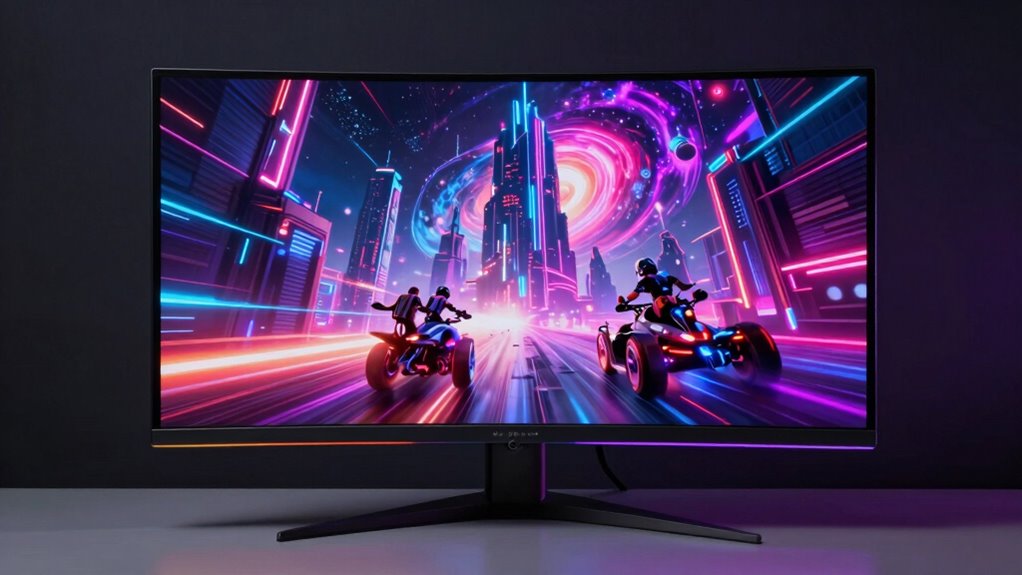
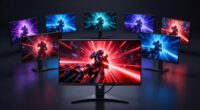
If you’re searching for a monitor for streaming and gaming, you want a display that balances fast response times, sharp visuals, and versatile connectivity. The LG 27G640A-B stands out as the best overall with its 300Hz refresh rate and G-Sync support, ideal for competitive gamers. The Dell S2725QS offers stunning 4K clarity perfect for content creators, while the Samsung Odyssey G5 series provides immersive QHD curved visuals for a more engaging experience. However, tradeoffs exist: higher refresh rates might limit resolution options, and budget models could sacrifice color accuracy or build quality. Keep reading for a detailed breakdown to find the best fit for your streaming and gaming needs.

Get VR and gaming gear delivered free — and shop member deals
- Fast, free delivery on millions of items
- Access to Prime Big Deal Days deals on October 6–7
- Prime Video, Amazon Music and more included
Key Takeaways
- Top monitors combine high refresh rates (at least 120Hz) with low response times (1-3ms) for smooth gameplay.
- Curved screens enhance immersion but can distort some content or be less suitable for competitive gaming.
- Connectivity options like HDMI 2.1 and USB-C are essential for future-proofing, especially for high-resolution streaming.
- Balance resolution and refresh rate based on your primary use: higher res for content creation, higher refresh for competitive gaming.
- Build quality and adjustable stands matter for long gaming sessions and ergonomic comfort.
| LG 27G640A-B 27-inch Ultragear QHD Gaming Monitor, 300Hz, 1ms, G-Sync & FreeSync Premium, HDR400, HDMI 2.1, USB-C, Adjustable Stand, Black |  | Best Overall for Serious Gamers Who Need Speed and Versatility | Display Size: 27 inches | Resolution: 2560 x 1440 (QHD) | Refresh Rate: 300Hz | VIEW ON AMAZON | See Our Full Breakdown |
| Dell 27 Monitor S2725QS 4K UHD IPS, 120Hz, FreeSync Premium |  | Best for Versatile Work and Entertainment with Stunning 4K Clarity | Screen Size: 27 inches | Resolution: 4K UHD | Refresh Rate: 120Hz | VIEW ON AMAZON | See Our Full Breakdown |
| Samsung 27″ Odyssey G5 (G51F) Series QHD Gaming Monitor |  | Best for Immersive Gaming with HDR and Ergonomic Comfort | Display Size: 27 inches | Resolution: 2560 x 1440 (QHD) | Refresh Rate: 180Hz | VIEW ON AMAZON | See Our Full Breakdown |
| Samsung 32” Odyssey G5 (G50F) Series QHD Gaming Monitor |  | Best for Larger Screen Gaming with G-Sync and Wide Viewing Angles | Size: 32 inches | Resolution: 2560 x 1440 (QHD) | Refresh Rate: 180Hz | VIEW ON AMAZON | See Our Full Breakdown |
| Sceptre 24-inch Curved Gaming Monitor 1080p, 75Hz, HDMI & VGA, Built-in Speakers, VESA Wall Mount |  | Best Budget Curved Monitor for Casual Gaming and Multimedia | Screen Size: 24 inches | Resolution: 1920 x 1080 (Full HD) | Refresh Rate: 75Hz | VIEW ON AMAZON | See Our Full Breakdown |
| Acer 27-inch FHD IPS Gaming Monitor KB272 G0bi |  | Best Overall for Balanced Gaming and Streaming | Display Size: 27 inches | Resolution: 1920 x 1080 (FHD) | Panel Type: IPS | VIEW ON AMAZON | See Our Full Breakdown |
| Sceptre 22-Inch Gaming Monitor, FHD 1080p, Up to 144Hz, HDMI, DisplayPort, Built-in Speakers |  | Best Compact Choice for Budget-Friendly Gaming | Size: 22 inches | Resolution: FHD 1080p | Refresh Rate: Up to 144Hz | VIEW ON AMAZON | See Our Full Breakdown |
| ViewSonic VX2416A 24 Inch 1080p IPS Gaming Monitor, 120Hz, 1ms, USB-C |  | Best Versatile Connectivity for Streaming and Gaming | Size: 24 inches | Resolution: 1920 x 1080 | Refresh Rate: 120Hz | VIEW ON AMAZON | See Our Full Breakdown |
| Dell 27-Inch FHD Gaming Monitor – SE2726HG, 240Hz, IPS, FreeSync Premium, Tilt |  | Best for High-Speed Competitive Gaming | Size: 27 inches | Resolution: 1920 x 1080 (FHD) | Refresh Rate: 240Hz | VIEW ON AMAZON | See Our Full Breakdown |
| Samsung 32-Inch Odyssey G55C Series QHD Curved Gaming Monitor |  | Best for Immersive Large-Screen Gaming | Size: 32 inches | Resolution: QHD (2560×1440) | Refresh Rate: 165Hz | VIEW ON AMAZON | See Our Full Breakdown |
| LG 27GS75Q-B 27-inch Ultragear QHD Gaming Monitor, 180Hz (O/C 200Hz), 1ms, IPS, G-SYNC Compatible, FreeSync, HDR10, Adjustable Stand |  | Best Overall for High-Performance Gaming and Streaming | Size: 27 inches | Resolution: 2560×1440 (QHD) | Refresh Rate: 180Hz (O/C 200Hz) | VIEW ON AMAZON | See Our Full Breakdown |
| ASUS VA279HG 27-Inch 1080P 120Hz Eye Care Gaming Monitor with HDMI and VGA |  | Best Value for Casual Gaming and Everyday Use | Size: 27 inches | Resolution: 1080p Full HD | Refresh Rate: 120Hz | VIEW ON AMAZON | See Our Full Breakdown |
| Samsung 25″ Odyssey G4 (G40H) Series FHD Gaming Monitor |  | Best for Compact, High-Refresh Gaming on a Smaller Screen | Size: 25 inches | Resolution: Full HD 1920×1080 | Refresh Rate: 300Hz | VIEW ON AMAZON | See Our Full Breakdown |
| LG 27GR83Q-B 27-inch Ultragear QHD Gaming Monitor, 240Hz, 1ms, HDR400, G-Sync, FreeSync Premium, HDMI 2.1, DisplayPort, Tilt/Height/Pivot Stand |  | Best Premium for High-Refresh, Versatile Gaming | Size: 27 inches | Resolution: 2560×1440 (QHD) | Refresh Rate: 240Hz | VIEW ON AMAZON | See Our Full Breakdown |
| monitor for streaming and gaming | Resolution | Refresh Rate | Response Time | Size |
|---|---|---|---|---|
| LG 27G640A-B 27-inch Ultragear | 2560 x 1440 (QHD) | 300Hz | 1ms (GtG) | — |
| Dell 27 Monitor S2725QS 4K UHD | 4K UHD | 120Hz | 5ms | — |
| Samsung 27" Odyssey G5 | 2560 x 1440 (QHD) | 180Hz | 1ms | — |
| Samsung 32” Odyssey G5 | 2560 x 1440 (QHD) | 180Hz | 1ms | 32 inches |
| Sceptre 24-inch Curved Gaming | 1920 x 1080 (Full HD) | 75Hz | 1ms | — |
| Acer 27-inch FHD IPS Gaming Mo | 1920 x 1080 (FHD) | 120Hz | 1ms VRB | — |
| Sceptre 22-Inch Gaming Monitor | FHD 1080p | Up to 144Hz | — | 22 inches |
| ViewSonic VX2416A 24 Inch 1080 | 1920 x 1080 | 120Hz | 1ms | 24 inches |
| Dell 27-Inch FHD Gaming Monito | 1920 x 1080 (FHD) | 240Hz | 0.5ms | 27 inches |
| Samsung 32-Inch Odyssey G55C S | QHD (2560×1440) | 165Hz | 1ms (MPRT) | 32 inches |
| LG 27GS75Q-B 27-inch Ultragear | 2560×1440 (QHD) | 180Hz (O/C 200Hz) | 1ms | 27 inches |
| ASUS VA279HG 27-Inch 1080P 120 | 1080p Full HD | 120Hz | 1ms MPRT | 27 inches |
| Samsung 25" Odyssey G4 | Full HD 1920×1080 | 300Hz | 1ms | 25 inches |
| LG 27GR83Q-B 27-inch Ultragear | 2560×1440 (QHD) | 240Hz | 1ms | 27 inches |
More Details on Our Top Picks
LG 27G640A-B 27-inch Ultragear QHD Gaming Monitor, 300Hz, 1ms, G-Sync & FreeSync Premium, HDR400, HDMI 2.1, USB-C, Adjustable Stand, Black
This LG monitor stands out for its blazing 300Hz refresh rate and 1ms response time, making it ideal for fast-paced competitive gaming. When compared with the Samsung Odyssey G5, the LG offers a higher refresh rate and more versatile connectivity options like HDMI 2.1 and USB-C, which are essential for future-proof setups. However, achieving full 300Hz depends on having an advanced GPU supporting HDMI 2.1 or DisplayPort 1.4, adding to the cost. Its HDR400 and 95% DCI-P3 color coverage deliver vivid visuals, though color accuracy isn’t calibrated for professional work. The adjustable stand provides ergonomic comfort, but some features require specific GPU compatibility, which could be a barrier. Overall, this monitor makes the most sense for competitive gamers who prioritize speed and flexibility over budget constraints.
Pros:- Ultra-fast 300Hz refresh rate ensures silky smooth gameplay
- 1ms response time minimizes ghosting and motion blur
- Supports HDR400 for vivid visuals and wide color coverage
- Multiple connectivity options including HDMI 2.1 and USB-C
Cons:- Requires high-end GPU supporting HDMI 2.1 or DisplayPort 1.4 for full 300Hz performance
- Price may be prohibitive for budget-conscious users
- Some features depend on specific GPU compatibility, limiting flexibility
Best for: High-end gamers and streamers who demand ultra-smooth gameplay and versatile connectivity
Not ideal for: Casual gamers or users on a budget, as the high specs and features may come at a premium and require specific hardware
- Display Size:27 inches
- Resolution:2560 x 1440 (QHD)
- Refresh Rate:300Hz
- Response Time:1ms (GtG)
- Color Gamut:95% DCI-P3
- HDR:VESA DisplayHDR 400
- Connectivity:HDMI 2.1 (2 ports), DisplayPort 1.4, USB Type-C
- Stand Adjustments:Tilt, Height, Swivel, Pivot
- Compatibility:NVIDIA G-SYNC, AMD FreeSync Premium
Our verdict“This monitor is the top choice for competitive gamers seeking speed, flexibility, and future-proof features.”
Dell 27 Monitor S2725QS 4K UHD IPS, 120Hz, FreeSync Premium
This Dell model offers an impressive 4K UHD resolution combined with a 120Hz refresh rate, making it perfect for multitasking, media consumption, and casual gaming. Compared to the LG 27G640A-B, this monitor prioritizes resolution and color accuracy over ultra-high refresh rates, which suits users who value crisp visuals and detailed images. Its wide 99% sRGB coverage and HDR readiness enhance color vibrancy, though its response time of 5ms is less ideal for fast-paced competitive gaming. The ultra-thin bezel design adds a sleek aesthetic, but limited ergonomic features mean less adjustment flexibility. The lack of detailed information about built-in speakers and stand adjustments makes it less suitable for users who need extensive customization. Overall, this pick makes the most sense for those seeking a sharp, vibrant display for mixed use, not high-speed gaming.
Pros:- Stunning 4K UHD resolution for detailed visuals
- 120Hz refresh rate provides smooth media playback and casual gaming
- Vivid color coverage with 99% sRGB
- Sleek, ultra-thin bezel design
Cons:- Response time of 5ms may cause ghosting in fast-paced games
- Limited info on ergonomic adjustments and built-in audio quality
- Not optimized for high-end competitive gaming
Best for: Creative professionals and multimedia enthusiasts needing high-resolution visuals with good refresh rates
Not ideal for: Competitive gamers seeking ultra-low response times and high refresh rates for fast reflexes, or users requiring extensive ergonomic adjustments
- Screen Size:27 inches
- Resolution:4K UHD
- Refresh Rate:120Hz
- Response Time:5ms
- Color Coverage:99% sRGB
- Contrast Ratio:1500:1
- HDR:HDR ready
- Blue Light Reduction:Yes
Our verdict“This monitor excels for users prioritizing stunning visuals and versatility over ultra-fast gaming performance.”
Samsung 27″ Odyssey G5 (G51F) Series QHD Gaming Monitor
The Samsung Odyssey G5 G51F offers a compelling balance of sharp visuals and smooth gameplay with its 180Hz refresh rate and 1ms response time. Its HDR10 support and black equalizer boost visual vibrancy and contrast, making it a strong choice for immersive gaming. When compared with the LG 27G640A-B, it sacrifices some refresh rate speed but compensates with a higher contrast ratio and an ergonomic stand with tilt, pivot, and height adjustments. Its focus on gaming-specific features makes it less versatile for professional tasks, and the power consumption might be higher due to HDR support. Lacking built-in speakers and limited to gaming use, it’s well-suited for dedicated gamers who want comfort and high-quality visuals but less concerned about color accuracy for professional editing. This makes it ideal for immersive gaming experiences.
Pros:- 180Hz refresh rate with 1ms response time for smooth gaming
- HDR10 support enhances contrast and color depth
- Ergonomic stand with tilt, pivot, and height adjustments
- Vivid visuals with black equalizer
Cons:- Limited to gaming use, not suitable for work or professional editing
- Higher power consumption due to HDR features
- No built-in speakers or extensive connectivity options
Best for: Dedicated gamers seeking immersive visuals and ergonomic comfort during extended gaming sessions
Not ideal for: Professional creators or multitaskers needing color-critical work or extensive stand adjustments beyond tilt
- Display Size:27 inches
- Resolution:2560 x 1440 (QHD)
- Refresh Rate:180Hz
- Response Time:1ms
- HDR:HDR10
- Adaptive Sync:AMD FreeSync
- Stand Adjustments:Tilt, pivot, height
Our verdict“This monitor is perfect for gamers who value immersive visuals and adjustable comfort over professional multitasking features.”
Samsung 32” Odyssey G5 (G50F) Series QHD Gaming Monitor
The Samsung Odyssey G50F 32-inch offers a sizable, sharp QHD display with a 180Hz refresh rate and 1ms response time, making it a solid choice for larger gaming setups. Its G-Sync compatibility reduces tearing, and the IPS panel provides wide viewing angles and consistent color across the screen. Compared to the 27-inch G51F, the G50F’s larger size appeals to those who prefer a more immersive experience or multitasking space. The adjustable stand with height, tilt, pivot, and swivel options enhances comfort, but the larger footprint requires more desk space and may be less suitable for tight setups. Lacking built-in speakers and possibly at a higher price point, it’s best suited for gamers with ample space who want a larger, G-Sync compatible monitor that balances visuals and performance.
Pros:- Large 32-inch display for immersive gaming
- G-Sync compatibility reduces tearing
- IPS panel with wide viewing angles and consistent colors
- Full ergonomic stand with multiple adjustments
Cons:- Requires more desk space due to larger size
- Potentially higher cost compared to smaller models
- No built-in speakers, so external audio needed
Best for: Gamers with larger desks seeking immersive experiences and G-Sync compatibility
Not ideal for: Users with limited space or those needing a more budget-friendly or compact monitor
- Size:32 inches
- Resolution:2560 x 1440 (QHD)
- Refresh Rate:180Hz
- Response Time:1ms
- Panel Type:IPS
- G-Sync Compatibility:Yes
- Stand Features:Height, tilt, pivot, swivel
Our verdict“This monitor is ideal for gamers wanting a larger, G-Sync compatible display with flexible ergonomics in a spacious setup.”
Sceptre 24-inch Curved Gaming Monitor 1080p, 75Hz, HDMI & VGA, Built-in Speakers, VESA Wall Mount
This Sceptre 24-inch curved monitor offers a more affordable entry point into gaming with its 1080p resolution and 75Hz refresh rate. Its 1800R curvature enhances immersion, especially in smaller or casual gaming setups. Compared with the LG 27G640A-B, it sacrifices resolution and refresh rate for a more budget-friendly price and a curved design that can be more engaging for immersive play. Built-in speakers add convenience, but their sound quality is generally basic. The VESA mount compatibility allows flexible placement, but the limited resolution and lower refresh rate make it less suitable for fast-paced or competitive gaming. Its modest specs make it better suited for casual gamers or multimedia users who value design and affordability over high-end performance.
Pros:- Immersive 1800R curved display enhances gaming experience
- Built-in speakers provide convenience
- VESA wall mount compatibility for flexible setup
- Affordable price point
Cons:- Limited to 1080p resolution, not suitable for high-res gaming or professional tasks
- 75Hz refresh rate may cause motion blur in fast-paced games
- Basic built-in speakers lack audio quality
Best for: Casual gamers and multimedia users seeking an affordable, immersive curved display
Not ideal for: Serious or competitive gamers needing higher resolution, refresh rate, or low response times
- Screen Size:24 inches
- Resolution:1920 x 1080 (Full HD)
- Refresh Rate:75Hz
- Response Time:1ms
- Screen Curvature:1800R
- Ports:2 HDMI, 2 VGA
- VESA Wall Mount:Yes
Our verdict“This monitor offers an immersive, budget-friendly option for casual gaming and multimedia use with a curved display.”
Acer 27-inch FHD IPS Gaming Monitor KB272 G0bi
The Acer KB272 G0bi earns its spot for offering a reliable combination of fast response and vibrant visuals at a reasonable price. Its 120Hz refresh rate and 1ms response time deliver smooth gameplay that rivals higher-end models like the Dell SE2726HG, but it sticks to 1080p resolution, limiting detail in more demanding games or streaming in high resolution. This monitor’s IPS panel provides wide viewing angles and rich colors, making it versatile for both gaming and multimedia use. While its brightness of 250 nits isn’t ideal for brightly lit rooms, it compensates with tear-free Adaptive-Sync support. Compared to 4K options, it’s less sharp but more affordable and easier to run on mid-tier hardware. Tradeoffs include limited resolution and brightness, which may hinder immersion in very bright or high-detail scenarios.
Pros:- Vibrant IPS panel with wide viewing angles
- 120Hz refresh rate for smooth gameplay
- Fast 1ms response time reduces motion blur
- Supports Adaptive-Sync for tear-free experience
Cons:- Limited to 1080p resolution, less sharp for high-res content
- Brightness may be insufficient in bright environments
Best for: Gamers and streamers who want a well-rounded 1080p display with fast response times and vibrant colors without breaking the bank.
Not ideal for: Users seeking ultra-high-definition visuals or extensive brightness in brightly lit rooms, as this monitor’s 1080p resolution and 250-nit brightness may fall short.
- Display Size:27 inches
- Resolution:1920 x 1080 (FHD)
- Panel Type:IPS
- Refresh Rate:120Hz
- Response Time:1ms VRB
- Brightness:250 nits
- Adaptive-Sync Support:Yes (FreeSync compatible)
Our verdict“This monitor suits gamers and streamers who prioritize smooth visuals and color quality over ultra-high resolution or brightness.”
Sceptre 22-Inch Gaming Monitor, FHD 1080p, Up to 144Hz, HDMI, DisplayPort, Built-in Speakers
The Sceptre 22-inch stands out for its small footprint and high refresh rate, making it ideal for tight spaces or secondary setups. Its 144Hz refresh rate surpasses many 24-inch competitors like the ViewSonic VX2416A, offering smoother motion in fast-paced games. Built-in speakers add convenience for casual multimedia use, and Blue-Light Shift technology helps reduce eye fatigue during long sessions. However, its small size may not be ideal for extended gaming or streaming where larger screens improve immersion. The monitor lacks extensive ergonomic adjustments—no height or tilt options—which could be limiting for comfort. Its ports are limited mainly to HDMI and DisplayPort, possibly restricting connectivity for some users. Tradeoffs involve size and lack of adjustment features, making it less suited for prolonged use or multi-monitor setups.
Pros:- High 144Hz refresh rate for smooth motion
- Compact size ideal for small desks
- Built-in speakers add convenience
- Blue-Light Shift technology reduces eye strain
Cons:- Limited to 22 inches, less immersive
- No height or tilt adjustment
- Limited ports beyond HDMI and DisplayPort
Best for: Gamers with limited desk space seeking a budget-friendly, high-refresh monitor for casual or competitive play.
Not ideal for: Users wanting a larger, adjustable monitor for long streaming or immersive gaming sessions, as its small size and fixed stand are limiting.
- Size:22 inches
- Resolution:FHD 1080p
- Refresh Rate:Up to 144Hz
- Inputs:HDMI, DisplayPort
- Built-in Speakers:Yes
- Design:Minimal bezel
Our verdict“This monitor is perfect for space-constrained gamers seeking high refresh rates on a budget, but less suited for extended, immersive use.”
ViewSonic VX2416A 24 Inch 1080p IPS Gaming Monitor, 120Hz, 1ms, USB-C
The ViewSonic VX2416A offers a well-rounded profile with its 24-inch IPS panel, 120Hz refresh rate, and 1ms response time, making it suitable for fast-paced gaming and multimedia. Its inclusion of USB-C connectivity adds flexibility, especially for streamers using laptops or modern devices. Compared to the Sceptre 22-inch, it provides a slightly larger screen and more versatile ports, including USB-C, which can simplify setups and reduce cable clutter. Eye care features like Flicker-Free and Blue Light Filter contribute to comfort during long sessions. While it lacks built-in speakers, its multiple connection options and reliable response times make it a strong all-rounder. The main compromise is its 1080p resolution, which may fall short on larger, high-resolution streaming content or future-proofing. Tradeoffs include resolution limitations and absence of built-in audio, but it excels in connectivity and comfort features.
Pros:- Versatile USB-C connectivity
- Fast 120Hz refresh rate with 1ms response
- IPS panel with wide viewing angles
- Eye care features like Flicker-Free and Blue Light Filter
Cons:- Limited to 1080p resolution
- No built-in speakers
- No height or tilt adjustments
Best for: Streaming enthusiasts and gamers who prioritize flexible device connectivity and eye comfort in a 24-inch IPS display.
Not ideal for: Users seeking a larger or higher-resolution display for more detailed content or immersive streaming experiences, as this model sticks to FHD.
- Size:24 inches
- Resolution:1920 x 1080
- Refresh Rate:120Hz
- Response Time:1ms
- Connectivity:USB-C, HDMI 1.4, DisplayPort
- Features:Flicker-Free, Blue Light Filter
Our verdict“Ideal for streamers and gamers wanting a flexible, comfortable display with modern connectivity, but not for those needing 4K or extensive ergonomic flexibility.”
Dell 27-Inch FHD Gaming Monitor – SE2726HG, 240Hz, IPS, FreeSync Premium, Tilt
The Dell SE2726HG offers a compelling mix of high refresh rate and fast response time, making it a strong choice for competitive gamers. Its 240Hz refresh rate and 0.5ms response time rival premium models like the LG 27G640A-B, ensuring extremely smooth motion and minimal blur. Its IPS panel guarantees vibrant colors and wide viewing angles, while AMD FreeSync Premium reduces tearing. However, it’s limited to 1080p resolution, which may feel inadequate for streaming or gaming in higher detail. The monitor’s tilt adjustment enhances comfort, but lacks height or swivel options, which can impact ergonomics during long sessions. No built-in speakers are present, so external audio solutions are necessary. The main tradeoff is resolution and limited ergonomic flexibility, but it excels in speed and color accuracy for fast-paced gaming.
Pros:- High 240Hz refresh rate for ultra-smooth gameplay
- Fast 0.5ms response time minimizes motion blur
- Excellent color accuracy with IPS panel
- AMD FreeSync Premium support
Cons:- Limited to 1080p resolution, less detail for streaming
- No built-in speakers
- Tilt only adjustment
Best for: Competitive gamers who prioritize ultra-high refresh rates and quick response times over high resolution or adjustable stands.
Not ideal for: Streamers or casual users wanting a larger or higher-res display with more ergonomic options, as this is focused on speed and color fidelity at 1080p.
- Size:27 inches
- Resolution:1920 x 1080 (FHD)
- Refresh Rate:240Hz
- Response Time:0.5ms
- Technology:IPS
- Features:Tilt adjustment, AMD FreeSync Premium
Our verdict“Best suited for fast-paced gaming where speed and color accuracy matter most, but not for those seeking higher resolution or full ergonomic flexibility.”
Samsung 32-Inch Odyssey G55C Series QHD Curved Gaming Monitor
The Samsung Odyssey G55C delivers an expansive 32-inch curved display with QHD resolution and a 165Hz refresh rate, making it ideal for immersive gaming and streaming. Its 1000R curvature enhances depth perception, drawing you into the action, while HDR10 support improves color and contrast. Compared to smaller monitors like the ViewSonic VX2416A, it offers a larger viewing area that amplifies immersion, though at the cost of desk space and potentially higher price. Its 1ms response time and FreeSync support ensure smooth, tear-free visuals during fast gameplay. The monitor’s eye care features help reduce fatigue, but no built-in speakers limit multimedia convenience. Its size may not fit all desks comfortably, and the price could be a consideration for budget-conscious buyers. This model prioritizes immersive experience over compactness or built-in audio.
Pros:- Large 32-inch curved display for immersive gameplay
- QHD resolution with vivid HDR10 support
- 165Hz refresh rate and 1ms response for fast action
- Blue light reduction and flicker-free technology
Cons:- Limited to 32 inches, not suitable for small desks
- No built-in speakers
- Price may be high for some budgets
Best for: Gamers who want a large, curved display with high refresh rate and HDR for immersive streaming and gaming sessions.
Not ideal for: Users with limited desk space or those seeking a compact, budget-friendly monitor, as the 32-inch size and cost may be prohibitive.
- Size:32 inches
- Resolution:QHD (2560×1440)
- Refresh Rate:165Hz
- Response Time:1ms (MPRT)
- Curvature:1000R
- HDR:HDR10
Our verdict“Ideal for gamers craving immersive visuals and large screens for streaming and gaming, but less suitable for tight spaces or budget-conscious users.”
LG 27GS75Q-B 27-inch Ultragear QHD Gaming Monitor, 180Hz (O/C 200Hz), 1ms, IPS, G-SYNC Compatible, FreeSync, HDR10, Adjustable Stand
This monitor stands out for its high refresh rate of up to 200Hz with overclocking, making it ideal for fast-paced gaming and streaming. Unlike the LG 27G640A-B, which offers a slightly lower 300Hz but lacks adaptive sync support, the LG 27GS75Q-B balances high performance with versatile features like G-SYNC and FreeSync compatibility. Its IPS panel delivers vibrant colors and wide viewing angles, while HDR10 enhances visual depth. The main tradeoff is its 27-inch size, which might feel small for those wanting a more immersive experience. Additionally, stable overclocking to 200Hz depends on your system’s capability, and it doesn’t include built-in speakers. This pick makes the most sense for gamers who want a versatile, responsive display that also works well for streaming and content creation.Pros:- High refresh rate with 200Hz overclocking for ultra-smooth gameplay
- Supports both G-SYNC and FreeSync for tear-free visuals
- Vivid colors with HDR10 and 99% sRGB coverage
- Fully adjustable stand for personalized comfort
Cons:- Limited to 27 inches, which may be too small for some users
- Overclocking to 200Hz may not be stable on all systems
- No built-in speakers
Best for: Gamers and streamers who prioritize ultra-smooth gameplay and vibrant visuals on a 27-inch screen
Not ideal for: Users seeking a larger display or built-in audio, as the monitor lacks speakers and is limited to 27 inches
- Size:27 inches
- Resolution:2560×1440 (QHD)
- Refresh Rate:180Hz (O/C 200Hz)
- Response Time:1ms
- Panel Type:IPS
- G-SYNC Compatibility:Yes
Our verdict“This monitor is ideal for serious gamers who want a high-performance, versatile display for streaming and fast-paced gaming.”
ASUS VA279HG 27-Inch 1080P 120Hz Eye Care Gaming Monitor with HDMI and VGA
The ASUS VA279HG offers a solid balance between affordability and performance, making it suitable for casual gamers who don’t need 1440p resolution. Compared to the LG 27GS75Q-B, which excels in high-end features, this model sacrifices resolution for a more budget-friendly price while maintaining a 120Hz refresh rate and 1ms response time for smooth gameplay. Its IPS panel ensures vibrant colors and wide angles, and eye care technology helps reduce strain during long sessions. However, its 1080p resolution limits detail, especially if you’re used to higher resolutions like 1440p or 4K. It also requires a VESA mount for wall installation, as a stand isn’t included. This monitor is well-suited for entry-level gamers or streamers who want reliable performance without breaking the bank.Pros:- Vivid colors and wide viewing angles with IPS panel
- 120Hz refresh rate and 1ms response time for smooth gameplay
- Eye care technology reduces eye strain during long sessions
- Versatile connectivity options including HDMI and VGA
Cons:- Limited to 1080p resolution, less detailed than higher-res screens
- No built-in speakers included
- Requires VESA mount, stand not provided
Best for: Casual gamers or streamers seeking a budget-friendly, reliable 27-inch display with eye care features
Not ideal for: Power users or competitive players who need higher resolution or faster refresh rates for high-stakes gaming
- Size:27 inches
- Resolution:1080p Full HD
- Refresh Rate:120Hz
- Response Time:1ms MPRT
- Panel Type:IPS
- Connectivity:HDMI, VGA
Our verdict“This monitor is perfect for entry-level gamers or streamers who want dependable performance at a budget-friendly price.”
Samsung 25″ Odyssey G4 (G40H) Series FHD Gaming Monitor
The Samsung Odyssey G4 (G40H) is designed for gamers who prefer a smaller display with extraordinary refresh rates. Its 25-inch size might seem limiting compared to larger 27-inch options like the LG 27GR83Q-B, but it compensates with a blazing 300Hz refresh rate and 1ms response time, ideal for fast-paced competitive gaming. The IPS panel offers wide viewing angles and accurate colors, while HDR10 support adds visual punch. The ergonomic stand allows multiple adjustments, making prolonged gaming sessions comfortable. The main tradeoff is its smaller size, which could feel cramped for those used to larger screens, and it lacks built-in speakers. Given its high refresh rate and compact size, it’s best for gamers who prioritize speed and responsiveness over larger visuals.Pros:- Exceptional 300Hz refresh rate and 1ms response for competitive gaming
- Wide viewing angles with accurate IPS colors
- Ergonomic stand with multiple adjustments
- Supports HDR10 for richer visuals
Cons:- Limited to 25 inches, less immersive for some users
- No built-in speakers
- Potentially higher price due to high refresh rate features
Best for: Competitive gamers who want a small but lightning-fast display for intense gaming sessions
Not ideal for: Users seeking a larger, more immersive gaming or streaming experience or integrated audio
- Size:25 inches
- Resolution:Full HD 1920×1080
- Refresh Rate:300Hz
- Response Time:1ms
- Panel Type:IPS
- HDR:HDR10
Our verdict“This monitor is a prime choice for gamers who need ultra-fast response times in a compact size for competitive play.”
LG 27GR83Q-B 27-inch Ultragear QHD Gaming Monitor, 240Hz, 1ms, HDR400, G-Sync, FreeSync Premium, HDMI 2.1, DisplayPort, Tilt/Height/Pivot Stand
The LG 27GR83Q-B offers an impressive 240Hz refresh rate paired with a 1ms response time, making it highly suitable for fast-paced gaming and streaming alike. Compared to the LG 27GS75Q-B, it steps up with a higher refresh rate and DisplayHDR 400, delivering brighter images and more vivid colors. Its G-Sync and FreeSync Premium support reduce tearing on a wider range of systems, and the inclusion of HDMI 2.1 makes it compatible with the latest consoles. The stand is highly adjustable, ensuring ergonomic comfort. One limitation is the HDR400 standard, which isn’t as impactful as higher HDR tiers, and it’s only 27 inches, which might not satisfy users seeking larger screens. This monitor is ideal for gamers who want a premium, feature-rich display with excellent responsiveness.Pros:- High 240Hz refresh rate and 1ms response for competitive gaming
- Supports HDR400 for brighter, more vivid visuals
- G-Sync and FreeSync Premium compatibility for tear-free gaming
- Multiple stand adjustments for ergonomic comfort
Cons:- HDR performance limited compared to higher HDR standards
- Limited to 27 inches, smaller than some prefer for immersive gaming
- Higher price point due to advanced features
Best for: Enthusiast gamers and streamers seeking a versatile, high-performance monitor with premium features
Not ideal for: Casual users or those on a tighter budget who don’t need the latest connectivity options or high-end specs
- Size:27 inches
- Resolution:2560×1440 (QHD)
- Refresh Rate:240Hz
- Response Time:1ms
- HDR:DisplayHDR 400
- Connectivity:HDMI 2.1, DisplayPort
Our verdict“This monitor is best for serious gamers and streamers who want a premium, versatile display with cutting-edge features.”

How We Picked
These monitors were selected based on a combination of performance, usability, build quality, and value. Priority was given to models offering high refresh rates (120Hz or higher), fast response times, and adaptive sync technologies like G-Sync or FreeSync, which are vital for smooth gameplay. We also considered resolution options—from Full HD to 4K—to match different streaming and gaming needs. Connectivity features such as HDMI 2.1 and USB-C were evaluated for versatility and future compatibility. Finally, user reviews and brand reputation helped us rank these options, ensuring they deliver consistent, reliable performance for both streaming and gaming in 2026.Factors to Consider When Choosing Monitor For Streaming And Gaming
Choosing the right monitor for streaming and gaming involves balancing several key factors. Not every high-spec display fits all use cases, so consider what matters most to your setup—whether it’s responsiveness, visual quality, or connectivity. Making informed decisions can prevent common pitfalls like sacrificing resolution for refresh rate or buying a monitor with limited inputs. Here are the main factors to weigh before purchasing:Refresh Rate and Response Time
High refresh rates (120Hz and above) are crucial for smooth, tear-free gaming, especially in fast-paced titles. Response time determines how quickly pixels update, with 1ms to 3ms being ideal for minimizing motion blur. Combining these two features results in a fluid experience that enhances gameplay and reduces eye strain. However, higher refresh rates often come at premium prices and might require more powerful hardware. For streaming, these features ensure that fast-moving content appears sharp and jitter-free.
Resolution and Screen Size
Resolution impacts visual clarity and detail. 1080p (Full HD) remains a budget-friendly option, suitable for casual gaming and streaming, while 1440p (QHD) offers a sharper image for more immersive gameplay. For content creators or viewers who prioritize visual fidelity, 4K displays are increasingly affordable and deliver stunning detail. Screen size should match your desk space and viewing distance; larger screens (27-32 inches) are preferable for immersive gaming, but smaller monitors can be more ergonomic for extended use.
Connectivity and Compatibility
Modern standards like HDMI 2.1 and USB-C are essential for supporting high resolutions and refresh rates, especially if you use the monitor for both gaming and streaming from a gaming PC or console. These ports facilitate easy connection to multiple devices, reduce cable clutter, and future-proof your setup. Be mindful that not all monitors include these options, so verify that the monitor’s connectivity aligns with your hardware. Additionally, built-in speakers and adjustable stands contribute to a more comfortable and versatile experience.
Display Quality and Features
Color accuracy, HDR support, and panel type affect how vibrant and true-to-life your visuals appear. IPS panels generally provide better color and viewing angles, ideal for streaming and content creation, while VA panels often offer higher contrast ratios for more immersive gaming. HDR support (HDR400 or higher) enhances dynamic range, making games and streams look more vivid. Consider these features based on your primary use—visual fidelity or fast response—since they often involve tradeoffs against price or response times.
Ergonomics and Build
An adjustable stand, tilt, swivel, and height options help maintain comfort during long gaming or streaming sessions. A well-built monitor that minimizes glare and offers flicker-free technology can reduce eye strain. While these features may seem secondary, they significantly impact your overall experience, especially if you spend hours in front of the screen. Budget models might compromise on ergonomics, so evaluate whether these features matter to your setup and health considerations.
Frequently Asked Questions
Is a 144Hz monitor necessary for streaming and casual gaming?
While a 144Hz monitor provides smoother motion and a better experience in fast-paced games, it isn’t strictly necessary for streaming or casual gaming. If you mainly play slower-paced titles or stream content, a 60Hz or 75Hz display can suffice. However, if you want a more responsive experience, especially in competitive titles, investing in a higher refresh rate monitor adds noticeable benefits. Consider your gaming style and hardware capabilities before choosing a higher refresh rate.
Should I prioritize resolution or refresh rate for streaming and gaming?
This depends on your primary focus. If you’re into competitive gaming, a high refresh rate (120Hz or higher) often takes precedence because it offers smoother motion. For streaming, content creation, or watching high-resolution videos, a higher resolution (QHD or 4K) will deliver sharper visuals. Ideally, look for a monitor that balances both, but if you must choose, pick based on whether responsiveness or visual fidelity is more important for your use case.
Are curved monitors better for gaming and streaming?
Curved monitors can enhance immersion, especially in large screens or ultrawide formats, making gaming and streaming more engaging. However, they can also introduce distortion in some content, and some users find curved screens less suitable for precise tasks like photo editing or competitive gaming where flat displays offer more accurate positioning. For casual gaming and streaming, a curved monitor can be a plus, but for competitive play, flat screens might be more practical.
Is G-Sync or FreeSync necessary for a good gaming monitor?
Both G-Sync and FreeSync help eliminate screen tearing and reduce input lag, resulting in smoother gameplay. The choice depends on your graphics card: G-Sync is designed for NVIDIA GPUs, while FreeSync works with AMD hardware. Some monitors support both, offering more flexibility. If you’re serious about competitive gaming, enabling these technologies can provide a noticeable edge, but for casual play, they are less critical if your hardware and monitor are compatible.
How important is color accuracy for streaming and gaming monitors?
Color accuracy enhances the visual quality of streams, videos, and games, especially for content creators or viewers who value vibrant, true-to-life images. IPS panels typically offer better color reproduction than TN or VA types, making them a better choice for streaming. However, high color accuracy often comes with higher prices and may involve tradeoffs like slightly slower response times. For purely gaming purposes, response time and refresh rate might take priority, but for streaming and content creation, accurate color reproduction is beneficial.
Conclusion
For gamers seeking the best overall experience, the LG 27G640A-B with its high refresh rate and adaptive sync makes an excellent choice. Budget-conscious streamers and casual gamers will appreciate the Sceptre 24-inch Curved Gaming Monitor for its affordability and decent performance. Content creators or those prioritizing visual fidelity should consider the Dell S2725QS 4K UHD, offering stunning clarity at a reasonable price. For those looking for premium features and future-proofing, the LG 27GR83Q-B provides high refresh rates, HDR support, and extensive adjustability. Ultimately, selecting the right monitor depends on your primary use—whether competitive gaming, content creation, or casual streaming—so weigh these recommendations accordingly.
Fall Picks
fall essentials
As an affiliate, we earn on qualifying purchases.