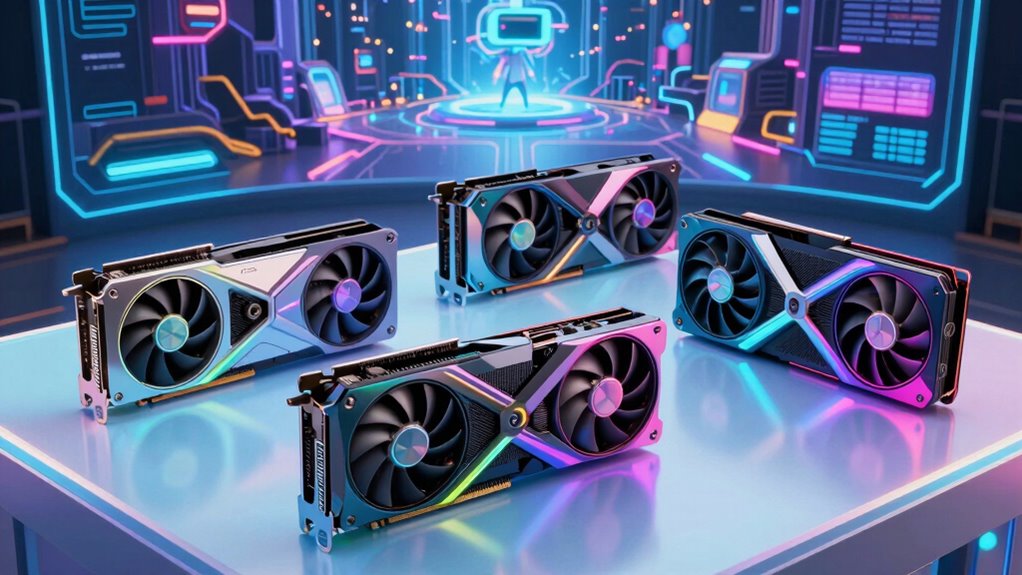

Choosing the right GPU for VR with supersampling in 2026 involves balancing performance, price, and compatibility. The ZOTAC Gaming GeForce RTX 5080 Solid CORE OC DLSS 4 leads for raw power and 8K support, making it ideal for serious enthusiasts. The MSI Gaming RTX 5080 16G SUPRIM SOC offers a robust blend of high resolution and multiple outputs, perfect for multi-monitor setups. Meanwhile, the ZOTAC RTX 4080 Super AMP provides excellent ray tracing and DLSS 3 tech at a slightly lower price point. Each excels in different scenarios, but all demand high power and premium investment.

Play games on Amazon Luna for your next adventure, included with Prime
- A rotating selection of games, no download needed
- Play on TV, laptop or phone
- Fast, free delivery for your gear, too
Key Takeaways
- The RTX 5080 series dominates for raw VR supersampling performance and 8K support.
- Cooling systems and power requirements are critical tradeoffs at this high level of GPU performance.
- Price remains a significant factor; premium models are best suited for enthusiasts or professionals.
- The RTX 4080 Super offers a more budget-conscious option with excellent features for VR and supersampling.
- Connectivity options and form factors vary, influencing compatibility with existing VR setups.
| ZOTAC Gaming GeForce RTX 5080 Solid CORE OC DLSS 4 16GB GDDR7 Graphics Card |  | Best Overall for High-End VR Supersampling | Architecture: NVIDIA Blackwell | Memory: 16GB GDDR7 | Memory Interface: 256-bit | VIEW ON AMAZON | See Our Full Breakdown |
| MSI Gaming RTX 5080 16G SUPRIM SOC Graphics Card |  | Best for Versatile High-Res VR | Chipset: NVIDIA GeForce RTX 5080 | Video Memory: 16 GB GDDR7 | Memory Interface: 256-bit | VIEW ON AMAZON | See Our Full Breakdown |
| GIGABYTE GeForce RTX 5080 Gaming OC 16G Graphics Card |  | Best for Thermal Performance and Future-Proofing | Memory: 16GB GDDR7 | Memory Interface: 256-bit | Architecture: NVIDIA Blackwell | VIEW ON AMAZON | See Our Full Breakdown |
| MSI Gaming RTX 5080 16G Ventus 3X OC Black Graphics Card |  | Best for High-Resolution VR on a Budget | Chipset: NVIDIA GeForce RTX 5080 | Memory: 16GB GDDR7 | Memory Interface: 256-bit | VIEW ON AMAZON | See Our Full Breakdown |
| ZOTAC Gaming GeForce RTX 4080 Super AMP DLSS 3 16GB GDDR6X Graphics Card |  | Best for High-Performance VR with DLSS 3 | GPU: NVIDIA GeForce RTX 4080 Super | Memory: 16GB GDDR6X | Memory Interface: 256-bit | VIEW ON AMAZON | See Our Full Breakdown |
| gpu for vr with supersampling | Memory Interface | Memory |
|---|---|---|
| ZOTAC Gaming GeForce RTX 5080 | 256-bit | 16GB GDDR7 |
| MSI Gaming RTX 5080 16G SUPRIM | 256-bit | — |
| GIGABYTE GeForce RTX 5080 Gami | 256-bit | 16GB GDDR7 |
| MSI Gaming RTX 5080 16G Ventus | 256-bit | 16GB GDDR7 |
| ZOTAC Gaming GeForce RTX 4080 | 256-bit | 16GB GDDR6X |
More Details on Our Top Picks
ZOTAC Gaming GeForce RTX 5080 Solid CORE OC DLSS 4 16GB GDDR7 Graphics Card
This model stands out for its NVIDIA Blackwell architecture combined with DLSS 4, delivering exceptional rendering for VR with supersampling. Its 16GB GDDR7 memory ensures ample capacity for high-resolution textures and complex scenes. The advanced cooling system with IceStorm 3.0 and vapor chamber keeps temperatures in check during intense VR sessions. Compared with other high-end options, the ZOTAC RTX 5080 supports multiple displays and 8K resolution, making it ideal for immersive, demanding VR experiences. However, this power comes with high power consumption and a premium price tag, which could deter casual users.
Pros:- Exceptional 8K and VR performance with DLSS 4
- Robust cooling system for sustained high loads
- Supports multiple high-resolution displays
Cons:- High power consumption increases operational costs
- Premium price may be prohibitive for some users
Best for: High-end VR users seeking maximum performance and resolution
Not ideal for: Budget-conscious gamers or users with limited power supply capacity
- Architecture:NVIDIA Blackwell
- Memory:16GB GDDR7
- Memory Interface:256-bit
- Memory Speed:30 Gbps
- PCIe Version:5.0
- Cooling:IceStorm 3.0, Vapor Chamber
Our verdict“The ZOTAC RTX 5080 is the best choice for serious VR enthusiasts demanding top-tier supersampling performance.”
MSI Gaming RTX 5080 16G SUPRIM SOC Graphics Card
The MSI RTX 5080 SUPRIM SOC is designed for gamers and professionals who need a balance of performance and connectivity. Its 16GB GDDR7 memory and 8K resolution support make it suitable for demanding VR applications, especially those involving detailed textures or multi-monitor setups. Its multiple output options, including DisplayPort 2.1a and HDMI 2.1b, provide flexibility for complex VR rigs. Compared to the ZOTAC model, it offers similar performance but emphasizes connectivity over thermal management, making it better suited for users with good case airflow but less focus on overclocking. The high power draw remains a concern, requiring a capable PSU.
Pros:- Supports up to 8K resolution for detailed VR visuals
- Multiple high-speed outputs for flexible setups
- Solid performance with DLSS 4
Cons:- High power consumption
- Premium cost and large size
Best for: Professional users or those with multi-display VR setups
Not ideal for: Casual gamers or users with limited power capacity
- Chipset:NVIDIA GeForce RTX 5080
- Video Memory:16 GB GDDR7
- Memory Interface:256-bit
- Outputs:DisplayPort x 3, HDMI 2.1b
- Max Resolution:7680 x 4320
Our verdict“The MSI SUPRIM SOC provides versatile connectivity and high resolution support, ideal for professional VR users.”
GIGABYTE GeForce RTX 5080 Gaming OC 16G Graphics Card
The GIGABYTE RTX 5080 Gaming OC emphasizes cooling and stability with its WINDFORCE system, making it suitable for extended VR sessions with supersampling. Its 16GB GDDR7 memory and PCIe 5.0 support ensure high bandwidth and fast data transfer, which are essential for maintaining smooth VR performance at high resolutions. Compared to other models, it offers a more robust cooling solution, but that often means a larger form factor and potentially higher power draw. Its premium architecture is well-suited for users who plan to keep their setup for years without thermal or performance issues.
Pros:- Excellent cooling system supports sustained high loads
- Supports PCIe 5.0 for faster data transfer
- High VRAM capacity for demanding applications
Cons:- Large physical size may limit compatibility
- High power requirements
Best for: Enthusiasts prioritizing thermal management and future-proofing
Not ideal for: Limited space cases or budget-conscious buyers
- Memory:16GB GDDR7
- Memory Interface:256-bit
- Architecture:NVIDIA Blackwell
- Cooling System:WINDFORCE
- Interface:PCIe 5.0
Our verdict“The GIGABYTE Gaming OC is perfect for users seeking durability and thermal efficiency in demanding VR environments.”
MSI Gaming RTX 5080 16G Ventus 3X OC Black Graphics Card
This MSI Ventus 3X OC provides a powerful RTX 5080 GPU in a more accessible package. Its 16GB GDDR7 memory and multiple high-speed outputs support up to 8K VR, making it suitable for enthusiasts who want high performance without the highest price. Its cooling system, while effective, is less elaborate than premium models, which may lead to higher temperatures during extended supersampling workloads. Compared with the premium options, it offers a more balanced price-to-performance ratio, but users should be prepared for potentially higher noise levels and thermal output.
Pros:- Supports high resolutions up to 8K
- Good performance for the price
- Multiple high-speed outputs
Cons:- Less advanced cooling system
- Potential for higher temperatures under load
Best for: VR gamers seeking high resolution at a more affordable price
Not ideal for: Users needing maximum cooling or overclocking headroom
- Chipset:NVIDIA GeForce RTX 5080
- Memory:16GB GDDR7
- Memory Interface:256-bit
- Outputs:DisplayPort x 3, HDMI 2.1b
- Max Resolution:7680 x 4320
Our verdict“The MSI Ventus OC is a strong choice for VR enthusiasts wanting high resolution without the cost of top-tier models.”
ZOTAC Gaming GeForce RTX 4080 Super AMP DLSS 3 16GB GDDR6X Graphics Card
The ZOTAC RTX 4080 Super AMP offers a compelling mix of performance and value, especially with DLSS 3 technology that boosts VR frame rates during supersampling. Its 16GB GDDR6X memory and advanced cooling system with IceStorm 2.0 make it capable of handling high-resolution VR with less heat output than some of the larger RTX 5080 cards. This model is particularly appealing for users who want excellent ray tracing and DLSS 3 support, but it may lag behind the RTX 5080 series in raw resolution capacity and future-proofing for ultra-high-end VR setups. The slightly lower VRAM and price make it a more accessible option for enthusiasts on a budget.
Pros:- DLSS 3 technology boosts frame rates in demanding VR scenes
- Effective IceStorm 2.0 cooling with RGB lighting
- Supports 8K VR and multiple displays
Cons:- Less VRAM than the RTX 5080 series
- Potentially less future-proof for ultra-high-end VR
Best for: VR users wanting cutting-edge DLSS 3 tech at a lower cost
Not ideal for: Users needing the absolute highest VR resolution possible or maximum VRAM
- GPU:NVIDIA GeForce RTX 4080 Super
- Memory:16GB GDDR6X
- Memory Interface:256-bit
- Boost Clock:2610 MHz
- Cooling:IceStorm 2.0
- Supports:8K, DLSS 3
Our verdict“The RTX 4080 Super strikes a balance between performance and affordability, especially for those leveraging DLSS 3 in VR.”

How We Picked
Our selection focused on GPUs that deliver exceptional VR performance with supersampling support, emphasizing high VR resolution, advanced cooling, and compatibility with current standards like DLSS 4 and 8K resolution. We prioritized models with ample VRAM (16GB or more), multiple high-speed outputs, and support for the latest APIs. Price and power consumption were considered to balance performance with practical usability, ensuring each GPU can handle demanding VR workloads without compromising thermal management or connectivity.
Factors to Consider When Choosing Gpu For Vr With Supersampling
Selecting a GPU for VR with supersampling involves understanding several key factors. You need a graphics card that can handle high resolutions smoothly, support the latest DLSS or similar technologies for frame boosting, and have enough VRAM to manage complex textures without bottlenecks. Power consumption and cooling are also critical, given the intense workloads VR demands. Compatibility with your existing setup, including outputs and physical size, should also influence your choice. Here, I break down the main considerations to help you choose the best GPU for your VR ambitions.Performance for VR and Supersampling
Look for GPUs with at least 16GB of VRAM, especially if you plan to run supersampling at very high resolutions or with complex graphics. The latest architectures like NVIDIA’s Blackwell or Ada Lovelace provide hardware-accelerated ray tracing and DLSS 4 or 3, boosting frame rates and image quality. The most powerful options, like the RTX 5080 series, excel at 8K VR and demanding supersampling scenarios, but they also require significant power and cooling capacity.
Cooling and Power Requirements
High-performance GPUs generate a lot of heat, which can throttle performance if not managed well. Premium models like the GIGABYTE Gaming OC feature advanced cooling systems, ensuring stability during extended VR sessions. Power consumption varies widely; ensure your PSU can handle the load, especially if you opt for a top-tier card. Oversized cooling solutions may also need larger cases, so check your case dimensions before buying.
Connectivity and Compatibility
VR setups often require multiple high-bandwidth outputs. Look for models with DisplayPort 2.1 or HDMI 2.1b, supporting 8K and high refresh rates. Physical size matters—some high-end cards are large and may not fit in smaller cases. Compatibility with your motherboard’s PCIe slot and sufficient space for cooling systems are essential to ensure a smooth upgrade.
Price and Future-Proofing
High-end GPUs come with hefty price tags but offer greater longevity for evolving VR demands. If your budget is limited, a slightly lower-tier model with DLSS 3 technology might still deliver excellent performance at a more accessible price. Consider your future VR needs—more VRAM and support for upcoming APIs can prolong your investment’s relevance.
Frequently Asked Questions
What is supersampling in VR, and why does it matter?
Supersampling in VR involves rendering images at higher resolutions than your display supports and then downscaling them for a sharper, more detailed image. This process significantly reduces aliasing and enhances visual fidelity, creating a smoother, more immersive experience. A powerful GPU is essential to run supersampling effectively without sacrificing frame rates, especially at 8K or higher resolutions.
How important is VRAM when choosing a GPU for VR with supersampling?
VRAM is critical because high-resolution VR and supersampling demand large amounts of texture data. For demanding VR scenarios, 16GB or more of VRAM is recommended to prevent bottlenecks and maintain smooth performance. Insufficient VRAM can lead to stuttering or lower frame rates, diminishing the VR experience.
Can I use a mid-range GPU for VR with supersampling?
While mid-range GPUs can handle VR, they often struggle with supersampling at very high resolutions like 8K. They may produce lower frame rates or require reducing settings, which compromises image quality. For the best VR experience with supersampling, investing in a high-end GPU like the RTX 5080 series is advisable.
What role does cooling play in VR GPU performance?
Cooling is vital because VR workloads are intensive and sustained over long periods. Efficient cooling systems prevent thermal throttling, ensuring consistent performance and longevity of the GPU. Premium models with advanced cooling, like vapor chambers or WINDFORCE systems, are better suited for demanding VR sessions involving supersampling.
Is power consumption a concern for high-end VR GPUs?
Yes, high-performance GPUs consume significant power, especially when running at full load during VR with supersampling. A capable power supply unit (PSU) and proper case airflow are necessary to prevent overheating and ensure stable operation. Budgeting for higher power costs and considering your system’s capacity is an essential part of choosing your GPU.
Conclusion
For gamers and enthusiasts focused on pushing VR resolution and supersampling to the max, the ZOTAC RTX 5080 Solid CORE OC and MSI SUPRIM SOC stand out as best choices, despite their high price and power needs. If you’re seeking a more balanced option with excellent DLSS 3 support and high resolution capacity, the ZOTAC RTX 4080 Super AMP offers compelling value. Budget-conscious buyers who still want high VR resolution should consider MSI Ventus OC, but be prepared for thermal management challenges. Ultimately, your choice depends on your performance needs, system compatibility, and budget constraints.