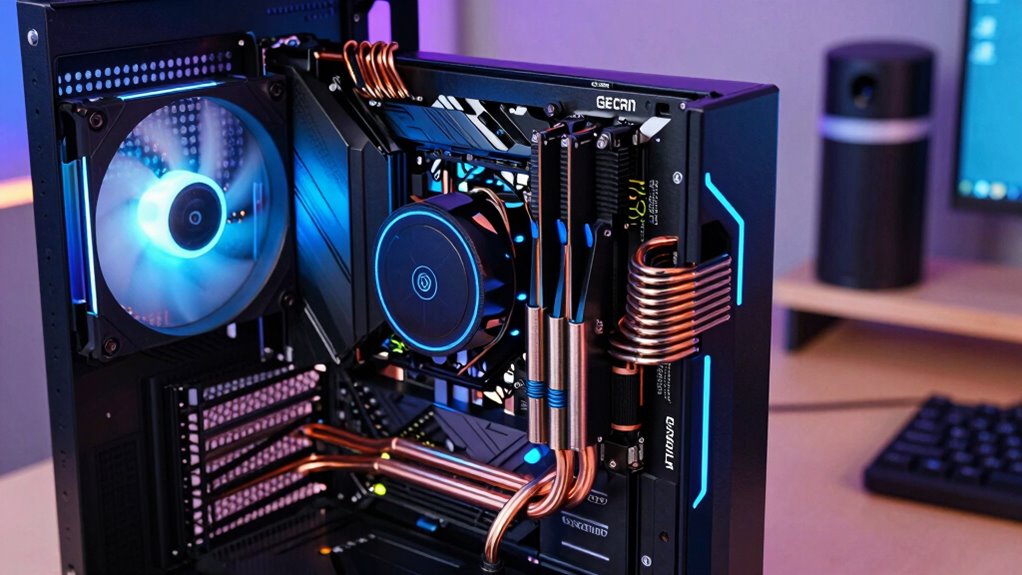

Choosing the right CPU cooler for a VR gaming PC involves balancing cooling performance, noise levels, size, and aesthetic features. The ARCTIC Liquid Freezer III Pro 240 stands out as the best overall choice, thanks to its excellent cooling efficiency and quiet operation. For those seeking a high-performance liquid cooling solution, the NZXT Kraken Core 360 RGB offers robust cooling with customizable RGB lighting, while the Thermalright Peerless Assassin 120 SE provides a reliable air cooling alternative for budget-conscious builders. Each option involves tradeoffs—liquid coolers tend to be more effective but can be more complex to install, while air coolers are simpler but may not handle high overclocking loads as efficiently. Continue reading for a detailed breakdown to find the perfect cooler for your VR gaming setup.

Play games on Amazon Luna for your next adventure, included with Prime
- A rotating selection of games, no download needed
- Play on TV, laptop or phone
- Fast, free delivery for your gear, too
Key Takeaways
- Liquid coolers generally provide better thermal performance for high-end VR gaming PCs, but they come with increased complexity and cost.
- Size matters: larger radiators or towers can improve cooling but may not fit in smaller cases, so compatibility is key.
- RGB features and aesthetic customizations are common in high-end options, but they can add to the cost and power consumption.
- Air coolers like the Thermalright Peerless Assassin 120 SE offer excellent value and simplicity, making them ideal for budget builds.
- Noise levels vary significantly; premium models tend to run quieter even under load, which is beneficial during long VR sessions.
| ARCTIC Liquid Freezer III Pro 240 – AIO CPU Cooler, 2 x 120 mm Water Cooling |  | Best Overall for Balance of Performance and Features | Compatibility: Intel LGA1851, LGA1700, AMD | Number of Fans: 2 | Fan Size: 120 mm | VIEW ON AMAZON | See Our Full Breakdown |
| ARCTIC Liquid Freezer III Pro 240 A-RGB – AIO CPU Cooler, Water Cooling |  | Best for Aesthetics and Quiet Operation | Compatibility: Intel LGA1851, LGA1700, AMD | Fan: P12 PRO, PWM-controlled | Cooling Type: AIO liquid cooling | VIEW ON AMAZON | See Our Full Breakdown |
| Thermalright Aqua Elite 120 V3 AIO CPU Cooler, 120mm Liquid Cooling with ARGB PWM Fans |  | Best for Customization and Wide Compatibility | Pump Head: Fourth generation octagonal cold pump head with ARGB halo | Fan Size: 120x120x25mm | Fan Speed: 1500RPM±10% | VIEW ON AMAZON | See Our Full Breakdown |
| ARCTIC Liquid Freezer III Pro 360 – AIO CPU Cooler, 3 x 120 mm Water Cooling |  | Best for Maximum Cooling in Large Cases | Cooling Method: Liquid | Maximum Rotational Speed: 3000 rpm | Air Flow Capacity: 77 cfm | VIEW ON AMAZON | See Our Full Breakdown |
| NZXT Kraken Core 360 RGB 360mm AIO CPU Cooler – Black |  | Best for Aesthetic Appeal and Quiet Operation | Power Connector Type: 4-Pin | Voltage: 12 volts | Wattage: 12.12 watts | VIEW ON AMAZON | See Our Full Breakdown |
| Minorsonic 360mm AIO CPU Cooler with High-Speed Ceramic Bearing Pump and 3 PWM ARGB Fans | 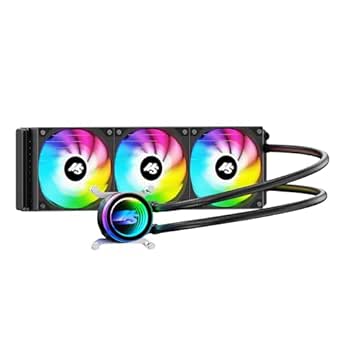 | Best Overall for High-Performance VR Gaming PCs | Pump Speed: 3000 RPM | Fan Speed: up to 1600 RPM | Radiator: 12-channel water-cooled radiator | VIEW ON AMAZON | See Our Full Breakdown |
| Thermalright Peerless Assassin 120 Vision MAX ARGB Black CPU Air Cooler with 5-inch IPS Screen |  | Best for Visual Monitoring and High Performance on Air Cooling | Dimensions: 125x135x164mm | Fan Dimensions: 120x120x25mm | Fan Speed: 2150 RPM ±10% | VIEW ON AMAZON | See Our Full Breakdown |
| ARCTIC Liquid Freezer III Pro 360 A-RGB – AIO CPU Cooler, Water Cooling |  | Best for High-Performance Liquid Cooling with VR Optimization | Power Connector Type: 4-Pin | Voltage: 12 volts | Wattage: 3.96 watts | VIEW ON AMAZON | See Our Full Breakdown |
| CORSAIR Nautilus 360 RS ARGB Liquid CPU Cooler – 360mm AIO – Low-Noise, Direct Motherboard Connection, Daisy-Chain, ARGB Fans Included |  | Best for Seamless Aesthetic and Easy Connectivity | Power Connector Type: 4-Pin | Voltage: 12 volts | Wattage: 10 watt-hours | VIEW ON AMAZON | See Our Full Breakdown |
| Thermalright Peerless Vision 360 ARGB Black CPU AIO Cooler with 3.95-inch LCD Screen and Wireless Splicing Fans |  | Best for Custom Displays and High-End Aesthetics | Screen Size: 3.95 inches | Screen Resolution: 480×480 | Refresh Rate: 60Hz | VIEW ON AMAZON | See Our Full Breakdown |
| Cooler Master MasterLiquid ML240L RGB V2 CPU Liquid Cooler |  | Best Overall for VR Gaming PCs Seeking Balance of Performance and Aesthetics | Power Connector Type: 4-Pin | Voltage: 12 volts | Wattage: 260 watts | VIEW ON AMAZON | See Our Full Breakdown |
| Thermalright Peerless Assassin 120 SE CPU Cooler with Dual 120mm PWM Fans and 6 Heat Pipes |  | Best Value for High-Performance Air Cooling in VR Setups | Dimensions: 125 x 135 x 155 mm | Heat Pipe Count: 6 | Fan Size: 120mm | VIEW ON AMAZON | See Our Full Breakdown |
| ASUS ROG Strix LC III 360 ARGB LCD All-in-One CPU Liquid Cooler | 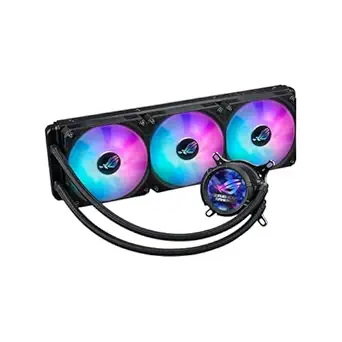 | Best for Customization and Visual Flair in VR Gaming PCs | Display: 2.1-inch IPS LCD, 480×480, 60Hz | Pump: Asetek Gen7 V2 | Compatibility: Intel LGA 1700, 1200, 115X; AMD AM4, AM5 | VIEW ON AMAZON | See Our Full Breakdown |
| PCCOOLER DC360 360mm AIO CPU Cooler with 2.4-inch IPS LCD and ARGB Fans | 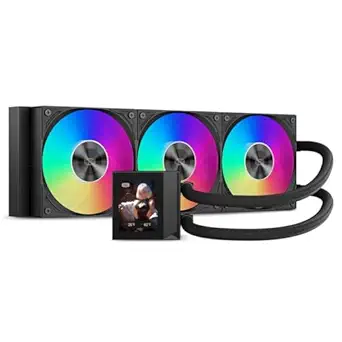 | Best for High-Performance, Large-Scale Cooling with Custom Content Display | Radiator Size: 360mm | Display: 2.4-inch IPS LCD | Fan Size: 120mm | VIEW ON AMAZON | See Our Full Breakdown |
More Details on Our Top Picks
ARCTIC Liquid Freezer III Pro 240 – AIO CPU Cooler, 2 x 120 mm Water Cooling
This cooler stands out for its combination of high-performance dual 120mm radiators and a dedicated VRM fan, offering excellent thermal management for VR gaming PCs. Compared with the NZXT Kraken Core 360, it provides comparable cooling with a more straightforward design, though it may take up more space in smaller cases. Its optimized contact pressure and integrated cable management make installation smoother and system tidier, but its bulkiness could be a drawback for compact builds. Overall, this pick is ideal for gamers who want reliable cooling without sacrificing build quality or ease of setup.
Pros:- Efficient dual 120mm water cooling for high-performance CPUs
- Optimized contact pressure enhances heat dissipation
- Integrated VRM fan adds system stability
- Cable management simplifies installation
Cons:- Bulky size may not fit in all cases
- Installation requires careful handling due to multiple components
Best for: High-performance VR gaming setups that prioritize cooling efficiency and system stability
Not ideal for: Small form factor cases or users seeking a compact, minimalist cooler
- Compatibility:Intel LGA1851, LGA1700, AMD
- Number of Fans:2
- Fan Size:120 mm
- Cooling Type:Liquid/AIO
- Features:Optimized contact pressure, VRM fan, integrated cable management
Our verdict“This cooler suits gamers who need robust cooling and don’t mind a larger size for their VR gaming PC.”
ARCTIC Liquid Freezer III Pro 240 A-RGB – AIO CPU Cooler, Water Cooling
This model adds vibrant ARGB lighting and a quiet, powerful P12 PRO fan, making it appealing for those who want both visual flair and subdued noise levels. Compared with the Thermalright Aqua Elite 120 V3, it offers a larger radiator and better support for multiple sockets, but at a higher cost and potentially more complex setup. Its native offset mounting and integrated cable management streamline installation, yet beginners might find the process slightly intimidating. It’s perfect for gamers who want a visually striking build combined with effective cooling for VR gaming PCs.
Pros:- Efficient heat dissipation with optimized contact pressure
- Powerful, quiet P12 PRO PWM fan performance
- Supports multiple CPU sockets with native mounting
- Integrated VRM and cable management for a clean build
Cons:- Installation can be complex for newcomers
- Higher price point compared to some air coolers
Best for: Gamers seeking a visually impressive, quiet cooling solution with easy socket compatibility
Not ideal for: Budget-conscious builders or those who prefer simple, air-based cooling
- Compatibility:Intel LGA1851, LGA1700, AMD
- Fan:P12 PRO, PWM-controlled
- Cooling Type:AIO liquid cooling
- Color:A-RGB
Our verdict“Ideal for those prioritizing aesthetics and quiet operation in their VR gaming build.”
Thermalright Aqua Elite 120 V3 AIO CPU Cooler, 120mm Liquid Cooling with ARGB PWM Fans
The Thermalright Aqua Elite 120 V3 offers a compact 120mm radiator with ARGB lighting, supporting a broad range of Intel and AMD sockets, making it suitable for versatile VR gaming setups. Compared with the ARCTIC Liquid Freezer III Pro 240, it’s smaller and easier to fit in tight spaces, though it may not match the cooling capacity of larger radiators. Its customizable ARGB lighting and quiet operation provide aesthetic flexibility and a pleasant user experience. However, installation may require more careful handling, especially due to the smaller size and lighting components. This cooler is best for gamers who want a balance of performance, customization, and compatibility.
Pros:- Effective cooling with high heat dissipation
- Customizable ARGB lighting synchronized with motherboard
- Supports a wide range of Intel and AMD sockets
- Quiet operation with adjustable fan speeds
Cons:- Installation may require careful handling
- ARGB lighting compatibility limited to certain motherboards
Best for: Gamers with limited case space who want customizable ARGB lighting and broad socket support
Not ideal for: High-demand overclocking scenarios where maximum cooling is needed
- Pump Head:Fourth generation octagonal cold pump head with ARGB halo
- Fan Size:120x120x25mm
- Fan Speed:1500RPM±10%
- Airflow:66.17 CFM
- Pump Life:Up to 40,000 hours
Our verdict“This cooler fits users seeking a compact, customizable cooling solution with broad compatibility for VR gaming PCs.”
ARCTIC Liquid Freezer III Pro 360 – AIO CPU Cooler, 3 x 120 mm Water Cooling
The ARCTIC Liquid Freezer III Pro 360 features a 360mm radiator with three 120mm fans, delivering outstanding cooling performance for overclocked or high-performance VR gaming PCs. Compared with the 240mm models like the Liquid Freezer III Pro 240, it offers superior heat dissipation but requires a spacious case and more complex installation. Its optimized contact pressure and integrated VRM fan enhance overall stability, making it ideal for demanding gaming sessions. However, its large size and installation complexity might deter users with smaller cases or limited technical experience. This cooler makes the most sense for gamers who have ample space and prioritize top-tier cooling for VR experiences.
Pros:- Outstanding cooling with 360mm radiator and three fans
- Optimized contact pressure improves heat transfer
- Integrated VRM fan supports overall system stability
- Reliable performance under heavy loads
Cons:- Size may not fit all cases
- Installation can be challenging for beginners
Best for: Enthusiast gamers with large cases who want maximum cooling capacity for VR and high-performance CPUs
Not ideal for: Small cases or users seeking a simple, plug-and-play cooling option
- Cooling Method:Liquid
- Maximum Rotational Speed:3000 rpm
- Air Flow Capacity:77 cfm
- Item Dimensions:15.7″L x 4.7″W x 2.9″H
- Number of Fans:3
Our verdict“This cooler is best suited for users with large cases aiming for top-tier cooling performance in VR gaming PCs.”
NZXT Kraken Core 360 RGB 360mm AIO CPU Cooler – Black
The NZXT Kraken Core 360 offers a sleek, single-frame design with a high-performance pump and PWM fans, making it a stylish choice for VR gaming builds that emphasize visual appeal. Compared with the ARCTIC Liquid Freezer III Pro 360, it provides a more refined aesthetic and quieter operation at 31.9 dB, though it comes at a higher price. Its RGB lighting and user-friendly installation make it attractive for gamers who want a clean look without sacrificing cooling power. However, full RGB features require compatible motherboards, and its size might be a concern in smaller cases. This cooler is ideal for gamers who want a balance of style, quiet operation, and effective cooling for their VR setup.
Pros:- Powerful cooling with high-speed pump and large radiator
- Quiet operation at 31.9 dB
- RGB lighting and sleek design for aesthetic appeal
- Easy installation with single-frame design
Cons:- Requires motherboard with RGB support for full lighting effects
- Size may limit compatibility with smaller cases
- Higher cost compared to basic coolers
Best for: Gamers prioritizing aesthetics and quiet operation in their VR PC build
Not ideal for: Budget builders or those with very small cases that can’t accommodate 360mm radiators
- Power Connector Type:4-Pin
- Voltage:12 volts
- Wattage:12.12 watts
- Cooling Method:Water
- Noise Level:31.9 dB
Our verdict“This cooler is perfect for gamers who want a stylish, quiet, and efficient cooling solution for their VR gaming PC.”
Minorsonic 360mm AIO CPU Cooler with High-Speed Ceramic Bearing Pump and 3 PWM ARGB Fans
The Minorsonic 360mm AIO stands out for its combination of high-speed ceramic pump and a 12-channel radiator, delivering superior heat dissipation essential for demanding VR gaming setups. Compared with the Thermalright Peerless Assassin 120 Vision MAX, this cooler offers a more comprehensive liquid cooling solution with greater radiator surface area, but it comes at a higher price and requires substantial case space for its large radiator. Its quiet PWM fans balance performance and acoustic comfort, though maximum RPM may be noticeable for sensitive users. Overall, this cooler is ideal for gamers who push their CPUs hard during VR sessions and want reliable thermal management without sacrificing noise levels.Pros:- Exceptional heat transfer thanks to high-speed ceramic bearing pump
- Quiet operation with PWM control and 30 dB noise level
- Easy installation via daisy-chained fans and simplified cabling
- Compatible with a broad range of Intel and AMD sockets
Cons:- Premium price may be prohibitive for budget builds
- Requires ample case space for 360mm radiator
- Fans can be audible at maximum RPM for noise-sensitive setups
Best for: VR gaming enthusiasts with mid-tower or full-tower cases who prioritize cooling efficiency and quiet operation.
Not ideal for: Casual gamers or users with small form factor cases where 360mm radiators won’t fit or are unnecessary.
- Pump Speed:3000 RPM
- Fan Speed:up to 1600 RPM
- Radiator:12-channel water-cooled radiator
- Compatibility:Intel LGA 1851/1700, AMD AM4/AM5
- Noise Level:30 dB
- Material:Ceramic, Metal, Plastic, Rubber, Copper, Aluminum, Glass
Our verdict“This cooler suits high-end VR gaming PCs where maximizing thermal performance and low noise are priorities, despite higher costs and space requirements.”
Thermalright Peerless Assassin 120 Vision MAX ARGB Black CPU Air Cooler with 5-inch IPS Screen
The Thermalright Peerless Assassin 120 Vision MAX combines a dual-tower design with a large 5-inch IPS LCD, making it ideal for users who want both high cooling capacity and real-time system insights. Unlike the Minorsonic AIO, it uses air cooling with six copper heat pipes, which may appeal to those seeking a simpler, less maintenance-intensive solution. The integrated display allows for customizable system monitoring, adding a unique aesthetic touch, though its height of 164mm could limit compatibility with smaller cases. Its quiet operation at under 27 dB makes it suitable for immersive VR gaming without distraction. This model is perfect for users who appreciate both performance and visual customization on their air-cooled builds.Pros:- High cooling performance with dual-tower design and six heat pipes
- Large 5-inch IPS LCD for real-time system monitoring and customization
- Supports multiple Intel and AMD platforms with included mounting kits
- Quiet operation at 27 dB(A)
Cons:- Installation may require a motherboard backplate for AMD systems
- Limited case compatibility due to height of 164mm
- Display setup and software configuration can be complex for beginners
Best for: Gamers who want high-performance air cooling with integrated system monitoring and aesthetic flair.
Not ideal for: Those with small cases under 164mm of clearance or seeking the absolute lowest noise levels, as display setup may add complexity.
- Dimensions:125x135x164mm
- Fan Dimensions:120x120x25mm
- Fan Speed:2150 RPM ±10%
- Heat Pipes:6x6mm copper
- Display:5-inch IPS LCD, 480×854
- Compatibility:Intel LGA1851/1700/115x, AMD AM4/AM5
Our verdict“This cooler provides a blend of strong air cooling and visual customization, ideal for users who want both performance and aesthetic control in larger cases.”
ARCTIC Liquid Freezer III Pro 360 A-RGB – AIO CPU Cooler, Water Cooling
The ARCTIC Liquid Freezer III Pro 360 excels in delivering efficient cooling with its 360mm radiator and integrated VRM fan, making it well-suited for overclocked CPUs in VR-heavy gaming rigs. Compared to the Thermalright Peerless Assassin air cooler, this AIO provides more comprehensive heat dissipation through liquid cooling, but its installation can be more complex, especially for newcomers. The inclusion of a quiet P12 PRO fan and flexible cable management enhances usability, although the higher price point and potential space demands in larger cases may deter budget-conscious users. It’s a strong choice for those prioritizing thermal performance and noise reduction in demanding VR gaming setups.Pros:- Highly efficient heat dissipation with optimized contact pressure
- Quiet, high-performance P12 PRO fan included
- Flexible cable management simplifies installation
- Supports both Intel and AMD sockets
Cons:- Complex installation process for those unfamiliar with liquid coolers
- Higher price compared to air cooling options
- Requires ample case space for 360mm radiator
Best for: Users seeking advanced liquid cooling with minimal noise and VR-ready thermal management.
Not ideal for: Beginners or users with small cases that cannot accommodate 360mm radiators or prefer simpler air cooling solutions.
- Power Connector Type:4-Pin
- Voltage:12 volts
- Wattage:3.96 watts
- Cooling Method:Liquid
- Maximum Rotational Speed:3000 rpm
- Air Flow Capacity:77 cfm
Our verdict“This cooler offers top-tier thermal performance for VR gaming PCs willing to handle a more involved installation process and higher cost.”
CORSAIR Nautilus 360 RS ARGB Liquid CPU Cooler – 360mm AIO – Low-Noise, Direct Motherboard Connection, Daisy-Chain, ARGB Fans Included
The Corsair Nautilus 360 RS impresses with its low-noise operation and straightforward daisy-chain wiring, making it accessible for users who value a clean build and vibrant lighting. Its 360mm radiator ensures excellent cooling, comparable to the Minorsonic AIO, but its connectivity relies on compatible motherboards for ARGB control, and some users might find the lack of detailed specifications limiting. The optional iCUE controller adds advanced lighting features but at an extra cost. This cooler makes sense for those who want efficient VR-ready cooling with minimal wiring fuss and a visually appealing setup.Pros:- Low-noise cooling performance with efficient radiator
- Daisy-chain connections reduce wiring clutter
- Vibrant ARGB lighting controllable via motherboard
- Pre-applied thermal paste simplifies installation
Cons:- Requires compatible motherboard for ARGB control
- Optional iCUE controller sold separately adds extra cost
- Limited detailed specifications in product description
Best for: Gamers who prioritize aesthetic lighting, simplified wiring, and low noise in their VR gaming rigs.
Not ideal for: Users without compatible motherboards or those seeking detailed technical control without additional accessories.
- Power Connector Type:4-Pin
- Voltage:12 volts
- Wattage:10 watt-hours
- Cooling Method:Water
Our verdict“This cooler offers a sleek, quiet cooling solution ideal for aesthetically focused VR gaming PCs with compatible lighting control systems.”
Thermalright Peerless Vision 360 ARGB Black CPU AIO Cooler with 3.95-inch LCD Screen and Wireless Splicing Fans
The Thermalright Peerless Vision 360 combines high-performance water cooling with a large, customizable 3.95-inch LCD screen, appealing to users who want a personalized display in their VR gaming setup. Its three PWM ARGB fans ensure effective airflow, rivaling the Minorsonic for cooling capacity, but the installation may be complex, especially for those unfamiliar with LCD integration. The screen’s high resolution and wireless splicing capabilities add a premium look, although setup complexity and initial cost could be drawbacks for casual builders. It’s perfect for enthusiasts who want a blend of performance and visual customization in a larger case.Pros:- Large, customizable LCD for personalized display and system info
- High-quality ARGB fans with long lifespan bearings
- Efficient cooling with high RPM fans
- Supports a wide range of AMD and Intel platforms
Cons:- Installation is more complex due to LCD setup and wireless splicing
- No included backplane for AMD mounting
- Higher cost and complexity compared to simpler AIOs
Best for: Advanced users who desire a visually personalized cooling experience with high-performance liquid cooling.
Not ideal for: Beginners or those with smaller cases where the LCD and larger dimensions may not fit comfortably.
- Screen Size:3.95 inches
- Screen Resolution:480×480
- Refresh Rate:60Hz
- Cooling Method:Water
- Maximum Rotational Speed:2000 rpm
- Air Flow Capacity:68.9 cfm
Our verdict“This cooler suits enthusiasts seeking both high-end cooling performance and extensive visual customization with a large display feature.”
Cooler Master MasterLiquid ML240L RGB V2 CPU Liquid Cooler
The Cooler Master MasterLiquid ML240L RGB V2 stands out for its effective heat dissipation thanks to a larger radiator and a third-generation dual chamber pump, making it a strong choice for VR gaming setups that demand consistent thermal performance. Its quieter operation, driven by redesigned fan blades, helps maintain immersion without distracting noise, while the customizable RGB lighting adds a visual flair. Compared with air coolers like the Thermalright Peerless Assassin 120 SE, this liquid cooler offers superior cooling capacity but involves a more complex installation process, which might challenge beginners. Its higher power consumption and compatibility limitations with older sockets are tradeoffs worth considering for those prioritizing aesthetics and thermal efficiency. This cooler makes the most sense for users who want a balance of cooling performance, quiet operation, and visual customization in a VR-focused build.
Pros:- Enhanced cooling efficiency with a larger radiator and third-gen dual chamber pump
- Quiet operation thanks to redesigned, low-noise fan blades
- Fully customizable RGB lighting for aesthetic personalization
- Compatible with both AMD and Intel sockets
Cons:- Installation can be complex for those unfamiliar with liquid coolers
- Limited compatibility with some older CPU sockets
- Relatively high power draw at 260 watts
Best for: VR gamers who want a visually appealing, quiet cooling solution with reliable thermal performance
Not ideal for: PC builders on a tight budget or with older socket motherboards, due to higher cost and compatibility issues
- Power Connector Type:4-Pin
- Voltage:12 volts
- Wattage:260 watts
- Cooling Method:Water
- Compatible Devices:Desktop
- Noise Level:30 db
Our verdict“This cooler suits VR enthusiasts seeking a blend of high cooling performance, aesthetic customization, and quiet operation, despite a more involved setup process.”
Thermalright Peerless Assassin 120 SE CPU Cooler with Dual 120mm PWM Fans and 6 Heat Pipes
The Thermalright Peerless Assassin 120 SE offers a compelling alternative to liquid cooling with its robust air cooling design, featuring six copper heat pipes and dual PWM fans that deliver solid thermal performance for VR gaming PCs. It excels in quiet operation at 1550 RPM, making it a practical choice for those who prefer simpler maintenance or have reservations about liquid cooling leaks. When compared to the Cooler Master ML240L RGB V2, this air cooler provides comparable cooling power but is generally easier to install and more reliable long-term. However, its larger size requires careful case compatibility, and it doesn’t include mounting hardware for AMD platforms, which may complicate setup. This model is ideal for users seeking high cooling capacity without the complexity of liquid cooling, especially in cases with ample space.
Pros:- Six heat pipes with copper construction for efficient heat transfer
- Dual PWM fans operate quietly at 1550 RPM
- Supports multiple AMD and Intel sockets, offering versatility
- Simpler installation process with fewer maintenance concerns
Cons:- Requires checking case and motherboard compatibility due to its size
- No included mounting hardware for AMD platforms
- Larger footprint may limit compatibility with smaller cases
Best for: VR gamers who prefer a straightforward, reliable air cooler with excellent thermal management
Not ideal for: Those with compact cases or limited clearance, due to its size and mounting hardware needs
- Dimensions:125 x 135 x 155 mm
- Heat Pipe Count:6
- Fan Size:120mm
- Fan Speed:1550 RPM
- Air Flow:66.17 CFM
- Noise Level:25.6 dB
Our verdict“This cooler is well-suited for VR users who want high performance with minimal fuss and prefer air cooling for reliability.”
ASUS ROG Strix LC III 360 ARGB LCD All-in-One CPU Liquid Cooler
The ASUS ROG Strix LC III 360 ARGB combines high-performance cooling with a vivid 2.1-inch IPS LCD display, making it highly attractive for VR setups that emphasize aesthetics and advanced features. Its premium Asetek Gen7 V2 pump and cold plate deliver excellent thermal management, comparable to larger radiators like the PCCOOLER DC360. The integrated LCD offers real-time system stats or custom artwork, adding a personalized touch that appeals to gamers who want a unique visual identity. Compared with the PCCOOLER, it supports a broader range of sockets and includes high-quality ARGB fans, but at a higher price point. The complex installation process and specific motherboard requirements could challenge less experienced builders. This cooler is perfect for those who want a showpiece with reliable cooling for demanding VR gaming sessions.
Pros:- Vivid 2.1-inch LCD display for system info and custom art
- High-performance pump and cold plate for excellent cooling
- Premium ARGB fans for enhanced aesthetics and airflow
- Supports a wide range of Intel and AMD sockets
Cons:- Higher price compared to standard liquid coolers
- Installation may be complex for newcomers
- Requires compatible motherboard sockets for full features
Best for: VR users who want a visually striking cooler with advanced monitoring and customization features
Not ideal for: Budget-conscious builders or those with limited motherboard socket support, due to cost and compatibility constraints
- Display:2.1-inch IPS LCD, 480×480, 60Hz
- Pump:Asetek Gen7 V2
- Compatibility:Intel LGA 1700, 1200, 115X; AMD AM4, AM5
- Fans:Premium ROG ARGB
- Warranty:6 years
Our verdict“This cooler fits VR enthusiasts who prioritize aesthetics and system customization alongside reliable cooling performance.”
PCCOOLER DC360 360mm AIO CPU Cooler with 2.4-inch IPS LCD and ARGB Fans
The PCCOOLER DC360 offers substantial cooling capacity with its 360mm radiator, making it an excellent choice for overclocked VR gaming PCs or demanding workloads that generate high heat. Its three high-static-pressure ARGB PWM fans work in concert to provide exceptional airflow, while the 2.4-inch LCD display enables real-time system monitoring or custom media content, similar to the ASUS ROG Strix LC III but with a larger radiator. Compared to smaller 240mm or 280mm radiators, the 360mm model is more suitable for full-tower cases capable of handling bigger components and airflow demands. However, its size demands careful case compatibility, and setup can be more complex for users unfamiliar with large radiators or internal USB connections. This cooler is best suited for gamers and creators who want maximum cooling capacity and visual customization in a spacious build.
Pros:- Massive 360mm radiator for superior cooling capacity
- Customizable 2.4-inch IPS LCD display for real-time system info
- Three high-static-pressure ARGB PWM fans for excellent airflow
- Supports a wide array of modern sockets
Cons:- Requires case support for 360mm radiator and USB connection
- Setup can be complex for first-time users
- Potential cable management challenge due to size
Best for: VR gamers with full-tower cases seeking maximum cooling and customizable system info display
Not ideal for: Compact case owners or beginners with limited case space and experience with large radiators
- Radiator Size:360mm
- Display:2.4-inch IPS LCD
- Fan Size:120mm
- Fan Speed:500 to 2500 RPM
- Pump Speed:2600 RPM
- Socket Support:Intel LGA1851/1700/1200/115X, AMD AM5/AM4
Our verdict“This cooler is ideal for high-end VR systems where maximum cooling and system customization are priorities, and case space is ample.”

How We Picked
The products were selected based on a combination of cooling performance, build quality, compatibility with VR gaming PC cases, noise levels, and value for money. We prioritized models that are popular among gamers and enthusiasts, with a special focus on those capable of handling high CPU loads common in VR gaming. The rankings reflect a balance between ease of installation, aesthetic features like RGB lighting, and overall cooling efficiency. Price-to-performance ratio was also a key factor, ensuring options for both budget-conscious users and premium setups. We aimed to showcase a diverse range of options to suit different needs and preferences within the VR gaming community.Factors to Consider When Choosing Cpu Cooler For Vr Gaming Pc
When selecting a CPU cooler for your VR gaming PC, several important factors can influence your choice. VR gaming often pushes CPUs to higher loads, so cooling efficiency is paramount. Compatibility with your case and motherboard, noise levels, and aesthetics also play significant roles. Understanding these factors can help you avoid common pitfalls, such as choosing a cooler that doesn’t fit or one that generates excessive noise during extended gaming sessions. Here are key aspects to consider:Cooling Performance and Overclocking Potential
VR gaming can be demanding, especially if you overclock your CPU for better performance. Prioritize coolers with high thermal dissipation capabilities—liquid cooling solutions typically outperform air coolers here. However, ensure your CPU’s overclocking needs match the cooler’s capacity; a high-end cooler won’t be necessary for stock settings. Overestimating your cooling needs can lead to unnecessary expense, while underestimating can cause thermal throttling, affecting game smoothness and VR experience.
Case Compatibility and Size
Size constraints are a common oversight. Larger radiators or tower-style air coolers may not fit in smaller cases or could interfere with RAM slots. Always check the cooler’s dimensions against your case specifications. For VR gaming setups, a compact size that doesn’t compromise airflow or compatibility is often better, especially if you plan to keep your system in a confined space or with multiple components installed.
Noise Levels
Extended VR sessions demand a quiet environment; noisy coolers can become distracting. Premium liquid coolers often feature quieter pumps and fans, but some budget models can be loud under load. Look for models with PWM-controlled fans and low-noise pumps if noise is a concern. Remember, a cooler that runs quietly during idle and heavy loads enhances overall VR immersion and comfort.
Aesthetics and Features
Many high-end coolers include RGB lighting and customizable features, adding visual flair to your build. While these are not essential for cooling performance, they can enhance your PC’s look, especially if you have a windowed case. Be aware that added features can increase costs and power consumption, so consider whether they align with your overall build theme and budget.
Ease of Installation and Maintenance
Complex cooling solutions like custom loops or certain liquid coolers require more maintenance and installation effort. For most VR gamers, a straightforward, reliable cooler that’s easy to install will reduce frustration. Air coolers tend to be simpler, but high-end AIOs still offer a good balance of performance and ease of setup. Factor in how much time and effort you’re willing to invest in maintenance when choosing your cooler.
Frequently Asked Questions
Will a liquid cooler fit in my small case?
Many liquid coolers, especially those with 120mm or 240mm radiators, are designed to fit in most mid-tower cases, but it’s essential to check your case’s dimensions before purchasing. Smaller cases may only support 120mm or 140mm radiators, limiting your options. If space is tight, a high-quality air cooler or a smaller AIO with a compact radiator might be better. Always verify clearance for both the radiator and the fans to avoid installation issues.
Is RGB lighting worth paying extra for?
RGB lighting is primarily a visual feature that adds flair to your build, especially if you have a windowed case. It does not impact cooling performance. If aesthetics are a priority and your budget allows, choosing a cooler with customizable RGB can enhance your setup. However, consider that RGB features can increase overall costs and power consumption, so weigh the visual benefits against your budget and preferences.
How much should I spend on a CPU cooler for VR gaming?
The amount you should spend depends on your performance needs and budget. A high-quality air cooler can be sufficient for most VR gaming setups at a lower cost, while premium liquid coolers are ideal if you overclock or want maximum thermal performance. Investing more generally results in quieter operation and better cooling efficiency, which can extend CPU lifespan and improve VR experience. For most gamers, a mid-range cooler offers a good balance of price and performance.
Are all 360mm radiators compatible with my case?
No, not all cases support 360mm radiators. Compatibility depends on the case’s radiator mounting points and internal space. Always check your case specifications for radiator size support before purchasing a 360mm cooler. If your case only supports smaller radiators, opting for a 240mm or 280mm cooler may be necessary. Proper measurement ensures a smooth installation without surprises.
Should I prioritize quiet operation or maximum cooling performance?
It depends on your priorities. If you prefer a peaceful environment during long VR gaming sessions, investing in a cooler with low-noise pumps and fans is advisable. However, if you push your CPU to the limit or overclock, maximizing cooling performance might require a more aggressive, potentially noisier cooler. Finding a balance between quiet operation and effective cooling is ideal for most VR gamers, especially when considering the extended nature of VR sessions.
Conclusion
For most VR gaming enthusiasts, the ARCTIC Liquid Freezer III Pro 240 offers an excellent mix of performance, quiet operation, and value, making it the best overall choice. Budget builders should consider the Thermalright Peerless Assassin 120 SE for reliable air cooling without breaking the bank. Those seeking a premium, visually striking setup will find the NZXT Kraken Core 360 RGB or ASUS ROG Strix LC III 360 compelling, thanks to their advanced features and aesthetic options. Beginners or those with smaller cases might opt for simpler air coolers or compact AIOs, while high-overclockers should prioritize liquid cooling solutions with larger radiators. Your choice ultimately depends on your specific performance needs, case compatibility, and aesthetic preferences.