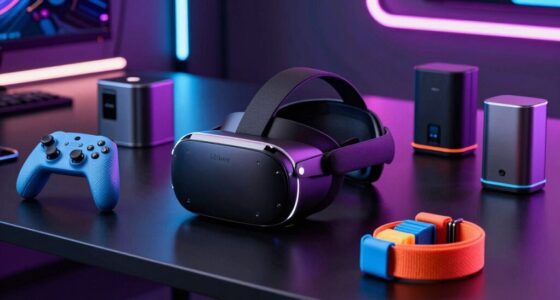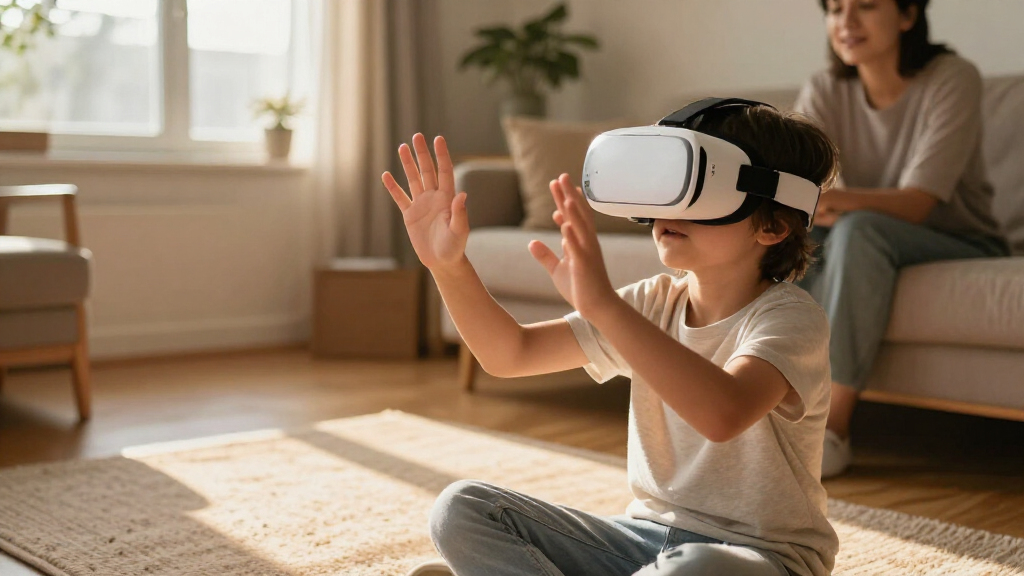

For families seeking virtual reality headsets for kids, the right choice depends on whether the goal is focused learning, phone-based viewing, or a more capable standalone headset. I’d put the Meta Quest 3S first for families who want a full VR system, while Heromask’s Geography and Math models stand out for children who learn best through guided subject activities. Phone-powered options such as the DESTEK V5 can make sense if you already have a compatible smartphone, but they depend on phone fit and capability. The main tradeoff is between a more complete VR experience and a simpler, narrower headset designed for a specific purpose. Read on for the full breakdown of how these ten options differ and which kind of family each suits.

Play games on Amazon Luna for your next adventure, included with Prime
- A rotating selection of games, no download needed
- Play on TV, laptop or phone
- Fast, free delivery for your gear, too
Complete the kit

Key Takeaways
- These headsets serve different purposes: Heromask’s Geography, Math, and Spanish models focus on educational activities, while smartphone viewers depend on a phone for their content.
- The Meta Quest 3S is the standout for broader VR use: it is a standalone option, unlike the phone-powered models, but its broader capabilities may be more than a family needs for occasional educational viewing.
- Phone compatibility is a major dividing line: the DESTEK V5, DESTEK VR Dream, REALITEX, Feebz, and Bluetooth-headphone viewer all require buyers to check phone fit and how content will be accessed.
- Specialized learning can be a better fit than a general viewer: Heromask’s subject-specific options offer a clearer educational purpose, but their appeal is narrower than a headset that can access a wider range of VR content.
- The Nintendo Switch 2 viewer is a platform-specific pick: it suits families already interested in Switch-based VR use, but it is not a general substitute for a phone-powered or standalone headset.
| Heromask Geography VR Headset for Kids Ages 5–12 |  | Best for Geography Learning | Brand: Heromask | Age range: 5–12 years | Compatible devices: Most Android and iOS smartphones | VIEW LATEST PRICE | See Our Full Breakdown |
| Heromask Educational VR Headset for Kids 5-12, Spanish Games, Phone Powered |  | Best for Language Learning | Age range: 5–12 years | Compatible devices: iPhone 11 and newer, Android smartphones | Operating systems: Android, iOS | VIEW LATEST PRICE | See Our Full Breakdown |
| REALITEX 3D VR Headset for Kids with Android Remote |  | Best for First-Time Phone VR | Brand: REALITEX | Age range: All ages | Compatible devices: Smartphones | VIEW LATEST PRICE | See Our Full Breakdown |
| DESTEK VR Dream Smartphone VR Headset for Kids with Remote Controller |  | Best for Phone-Fit Clarity | Age range: 5–15 years | Compatible phone screen size: 5.5–7.2 inches | Field of view: 110 degrees | VIEW LATEST PRICE | See Our Full Breakdown |
| VR Headset for Nintendo Switch 2 – Adjustable HD Lenses & Comfortable Headstrap |  | Best for Nintendo Switch 2 Owners | Compatibility: Nintendo Switch 2 | Resolution: 1280 × 720 | Refresh rate: 60 Hz | VIEW LATEST PRICE | See Our Full Breakdown |
| DESTEK V5 Smartphone VR Headset with Controller |  | Best for Android Families | Phone compatibility: Smartphones with 5.5–7.2-inch screens | Field of view: 110 degrees | Connectivity: Bluetooth | VIEW LATEST PRICE | See Our Full Breakdown |
| Meta Quest 3S 128GB VR Headset with GOLF+ |  | Best Standalone Pick | Storage: 128 GB | Processor: Snapdragon XR2 Gen 2 | RAM: 8 GB | VIEW LATEST PRICE | See Our Full Breakdown |
| Heromask Educational VR Headset for Kids (Ages 5–12) – Math Games, Phone Powered |  | Best for Learning Math | Age range: 5–12 years | Compatibility: iPhone 5S or newer; Android 7.0 or newer with gyroscope | Resolution: 1920 × 1080 | VIEW LATEST PRICE | See Our Full Breakdown |
| VR Headset for Phone with Built-in Bluetooth Headphones – White |  | Best for Built-In Audio | Phone compatibility: 4.7–6.5-inch smartphones | Field of view: 120 degrees | Display resolution: 1920 × 1080 | VIEW LATEST PRICE | See Our Full Breakdown |
| Feebz 3D VR Headset for Kids with Android Remote |  | Best for First-Time Phone VR | Compatible devices: iPhone and Android smartphones | Operating systems: Android and iOS | Controller: Remote control | VIEW LATEST PRICE | See Our Full Breakdown |
| virtual reality headsets for kid | Controller | Age range | Operating systems | Field of view |
|---|---|---|---|---|
| Heromask Geography VR Headset | Mechanical button control | 5–12 years | Android, iOS | — |
| Heromask Educational VR Headse | Mechanical button control | 5–12 years | Android, iOS | 360 degrees |
| REALITEX 3D VR Headset for Kid | Remote control | All ages | Android, iOS | — |
| DESTEK VR Dream Smartphone VR | Remote control and touch buttons | 5–15 years | Android, iOS | 110 degrees |
| VR Headset for Nintendo Switch | — | — | — | — |
| DESTEK V5 Smartphone VR Headse | Button control | — | — | 110 degrees |
| Meta Quest 3S 128GB VR Headset | — | — | — | 110 degrees |
| Heromask Educational VR Headse | Built-in button trigger | 5–12 years | — | — |
| VR Headset for Phone with Buil | — | — | — | 120 degrees |
| Feebz 3D VR Headset for Kids w | Remote control | All ages | Android and iOS | — |
More Details on Our Top Picks
Heromask Geography VR Headset for Kids Ages 5–12
Geography is the clear focus here: children explore countries, capitals, flags, continents, oceans, landmarks, and cultural facts through games rather than relying on a headset for general VR play. Compared with the language-focused Heromask Educational VR Headset, this model is the more direct fit for families who want geography activities specifically. Adjustable lenses help tailor the view, and its mechanical button needs no batteries or separate remote, keeping the controls simple for younger users.
The tradeoff is that this is a phone-powered headset, not a standalone device, so a compatible smartphone must be available and fit the headset. The supplied details do not state supported phone dimensions or a screen-size range, which makes fit harder to confirm before buying. I would choose it for a geography-minded child, not as an all-purpose VR library.
Pros:- Geography games cover countries, capitals, flags, continents, oceans, and landmarks.
- Adjustable lenses let children tailor the view.
- Mechanical button works without batteries.
- Includes an activation code for Heromask Geography and a microfiber cloth.
Cons:- A compatible smartphone is required and is not included.
- No supported phone dimensions or screen-size range are specified.
- Its educational focus is narrower than a general-purpose VR headset.
Best for: Families with a compatible iPhone or Android phone who want geography games about places, flags, landmarks, and cultural facts for a child ages 5–12.
Not ideal for: Families without a compatible smartphone or buyers who need confirmed phone-size guidance before purchase.
- Brand:Heromask
- Age range:5–12 years
- Compatible devices:Most Android and iOS smartphones
- Operating systems:Android, iOS
- Lens adjustment:Adjustable lenses
- Controller:Mechanical button control
- Included items:VR headset, Heromask Geography activation code, quick guide, microfiber cloth
Our verdict“Choose this Heromask when geography games are the main goal and you already have a smartphone that fits.”
Heromask Educational VR Headset for Kids 5-12, Spanish Games, Phone Powered
This is the language-learning pick: its games teach Spanish, French, German, English, and Chinese, giving it a broader language focus than the geography-centered Heromask Geography VR Headset. It uses a compatible phone, so families do not need a separate VR display, and the built-in mechanical button avoids the battery and setup needs of a remote. Games work offline after the initial download, which can make it easier to use away from a steady connection.
The main buying hurdle is phone compatibility. The listing specifies iPhone 11 and newer or Android smartphones, but the phone itself is not included, and the headset’s stated six-inch screen details should not be mistaken for a guarantee that every phone will fit. Compared with the more flexible-looking REALITEX model, this one gives a clearer educational purpose but less reason to choose it for general VR browsing.
Pros:- Language games cover five languages.
- Works offline after games are downloaded.
- Mechanical button needs no batteries or separate remote.
- Can also be used for VR videos and educational play.
Cons:- Requires a compatible smartphone, which is not included.
- The stated iPhone compatibility starts at iPhone 11.
- Phone fit and screen-size details may need checking against the actual device.
Best for: Families with an iPhone 11 or newer, or a compatible Android phone, who want structured language-learning games for children ages 5–12.
Not ideal for: Buyers seeking a standalone headset, broad general-purpose VR use, or phone compatibility beyond the listed device requirements.
- Age range:5–12 years
- Compatible devices:iPhone 11 and newer, Android smartphones
- Operating systems:Android, iOS
- Languages taught:Spanish, French, German, English, Chinese
- Connectivity:Works offline after initial download
- Field of view:360 degrees
- Display:LCD; 1920 × 1080 maximum display resolution; 60 Hz
- Controller:Mechanical button control
Our verdict“Pick this Heromask over the Geography model when language practice, rather than geography, is the learning goal.”
REALITEX 3D VR Headset for Kids with Android Remote
For a child trying phone-based VR for the first time, REALITEX includes a beginner tutorial link alongside links to VR apps and videos. Larger lenses and face padding also address two practical concerns for new users: getting a view that feels comfortable and having some cushioning where the headset meets the face. Unlike the learning-focused Heromask Educational VR Headset, this option is aimed more at general VR games and video than a defined school subject.
Its flexibility comes with a fit-information gap: the listing says it works with smartphones but gives no supported phone dimensions. It includes a remote, but the description does not detail its functions or phone-specific limitations. I would favor the more explicit DESTEK Dream if confirmed screen-size guidance and a stated field of view matter more than the tutorial and included case. This remains a phone-dependent entry-level choice, not a standalone system.
Pros:- Includes a beginner tutorial link for getting started.
- Provides links to VR apps and videos.
- Larger lenses and face padding support a more comfortable fit.
- Includes a controller, cleaning cloth, and fabric case.
Cons:- Requires a compatible smartphone, which is not included.
- No specific phone dimensions or screen-size range are listed.
- The remote’s capabilities are not described in detail.
Best for: Families introducing a child to smartphone VR who want a tutorial link, app and video suggestions, and face padding.
Not ideal for: Buyers who need verified phone dimensions, detailed remote-function information, or a headset that works without a smartphone.
- Brand:REALITEX
- Age range:All ages
- Compatible devices:Smartphones
- Operating systems:Android, iOS
- Controller:Remote control
- Fit features:Larger lenses, face padding
- Included items:Cleaning cloth, controller, fabric case
Our verdict“Choose REALITEX for a guided first taste of phone VR, but check phone fit and remote compatibility before buying.”
DESTEK VR Dream Smartphone VR Headset for Kids with Remote Controller
The strongest practical advantage here is a stated 5.5–7.2-inch phone-screen range, which gives families more to check than the REALITEX headset’s unspecified phone dimensions. Its 110-degree field of view, breathable padding, and 337-gram weight make it a more clearly described option for children ages 5–15 who want phone-based games and video. DESTEK also lists free educational VR apps, offering a learning angle without the subject-specific focus of the Heromask Geography headset.
The controller caveat should guide the choice: full Bluetooth interaction requires Android, while iOS control is limited to YouTube video and music playback. That makes this a better match for Android households than for families expecting the remote to work equally across both platforms. The screen-size guidance is useful, but it does not remove the need to check the phone’s other compatibility details.
Pros:- Lists a supported phone screen range of 5.5–7.2 inches.
- 110-degree field of view gives a broad viewing area.
- Soft, breathable padding and a sweatproof feature suit active use.
- Includes touch buttons and a Bluetooth controller, with educational VR apps available.
Cons:- Full controller interaction requires an Android phone.
- iOS controller functions are limited to YouTube and music playback.
- Still relies on a compatible smartphone rather than providing its own display.
Best for: Families with an Android phone in the listed 5.5–7.2-inch screen range who want a child-sized headset with a Bluetooth controller and educational app options.
Not ideal for: iPhone households that expect full controller interaction, or buyers whose phone screen falls outside the stated range.
- Age range:5–15 years
- Compatible phone screen size:5.5–7.2 inches
- Field of view:110 degrees
- Weight:337 g
- Connectivity:Bluetooth
- Operating systems:Android, iOS
- Controller:Remote control and touch buttons
- Additional feature:Sweatproof
Our verdict“Choose DESTEK Dream if your child’s phone fits the stated range and Android controller support is a priority.”
VR Headset for Nintendo Switch 2 – Adjustable HD Lenses & Comfortable Headstrap
This headset is the lineup’s console-specific option: instead of placing a smartphone inside, it is designed for the Nintendo Switch 2. Adjustable aspherical lenses are intended to widen the field of view by about 20% and sharpen the image, while the lightweight EVA frame and soft lycra headband are aimed at longer play and glasses-friendly use. That makes it a different proposition from the phone-powered Heromask and DESTEK models, which depend on a compatible mobile device and focus more directly on educational content.
The limitation is just as clear as the fit: it does not support the original Nintendo Switch, so owners must have the newer console. The listing also says image clarity depends on the Switch 2 screen and software, meaning the headset cannot improve the source display beyond what the console provides. I would choose it only for a family already committed to Switch 2 gaming.
Pros:- Designed specifically for Nintendo Switch 2.
- Adjustable aspherical lenses are intended to widen the field of view and sharpen visuals.
- Lightweight EVA construction and a soft polyester lycra headband support extended play.
- Glasses-friendly fit accommodates nearsighted eyewear.
Cons:- Not compatible with original Nintendo Switch models.
- Image clarity depends on the Switch 2 screen and software.
- Limited to the console’s games and content rather than smartphone VR apps.
Best for: Families who own a Nintendo Switch 2 and want a glasses-friendly headset designed around that console.
Not ideal for: Nintendo Switch owners with the original model, smartphone VR shoppers, or families seeking included educational headset games.
- Compatibility:Nintendo Switch 2
- Resolution:1280 × 720
- Refresh rate:60 Hz
- Display type:LCD
- Lens technology:Adjustable aspherical/free-form
- Materials:Lightweight EVA and polyester lycra
- Color:Red
- Warranty:Amazon.com Voluntary 30-Day Return Guarantee
Our verdict“Choose this headset only if you already own a Nintendo Switch 2 and want a console-specific, glasses-friendly VR accessory.”
DESTEK V5 Smartphone VR Headset with Controller
The DESTEK V5 is a practical pick for families who already have a compatible smartphone and want more interaction than a basic phone viewer offers. Its Bluetooth controller and touch buttons can make supported games easier to operate, while the 110-degree field of view gives kids a broad view of VR scenes. Compared with the Heromask Educational VR Headset, which focuses on structured math activities, the V5 points toward a wider mix of movies and apps. The tradeoff is that controller functionality depends on the phone: full interactive controls require Android, while iOS support is limited to YouTube controls. It also relies on a phone for both the display and content, so families should check compatibility and supervise app choices before handing it to a child.
Pros:- Fits smartphones with screens from 5.5 to 7.2 inches
- Includes a Bluetooth controller and headset touch buttons
- 110-degree field of view with anti-blue-light lenses
- Breathable padding and support for wearing glasses
Cons:- Full interactive controller functions require Android
- iOS controller support is limited to YouTube controls
- Requires a compatible smartphone for the display and VR content
Best for: Families with a compatible Android phone who want a smartphone-based headset, controller input, and varied video or app content.
Not ideal for: iPhone-owning families looking for full controller support, or buyers who want a standalone headset that does not depend on a phone.
- Phone compatibility:Smartphones with 5.5–7.2-inch screens
- Field of view:110 degrees
- Connectivity:Bluetooth
- Controller:Button control
- Platform:Smartphone VR
- Dimensions:7.1 × 3.3 × 4.1 inches
- Additional features:Anti-light leakage, anti-blue-light lenses, supports glasses
- Included content:Access to 50,000+ VR movies and 128 selected VR apps
Our verdict“Choose the DESTEK V5 for an Android family seeking a phone-powered headset with more control options than a simple viewer.”
Meta Quest 3S 128GB VR Headset with GOLF+
Unlike the phone-powered DESTEK V5 and Feebz headset, the Meta Quest 3S runs VR without a smartphone in the viewer, giving families a more self-contained option. Its Snapdragon XR2 Gen 2 processor, 8GB of RAM, and motion-sensing controllers support interactive experiences, while mixed reality can layer digital elements over a view of the room. The included GOLF+ content gives the bundle a specific starting point, though it may matter more to older kids and adults than to younger children. The main tradeoffs are a listed 2.5-hour battery life and a setup process that requires the Meta Horizon app to redeem the included content. Compared with simpler phone viewers, it offers more independence from a phone but also asks for more setup and supervision.
Pros:- Standalone wireless operation does not require a phone in the headset
- Snapdragon XR2 Gen 2 processor and 8GB RAM
- Mixed-reality experiences blend digital content with the surroundings
- Includes GOLF+ and 1,800 in-game credits
Cons:- Listed battery life is 2.5 hours
- Meta Horizon app setup and pairing are needed to redeem GOLF+
- The included golf content may not suit younger children or every family
Best for: Families seeking a standalone wireless headset for older children or shared household use, especially when mixed-reality experiences are appealing.
Not ideal for: Buyers who want a low-setup phone viewer, or families looking for a headset with longer listed battery life and child-focused educational content.
- Storage:128 GB
- Processor:Snapdragon XR2 Gen 2
- RAM:8 GB
- Display resolution:1832 × 1920 per eye
- Field of view:110 degrees
- Refresh rate:60 Hz
- Battery life:2.5 hours
- Weight:515 g
- Included content:GOLF+ and 1,800 in-game credits
Our verdict“Pick the Meta Quest 3S if you want a more capable standalone system and are comfortable with its setup and limited listed battery life.”
Heromask Educational VR Headset for Kids (Ages 5–12) – Math Games, Phone Powered
Heromask stands apart from general-purpose phone viewers such as the Feebz 3D VR Headset by giving kids a defined activity: math games covering arithmetic, times tables, and logic. That focus can suit families who want VR sessions to reinforce specific skills rather than leave children to browse videos and apps. The built-in trigger and no-battery design also keep operation simple: the headset uses a compatible phone and its gyroscope, with no separate controller to charge. The tradeoff is a narrower content library than the DESTEK V5’s broader app and movie access, and older phones may not meet the compatibility requirements. This is a phone holder, not a standalone learning device, so parents still need to provide a supported smartphone and install the app.
Pros:- Math games cover arithmetic, times tables, and logic
- Developed with educators for skills-based play
- No batteries or charging are required
- Built-in trigger provides simple button control
Cons:- Requires a compatible iPhone or Android phone, which is not included
- Needs a gyroscope; some older phones may not work
- Content centers on the included math games unless app updates add more
Best for: Parents of children ages 5–12 who want phone-powered VR sessions centered on math practice and can provide a compatible gyroscope-equipped phone.
Not ideal for: Families seeking broad entertainment options, standalone hardware, or a headset that works with older phones lacking the required gyroscope or operating system.
- Age range:5–12 years
- Compatibility:iPhone 5S or newer; Android 7.0 or newer with gyroscope
- Resolution:1920 × 1080
- Display type:LED
- Lens technology:Aspheric VR
- Controller:Built-in button trigger
- Sensor technology:Gyroscope
- Model number:HM-M001
Our verdict“Choose Heromask if a child’s main goal is math practice through guided phone-based VR rather than open-ended entertainment.”
VR Headset for Phone with Built-in Bluetooth Headphones – White
This phone-powered headset is the audio-focused alternative to the DESTEK V5, pairing compatible smartphones with foldable Bluetooth headphones rather than relying on separate audio gear. That integrated setup can make watching VR videos simpler, and its 120-degree field of view is wider than the 110 degrees listed for the DESTEK V5 and Meta Quest 3S. It supports phones from 4.7 to 6.5 inches, a range that includes many common iPhone and Samsung models, but excludes larger phones. The headset still depends on the phone for its display and content, so it does not offer the self-contained operation of the Meta Quest 3S. Its listed 200 MB of internal storage is also limited, making this less suited to buyers who want substantial media stored on the headset itself.
Pros:- Foldable Bluetooth headphones are built into the headset
- 120-degree field of view
- Supports a broad range of iPhone and Samsung phones within its size limit
- Adjustable strap and 350 g listed weight
Cons:- Does not support phones larger than 6.5 inches
- Listed internal storage is limited to 200 MB
- Requires a compatible smartphone to provide the screen and content
Best for: Families with a compatible 4.7–6.5-inch phone who prioritize integrated audio for watching VR videos without separate headphones.
Not ideal for: Owners of phones larger than 6.5 inches, or families who want a standalone headset or substantial onboard media storage.
- Phone compatibility:4.7–6.5-inch smartphones
- Field of view:120 degrees
- Display resolution:1920 × 1080
- Refresh rate:60 Hz
- Audio:Built-in foldable Bluetooth headphones
- Sensors:Accelerometer, gyroscope, proximity, magnetometer
- Connectivity:Bluetooth
- Weight:350 g
- Internal storage:200 MB
Our verdict“Choose this model over the DESTEK V5 if built-in Bluetooth headphones and a wider field of view matter more than broader phone-size compatibility.”
Feebz 3D VR Headset for Kids with Android Remote
Feebz is aimed at families introducing a child to smartphone VR without adding much complexity: the package includes an Android remote, a fabric case, a cleaning cloth, and links to apps, videos, and a beginner tutorial. That getting-started material gives it a clearer on-ramp than the Heromask Educational VR Headset, which is built around a specific math-learning purpose rather than general VR discovery. The larger lenses and face padding are intended to make viewing more approachable, but the product data does not specify phone-size limits, field of view, or resolution. Its phone-dependent content also means families will need to choose and manage apps themselves. Compared with the more feature-detailed DESTEK V5, Feebz offers a straightforward starter bundle, but less clarity about its technical limits and controller behavior.
Pros:- Compatible with iPhone and Android smartphones
- Includes a remote, fabric case, and cleaning cloth
- Provides links to VR apps, videos, and a beginner tutorial
- Larger lenses and face padding
Cons:- Requires a compatible smartphone, which is not included
- VR content comes through app and video links rather than a specified built-in library
- Product data does not state phone-size compatibility or display specifications
Best for: Families introducing a child to phone-based VR who want an included remote, basic accessories, and tutorial links to help get started.
Not ideal for: Buyers who need confirmed phone-size and display specifications, standalone operation, or a defined educational content library.
- Compatible devices:iPhone and Android smartphones
- Operating systems:Android and iOS
- Controller:Remote control
- Included items:Controller, fabric case, cleaning cloth
- Color:Honey Gold
- Age range:All ages
- Additional features:Larger lenses and face padding
- Content access:Links to VR apps and videos; beginner tutorial link
Our verdict“Choose Feebz as a starter phone viewer if the included tutorial and accessories matter more than detailed display specifications.”
How We Picked
I compared these options by the kind of child and family they are suited to, rather than treating every headset as interchangeable. The main criteria were ease of setup, the source of VR content, fit and adjustability, and the clarity of the product’s intended use. For phone-powered models, compatibility matters because a headset that does not fit the family’s phone is not a practical choice. For educational models, I gave weight to whether the product presents a clear learning focus rather than simply promising VR viewing.
The ranking reflects how broadly useful each option appears for its intended buyer, balanced against its limits. A standalone headset such as the Meta Quest 3S can serve more varied VR needs, while Heromask models are more purpose-built for learning but cover narrower subjects. Smartphone viewers and the Switch 2 model rank according to their platform dependence and specific use case, not as direct substitutes for standalone VR. Buyers should check current age guidance, device compatibility, available content, and family supervision needs before choosing.
| virtual reality headsets for kid | Operating systems | Controller |
|---|---|---|
| Heromask Geography VR Headset | Android, iOS | Mechanical button control |
| Heromask Educational VR Headse | Android, iOS | Mechanical button control |
| REALITEX 3D VR Headset for Kid | Android, iOS | Remote control |
| DESTEK VR Dream Smartphone VR | Android, iOS | Remote control and touch buttons |
| VR Headset for Nintendo Switch | — | — |
| DESTEK V5 Smartphone VR Headse | — | Button control |
| Meta Quest 3S 128GB VR Headset | — | — |
| Heromask Educational VR Headse | — | Built-in button trigger |
| VR Headset for Phone with Buil | — | — |
| Feebz 3D VR Headset for Kids w | Android and iOS | Remote control |
Factors to Consider When Choosing Virtual Reality Headsets For Kids
Before choosing among these kids’ VR headsets, decide what role VR should play at home. A headset built for short, subject-focused activities has different requirements from a device meant to access a wider range of games and experiences. These factors can help you avoid paying for capabilities your child will not use—or buying a viewer that cannot work with your devices.
Start With the Content, Not the Headset
Decide what your child will actually do in VR before comparing accessories or display claims. Heromask’s Geography, Math, and Spanish options point toward guided learning, while a general-purpose headset may offer broader content choices. A common mistake is assuming that a VR viewer automatically includes a substantial library of child-appropriate activities. Check whether the desired apps or experiences are included, separately available, or accessed through a phone or another platform. If your goal is a particular subject, a focused product can be easier to explain and use. If interests are likely to change, broader content access may matter more than a specialized theme.
Check the Device That Powers the Experience
Phone-powered viewers rely on a compatible smartphone for the display and often for the content, so check the headset’s supported phone dimensions and operating requirements before buying. A phone that fits physically may still not support the apps or functions a child expects. Standalone systems avoid that particular dependency but bring their own setup, account, and content-management questions. The Switch 2 model belongs to a different category again: its use is tied to a specific console platform. Avoid choosing by the word “VR” alone; confirm what hardware is needed and whether your family already owns it. This check can prevent an otherwise usable-looking headset from sitting unused.
Match Fit and Adjustability to the Child
Comfort affects whether a child can use a headset for even a short activity, but product labels aimed at children do not guarantee a good fit for every face or head size. Look for adjustable straps and lenses, and check how the headset is held in place. If possible, compare the product’s fit guidance with the child’s measurements or try it on under adult supervision. A loose fit can make viewing frustrating, while a headset that presses uncomfortably may be quickly abandoned. Do not assume that a remote or controller makes a headset easier for every child; some younger users may need help learning the controls. Favor straightforward adjustment over a feature list your child cannot comfortably use.
Set Expectations About Learning and Play
Educational branding can make a headset feel like an obvious learning purchase, but the value depends on whether the activities match your child’s interests and level. A Geography headset may appeal to a child curious about places, while a Math or Spanish version targets different goals; none should be treated as a complete substitute for guided learning. Ask whether the child is likely to return to the specific activity, rather than focusing only on the novelty of VR. A general headset offers more variety but may require more parent involvement to choose suitable content. A focused viewer can be simpler to direct, though its subject-specific scope may limit long-term appeal.
Plan for Supervision, Space, and Use Time
VR changes how much a child can see of the room around them, so plan a clear, supervised area before use. Young users may need help putting on the headset, starting an activity, and taking it off safely. Set household rules for session length and stop if the child reports discomfort, dizziness, or eye strain; follow the device maker’s age and safety guidance. A seated, guided learning activity may fit a different household routine from a game that involves more movement. Include charging, storage, and keeping lenses clean in your decision, especially if several family members will share a device. These practical habits matter more than extra features if the headset is hard to manage at home.
Pay for the Capabilities Your Family Will Use
A more capable headset can make sense when several family members want varied VR experiences, but added flexibility may bring more setup and content choices. A phone viewer can be a simpler route if a compatible phone is already available and the intended use is modest. Specialized educational models make most sense when their particular subject is a clear match for the child. Avoid paying extra for a broad platform if your family only wants one kind of guided activity, and avoid choosing the narrowest option if the child is likely to outgrow its subject quickly. Compare the full setup—including required devices, controllers, and content access—not just the headset itself. The best value is the option that fits a real routine, not the one with the longest feature list.
Frequently Asked Questions
Should I choose a phone-powered headset or a standalone headset for my child?
Choose a phone-powered viewer if you already have a compatible smartphone and want a simpler, more limited VR setup. Its usefulness depends on the phone fitting the headset and supporting the content you plan to use. A standalone option such as the Meta Quest 3S does not rely on a phone in the same way and is better suited to families seeking broader VR use. It can also involve more decisions about accounts, content, and supervision. Compare the setup your family is willing to manage, not just the headset format.
Are the Heromask Geography, Math, and Spanish headsets interchangeable?
No; the named subject is the key difference, so choose based on the child’s interest and the activity you want to support. Geography, Math, and Spanish are distinct learning directions, not interchangeable labels for the same experience. Check what content is included with the exact model and whether it suits the child’s age and current ability. A focused option can make the purpose of VR clearer, but it may hold less appeal if the child is not interested in that subject. If you want varied entertainment as well as learning, compare these with a more general headset.
What should I verify before buying a smartphone VR viewer?
Confirm the supported phone dimensions, operating system requirements, and whether the apps you want can run on that phone. Also check whether a controller or remote is included and what it actually controls; accessory support does not guarantee that every app will work with it. The DESTEK V5, DESTEK VR Dream, REALITEX, Feebz, and Bluetooth-headphone viewer all depend on a phone-based setup, so compatibility is central to the decision. Check how the phone is secured and whether the child can use the controls comfortably. If you cannot confirm the phone and content requirements, a phone-powered model is a risky choice.
Is the Nintendo Switch 2 VR headset a good choice if my child also wants phone VR?
It is best treated as a Switch-related accessory, not as a general-purpose phone viewer. Its fit for your family depends on having the relevant console and wanting VR use tied to that platform. If you want a headset powered by a smartphone, compare it with the phone-based models instead. If you want a broader standalone VR system, the Meta Quest 3S is a different kind of purchase. Check the specific compatibility and content requirements before buying so the headset matches the hardware your child will use.
How can I tell whether my child is ready to use a VR headset?
Start with the manufacturer’s stated age guidance and the child’s ability to follow instructions, handle the device, and report discomfort. Younger children may need direct adult help with fitting, controls, and the surrounding space, even when a product is marketed for kids. Begin with a short, supervised session in a clear area and stop if the child feels unwell or uncomfortable. The listed Heromask models are aimed at ages 5–12, but that label does not replace checking fit, content, and family rules. If you are unsure, consult the device guidance and your child’s healthcare professional.
Conclusion
For families seeking the broadest standalone VR option in this lineup, my best overall pick is the Meta Quest 3S, while its wider capabilities make it a better fit for families ready to manage a fuller VR system. For a focused learning purchase, I’d choose the relevant Heromask subject model: Geography, Math, or Spanish according to the child’s interests. My best value direction is a phone-powered viewer such as the DESTEK V5 when you already own a compatible phone and want a simpler setup; it is not a strong match if compatibility is uncertain. For beginners, a purpose-specific Heromask can offer a more straightforward reason to use VR than a general viewer, provided the child likes that subject. Choose the Nintendo Switch 2 headset only for a family committed to that platform, and consider the phone-based REALITEX, DESTEK VR Dream, Feebz, or Bluetooth-headphone model only after checking device fit and content access. The right pick is the one that matches your child’s interest, your existing hardware, and the level of setup and supervision your family wants.