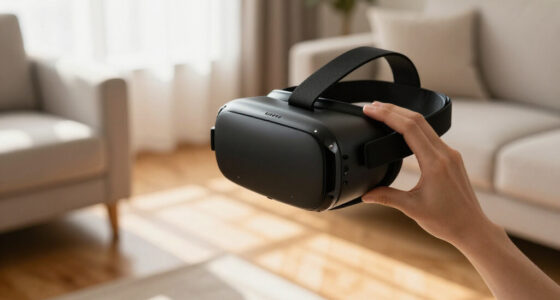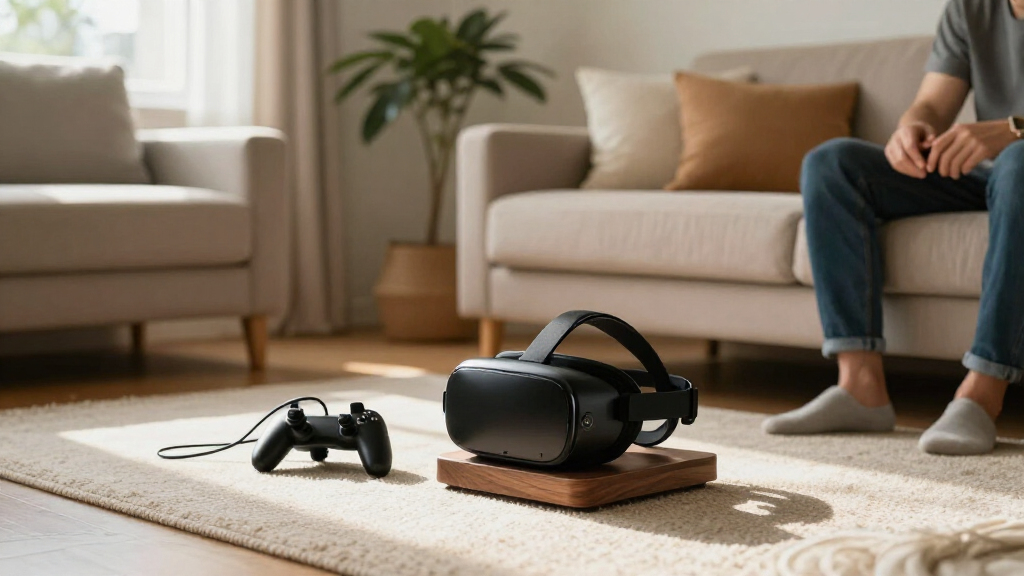
VR headset stands keep a headset and its accessories organized, protected, and ready for the next session. My best overall pick is the AMVR TYBP1, whose broad headset compatibility makes it the most versatile choice in this lineup. For charging-focused setups, the Kinwin Magnetic Charging Dock adds rechargeable batteries and lighting, while the ANSHAWTIY wall mount frees up desk space. The main tradeoffs are charging convenience versus wider device compatibility, and a compact footprint versus room for controllers and accessories. Read on for the full breakdown and help matching a stand to your headset and setup.

Play games on Amazon Luna for your next adventure, included with Prime
- A rotating selection of games, no download needed
- Play on TV, laptop or phone
- Fast, free delivery for your gear, too
Complete the kit



Key Takeaways
- AMVR TYBP1 is the lineup’s versatility pick: its stated compatibility spans Quest models, Steam Frame, Pico 4, and PSVR 2, making it a stronger match for mixed-headset households than model-specific docks.
- Charging docks solve a different problem than display stands: the Kinwin, DigiCharge, and several Meta Quest docks focus on keeping compatible headsets powered, while the Hyperkin and all-in-one display stands prioritize storage and presentation.
- Wall mounts trade convenience for freed desk space: ANSHAWTIY and NIRVASH move the headset off a tabletop, but require a suitable wall location and do not offer the same ready-to-charge setup as a dock.
- Apple Vision Pro owners need a dedicated fit: UPERGO is the only listed stand specifically built around Vision Pro and its battery holder, rather than a general Quest-style accessory.
- RGB lighting is a style choice, not a compatibility shortcut: several docks add lighting, but buyers should check headset and controller fit, charging method, and included accessories before choosing based on appearance.
| ANSHAWTIY Aluminum Alloy VR Headset Wall Mount, Black |  | Best Heavy-Duty Wall Mount | Material: Aluminum alloy | Color: Black | Mounting type: Wall mount | VIEW LATEST PRICE | See Our Full Breakdown |
| VR Headset Charging Stand for Meta Quest 3, Quest 3S, and Quest 2 |  | Best for Simple Tabletop Charging | Compatible devices: Meta Quest 2, Meta Quest 3S, Meta Quest 3 | Mounting type: Tabletop | Charging: Headset only; controllers are not chargeable | VIEW LATEST PRICE | See Our Full Breakdown |
| Kinwin Magnetic Charging Dock for Meta Quest 3S and Quest 3 with RGB Light and Rechargeable Batteries |  | Best All-in-One Charging Dock | Compatible devices: Meta Quest 3, Meta Quest 3S | Connector type: USB Type-C | Input: 10 V, 2 A | VIEW LATEST PRICE | See Our Full Breakdown |
| NIRVASH Walnut VR Headset Wall Mount Holder |  | Best Premium-Look Wall or Under-Desk Holder | Material: American black walnut and aluminum | Mounting: Wall-mounted or under-desk | Compatible devices: Meta/Oculus Quest 3, Quest 3S, Quest 2, Quest Pro, Rift-S, and Vive headsets | VIEW LATEST PRICE | See Our Full Breakdown |
| Dollox VR Headset Display Stand and Storage Holder |  | Best Universal Freestanding Display Stand | Material: ABS | Color: White | Dimensions: 12 × 12 × 7 in | VIEW LATEST PRICE | See Our Full Breakdown |
| DigiCharge VR Headset Stand for Meta Quest 3S, Quest 3, Quest 2, and Quest Pro |  | Best Simple Stand for Meta Quest | Brand: DigiCharge | Model: FBA-PHVR-125-WHITE | Compatible devices: Meta Quest 3S, Meta Quest 3, Meta Quest 2, Meta Quest Pro | VIEW LATEST PRICE | See Our Full Breakdown |
| UPERGO Dock Stand for Apple Vision Pro with Battery Holder |  | Best Dedicated Apple Vision Pro Stand | Compatible device: Apple Vision Pro | Mounting type: Tabletop | Materials: Acrylic, aluminum, silicone | VIEW LATEST PRICE | See Our Full Breakdown |
| XBERSTAR VR Headset Stand and Charging Dock for Oculus Quest 2 and Quest 3 |  | Best Charging Dock for Quest 2 and Quest 3 | Brand: XBERSTAR | Compatible devices: Oculus Quest 2, Oculus Quest 3 | Material: ABS | VIEW LATEST PRICE | See Our Full Breakdown |
| AMVR TYBP1 VR Headset Stand for Quest 3/3S/2, Steam Frame, Pico 4, and PSVR 2 |  | Best for Multi-Headset Households | Brand: AMVR | Model: TYBP1 | Material: ABS plastic | VIEW LATEST PRICE | See Our Full Breakdown |
| Hyperkin Universal VR Headset and Controller Display Stand |  | Best for Simple Headset-and-Controller Display | Brand: Hyperkin | Model: M07458 | Color: Black | VIEW LATEST PRICE | See Our Full Breakdown |
| Charging Dock and Vertical Stand for Meta Quest 3S, Quest 3, and Quest 2 |  | Best for Easy Access | Compatible devices: Meta Quest 3S, Quest 3, Quest 2 | Mounting type: Tabletop | Material: Plastic | VIEW LATEST PRICE | See Our Full Breakdown |
| Meta Quest 3/Quest 2 Charging Dock with RGB Light and Stand |  | Best for RGB Ambience | Compatible devices: Meta Quest 3S, Quest 3, Quest 2 | Connector types listed: Mini USB; USB 2.0 Micro B | USB ports: 1 | VIEW LATEST PRICE | See Our Full Breakdown |
| Bioherm RGB Charging Dock for Meta Quest Headsets |  | Best for Broad Quest Compatibility | Compatibility: Meta Quest 2, Quest 3, Quest 3S, Quest Pro | Charging: USB-C fast charging | Lighting: 14 adjustable RGB effects with brightness control | VIEW LATEST PRICE | See Our Full Breakdown |
| VR Charging Dock for Meta Quest 3, Quest 3S, and Quest 2 |  | Best Compact Charging Stand | Compatible devices: Meta Quest 3, Quest 3S, Quest 2 | Mounting type: Tabletop | Dimensions: 6.77 x 8.03 x 11.1 inches | VIEW LATEST PRICE | See Our Full Breakdown |
| VR Stand All-in-One Display Holder for Headsets and Controllers |  | Best Universal Display Stand | Form factor: Desktop stand | Compatible devices: Oculus Quest 2, Quest 3, Rift S, Valve Index, HP Reverb G2, HTC Vive, Vive Pro Ultimate, and others | Mounting type: Tabletop | VIEW LATEST PRICE | See Our Full Breakdown |
| VR headset stand | Color | Compatible devices | Material | Mounting type |
|---|---|---|---|---|
| ANSHAWTIY Aluminum Alloy VR He | Black | — | Aluminum alloy | Wall mount |
| VR Headset Charging Stand for | White | Meta Quest 2, Meta Quest 3S, Meta Quest 3 | ABS plastic | Tabletop |
| Kinwin Magnetic Charging Dock | — | Meta Quest 3, Meta Quest 3S | — | — |
| NIRVASH Walnut VR Headset Wall | — | Meta/Oculus Quest 3, Quest 3S, Quest 2, Quest Pro, Rift-S, and Vive headsets | American black walnut and aluminum | — |
| Dollox VR Headset Display Stan | White | Oculus Quest 2, Quest 3/3S, Rift, Rift S, Valve Index, HP Reverb G2, HTC Vive, Vive Pro | ABS | — |
| DigiCharge VR Headset Stand fo | White | Meta Quest 3S, Meta Quest 3, Meta Quest 2, Meta Quest Pro | Silicone | Tabletop |
| UPERGO Dock Stand for Apple Vi | Silver | — | — | Tabletop |
| XBERSTAR VR Headset Stand and | Black | Oculus Quest 2, Oculus Quest 3 | ABS | — |
| AMVR TYBP1 VR Headset Stand fo | Black | Quest 3, Quest 3S, Quest 2, Vision Pro, PSVR 2, Valve Index, HP Reverb G2, Pico 4 | ABS plastic | — |
| Hyperkin Universal VR Headset | Black | VR headsets and controllers | — | Tabletop |
| Charging Dock and Vertical Sta | White | Meta Quest 3S, Quest 3, Quest 2 | Plastic | Tabletop |
| Meta Quest 3/Quest 2 Charging | White | Meta Quest 3S, Quest 3, Quest 2 | — | — |
| Bioherm RGB Charging Dock for | — | — | ABS plastic | — |
| VR Charging Dock for Meta Ques | Black | Meta Quest 3, Quest 3S, Quest 2 | Plastic | Tabletop |
| VR Stand All-in-One Display Ho | White | Oculus Quest 2, Quest 3, Rift S, Valve Index, HP Reverb G2, HTC Vive, Vive Pro Ultimate, and others | ABS | Tabletop |
More Details on Our Top Picks
ANSHAWTIY Aluminum Alloy VR Headset Wall Mount, Black
I’d choose the ANSHAWTIY when getting the headset off a desk matters more than charging or storing several accessories. Its aluminum-alloy hook supports up to 11 pounds and fits four Meta Quest models, giving it a sturdier, more focused purpose than the Dollox tabletop display stand, which holds a headset and accessories but takes up surface space. The single-hook design keeps the setup simple, though it won’t organize controllers alongside the headset. Wall installation also means choosing a spot and fixing the mount in place; the NIRVASH walnut holder offers wall or under-desk mounting and additional strap hooks if you need more storage flexibility. I’d pick this for a clean, durable headset perch, not for an all-in-one charging station.
Pros:- Aluminum-alloy construction with a stated 11-pound capacity
- Fits Meta Quest 2, Quest 3, Quest 3S, and Quest Pro
- Wall mounting frees up tabletop space
- Two-year warranty
Cons:- Requires wall installation
- Single hook does not organize controllers or accessories
- Does not provide charging
Best for: Quest 2, Quest 3, Quest 3S, or Quest Pro owners who want a sturdy, permanent wall-mounted place for one headset.
Not ideal for: Renters who cannot install wall hardware, or households seeking a stand that also stores controllers and charges devices.
- Material:Aluminum alloy
- Color:Black
- Mounting type:Wall mount
- Maximum weight capacity:11 pounds
- Number of hooks:1
- Compatibility:Meta Quest 3, Quest 3S, Quest Pro, Quest 2
- Warranty:2 years
Our verdict“Choose this if you want a sturdy wall hook for one compatible Quest headset and do not need controller storage or charging.”
VR Headset Charging Stand for Meta Quest 3, Quest 3S, and Quest 2
This tabletop stand makes the most sense for Quest owners who want one place for the headset and controllers without wall mounting. Its USB-C connection charges the headset, while the non-slip base and tool-free assembly make it easier to set up than the ANSHAWTIY wall mount, which requires installation but saves desk space. The key limitation is in the name: the controllers are stored, not charged. For charging both controllers and headset together, the Kinwin Magnetic Charging Dock is the more capable choice, though it needs a separate power adapter. This stand’s broad compatibility with Quest 2, Quest 3S, and Quest 3 is useful for households with different generations, but charging performance depends on using a sufficiently powerful adapter.
Pros:- Stores a compatible headset, controllers, and some accessories
- Non-slip pads help stabilize the tabletop base
- Assembles without tools and can be disassembled for storage
- USB-C headset charging supports several Quest generations
Cons:- Does not charge controllers
- Charging speed may be slow with an underpowered adapter
- Requires tabletop space
Best for: Quest 2, Quest 3S, or Quest 3 owners who want a tool-free tabletop organizer that charges the headset and keeps controllers nearby.
Not ideal for: Owners who want rechargeable controllers charged alongside the headset, or anyone who needs to keep all charging gear off the desk.
- Compatible devices:Meta Quest 2, Meta Quest 3S, Meta Quest 3
- Mounting type:Tabletop
- Charging:Headset only; controllers are not chargeable
- Charging port:USB Type-C
- Recommended power adapter:5V-3A, 9V-3A, or 12V-3A
- Approximate charging time:3–5 hours
- Material:ABS plastic
- Color:White
Our verdict“Pick this for simple headset charging and tabletop organization, but choose the Kinwin dock if charging both controllers is a priority.”
Kinwin Magnetic Charging Dock for Meta Quest 3S and Quest 3 with RGB Light and Rechargeable Batteries
Among these five options, the Kinwin is the clearest pick for buyers who want a charging station rather than a passive stand. It charges a Quest 3 or Quest 3S headset and both controllers at once, with included rechargeable batteries and magnetic connections that simplify alignment. That gives it a practical advantage over the USB-C tabletop stand for Quest 2, Quest 3S, and Quest 3, which charges only the headset. The tradeoff is narrower compatibility: the Kinwin does not list Quest 2 support, and its power adapter is not included. A short cable may also require repositioning the dock or headset. RGB lighting and charge indicators add status visibility, but buyers who just need a storage perch can avoid this extra charging setup with the Dollox display stand.
Pros:- Charges the headset and two controllers simultaneously
- Includes two rechargeable batteries and controller covers
- Magnetic connections help align devices for charging
- Charging indicators and RGB lighting show dock status
Cons:- Power adapter is not included
- Compatibility is limited to Quest 3 and Quest 3S
- Short cable may require repositioning the dock or headset
Best for: Quest 3 and Quest 3S owners who want to charge the headset and both controllers together and value included rechargeable controller batteries.
Not ideal for: Quest 2 owners, buyers who need a power adapter included, or anyone seeking a simple storage stand without charging components.
- Compatible devices:Meta Quest 3, Meta Quest 3S
- Connector type:USB Type-C
- Input:10 V, 2 A
- Wattage:15 W
- Charging time:Headset: about 3 hours; controllers: about 4 hours
- Included accessories:Two rechargeable batteries, two battery covers, two magnetic headset connectors, two wipe cloths, USB-C to USB-C cable, user manual
- Special features:Magnetic charging, charging indicator, RGB ambient light, short-circuit protection
- USB ports:1
Our verdict“Choose the Kinwin if you own a Quest 3 or 3S and want one dock to charge the headset and both controllers.”
NIRVASH Walnut VR Headset Wall Mount Holder
The NIRVASH stands apart through its American black walnut top and aluminum base, giving a headset a more furniture-like home than the utilitarian ANSHAWTIY aluminum hook. Its wall-or-under-desk mounting and strap hooks also make it a more flexible organizer than that single-hook option, while cable-routing holes help keep a charger lead tidy. Compatibility extends beyond Quest models to Rift-S and Vive headsets, making this a useful choice for mixed VR setups. The tradeoff is that the USB charger is not included, and the wood’s natural grain and handcrafted dimensions can vary. Compared with the Dollox tabletop stand, this holder frees up desk space but takes more planning to mount. I’d choose it for a considered, fixed storage spot, not for quick setup or charging out of the box.
Pros:- Walnut and aluminum construction offers a more furniture-like appearance
- Can be mounted on a wall or under a desk
- Supports several Quest, Rift-S, and Vive headset models
- Strap hooks and cable-routing holes help organize accessories
Cons:- USB charger is not included
- Requires mounting hardware and installation
- Natural wood grain and handcrafted dimensions may vary
Best for: VR owners who want a wall- or under-desk-mounted holder with a walnut finish, controller strap hooks, and broad headset compatibility.
Not ideal for: Buyers who want a freestanding stand, an included charger, or a uniform finish and dimensions without natural wood variation.
- Material:American black walnut and aluminum
- Mounting:Wall-mounted or under-desk
- Compatible devices:Meta/Oculus Quest 3, Quest 3S, Quest 2, Quest Pro, Rift-S, and Vive headsets
- Dimensions:5.1 x 6.3 x 10.2 inches
- Weight:1.37 pounds
- Included components:Walnut wood top, aluminum base, two drywall anchors, two screws
- Charger:Not included
Our verdict“Choose the NIRVASH for a fixed, polished headset-and-controller storage spot when wall or under-desk mounting suits your room.”
Dollox VR Headset Display Stand and Storage Holder
The Dollox is the straightforward choice when display and broad compatibility matter more than charging. It fits a wide range of headsets, including Quest models, Valve Index, and several HTC Vive devices, while its shape keeps the headset lenses clear of contact. That makes it more versatile across brands than the Quest-focused charging stand, though it does not charge anything. Its triangular base, light ABS construction, and five-step tool-free assembly suit a shelf or desk, unlike the NIRVASH walnut holder, which mounts to a wall or under a desk and adds strap hooks. The Dollox can also store controllers and accessories, but the headset and controllers are not included, so it is a holder rather than a complete VR setup. Choose it for accessible display and storage, not a charging workflow.
Pros:- Compatible with a broad range of Quest, Rift, Valve Index, and HTC Vive headsets
- Stand design keeps headset lenses clear of contact
- Triangular base supports freestanding placement
- Assembles in five steps without tools
Cons:- Does not charge the headset or controllers
- Headset and controllers are not included
- Requires tabletop or shelf space
Best for: Multi-headset households or VR owners with a non-Meta headset who want a freestanding display and storage stand.
Not ideal for: Buyers seeking headset or controller charging, or those who need a wall-mounted holder to free up desk space.
- Material:ABS
- Color:White
- Dimensions:12 × 12 × 7 in
- Weight:0.47 kg
- Assembly:Five steps; no tools required
- Compatible devices:Oculus Quest 2, Quest 3/3S, Rift, Rift S, Valve Index, HP Reverb G2, HTC Vive, Vive Pro
- Included:VR display stand and manual
Our verdict“Pick the Dollox if you want a simple freestanding display for varied headset models and do not need charging.”
DigiCharge VR Headset Stand for Meta Quest 3S, Quest 3, Quest 2, and Quest Pro
The DigiCharge is a straightforward choice for Meta Quest owners who want vertical, tabletop storage without adding a charging dock. Its tool-free click-and-slot assembly keeps setup simple, while the non-slip base helps the stand stay put on a desk or shelf. It fits more Meta Quest generations than the Apple Vision Pro-only UPERGO Dock Stand, making it the more flexible pick for households with older headsets. The tradeoff is that it stores rather than charges: unlike the XBERSTAR VR Headset Stand and Charging Dock, it does not provide a charging base or controller holders. Its lightweight, space-saving design suits a tidy gaming corner, but buyers wanting an all-in-one station should choose a different style. The headset is not included.
Pros:- Supports Quest 3S, Quest 3, Quest 2, and Quest Pro
- Vertical layout uses little desk space
- Tool-free click-and-slot assembly
- Non-slip base helps keep the stand stable
Cons:- Does not charge the headset
- No dedicated controller storage is listed
- Headset is not included
Best for: Meta Quest owners who want a simple, compact place to store a headset and do not need charging or built-in controller storage.
Not ideal for: Buyers seeking a charging station, dedicated controller holders, or a stand for headsets outside the listed Meta Quest models.
- Brand:DigiCharge
- Model:FBA-PHVR-125-WHITE
- Compatible devices:Meta Quest 3S, Meta Quest 3, Meta Quest 2, Meta Quest Pro
- Mounting type:Tabletop
- Material:Silicone
- Color:White
- Style:Minimalist and modern
- Included components:1 VR stand
Our verdict“Choose the DigiCharge for uncomplicated, space-conscious storage of a compatible Meta Quest headset, not for charging or accessory organization.”
UPERGO Dock Stand for Apple Vision Pro with Battery Holder
Where the DigiCharge targets several Meta Quest models, the UPERGO is purpose-built for Apple Vision Pro storage. Its aluminum alloy pillars and base give the stand a more substantial structure, while the dark acrylic tray and padded battery holder keep the headset’s separate battery organized alongside it. Non-slip silicone pads add grip on a flat surface, and quick assembly makes setup less involved than its mixed-material appearance might suggest. This specialization is also its main limitation: unlike the broad-compatibility AMVR TYBP1, the UPERGO is listed for Apple Vision Pro alone. Its tabletop footprint and 0.8 kg weight also make it less suited to cramped desks or buyers who want a portable, lightweight holder. The stand makes most sense as a dedicated display and storage spot, not a universal VR solution.
Pros:- Includes a padded holder for the Apple Vision Pro battery
- Aluminum alloy and acrylic construction
- Non-slip silicone pads support a stable tabletop setup
- Designed for quick assembly
Cons:- Compatibility is limited to Apple Vision Pro
- Requires a flat surface and takes up dedicated desk space
- Does not offer headset charging
Best for: Apple Vision Pro owners who want a dedicated tabletop display stand with a padded place for the headset battery.
Not ideal for: Multi-headset households or buyers without a clear, flat surface for a stand measuring 7.5 x 5.9 x 11.2 inches.
- Compatible device:Apple Vision Pro
- Mounting type:Tabletop
- Materials:Acrylic, aluminum, silicone
- Color:Silver
- Dimensions:7.5 x 5.9 x 11.2 inches
- Weight:0.8 kg
- Model:VD-9
- Warranty:1.5 years
Our verdict“Pick the UPERGO if you want a dedicated Apple Vision Pro display with battery storage and have room for a tabletop stand.”
XBERSTAR VR Headset Stand and Charging Dock for Oculus Quest 2 and Quest 3
The XBERSTAR stands apart from storage-first options like the DigiCharge by combining a headset stand and charging dock in one tabletop unit. Controller holders help keep the main accessories together, while the charging indicator switches from red during charging to green when complete. Built-in overcharge, overvoltage, and short-circuit protection adds reassurance for buyers who plan to leave the headset docked between sessions. The compromise is narrower compatibility: it lists Oculus Quest 2 and Quest 3, while the AMVR TYBP1 supports a wider range of headset families. XBERSTAR also charges the headset only, so its controller holders are for storage rather than a complete charging setup. The cable may need reconnecting if the indicator flashes, a practical drawback for anyone who expects a fully hands-off dock.
Pros:- Combines headset storage and charging
- Controller holders keep accessories together
- Charging indicator shows charging and completion status
- Includes overcharge, overvoltage, and short-circuit protection
Cons:- Compatibility is listed for Quest 2 and Quest 3 only
- Charges the headset, not the controllers
- A flashing indicator may mean the charging cable needs reconnecting
Best for: Quest 2 and Quest 3 owners who want a single tabletop spot for headset charging, headset storage, and controller storage.
Not ideal for: Owners of Quest 3S or other headset models, or buyers who want their controllers charged by the same dock.
- Brand:XBERSTAR
- Compatible devices:Oculus Quest 2, Oculus Quest 3
- Material:ABS
- Color:Black
- Input:5V, 3A
- Output:5V, 3A
- Dimensions:278 × 186 × 236 mm
- Charging time:Approximately 3–5 hours
- Included items:Storage stand charging base, charging cable
Our verdict“Choose XBERSTAR if headset charging is a priority and your device is a Quest 2 or Quest 3; skip it if you need broader compatibility or controller charging.”
AMVR TYBP1 VR Headset Stand for Quest 3/3S/2, Steam Frame, Pico 4, and PSVR 2
The AMVR TYBP1 is the most adaptable storage pick here: its listed compatibility spans several Quest models, Pico 4, PSVR 2, Vision Pro, and other headsets. That range contrasts with the Quest-focused XBERSTAR dock and the Apple Vision Pro-specific UPERGO, making the AMVR a practical shared stand when devices change or multiple systems share a room. Its weighted, enlarged base and silicone gasket help resist wobble, while the rounded headset platform is designed to reduce the chance of lens contact with a flat surface. A tray and hooks add room for controllers and small accessories. The tradeoffs are its ABS plastic construction and the fact that listed compatibility does not guarantee a fit for every head strap or headset shape. It stores gear but does not charge it.
Pros:- Broad listed compatibility across several headset brands and models
- Weighted base with non-slip silicone gasket
- Tray and hooks provide storage for controllers and accessories
- Rounded headset platform is designed to help protect lenses
Cons:- ABS plastic construction lacks the material feel of metal stands
- Fit may depend on headset shape and head strap
- Does not charge the headset or controllers
Best for: Households with more than one VR system that need a shared stand for headsets, controllers, and small accessories.
Not ideal for: Buyers who want a premium metal display stand or an integrated charging dock, or whose headset shape and strap may not sit securely on a universal platform.
- Brand:AMVR
- Model:TYBP1
- Material:ABS plastic
- Color:Black
- Weight:460 g
- Compatible devices:Quest 3, Quest 3S, Quest 2, Vision Pro, PSVR 2, Valve Index, HP Reverb G2, Pico 4
- Included components:Top cover, controllers holder, round base, support column, headset tray
- Assembly:Snap-fit parts
Our verdict“Choose the AMVR TYBP1 for versatile, shared storage across different headsets, provided your headset shape fits its platform securely.”
Hyperkin Universal VR Headset and Controller Display Stand
The Hyperkin is a practical display stand for buyers who want a headset and compatible controllers kept together, with a cable opening for charging while docked. Its four interlocking pieces are designed for quick assembly, keeping the setup simpler than the XBERSTAR charging dock, which adds a dedicated charging base and status indicator. Hyperkin’s broader positioning may suit owners of select Oculus, HTC Vive, and PSVR systems, but the listed compatibility is less specific than the model-by-model support of the AMVR TYBP1. It also does not hold PlayStation Move controllers, so PSVR owners should check their accessory setup before choosing it. This is a storage and display solution with a charging cable route, not an integrated charging station; functionality can vary by VR system.
Pros:- Stores a headset and compatible controllers together
- Cable opening allows charging while the headset is docked
- Four interlocking pieces are designed for quick assembly
- Supports select Oculus, HTC Vive, and PSVR headsets
Cons:- Does not hold PlayStation Move controllers
- Compatibility and functionality may vary by VR system
- Cable opening does not make it an integrated charging dock
Best for: Owners of a supported Oculus, HTC Vive, or PSVR setup who want to display one headset and compatible controllers while routing a charging cable.
Not ideal for: PlayStation Move controller owners or buyers who need confirmed fit for a particular headset and a built-in charging dock.
- Brand:Hyperkin
- Model:M07458
- Color:Black
- Mounting type:Tabletop
- Compatible devices:VR headsets and controllers
- Item weight:1.1 pounds
- Included components:Cable
- Assembly:Four interlocking pieces
Our verdict“Pick the Hyperkin for a simple headset-and-controller display with cable access, but verify your system and controller fit before buying.”
Charging Dock and Vertical Stand for Meta Quest 3S, Quest 3, and Quest 2
This white tabletop stand is a straightforward choice for Quest owners who want a clear place to park their headset and controllers. Its open layout makes pickup and replacement easier than a charging dock with a more enclosed arrangement, while the stable base helps keep the setup in place. Three LED modes add display lighting without making the stand’s main job more complicated. Despite the product name, it does not charge controllers; the included cable is for the headset setup, so buyers seeking a full charging station should look at the Bioherm RGB Charging Dock instead. Compared with the compact Lampelc dock, this model’s appeal is its easy-access layout and lighting rather than a specified compact footprint. Choose it for organization and display, not controller charging.
Pros:- Open design makes headset and accessory pickup straightforward
- Three selectable LED lighting modes
- Stable base supports tabletop display
- Compatible with Quest 2, Quest 3, and Quest 3S
Cons:- Does not charge controllers
- Plastic construction may feel less premium than a metal stand
- No dimensions or charging output are specified
Best for: Quest 2, Quest 3, or Quest 3S owners who want an illuminated tabletop stand with quick access to the headset and controllers
Not ideal for: Buyers who want controllers to recharge on the stand or need a dock with clearly specified charging performance
- Compatible devices:Meta Quest 3S, Quest 3, Quest 2
- Mounting type:Tabletop
- Material:Plastic
- Color:White
- Lighting modes:3
- Included components:Vertical stand, top tray, 2 handle brackets, base, charging cable
- Controller charging:Not supported
Our verdict“Choose this stand if easy access and simple LED display matter more than charging controllers.”
Meta Quest 3/Quest 2 Charging Dock with RGB Light and Stand
The AodoT pairs a headset stand with adjustable RGB lighting and headset charging, making it a better fit for a gaming setup where the dock is also part of the display. Its anti-slip base helps it stay put on a desk, and the integrated stand keeps the headset off the surface between sessions. Compared with the Bioherm RGB Charging Dock, the listed specs here are more limited: AodoT specifies a single USB port and 5 V output, while Bioherm lists broader headset compatibility and 14 lighting effects. AodoT’s stated compatibility covers Quest 2, Quest 3, and Quest 3S, but it cannot charge controllers. The connector details also list both Mini USB and Micro B, so buyers should confirm the connection they need before choosing it.
Pros:- Provides headset charging for compatible Quest models
- Adjustable RGB lighting adds customizable desk ambience
- Anti-slip base helps stabilize the dock
- Integrated stand keeps the headset organized between sessions
Cons:- Cannot charge controllers
- Only one USB port is specified
- Connector information lists both Mini USB and Micro B
Best for: Quest owners who want headset charging, adjustable RGB ambience, and a stable display dock on a gaming desk
Not ideal for: Buyers who need controller charging, multiple USB ports, or clearly documented connector details
- Compatible devices:Meta Quest 3S, Quest 3, Quest 2
- Connector types listed:Mini USB; USB 2.0 Micro B
- USB ports:1
- Output voltage:5 V
- Power source:DC
- Color:White
- Enclosure material:Plastic
- Controller charging:Not supported
Our verdict“Pick the AodoT if customizable RGB lighting and headset charging are your priorities, and controller charging is not.”
Bioherm RGB Charging Dock for Meta Quest Headsets
Bioherm stands out for supporting four Meta Quest generations, including Quest Pro, and combining headset charging with storage for controllers. Its 14 RGB effects and brightness adjustment offer more lighting control than the three-mode stand in this group, which suits buyers who want the dock to function as a visible part of their setup. The four non-slip pads and ABS base are practical touches for a desktop station. Compared with AodoT’s RGB dock, Bioherm lists more compatible headsets and more lighting options; however, it does not specify charging power or time, and it requires a separate power source. That makes its charging performance harder to judge from the listed details. Choose it for compatibility and display flexibility, not for a clearly documented charging rate.
Pros:- Compatible with Quest 2, Quest 3, Quest 3S, and Quest Pro
- Fourteen RGB effects with brightness control
- Combines headset charging with controller storage
- Four non-slip pads support stable placement
Cons:- Charging time and power output are not specified
- Requires a separate power source
- ABS plastic construction may not suit buyers seeking a metal stand
Best for: Households with multiple Quest models, including Quest Pro, that want headset charging, controller storage, and adjustable RGB lighting
Not ideal for: Buyers who need stated charging speed or want a dock with its power source included
- Compatibility:Meta Quest 2, Quest 3, Quest 3S, Quest Pro
- Charging:USB-C fast charging
- Lighting:14 adjustable RGB effects with brightness control
- Material:ABS plastic
- Base:Four non-slip pads
- Dimensions:11.81 x 7.87 x 3.15 inches
- Weight:1.59 pounds
- Power source:Separate power source required
Our verdict“Choose Bioherm for wide Quest compatibility and adjustable lighting, but look elsewhere if documented charging performance is a priority.”
VR Charging Dock for Meta Quest 3, Quest 3S, and Quest 2
The Lampelc C1pro is the space-conscious option here: its compact tabletop design organizes a headset, controllers, and cables without adding RGB lighting or a larger display footprint. The included Type-C charger handles the headset, and the non-slip base helps keep the stand steady. Quick snap-on assembly also makes setup less involved than a stand that needs a more elaborate build. Compared with the AodoT dock, Lampelc gives up customizable lighting and a stated USB-port specification in favor of a compact, simple arrangement. Like AodoT and the Bioherm dock, it does not charge controllers; they are stored only. The plastic enclosure and listed dimensions mean buyers should check their available desk space, but this is the clearest pick for a tidy Quest charging spot without decorative extras.
Pros:- Compact tabletop design helps conserve desk space
- Includes a Type-C charger for the headset
- Stores the headset, controllers, and cables together
- Non-slip base and quick snap-on assembly simplify setup
Cons:- Controllers are stored but cannot be charged
- Plastic enclosure is less premium than sturdier material options
- Compatible only with the listed Meta Quest models
Best for: Quest 2, Quest 3, or Quest 3S owners with limited desk space who want headset charging and orderly controller storage
Not ideal for: Buyers who want controller charging, RGB lighting, or a stand made from materials other than plastic
- Compatible devices:Meta Quest 3, Quest 3S, Quest 2
- Mounting type:Tabletop
- Dimensions:6.77 x 8.03 x 11.1 inches
- Material:Plastic
- Color:Black
- Included features:VR headset stand, Type-C charger, anti-slip base
- Controller charging:Not supported
- Warranty:1 year
Our verdict“Choose the Lampelc if you need a compact Quest charging station and can do without controller charging or lighting effects.”
VR Stand All-in-One Display Holder for Headsets and Controllers
Unlike the Quest-specific charging docks in this group, this stand is built for broad headset compatibility, including Quest models, Rift S, Valve Index, HP Reverb G2, and HTC Vive variants. Its triangular ABS base holds the headset and controllers, while hooks for headphones and accessories provide extra places to keep a desk setup together. The lens-protection design is a useful distinction for buyers who want a display stand rather than a charging station. Compared with the Lampelc C1pro, this model trades headset charging for wider compatibility and accessory hooks; it also lists a compact 9 x 5 x 8-inch footprint. The main limitations are that it does not include charging features, and the listed 30-day return guarantee is not a longer-term warranty. It suits mixed-headset households better than Quest-only charging setups.
Pros:- Compatible with a broad range of VR headset brands
- Triangular ABS base supports tabletop display
- Hooks help organize headphones, accessories, and cables
- Tool-free assembly is specified as a five-step process
Cons:- No headset or controller charging is specified
- Headset and controllers are not included
- Only white is listed, with a 30-day return guarantee
Best for: Owners of non-Meta or mixed-brand VR headsets who want a tabletop display stand with space for controllers, headphones, and cables
Not ideal for: Quest owners who want a charging dock, or buyers who need a longer stated warranty or a choice of colors
- Form factor:Desktop stand
- Compatible devices:Oculus Quest 2, Quest 3, Rift S, Valve Index, HP Reverb G2, HTC Vive, Vive Pro Ultimate, and others
- Mounting type:Tabletop
- Color:White
- Dimensions:9 x 5 x 8 inches
- Weight:16 ounces
- Material:ABS
- Warranty or return term:30-day return guarantee
Our verdict“Choose this universal stand if cross-brand compatibility and accessory organization matter more than charging.”
How We Picked
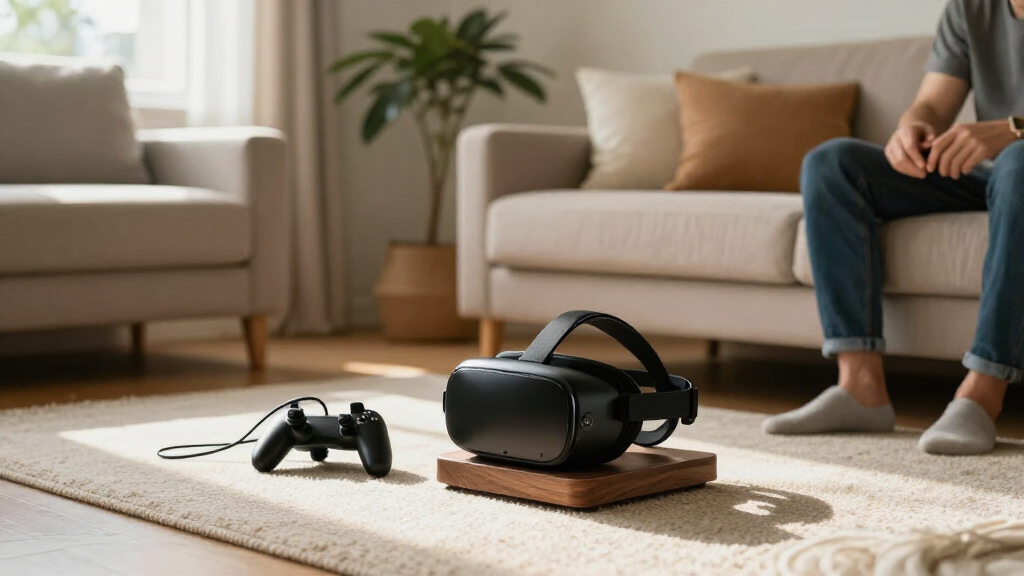
I compared these 15 VR headset stands by the job each one is built to do: hold a headset securely, store controllers and accessories, charge supported devices, or reduce desk clutter. Compatibility mattered because a stand that fits one Quest generation may not suit another headset or a mixed-device household. I also weighed footprint, mounting style, setup demands, and whether the design offers a practical benefit beyond display.
The ranking favors useful flexibility and clear everyday function over decorative extras alone. Broadly compatible stands rank well for households with more than one headset, while charging docks make more sense for buyers who prioritize a ready-to-use setup and own a listed compatible model. Wall mounts place higher for space-saving needs, but lower for people who want tabletop access or integrated charging. Product names and stated features guide these comparisons; buyers should verify exact device and accessory compatibility before ordering.
| VR headset stand | Material | Color | Mounting type |
|---|---|---|---|
| ANSHAWTIY Aluminum Alloy VR He | Aluminum alloy | Black | Wall mount |
| VR Headset Charging Stand for | ABS plastic | White | Tabletop |
| Kinwin Magnetic Charging Dock | — | — | — |
| NIRVASH Walnut VR Headset Wall | American black walnut and aluminum | — | — |
| Dollox VR Headset Display Stan | ABS | White | — |
| DigiCharge VR Headset Stand fo | Silicone | White | Tabletop |
| UPERGO Dock Stand for Apple Vi | — | Silver | Tabletop |
| XBERSTAR VR Headset Stand and | ABS | Black | — |
| AMVR TYBP1 VR Headset Stand fo | ABS plastic | Black | — |
| Hyperkin Universal VR Headset | — | Black | Tabletop |
| Charging Dock and Vertical Sta | Plastic | White | Tabletop |
| Meta Quest 3/Quest 2 Charging | — | White | — |
| Bioherm RGB Charging Dock for | ABS plastic | — | — |
| VR Charging Dock for Meta Ques | Plastic | Black | Tabletop |
| VR Stand All-in-One Display Ho | ABS | White | Tabletop |
Factors to Consider When Choosing VR Headset Stands
Choosing among VR headset stands starts with deciding what problem the stand should solve. A display holder, a charging dock, and a wall mount may all store a headset, but they differ in daily convenience, compatibility, and space needs. Use these factors to narrow the options before choosing a design.
Match the Stand to Your Exact Headset
Start with the headset model, then check the stand’s stated compatibility rather than relying on a broad label like universal. Differences in headset shape, strap design, and charging contacts can affect how securely a device sits or whether a dock works as intended. If your household owns more than one headset, look for support that names each model instead of assuming a single stand will accommodate all of them. Also check whether the listed compatibility covers controllers, batteries, and charging accessories, not just the headset itself. The common mistake is choosing by appearance and discovering that the device rests awkwardly or cannot charge. A dedicated holder may fit one headset better, while a broader stand can be more useful as your setup changes.
Decide Whether Charging Is Worth the Extra Setup
A charging dock can keep a headset and, on some models, controllers ready between sessions, but charging adds compatibility checks and setup steps. Confirm what is included, how power connects, and whether rechargeable batteries or special charging covers are required. A stand that looks like a complete charging solution may not include every accessory needed for your particular controller configuration. If you already charge devices elsewhere, a simple display stand can reduce clutter without adding another cable or charging point. For frequent use, dock convenience may justify the extra hardware; for occasional play, basic storage may do the job. Think about where power outlets are located before giving a dock the space it needs.
Choose Between Wall, Desk, and Vertical Storage
Wall mounts reclaim tabletop space, but they depend on a suitable mounting location and a setup you are comfortable installing. A desk stand is easier to move and keeps the headset accessible, though it occupies space that could otherwise hold accessories. Vertical designs can consolidate a headset and controllers in a smaller area, but check that the base has enough room and stability for your full setup. Avoid placing a stand where a headset can be knocked over by chair movement, pets, or a frequently used doorway. The best form depends on the room, not only on the headset. Measure the intended spot and account for cables, controller grips, and the headset’s strap before committing.
Prioritize Protection and Contact Points
A stand should support the headset without pressing on delicate lenses or putting unnecessary strain on the strap. Look for a design that holds the device by appropriate contact points and leaves lenses facing away from direct sunlight. A display holder can make a headset easier to reach, but an open setup may expose it to dust and accidental bumps. If you store a headset in a shared room, consider whether a stand’s position keeps it out of reach of children or pets. Do not assume a sturdy-looking base protects every part of the device; the shape of the headset cradle matters too. Buyers who need stronger protection may want a storage case alongside a stand rather than expecting one product to serve both roles.
Treat Lighting and Display Features as Secondary
RGB lighting can add a visual accent to a gaming area, and a display stand can make a headset easier to organize with controllers. Neither feature automatically improves fit, charging reliability, or protection. Decide first whether the stand meets your practical needs, then judge lighting or presentation as a bonus. Extra illumination may be distracting in a bedroom or shared space, while a plain holder can blend into a work area more easily. Check whether the light needs a separate power connection and whether it can be turned off if the stand stays on overnight. Paying for visual features makes sense when they fit the room and you value display; skip them when function is your priority.
Plan for Accessories and Future Changes
Headsets often accumulate controller straps, battery packs, cables, and other add-ons, so the stand’s capacity can matter as much as its headset cradle. Check whether the design has dedicated controller holders and whether those holders fit your controllers with grips or covers attached. A compact stand may look tidy but leave accessories scattered across the desk. If you may switch headset models, broad compatibility can reduce the chance that the stand becomes obsolete, though a more specific design may offer a better fit for a current device. Keep cable routing and available outlet space in mind when planning a charging setup. Buying for the accessories you actually use is more reliable than assuming every stand supports every add-on.
Frequently Asked Questions
Can one VR headset stand work with both Meta Quest and other headsets?
Some stands list support for several headset families, but “universal” does not guarantee an equally secure fit for every shape or strap. The AMVR TYBP1 names several platforms, while the UPERGO is specifically intended for Apple Vision Pro. Check the exact models listed and look for any limits tied to controllers, straps, or charging parts. If you own one headset today but may add another, a broadly compatible display stand can be a safer choice than a model-specific dock. For charging, verify compatibility separately from physical fit.
Should I buy a charging dock or a basic display stand?
Choose a charging dock if keeping a compatible headset charged and ready is a recurring hassle, and you have room near a power source. A basic display stand is a better fit if you mainly want a consistent storage spot and do not need charging integrated into the holder. Docks can involve extra cables, model-specific charging parts, or battery requirements, so check what the package supports before buying. A display stand may also be easier to use with a headset that is not listed for a dock. The right choice depends on whether charging convenience solves a real problem in your routine.
Are wall-mounted VR headset holders safe for the headset?
A wall mount can store a headset securely when it is installed on an appropriate surface and supports the device at suitable contact points. The mount does not protect the headset from dust, sunlight, or accidental knocks in the way a closed case might. Check that the headset hangs without pressure on its lenses or excessive pulling on its strap, and choose a location away from direct sun. Installation quality matters too: follow the mount’s directions and confirm that the wall surface suits its attachment method. If you cannot install it securely, a stable tabletop holder is the more practical option.
Do RGB charging stands need to stay plugged in?
Lighting and charging can have different power needs, so do not assume an RGB stand can perform both functions without a cable. Check the product’s power instructions and whether the lights can be switched off independently from charging. A permanently lit stand may not suit a bedroom or a shared room, even if its appearance appeals during the day. Also confirm whether the charging function depends on particular batteries, controller covers, or cables. If you prefer a simple setup, a non-lit stand or a dock with controllable lighting may be a better match.
What should I check before buying a stand for a headset I may replace?
Look for compatibility that names multiple headset models or platforms, but separate physical support from charging support. A stand may hold several headset shapes while its charging contacts fit only a narrower set of devices. Consider whether you want a display holder that can adapt to a new headset or a dock that best serves your current model. Controller holders and accessory storage can also become less useful if your next headset uses different controllers. If an upgrade is likely soon, a general display stand can preserve flexibility while you wait to choose a dedicated charging setup.
Conclusion
For most buyers, I’d start with the AMVR TYBP1 as the best overall because its stated support across several headset families gives it the broadest role in this lineup. For best value in practical function, compare the straightforward DigiCharge stand with the other Quest-compatible storage options and choose based on the exact devices you own; do not pay for lighting you will not use. The Kinwin dock is my premium-style pick for Quest owners who want charging, rechargeable batteries, and RGB presentation together. Beginners who mainly need an easy place to put a headset can start with the Dollox display stand or a simple universal holder rather than adding charging hardware. For specific needs, choose ANSHAWTIY or NIRVASH to clear desk space, and UPERGO for a Vision Pro setup with a battery holder. Match the stand to your headset and storage habits first; features matter only when they solve a need you actually have.
Halloween Picks

Vexalify 11-Inch Halloween Pumpkin Fog Machine with Bluetooth Speaker and 12-Color LED Lights

HOPOCO Halloween Pumpkin Fog Machine with 12 LED Colors & 4 Light Modes

9 ft Halloween Inflatable Haunted Castle with Dragon and Ghost
As an affiliate, we earn on qualifying purchases.