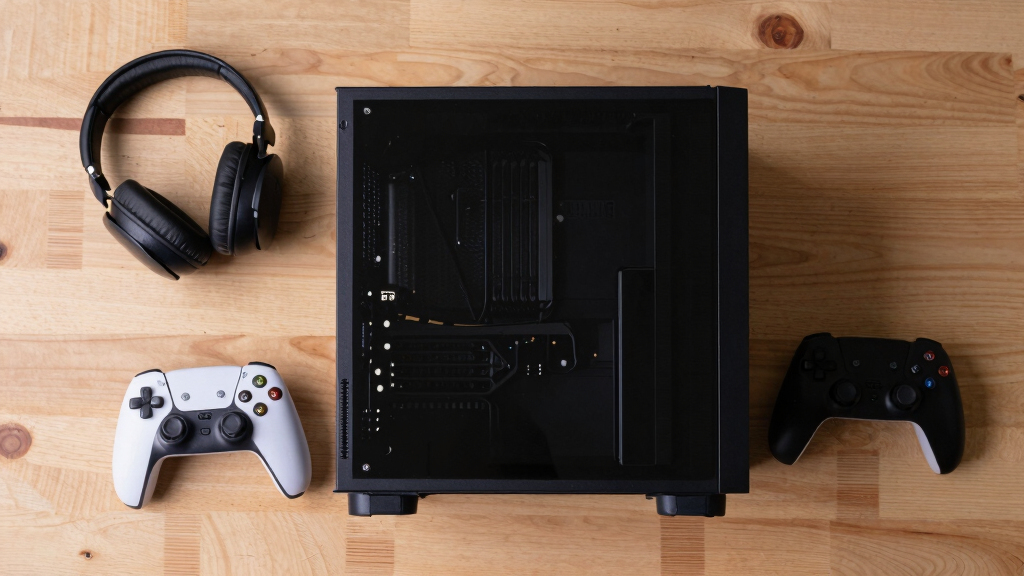

I rank the MINISFORUM G1 Pro Mini PC with Ryzen 9 8945HX and RTX 5060 as the best overall gaming mini PC because it pairs a modern discrete GPU with a strong HX-class processor, Wi-Fi 7, and useful multi-display support. The ROG NUC (2025) is the premium pick for buyers who want the fastest compact option here, while the GMKtec M6 Ultra makes more sense for lighter gaming, small-desk setups, and tighter budgets. The main tradeoff in this category is simple: discrete graphics raise frame rates, but integrated-graphics mini PCs are smaller, quieter, cheaper, and often easier to place anywhere. I also found that some AI-focused and office-focused models look powerful on paper but are less direct fits for serious gaming than their specs suggest. Keep reading for the full breakdown of which gaming mini PC fits each kind of buyer.
Key Takeaways
- Discrete GPU models lead this roundup: the MINISFORUM G1 Pro, ROG NUC (2025), and TOPGRO T1-Pro separate themselves because dedicated RTX graphics matter more for gaming than CPU branding alone.
- The ROG NUC (2025) is the premium speed play, but the MINISFORUM G1 Pro earns the best overall slot by offering a more balanced mix of gaming power, connectivity, and practical configuration.
- Integrated-graphics mini PCs are not all equal: Ryzen 9 8945HS, Ryzen 7 7735HS, Ryzen 7640HS, Intel Ultra 9 285H, and Ryzen AI Max+ 395 models suit different buyers even when they all advertise 4K or 8K display support.
- Older gaming hardware is the main warning sign: systems with GTX 1650 graphics or older U-series processors can still handle lighter games, but they fall behind newer RTX and stronger APU options in longevity.
- Connectivity changes the value equation: USB4, Oculink, dual 2.5GbE, Wi-Fi 7, and multi-display support made some compact PCs more flexible even when they were not the fastest raw gaming picks.
| GMKtec K11 Gaming Mini PC |  | Best eGPU-Ready Mini PC | Processor: AMD Ryzen 9 8945HS, 8 cores, 16 threads, up to 5.4GHz | Memory: 32GB DDR5 5600 MT/s, expandable to 128GB | Storage: 1TB PCIe 4.0 SSD, expandable up to 8TB | VIEW LATEST PRICE | See Our Full Breakdown |
| BOSGAME P4 Ultra Mini PC Gaming |  | Best Budget Gaming Starter | Processor: AMD Ryzen 7 7730U, 8 cores, 16 threads, up to 4.5GHz | Memory: 16GB DDR4 3200MHz, expandable to 64GB | Storage: 1TB PCIe 3.0 NVMe SSD, expandable up to 16TB | VIEW LATEST PRICE | See Our Full Breakdown |
| KAMRUI Mini Gaming PC |  | Best Portable Pick | Processor: AMD Ryzen 7 7735HS, 8 cores, 16 threads, up to 4.75GHz | Memory: 24GB LPDDR5 5500MT/s | Storage: 512GB NVMe PCIe 3.0 SSD, expandable up to 4TB | VIEW LATEST PRICE | See Our Full Breakdown |
| ROG NUC (2025) Gaming Mini PC |  | Best Premium Gaming Mini PC | Processor: Intel Core Ultra 9 Series 2 ARL-HX | Graphics: NVIDIA GeForce RTX 5070 Mobile | Memory: 32GB DDR5-6400 MHz | VIEW LATEST PRICE | See Our Full Breakdown |
| TOPGRO T1 Mini Gaming PC |  | Best Entry-Level Dedicated GPU Pick | Processor: Intel Core i9-9980HK, 8 cores, 16 threads, up to 5.0GHz | Graphics: NVIDIA GeForce GTX 1650 4GB GDDR5 | Memory: 16GB DDR4, expandable up to 64GB | VIEW LATEST PRICE | See Our Full Breakdown |
| GMKtec K16 Mini PC Gaming Desktop Computer |  | Best Connectivity-Focused Pick | Processor: AMD Ryzen 7 7735HS, 8 cores/16 threads, up to 4.75GHz | Graphics: AMD Radeon 680M integrated GPU | Memory: 32GB LPDDR5 6400MT/s | VIEW LATEST PRICE | See Our Full Breakdown |
| MINISFORUM G1 Pro Gaming Mini PC with Ryzen 9 8945HX and GeForce RTX 5060 |  | Best High-Performance Pick | Processor: AMD Ryzen 9 8945HX, 16 cores/32 threads, up to 5.4GHz | Graphics: NVIDIA GeForce RTX 5060 8GB GDDR7, 3840 CUDA cores | Memory: 32GB DDR5, expandable up to 96GB | VIEW LATEST PRICE | See Our Full Breakdown |
| GMKtec EVO-T1 AI Mini PC Ultra 9 285H |  | Best Creator-Friendly Gaming Pick | Processor: Intel Core Ultra 9 285H, 16 cores/16 threads, turbo up to 5.4GHz | Graphics: Intel Arc 140T GPU with 8 Xe cores | Memory: 64GB DDR5 5600MHz | VIEW LATEST PRICE | See Our Full Breakdown |
| GMKtec M6 Ultra Gaming Mini PC Ryzen 7640HS |  | Best Value Integrated-Graphics Pick | Processor: AMD Ryzen 5 7640HS, 6 cores, up to 5.0GHz | Graphics: AMD Radeon 760M integrated GPU, 8 CUs, up to 2600MHz | Memory: 32GB DDR5 SO-DIMM | VIEW LATEST PRICE | See Our Full Breakdown |
| MINISFORUM G1 Pro Mini PC with AMD Ryzen 9 8945HX and RTX 5060 Graphics |  | Best Multi-Monitor RTX Pick | Processor: AMD Ryzen 9 8945HX, 16 cores/32 threads, up to 5.4GHz | Graphics: NVIDIA GeForce RTX 5060 8GB | Memory: 32GB DDR5-5200MT/s, expandable to 64GB | VIEW LATEST PRICE | See Our Full Breakdown |
| GMKtec EVO-X2 AI Mini PC Ryzen AI Max+ 395, 128GB LPDDR5X, 2TB SSD, 8K Display, WiFi 7, USB4 |  | Best High-End AMD Gaming Mini PC | Processor: Ryzen AI Max+ 395, up to 5.1GHz | CPU: 16 Zen 5 cores, 32 threads | Graphics: AMD Radeon RX 8060S, 40 CUs, up to 2.9GHz | VIEW LATEST PRICE | See Our Full Breakdown |
| GEEKOM IT15 Mini PC with Intel Ultra 9 285H, Arc 140T GPU, 32GB DDR5, 2TB SSD, WiFi 7, 8K Quad Display, Windows 11 Pro |  | Best Intel Pick for Work and Play | Processor: Intel Ultra 9 285H | AI Performance: 13 TOPS NPU, 77 TOPS Arc GPU, 9 TOPS CPU | Graphics: Intel Arc 140T GPU | VIEW LATEST PRICE | See Our Full Breakdown |
| GMKtec EVO-X2 AI Mini PC Ryzen AI Max+ 395, 16GBx8 LPDDR5X, 2TB SSD, 8K Triple Screen, WiFi 7, USB4 |  | Best for Triple-Screen Gaming Desks | Processor: AMD Ryzen AI Max+ 395, up to 5.1GHz | CPU: 16 cores | Graphics: AMD Radeon RX 8060S, RDNA 3.5, 40 CUs | VIEW LATEST PRICE | See Our Full Breakdown |
| TOPGRO T1-Pro Mini Gaming PC with Core i9-13900HX and RTX 4060 | | Best Dedicated GPU Gaming Pick | Processor: Intel Core i9-13900HX, 24 cores, 32 threads, up to 5.4GHz | Graphics: NVIDIA GeForce RTX 4060 8GB GDDR6 | Memory: 32GB DDR5-5200, expandable to 64GB | VIEW LATEST PRICE | See Our Full Breakdown |
| N2 Pro Ryzen 7 6800H Mini Gaming PC with 32GB DDR5, 1TB SSD, Wi-Fi 6E, Bluetooth 5.2, 11 Pro OS, 8K USB4 |  | Best Budget-Friendly 8K Mini PC | Processor: Ryzen 7 6800H, 8 cores, up to 4.7GHz | Graphics: Radeon 680M 12-core GPU | Memory: 32GB DDR5, upgradable to 64GB | VIEW LATEST PRICE | See Our Full Breakdown |
More Details on Our Top Picks
GMKtec K11 Gaming Mini PC
I would place the GMKtec K11 high in this lineup because it gives buyers a strong CPU base, fast DDR5 memory, and an Oculink port for external GPU setups. Compared with the BOSGAME P4 Ultra, it has a newer, faster Ryzen 9 chip and more memory headroom, so it is better suited to heavier multitasking, emulation, and games that lean on CPU speed. The tradeoff is that it still relies on integrated graphics unless paired with an external GPU, so the ROG NUC is the stronger choice for native high-end gaming. I see the K11 as the smarter pick for buyers who want a compact system today with room to build a more serious gaming setup later.
Pros:- Ryzen 9 8945HS gives it strong CPU performance for games, streaming, and multitasking
- Oculink support makes it more upgrade-friendly for external GPU use than many mini PCs
- 32GB DDR5 RAM and PCIe 4.0 storage keep everyday performance quick
- Four-display 4K support is excellent for hybrid gaming and workstation setups
Cons:- Integrated graphics limit modern AAA gaming unless an external GPU is added
- Performance mode can bring noticeable fan noise
- Its larger mini PC footprint may not suit very tight desk or media-center spaces
Best for: PC gamers who want a powerful mini PC for emulation, esports, multitasking, and future external GPU expansion.
Not ideal for: Buyers who want plug-and-play AAA gaming without adding an external GPU.
- Processor:AMD Ryzen 9 8945HS, 8 cores, 16 threads, up to 5.4GHz
- Memory:32GB DDR5 5600 MT/s, expandable to 128GB
- Storage:1TB PCIe 4.0 SSD, expandable up to 8TB
- Display Support:Up to four 4K displays at 60Hz
- Video Outputs:HDMI 2.1, DisplayPort 2.1, USB4
- Networking:Dual Intel 2.5Gbps NIC, WiFi 6, Bluetooth 5.2
- Expansion:High-bandwidth Oculink port
- Cooling:Dual fans with 360-degree airflow
- Performance Modes:Quiet, Balance, Performance
Bottom line: Choose this if you want a fast mini PC foundation that can grow into a stronger gaming rig with an external GPU.
BOSGAME P4 Ultra Mini PC Gaming
The BOSGAME P4 Ultra earns its spot as the value-minded option because it balances a capable Ryzen 7 processor, 1TB storage, and triple-display support without chasing the pricier gaming hardware in the ROG NUC. Compared with the GMKtec K11, it is less powerful and uses DDR4 memory, but it still makes sense for lighter PC gaming, cloud gaming, older titles, and home-office use. The dual 2.5G LAN ports also make it more useful for network-heavy setups than many entry mini PCs. I would not buy it expecting smooth ultra settings in demanding AAA games, and the CPU and GPU path is limited. Its real appeal is simple: it keeps the cost and size down while still feeling like a flexible small gaming desk PC.
Pros:- Ryzen 7 7730U is strong enough for light gaming and daily multitasking
- 1TB NVMe SSD gives more built-in game storage than many starter mini PCs
- Dual 2.5G LAN is useful for fast wired networking and home lab setups
- Triple 4K display support works well for gaming plus productivity
Cons:- Integrated graphics are not built for demanding modern AAA games
- DDR4 memory trails the faster DDR5 systems in this roundup
- CPU and graphics upgrades are limited by the compact design
Best for: Budget-focused buyers who play esports, older PC games, cloud gaming services, and also need a work machine.
Not ideal for: AAA gamers who want high settings and dedicated graphics performance from the start.
- Processor:AMD Ryzen 7 7730U, 8 cores, 16 threads, up to 4.5GHz
- Memory:16GB DDR4 3200MHz, expandable to 64GB
- Storage:1TB PCIe 3.0 NVMe SSD, expandable up to 16TB
- Graphics:Integrated graphics with 4K display support
- Display Support:Triple 4K at 60Hz
- Networking:Wi-Fi 6E, Bluetooth 5.2, dual 2.5G LAN
- Ports:HDMI, DisplayPort, USB-C, USB 3.2, USB 2.0
- Chassis:3.2L compact chassis
- Operating System:Windows 11 Pro
Bottom line: Pick this when price, storage, and everyday flexibility matter more than high-end gaming power.
KAMRUI Mini Gaming PC
The KAMRUI Mini Gaming PC is the pick I would steer toward buyers who care most about a small, moveable setup. Its Ryzen 7 7735HS and 24GB LPDDR5 memory give it a stronger performance profile than the BOSGAME P4 Ultra for CPU-heavy games and multitasking, while its 1.25 kg weight makes it easier to carry between a desk, dorm, or living room. Against the GMKtec K11, though, it has less storage, less memory expandability, and no dedicated graphics path as clear as Oculink. The 512GB SSD also fills quickly once modern games are installed. I like its role as a compact all-rounder, not as a replacement for the ROG NUC or any mini PC with a real gaming GPU.
Pros:- Ryzen 7 7735HS is a good fit for lighter gaming, emulation, and multitasking
- 24GB LPDDR5 memory gives it more breathing room than many compact entry systems
- 1.25 kg weight makes it easier to move than heavier premium mini PCs
- Triple 4K display support adds flexibility for productivity
Cons:- 512GB storage is tight for modern game libraries
- No dedicated GPU limits demanding gaming performance
- Internal upgrade options are more constrained than larger mini PCs
Best for: Students, dorm-room gamers, and desk-sharers who want a compact PC for lighter gaming and school or work tasks.
Not ideal for: Players with large game libraries or anyone expecting dedicated-GPU performance in newer AAA titles.
- Processor:AMD Ryzen 7 7735HS, 8 cores, 16 threads, up to 4.75GHz
- Memory:24GB LPDDR5 5500MT/s
- Storage:512GB NVMe PCIe 3.0 SSD, expandable up to 4TB
- Graphics:Integrated AMD Radeon Graphics
- Display Support:Triple 4K displays, up to 3840 x 2160
- Networking:2.5Gbps Ethernet, WiFi 6, Bluetooth 5.2
- Ports:HDMI, USB 3.2 Gen 2, PCIe x4 expansion slots
- Weight:1.25 kg
- Operating System:Windows 11 Pro
Bottom line: Buy this if portability and capable everyday performance matter more than maxed-out gaming settings.
ROG NUC (2025) Gaming Mini PC
The ROG NUC (2025) is the clear premium gaming choice in this batch because it pairs an Intel Core Ultra 9 processor with an RTX 5070 mobile GPU. That dedicated graphics hardware separates it from the GMKtec K11, BOSGAME P4 Ultra, and KAMRUI, which depend on integrated graphics unless expanded. Compared with the TOPGRO T1, the ROG NUC has a much newer GPU class, faster DDR5 memory, and a cooling system built for higher sustained loads. The price, 330W power draw, and small-form upgrade limits are the catches. I would rank it above the others for buyers who want the most complete gaming mini PC here, but it is more machine than casual players or budget shoppers need.
Pros:- RTX 5070 mobile GPU makes it the strongest native gaming option in this batch
- Core Ultra 9 processor and 32GB DDR5 memory suit demanding games and creator workloads
- Triple-fan vapor chamber cooling is designed for sustained performance in a small case
- Quick-access design makes RAM and storage upgrades easier than sealed mini PCs
Cons:- Premium pricing puts it far above entry and midrange mini PCs
- 330W power consumption is high for a mini PC
- Small form factor still limits major GPU and motherboard upgrades
Best for: Serious PC gamers who want strong dedicated-GPU performance in a small 3L desktop.
Not ideal for: Budget buyers, quiet-room users sensitive to power draw, or anyone who wants full desktop-style upgrade freedom.
- Processor:Intel Core Ultra 9 Series 2 ARL-HX
- Graphics:NVIDIA GeForce RTX 5070 Mobile
- Memory:32GB DDR5-6400 MHz
- Storage:1TB NVMe SSD
- Cooling:Triple-fan system with vapor chamber
- Video Outputs:HDMI, DisplayPort, Thunderbolt
- Connectivity:Bluetooth, Thunderbolt 4, USB 3.2 Gen 2
- Dimensions:7.39 x 2.22 x 11.12 inches
- Power Consumption:330 Watts
Bottom line: Choose the ROG NUC if you want the strongest plug-and-play gaming performance in this group and can accept the premium cost.
TOPGRO T1 Mini Gaming PC
The TOPGRO T1 has an interesting middle-ground role: it includes a real GTX 1650 4GB, which gives it an advantage over integrated-graphics systems like the BOSGAME P4 Ultra and KAMRUI in older or less demanding games. At the same time, it cannot match the ROG NUC for modern GPU performance, ray tracing features, or long-term gaming headroom. The older Core i9-9980HK can still push high clock speeds, and the 1TB SSD plus WiFi 6E make it practical as a compact gaming and work box. The drawbacks are heat, noise risk, and a GPU that is now entry-level by current gaming standards. I would choose it for buyers who specifically want dedicated graphics without paying ROG NUC money.
Pros:- GTX 1650 4GB gives it better gaming support than integrated-only mini PCs
- Core i9-9980HK still offers strong burst performance for games and productivity
- 1TB PCIe 4.0 SSD provides practical space for a starter game library
- WiFi 6E and Bluetooth 5.3 are strong connectivity specs for a compact system
Cons:- GTX 1650 is dated for demanding new AAA games
- Compact chassis may run warm or louder under gaming loads
- Older CPU platform has less long-term appeal than newer Ryzen or Core Ultra options
Best for: Players who mostly run older PC games, esports titles, and emulators but still want a dedicated NVIDIA GPU.
Not ideal for: Gamers who want current AAA releases at high settings or a newer GPU platform with more future headroom.
- Processor:Intel Core i9-9980HK, 8 cores, 16 threads, up to 5.0GHz
- Graphics:NVIDIA GeForce GTX 1650 4GB GDDR5
- Memory:16GB DDR4, expandable up to 64GB
- Storage:1TB PCIe 4.0 NVMe SSD, expandable up to 8TB
- Display Outputs:Dual HDMI with 4K at 60Hz support
- Networking:WiFi 6E, Bluetooth 5.3, 1.0Gbps LAN
- Ports:2 USB 2.0, 3 USB 3.0, 1 USB-C, 2 HDMI
- Operating System:Windows 11 Pro
- Included Accessories:HDMI cable, power adapter, SATA cables, user manual, mounting screws, recovery USB
Bottom line: Pick the TOPGRO T1 if you want a compact dedicated-GPU mini PC for lighter gaming without stepping up to premium pricing.
GMKtec K16 Mini PC Gaming Desktop Computer
I’d place the GMKtec K16 ahead of simpler integrated-graphics mini PCs because it pairs the Ryzen 7 7735HS with unusually flexible I/O: USB4, Oculink, dual 2.5GbE LAN, HDMI, and DisplayPort. Compared with the GMKtec M6 Ultra, it has a stronger 8-core chip and Radeon 680M graphics, which should help with lighter esports play, emulation, and game streaming setups. The catch is that it still relies on an integrated GPU, so the MINISFORUM G1 Pro is far stronger for modern AAA games. I also like the triple-display support for desk setups that mix gaming with work, but the 45W power ceiling may hold it back during long heavy loads.
Pros:- Strong 8-core Ryzen 7 processor for gaming-adjacent workloads and multitasking
- USB4, Oculink, HDMI, DisplayPort, and dual 2.5GbE LAN give it more setup flexibility than many iGPU mini PCs
- 32GB LPDDR5 memory is fast and generous for a compact system
- Triple-display support suits mixed gaming, streaming, and productivity desks
Cons:- Radeon 680M integrated graphics limit its reach in demanding modern games
- 45W power target may reduce sustained performance under long combined CPU and GPU loads
- Small chassis leaves less room for internal upgrades than a tower PC
Best for: Players who want a compact gaming and work box with strong networking, USB4, Oculink, and multi-display flexibility.
Not ideal for: AAA gamers who want high settings without an external GPU path or a larger desktop-class graphics card.
- Processor:AMD Ryzen 7 7735HS, 8 cores/16 threads, up to 4.75GHz
- Graphics:AMD Radeon 680M integrated GPU
- Memory:32GB LPDDR5 6400MT/s
- Storage:512GB NVMe SSD, dual M.2 slots supporting up to 16TB
- Networking:Dual 2.5GbE LAN, WiFi 6E, Bluetooth 5.2
- Ports:USB4, HDMI 2.0, DisplayPort 1.4, Oculink
- Cooling:Dual-fan cooling with copper pipes
- Power:45W
- Operating System:Windows 11 Pro
Bottom line: Choose the GMKtec K16 if connectivity and compact versatility matter more than maxed-out AAA graphics.
MINISFORUM G1 Pro Gaming Mini PC with Ryzen 9 8945HX and GeForce RTX 5060
The MINISFORUM G1 Pro earns my performance slot because it uses a real discrete GeForce RTX 5060 8GB instead of leaning on integrated graphics like the GMKtec K16 or GMKtec EVO-T1. Its Ryzen 9 8945HX gives it far more CPU headroom for game capture, content creation, and heavier simulation titles, while the 245W total power budget suggests a much higher performance class than the 45W GMKtec M6 Ultra. I would pick this over the B0GLYNP4DK G1 Pro listing when cooling detail and higher storage expansion matter more, since this version calls out the Glacier cooling design and up to 8TB storage. The tradeoff is size, heat, noise potential, and likely price.
Pros:- RTX 5060 graphics make it much stronger for modern games than integrated-GPU mini PCs
- Ryzen 9 8945HX provides serious CPU power for streaming, editing, and heavy multitasking
- Expandable memory and dual M.2 storage give it longer service life
- Five display outputs support ambitious gaming and productivity layouts
Cons:- Higher power draw means more heat and possible fan noise than smaller 45W systems
- Likely costs far more than Radeon 760M or Radeon 680M mini PCs
- Compact chassis still cannot match a tower desktop for GPU swaps and cooling space
Best for: Gamers who want mini-PC size but need discrete-GPU performance for newer games, creative apps, and multi-display setups.
Not ideal for: Budget buyers or quiet-room players who are better served by a lower-power iGPU model such as the GMKtec M6 Ultra.
- Processor:AMD Ryzen 9 8945HX, 16 cores/32 threads, up to 5.4GHz
- Graphics:NVIDIA GeForce RTX 5060 8GB GDDR7, 3840 CUDA cores
- Memory:32GB DDR5, expandable up to 96GB
- Storage:1TB SSD, expandable up to 8TB via dual M.2 slots
- Power:245W total, with 145W GPU and 100W CPU
- Cooling:3rd-gen Glacier cooling with five copper heat pipes
- Connectivity:5GbE Ethernet, WiFi 7, multiple USB 3.2 Gen 2 ports
- Display Support:3 DisplayPort and 2 HDMI outputs, quad 4K support
- Chassis:3.8L vertical chassis with customizable RGB lighting
Bottom line: Pick this G1 Pro when gaming performance is the priority and the mini-PC format is still non-negotiable.
GMKtec EVO-T1 AI Mini PC Ultra 9 285H
I see the GMKtec EVO-T1 as the better fit for buyers who split time between gaming, editing, and AI-assisted workloads. Its Core Ultra 9 285H, 64GB DDR5 memory, PCIe 4.0 storage, AV1 support, and Intel NPU make it more creator-leaning than the GMKtec M6 Ultra. Compared with the MINISFORUM G1 Pro, though, it gives up dedicated RTX graphics, so its Intel Arc 140T is better for lighter games, media acceleration, and eGPU-friendly setups through Oculink rather than high-detail AAA play by itself. The expansion story is strong, with three M.2 slots and quad 8K/4K outputs, but the limited cooling detail makes me cautious about sustained loads in a small chassis.
Pros:- Core Ultra 9 processor and 64GB DDR5 memory are well matched for heavy multitasking
- Intel NPU, Quick Sync, and AV1 support suit creator and media workflows
- Three M.2 slots give it more internal storage flexibility than many mini PCs
- Oculink makes an external GPU setup more realistic later
Cons:- Integrated Intel Arc graphics trail the RTX 5060 options for demanding games
- Cooling details are thin for a high-end compact system
- Operating system and included accessories are not clearly specified
Best for: Creators and hybrid work-gaming users who want lots of memory, fast storage expansion, media features, and an Oculink eGPU path.
Not ideal for: Players buying mainly for native high-frame-rate AAA gaming, where the MINISFORUM G1 Pro’s RTX 5060 is the stronger choice.
- Processor:Intel Core Ultra 9 285H, 16 cores/16 threads, turbo up to 5.4GHz
- Graphics:Intel Arc 140T GPU with 8 Xe cores
- Memory:64GB DDR5 5600MHz
- Storage:1TB PCIe 4.0 SSD, expandable up to 12TB
- Display Support:Quad 8K/4K output via HDMI 2.1, DisplayPort 1.4, and USB-C
- Expansion:Three M.2 2280 slots, up to 4TB each
- Connectivity:WiFi 6, Bluetooth 5.2, 2.5GbE Ethernet, Oculink PCIe x4
- AI Features:Intel NPU up to 13 TOPS
- Media:Quick Sync Video with AV1 encoding and decoding
Bottom line: Buy the EVO-T1 if your gaming mini PC also needs to behave like a compact creator workstation.
GMKtec M6 Ultra Gaming Mini PC Ryzen 7640HS
The GMKtec M6 Ultra makes the most sense as the value play in this group: it gives buyers a modern Ryzen 5 7640HS, 32GB DDR5, USB4, dual 2.5GbE LAN, and triple-display support without paying for a discrete GPU. Against the GMKtec K16, it has fewer CPU cores and a weaker Radeon 760M, but it still covers esports, indie games, cloud gaming, emulation, and everyday PC use well for the money. It is much less ambitious than the MINISFORUM G1 Pro, so buyers should not expect the same AAA performance. I like its upgrade-friendly SO-DIMM memory and 4TB storage ceiling, though the one-year warranty and absent dedicated GPU are real limits.
Pros:- Ryzen 5 7640HS delivers strong everyday speed for the price class
- 32GB DDR5 memory gives it more breathing room than many entry mini PCs
- USB4 and triple 4K output make it useful beyond gaming
- Dual 2.5GbE LAN is rare at this more value-focused level
Cons:- Radeon 760M integrated graphics are not built for demanding AAA gaming
- One-year warranty is shorter than some buyers may want
- Security and long-term support details are limited
Best for: Cost-conscious players who mainly play esports, indie titles, older games, emulators, or cloud gaming on a compact desk setup.
Not ideal for: Buyers who want high settings in graphically demanding new releases without relying on cloud streaming or an external GPU.
- Processor:AMD Ryzen 5 7640HS, 6 cores, up to 5.0GHz
- Graphics:AMD Radeon 760M integrated GPU, 8 CUs, up to 2600MHz
- Memory:32GB DDR5 SO-DIMM
- Storage:512GB PCIe SSD, expandable to 4TB
- Networking:Dual 2.5GbE LAN, WiFi 6, Bluetooth 5.2
- Video Output:Triple 4K support via HDMI 2.0, DisplayPort, and USB4
- Ports:3 USB 3.2 Gen 2, 1 USB 2.0, USB4, HDMI 2.0, DisplayPort, 3.5mm audio
- Power:45W
- Weight:1.45kg
Bottom line: The M6 Ultra is the pick I’d choose for affordable mini-PC gaming when expectations stay realistic.
MINISFORUM G1 Pro Mini PC with AMD Ryzen 9 8945HX and RTX 5060 Graphics
This MINISFORUM G1 Pro shares the same core appeal as the B0GHYMV62Q version: a Ryzen 9 8945HX paired with RTX 5060 graphics. I’d single this listing out for buyers building a clean multi-monitor battle station, since it lists two HDMI ports, three DisplayPorts, WiFi 7, Bluetooth 5.4, and 5G Ethernet. Compared with the GMKtec EVO-T1, it trades AI and storage-heavy flexibility for much stronger gaming graphics. Compared with the other G1 Pro listing, this one is less clear on cooling, OS, and storage expansion, so it asks buyers to accept more uncertainty. The 64GB memory ceiling and 2TB storage ceiling also feel tighter for a high-end gaming mini PC.
Pros:- RTX 5060 8GB is a major step up from integrated Radeon or Intel Arc graphics
- Ryzen 9 8945HX gives it strong CPU headroom for gaming and production tasks
- Five video outputs are well suited to multi-monitor setups
- WiFi 7, Bluetooth 5.4, and 5G Ethernet make the connectivity package feel current
Cons:- Operating system is not specified, which may add setup time or extra cost
- Cooling and noise details are thinner than on the other G1 Pro listing
- Storage expansion tops out lower than some competing high-end mini PCs
Best for: Players who want RTX-powered gaming in a compact white chassis with several display outputs for a multi-screen desk.
Not ideal for: Tinkerers who need clearly documented cooling, a named operating system, and larger storage expansion before buying.
- Processor:AMD Ryzen 9 8945HX, 16 cores/32 threads, up to 5.4GHz
- Graphics:NVIDIA GeForce RTX 5060 8GB
- Memory:32GB DDR5-5200MT/s, expandable to 64GB
- Storage:1TB PCIe 4.0 SSD, expandable to 2TB
- Display Outputs:2 HDMI and 3 DisplayPort outputs
- Max Display Resolution:3840×2160
- Connectivity:WiFi 7, Bluetooth 5.4, 5G Ethernet
- Operating System:Not specified
- Color:White
Bottom line: Choose this G1 Pro if the RTX 5060 and multi-display layout matter most, but check OS and cooling details before buying.
GMKtec EVO-X2 AI Mini PC Ryzen AI Max+ 395, 128GB LPDDR5X, 2TB SSD, 8K Display, WiFi 7, USB4
I rank the GMKtec EVO-X2 here for buyers who want a mini PC that leans hard into both gaming power and AI-heavy workloads. Its Ryzen AI Max+ 395, 16-core CPU, Radeon RX 8060S graphics, and 128GB of fast LPDDR5X give it more headroom than the N2 Pro Ryzen 7 6800H, especially for multitasking, creator apps, and newer games that benefit from stronger integrated graphics. Compared with the TOPGRO T1-Pro, though, it lacks a dedicated NVIDIA GPU, so ray tracing and DLSS-style gaming are less of a draw. The quad-display support and USB4 setup make it feel workstation-ready, but the price, size, and feature load make it a poor fit for casual buyers who just want plug-and-play 1080p gaming.
Pros:- Ryzen AI Max+ 395 and Radeon RX 8060S provide strong compact-PC gaming and AI performance
- 128GB LPDDR5X memory gives it rare multitasking headroom for a mini PC
- Quad 8K/4K display support suits simulator setups, streaming desks, and creator workstations
- WiFi 7, USB4, HDMI 2.1, DisplayPort 1.4, and 2.5GbE make the port mix feel current
Cons:- Premium pricing will be hard to justify for buyers focused only on gaming
- Bigger and more complex than simpler mini PCs in this lineup
- Integrated graphics still trail dedicated GPU systems like the TOPGRO T1-Pro for some gaming features
Best for: Power users who want a compact AMD system for gaming, AI tools, streaming, and multi-monitor creative work.
Not ideal for: First-time mini PC buyers who want a simple, lower-cost gaming box without many performance modes or display options.
- Processor:Ryzen AI Max+ 395, up to 5.1GHz
- CPU:16 Zen 5 cores, 32 threads
- Graphics:AMD Radeon RX 8060S, 40 CUs, up to 2.9GHz
- Memory:128GB LPDDR5X 8000MHz
- Storage:2TB PCIe 4.0 SSD
- Display Support:Up to four 8K/4K displays
- Networking:WiFi 7, Bluetooth 5.4, 2.5GbE Ethernet
- Cooling:Triple fans with RGB lighting
- Ports:USB4, HDMI 2.1, DisplayPort 1.4, SD 4.0 card reader
Bottom line: This is the mini PC I would choose for AMD-first buyers who want serious compact power beyond gaming alone.
GEEKOM IT15 Mini PC with Intel Ultra 9 285H, Arc 140T GPU, 32GB DDR5, 2TB SSD, WiFi 7, 8K Quad Display, Windows 11 Pro
The GEEKOM IT15 makes the most sense for buyers who split time between games, coding, editing, and AI-assisted work. Compared with the GMKtec EVO-X2, it starts with less memory, but its 32GB DDR5 can scale to 128GB, which gives upgrade-minded users a cleaner path than fixed-memory systems. The Intel Ultra 9 285H, Arc 140T GPU, and claimed AI throughput make it a strong all-rounder, while quiet cooling under 35dB is a real advantage for desk use. For pure gaming, I would still point performance hunters toward the TOPGRO T1-Pro because its RTX 4060 is better suited to modern graphics features. The IT15 also occupies more space than many mini PCs, so its strength is versatility, not tiny-footprint minimalism.
Pros:- Intel Ultra 9 285H platform balances productivity, AI tasks, and light-to-moderate gaming
- RAM can be upgraded to 128GB, giving it a longer service life
- Supports up to four 8K/4K displays for dense desk setups
- Quiet cooling rating makes it friendlier for offices and shared rooms
Cons:- Larger footprint than many compact gaming mini PCs
- Arc graphics are less attractive than RTX hardware for some modern games
- Upgrades may require more technical confidence than beginner buyers have
Best for: Developers, editors, and hybrid work gamers who want an Intel-based mini PC with upgrade room and quiet operation.
Not ideal for: Buyers chasing the highest frame rates per dollar, since the Arc 140T is less gaming-focused than an RTX 4060.
- Processor:Intel Ultra 9 285H
- AI Performance:13 TOPS NPU, 77 TOPS Arc GPU, 9 TOPS CPU
- Graphics:Intel Arc 140T GPU
- Memory:32GB DDR5, upgradable to 128GB
- Storage:2TB NVMe Gen 4 SSD
- Display Support:Up to four 8K/4K displays
- Connectivity:WiFi 7, Bluetooth 5.4, 2.5Gbps Ethernet
- Dimensions:7.87 x 4.72 x 7.48 inches
- Warranty:3 years
Bottom line: This is the Intel mini PC I would pick for mixed work and gaming when silence and upgrade flexibility matter.
GMKtec EVO-X2 AI Mini PC Ryzen AI Max+ 395, 16GBx8 LPDDR5X, 2TB SSD, 8K Triple Screen, WiFi 7, USB4
This GMKtec EVO-X2 variant is the one I would frame around a serious desk setup rather than maximum display count. It shares the same Ryzen AI Max+ 395, Radeon RX 8060S, 128GB LPDDR5X memory, and 2TB SSD as the quad-display EVO-X2, but its pitch is cleaner for buyers running triple 8K or 4K output through HDMI 2.1, DisplayPort 1.4, and USB4. Compared with the GEEKOM IT15, it offers much stronger AMD graphics hardware on paper, yet it gives up the IT15’s easier memory upgrade story. Performance Mode can also raise power draw and noise, so this is not the quietest pick. For sim rigs, creator desks, and wide multitasking layouts, though, it is more focused than smaller midrange options.
Pros:- Ryzen AI Max+ 395 gives it high CPU and AI workload capacity
- Radeon RX 8060S with 40 CUs is stronger than most integrated mini PC graphics
- Triple 8K/4K output is well matched to sim racing, streaming, and creative workflows
- USB4, WiFi 7, 2.5GbE, and SD/TF 4.0 support make it highly connected
Cons:- Performance Mode can increase power use and fan noise
- High-end hardware pushes it into a premium price tier
- Setup may feel excessive for buyers who only need one gaming monitor
Best for: Gamers and creators building a triple-monitor command desk around a powerful AMD mini PC.
Not ideal for: Noise-sensitive buyers or anyone who wants a low-power living-room gaming system.
- Processor:AMD Ryzen AI Max+ 395, up to 5.1GHz
- CPU:16 cores
- Graphics:AMD Radeon RX 8060S, RDNA 3.5, 40 CUs
- Memory:128GB LPDDR5X 8000MHz, 16GB x 8
- Storage:2TB PCIe 4.0 SSD
- Display Support:Triple 8K/4K via HDMI 2.1, DisplayPort 1.4, USB4
- Networking:WiFi 7, Bluetooth 5.4, 2.5GbE Ethernet
- Cooling:Triple fans, heatpipes, RGB lighting
- Modes:Quiet, Balanced, Performance
Bottom line: This is the EVO-X2 to buy when a triple-display gaming and productivity desk is the main goal.
TOPGRO T1-Pro Mini Gaming PC with Core i9-13900HX and RTX 4060
For buyers who care most about game performance, the TOPGRO T1-Pro has the clearest gaming case in this batch. Its Core i9-13900HX is paired with an RTX 4060 8GB, giving it a dedicated GPU advantage over the GMKtec EVO-X2 and GEEKOM IT15 for titles that benefit from NVIDIA graphics features. The 32GB DDR5 memory, 1TB PCIe 4.0 SSD, and extra M.2 expansion make it practical for a growing game library, while 4K multi-monitor support helps with streaming or content work. The tradeoff is heat and power: at 180W, this compact system asks more from cooling than AMD integrated-graphics picks. It is also less flexible internally than a full desktop, so I see it as a focused gaming box, not a long-term tinkering platform.
Pros:- RTX 4060 8GB gives it stronger gaming credentials than integrated-GPU mini PCs
- Core i9-13900HX provides high CPU headroom for gaming, streaming, and creation
- Additional M.2 slots support storage expansion up to 8TB
- WiFi 6E and 2.5Gbps LAN suit fast downloads and online play
Cons:- 180W power draw can mean more heat in a compact chassis
- Internal expansion is still tighter than a tower desktop
- 1TB stock storage may fill quickly with large modern games
Best for: PC gamers who want a small desktop with dedicated NVIDIA graphics for higher settings and modern game features.
Not ideal for: Low-noise desk setups or buyers who want desktop-class internal expansion and easy part swaps.
- Processor:Intel Core i9-13900HX, 24 cores, 32 threads, up to 5.4GHz
- Graphics:NVIDIA GeForce RTX 4060 8GB GDDR6
- Memory:32GB DDR5-5200, expandable to 64GB
- Storage:1TB PCIe 4.0 NVMe SSD
- Expansion:Additional M.2 slots up to 8TB
- Operating System:Windows 11 Pro
- Networking:WiFi 6E, Bluetooth 5.3, 2.5Gbps LAN
- Ports:HDMI 2.0, DisplayPort 1.4, six USB ports, Ethernet
- Power:180 Watts
Bottom line: This is my pick for buyers who want the strongest dedicated-GPU gaming angle without moving to a full tower.
N2 Pro Ryzen 7 6800H Mini Gaming PC with 32GB DDR5, 1TB SSD, Wi-Fi 6E, Bluetooth 5.2, 11 Pro OS, 8K USB4
The N2 Pro Ryzen 7 6800H earns its spot as the more approachable gaming mini PC in this group. Its Radeon 680M graphics are not in the same class as the TOPGRO T1-Pro with RTX 4060 or the GMKtec EVO-X2 with Radeon RX 8060S, but they are a sensible fit for lighter esports, older games, cloud gaming, and everyday work. The 32GB DDR5 memory, upgrade path to 64GB, dual USB4 ports, and dual 8K display support make it more capable than a basic office mini PC. The catch is gaming ceiling: high settings in demanding modern titles will ask too much of the 680M. I would buy it for compact versatility, not as a substitute for a dedicated gaming rig.
Pros:- Ryzen 7 6800H is strong enough for everyday work, media, and lighter gaming
- 32GB DDR5 memory and upgradable RAM give it useful longevity
- Dual USB4 and dual 8K output are rare strengths at this performance tier
- Wi-Fi 6E, Bluetooth 5.2, and 2.5G LAN cover modern connectivity needs
Cons:- Radeon 680M is limited for demanding modern games at high settings
- PCIe 3.0 storage is slower than the Gen 4 drives in higher-end picks
- External peripherals are required, so the total setup cost may rise
Best for: Budget-minded buyers who play lighter games and want a compact PC that also handles work, media, and dual displays.
Not ideal for: AAA gamers who expect high settings, high frame rates, or dedicated GPU performance.
- Processor:Ryzen 7 6800H, 8 cores, up to 4.7GHz
- Graphics:Radeon 680M 12-core GPU
- Memory:32GB DDR5, upgradable to 64GB
- Storage:1TB PCIe 3.0 SSD, expandable to 4TB
- Display Support:Dual 8K at 60Hz or dual 4K at 60Hz
- Connectivity:Wi-Fi 6E, Bluetooth 5.2, 2.5G LAN
- Ports:2 HDMI 2.0, 2 USB4, USB 3.2, USB-C PD/DP/10Gbps
- Operating System:Windows 11 Pro
- Color:Dark Green
Bottom line: This is the sensible lower-cost pick for buyers who want mini PC flexibility with casual gaming on the side.
How We Picked
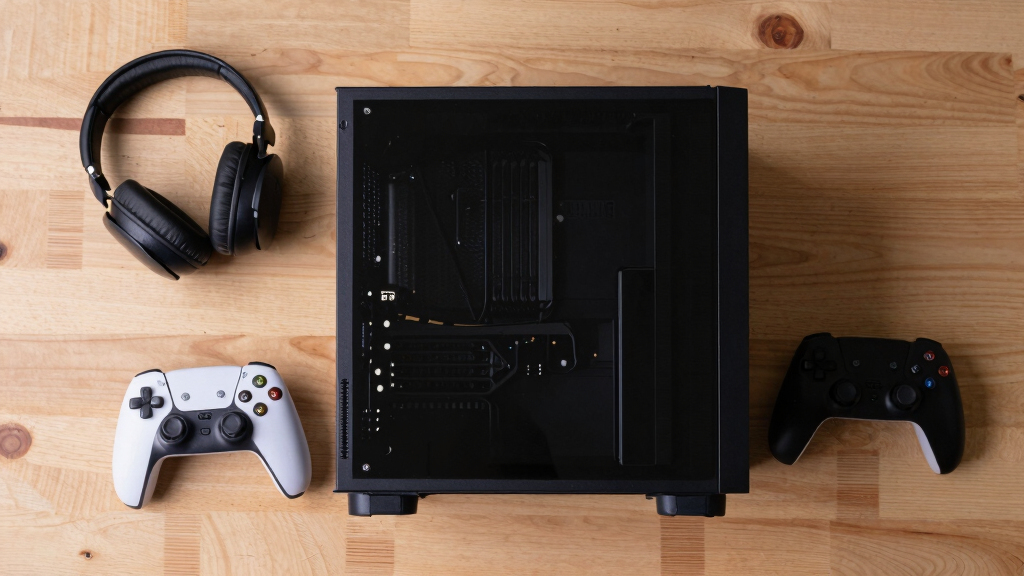
I ranked these gaming mini PCs by the parts that change real buyer outcomes first: GPU class, sustained CPU capability, memory capacity, storage, cooling demands, and port selection. A mini PC with RTX 5060, RTX 5070, or RTX 4060 graphics earns priority over a CPU-only powerhouse because modern games still lean heavily on the GPU. After that, I favored strong mobile processors such as the Ryzen 9 8945HX, Ryzen 9 8945HS, Core Ultra 9 285H, and Ryzen AI Max+ 395 when they were paired with enough RAM and storage for current game libraries. Models built more for home office work moved lower because 4K display support and fast networking do not automatically make a machine a strong gaming choice.
I also weighted usability after purchase: RAM and SSD capacity, upgrade paths, USB4 or Oculink support, Wi-Fi generation, display flexibility, and whether the configuration feels balanced for the price tier it appears to target. The ranking favors PCs that make sense out of the box rather than machines that need an external GPU, immediate storage upgrades, or very narrow expectations. When two products overlap, such as the two MINISFORUM G1 Pro listings or the two GMKtec EVO-X2 configurations, I separated them by clarity of configuration and buyer role. That is why the list does not simply follow the biggest CPU number; it follows the best fit for gaming in a compact desktop.
Factors to Consider When Choosing Best Gaming Mini PCs
The spec sheet can make mini PCs look closer than they really are. I would sort them by the gaming experience they are built to deliver, then work backward through size, noise, ports, and upgrade needs. That approach keeps a buyer from paying for impressive numbers that do not improve frame rates.
Start With The GPU, Not The CPU
The biggest mistake I see in gaming mini PC shopping is treating a high-end CPU as a replacement for a real graphics card. A model such as the ROG NUC (2025) or MINISFORUM G1 Pro has a clearer gaming advantage because RTX graphics can handle modern visual settings, ray tracing features, and upscaling far better than most integrated GPUs. A Ryzen AI Max+ 395 or Core Ultra 9 system can still be very capable, but it belongs in a different lane: compact productivity first, gaming second. If the goal is esports, older titles, emulation, or indie games, an integrated option can be the smarter buy. If the goal is AAA gaming at higher settings, I would put dedicated graphics ahead of processor prestige every time. This is why the RTX-equipped systems sit higher in my order even when some APU models have more memory or flashier AI branding.
Treat Cooling As Part Of Performance
Mini PCs compress laptop-class hardware into a tighter desktop shell, so cooling quality can decide whether a fast chip stays fast. A system with a powerful HX processor and RTX GPU has more gaming headroom, but it also has more heat to move out of the chassis. Smaller integrated-graphics models such as the GMKtec M6 Ultra or N2 Pro Ryzen 7 6800H may feel more practical for shared rooms because they demand less cooling under lighter loads. I would not buy the smallest box automatically; I would ask whether the case size matches the parts inside. A machine that runs hot may drop clocks, raise fan noise, or feel less pleasant during long sessions. For buyers who game at a desk every night, sustained performance matters more than shaving a small amount of space off the footprint.
Buy Enough RAM And Storage Up Front
For gaming in 2026, I would treat 32GB of RAM as the comfortable target and 1TB of SSD storage as the practical starting point. A 16GB model can still work for lighter gaming, but it leaves less room for background apps, game launchers, browser tabs, and newer titles that keep growing in memory use. A 512GB SSD is workable only if the buyer is disciplined about uninstalling games or adding another drive soon. This is one reason configurations like the MINISFORUM G1 Pro with 32GB and 1TB feel better balanced than cheaper boxes with strong CPUs but smaller storage. High-memory systems such as the GMKtec EVO-X2 are appealing for creators and AI workloads, but 128GB does not automatically beat an RTX GPU for gaming. I would pay for memory and storage after the graphics choice is right, not before.
Check Ports, Displays, And Upgrade Paths
Ports matter more on a mini PC because there is less room to fix a bad layout later. USB4, Oculink, dual 2.5GbE, Wi-Fi 7, and multiple display outputs can make a compact PC feel useful far beyond gaming. The GMKtec EVO-T1 stands out for buyers who might add external graphics later, while the GEEKOM IT15 makes sense for someone who wants many displays and strong Intel platform features. That said, eGPU support is not the same as having a gaming GPU already inside the box. External graphics add cost, desk clutter, and setup friction, so I would treat them as a hobbyist path rather than the default recommendation. If a buyer wants a simple gaming box, a built-in RTX system is usually cleaner.
Match The PC To The Games You Actually Play
The best gaming mini PC for one buyer can be excessive for another. For competitive games, older titles, cloud gaming, emulation, and casual play, an efficient APU model such as the GMKtec K11, KAMRUI Ryzen 7 7735HS model, or GMKtec M6 Ultra may be enough. For visually demanding single-player games, I would move straight to an RTX 4060, RTX 5060, or RTX 5070 option. The TOPGRO T1-Pro looks more gaming-focused than the older TOPGRO T1 because RTX 4060 graphics give it a much stronger path for newer games. Office-first systems such as the BOSGAME P4 Ultra can be useful all-rounders, but they should not be mistaken for frame-rate leaders. My rule is to buy for the hardest game in the library, then let everything lighter benefit from the extra room.
Frequently Asked Questions
Should I Choose A Gaming Mini PC With A Discrete GPU Or Integrated Graphics?
I would choose a discrete GPU mini PC if the buyer wants modern AAA games, higher settings, or a longer useful gaming life. The MINISFORUM G1 Pro, ROG NUC (2025), and TOPGRO T1-Pro are stronger fits for that because RTX graphics carry far more of the gaming load. Integrated-graphics models make sense for smaller spaces, lower budgets, lighter games, emulation, and mixed office use. They also tend to be simpler to place in a living room or bedroom setup. The tradeoff is that integrated graphics will hit their limit sooner when games become more demanding.
Is The ROG NUC Worth Paying More For Than The MINISFORUM G1 Pro?
The ROG NUC (2025) makes sense for buyers who want the premium compact gaming option and are willing to pay for RTX 5070-class performance in a polished small chassis. I still rank the MINISFORUM G1 Pro as the best overall because its Ryzen 9 8945HX and RTX 5060 pairing feels more balanced for most gaming mini PC shoppers. The ROG NUC is the pick for maximum speed, tighter brand polish, and a higher-end configuration. The MINISFORUM is the easier recommendation when value, connectivity, and broad gaming capability all matter. If the budget is flexible and the buyer wants the fastest compact option here, the ROG NUC earns the upgrade.
Are AI Mini PCs Like The GMKtec EVO-X2 Good For Gaming?
The GMKtec EVO-X2 can be a strong compact computer, but I would not treat AI branding as a direct gaming advantage. Its Ryzen AI Max+ 395 platform and very large memory pool are better matched to creators, local AI workflows, multitasking, and buyers who want a powerful all-in-one small PC. For gaming alone, an RTX-equipped system still has the cleaner advantage because the GPU is purpose-built for modern game rendering. The EVO-X2 is most appealing when gaming is one part of a broader workload. If frame rate per dollar is the main goal, I would compare it carefully against the MINISFORUM G1 Pro and TOPGRO T1-Pro.
How Much RAM And Storage Should I Get In A Gaming Mini PC?
My preferred baseline is 32GB RAM and 1TB SSD storage for a gaming mini PC bought in 2026. A 16GB system can work, but it is less forgiving once launchers, chat apps, browsers, and heavier games are running together. A 512GB SSD fills quickly because a few large games can consume most of the drive. Higher storage, such as the 2TB setups in the GEEKOM IT15 and GMKtec EVO-X2, is useful for buyers who keep many games installed. I would rather buy a balanced 32GB/1TB RTX system than a huge-memory integrated-graphics box if gaming is the main reason for the purchase.
Which Gaming Mini PC Is Best For A Beginner?
For a beginner, I would favor a model that is balanced, already well equipped, and not dependent on extra hardware. The MINISFORUM G1 Pro is the easiest high-performance recommendation because it has the CPU, GPU, RAM, storage, wireless, and display support most buyers expect without an immediate upgrade plan. For a lower-cost first mini PC, the GMKtec M6 Ultra is easier to justify for lighter games and everyday use. I would avoid making a beginner rely on Oculink or an external GPU unless they already enjoy tinkering. The best beginner choice is the one that matches the games they play today without needing a hardware project on day one.
Conclusion
My best overall pick is the MINISFORUM G1 Pro with Ryzen 9 8945HX and RTX 5060 because it gives serious gaming hardware without leaning too far into premium pricing or niche setup needs. My best premium pick is the ROG NUC (2025), which is the right choice for buyers who want the fastest compact gaming option in this lineup. For best value, I would split the recommendation by need: the TOPGRO T1-Pro is the stronger value-minded discrete-GPU choice, while the GMKtec M6 Ultra is the smarter budget pick for lighter gaming. For beginners, I would start with the MINISFORUM G1 Pro if budget allows or the GMKtec M6 Ultra if the game library is modest. For specific needs, the GMKtec EVO-T1 fits eGPU tinkerers, the GMKtec EVO-X2 fits AI and creator-heavy buyers who also game, and the GEEKOM IT15 suits Intel-focused users who want strong connectivity and lots of display flexibility.