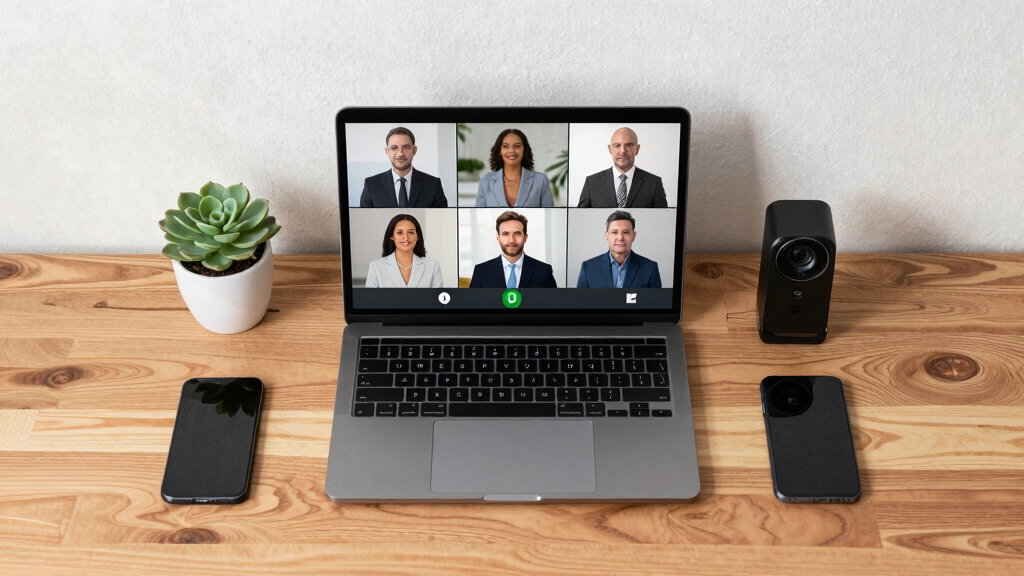

Choosing the best conference webcams for creator studios involves balancing video quality, ease of use, and versatility. The top pick, the EMEET S600, stands out for its stunning 4K resolution and advanced autofocus, making it ideal for high-quality live streams and recordings. The Logitech for Creators Litra Glow offers excellent lighting control, which can significantly improve your video appearance. Meanwhile, options like the NexiGo N680E Pro provide impressive 4K clarity at a more accessible price point. The main tradeoffs involve balancing resolution, usability, and additional features like microphones or lighting. Continue reading for a detailed breakdown of these options and what suits your creator studio best.
Play games included with Prime
Start a Prime free trial and play with Amazon Luna on your devices.
Start playingAs an affiliate, we earn on qualifying purchases.
Key Takeaways
- 4K resolution webcams like the EMEET S600 and NexiGo N680E excel for professional-looking streams, but often come with higher costs.
- Built-in microphones vary significantly; models with noise reduction and stereo sound provide clearer communication, crucial for collaborative content creation.
- Field of view (FOV) impacts flexibility—wider FOVs are better for multi-person setups, while narrower FOVs focus on individual presenters.
- Additional features like ring lights and auto-tracking can elevate video quality but add to the cost and complexity.
- Ease of setup and compatibility with common streaming and conferencing platforms remain essential for seamless operation.



More Details on Our Top Picks
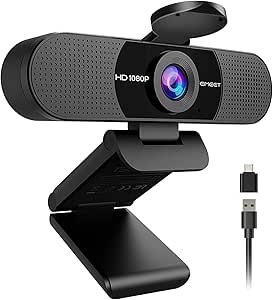
EMEET C960 1080P Webcam with Microphone, 2 Mics, 90° FOV, USB Type-A & A-to-C Adapter, Fixed Focus, Plug&Play Computer Camera for Zoom/Teams/Facetime/YouTube/Google Meet/Switch 2 Camera, 2025 Version
This webcam stands out for its full HD 1080p resolution combined with a fixed focus lens that delivers crisp images at various distances, making it ideal for professional home setups. Compared to the Logitech Brio 101, it lacks advanced zoom and AI features but offers excellent compatibility with multiple operating systems and applications. The inclusion of a cover for privacy and dual omnidirectional microphones ensures privacy and clear audio, vital for video conferencing. Its plug-and-play design with both USB Type-A and C adapters broadens device compatibility, but the fixed focus can limit flexibility for dynamic environments. This pick makes the most sense for users needing reliable, high-quality video for frequent calls without extra fuss.
Pros:- Full HD 1080p resolution with smooth video quality
- Dual omnidirectional microphones for clear audio
- Plug-and-play with USB Type-A & C adapters for broad compatibility
- Automatic light adjustment for balanced image quality
Cons:- Fixed focus limits flexibility for varying distances
- No built-in image stabilization or advanced auto-tracking
Best for: Small to medium home office professionals who prioritize high compatibility and ease of use.
Not ideal for: Streamers or content creators who need adjustable focus or ultra-wide angles for dynamic shots.
- Video Resolution:1920x1080p
- Microphones:2 omnidirectional
- Field of View:90°
- Connectivity:USB Type-A & A-to-C Adapter
- Focus Type:Fixed
- Compatibility:Windows 10/11, macOS 10.14+, Android TV
Bottom line: Ideal for those seeking a straightforward, reliable webcam for professional meetings and general use.
EMEET S600 4K Webcam for Streaming – Sony 1/2.55” Sensor, PDAF Autofocus, 1080P@60FPS, 2 Noise Reduction Mics, Built-in Privacy Cover, 73° FOV, Streaming Camera for Live Commerce/Gaming/Beauty
This model makes the most sense for creators and streamers who demand crisp 4K resolution and fast autofocus. Its Sony 1/2.55” sensor delivers stunning image clarity, surpassing the standard 1080p webcams like the EMEET C960. The PDAF autofocus ensures sharp focus in fast-moving scenes, while the 73° FOV provides a wide yet focused shot ideal for live commerce or gaming. Compared to the Logitech Brio 101, it offers superior resolution but at the expense of a slightly bulkier design and no extensive software controls. The built-in privacy cover and noise-reducing dual mics add to its appeal for privacy-conscious streamers. However, the absence of image stabilization might impact video smoothness during movement. This pick suits content creators prioritizing high-res, detailed visuals for professional streaming.
Pros:- Crisp 4K resolution at 30FPS
- Fast PDAF autofocus for quick focus shifts
- Wide 73° field of view for encompassing scenes
- Built-in privacy cover and noise-canceling microphones
Cons:- Larger, less portable design
- No image stabilization for movement-intensive recording
- Software customization requires additional setup
Best for: Content creators, streamers, and online sellers who need ultra-clear 4K quality and fast autofocus.
Not ideal for: Casual users or those on a budget who only need basic HD video quality and simple setup.
- Resolution:4K at 30FPS / 1080p at 60FPS
- Sensor Type:Sony 1/2.55”
- Autofocus:PDAF
- FOV:73°
- Microphones:Dual noise reduction
- Connectivity:USB
Bottom line: Perfect for high-end streamers and creators who need exceptional clarity and fast focus in their videos.
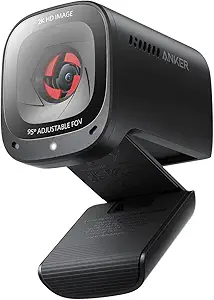
Anker PowerConf C200 2K Webcam for PC/Laptop/Mac, Computer Camera, Low-Light Correction, AI-Noise Canceling Mics, Adjustable Field of View, Built-in Privacy Cover, Stereo Mics, for Meeting
This webcam makes the most sense for business users and remote teams who need sharp 2K video and flexible framing. Its adjustable field of view—from 65° to 95°—outperforms fixed-angle models like the EMEET C960, offering greater versatility for different meeting scenarios. The AI noise-canceling microphones and low-light correction ensure clear audio and bright images even in suboptimal conditions, which is a step up from basic webcams. Compared to the Logitech Brio 101, it provides more advanced audio features and a wider FOV but lacks 4K resolution. The privacy cover adds security, making this ideal for professional settings. Its software support for framing and audio tuning enhances usability, but the absence of 4K limits ultra-high-resolution needs. It suits those prioritizing adjustable framing and audio clarity for meetings.
Pros:- 2K resolution with clear detail
- Adjustable field of view from 65° to 95°
- AI noise-canceling stereo microphones
- Low-light correction for dim environments
Cons:- No 4K resolution for ultra-high detail
- Lacks image stabilization
- Requires software for FOV adjustments
Best for: Remote professionals and team collaborators who need customizable framing and excellent audio for virtual meetings.
Not ideal for: Content creators focusing on high-resolution video or streaming for audiences.
- Resolution:2K (2560×1440)
- FOV:65°-95° adjustable
- Microphones:AI noise-canceling stereo
- Low-Light Correction:Yes
- Connectivity:USB
- Focus Type:Auto
Bottom line: Best for remote teams seeking flexible framing and top-tier audio for professional meetings.
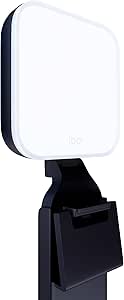
This lighting solution makes the most sense for streamers, vloggers, and anyone wanting professional-quality on-camera illumination. Its TrueSoft LED technology ensures balanced, soft light that flatters skin tones, outperforming basic ring lights like the EMEET S600 in color accuracy. The wide diffuser eliminates harsh shadows, providing a more natural appearance, which is key for high-quality streaming or video calls. Its adjustable brightness and color temperature allow for quick customization, while the desktop app offers load/save presets for consistent lighting setups—far more versatile than static lights. The clip mount makes placement flexible, and the recycled plastic construction minimizes environmental impact. However, it’s primarily a lighting accessory, so it doesn’t replace a dedicated webcam. This makes it ideal for creators needing reliable, professional lighting in their studio.
Pros:- Balanced, full-spectrum LED light with TrueSoft technology
- Wide diffuser for soft, shadow-free illumination
- Adjustable brightness and color temperature
- Control via desktop app with presets
Cons:- Does not include a camera or microphone
- Requires USB connection and software setup
- Limited to lighting, not a multi-function device
Best for: Streamers, YouTubers, and content creators who want consistent, flattering studio lighting.
Not ideal for: Users seeking a combined webcam and light solution or those on a tight budget.
- Lighting Technology:TrueSoft LED
- Adjustable Brightness:Yes
- Color Temperature Adjustment:Yes
- Mount Type:Adjustable clip
- Control:Desktop app
- Power:USB
Bottom line: Excellent for enhancing on-camera appearance with consistent, professional lighting for streaming and conferencing.
Logitech Brio 101 Full HD 1080p Webcam for Meetings, Streaming, Desktop, Laptop, PC – Built-in Mic, Shutter, Works with Zoom, Microsoft Teams, Nintendo Switch 2’s new GameChat Mode, USB-A,-Black
This webcam is the most suitable for users needing a reliable, high-quality camera that works across multiple platforms including gaming consoles like the Nintendo Switch 2, thanks to its Full HD 1080p resolution and built-in microphone. Its RightLight technology enhances image quality in various lighting conditions, outperforming basic models like the EMEET C960. The privacy shutter provides security when not in use, and the simple plug-and-play setup makes it accessible for users of all technical levels. Its compatibility with popular conferencing platforms such as Zoom, Teams, and even gaming modes makes it a versatile choice for professionals and gamers alike. However, it doesn’t offer 4K or extensive software customization, which might limit advanced users. This webcam makes the most sense for those needing a dependable, all-around camera for meetings, streaming, and casual gaming.
Pros:- Full HD 1080p resolution with clear image quality
- Works seamlessly with Zoom, Teams, and Nintendo Switch 2 GameChat Mode
- Built-in privacy shutter for security
- Plug-and-play USB-A connection
Cons:- Limited to 1080p, no 4K support
- Basic software features without advanced customization
- No image stabilization for movement-heavy scenarios
Best for: Remote workers and gamers who need a dependable, versatile webcam with good low-light performance.
Not ideal for: High-end content creators seeking 4K resolution or extensive camera controls.
- Resolution:1080p Full HD
- Microphone:Built-in
- Focus Type:Fixed
- Connectivity:USB-A
- Privacy:Shutter
- Compatibility:Zoom, Teams, Nintendo Switch 2
Bottom line: A versatile, reliable webcam ideal for professional meetings and casual streaming on multiple platforms.
NexiGo N680E Pro 4K Webcam with Ring Light, PDAF Autofocus, 1080p 60FPS, Dual Noise-Canceling Mics, Privacy Shutter, USB Plug-and-Play for Zoom, Teams, Twitch, Google Meet
The NexiGo N680E Pro stands out for delivering an incredible 4K resolution courtesy of a Sony 1/2.5″ sensor, making it ideal for creators who prioritize ultra-sharp visuals. Compared with the TONGVEO 4K Webcam, it offers superior image clarity and better low-light performance thanks to its coated lens and adjustable ring light, though it comes with a higher price tag. Its PDAF autofocus ensures that your face remains crisp even when moving, and the dual noise-canceling mics guarantee clear audio—perfect for streaming and online meetings. However, the output resolution can depend on your software setup, and the webcam’s compact design sacrifices some flexibility in angle adjustments. Overall, this pick makes the most sense for streamers and content creators who want professional-grade quality without complex setup requirements.
Pros:- Ultra-sharp 4K resolution with true-to-life detail
- PDAF autofocus for consistent clarity during movement
- Built-in ring light with adjustable color temperature and brightness
- Dual noise-canceling microphones for clear audio
Cons:- Output resolution may depend on software setup, not just hardware capability
- Limited angle adjustment due to compact form factor
Best for: Professional streamers and content creators who need high-resolution, vibrant video with reliable autofocus and audio.
Not ideal for: Users on a tight budget or those who prefer a more versatile, multi-purpose webcam with broader compatibility for casual use.
- Sensor Type:CMOS
- Resolution:4K UHD
- Frame Rate:1080p at 60FPS
- Microphones:Dual noise-canceling
- Ring Light:Tri-tone adjustable
- Connectivity:USB
- Size:Compact
- Compatibility:Windows, Mac, Chrome OS
Bottom line: This webcam is best suited for creators demanding top-tier video quality and professional features in a simple, plug-and-play package.
TONGVEO 3-in-1 4K Webcam with Microphones and Speaker, AI Auto-Tracking 5X Digital Zoom Webcam 4K Adjustable Field of View Remote Control Works with Microsoft Teams, Zoom, Google Meet, PC Mac Laptop
The TONGVEO 4K Webcam offers impressive AI-powered auto-framing and voice tracking, making it ideal for meetings with multiple participants or online teaching scenarios. Compared with the NexiGo N680E Pro, it excels in auto-framing and active speaker focus, ensuring everyone stays centered without manual adjustments, but it may lack the same high-end sensor quality for ultra-fine detail. Its 5x digital zoom and three FOV modes provide flexible framing options, easily controlled via the included remote—great for switching between group and individual shots. Built-in dual mics and a speaker deliver seamless audio, reducing the need for additional equipment during live streams or conferences. However, its reliance on AI features might lead to occasional framing inaccuracies in complex layouts, and the physical size could be less ideal for compact setups. This makes it perfect for conference environments needing auto-framing and dynamic camera control.
Pros:- AI auto-framing keeps everyone in view automatically
- Voice tracking enhances speaker focus and clarity
- Supports 5x digital zoom and three adjustable FOV modes
- Built-in dual microphones and speaker for all-in-one audio-visual experience
Cons:- AI auto-framing can occasionally misjudge complex scenes
- Larger footprint may not suit tight or minimalist spaces
Best for: Teams, educators, or conference hosts who need automatic framing and voice tracking for larger groups or active presentations.
Not ideal for: Individuals prioritizing ultra-high resolution or minimalistic setups, as the AI features may be less effective in static, one-on-one calls.
- Sensor Type:8.29 Megapixel CMOS
- Resolution:4K at 30FPS
- Zoom:5X digital
- FOV Modes:118°, 100°, 88°
- Microphones:Dual array
- Speaker:3W built-in
- Connectivity:USB 2.0/3.0
- Remote Control:Included
Bottom line: This webcam is ideal for dynamic, multi-person meetings where auto-zoom and voice focus are priorities over ultra-fine resolution.

How We Picked
These webcams were evaluated based on video resolution, autofocus technology, low-light performance, microphone quality, build durability, and overall usability. We prioritized models that cater specifically to creator studios, where both image quality and ease of integration matter. Cost was also a factor, but more emphasis was placed on features that deliver professional results. The ranking reflects a balance between high-end features and value, ensuring options for different budgets and needs while focusing on performance in a studio environment.Factors to Consider When Choosing Best Conference Webcams For Creator Studios
When selecting a conference webcam for a creator studio, consider several key factors that influence both quality and usability. Your choice should align with your primary content style—whether streaming, recording, or collaboration—while also factoring in your workspace and budget. Here are the main considerations to keep in mind:Video Resolution and Autofocus
Higher resolution webcams, such as 4K models, offer crisp, detailed images that elevate professional streams and recordings. Autofocus features ensure your image remains sharp even if you move slightly during sessions. For creator studios focused on high-quality visuals, investing in at least a 1080p or 4K webcam makes a noticeable difference, but be aware that higher resolution models often come with increased prices and bandwidth requirements.
Lighting and Low-Light Performance
Good lighting is essential for professional-looking videos. Some webcams come with built-in ring lights or support external lighting for more control. Cameras with enhanced low-light performance reduce graininess and improve clarity in less-than-ideal lighting conditions—an important factor for creators working in varied environments. Avoid models that struggle in low light unless you plan to invest heavily in studio lighting separately.
Microphone Quality
Clear audio is as vital as video quality, especially for live interactions or tutorials. Models with noise-canceling stereo microphones help eliminate background noise and deliver crisp voice capture. If your content involves multiple speakers or a noisy environment, prioritize webcams with advanced mic features, or consider separate audio solutions for the best results.
Field of View and Flexibility
The FOV determines how much of your environment is captured. Wider angles (above 90°) are useful for multi-person setups or showing more of your studio, while narrower angles focus attention on you. Adjustable FOV features provide flexibility to adapt your shot, which can be beneficial as your studio setup evolves. Keep in mind that wider FOVs may distort images if not properly balanced.
Compatibility and Ease of Use
Ensure the webcam is compatible with your streaming or conferencing software and operating system. Plug-and-play models save time, but some advanced webcams may require driver installations or proprietary software. For creator studios, a stable and straightforward setup process minimizes downtime and technical frustrations, allowing you to focus on content creation.
Frequently Asked Questions
Is 4K resolution necessary for a creator studio?
While 4K resolution provides superior image quality, it is not always essential for every creator studio. If your focus is on streaming or recording detailed visuals, such as art or product demos, investing in a 4K webcam can significantly enhance your output. However, for general meetings or casual content, 1080p webcams often suffice and are more budget-friendly. Consider your content needs and upload bandwidth when choosing resolution, as higher quality streams demand more from your hardware and internet connection.
Should I prioritize built-in microphones or external audio equipment?
Built-in microphones have improved over the years and can be sufficient for casual or small-scale content. However, for professional-quality audio, external microphones generally outperform webcams’ integrated mics, especially in noisy environments. If your content relies heavily on voice clarity, pairing a good external mic with your webcam is advisable. For multi-person setups or studio recordings, dedicated audio gear provides more control and better sound quality.
How important is low-light performance in a webcam?
Low-light performance can dramatically affect your video quality, especially if you work in less illuminated spaces. Webcams with good low-light capabilities produce clearer, more natural images without the need for extensive additional lighting. For creators who work at different times of day or in varying environments, investing in a camera with strong low-light performance can save money and setup complexity in the long run.
Are adjustable FOV webcams worth the extra cost?
Adjustable FOV provides the flexibility to customize your shot, which can be valuable as your studio setup evolves or for multi-person streams. If you frequently switch between solo and group videos, a webcam with this feature offers versatility without needing multiple cameras. However, models with adjustable FOV tend to be more expensive, so consider whether this feature aligns with your specific content needs before investing.
Do I need a dedicated streaming light in addition to a webcam?
While some webcams include built-in lighting options or work well in good ambient light, dedicated lighting like ring lights or panel lights can significantly improve your appearance, especially in darker environments. Good lighting reduces shadows and highlights your features more evenly, which is crucial for professional-looking content. If your studio space lacks sufficient lighting, adding a dedicated light source can be a worthwhile enhancement.
Conclusion
For creators seeking the best overall experience, the EMEET S600 offers outstanding 4K clarity and autofocus at a reasonable price. Those who prioritize ease of use and lighting might lean toward the Logitech for Creators Litra Glow paired with a solid webcam. Budget-conscious creators will find the Logitech Brio 101 or NexiGo N680E deliver excellent quality without breaking the bank. Beginners should consider models with simple setup, while professional studios may opt for high-end options like the EMEET S600 or the NexiGo N680E for maximum detail. Ultimately, your choice depends on your content style, environment, and budget—balancing resolution, microphone quality, and additional features to match your studio ambitions. As an affiliate, we earn on qualifying purchases.Fall yard work Picks
leaf blowers