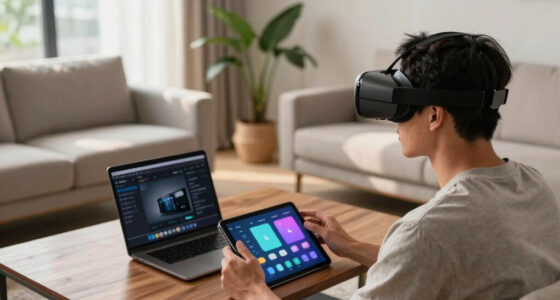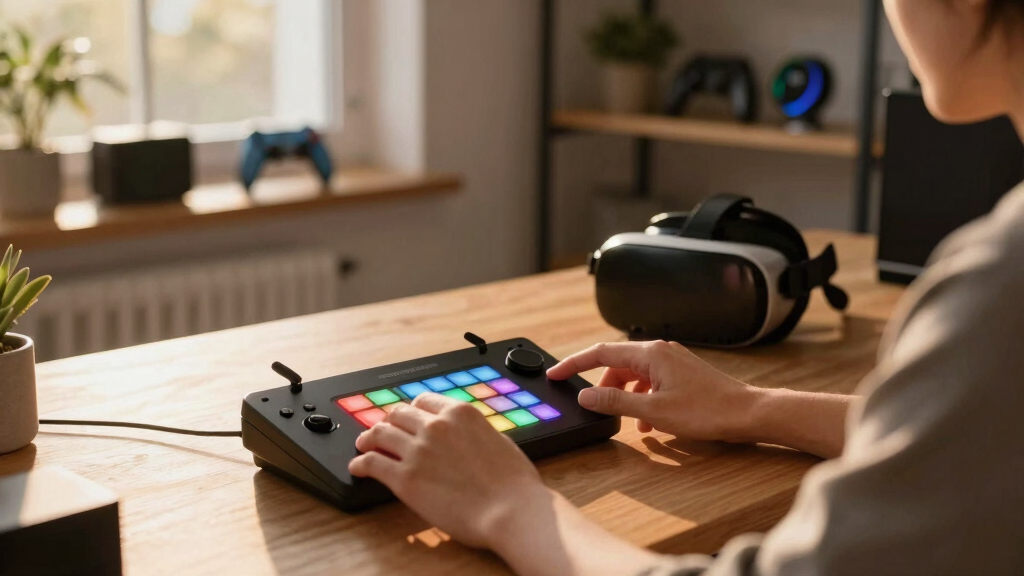
VR streamers need more than just a basic control setup—they require versatile, customizable devices that can handle complex workflows and enhance their immersive experience. Among the options available, the Elgato Stream Deck MK.2 stands out with its seamless integration and user-friendly design, making it ideal for those who prioritize quick, reliable control. For those seeking maximum customization and a broader array of features, the VSDinside XL offers an expansive 32-key setup with animated icons and multi-application support. Meanwhile, the Stream Deck XL provides a large control surface perfect for professional studios, although it comes at a higher price point. Each of these choices balances features and price differently, so I’ll walk through their strengths and tradeoffs to help you decide which fits your VR streaming needs best.

Play games on Amazon Luna for your next adventure, included with Prime
- A rotating selection of games, no download needed
- Play on TV, laptop or phone
- Fast, free delivery for your gear, too
Key Takeaways
- The Elgato Stream Deck MK.2 offers a compact, reliable solution with 15 customizable LCD keys, ideal for streamers who want quick access to common controls.
- VSDinside XL provides the most extensive customization with 32 keys, animated icons, and multi-application profiles, suited for power users and multi-taskers.
- Stream Deck XL is best for professional setups requiring a large control surface with extensive platform integrations, but it comes at a premium cost.
- Stream Deck Mini, while limited in keys, is a portable option perfect for casual or space-constrained streamers.
- Choosing the right deck depends on your workflow complexity, budget, and whether you prioritize customization or simplicity.
| TreasLin VSDinside Stream Controller Deck with 18 Customizable Macro Keys for OBS, Twitch, YouTube, PC & Mac |  | Best for Customization and Multi-Mode Control | Compatible Devices: PC, Mac | Connectivity Technology: USB-C | Number of Keys: 18 | VIEW LATEST PRICE | See Our Full Breakdown |
| Elgato Stream Deck MK.2 Studio Controller, 15 Macro Keys |  | Best for Ease of Use and Compact Control | Number of Keys: 15 | Connectivity Technology: USB-C | Compatible Devices: Laptop, PC, Mac | VIEW LATEST PRICE | See Our Full Breakdown |
| TreasLin/VSDinside XL Streaming Deck & Macro Keypad – 32 Customizable Keys with Scroll Wheels & RGB Lighting |  | Best for Power Users and Multi-Application Control | Number of Keys: 32 | Display: LCD keys with customizable images and GIFs | Scroll Wheels: 2 | VIEW LATEST PRICE | See Our Full Breakdown |
| Elgato Stream Deck XL Advanced Studio Controller, 32 Keys |  | Best for Professional Multi-Stream Control | Number of Keys: 32 | Connectivity: USB | Compatibility: Windows and Mac | VIEW LATEST PRICE | See Our Full Breakdown |
| Elgato Stream Deck Mini, 6 Customizable LCD Macro Keys |  | Best for Compact and Entry-Level Control | Number of Keys: 6 | Connectivity: USB | Supported Apps: OBS Studio, XSplit, Streamlabs, Twitch, YouTube | VIEW LATEST PRICE | See Our Full Breakdown |
| stream decks for VR streaming | Number of Keys | Dimensions |
|---|---|---|
| TreasLin VSDinside Stream Cont | 18 | — |
| Elgato Stream Deck MK.2 Studio | 15 | 4.6 x 3.3 x 3 inches |
| TreasLin/VSDinside XL Streamin | 32 | — |
| Elgato Stream Deck XL Advanced | 32 | Width varies, large form factor |
| Elgato Stream Deck Mini | 6 | 84 x 60 x 58 mm |
More Details on Our Top Picks
TreasLin VSDinside Stream Controller Deck with 18 Customizable Macro Keys for OBS, Twitch, YouTube, PC & Mac
The TreasLin VSDinside stands out for its extensive customization options, including LCD buttons, a rotary knob, and multiple modes like shortcut, calculator, and numeric keypad. This flexibility makes it ideal for streamers who want tailored controls for different applications, especially in VR where quick scene switching and macro execution matter. Compared to the Elgato options, it offers more macro keys and dynamic icons, but it requires dedicated software and has a left-hand orientation, which might not suit all users. Its compatibility with both Windows and macOS broadens its appeal, but some users might find the setup process a bit complex due to software dependencies.
Pros:- Highly customizable with 18 macro keys and dynamic icon support
- Supports multiple modes including shortcut, calculator, and numeric keypad
- Compatible with Windows and macOS, USB-C connectivity
Cons:- Requires dedicated software for full customization
- Limited to left-hand use due to hand orientation
- Some features may need a premium account or additional plugins
Best for: Power users seeking maximum customization and multi-application control
Not ideal for: Casual streamers or those needing wireless functionality
- Compatible Devices:PC, Mac
- Connectivity Technology:USB-C
- Number of Keys:18
- Additional Features:Customizable display keys, dynamic icons
- Power Source:USB power
- Operating System:Windows 10 or newer, macOS
Our verdict“Ideal for advanced VR streamers who want deep customization, but less suitable for beginners or those seeking wireless control.”
Elgato Stream Deck MK.2 Studio Controller, 15 Macro Keys
The Elgato Stream Deck MK.2 is a favorite for its intuitive, plug-and-play design. Its 15 LCD keys can be customized to launch apps, control audio, or trigger scene changes, making it suitable for VR streamers who need reliable, quick access without clutter. Compared with the larger XL models, it offers less real estate but more straightforward control, which benefits streamers who value simplicity over extensive macro options. It supports popular plugins and features a compact, lightweight form factor, but it lacks wireless connectivity, limiting portability if you’re on the move or want a clutter-free setup.
Pros:- Highly customizable with 15 LCD keys and plugin support
- Compact and lightweight, easy to integrate into any setup
- Supports quick actions for social media, audio, and lighting
Cons:- Limited to wired USB connection
- No wireless or Bluetooth options
- Less suitable for complex multi-step workflows
Best for: Streamers who prioritize simplicity and quick setup in a compact form
Not ideal for: Users needing extensive macro sequences or large control surfaces
- Number of Keys:15
- Connectivity Technology:USB-C
- Compatible Devices:Laptop, PC, Mac
- Operating System:macOS 10.15+, Windows 10
- Dimensions:4.6 x 3.3 x 3 inches
- Weight:145 g without stand / 270 g with stand
Our verdict“Best suited for streamers who want an easy-to-use, reliable control device without the bulk of larger decks.”
TreasLin/VSDinside XL Streaming Deck & Macro Keypad – 32 Customizable Keys with Scroll Wheels & RGB Lighting
The VSDinside XL delivers on massive control capacity, with 32 LCD keys, dual scroll wheels, and RGB lighting. Its drag-and-drop software makes creating profiles for streaming, editing, or gaming straightforward, and the animated icons add visual flair. Compared with the smaller decks, this model supports complex macros and multi-action sequences without coding, making it a favorite for dedicated streamers who juggle multiple scenes and tools. However, its size and learning curve might be overwhelming for new users, and the price reflects its professional-level features. Compatibility with Windows and macOS ensures broad usability, but setup can be time-consuming.
Pros:- Large number of customizable LCD keys with animated icons
- Dual scroll wheels for scene and profile switching
- Supports complex macros and multi-action sequences
Cons:- Steeper learning curve for new users
- Price may be prohibitive for casual streamers
- Requires compatible software for full functionality
Best for: Advanced streamers and content creators needing extensive control and customization
Not ideal for: Beginners or casual streamers with limited space or budget
- Number of Keys:32
- Display:LCD keys with customizable images and GIFs
- Scroll Wheels:2
- Lighting:RGB ambient light
- Compatibility:Windows 11+, macOS 14.0+
- Software:Drag-and-drop, no coding required
Our verdict“Best for power users who need comprehensive multi-application control and don’t mind a learning curve.”
Elgato Stream Deck XL Advanced Studio Controller, 32 Keys
The Elgato Stream Deck XL provides a massive control surface with 32 LCD keys, designed for professional streamers and content creators. Its extensive platform integrations, including OBS, Twitch, and YouTube, make managing multiple streams and scenes seamless. The visual feedback helps confirm actions instantly, reducing errors during high-pressure VR sessions. However, its size and cost may deter casual users, and setup requires patience to optimize the controls for your workflow. Its durability and brand reputation make it a trusted choice for serious broadcasters.
Pros:- Large number of customizable keys for versatile control
- Supports extensive platform integrations
- Visual feedback ensures command confirmation
Cons:- Expensive compared to smaller decks
- Requires dedicated setup and customization
- Size may be impractical for smaller spaces
Best for: Pro-level streamers needing a large, reliable control deck
Not ideal for: Entry-level or casual streamers with limited space or budget
- Number of Keys:32
- Connectivity:USB
- Compatibility:Windows and Mac
- Dimensions:Width varies, large form factor
- Additional Features:Visual feedback, extensive integrations
Our verdict“Ideal for professional broadcasters who need extensive control and are prepared for a higher investment.”
Elgato Stream Deck Mini, 6 Customizable LCD Macro Keys
The Stream Deck Mini offers a compact footprint with 6 LCD keys, making it a practical choice for streamers with limited space or those new to macro control. Its simple drag-and-drop software allows quick setup of commands for OBS, Twitch, and other apps. While the fewer keys limit complex workflows, this device excels in providing instant access to essential commands in a portable form. Its affordability and ease of use make it attractive for beginners or casual VR streamers who don’t need advanced features.
Pros:- Easy to set up and use with drag-and-drop software
- Compact and lightweight, ideal for small setups or travel
- Supports popular streaming apps
Cons:- Limited number of keys for complex workflows
- No physical controls besides buttons
- Requires compatible software for full functionality
Best for: Beginners or streamers who want basic control in a small package
Not ideal for: Power users needing extensive macro sequences or multiple profiles
- Number of Keys:6
- Connectivity:USB
- Supported Apps:OBS Studio, XSplit, Streamlabs, Twitch, YouTube
- System Requirements:macOS 10.15+, Windows 10 (64-bit)
- Dimensions:84 x 60 x 58 mm
- Weight:160 g
Our verdict“Best for new streamers or those who prefer a minimal control surface without sacrificing essential features.”
How We Picked
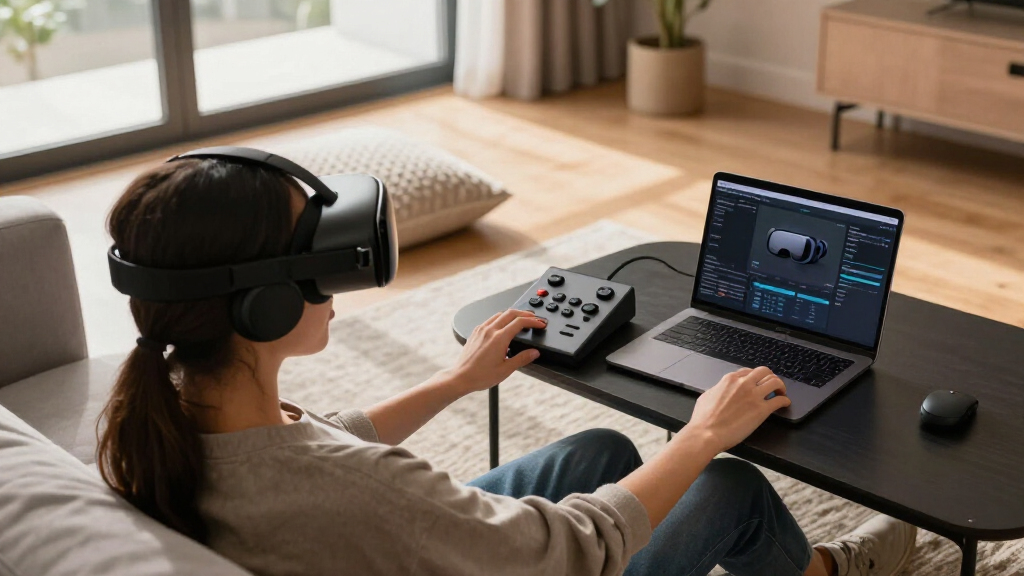
To compile this list, I prioritized devices that are specifically well-suited for VR streaming, emphasizing customization, compatibility, and ease of use. I evaluated the number of programmable keys, software flexibility, platform support, and physical design. Cost was considered to balance premium features against value, while user reviews and brand reputation informed reliability. The goal was to identify options that enhance workflow efficiency, visual feedback, and multi-application control, which are critical for VR streamers managing multiple tools and scenes seamlessly.
Factors to Consider When Choosing Best Stream Decks For VR Streaming
When choosing a stream deck for VR streaming, consider how many commands you’ll need at your fingertips, the platform compatibility, and whether you prefer a small, portable device or a large, feature-rich control surface. The decision hinges on your workflow complexity, budget, and how much customization you desire. A good VR streaming setup benefits from quick, intuitive controls that can handle scene changes, macro execution, and system commands effortlessly. Here, I’ll break down key factors to help you select the best control deck for your specific needs.
Number of Keys and Workflow Complexity
If your VR streaming setup involves many scenes, sources, and macros, a larger deck like the VSDinside XL or Elgato XL will prevent constant switching between commands. For simpler workflows, the Mini or MK.2 offers enough controls while maintaining a smaller footprint. Consider your typical scene changes and whether you need multi-action sequences or just quick access to key commands.
Platform Compatibility and Connectivity
Most stream decks support Windows and macOS, but check for specific version requirements. USB connectivity is standard, but wireless or Bluetooth options are rare in this category. For VR streamers, a stable wired connection often provides the most reliable control, although portability and wireless setup can be advantageous for mobile or multi-location streaming.
Customization and Visual Feedback
Animated icons, profile switching, and visual confirmation of actions help reduce errors in busy VR sessions. Devices with LCD keys, like the Elgato models, excel here, while simpler decks rely on static icons. If you want dynamic control and visual cues, prioritize decks with high customization and RGB lighting.
Size, Portability, and Budget
Size varies from compact Mini models to expansive XL decks. Consider your available space, whether you need portability, and your budget. Smaller decks are ideal for limited spaces and casual use, while larger decks suit professional setups but require more desk real estate and investment.
Frequently Asked Questions
Are stream decks compatible with all VR streaming platforms?
Most stream decks function through software that integrates with popular streaming platforms like OBS, Twitch, and YouTube, which are commonly used in VR streaming. Compatibility is primarily based on the control software and plugin support rather than the platform itself. Always verify that the device supports the specific software and plugins you use for your VR setup.
Can I use multiple stream decks simultaneously for complex VR streams?
Yes, many streamers run multiple devices, especially in professional or multi-camera setups. However, software support and system resources can limit how many decks you can reliably run at once. Devices like the VSDinside XL are designed with extensive profiles and multiple profiles that can be switched easily, making multi-device setups more manageable.
Is wireless connectivity available for stream decks used in VR streaming?
Wireless options are scarce in this category, with most devices relying on USB connections for stability and low latency. For VR streaming, where timing and responsiveness matter, wired connections are generally preferred. Some third-party solutions or custom setups may enable wireless control, but they are not standard features in most dedicated stream decks.
How important is software support for customizing my stream deck?
Software support is vital for tailoring your controls to your workflow, especially in VR where scene changes, macros, and system commands are frequent. Look for devices with drag-and-drop interfaces, profile management, and plugin compatibility. The ease of software setup can significantly impact your efficiency and comfort during live streams.
Are there any physical controls besides buttons that are useful for VR streamers?
Some decks, like the VSDinside XL, include dual scroll wheels or rotary knobs, which can be handy for adjusting volume, scenes, or effects without cluttering your workspace. These physical controls can provide smoother, more tactile adjustments, especially in immersive VR environments where quick, precise control enhances the streaming experience.
Conclusion
For casual VR streamers or those just starting out, the Elgato Stream Deck Mini offers an affordable, straightforward solution that fits limited space. Intermediate users who want more control without complexity might prefer the Elgato MK.2, balancing size and features. Power users or professionals handling complex multi-scene setups should consider the VSDinside XL or Elgato XL, which provide extensive customization and multi-application support. Your choice hinges on your workflow demands, budget, and whether you prioritize portability or control depth for your VR content creation.
Fall Picks
fall essentials
As an affiliate, we earn on qualifying purchases.