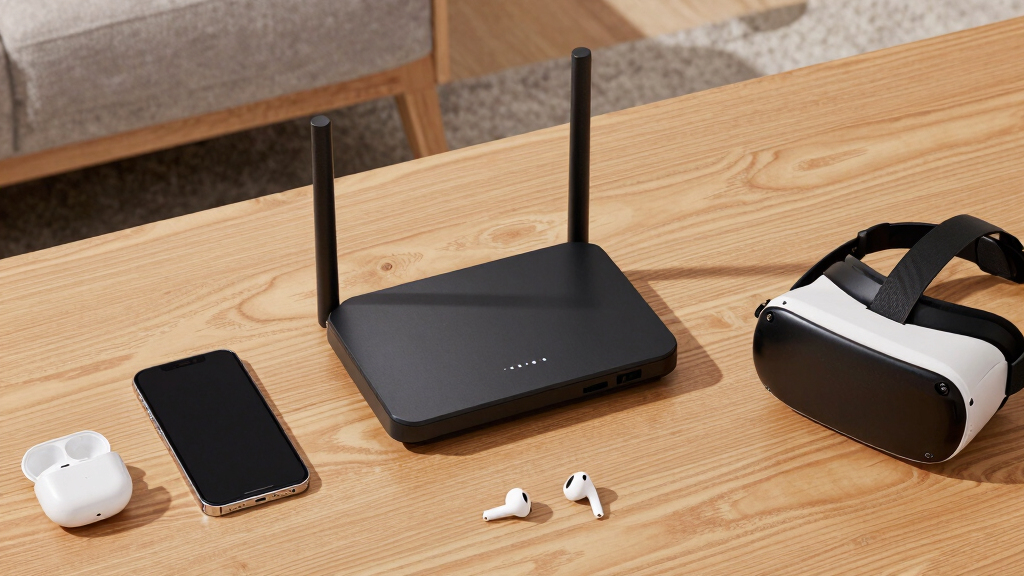

Choosing the best access points for VR streaming can significantly enhance your virtual reality experience by reducing lag and improving connection stability. The top picks include the Ubiquiti UniFi nanoHD for enterprise-grade reliability and the TP-Link AX1800 WiFi 6 Router for solid performance at a budget-friendly price. Balancing speed, coverage, and ease of setup is key, but tradeoffs often include cost versus complexity or coverage versus speed. Continue reading for a detailed breakdown of the best options tailored to different needs and setups.
Open a free Amazon Business account
Business pricing, bulk buying and tax-exempt orders.
Create a free accountAs an affiliate, we earn on qualifying purchases.
Key Takeaways
- WiFi 6 and WiFi 6E models generally provide better speeds and lower latency for VR streaming compared to older standards.
- Enterprise-grade access points like Ubiquiti’s nanoHD excel in dense environments, making them ideal for larger setups.
- Mesh systems such as TP-Link Deco 7 Pro and Deco 7 offer seamless coverage for larger homes but can introduce slight latency tradeoffs.
- The best VR streaming access points balance high throughput with reliable stability, often at the expense of higher price tags.
- Setup complexity varies widely; beginner-friendly options tend to prioritize plug-and-play design over advanced customization.
| TP-Link AX1800 WiFi 6 Router (Archer AX21 V5) |  | Best Overall for High-Speed, Reliable VR Streaming | Wi-Fi Standard: Wi-Fi 6 (802.11ax) | Bandwidth: 1.8 Gbps total (1200 Mbps on 5 GHz, 574 Mbps on 2.4 GHz) | Antennas: 4 high-gain antennas | VIEW LATEST PRICE | See Our Full Breakdown |
| TP-Link TL-WA1201 AC1200 Dual Band Wireless Gigabit Access Point |  | Best Value for Flexible Deployment and High-Speed Connectivity | Speed: 1200 Mbps | Frequency Band: Dual-Band (2.4GHz and 5GHz) | Wireless Standards: 802.11ac, 802.11a/b/g/n | VIEW LATEST PRICE | See Our Full Breakdown |
| Ubiquiti UniFi nanoHD Compact 802.11ac Wave2 MU-MIMO Enterprise Access Point |  | Best for Enterprise-Grade VR Environments | Technology: 802.11ac Wave2 | Concurrent Users: 200+ | PoE Compatibility: 802.3af | VIEW LATEST PRICE | See Our Full Breakdown |
| TP-Link TL-WA1801 AX1800 Dual Band WiFi 6 Gigabit Access Point |  | Best for High-Speed, Secure VR Streaming in Flexible Networks | Wi-Fi Standard: Wi-Fi 6 (802.11ax) | Speed: Up to 1.8 Gbps | Bands: Dual Band (2.4 GHz and 5 GHz) | VIEW LATEST PRICE | See Our Full Breakdown |
| Ubiquiti U6+ Dual Band Wireless Access Point |  | Best High-Speed Wi-Fi 6 for Demanding VR Networks | Wireless Standards: IEEE 802.11 a/b/g/n/ac/ax | Max Data Transfer Rate: 3 Gbit/s | Ethernet Port: Gigabit Ethernet | VIEW LATEST PRICE | See Our Full Breakdown |
| Arris Surfboard Wi-Fi 6E Access Point W6U |  | Best Overall Wi-Fi 6E Access Point for VR Streaming | Dedicated 6 GHz Band: Yes | Maximum Speed: 2.5 Gbps | Includes: Ethernet cable, power supplies | VIEW LATEST PRICE | See Our Full Breakdown |
| TP-Link Deco 7 Pro BE10000 Tri-Band WiFi 7 Whole Home Mesh System |  | Best for Large, Demanding VR Setups and Smart Homes | Coverage: up to 5,800 sq.ft. | Wi-Fi Standard: Wi-Fi 7 | Speed: up to 10 Gbps | VIEW LATEST PRICE | See Our Full Breakdown |
| PC-VR Streaming Air Link WiFi6 VR Router Compatible with Meta Quest 3S/3/2 |  | Best Dedicated Router for PC VR Streaming and Compatibility | Network Speed: up to 1500 Mbps | Wi-Fi Bands: Dual-band 5GHz and 2.4GHz | Compatibility: Meta Quest 3S/3/2, Switch, Steam Deck, Pico4 | VIEW LATEST PRICE | See Our Full Breakdown |
| Omada BE5000 Wireless Access Point with 2.5G Port (EAP720) |  | Best Enterprise-Grade Access Point for Advanced VR Networks | Wi-Fi Technology: Wi-Fi 7 | Wi-Fi Speed: up to 5 Gbps | Frequency Bands: 2.4 GHz and 5 GHz | VIEW LATEST PRICE | See Our Full Breakdown |
| Deco 7 Dual-Band WiFi 7 Mesh System (BE5000), 4-Stream, 5 Gbps |  | Best Value WiFi 7 Mesh System for VR Streaming | WiFi Standard: WiFi 7 | Speed: 5 Gbps | Coverage: up to 6,600 sq. ft. | VIEW LATEST PRICE | See Our Full Breakdown |
More Details on Our Top Picks
TP-Link AX1800 WiFi 6 Router (Archer AX21 V5)
The TP-Link AX1800 WiFi 6 Router stands out for delivering fast dual-band speeds up to 1.8 Gbps, making it ideal for smooth VR streaming and gaming. Its support for multiple devices via OFDMA technology outperforms older routers, ensuring minimal lag during demanding VR sessions. Compared with the Ubiquiti U6+, it offers a more user-friendly setup and broader coverage, though it lacks the latest Wi-Fi 6E or Wi-Fi 7 standards. Its extensive coverage and security features make it suitable for larger households or settings where multiple VR headsets and devices are used concurrently. However, the absence of the 6 GHz band could limit future-proofing, especially as newer devices adopt Wi-Fi 6E. Perfect for users seeking reliable, high-speed internet for VR streaming with robust security features.
Pros:- Fast dual-band WiFi 6 speeds for smooth streaming and gaming
- Supports multiple devices simultaneously with OFDMA technology
- Extensive coverage with beamforming and high-gain antennas
- Includes advanced security features and VPN support
Cons:- Does not support the 6 GHz band, limiting future compatibility
- Performance may vary based on environment and device placement
Best for: Home users or gamers who require fast, secure Wi-Fi for multiple VR devices simultaneously
Not ideal for: Tech enthusiasts looking for Wi-Fi 6E or Wi-Fi 7 support for even higher speeds and lower latency
- Wi-Fi Standard:Wi-Fi 6 (802.11ax)
- Bandwidth:1.8 Gbps total (1200 Mbps on 5 GHz, 574 Mbps on 2.4 GHz)
- Antennas:4 high-gain antennas
- Security:Advanced cybersecurity, VPN server support
- Compatibility:Works with all major ISPs
Our verdict“This router offers a balanced mix of speed, coverage, and security, making it ideal for high-demand VR streaming at home.”
TP-Link TL-WA1201 AC1200 Dual Band Wireless Gigabit Access Point
The TP-Link TL-WA1201 offers reliable dual-band Wi-Fi up to 1200 Mbps, making it a cost-effective choice for enhancing VR streaming in smaller setups. Its four external antennas with Beamforming technology improve coverage and stability, especially compared to single-antenna models. Unlike the Ubiquiti UniFi nanoHD, it sacrifices some enterprise-level scalability but excels in ease of use and affordability. Its support for multiple operation modes, including Access Point and Range Extender, provides versatile deployment options, though it requires an external PoE adapter for power, which can complicate installation. With a single Gigabit Ethernet port, it’s better suited for smaller networks rather than extensive enterprise environments. Best for budget-conscious users who want flexible, high-speed Wi-Fi for VR streaming without complex setup.
Pros:- Supports high-speed dual-band Wi-Fi up to 1200 Mbps
- Multiple operation modes for adaptable setup
- Beamforming antennas enhance coverage and reliability
- Supports PoE for flexible installation
Cons:- Requires external PoE adapter, adding complexity
- Limited to one Ethernet port, restricting wired connections
Best for: Home users or small offices seeking affordable, high-speed Wi-Fi with flexible modes
Not ideal for: Large enterprise networks or users needing extensive coverage and seamless scalability
- Speed:1200 Mbps
- Frequency Band:Dual-Band (2.4GHz and 5GHz)
- Wireless Standards:802.11ac, 802.11a/b/g/n
- Ports:1 Gigabit Ethernet port
- Antennas:4 external antennas
- Security Protocols:WPA, WPA2, WPA-PSK, WPA-PSK2
Our verdict“A solid, budget-friendly access point ideal for small-scale VR setups needing reliable dual-band Wi-Fi.”
Ubiquiti UniFi nanoHD Compact 802.11ac Wave2 MU-MIMO Enterprise Access Point
The Ubiquiti UniFi nanoHD excels in supporting over 200 concurrent users, making it suitable for multi-user VR experiences in enterprise or large-scale settings. Its compact design allows discreet installation, and PoE compatibility simplifies power management. Compared with consumer-grade options like the TP-Link AX1800, it offers higher user capacity and more scalable deployment, but it comes with a steeper learning curve and additional costs for covers and installation accessories. Its limited details on coverage range mean it’s best suited for controlled environments with existing network infrastructure. This model shines where multiple VR devices or users need stable, high-capacity Wi-Fi, though it might be overkill for small households. Ideal for professional setups or venues with demanding VR streaming needs.
Pros:- Supports over 200 concurrent users
- Compact and discreet design for professional environments
- PoE compatible for simplified installation
Cons:- Covers sold separately, adding to setup costs
- Limited info on coverage range makes placement planning tricky
Best for: Large venues, educational institutions, or enterprise environments needing high concurrency
Not ideal for: Small home users or beginners who prefer plug-and-play solutions
- Technology:802.11ac Wave2
- Concurrent Users:200+
- PoE Compatibility:802.3af
- Coverage:Available via optional covers
Our verdict“This access point is well-suited for environments with many VR users requiring high capacity and discreet deployment.”
TP-Link TL-WA1801 AX1800 Dual Band WiFi 6 Gigabit Access Point
The TP-Link TL-WA1801 combines WiFi 6 speeds up to 1.8 Gbps with advanced security features like WPA3, making it a strong choice for demanding VR streaming setups. Its four external antennas and Beamforming technology deliver focused coverage and stability, outperforming older Wi-Fi 5 models in high-bandwidth scenarios. Unlike the Ubiquiti U6+, it offers more versatile deployment modes, including as a desktop Wi-Fi bridge, which can be useful in complex home or office environments. However, it requires a compatible PoE switch or injector for power, which adds to setup complexity, and external antennas may need adjustment for optimal coverage. It’s best suited for users who need a high-performance, secure Wi-Fi 6 solution with flexible placement options. Perfect for those wanting high-speed, future-proof Wi-Fi for VR streaming with enhanced security.
Pros:- High-speed WiFi 6 performance with up to 1.8 Gbps
- Flexible placement with passive PoE support
- Multiple operation modes including access point and extender
- Enhanced security with WPA3
Cons:- Requires compatible PoE switch or injector for power
- External antennas may need adjustment for best coverage
Best for: Tech-savvy users seeking high-speed, secure Wi-Fi 6 in flexible network configurations
Not ideal for: Users without PoE infrastructure or those looking for simple plug-and-play devices
- Wi-Fi Standard:Wi-Fi 6 (802.11ax)
- Speed:Up to 1.8 Gbps
- Bands:Dual Band (2.4 GHz and 5 GHz)
- Antennas:4 external antennas
- Power:Passive PoE
- Security:WPA3
Our verdict“This access point suits users needing high-speed, secure Wi-Fi 6 with flexible deployment options and robust security features.”
Ubiquiti U6+ Dual Band Wireless Access Point
The Ubiquiti U6+ is engineered for high-performance networks, supporting Wi-Fi 6 (802.11ax) with data transfer speeds up to 3 Gbit/s. Its Gigabit Ethernet port and PoE+ support streamline installation and power management, making it suitable for demanding VR streaming environments. Its wall-mountable design simplifies deployment in various spaces, and it outpaces many consumer options like the TP-Link AX1800 in raw speed and efficiency. However, it requires a compatible PoE+ switch or injector, which may be a hurdle for less technical users. Its extensive feature set makes it ideal for complex, high-capacity networks but overkill for casual or small-scale VR setups. Designed for professional environments where high throughput and reliable, low-latency Wi-Fi are critical.
Pros:- Supports Wi-Fi 6 (802.11ax) with speeds up to 3 Gbit/s
- PoE+ support simplifies wiring and installation
- Wall-mountable and space-efficient design
Cons:- Requires compatible PoE+ switch or injector
- Setup can be complex for non-technical users
Best for: Large-scale or enterprise environments with multiple VR users demanding top-tier performance
Not ideal for: Home users or those new to network setup who prefer simple, all-in-one solutions
- Wireless Standards:IEEE 802.11 a/b/g/n/ac/ax
- Max Data Transfer Rate:3 Gbit/s
- Ethernet Port:Gigabit Ethernet
- PoE+ Power:Up to 25.5W
- Form Factor:Wall Mountable
Our verdict“This access point delivers unmatched speed and capacity for demanding VR environments where high throughput is essential.”
Arris Surfboard Wi-Fi 6E Access Point W6U
This option stands out for its support of the latest Wi-Fi 6E technology, offering a dedicated 6 GHz band that significantly reduces congestion—crucial for high-bandwidth VR streaming. Compared with the Omada BE5000, the Arris W6U is easier to set up and works seamlessly with existing routers, making it ideal for users who want improved performance without replacing their entire network. However, it requires a compatible Wi-Fi router to achieve full benefits and doesn’t function as a standalone router. Its support for speeds up to 2.5 Gbps ensures low lag, which is vital for smooth VR experiences.
Pros:- Supports the latest Wi-Fi 6E devices with a dedicated 6 GHz band
- Easy to set up and compatible with existing routers
- Enhances network speed and reduces lag for multiple devices
Cons:- Requires an existing Wi-Fi router for full functionality
- Limited to Wi-Fi 6E compatible devices
- No built-in router capabilities
Best for: Home users with existing Wi-Fi 6E routers who want to upgrade their network for VR streaming and reduce latency.
Not ideal for: Users without existing Wi-Fi 6E hardware or those seeking an all-in-one router replacement, as it lacks router functionality.
- Dedicated 6 GHz Band:Yes
- Maximum Speed:2.5 Gbps
- Includes:Ethernet cable, power supplies
- Compatibility:Works with any Wi-Fi router or gateway
Our verdict“Best suited for tech-savvy home users looking to upgrade their existing Wi-Fi network for VR streaming with minimal hassle.”
TP-Link Deco 7 Pro BE10000 Tri-Band WiFi 7 Whole Home Mesh System
This mesh system excels in providing extensive coverage up to 5,800 sq.ft., supporting Wi-Fi 7 speeds up to 10 Gbps, making it ideal for large homes with multiple VR devices and smart appliances. When compared to the Deco 7 Dual-Band, the BE10000’s tri-band setup and multi-gig ports handle multiple high-demand devices more reliably, though it comes at a higher price. Its ability to support over 200 devices simultaneously ensures smooth VR streaming even in busy households. Setup via the Deco app is straightforward, and its security features add peace of mind, but the need for a separate modem can complicate installation.
Pros:- Extensive coverage of up to 5,800 sq.ft.
- Supports over 200 devices for high-density environments
- Fast Wi-Fi 7 speeds up to 10 Gbps
- Includes multi-gig ports and easy app management
Cons:- Requires a separate modem for internet connectivity
- Higher cost compared to single-router solutions
- Performance varies with environment and obstacles
Best for: Families or small offices with extensive device needs and large homes requiring robust, seamless Wi-Fi coverage.
Not ideal for: Users with smaller spaces or those seeking budget solutions, since its price and complexity may be overkill for simple setups.
- Coverage:up to 5,800 sq.ft.
- Wi-Fi Standard:Wi-Fi 7
- Speed:up to 10 Gbps
- Supported Devices:over 200
- Ports:Four 2.5G WAN/LAN, USB 3.0
- Security:TP-Link HomeShield
Our verdict“Ideal for large homes with high device density seeking fast, reliable VR streaming and smart home integration.”
PC-VR Streaming Air Link WiFi6 VR Router Compatible with Meta Quest 3S/3/2
This router makes the most sense for users who prioritize a dedicated, cable-free VR streaming experience. It supports speeds up to 1500 Mbps, which is sufficient for most VR streaming needs, and offers features like plug-and-play setup and dedicated streaming links, similar to the benefits of the Ubiquiti U6+ but in a more user-friendly package. Compared with mesh systems like the Deco 7, this device focuses specifically on VR, providing a straightforward solution for Meta Quest 3S/3/2 users. However, it’s limited by its range and may require additional extenders in larger spaces, and detailed interference management isn’t specified.
Pros:- High-speed Wi-Fi 6 dual-band connectivity
- Easy plug-and-play setup with dedicated streaming link
- Broad device compatibility, including Steam Deck and Pico4
- Features like Game Boost Mode for optimized performance
Cons:- Limited detailed info on range and interference handling
- Requires compatible VR streaming software
- No info on future scalability for larger spaces
Best for: VR enthusiasts with Meta Quest devices seeking a simple setup for lag-free PC VR streaming.
Not ideal for: Homes with multiple large VR environments or those needing extensive mesh coverage, as range could be limited.
- Network Speed:up to 1500 Mbps
- Wi-Fi Bands:Dual-band 5GHz and 2.4GHz
- Compatibility:Meta Quest 3S/3/2, Switch, Steam Deck, Pico4
- Features:One-Click Stream Check, Plug-and-Play, Dedicated Streaming Link
Our verdict“Best for VR users seeking a hassle-free, high-speed router optimized for Meta Quest and PC VR streaming.”
Omada BE5000 Wireless Access Point with 2.5G Port (EAP720)
This access point targets business environments but can serve demanding VR setups in larger or professional contexts. With Wi-Fi 7 speeds up to 5 Gbps and a 2.5G Ethernet port, it ensures high-reliability, low-latency connections, comparable to the performance of the Deco 7 Pro but with more advanced management options. Its complex setup and management features make it less suitable for casual users, yet for those who want maximum control and scalability, it surpasses consumer-grade options like the Deco 7 mesh system. Its deployment complexity and business focus mean it’s overkill for typical home VR streaming, but it provides a level of reliability that serious VR enthusiasts can appreciate.
Pros:- Supports Wi-Fi 7 with speeds up to 5 Gbps
- Includes 2.5G Ethernet port for wired backhaul
- Flexible deployment with PoE and DC power options
- Advanced network management via Omada Cloud Platform
Cons:- Designed primarily for business use, making setup complex for casual users
- Requires compatible infrastructure for optimal performance
- Higher cost and complexity compared to consumer systems
Best for: Tech-savvy users or small businesses requiring high-performance, scalable network infrastructure for VR streaming.
Not ideal for: Casual users or those seeking an easy plug-and-play setup, as it involves advanced network management.
- Wi-Fi Technology:Wi-Fi 7
- Wi-Fi Speed:up to 5 Gbps
- Frequency Bands:2.4 GHz and 5 GHz
- Ethernet Port:2.5G
- Concurrent Clients:250+
- Warranty:5 years
Our verdict“Best for experienced users looking for enterprise-level performance and scalability in VR network setups.”
Deco 7 Dual-Band WiFi 7 Mesh System (BE5000), 4-Stream, 5 Gbps
This mesh system offers fast WiFi 7 speeds up to 5 Gbps and supports over 150 devices across a 6,600 sq.ft. area, making it suitable for households with multiple VR devices and smart home gadgets. Compared with the Deco 7 Pro, it’s more budget-friendly but sacrifices some advanced features like multi-gig ports and higher device capacity. Its AI-driven roaming ensures seamless transitions between units, maintaining a stable VR experience. Setup via the Deco app is straightforward, though it still requires a separate modem, and some advanced security features may require additional subscriptions. This makes it an attractive choice for those wanting solid performance without the premium price.
Pros:- Fast WiFi 7 speeds suitable for 4K/8K streaming
- Supports over 150 devices with seamless AI roaming
- Easy app-based setup and management
- Supports coverage up to 6,600 sq.ft.
Cons:- Requires a separate modem for internet connection
- Backhaul setup needs at least two Deco units
- Some advanced features may need subscriptions
Best for: Home users seeking reliable, whole-home Wi-Fi 7 coverage for VR streaming without high costs.
Not ideal for: Large enterprise environments or users desiring maximum device support and advanced management features.
- WiFi Standard:WiFi 7
- Speed:5 Gbps
- Coverage:up to 6,600 sq. ft.
- Device Support:over 150
- Ethernet:2.5G Ethernet
- Security:TP-Link HomeShield
Our verdict“Ideal for budget-conscious households wanting reliable, whole-home Wi-Fi for VR and streaming across large areas.”
How We Picked
These products were selected based on their ability to deliver high-speed, low-latency connections essential for VR streaming. We evaluated performance metrics such as maximum throughput, coverage area, and handling of multiple devices simultaneously. Build quality and ease of setup were also key factors, as VR setups often require reliable, stable connections without frequent interruptions. Cost considerations and versatility for different environments shaped the rankings, with a focus on options suitable for both casual and advanced users. Our goal was to identify access points that enable smooth VR experiences without requiring overly complex configurations.Factors to Consider When Choosing Best Access Points For VR Streaming
When choosing an access point for VR streaming, several factors influence overall performance and usability. Understanding these factors can help prevent common mistakes, such as underestimating coverage needs or overpaying for features that won’t benefit VR use. The right choice depends on your environment, number of devices, and whether you prioritize speed, stability, or ease of setup. Here are key considerations to keep in mind:Performance and Speed
For VR streaming, high throughput and low latency are non-negotiable. Look for access points that support the latest WiFi standards like WiFi 6 or WiFi 6E, as they provide faster speeds and better handling of multiple devices. Keep in mind that theoretical maximum speeds often don’t translate directly into real-world performance; consider the device’s ability to sustain consistent, high-quality connections during extended use.
Coverage Area
VR experiences demand stable connections across your entire play area. Larger homes or multi-room setups benefit from mesh systems or enterprise-grade access points with higher power and multiple antennas. Overspending on coverage beyond your needs can be wasteful, but underestimating your space can lead to lag or disconnections. Planning for a slightly larger coverage area than you currently need offers future-proofing and flexibility.
Ease of Installation and Management
Beginners should prioritize plug-and-play models that require minimal setup, while advanced users may prefer customizable options with detailed management features. Consider whether the access point offers app-based controls, mesh integration, or enterprise management tools. Ease of maintenance and firmware updates can also impact long-term reliability, especially when dealing with high-bandwidth VR streams.
Price and Value
High-performance access points tend to come at a premium, but not all users need the most expensive options. Balance your budget against your performance needs. For casual VR users, mid-range models often suffice, whereas dedicated setups or professional environments benefit from enterprise-grade hardware. Remember, investing in quality can reduce frustration and improve your overall VR experience.
Compatibility and Future-Proofing
Ensure your chosen access point is compatible with your existing network and VR hardware. Future-proofing includes supporting upcoming WiFi standards and higher data rates, so your setup remains relevant as technology advances. Consider the scalability of the system — can you add more units easily if your space or usage increases? This foresight can save money and hassle later.
Frequently Asked Questions
Do I need a mesh system for VR streaming in a large house?
For large homes, a mesh system can significantly improve coverage and reduce dead zones, making it a worthwhile investment. Mesh systems distribute the WiFi signal evenly across multiple nodes, ensuring your VR devices stay connected regardless of where you are in your space. However, they may introduce slight latency compared to dedicated access points, so balancing coverage and speed is key. If your primary concern is seamless, stable VR streaming over a large area, a mesh setup offers the best compromise.
Is WiFi 6 necessary for smooth VR streaming?
While WiFi 6 isn’t a strict requirement, it provides notable advantages like higher speeds, increased capacity, and lower latency, which are crucial for VR. Older WiFi standards may struggle with the simultaneous data loads of multiple VR streams, leading to lag or disconnections. Investing in WiFi 6-compatible access points future-proofs your network and ensures a more reliable experience, especially in busy environments or with multiple devices streaming at once.
How many access points do I need for a small VR setup?
For a small, single-room VR setup, a single quality access point with strong coverage and support for WiFi 6 or WiFi 6E usually suffices. The goal is to minimize interference and ensure a stable, high-speed connection. If your space is larger or has thick walls, adding a second access point or a mesh system can help maintain consistent performance. Proper placement of the unit is also critical to maximize coverage and minimize latency.
Are enterprise-grade access points worth the extra cost?
Enterprise-grade access points tend to be more durable, support higher user loads, and offer better management features, making them ideal for serious VR enthusiasts or professional setups. They excel in environments with many competing wireless signals and require stable, high-capacity connections. However, they can be more complex to set up and manage, and their higher price tag might be unnecessary for casual users. Consider your environment and performance needs before investing in these high-end options.
Should I prioritize speed or coverage for VR streaming?
Both are important, but stability and coverage often take precedence for VR. A high-speed connection that drops out or has weak coverage will still ruin your experience. Aim for an access point that offers robust coverage of your entire VR area and supports the latest WiFi standards, ensuring you get both speed and connection stability. In many cases, a slightly lower top speed is acceptable if it means consistent, reliable connectivity across your entire space.
Conclusion
For most users, the Ubiquiti UniFi nanoHD stands out as the best overall choice thanks to its enterprise-level reliability and scalability. Those on a tighter budget will find the TP-Link AX1800 WiFi 6 Router offers excellent performance without breaking the bank. Beginners or casual VR players should consider plug-and-play options like mesh systems such as the TP-Link Deco 7 Pro for easy setup and coverage. For users with larger homes or demanding setups, investing in higher-end models like the Arris Wi-Fi 6E Access Point or Deco 7 Mesh System ensures a seamless experience, even in complex environments. Tailor your choice based on your space, budget, and technical comfort to enjoy smooth, lag-free VR streaming.Fall yard work Picks
leaf blowers
As an affiliate, we earn on qualifying purchases.