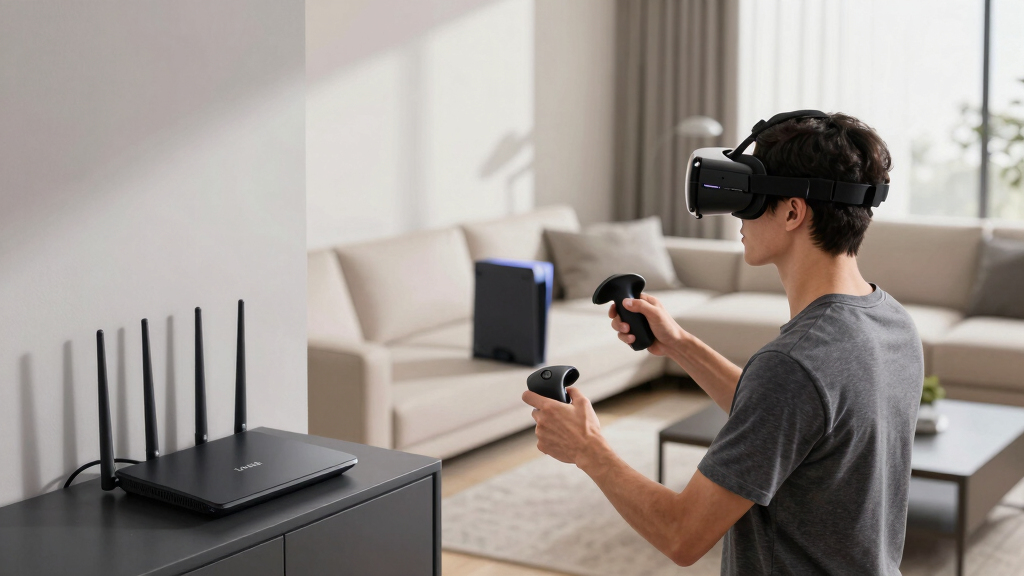

For wireless PCVR enthusiasts, selecting the right router can make the difference between seamless gameplay and frustrating lag. The NETGEAR Nighthawk RS90 stands out for its blazing WiFi 7 speeds and broad coverage, ideal for large homes. Meanwhile, the TP-Link AXE5400 Tri-Band WiFi 6E Router offers cutting-edge 6 GHz connectivity, perfect for low-latency, high-bandwidth gaming. For those on a budget, the NETGEAR Nighthawk R6700AX delivers reliable WiFi 6 performance suitable for smaller spaces. High-end gamers might consider the ASUS ROG Rapture GT-BE98 Pro for ultra-fast WiFi 7 with quad-band capacity, while the ASUS RT-AX82U provides a powerful yet more affordable WiFi 6 gaming experience with customizable RGB lighting. Each of these options balances speed, coverage, and complexity, but they cater to different needs and budgets.

Play games on Amazon Luna for your next adventure, included with Prime
- A rotating selection of games, no download needed
- Play on TV, laptop or phone
- Fast, free delivery for your gear, too
Key Takeaways
- WiFi 7 routers provide the fastest speeds and best future-proofing for wireless PCVR, but come at a higher price and setup complexity.
- Tri-band WiFi 6E models excel with the new 6 GHz band, reducing latency and interference for demanding VR activities.
- Coverage area and device support vary significantly; larger homes require routers with broader coverage or mesh systems.
- High-end gaming routers include advanced features like multi-link operation and multiple 10G ports, but often cost more.
- Budget-friendly WiFi 6 options still support reliable gaming, though they may struggle in multi-story or large homes.
| NETGEAR Nighthawk WiFi 7 Router RS90, Up to 2,000 sq ft, 3.6 Gbps |  | Best Overall for Speed and Coverage | WiFi Standard: WiFi 7 | Max Speed: 3.6 Gbps | Coverage: Up to 2,000 sq ft | VIEW LATEST PRICE | See Our Full Breakdown |
| TP-Link AXE5400 Tri-Band WiFi 6E Router (Archer AXE75) |  | Best for Cutting-Edge 6 GHz Connectivity | WiFi Speed: up to 5400 Mbps | Bands: Tri-Band (6 GHz, 5 GHz, 2.4 GHz) | Processor: 1.0 GHz dual-core | VIEW LATEST PRICE | See Our Full Breakdown |
| NETGEAR Nighthawk WiFi 6 Router R6700AX, Up to 1,500 sq ft, 1.8 Gbps |  | Best Budget-Friendly WiFi 6 Solution | WiFi Standard: WiFi 6 | Max Speed: 1.8 Gbps | Coverage Area: 1500 sq ft | VIEW LATEST PRICE | See Our Full Breakdown |
| ASUS ROG Rapture GT-BE98 Pro WiFi 7 Gaming Router – Quad-Band, 30Gbps, Mesh |  | Best for Premium Gaming and Ultra-Fast Speeds | Frequency Band: Quad-Band | Wireless Compatibility: 802.11be | Data Transfer Rate: 30,000 Mbps | VIEW LATEST PRICE | See Our Full Breakdown |
| ASUS RT-AX82U AX5400 Dual-Band WiFi 6 Gaming Router with RGB Lighting |  | Best for Affordable, High-Performance Gaming | WiFi Standard: WiFi 6 (802.11ax) | Max Speed: 5400 Mbps | Channels: 160MHz | VIEW LATEST PRICE | See Our Full Breakdown |
| dedicated routers for wireless PCVR | WiFi Standard | Max Speed | Security |
|---|---|---|---|
| NETGEAR Nighthawk WiFi 7 Route | WiFi 7 | 3.6 Gbps | — |
| TP-Link AXE5400 Tri-Band WiFi | — | — | TP-Link HomeShield |
| NETGEAR Nighthawk WiFi 6 Route | WiFi 6 | 1.8 Gbps | WPA3 |
| ASUS ROG Rapture GT-BE98 Pro W | — | — | — |
| ASUS RT-AX82U AX5400 Dual-Band | WiFi 6 (802.11ax) | 5400 Mbps | AiProtection Pro, WPA3 |
More Details on Our Top Picks
NETGEAR Nighthawk WiFi 7 Router RS90, Up to 2,000 sq ft, 3.6 Gbps
The NETGEAR Nighthawk RS90 shines for its ultra-fast WiFi 7 speeds and expansive coverage, making it a top pick for serious PCVR users with large homes. Its support for multi-gig plans and easy management through the Nighthawk app simplifies setup, but real-world speeds depend heavily on your internet plan and device compatibility. It’s ideal for gamers who want the latest technology, though the security features require a subscription after the trial period. Compared to older WiFi 6 models, this router offers better future-proofing but at a higher cost and setup complexity.
Pros:- Blazing WiFi 7 speeds up to 3.6 Gbps
- Coverage up to 2,000 sq ft for larger homes
- Supports multi-gig internet plans
- Easy management via Nighthawk app
Cons:- Real-world performance depends on device compatibility
- Security features require subscription after free trial
- Larger footprint may require additional mesh units in multi-story homes
Best for: Advanced VR gamers seeking maximum speed and coverage in large homes.
Not ideal for: Casual users or those with small spaces who don’t need WiFi 7’s full capabilities.
- WiFi Standard:WiFi 7
- Max Speed:3.6 Gbps
- Coverage:Up to 2,000 sq ft
- Number of Devices:Up to 50
- Ports:One 2.5G WAN, four 1G LAN
- Compatibility:Works with most cable, fiber, DSL, satellite
Our verdict“Best for users who want top-tier speed and coverage with future-proof WiFi 7 technology.”
TP-Link AXE5400 Tri-Band WiFi 6E Router (Archer AXE75)
The TP-Link AXE5400 offers exceptional speeds up to 5400 Mbps, leveraging the new 6 GHz band to cut down latency for wireless PCVR. Its tri-band setup ensures devices can connect without interference, and support for mesh networks extends coverage seamlessly. However, setup can be tricky for non-technical users, and it requires a compatible modem for most providers. This router is better suited for gamers and streamers who want the latest WiFi 6E technology but are comfortable with advanced configuration.
Pros:- Tri-band speeds with 6 GHz for low latency
- Supports mesh extension for larger homes
- Powerful dual-core CPU and 512MB RAM
- Includes advanced security features
Cons:- Requires compatible modem
- Complex setup process
- Premium features may need extra configuration
Best for: Tech-savvy gamers seeking ultra-low latency and high bandwidth for PCVR.
Not ideal for: Less experienced users or those with simple internet setups.
- WiFi Speed:up to 5400 Mbps
- Bands:Tri-Band (6 GHz, 5 GHz, 2.4 GHz)
- Processor:1.0 GHz dual-core
- Memory:512 MB
- Supports:EasyMesh, VPN
- Security:TP-Link HomeShield
Our verdict“Ideal for early adopters who want the fastest, lowest-latency wireless experience for PCVR.”
NETGEAR Nighthawk WiFi 6 Router R6700AX, Up to 1,500 sq ft, 1.8 Gbps
The NETGEAR Nighthawk R6700AX offers reliable WiFi 6 performance with speeds up to 1.8 Gbps, suitable for smaller homes or setups where budget matters. Its easy setup and management make it accessible for newcomers, but coverage is limited to about 1,500 sq ft, which might require additional extenders or mesh if your space is larger. It’s a solid choice for casual PCVR users who don’t need the ultra-high speeds of WiFi 7 or 6E but still want a dependable connection.
Pros:- Reliable WiFi 6 speeds up to 1.8 Gbps
- Easy setup and management
- Secure WPA3 encryption
- Supports guest networks
Cons:- Limited coverage in large homes
- Performance may drop with interference
- Requires subscription for advanced security after trial
Best for: Casual gamers or VR users in smaller, single-story homes.
Not ideal for: Large households or multi-floor spaces needing broader coverage.
- WiFi Standard:WiFi 6
- Max Speed:1.8 Gbps
- Coverage Area:1500 sq ft
- Number of Devices:Up to 20
- Ethernet Ports:4 Gigabit LAN, 1 WAN
- Security:WPA3
Our verdict“Great for smaller spaces or budget-conscious users seeking solid WiFi 6 performance.”
ASUS ROG Rapture GT-BE98 Pro WiFi 7 Gaming Router – Quad-Band, 30Gbps, Mesh
The ASUS ROG Rapture GT-BE98 Pro delivers astonishing speeds up to 30Gbps with its quad-band design, making it a powerhouse for wireless PCVR. Its multi-link operation and dual 10G ports support gaming and streaming at the highest levels, though setup can be complex for those unfamiliar with advanced networking. Its high price and feature set suit dedicated gamers or tech enthusiasts willing to invest in top-tier performance, but less critical for casual VR users.
Pros:- Supports WiFi 7 speeds up to 30Gbps
- Quad-band capacity enhances stability
- Dual 10G wired ports for ultra-fast connections
- Optimized for gaming with advanced features
Cons:- Setup complexity
- High cost
- Potentially overkill for basic VR needs
Best for: Hardcore gamers and tech enthusiasts seeking the fastest, most versatile router.
Not ideal for: Casual users or those with limited technical skills.
- Frequency Band:Quad-Band
- Wireless Compatibility:802.11be
- Data Transfer Rate:30,000 Mbps
- LAN Ports:Two 10G ports, five total
- Device Compatibility:Gaming, PC, smart TV
- Additional Features:Access Point, Guest Mode, QoS
Our verdict“Best for those requiring maximum speed, capacity, and advanced features in a gaming context.”
ASUS RT-AX82U AX5400 Dual-Band WiFi 6 Gaming Router with RGB Lighting
The ASUS RT-AX82U offers impressive WiFi 6 speeds up to 5400 Mbps, along with features like mobile game mode and AiMesh support for whole-home coverage. Its RGB lighting adds a gaming aesthetic, and its security suite provides peace of mind. While it’s more affordable than high-end WiFi 7 models, it still delivers excellent performance for VR gaming, especially in smaller or medium-sized homes. Setup is straightforward, making it accessible for most users, but it may not match the raw speed and capacity of top-tier routers.
Pros:- High-speed WiFi 6 performance
- Mesh support for whole-home coverage
- Customizable Aura RGB lighting
- Lifetime free AiProtection Pro security
Cons:- Potentially higher price for gaming features
- Setup may be complex for beginners
- Wired performance limited in very large homes
Best for: Mid-range gamers wanting fast WiFi 6 with gaming features and aesthetic flair.
Not ideal for: Users needing extensive coverage or ultra-low latency for competitive VR.
- WiFi Standard:WiFi 6 (802.11ax)
- Max Speed:5400 Mbps
- Channels:160MHz
- Features:Game Mode, Mesh, RGB, MU-MIMO
- Security:AiProtection Pro, WPA3
- Supports:AiMesh, Parental Controls
Our verdict“Ideal for gamers who want a stylish, reliable WiFi 6 router with good coverage and security features.”

How We Picked
Our selection process focused on routers that specifically enhance the wireless PCVR experience, prioritizing high-speed WiFi standards (WiFi 6 and 7), low latency features, and strong coverage. We compared device performance, compatibility with VR gear, ease of setup, and security features. Price was a secondary factor, with a preference for models offering good value for demanding VR use cases. We also considered the future-proofing potential of WiFi 7 and WiFi 6E, as well as support for mesh networks to extend coverage in larger spaces.
| dedicated routers for wireless PCVR | WiFi Standard | Security |
|---|---|---|
| NETGEAR Nighthawk WiFi 7 Route | WiFi 7 | — |
| TP-Link AXE5400 Tri-Band WiFi | — | TP-Link HomeShield |
| NETGEAR Nighthawk WiFi 6 Route | WiFi 6 | WPA3 |
| ASUS ROG Rapture GT-BE98 Pro W | — | — |
| ASUS RT-AX82U AX5400 Dual-Band | WiFi 6 (802.11ax) | AiProtection Pro, WPA3 |
Factors to Consider When Choosing Best Dedicated Routers For Wireless PCVR
Choosing the best router for wireless PCVR depends on several factors that directly impact your immersive experience. Key considerations include the WiFi standard (WiFi 6 or 7), bandwidth, latency, coverage area, and support for mesh or multi-band configurations. Understanding these aspects helps ensure your VR sessions remain smooth, lag-free, and responsive. Additionally, security features and ease of setup can influence your long-term satisfaction, especially if multiple devices compete for bandwidth in your home.WiFi Standard and Speed
For wireless PCVR, the primary goal is to minimize lag and maximize bandwidth. WiFi 7 offers the fastest speeds and lowest latency, but it’s more expensive and still emerging. WiFi 6E extends WiFi 6 with the new 6 GHz band, providing a significant reduction in interference and latency—a boon for VR. WiFi 6 remains a solid choice for budget-conscious setups while still delivering high performance, especially in smaller spaces.
Coverage and Device Support
Large homes or multi-room setups benefit from routers with broader coverage or mesh capabilities. Look for models supporting multiple bands and mesh support to extend coverage seamlessly. In contrast, smaller homes or single-room VR setups may do well with standard WiFi 6 routers, which offer sufficient speed and stability without the added complexity or cost.
Latency and Stability
Low latency is essential for smooth VR experiences. Routers with advanced features like multi-link operation, Quality of Service (QoS), and multiple gigabit ports help prioritize VR traffic and reduce lag spikes. High-end gaming routers often include these features, but simpler models can still perform well if your internet plan and device compatibility align.
Security and Ease of Use
Ensure the router offers strong security protocols such as WPA3 and easy management tools. Security is especially important when streaming VR content over WiFi. User-friendly setup procedures and management apps make ongoing network adjustments easier, particularly for those less familiar with advanced networking.
Frequently Asked Questions
Is WiFi 7 necessary for wireless PCVR?
While WiFi 7 provides the highest speeds and lowest latency, it isn’t strictly necessary for wireless PCVR. WiFi 6E also offers substantial performance improvements over WiFi 6, especially with the 6 GHz band to reduce interference. Your choice depends on your budget, existing equipment, and future-proofing needs, but for most users, WiFi 6E provides excellent performance at a lower cost.
How does mesh support improve wireless PCVR performance?
Mesh support allows multiple access points to work together, expanding coverage and reducing dead zones in larger or multi-story homes. This ensures a stable, consistent connection for VR devices across your entire space. Without mesh, you might experience lag or disconnects in distant rooms, which can ruin an immersive VR session.
Are gaming routers worth the extra cost for PCVR?
Gaming routers typically include features like QoS, multi-link operation, and multiple gigabit ports, all designed to prioritize gaming traffic and reduce lag. For dedicated PCVR users, these features can make a noticeable difference in performance, especially during high-bandwidth activities. However, if your setup is simple or your home is small, a more affordable router may suffice.
Can I use a standard WiFi router for PCVR?
Yes, many standard WiFi 6 routers can handle wireless PCVR, especially in smaller homes or with fewer devices competing for bandwidth. The key is ensuring your router supports low latency, has sufficient bandwidth, and is compatible with your VR headset. Upgrading to a WiFi 6E or WiFi 7 model can improve performance, but isn’t a strict requirement in all cases.
What security features should I look for in a VR router?
Strong security is vital to protect your network and VR data streams. Look for routers with WPA3 encryption, built-in firewalls, and security suites like TP-Link HomeShield or AiProtection. These features help safeguard your network from external threats and ensure your VR sessions are private and secure.
Conclusion
For gamers with large homes or those seeking the latest tech, high-end WiFi 7 routers like the NETGEAR Nighthawk RS90 or ASUS ROG GT-BE98 Pro are worthwhile investments. Budget-conscious users or those with smaller spaces will find solid performance in WiFi 6 routers such as the NETGEAR R6700AX or the ASUS RT-AX82U. Overall, your choice should match your space, device support needs, and willingness to invest in future-proofing. Prioritize low latency, coverage, and security features to ensure your wireless PCVR experience remains smooth and immersive in 2026.