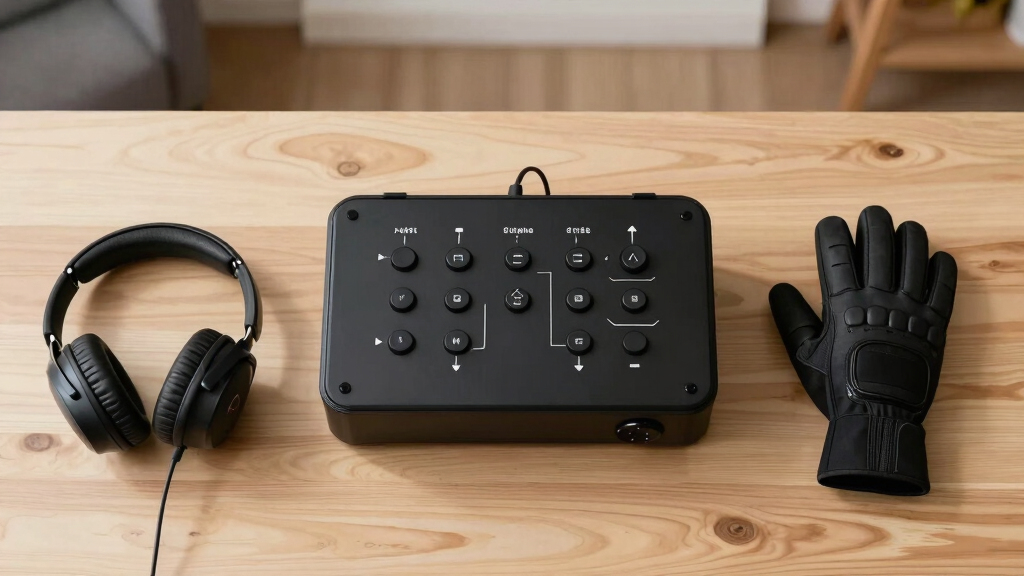

For VR sim racers, a quality button box can significantly enhance control and immersion. The PXN CB1 PC Sim Racing Button Box stands out as the best overall due to its extensive control set and customization options. The MiYee Button Box offers a sleek design with programmable features ideal for enthusiasts, while the SIM-PANEL PC Sim Racing Gen 2 provides a versatile layout suited for different setups. Buyers face tradeoffs between price, build quality, and feature complexity, making it essential to choose based on your specific needs. Keep reading for a detailed breakdown of these top contenders and what sets them apart.

Play games on Amazon Luna for your next adventure, included with Prime
- A rotating selection of games, no download needed
- Play on TV, laptop or phone
- Fast, free delivery for your gear, too
Key Takeaways
- Top picks balance control variety with build quality, favoring those with durable construction and extensive programmable options.
- Layout options (horizontal vs. vertical) can impact accessibility and comfort during extended racing sessions.
- Higher-priced models generally offer better customization and tactile feedback, but budget options can still provide excellent value.
- Compatibility and ease of setup are critical factors, especially for VR users who want seamless integration.
- The best button box depends heavily on individual preferences—whether prioritizing features, simplicity, or price.
| PXN CB1 PC Sim Racing Button Box with 19 Controls |  | Best Overall for Customization and Versatility | Controls: 19 controls with 9 input types | Compatibility: PC, PXN V9 Gen2 | Programmable Buttons: 30 | VIEW LATEST PRICE | See Our Full Breakdown |
| MiYee Button Box Sim Racing Programmable Control Box with Rotary Encoders and Carbon Fiber Panel |  | Best Durable Construction and High Compatibility | Compatible Devices: PC | Controller Type: Push Button | Connectivity Technology: USB | VIEW LATEST PRICE | See Our Full Breakdown |
| SIM-PANEL PC Sim Racing Gen 2 Button Box (Horizontal Layout) |  | Best for Ergonomic, High-Precision Control | Compatibility: PC only | Layout: Horizontal | Customizable Controls: Yes | VIEW LATEST PRICE | See Our Full Breakdown |
| PXN CB1 PC Button Box, Programmable Sim Control Panel |  | Best Versatile and Fully Programmable for PC | Compatibility: PC, PXN V9 GEN2, VD Series, V10 PRO/Ultra | Controller Type: Button Box, PC Simulator Side Panel | Connectivity Technology: USB | VIEW LATEST PRICE | See Our Full Breakdown |
| PXN CB1 Racing Button Box USB PC Racing Simulator Center Control |  | Best Ergonomic, User-Friendly for PC Racers | Compatibility: PC, PXN V9 GEN2, VD Series, V10 PRO/Ultra | Controller Type: Button Box, PC Simulator Side Panel | Connectivity Technology: USB | VIEW LATEST PRICE | See Our Full Breakdown |
| PXN CB1 Sim Racing Button Box for PC, 19 Controls (9 Input Types) |  | Best Overall for Versatile Control and Customization | Controls: 19 physical controls | Input Types: 9 | Programmable Inputs: 30 | VIEW LATEST PRICE | See Our Full Breakdown |
| AZRacing Multifunctional Sim Racing Button Box |  | Best for Durable, Extensive Control in a Premium Build | Compatible Devices: PC | Controller Type: Push Button | Connectivity Technology: USB | VIEW LATEST PRICE | See Our Full Breakdown |
| PXN CB1 Sim Racing Button Box |  | Best Compact for Sim Racers with Limited Space | Controls: Customizable buttons | Layout: Compact | Compatibility: Designed for PC | VIEW LATEST PRICE | See Our Full Breakdown |
| SIM-PANEL PC Sim Racing Gen 2 Button Box (Vertical Layout) |  | Best Ergonomic Vertical Layout for Quick Access | Compatibility: PC only | Layout: Vertical | Programmable Buttons: Yes | VIEW LATEST PRICE | See Our Full Breakdown |
| button boxes for VR sim racing | Compatibility |
|---|---|
| PXN CB1 PC Sim Racing Button B | PC, PXN V9 Gen2 |
| MiYee Button Box Sim Racing Pr | — |
| SIM-PANEL PC Sim Racing Gen 2 | PC only |
| PXN CB1 PC Button Box | PC, PXN V9 GEN2, VD Series, V10 PRO/Ultra |
| PXN CB1 Racing Button Box USB | PC, PXN V9 GEN2, VD Series, V10 PRO/Ultra |
| PXN CB1 Sim Racing Button Box | Windows PC |
| AZRacing Multifunctional Sim R | — |
| PXN CB1 Sim Racing Button Box | Designed for PC |
| SIM-PANEL PC Sim Racing Gen 2 | PC only |
More Details on Our Top Picks
PXN CB1 PC Sim Racing Button Box with 19 Controls
The PXN CB1 stands out for its extensive customization options, featuring 30 programmable buttons and seven RGB lighting effects that can be tailored to create a highly immersive racing environment. Unlike the PXN CB1 PC Button Box with 19 controls, this model offers more input options, making it better suited for advanced users who want deep control over their setup. However, its size may be a drawback for smaller desks, and it’s limited to PC compatibility, excluding console players. The clamp mount and compatibility with popular simulators like Assetto Corsa and iRacing deliver reliable performance during intense sessions.
- Highly customizable with 30 programmable buttons
- Easy to install on various surfaces
- Immersive RGB lighting effects
- Limited to PC compatibility
- Size may be bulky for small desks
Best for serious PC sim racers who want extensive control options and vibrant lighting effects.
Not ideal for console players or those with limited desk space.
Specs: Controls: 19 controls with 9 input types; Compatibility: PC, PXN V9 Gen2; Programmable Buttons: 30; Lighting Effects: 7 RGB effects; Material: ABS resin; Installation: Clamp mount for surfaces up to 7 cm thick.
Pros:- Highly customizable with 30 programmable buttons
- Easy to install on various surfaces
- Immersive RGB lighting effects
Cons:- Limited to PC compatibility
- Size may be bulky for small desks
Best for: Advanced PC sim racers seeking maximum customization and lighting effects.
Not ideal for: Console players or users with limited desk space.
- Controls:19 controls with 9 input types
- Compatibility:PC, PXN V9 Gen2
- Programmable Buttons:30
- Lighting Effects:7 customizable RGB effects
- Material:High-quality ABS resin
- Installation:Clamp mount for surfaces up to 7 cm thick
Our verdict“This pick is perfect for dedicated PC sim racers who value extensive control and visual customization.”
MiYee Button Box Sim Racing Programmable Control Box with Rotary Encoders and Carbon Fiber Panel
The MiYee Button Box excels in durability, featuring a carbon fiber faceplate and full-metal housing that outlasts many plastic alternatives like the PXN CB1. Its 16 programmable buttons, rotary encoders, and toggle switches make it ideal for users who want a robust, customizable setup. While it offers plug-and-play simplicity for PC gamers, its complexity might overwhelm beginners, especially compared to the more straightforward SIM-PANEL Gen 2. This model is best suited for those who prioritize build quality and multi-functionality over minimalism, but it’s not compatible with consoles.
- Durable construction with carbon fiber and metal housing
- Highly customizable with programmable buttons and rotary encoders
- Plug-and-play compatibility with PC racing games
- Limited to PC compatibility
- May be complex for beginners due to multiple programmable features
Best for experienced PC racers who demand a rugged, multi-featured button box with high durability.
Not ideal for console gamers or those new to sim racing who prefer simpler controls.
Specs: Compatible Devices: PC; Controller Type: Push Button; Connectivity Technology: USB; Additional Features: Multiuse; Button Quantity: 16; Hardware Platform: PC; Color: Black; Warranty & Support: Product Warranty.
Pros:- Durable construction with carbon fiber and metal housing
- Highly customizable with programmable buttons and rotary encoders
- Plug-and-play compatibility with PC games
Cons:- Limited to PC compatibility
- May be complex for newcomers
Best for: Experienced PC sim racers needing a tough, customizable control box.
Not ideal for: Console users or beginners seeking simple, plug-and-play solutions.
- Compatible Devices:PC
- Controller Type:Push Button
- Connectivity Technology:USB
- Additional Features:Multiuse
- Button Quantity:16
- Hardware Platform:PC
- Color:Black
- Warranty & Support:Product Warranty
Our verdict“This model offers unmatched durability and customization for seasoned PC sim racers willing to navigate its features.”
SIM-PANEL PC Sim Racing Gen 2 Button Box (Horizontal Layout)
The SIM-PANEL Gen 2 is designed for serious racers who prioritize ergonomic placement and quick access. Its horizontal layout allows for natural, intuitive reach during fast-paced races, unlike the vertical layout of the PXN CB1. This model is fully customizable but remains exclusive to PC, limiting its versatility for console users. Its sleek, ergonomic design makes it ideal for those who want a comfortable, precision-focused control station, though it sacrifices platform flexibility.
- Fully customizable controls for tailored racing setups
- Ergonomic horizontal layout for easy access during intense sessions
- Compatible with a wide range of PC sim racing setups
- Not compatible with consoles or other platforms
- Designed exclusively for PC, limiting versatility
Best for dedicated PC sim racers who need ergonomic controls for high-precision driving.
Not ideal for console players or casual racers who prefer plug-and-play options.
Specs: Compatibility: PC only; Layout: Horizontal; Customizable Controls: Yes; Design: Ergonomic, streamlined interface; Integration: Versatile with various setups.
Pros:- Fully customizable controls
- Ergonomic horizontal layout
- Compatible with a wide range of setups
Cons:- Limited to PC platform
- Excludes console compatibility
Best for: Serious PC racers seeking ergonomic, precise control in a customizable package.
Not ideal for: Console gamers or those seeking a plug-and-play experience.
- Compatibility:PC only
- Layout:Horizontal
- Customizable Controls:Yes
- Design:Ergonomic, streamlined
- Integration:Versatile with various setups
Our verdict“This is the ideal choice for racers demanding ergonomic design and high-precision control on PC.”
PXN CB1 PC Button Box, Programmable Sim Control Panel
The PXN CB1 control panel offers a balanced mix of features, with 19 programmable buttons, RGB backlighting, and versatile mounting options, making it well-suited for users who want a comprehensive control station. Unlike the MiYee, which emphasizes durability, the PXN CB1 focuses on ease of customization and broad compatibility with multiple wheel bases and platforms. Its slightly smaller size offers a more compact solution but may limit expansion for users with complex setups. Initial configuration can be time-consuming, but it provides substantial control flexibility once set up.
- Fully programmable buttons and switches for customized control
- RGB backlighting enhances visual setup
- Versatile mounting options for stability
- Initial in-game button mapping required for full functionality
- Limited to PC and specific wheel bases
Best for users seeking a flexible, customizable control panel that can adapt to various setups.
Not ideal for those who need a simple, ready-to-go solution or are on console platforms.
Specs: Compatibility: PC, PXN V9 GEN2, VD Series, V10 PRO/Ultra; Controller Type: Button Box, PC Simulator Side Panel; Connectivity Technology: USB; Number of Programmable Buttons: 19; Additional Features: 2 Latching Buttons, 2 Rotary Encoders, 6 Momentary Buttons, RGB Backlight; Item Dimensions: 3.1 x 5.7 x 0.22 inches.
Pros:- Fully programmable buttons and switches
- RGB backlighting for customization
- Versatile mounting options
Cons:- Setup can be time-consuming
- Limited to PC and specific wheel bases
Best for: Enthusiast PC racers wanting a customizable, versatile control panel.
Not ideal for: Console players or those seeking a plug-and-play experience.
- Compatibility:PC, PXN V9 GEN2, VD Series, V10 PRO/Ultra
- Controller Type:Button Box, PC Simulator Side Panel
- Connectivity Technology:USB
- Number of Programmable Buttons:19
- Additional Features:2 Latching Buttons, 2 Rotary Encoders, 6 Momentary Buttons, RGB Backlight
- Item Dimensions:3.1 x 5.7 x 0.22 inches
Our verdict“This control panel offers extensive customization for PC racers who value flexibility and visual flair.”
PXN CB1 Racing Button Box USB PC Racing Simulator Center Control
The PXN CB1 Racing Button Box emphasizes ergonomic design and ease of use, with 30 programmable buttons and seven RGB lighting effects that can be tailored for a personalized racing atmosphere. Compared to the SIM-PANEL Gen 2 with its ergonomic layout, the PXN CB1 provides more buttons and lighting options, making it more versatile for diverse racing styles. Its adjustable clamp supports various table thicknesses, giving flexibility for different setups. The main tradeoff is that setting up all buttons and mapping controls can take time, especially for complex configurations, and it’s limited to PC.
- Fully programmable buttons and switches for detailed control
- RGB backlighting for visual customization
- Versatile mounting options for stability
- Initial setup and button mapping may be complex
- Limited to PC and specific wheel bases
Best for users who want a feature-rich, ergonomic control panel for PC racing games.
Not ideal for console players or users seeking a plug-and-play solution with minimal setup.
Specs: Compatibility: PC, PXN V9 GEN2, VD Series, V10 PRO/Ultra; Controller Type: Button Box, PC Simulator Side Panel; Connectivity Technology: USB; Number of Programmable Buttons: 19; Additional Features: 2 Latching Buttons, 2 Rotary Encoders, 6 Momentary Buttons, RGB Backlight; Item Weight: 1.7 pounds; Item Dimensions: 3.1 x 5.7 x 0.22 inches.
Pros:- Fully programmable buttons and switches
- RGB backlighting enhances aesthetics
- Versatile mounting options
Cons:- Setup and mapping can be time-consuming
- Limited to PC and specific wheel bases
Best for: PC racers who prioritize ergonomic design and extensive customization.
Not ideal for: Console gamers or users preferring quick, simple setups.
- Compatibility:PC, PXN V9 GEN2, VD Series, V10 PRO/Ultra
- Controller Type:Button Box, PC Simulator Side Panel
- Connectivity Technology:USB
- Number of Programmable Buttons:19
- Additional Features:2 Latching Buttons, 2 Rotary Encoders, 6 Momentary Buttons, RGB Backlight
- Item Weight:1.7 pounds
- Item Dimensions:3.1 x 5.7 x 0.22 inches
Our verdict“This control panel suits dedicated PC racers seeking a feature-rich, ergonomic solution despite initial setup complexity.”
PXN CB1 Sim Racing Button Box for PC, 19 Controls (9 Input Types)
The PXN CB1 stands out for its extensive control options and flexible mounting, making it ideal for serious sim racers who want a comprehensive control panel. Compared to the SIM-PANEL PC Sim Racing Gen 2, which offers a more ergonomic vertical layout, the CB1 provides a broader array of input types, including 19 controls across 9 input categories, suitable for complex setups. However, the CB1’s setup can be complex for first-time users and is limited to Windows, unlike some more straightforward models. Its customizable RGB lighting improves visibility in various lighting conditions, and its VESA mounting support adds versatility. Nonetheless, it lacks advanced software customization beyond in-game mapping, which might be a downside for those seeking deeper control.
Pros:- Extensive control options with 19 controls across 9 input types
- Customizable RGB lighting enhances visibility and immersion
- Versatile mounting options including VESA compatibility
- Plug-and-play with no driver installation required
Cons:- Limited to Windows PC, restricting platform versatility
- Setup can be complex for new users
- No advanced software customization beyond game mapping
Best for: Advanced sim racers who need a wide range of control options and flexible mounting.
Not ideal for: Casual players or beginners who prefer plug-and-play simplicity without complex setup.
- Controls:19 physical controls
- Input Types:9
- Programmable Inputs:30
- Lighting:RGB customizable
- Mounting Compatibility:VESA 100×100 mm, clamp for surfaces up to 70 mm thick
- Connection:USB
- Compatibility:Windows PC
Our verdict“This pick suits experienced sim racers seeking a feature-rich, customizable control panel with flexible mounting options.”
AZRacing Multifunctional Sim Racing Button Box
The AZRacing Multifunctional Button Box excels with its durable all-metal construction and 34 customizable inputs, making it well-suited for serious racers who want high durability and extensive control. Compared to the PXN CB1, which offers more input types but less physical robustness, the AZRacing provides a sturdy, high-quality build that withstands intense use. Its plug-and-play USB connection and customizable lighting make setup straightforward, but its complexity can be overwhelming for newcomers. It lacks dedicated software for advanced customization, which could limit power users. Overall, this device makes the most sense for racers demanding durability and a high degree of control without sacrificing reliability.
Pros:- All-metal construction offers exceptional durability
- 34 customizable inputs, including toggle switches and encoders
- Plug-and-play USB connection simplifies setup
- Customizable lighting effects for personalization
Cons:- May be complex for beginners to configure
- Limited to PC, no multi-platform support
- No advanced software customization features
Best for: Hardcore sim racers who prioritize durability and extensive control options.
Not ideal for: Beginners or casual players who prefer simple, easy-to-use controls with minimal setup.
- Compatible Devices:PC
- Controller Type:Push Button
- Connectivity Technology:USB
- Additional Features:1 four-way button, 1 start button, 3 toggle switches, 6 encoders, 8 buttons
- Hardware Platform:PC
- Color:Black
Our verdict“This is ideal for racers seeking a rugged, heavily customizable button box built for long-term durability.”
PXN CB1 Sim Racing Button Box
The PXN CB1 Compact is designed for racers who need a space-efficient control solution. While it offers customizable buttons, details on its specific features are limited compared to the larger PXN CB1 model. It’s a good choice for those who want to add basic controls without cluttering their cockpit, but it may require additional setup or accessories to match the control depth of larger options. Its compact size makes it easier to install in tight spaces, but this also limits the number of controls available. Compared with the full-sized PXN CB1, this model sacrifices some versatility for a more streamlined footprint. It’s best suited for casual racers or those with constrained cockpit space.
Pros:- Compact and easy to install in small cockpits
- Customizable buttons for personalized control
- Enhances the sim racing experience without taking up much space
Cons:- Limited information on features and controls
- May require additional accessories for full functionality
- Lacks detailed specifications and advanced options
Best for: Players with limited space needing a simple, customizable button box.
Not ideal for: Power users or those seeking extensive control options, as this model is quite basic.
- Controls:Customizable buttons
- Layout:Compact
- Compatibility:Designed for PC
- Connectivity:Unspecified
- Lighting:Not specified
- Mounting:Not specified
Our verdict“This is a practical choice for racers with space constraints wanting a simple, customizable control addition.”
SIM-PANEL PC Sim Racing Gen 2 Button Box (Vertical Layout)
The SIM-PANEL PC Sim Racing Gen 2 offers a vertical layout that prioritizes quick access and ergonomic reach during intense racing sessions. Its fully customizable, programmable buttons allow for tailored setups, making it an excellent choice for drivers who want to keep controls within easy reach without cluttering their space. Compared with the PXN CB1, which provides more input types and a broader control spectrum, the SIM-PANEL’s strength lies in its ergonomic layout and quick accessibility. However, it is exclusively compatible with PC, limiting versatility for console users. Its vertical design helps reduce fatigue and enhances focus, but the layout might not suit everyone’s preferences, especially those used to horizontal control panels.
Pros:- Fully customizable and programmable controls
- Ergonomic vertical layout for easy reach and visibility
- Versatile integration with various sim racing rigs
- Designed specifically for PC with focused features
Cons:- Limited to PC, no console support
- Vertical layout may not suit all preferences
- Designed exclusively for PC, restricting platform flexibility
Best for: Competitive or high-intensity racers who benefit from quick, ergonomic control access.
Not ideal for: Casual players or console racers who need broader platform compatibility or a more traditional layout.
- Compatibility:PC only
- Layout:Vertical
- Programmable Buttons:Yes
- Designed for:Sim racing
Our verdict“This control box is best for racers seeking a highly ergonomic, quick-access layout for PC-based sim racing competitions.”

How We Picked
Products were evaluated based on their build quality, control variety, customization options, ease of use, and compatibility with VR setups. We prioritized models that offer reliable performance and intuitive layouts, as these factors directly affect immersion and racing accuracy. Price point was also considered, ensuring recommendations cater to different budgets while maintaining quality. Devices with more durable materials, better tactile feedback, and user-friendly software ranked higher, as these qualities improve long-term usability and satisfaction.| button boxes for VR sim racing | Compatibility |
|---|---|
| PXN CB1 PC Sim Racing Button B | PC, PXN V9 Gen2 |
| MiYee Button Box Sim Racing Pr | — |
| SIM-PANEL PC Sim Racing Gen 2 | PC only |
| PXN CB1 PC Button Box | PC, PXN V9 GEN2, VD Series, V10 PRO/Ultra |
| PXN CB1 Racing Button Box USB | PC, PXN V9 GEN2, VD Series, V10 PRO/Ultra |
| PXN CB1 Sim Racing Button Box | Windows PC |
| AZRacing Multifunctional Sim R | — |
| PXN CB1 Sim Racing Button Box | Designed for PC |
| SIM-PANEL PC Sim Racing Gen 2 | PC only |
Factors to Consider When Choosing Best Button Boxes For VR Sim Racing
Choosing the best button box for VR sim racing involves understanding several key factors that influence your overall experience. Not all button boxes are created equal, and the right choice depends on your racing style, setup, and budget. Consider how layout, build quality, customization, and compatibility play into your decision to ensure you get a device that enhances your immersion and control without unnecessary complexity or expense.Layout and Ergonomics
Layout options, whether horizontal or vertical, impact how comfortably you can reach controls while racing. Horizontal layouts often mimic real car dashboards, which can feel more natural for some users, while vertical or compact designs save space but may require more reaching. Ergonomics also involve button size and spacing—larger, well-spaced buttons reduce fatigue and misclicks during intense sessions. Testing different layouts against your setup helps prevent discomfort and ensures quick, intuitive access to controls.
Build Quality and Durability
The materials and construction of a button box determine its longevity and feel. Metal panels and solid switches tend to withstand frequent use better than cheaper plastics. The tactile feedback from high-quality buttons improves precision, especially important in VR where visual cues are limited. Investing in a durable device minimizes replacement costs and keeps your racing experience consistent over time.
Customization and Programmability
Many button boxes offer programmable controls, allowing you to assign functions or create macros tailored to your racing style. This flexibility can streamline commands and reduce clutter, making your experience more immersive. However, more complex customization often requires learning new software, which can be a barrier for beginners. Weigh your comfort with customization against the complexity it introduces to ensure a smooth setup process.
Compatibility and Ease of Setup
Ensure the button box seamlessly integrates with your VR hardware and racing software. Compatibility issues can cause frustration and delay setup, detracting from your racing time. Look for models with straightforward connection options, plug-and-play features, and good driver support. This is especially critical in VR, where a stable and responsive device enhances immersion without distracting technical hiccups.
Price and Value
While premium models offer advanced features and build quality, budget options can deliver excellent value for casual racers. Consider what features are essential for your experience—such as the number of controls or layout style—and balance those against your budget. Sometimes, investing a bit more upfront results in better durability and customization, saving money in the long run.
Frequently Asked Questions
Can I use a button box with my VR setup without issues?
Yes, most button boxes are designed to be compatible with VR racing setups, but it’s important to verify compatibility with your specific hardware and software. Look for models that support standard interfaces like USB and check user reviews for reports on VR integration. A well-supported device ensures smooth operation and minimizes setup headaches, allowing you to focus on racing rather than troubleshooting.
Is a more expensive button box worth the extra cost?
Generally, higher-priced models tend to offer better build quality, more controls, and greater customization. If you race frequently or want a more immersive experience, investing in a premium button box can improve comfort and control. However, for casual or beginner racers, budget-friendly options often provide sufficient features at a lower cost, making them a sensible starting point.
What layout should I choose for my button box?
The choice between horizontal and vertical layouts depends on your setup and personal preference. Horizontal layouts often mirror car dashboards, providing a natural feel, while vertical or compact designs save space and can be easier to reach during intense racing moments. Consider your desk space, hand reach, and whether you prefer a simulation of real car controls or a more streamlined design.
How important is programmability in a button box?
Programmability allows you to customize controls and create macros tailored to your racing style, which can streamline complex commands. This feature is especially beneficial for advanced users seeking maximum control and immersion. However, it adds a layer of software setup, which might be overwhelming for beginners. Weigh your comfort with customization against your desire for a straightforward, plug-and-play experience.
Should I prioritize compatibility with specific racing titles?
Yes, ensuring your button box works seamlessly with your favorite racing software can save time and frustration. Check compatibility lists and user feedback for your VR racing titles. Devices with broad support and easy driver installation are preferable, especially if you use multiple simulators or plan to upgrade your system later. Compatibility minimizes setup hassle and enhances your overall experience.
Conclusion
For casual VR racers or those new to sim racing, a budget-friendly but reliable option like the PXN CB1 PC Button Box offers great value. Enthusiasts seeking maximum control and customization will find the MiYee Button Box or SIM-PANEL Gen 2 better suited to their needs. If you prioritize durability and premium features, investing in a high-end model makes sense—particularly for experienced racers or dedicated sim racers. Ultimately, your choice should align with your budget, setup complexity, and how much you value control customization and build quality.